
What counts as equipment
Three words carry the whole model. An equipment item is a kind of thing (Reformer, Court). A unit is one physical piece of it (Reformer 3, Court B) — an item has as many units as you own. Capacity per unit is how many people can use one unit at the same time.
| Thing | Equipment item | Units | Capacity per unit | Required? |
|---|---|---|---|---|
| 8 Pilates reformers | Reformer | 8 | 1 | Required |
| 3 badminton courts | Court | 3 | 4 | Required |
| 2 treatment couches | Treatment couch | 2 | 1 | Required |
| 10 bikes customers hire by the hour | City Bike | 10 | 1 | Required (hired on its own) |
| 20 yoga mats | Mat | 20 | 1 | Optional |
Do not make equipment out of things that never run out. If a class is limited only by the size of the room, set the class size and leave equipment alone.
Exclusive or Shared only matters when capacity per unit is more than 1. An Exclusive court booked by two players keeps its other two places empty; a Shared court lets another booking fill them. At capacity 1 every booking takes the whole unit either way.
Two ways customers meet your equipment
| With a class or appointment | Hired on its own (Standalone hire) | |
|---|---|---|
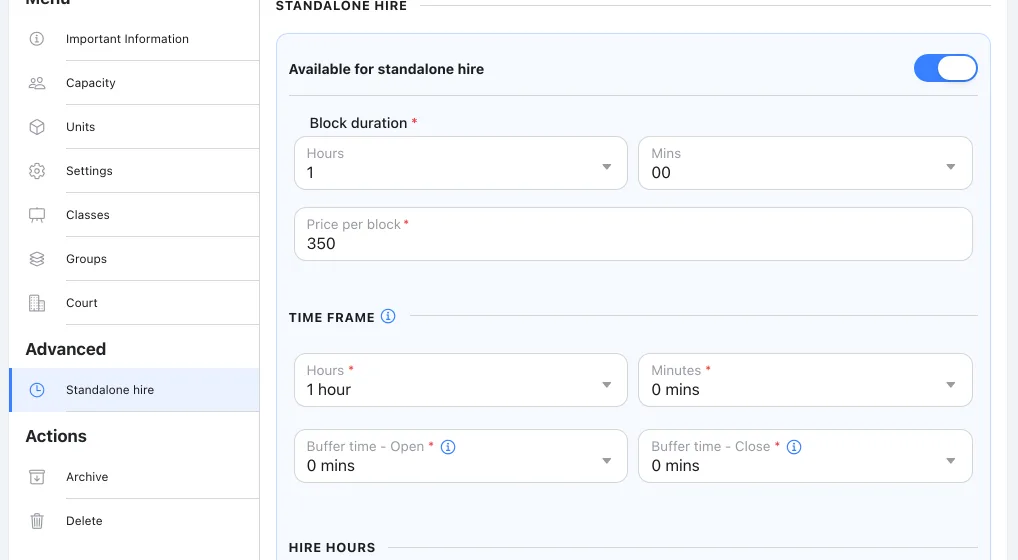
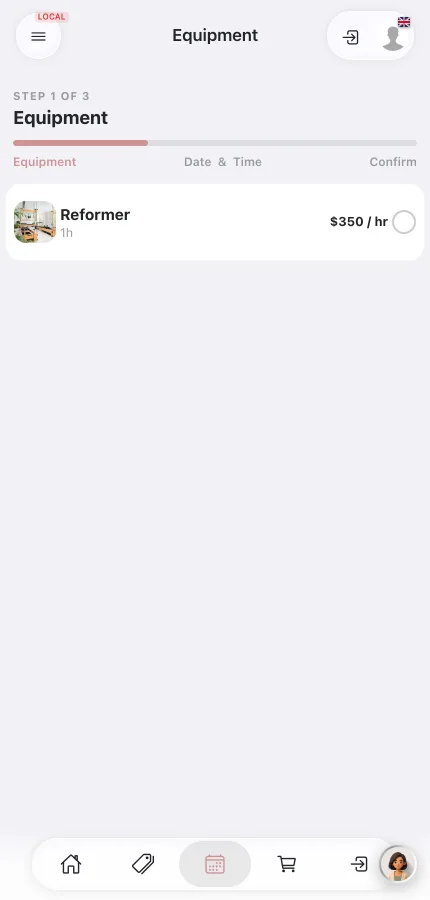
| What the customer does | Books the class or appointment — Reformer Flow, or a 60-minute massage. | Rents the item with no class: City Bike, Saturday 10:00, three hire blocks of 60 minutes, quantity 4. |
| What gets reserved | One unit per booking, automatically — one Reformer, one Treatment couch. Bookable spots are the smaller of the class size and the free equipment: a 12-person class with 8 reformers sells 8 places. Optional equipment (a Mat) is offered as an extra and never blocks the booking. | The units for those blocks — 4 bikes for three hours. |
| What they pay | The class or appointment price. | Price per block × number of blocks × quantity. |
| Where you set it up | Direct link on the item's Classes pill | Item → Advanced → Standalone hire |
| When to use it | Almost every studio, clinic and club — this is the everyday case. | When the equipment is the product — bikes, boats, courts without a coach, a self-service studio. |
Set up your first item
| Field | Value | Why |
|---|---|---|
| Name | Reformer | |
| Location | Your studio | Choose it before saving. |
| Total units | 8 — named Reformer 1 to Reformer 8 if customers will see them | |
| Capacity per unit | 1 | One person per reformer. |
| Default Assignment Type | Exclusive | At capacity 1 it changes nothing, but it is the right default if you later raise the capacity. |
| Required | Required | A reformer class cannot run without one. |
| Linking | Direct | Choose Via group only when several interchangeable items (say Reformer and Tower) should be allocated from one pool — see the groups guide. |
| Classes | Reformer Flow, Reformer Beginners | Each session sells at most as many places as reformers are free. |
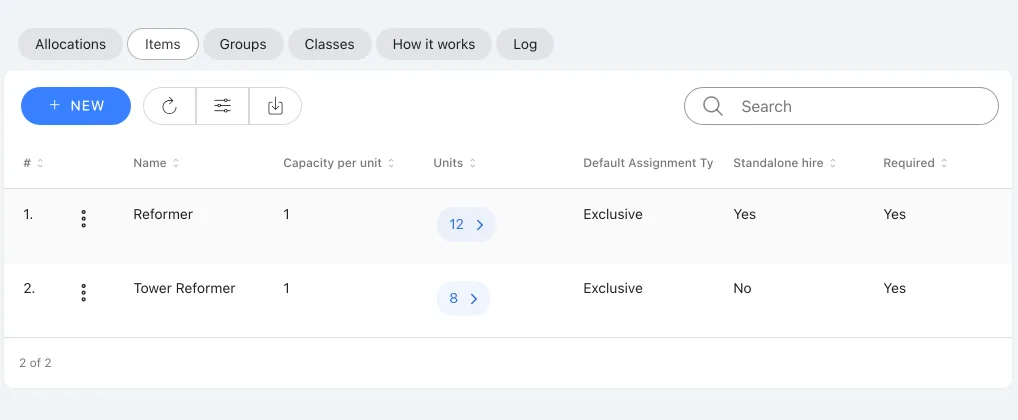
| Standalone hire | Not used for this item |
The clicks:
- Open Equipment → Items, select New, fill in the table above for Reformer and save.
- Open the Units pill, enter 8 in Total units, select Go, then Confirm.
- Open the Classes pill and tick Reformer Flow and Reformer Beginners.
For a court with capacity 4, follow the same steps with capacity per unit 4; for a treatment couch, link it to the appointment service instead of a class.
Required or optional — and who decides
Three rules, in priority order:
| Setting | Who decides | Example |
|---|---|---|
| Direct item | Its own Required setting | The Mat, linked directly and set to Optional, is offered as a $2 extra on every linked class. |
| Via group item | The group's Required or Optional setting — the Items list shows Uses group settings | Move the Mat into a Props group set to Required and every class linked to that group needs a mat for each attendee — the Mat's own Optional setting no longer counts. |
| Class or service override (Equipment → Classes) | Only the price or Exclusive/Shared, for that class alone — never required or optional | An override on Gentle Yoga makes the mat free there; only the price changes, for that class alone. |
Overrides never change required or optional — only the price or Exclusive/Shared, for that one class.
Where to go next
- Assign Equipment to Classes and Set Overrides — link items and change price or sharing per class.
- Equipment Groups — pool interchangeable items and choose how units are allocated.
- Equipment Units — name units, hide or show them, schedule maintenance.
- Offer Equipment for Standalone Hire — hire blocks, prices, hire hours and what customers pay.
- How Equipment Works When Customers Book — what customers see, choose and pay.
- View, Change and Troubleshoot Equipment Allocations — see who holds which unit and fix availability problems.

