Courts Customers Can Pick (Group Class)
A badminton centre creates one item per court; unit display Selectable lets players pick their court at checkout.
| Item | Units | Capacity per unit | Exclusive/Shared | Required | Linking | Linked to |
|---|---|---|---|---|---|---|
| Court 1–4 | 1 each | 4 | Exclusive | Required | Via group (Customer Choice) | Class services |
Effect: one booking takes a whole court, and players choose which.
An item override on the "Single Player" service makes the court Shared, so up to four strangers share one; Doubles and Full-Court stay Exclusive.
One Table or Bed per Booking
A restaurant groups mixed-size tables so each booking takes exactly one table.
| Item | Units | Capacity per unit | Exclusive/Shared | Required | Linking | Linked to |
|---|---|---|---|---|---|---|
| Table for 2 / 4 / 6 / 8 | Your table count | 2 / 4 / 6 / 8 | Exclusive | Required | Via group (Automatic, Same Equipment Item: Required) | Table booking service |
Effect: the party is best-fitted to the smallest free table that holds them; a party larger than every free table cannot be seated.
A massage spa (appointment service) does the same with treatment beds.
| Item | Units | Capacity per unit | Exclusive/Shared | Required | Linking | Linked to |
|---|---|---|---|---|---|---|
| Treatment bed | 4 | 1 | Exclusive | Required | Direct | Massage service |
Effect: one client per bed — book two of four and two remain; with all four in use the slot is unavailable.
Rental Add-ons and Appointment Stations
Rental extras are optional equipment linked directly to the service.
| Item | Units | Capacity per unit | Exclusive/Shared | Required | Linking | Linked to |
|---|---|---|---|---|---|---|
| Racket, Mat, Towel | Your stock | 1 | Exclusive | Optional | Direct | Class or appointment service |
Effect: running out never blocks the booking — the customer simply cannot add that extra.
A nail salon mixes a required capacity limit with an optional add-on on one appointment service.
| Item | Units | Capacity per unit | Exclusive/Shared | Required | Linking | Linked to |
|---|---|---|---|---|---|---|
| Pedicure Station | 6 | 1 | Exclusive | Required | Direct | "Gel Pedicure" |
| Nail Polish Set | Your stock | 1 | Exclusive | Optional | Direct | "Gel Pedicure" |
Effect: six stations cap how many pedicures run at once; the polish set is an extra customers may add.
Bikes Hired by the Hour (Standalone Hire)
A bike shop hires bikes with no class or appointment involved.
| Item | Units | Capacity per unit | Exclusive/Shared | Required | Linking | Linked to |
|---|---|---|---|---|---|---|
| City Bike | 10 | 1 | Exclusive | — | Direct | No service — standalone hire only |
Under Advanced → Standalone hire:
| Field | Value |
|---|---|
| Available for standalone hire | On |
| Block duration | 60 minutes |
| Price per block | $150 |
| Time frame | 30 minutes |
| Buffer time - Open | 0 |
| Buffer time - Close | 15 minutes (safety check) |
| Hire hours | Tuesday–Sunday 09:00–18:00; Monday Closed |
The item needs a location, and Equipment hire must be a booking type (with the All bookings custom feature unless it is the only type).
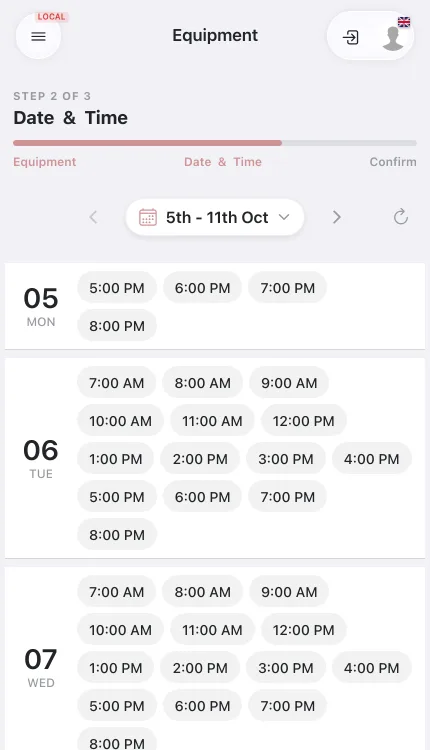
Effect: the hidden hire service has capacity 10 (ten active units × capacity 1). A family picks City Bike, Saturday 10:00, Duration three blocks (two shown as Additional time) and Quantity 4:
- Four bikes are held 10:00–13:00 plus the close buffer; $1,800 is paid at booking by the price per block — no pass, and the item's ordinary Price does not apply.
- If only three bikes are free for every block, the Quantity plus button is disabled at 3. The hire appears in Equipment → Allocations and on the calendar like an appointment.