
What this controls
Working hours are the recurring weekly windows in which an instructor may accept appointments, for example Mondays 9:00–13:00 and 15:00–18:00. They are not bookings and do not promise that every start time inside them stays free.
The customer picker slices each window by the Time frame, then drops any start time that collides with the instructor's group classes, existing appointments, the service duration and buffers, business closures or that day's Special dates.
A group class inside a working-hours window never double-books: the overlapping appointment time is simply not offered.
How to set working hours
- Go to Admin → Appointments → Instructors and open the instructor.
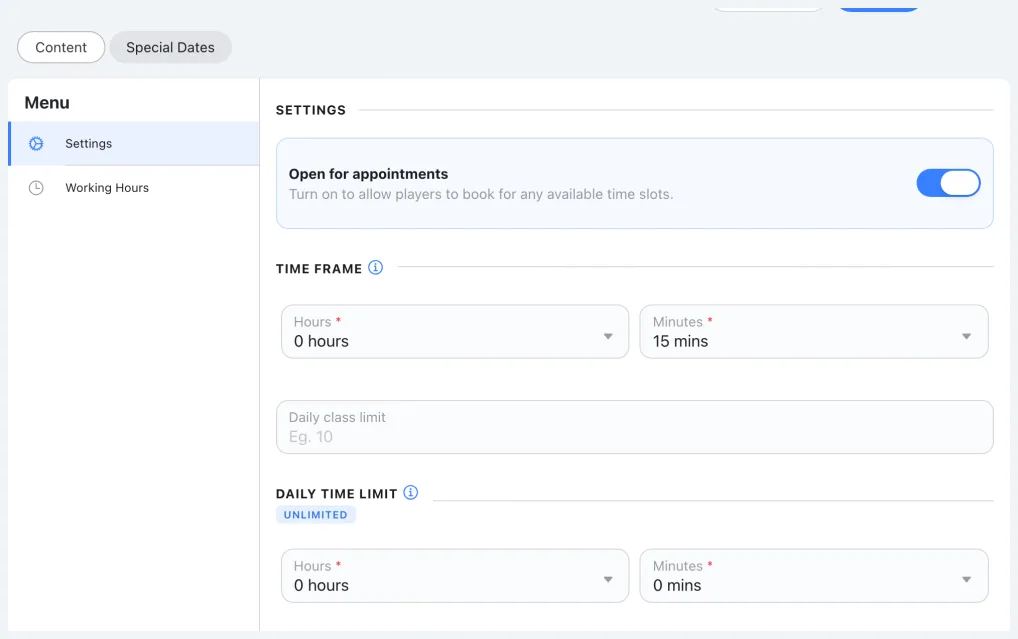
- In Settings, make sure Open for appointments is on and a Time frame is chosen; Working hours needs both.
- Open Working hours and tick a weekday. An unticked day shows a single muted Closed line.
- Add one or more time slots (start time → end time).
- Use copy/paste to repeat the slots on other days.
- Tap Save; you return to the Instructors list.
Validation rules
The editor checks these rules as you type, so saved hours are always consistent.
| Rule | What it means |
|---|---|
| No overlapping slots | Two slots on the same day cannot share any minute. |
| Minimum slot length | Each slot must be at least one Time frame long. |
| Closing appointments clears everything | Turning Open for appointments off removes all the instructor's availability, including Special dates. |
