Quick Start Guide 1 - Download App / Login / Purchase / Book Classes / Cancel Bookings
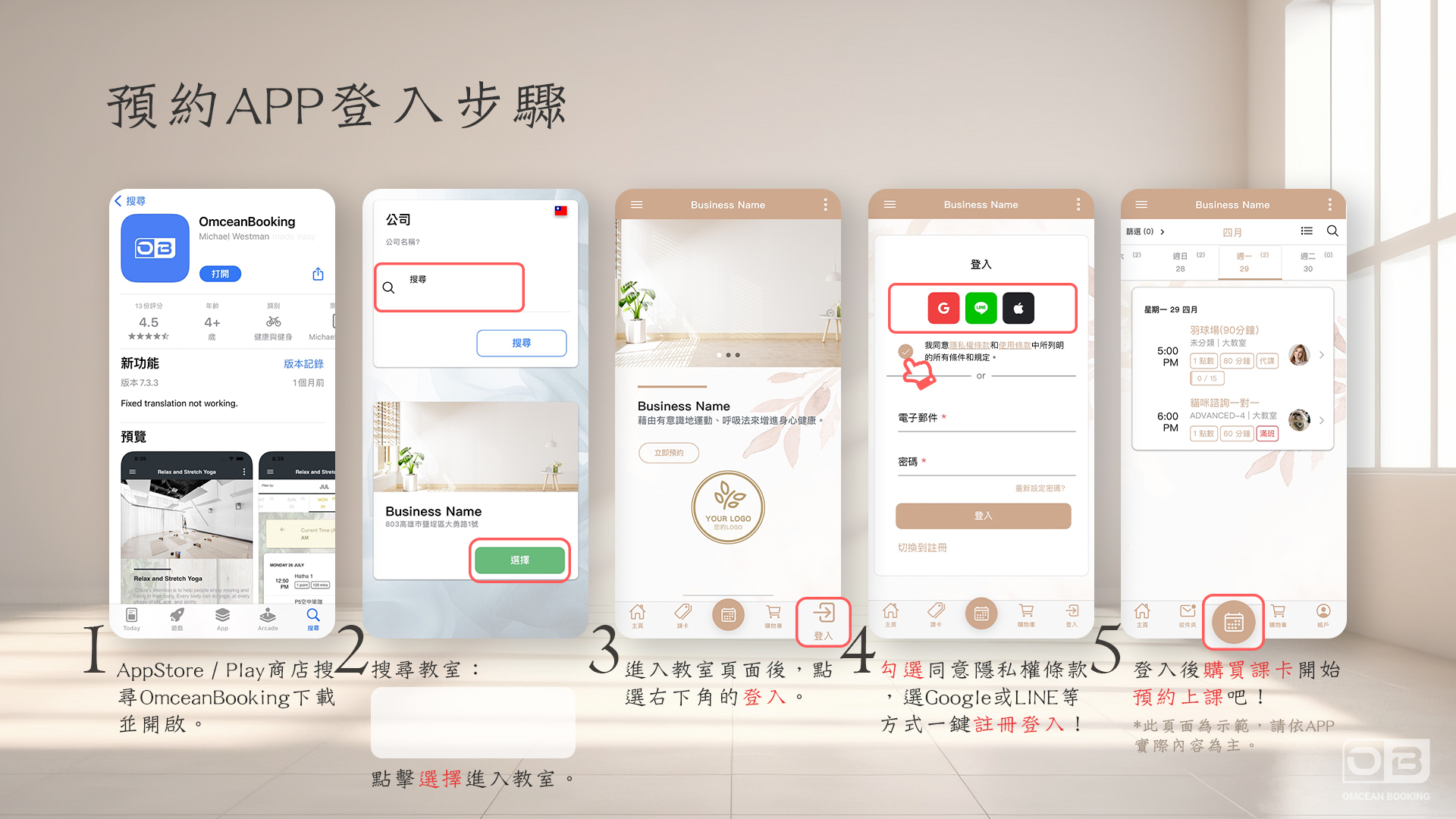
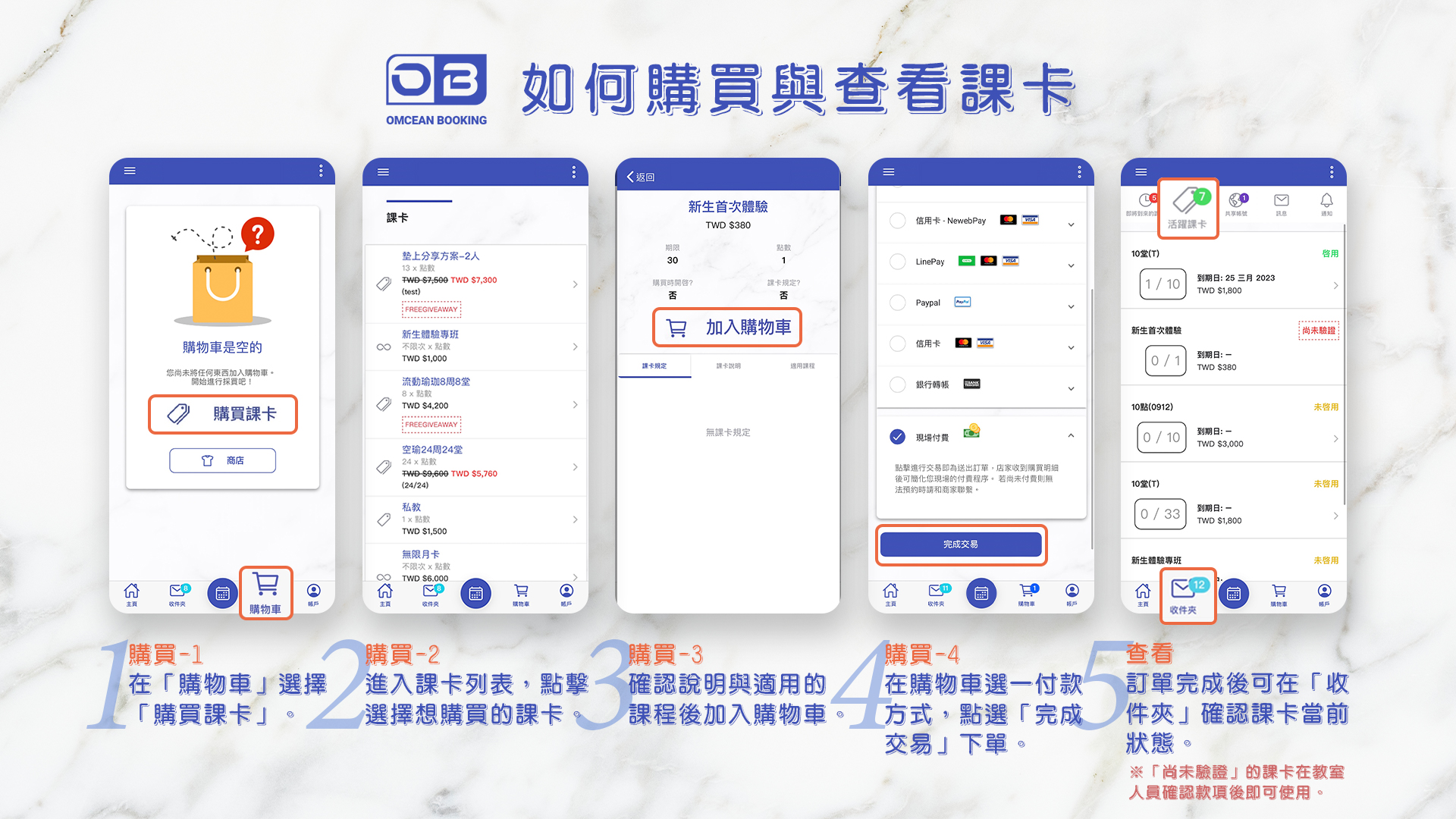
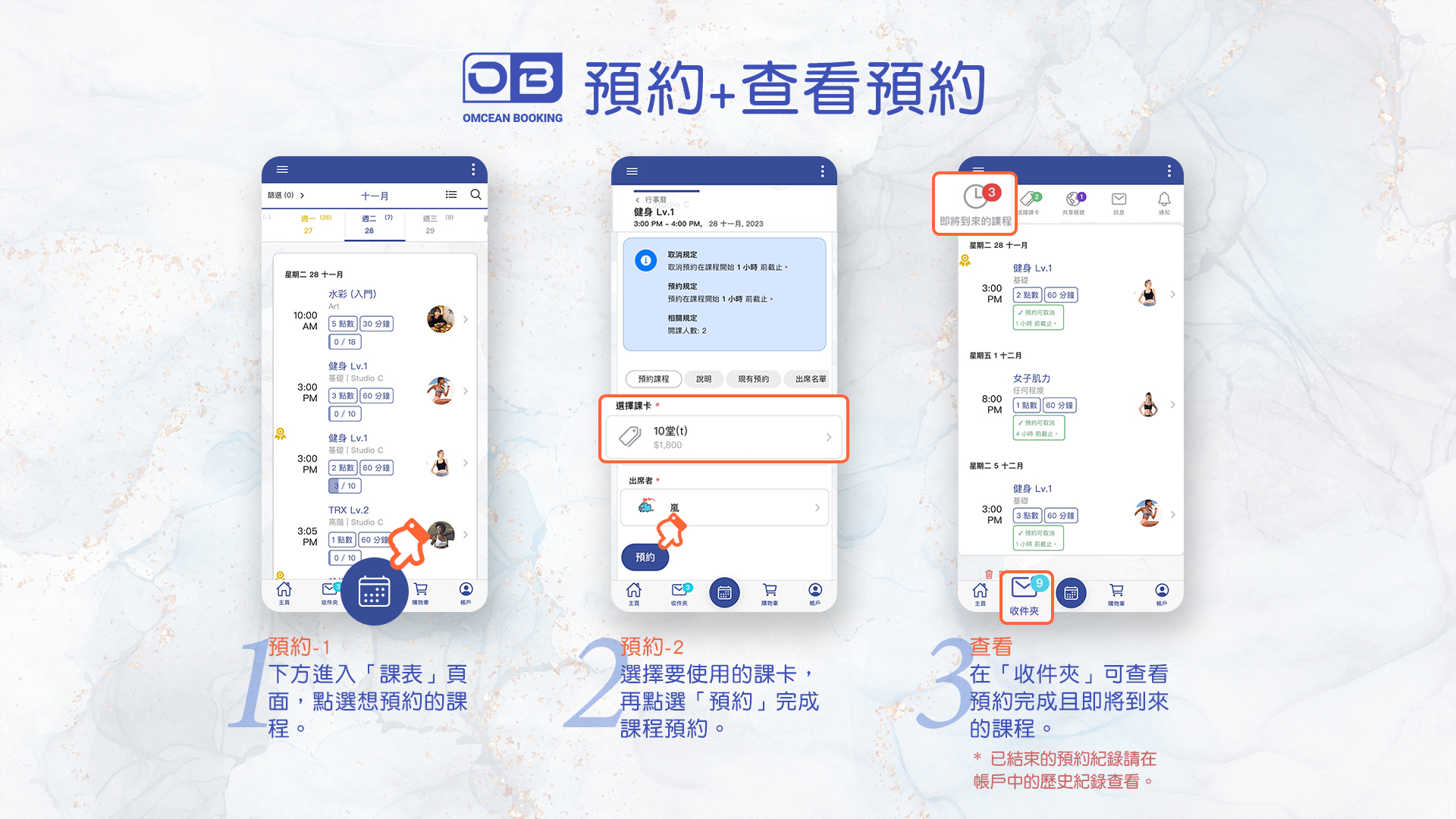
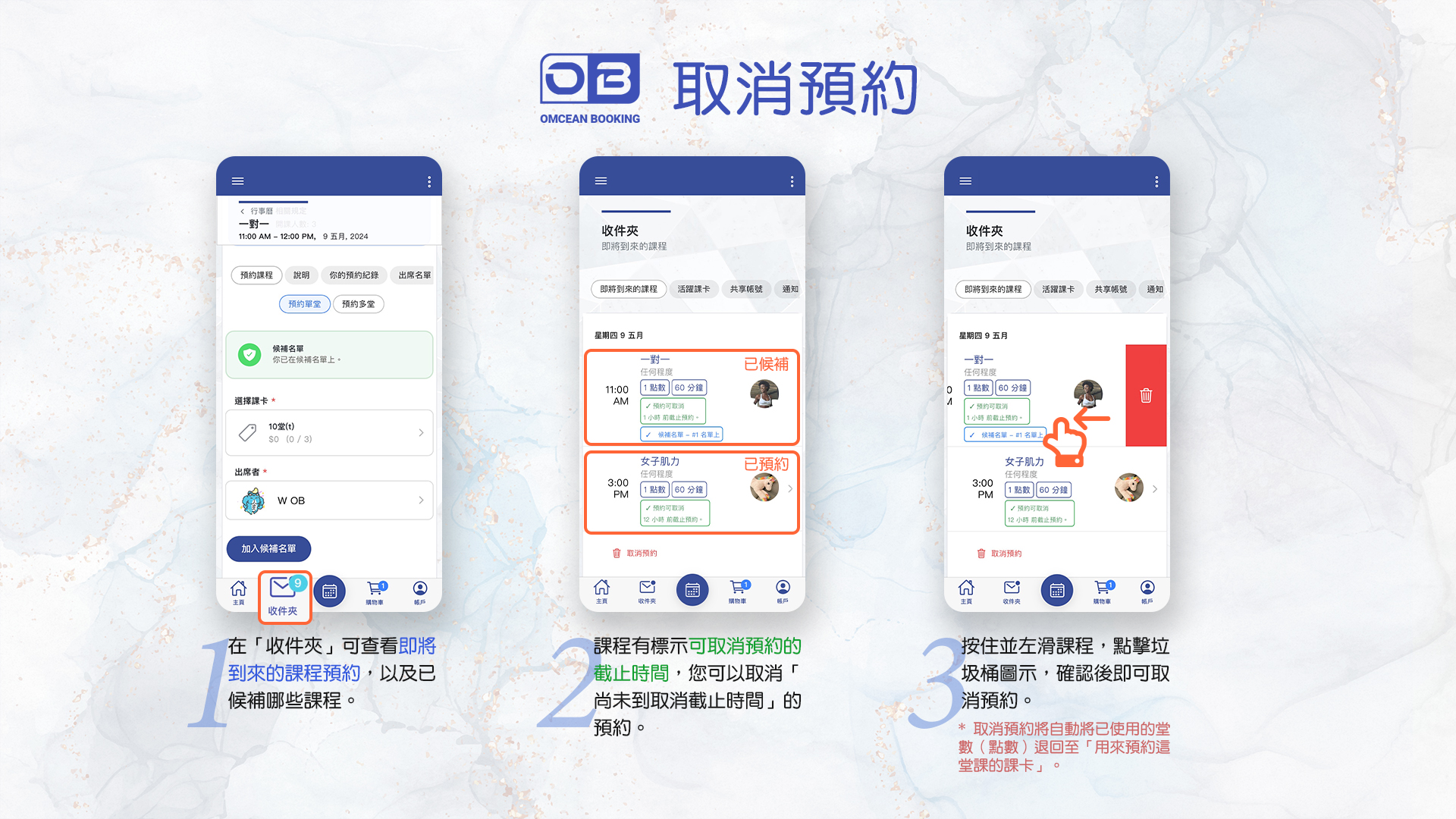
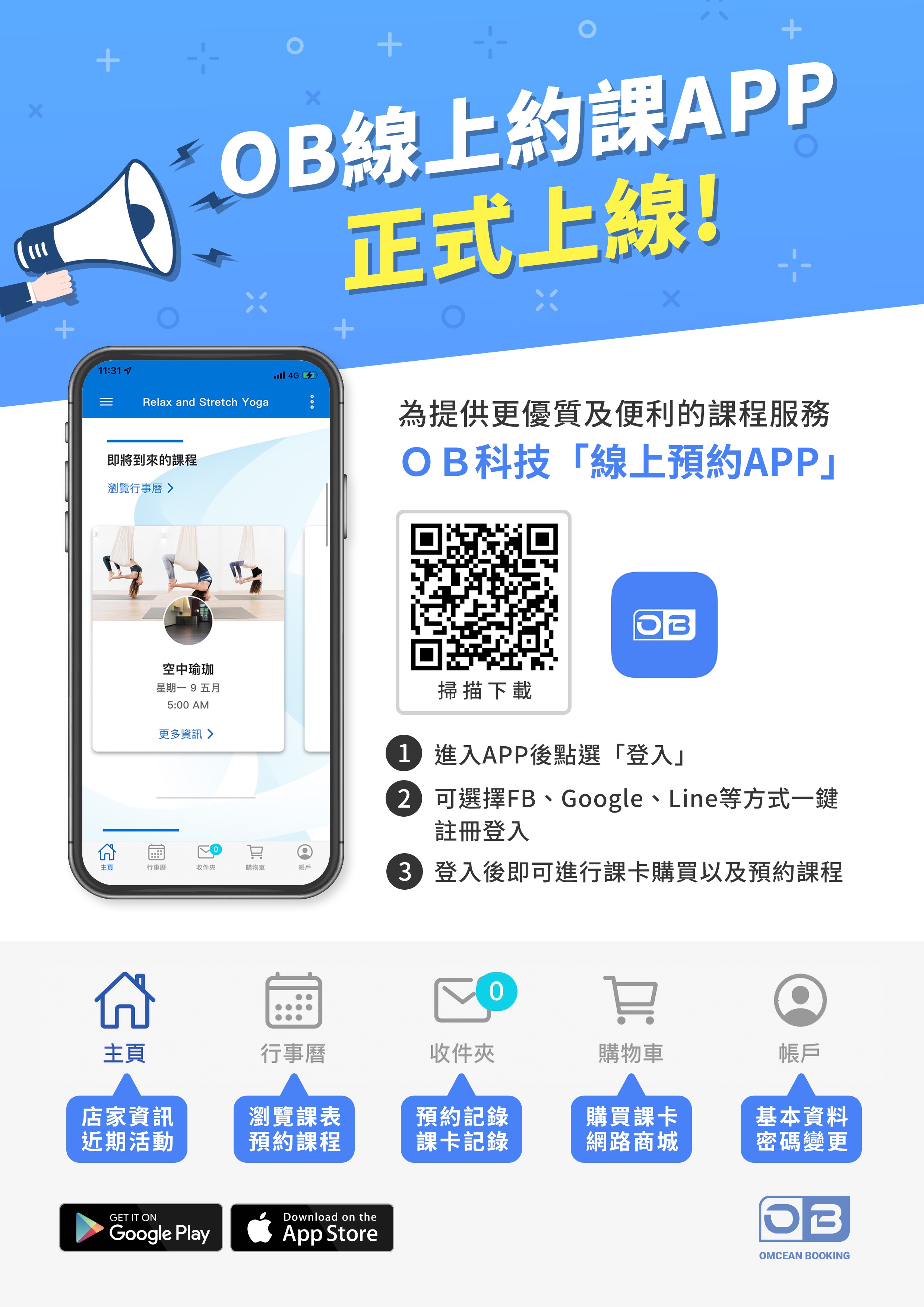
welcome! getting started takes just a few minutes. first, download the ob app from the app store or google play, then sign in with the account your studio set up for you. once you're in, you can browse available passes or packages, tap to purchase the one that fits you, and you'll be ready to book classes right away. the screenshots below walk you through each step, from login through booking and cancelling a class.
Quick Start Guide 2 - Notification / Email / Reset Password / Switch Business
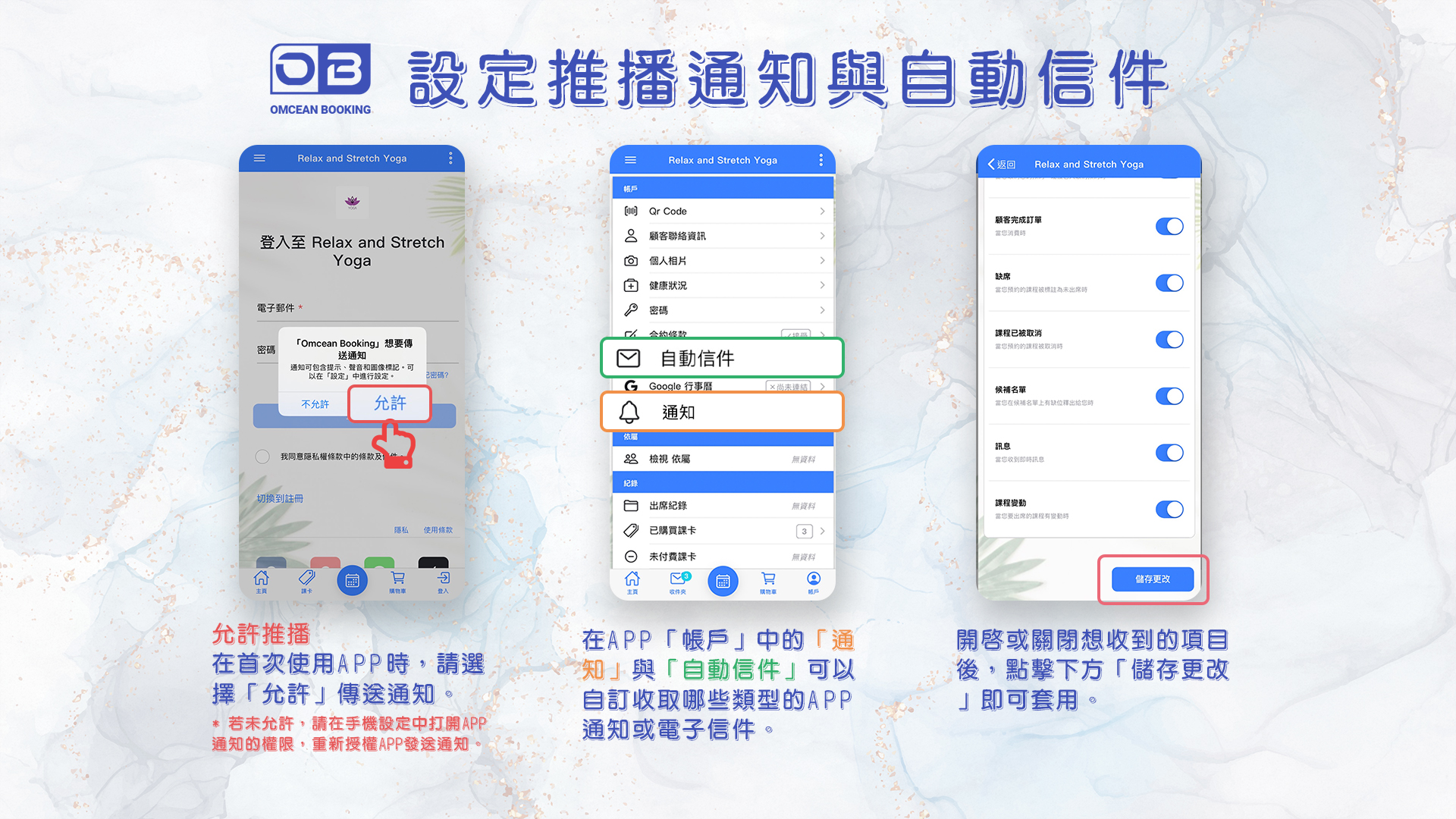
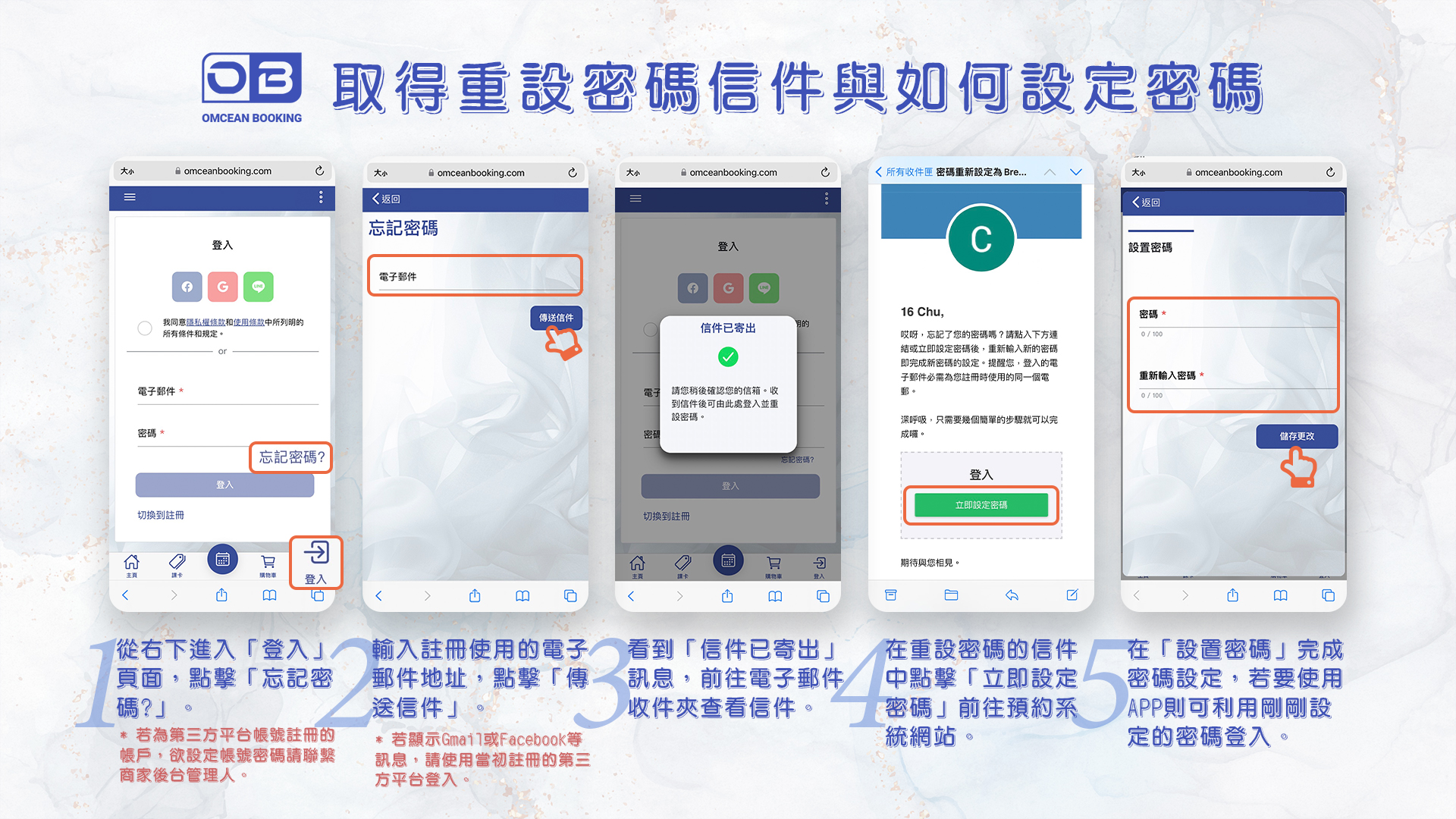
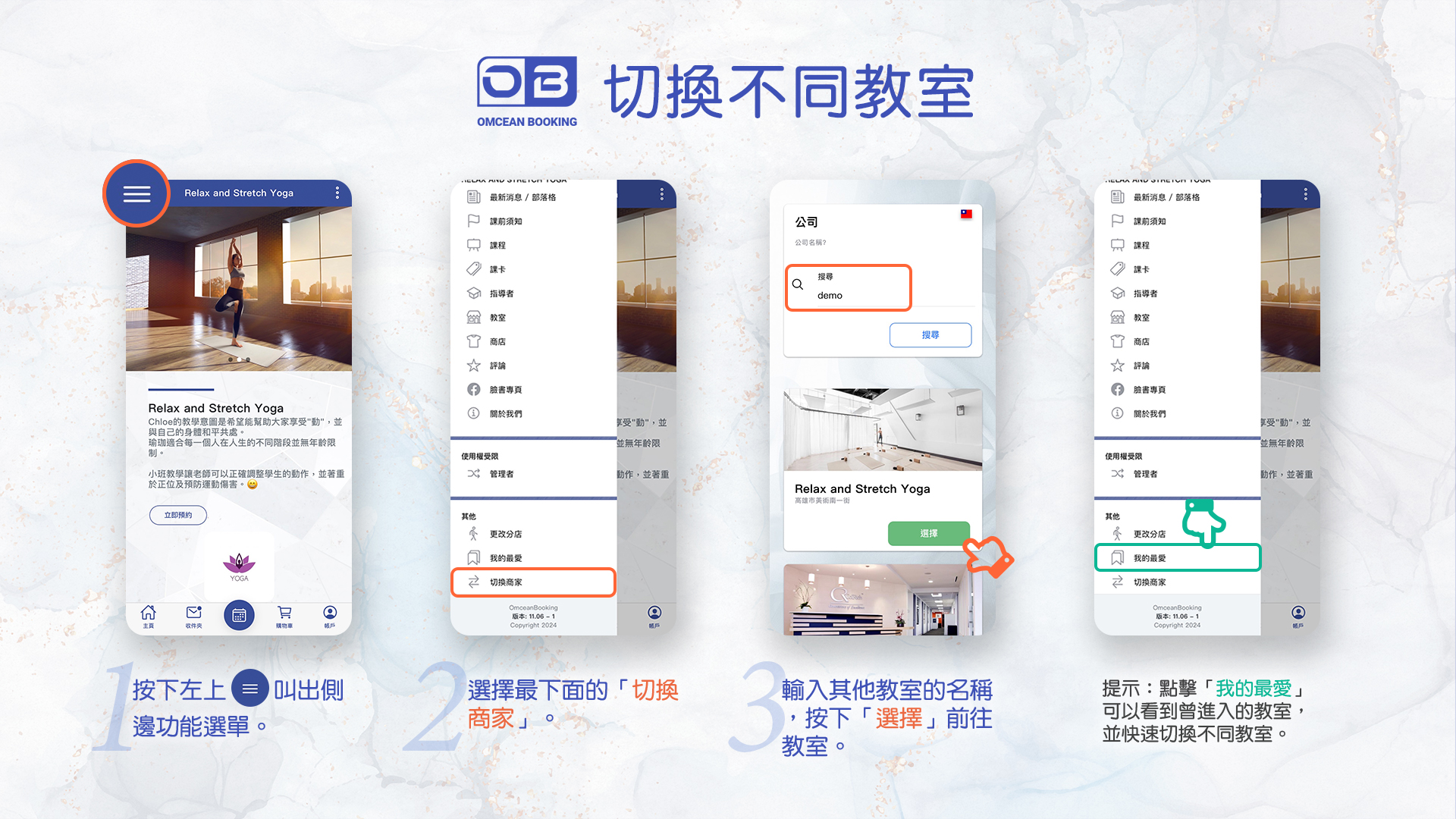
now that you're booking classes, here's how to stay connected and manage your account. make sure push notifications are turned on so you get reminders about upcoming classes and important updates from your studio, and keep an eye on your email for booking confirmations. if you ever forget your password, you can reset it from the login screen in just a few taps. and if you attend more than one studio, you can switch between them anytime from the menu. the screenshots below show you exactly where to find each option.