What is the "Cancellation Penalty"?
The cancellation period is divided into two segments, with different impacts:
Regular Cancellation: During this period, customers canceling their bookings or taking a leave will have the deducted sessions or points returned.
Penalty Cancellation: During this period, customers canceling their bookings or taking a leave will result in no return of sessions/points or only a partial refund of points, based on the business's setting.
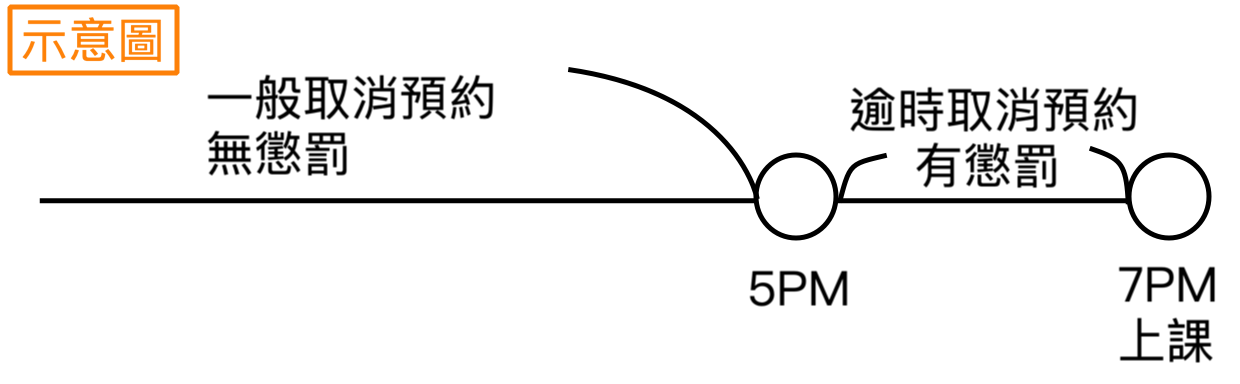 Impact of Late Cancellations by Card Type
- Class-Based pass: number of class deducted for the canceled booking will not be returned.
- Point-Based pass: points deducted will either not be refunded or only partially refunded, with the amount adjustable by the business.
- Membership pass: classes deducted for the canceled booking will not be returned.
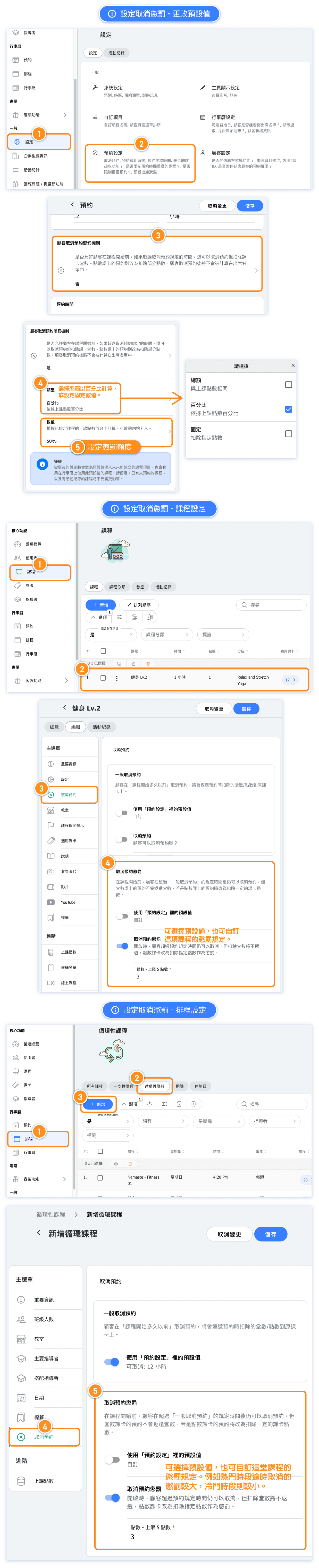
How to set penalty rules for cancellations?
The default setting for this feature is "Off."
Setting details:
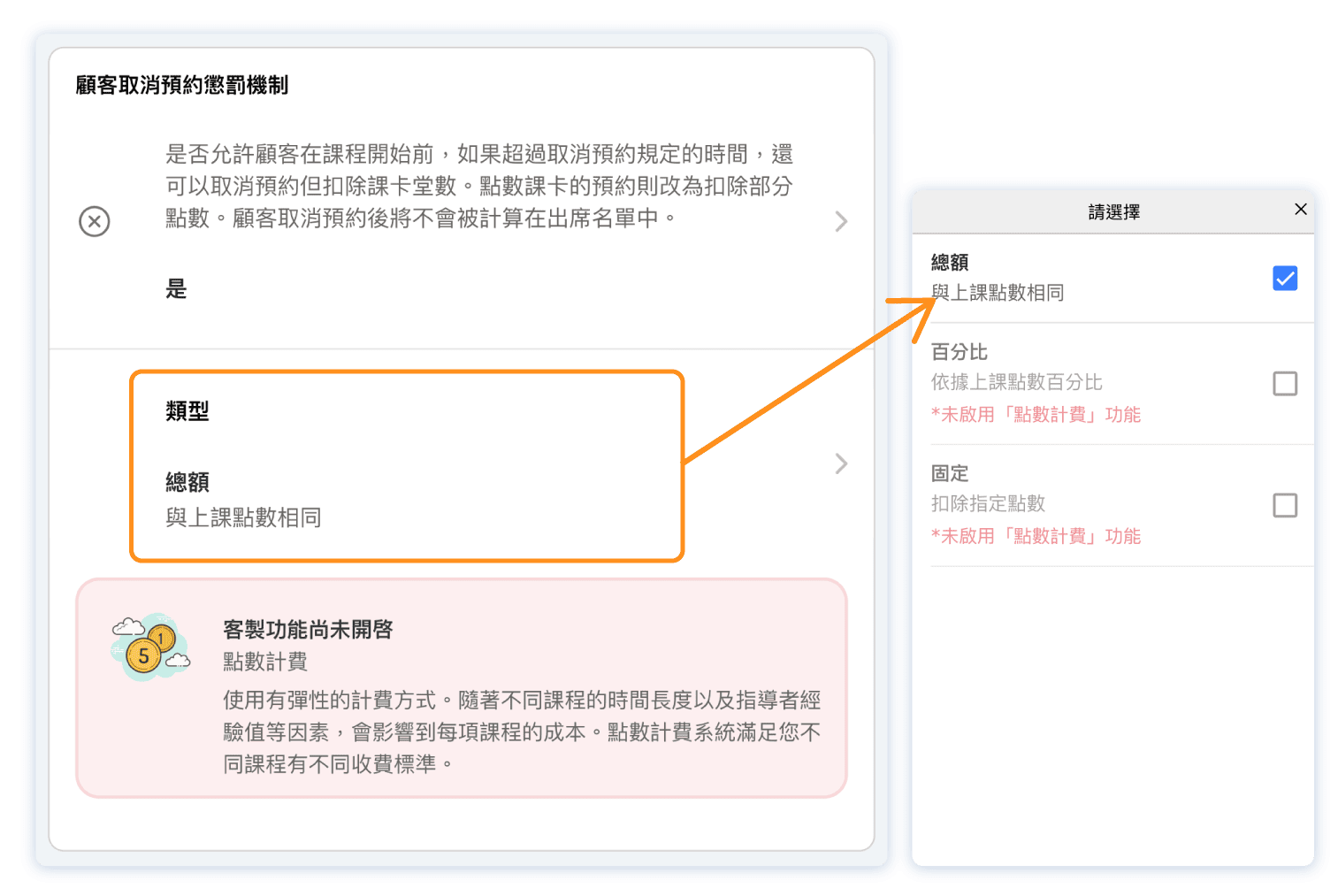
- The penalty setting under "Settings --> Booking Settings" acts as the default.
- If a class is set "Use business reservation setting" for penalties, unless class has cancellation record, the class penalty amount will adjust with any changes made to this default.
- Each class can have a customized penalty setting and amount.
- Once scheduled on the calendar, penalty settings can be adjusted for each class individually. For example, different penalty amounts can be set for popular versus off-peak times for better class management flexibility.
How to view penalty records for a class?
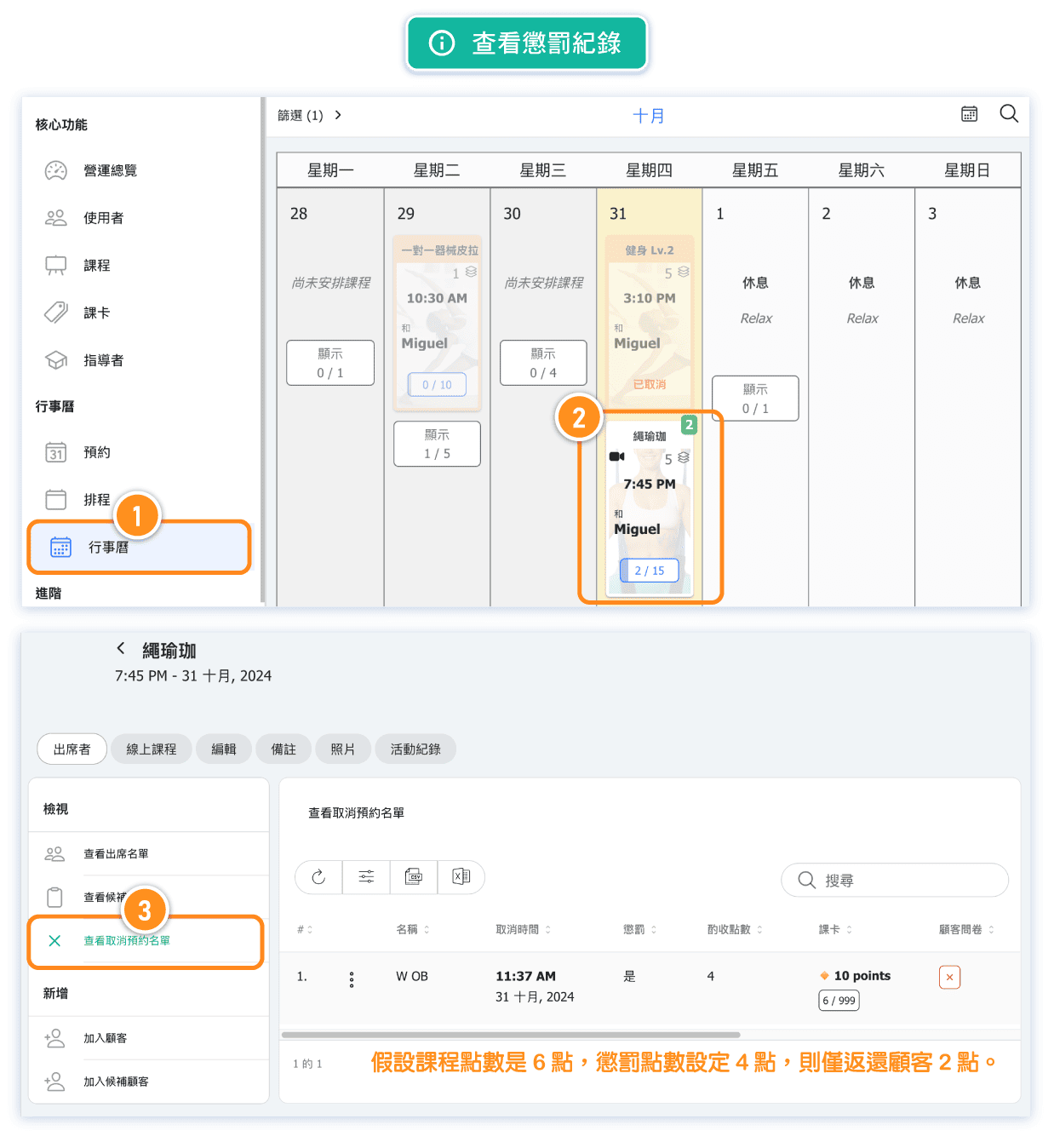
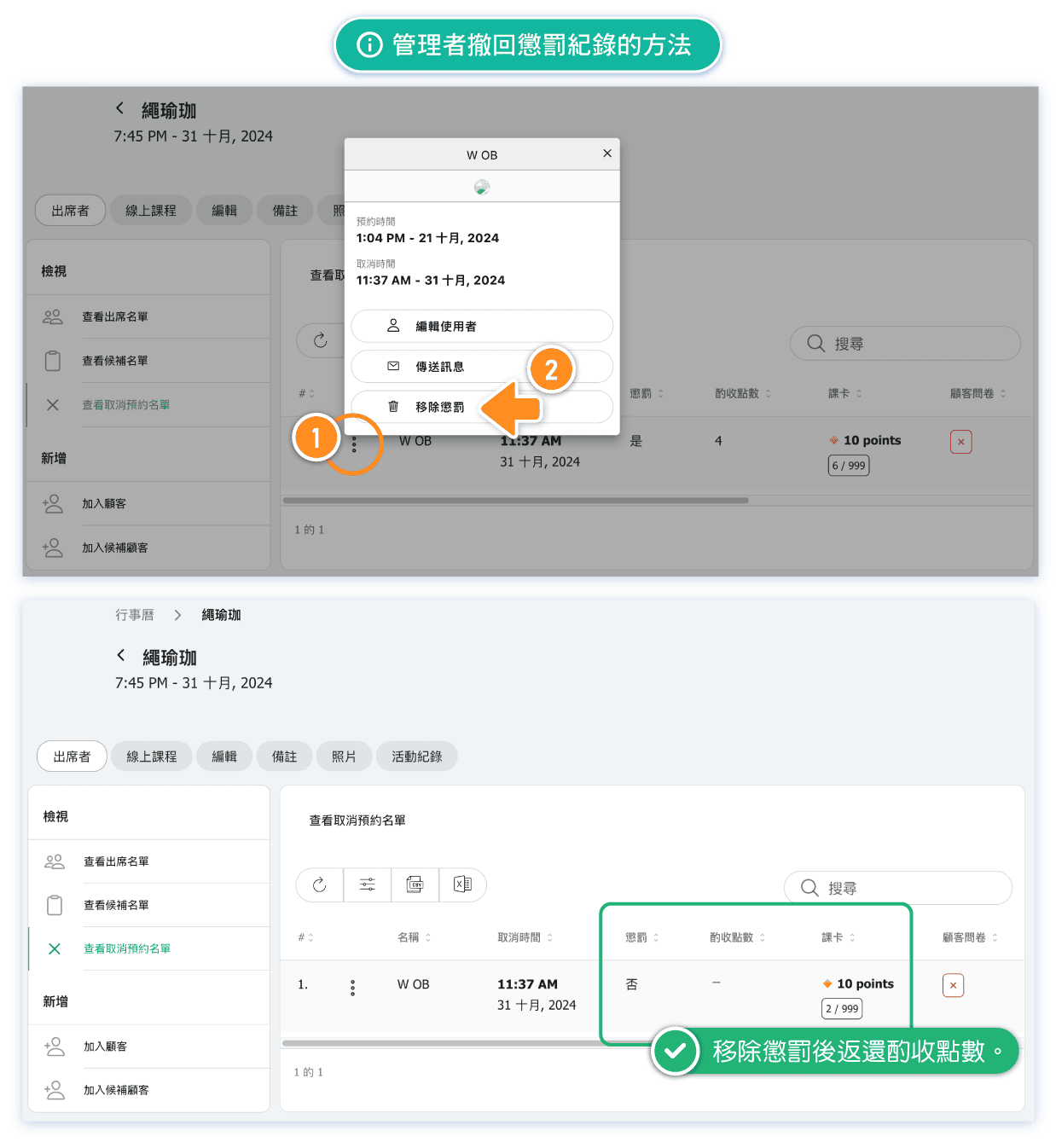
How can an admin revoke a penalty record?
Admin can revoke penalty records.When a penalty is removed, the deducted points or class credits are immediately refunded to the specific pass.
Here's how:
Can I adjust the penalty points?
Yes, it can be changed.
Adjusting the penalty points for a class in the calendar will immediately affect the class's penalty record.
For example, if a customer was originally penalized 2 points for a late cancellation and the admin later changes it to 3 points, the customer's penalty record will update to reflect a deduction of 3 points.
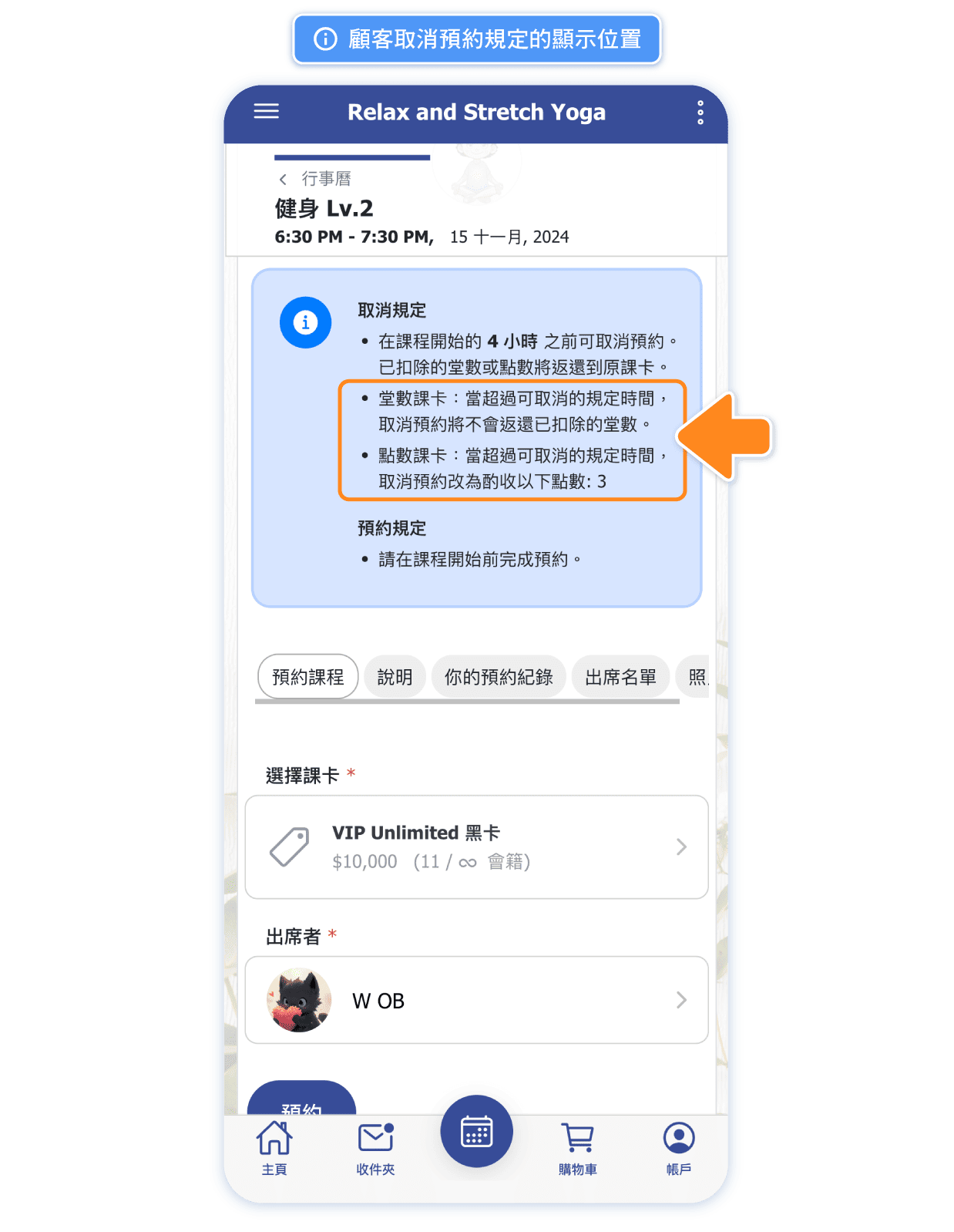
Where can customers view the cancellation policy?
Customers see the policy in a single policy box on the class detail screen, with one line per rule and an icon beside each.
It follows the individual session. The policy shown is the one set on that occurrence in the calendar, not the parent class, so a session with its own cutoff, window or penalty shows its own rules.
Can cancel reads Yes whenever cancellation is permitted — including when it is permitted but a charge applies. Only a session where cancellation is genuinely blocked reads No.
The late-cancellation charge is stated exactly:
- If the penalty is set to 0, the box says no charge applies.
- For a class pass, it states the class deduction that will not be returned.
- When the point system is enabled, class passes and points passes get separate lines, so a points booking shows the exact points charged instead of the class wording.
- The wording also differs depending on whether the session has a free-cancellation window; where cancellation is still free, an extra line shows the charge that will apply once that window closes.
The general "avoid penalties" note only appears when the session actually has a penalty.
Is it necessary to enable point system to set up penalty?
Not necessarily. Studios that sell only class-based passes can still set a penalty for late cancellations.
The penalty amount is fixed at 1 class, meaning that if a customer cancels too late, the class credit will not be refunded.
Where to check penalty record for a pass. (Admin page)
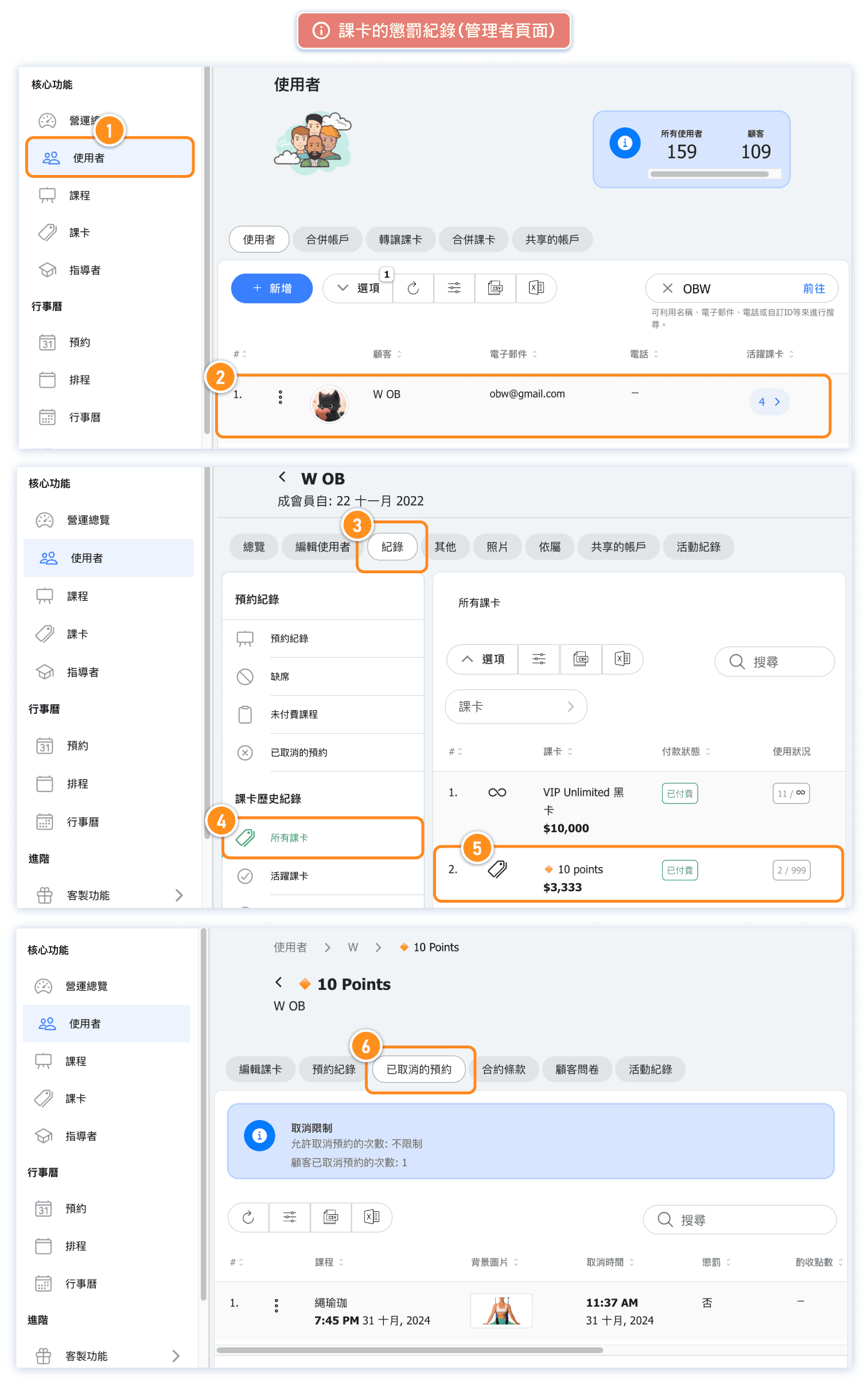
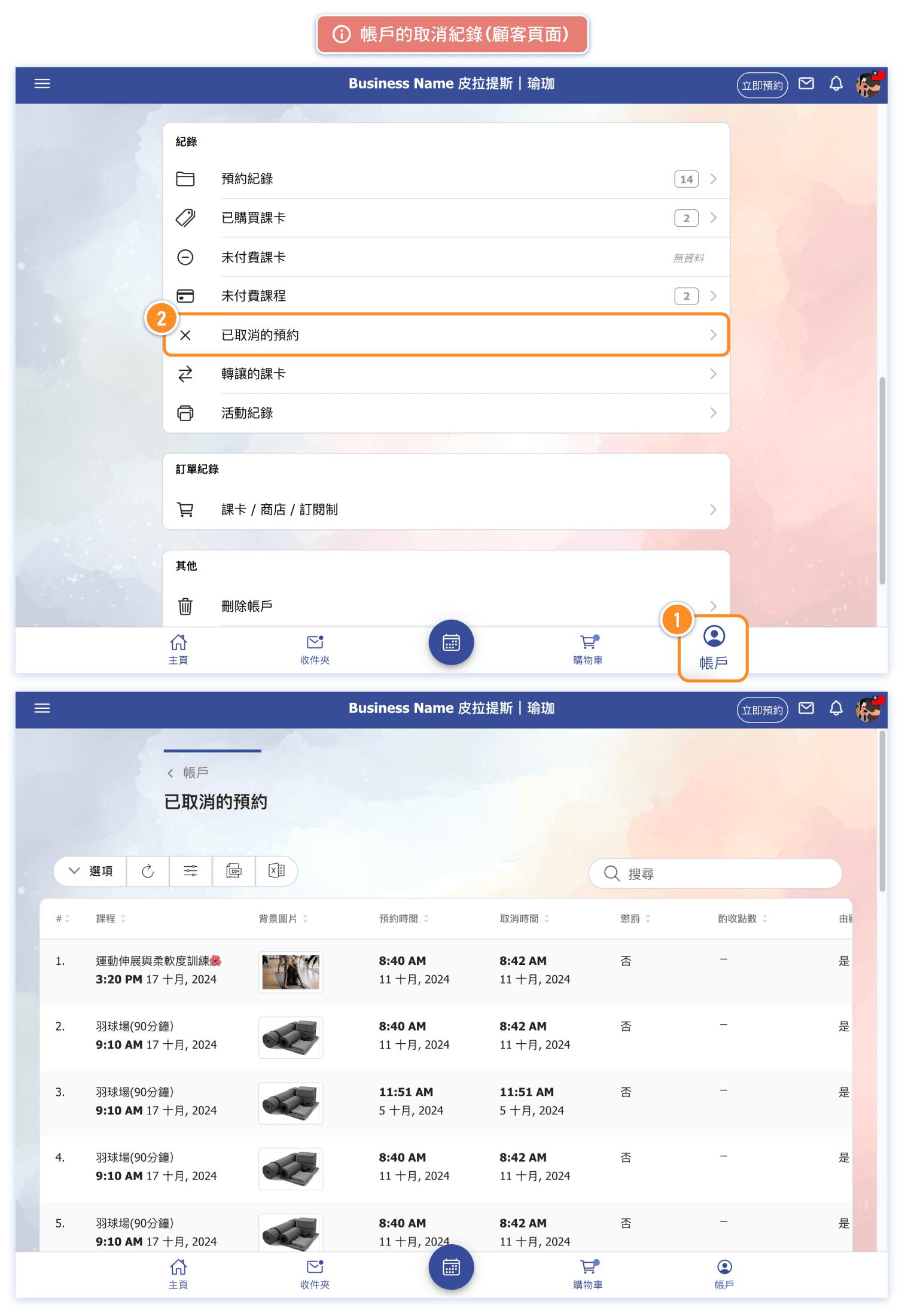
Where to check penalty record for a pass. (Customer page)
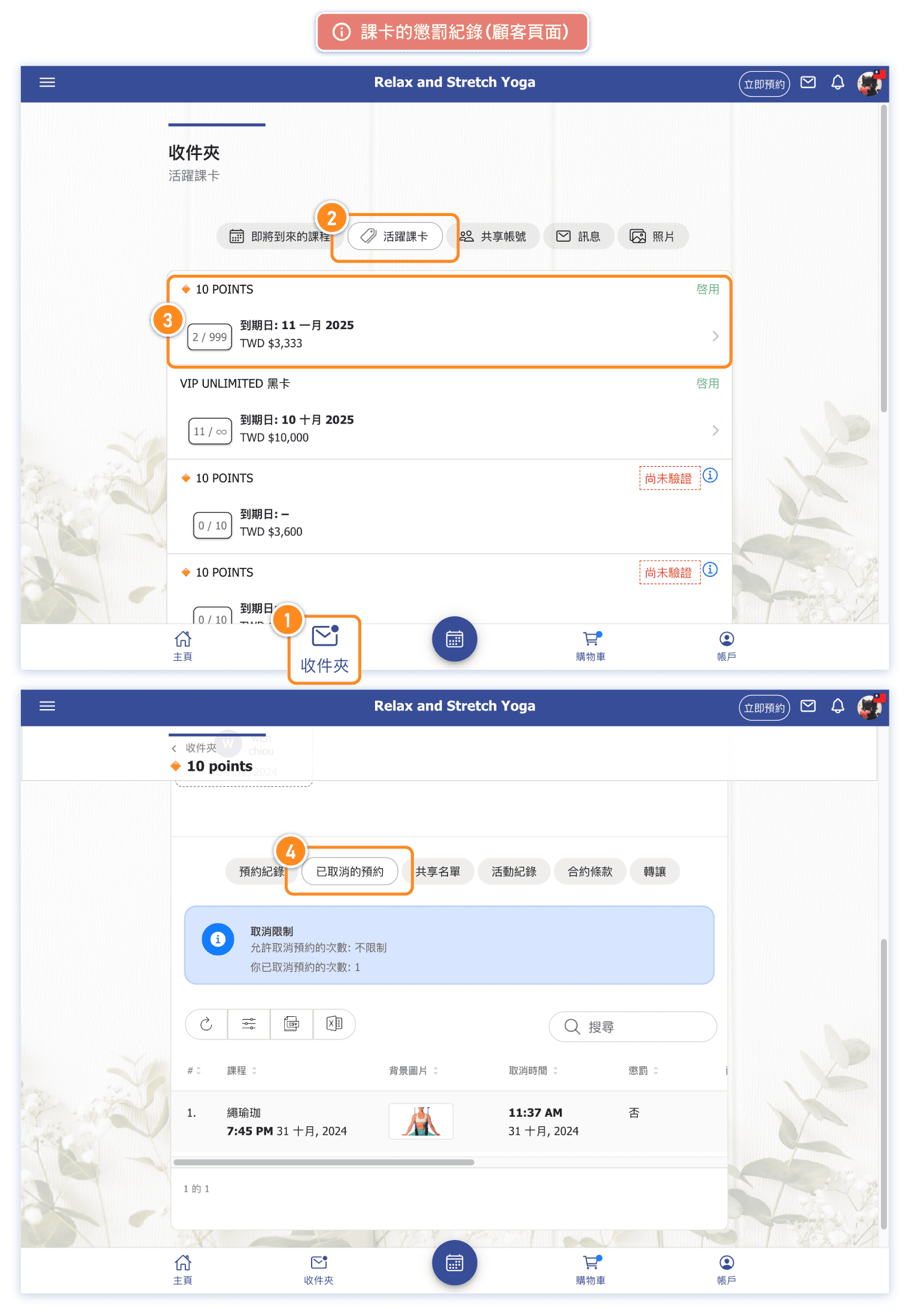
Customer cancellation history