Reason 1: Data not visible on the user list.
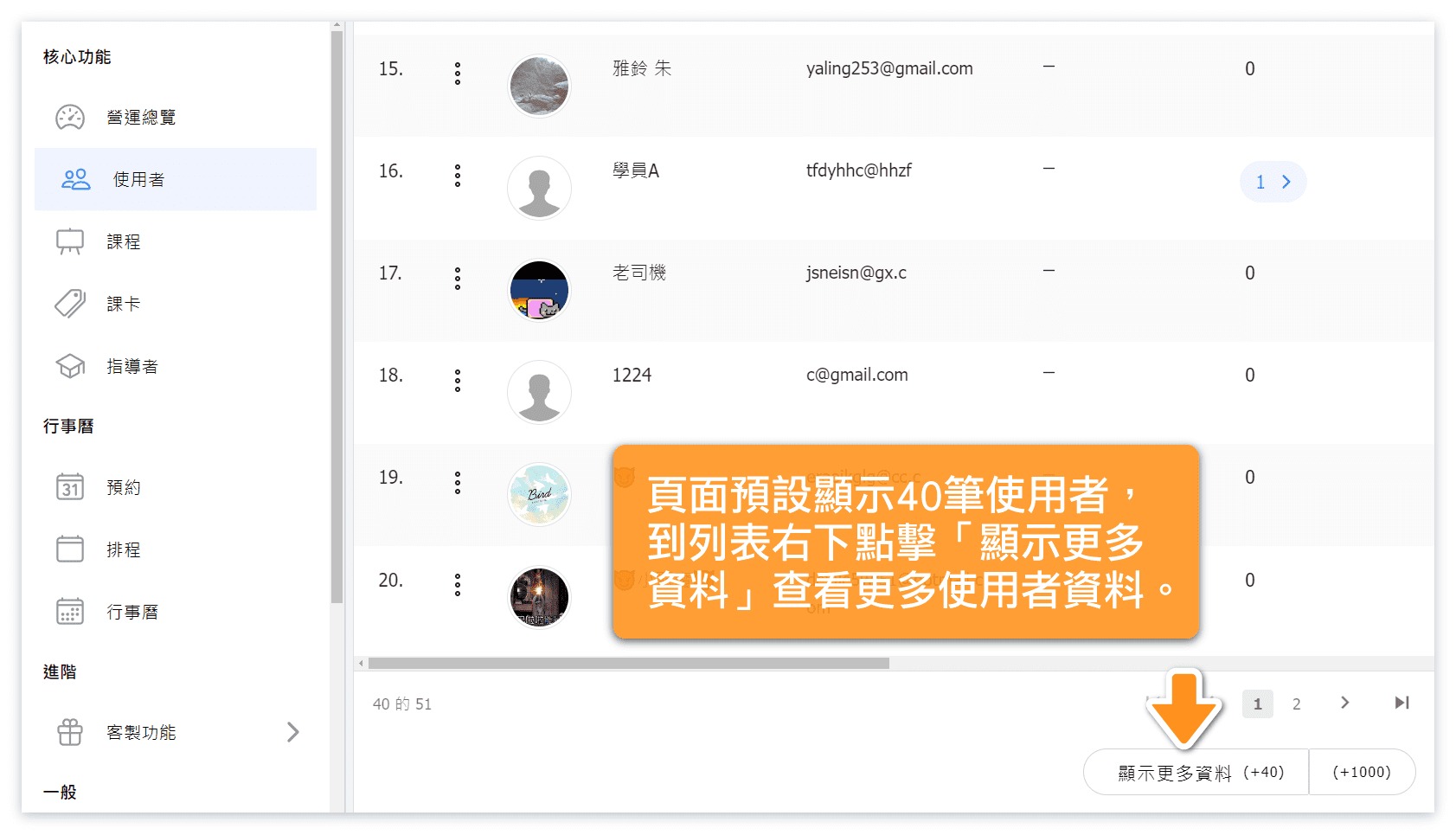
Solution ▶ The system defaults to displaying only 40 records. Click "Show more data" to load more users.
Reason 2: Administrator inadvertently archived customer data.
Solution ▶ Use the "Restore" function to unarchive the data. (Refer to Image below)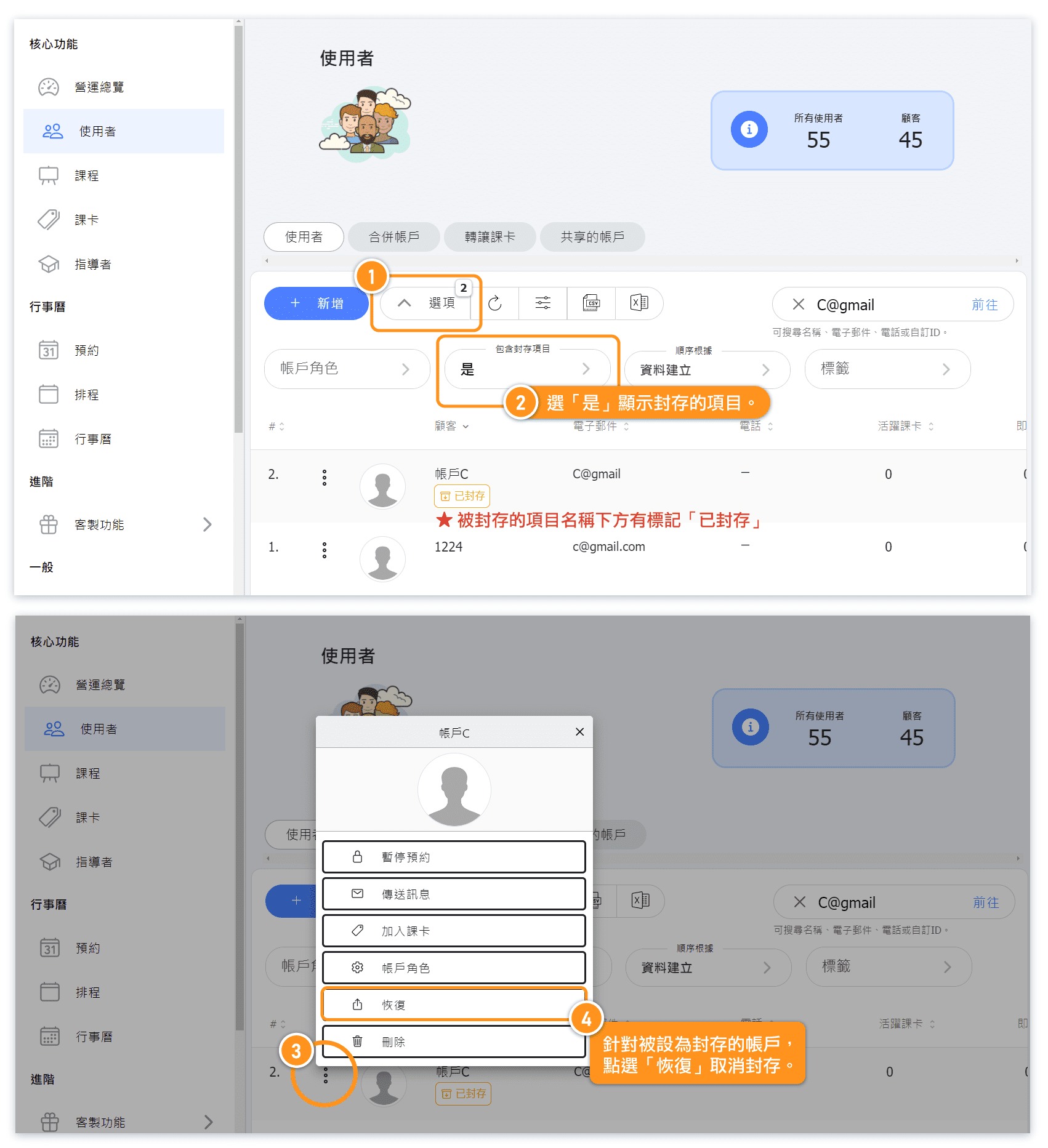
Reason 3: Customer logged in using a different account.
Solution ▶ Verify if the customer's login account matches the account name or email address you are searching for.Reason 4: Customer registered using a different name or email address.
Solution ▶ Confirm the name and email address the customer used during registration.Reason 5: Customer entered the wrong classroom.
Solution ▶ Confirm with the customer if they entered the correct classroom.Reason 6: Customer account data was accidentally deleted by the customer or administrator.
Deleted customer data cannot be recovered.