What deleted data can be recovered?
Deleted data is retained for 90 days and can be restored by users with the appropriate permissions.
Restorable items include:
-
Payment
-
Pass
-
Class
-
Customer
-
Customer pass
-
Repeating class
-
Course
-
Calendar class
How to restore deleted items?
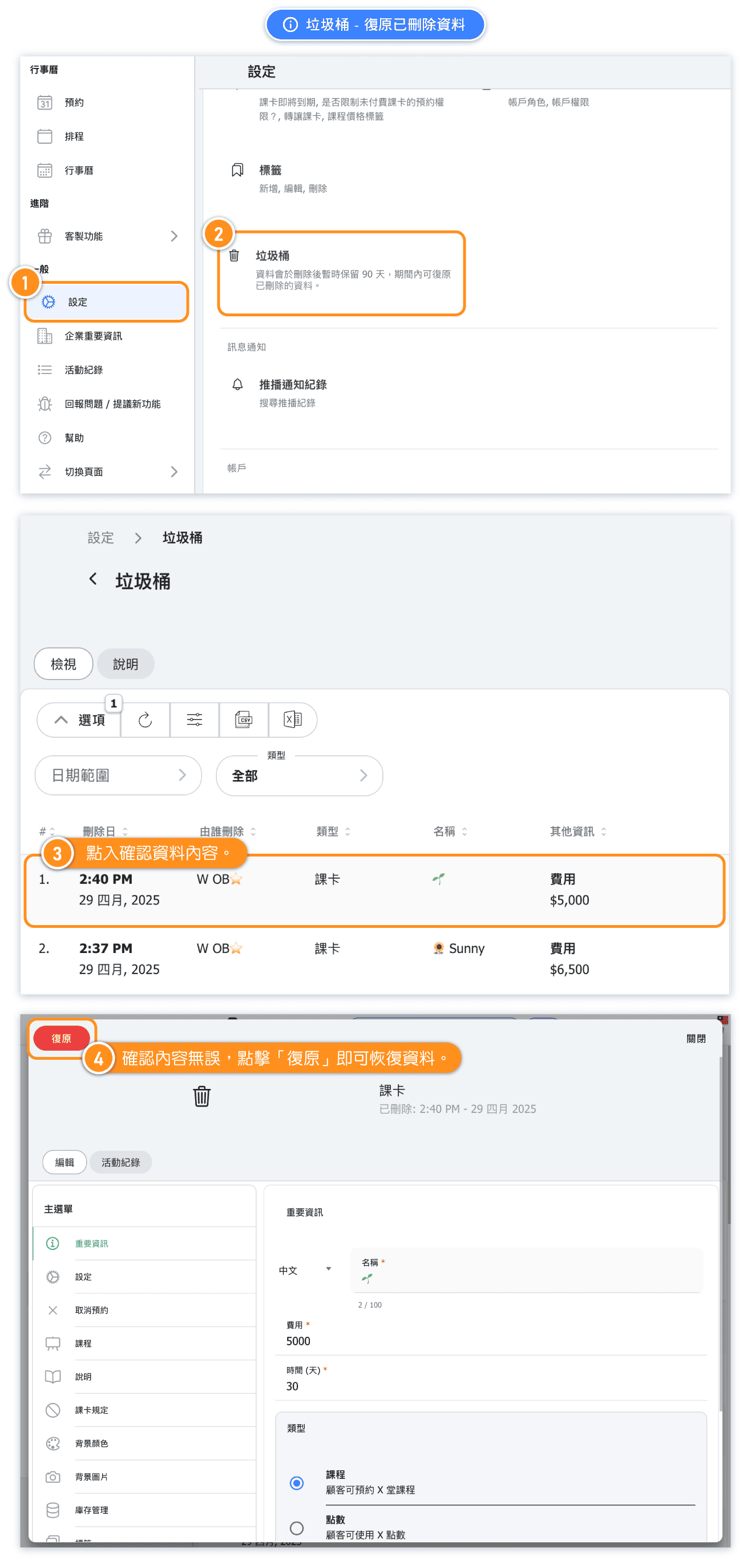
Restoring deleted payments
- In the Type filter, choose Payment (listed right after All) to show only deleted payments.
- Check the Additional info column to identify the payment: it shows the payment status, with the payment method below it when one was recorded.
- Tick the checkbox of each payment you want to bring back, then press Restore and confirm.
Clicking a payment row does not open it. As with cancelled reservations, payments can only be restored with the row checkbox and the Restore button.
Who can restore data?
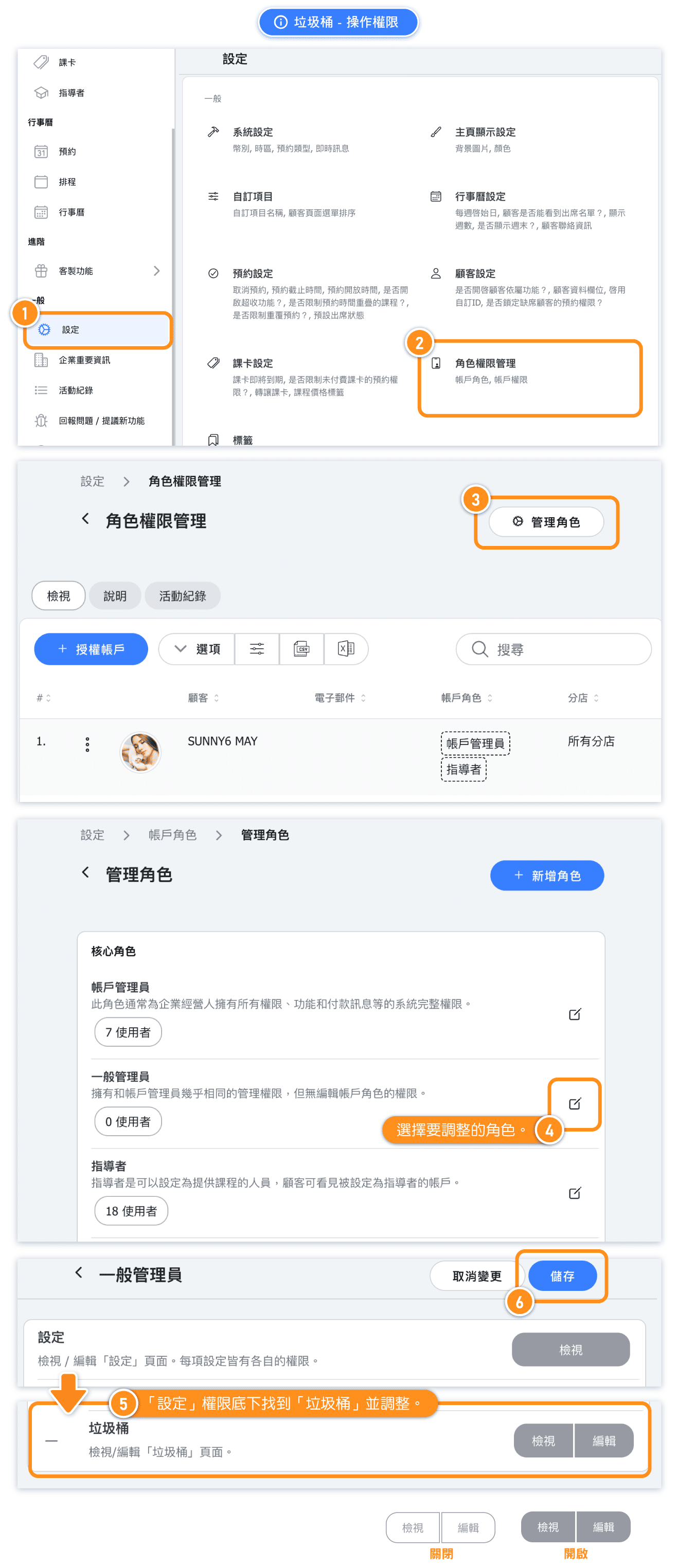
By default, only the Account Admin and Manager roles have permission to restore data. Other roles do not have access to this feature.
If you would like to grant this permission to other roles, please follow the steps below to adjust the permission settings and authorize the restore function for the designated roles.