When would the "rollover pass" feature be used?
Use Rollover when a customer renews or buys a new pass and you want to move the unused balance from the older pass into the newer pass while preserving both sales records. Choose the older pass as From and the pass receiving the balance as To.
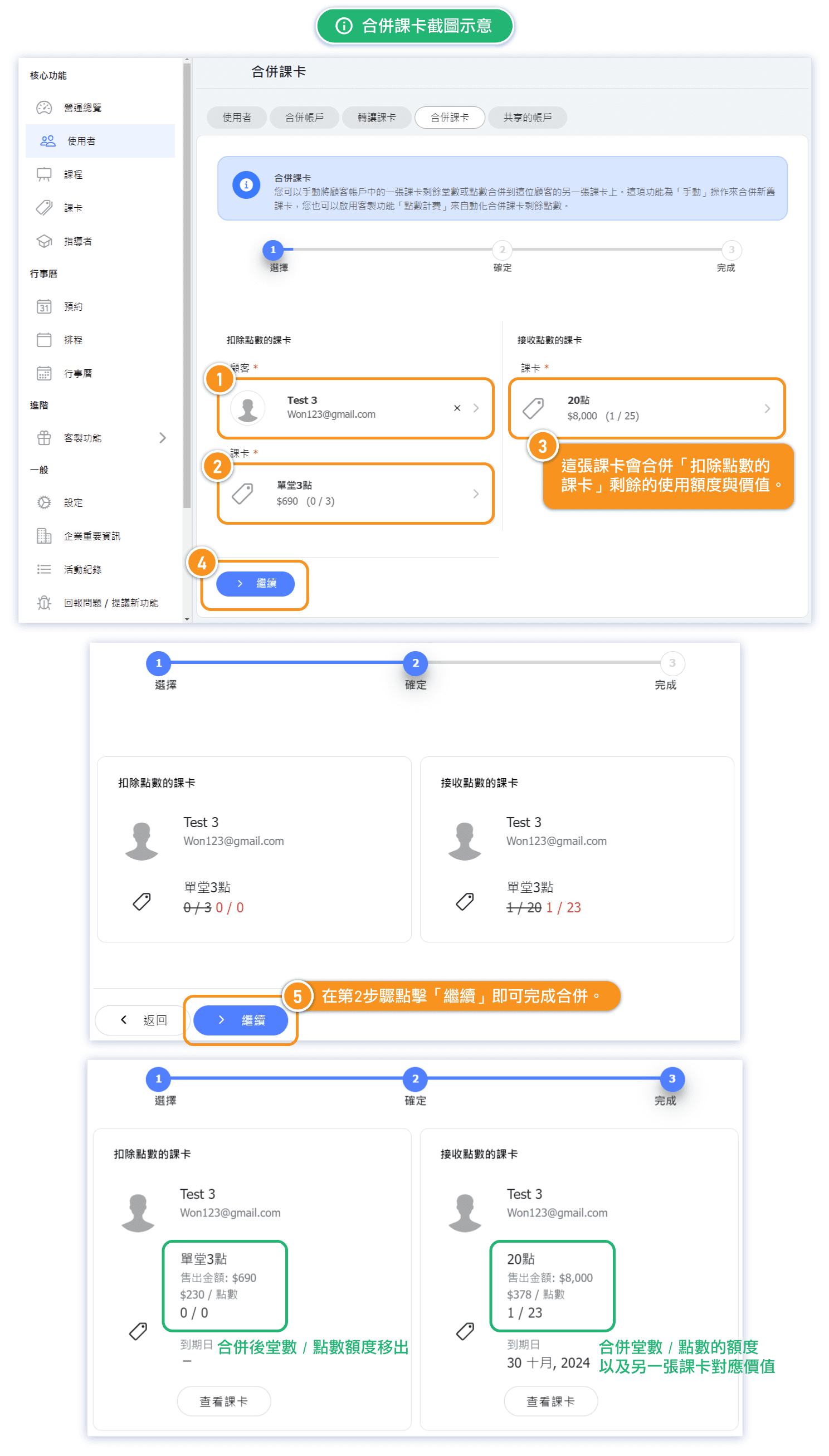
After confirmation, the source pass is reduced to its already-used amount and the destination receives the source's remaining balance. Both passes remain visible in history and reports.
How to use "Rollover Pass" feature?
- Open Users and select the customer.
- Open History → All Passes.
- Select the two legitimate purchased passes and click the merge icon.
- Choose Rollover Pass Balance.
- Select the pass giving up its unused balance as From, and the receiving pass as To.
- Review and confirm.
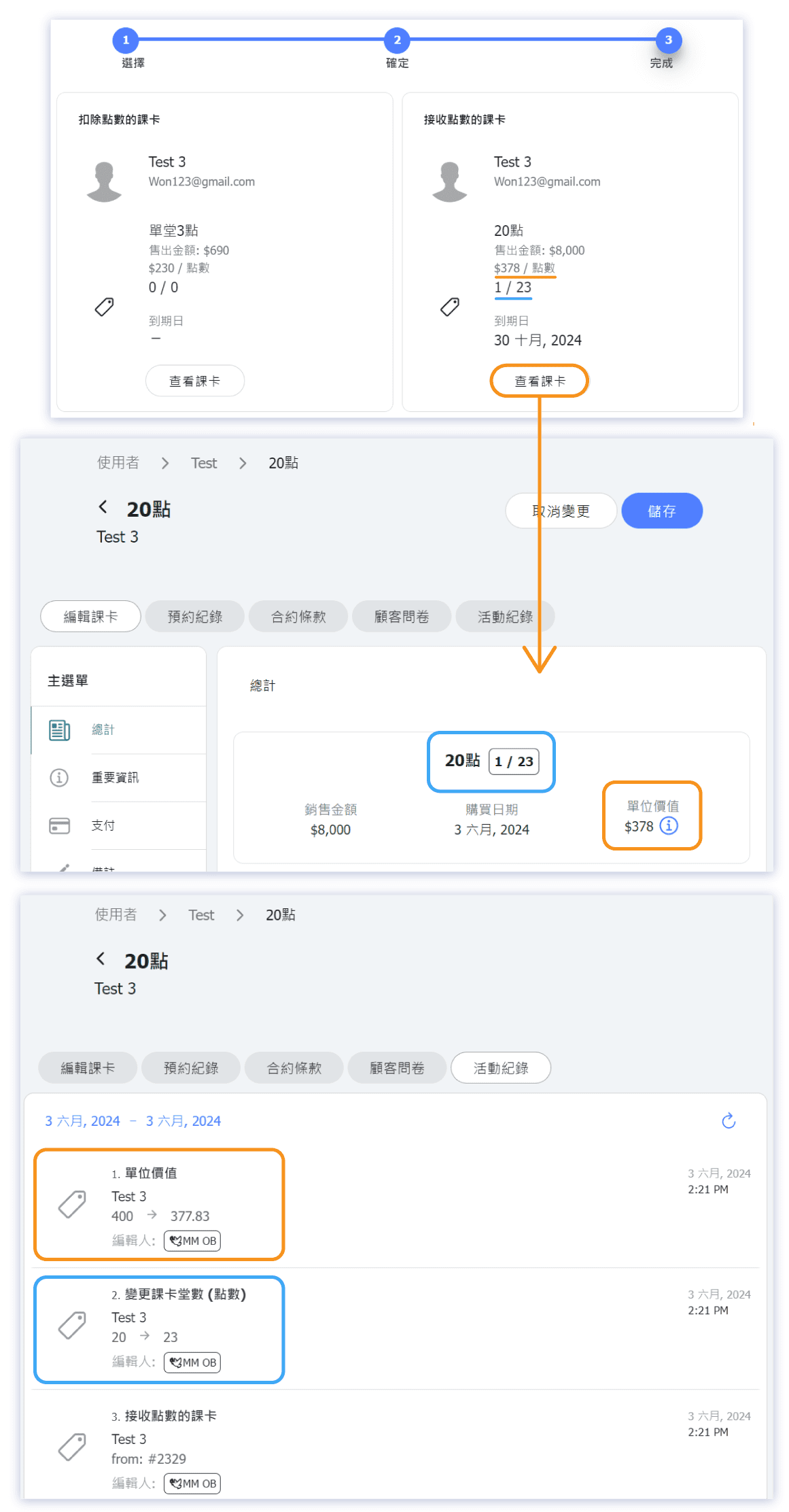
The source is reduced to its already-used amount. The destination receives the unused classes or points, and its unit value is recalculated as a weighted average. Both purchase and payment records remain.
For example, rolling 3 points worth 230 each into a 20-point pass worth 400 each creates a 23-point destination with a weighted unit value of approximately 378. If one record should not exist, use Merge Duplicate Passes instead.
Screenshots of Rollover Pass Example