📣 New app version (14.03) is now available to be downloaded!
Please open Google Play or App Store to get the latest version.
The following updates have been applied to the web version. Some items have also been included in APP version 14.03.
Items not yet available in version 14.03 are expected to be released in APP version 15.00.
If you don't see the updates in version 14.03, we recommend temporarily using the web version.
Updates on 14.03:
1. 【Customer Passes】2 pass settings page merged.
We've combined the activation settings and date settings into one page for a better experience.
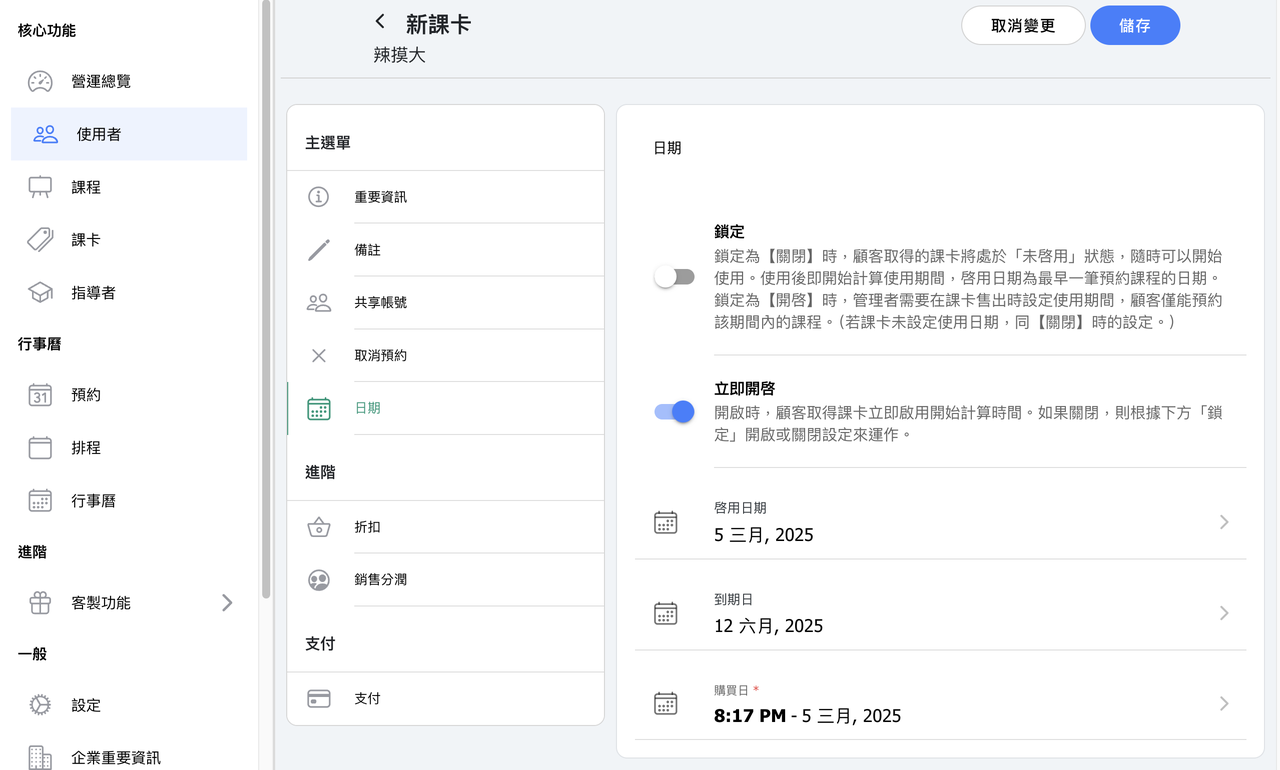
2. 【Customer Passes】To set or change the pass activation and expiration date, just enable "Activate Now", then both dates become editable.
(When it's off, the pass won't start counting down until it is used.)
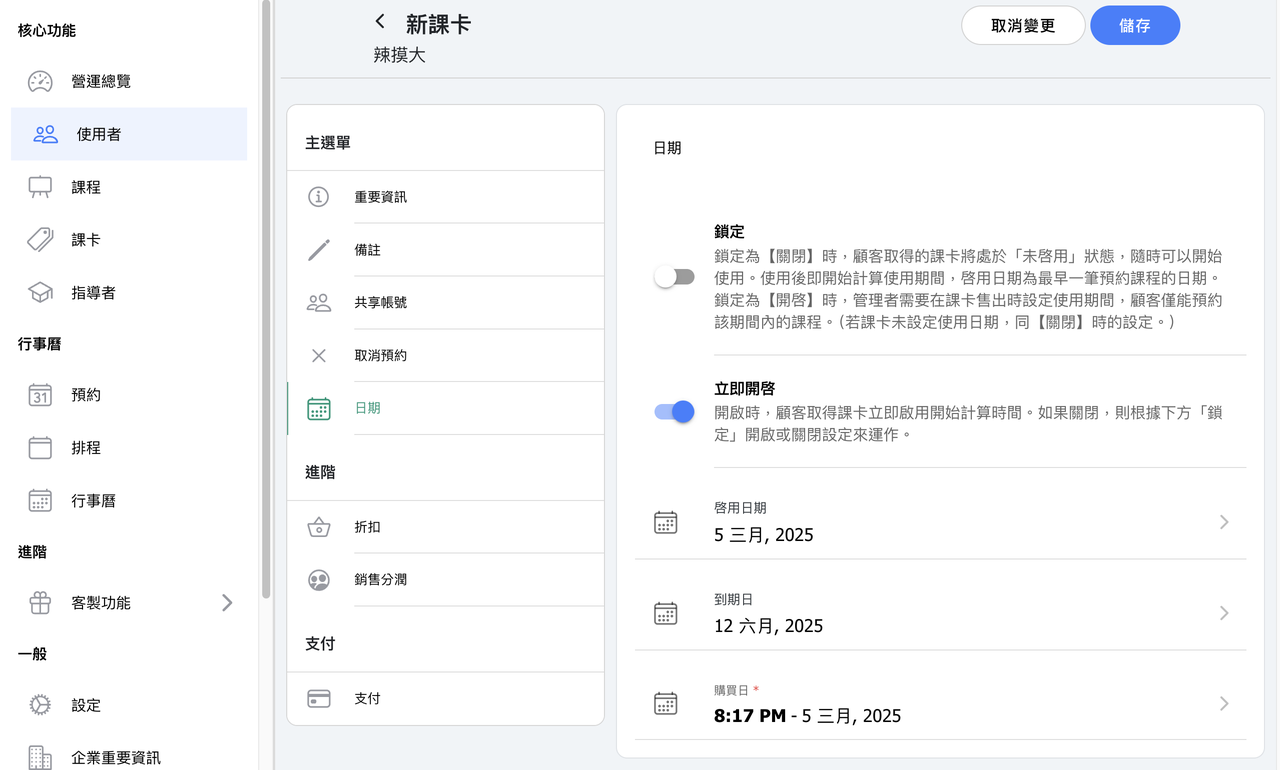
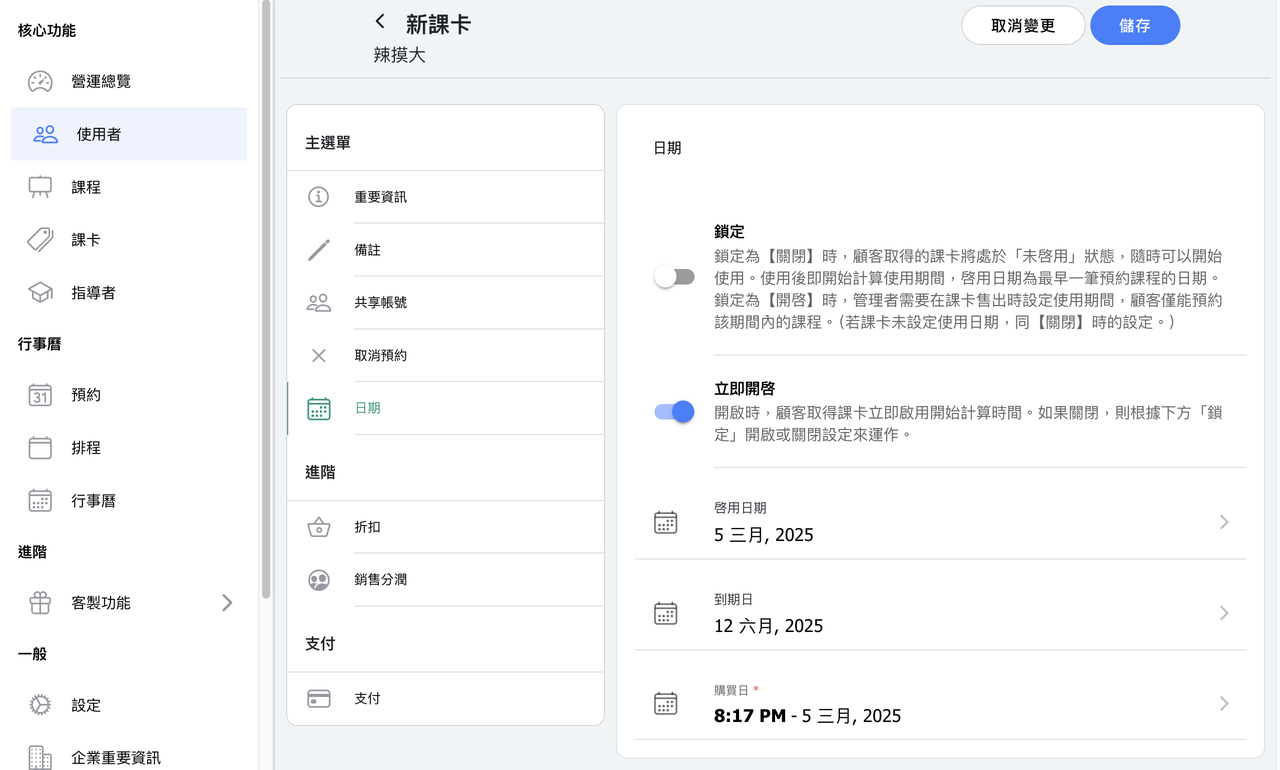
3. 【Customer Passes】Added "summary" page to customer pass.
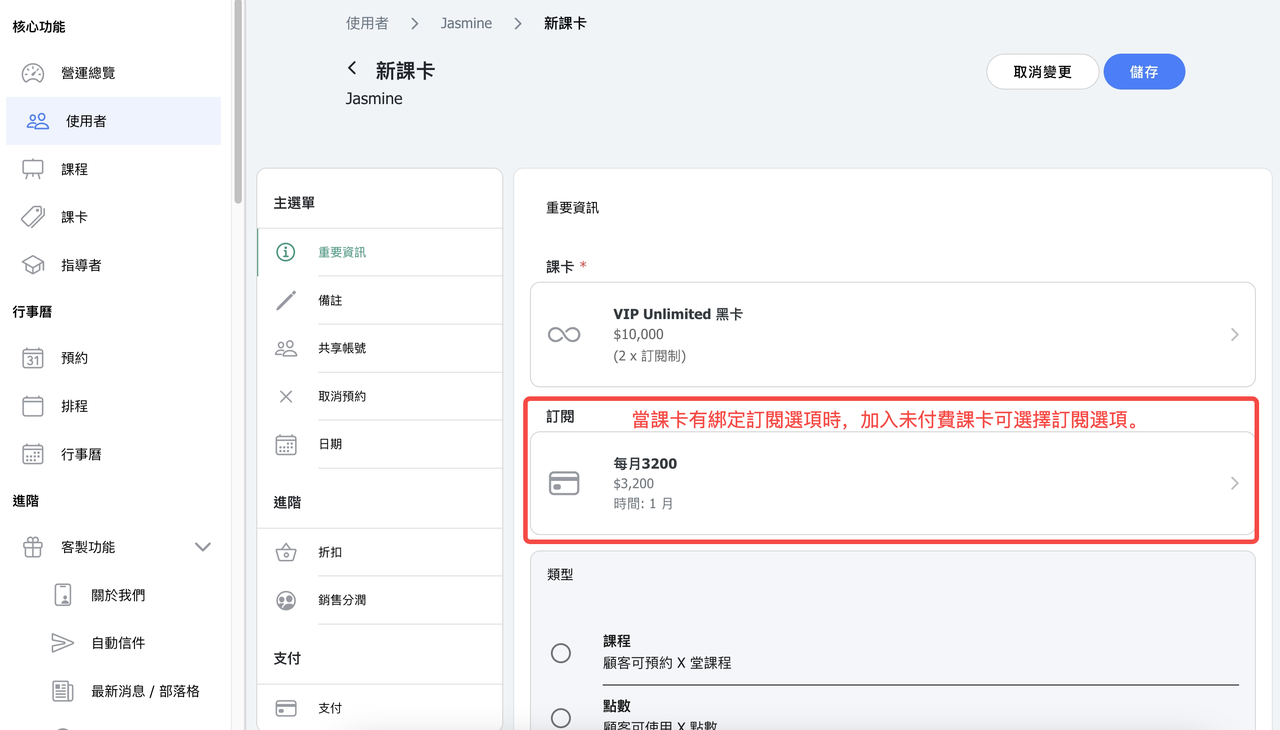
4. 【Subscription】Now admin can add unpaid passes to customer account.
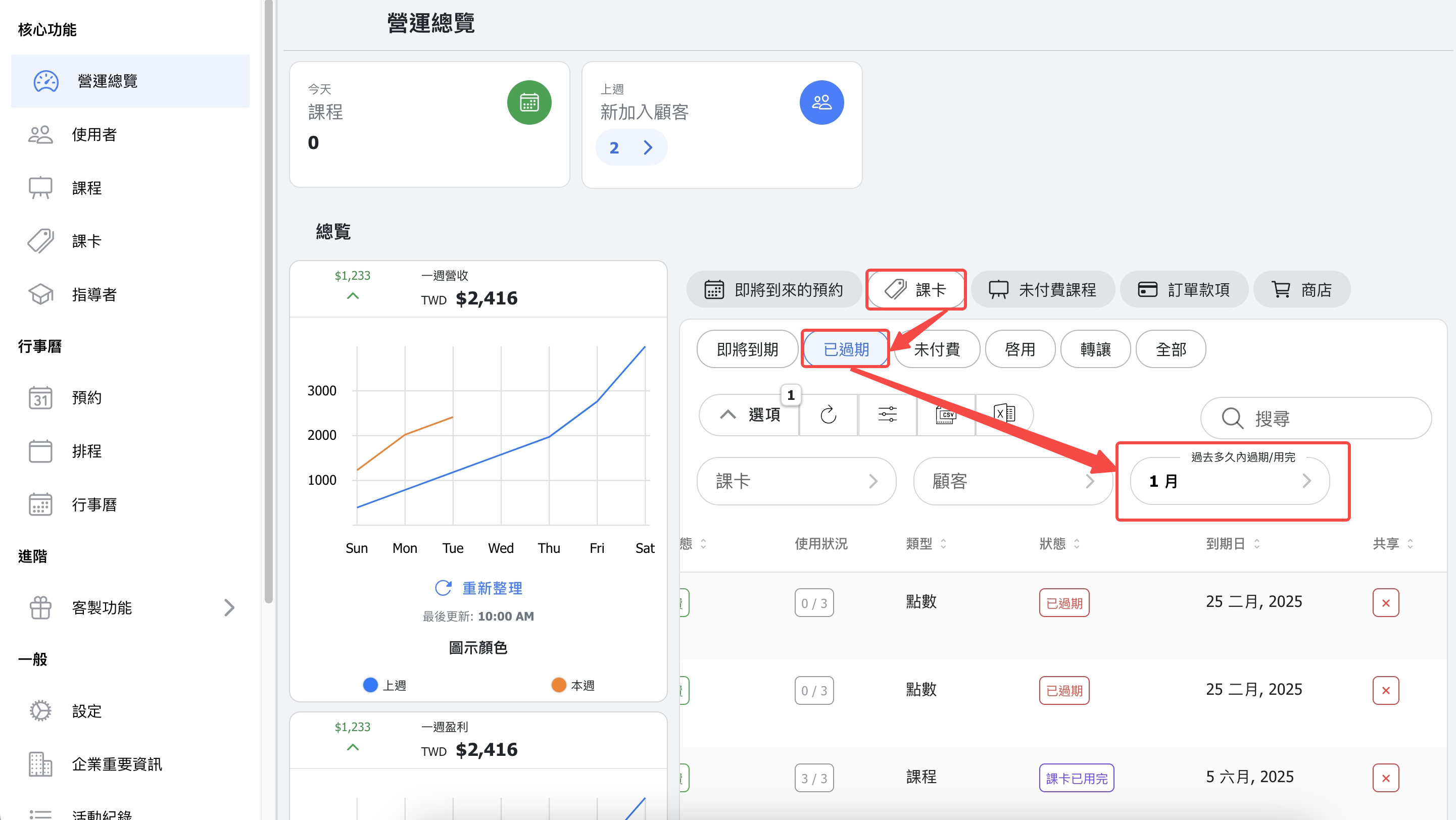
5. 【Dashboard - Pass - Expired】Filter expired passes by timeframe.
Previously, we showed only passes that expired or were used up within 7 days. Now you can filter by custom time ranges.
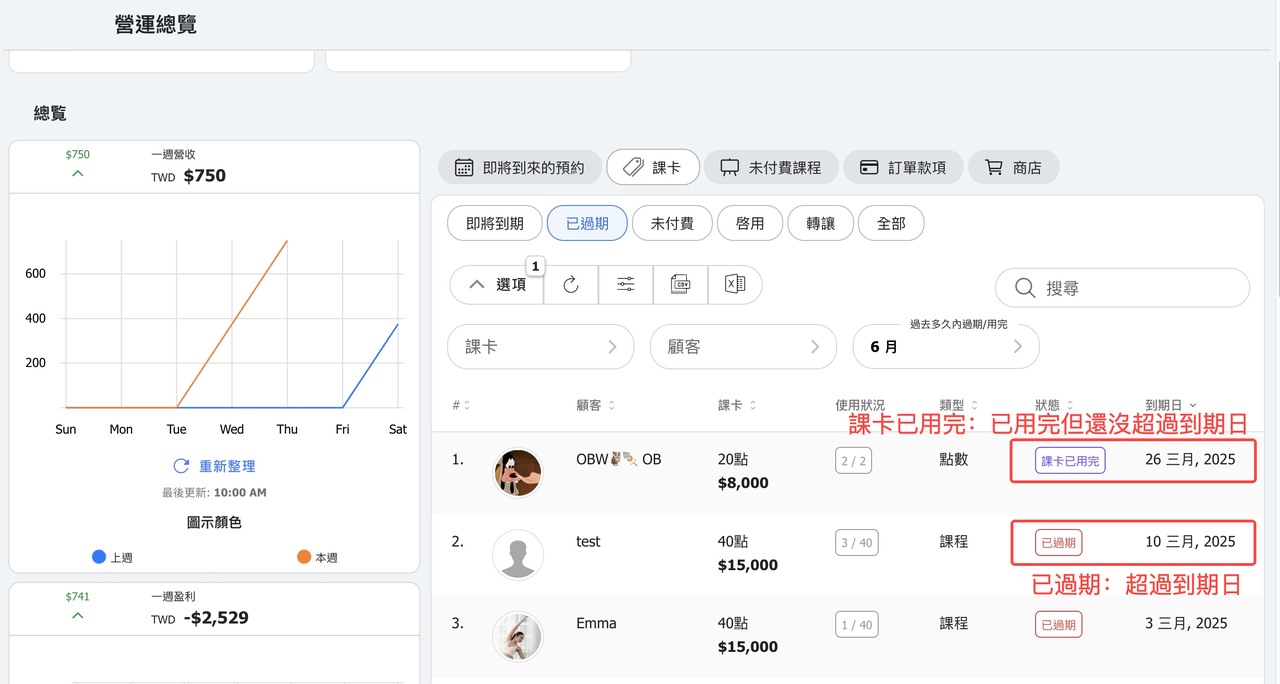
6. 【Customer Passes】Pass status – Now shows "Pass full" or "Expired".
If a pass still hasn't expired but has no classes or points left, it'll now be marked as "Pass full" instead of "Expired".
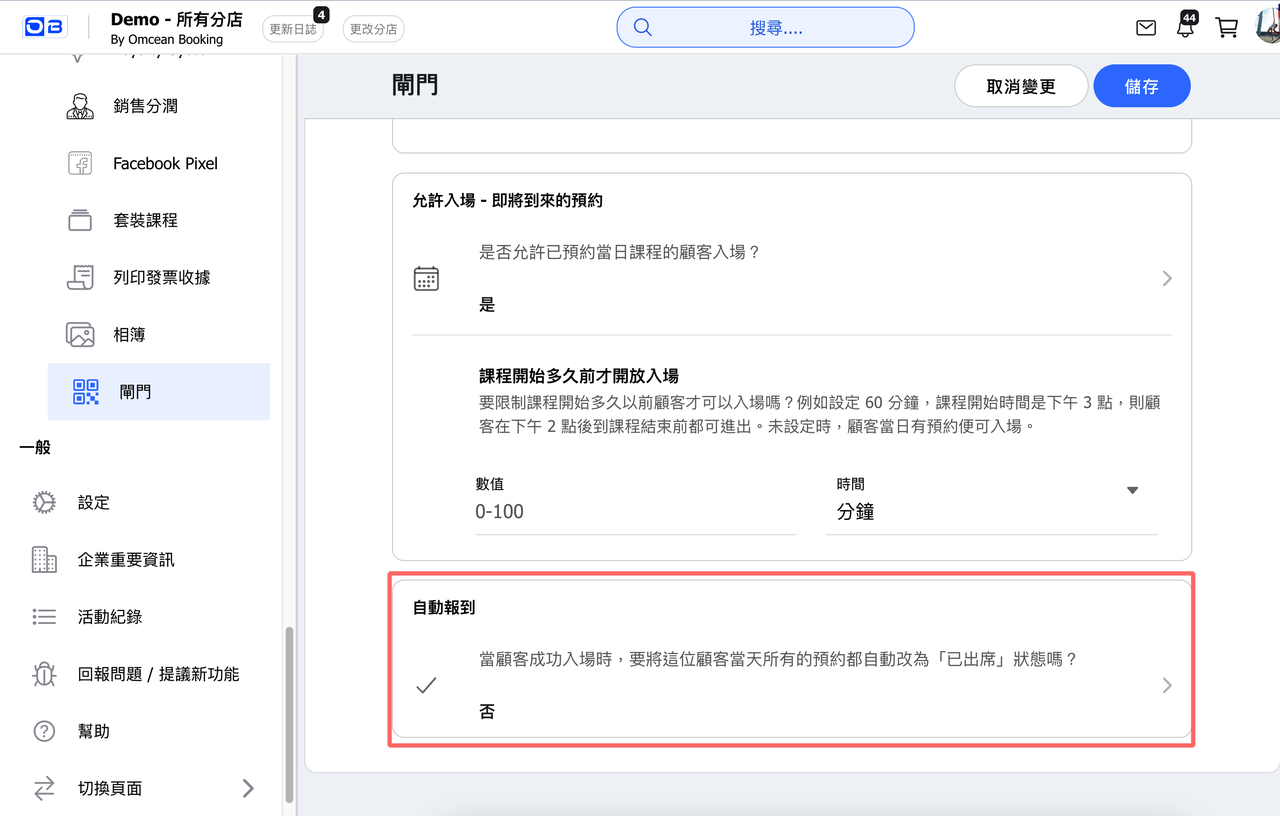
7. 【Gate】New "Auto Check-in" option!
When turned on, customers will be automatically checked in for all classes scheduled for that day as soon as they enter. (Default is off)
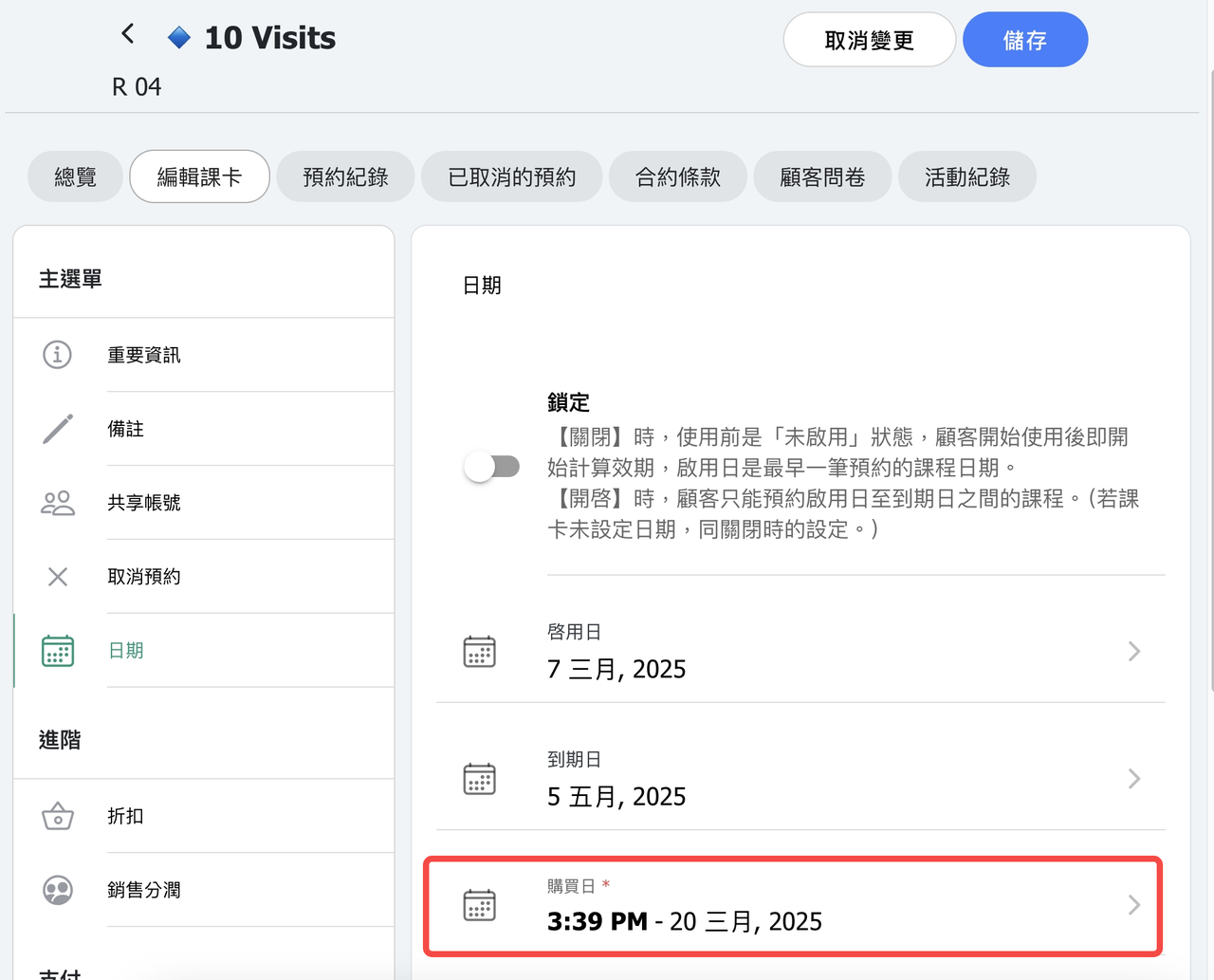
8. 【Customer Pass】Once a customer completes checkout, the purchase date will now reflect the exact checkout date and time.
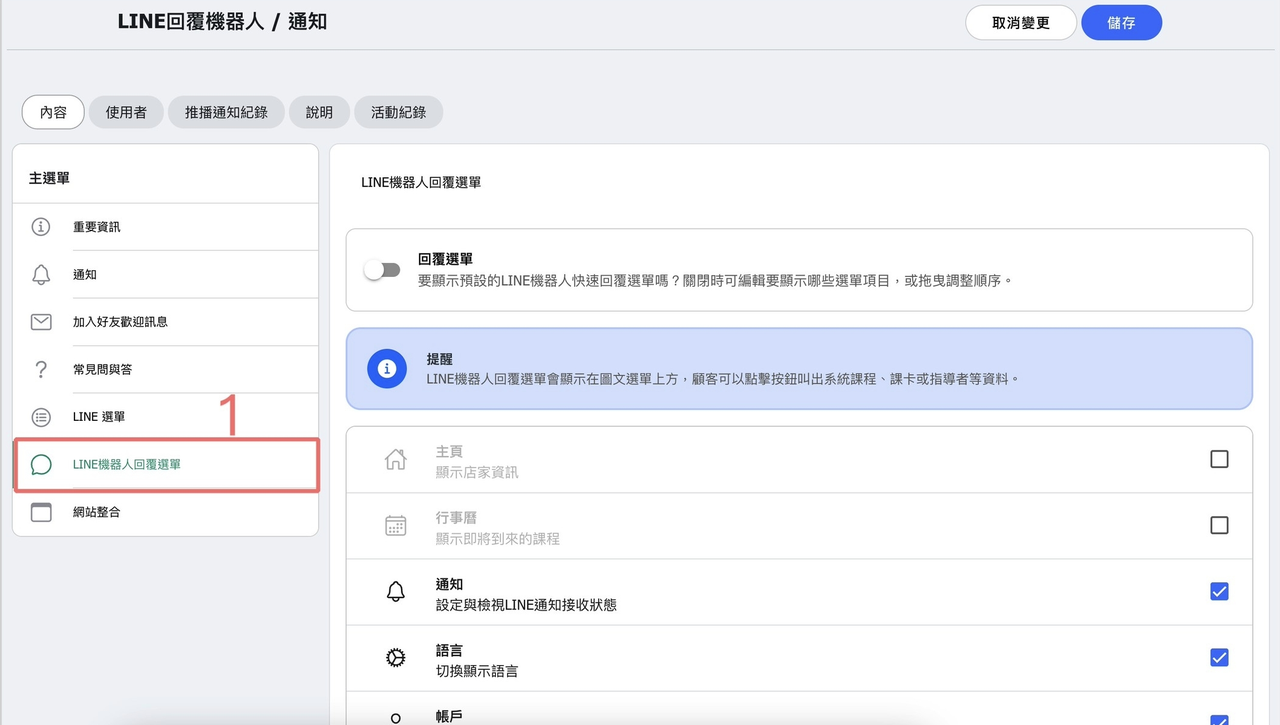
9. 【LINE Bot / Notifications】New bot menu filters & user tabs!
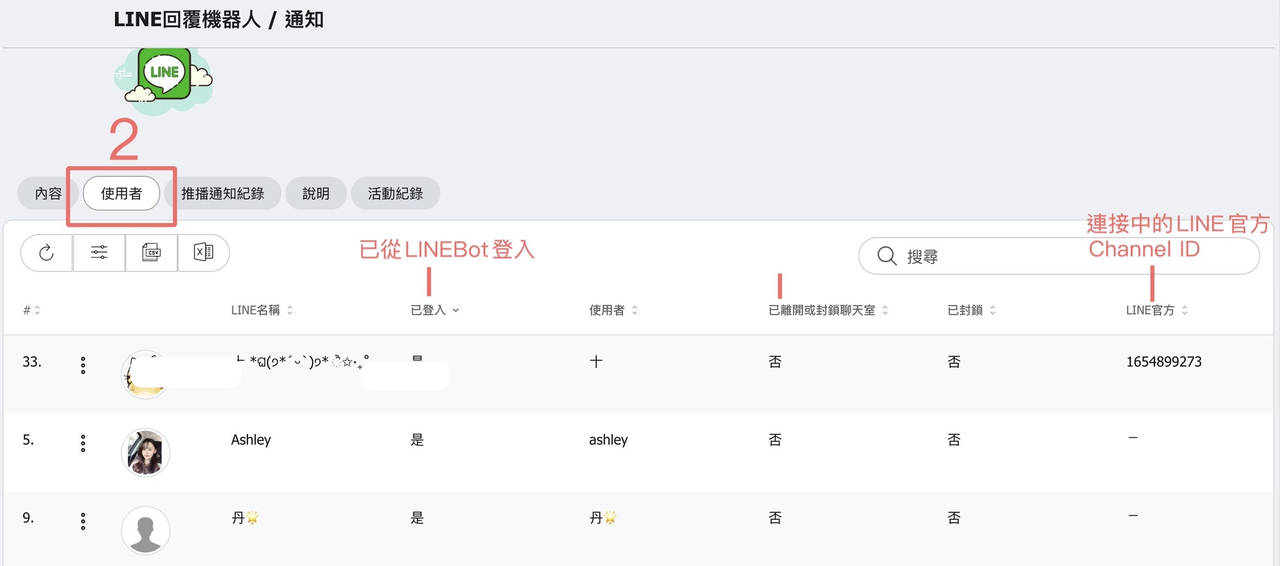
10. 【LINE Bot / Notifications】New tab showing each user's connection status, you can manage the connection on this table.
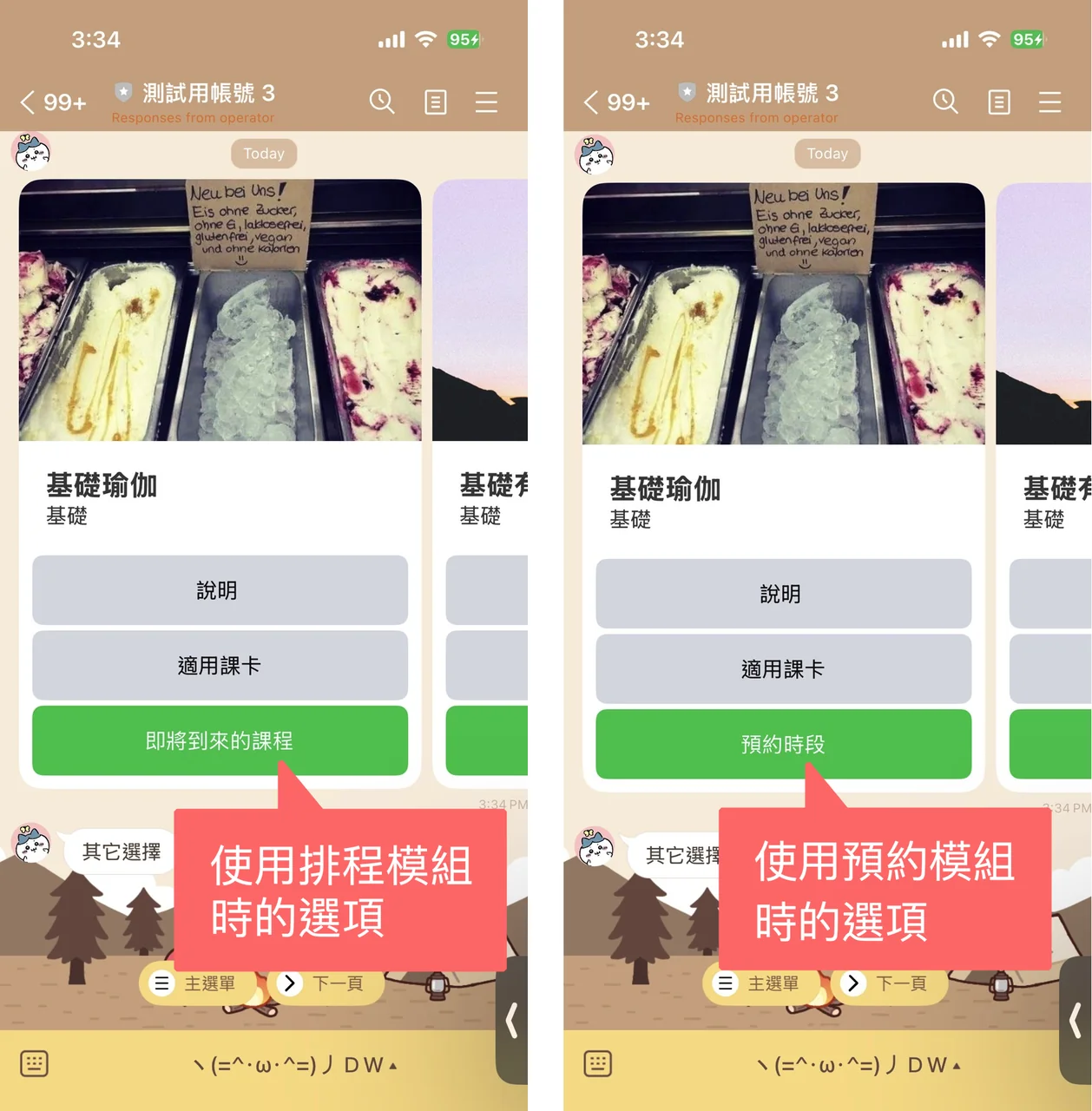
11. 【LINE Bot / Notifications】LINE message cards - Cards now show different name for "Upcoming" depending on the module you are using:
Scheduling module: Shows upcoming classes
Appointment module: Shows upcoming appointment
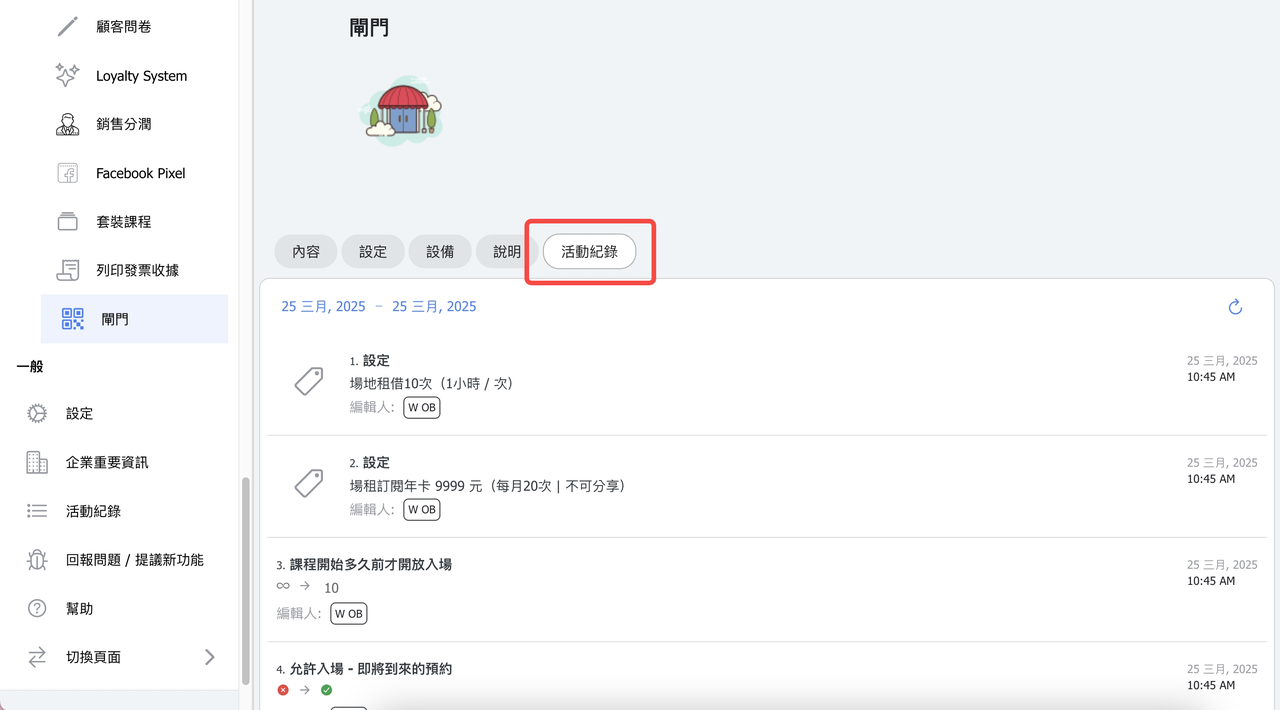
12. 【Gate】Add activity logs - Now you can track gate setting changes: like enabling/disabling access, adding/removing eligible passes, and more.
13. 【Multiple Locations】You can now assign users to specific locations. If left blank, the system will default to the locations the user is currently viewing. (Starting April 15, the system will automatically check whether a student account has an assigned location. If not, the student will be assigned to the location they are currently logged into and browsing. If the student has not logged in during this period, the location will remain unassigned.)
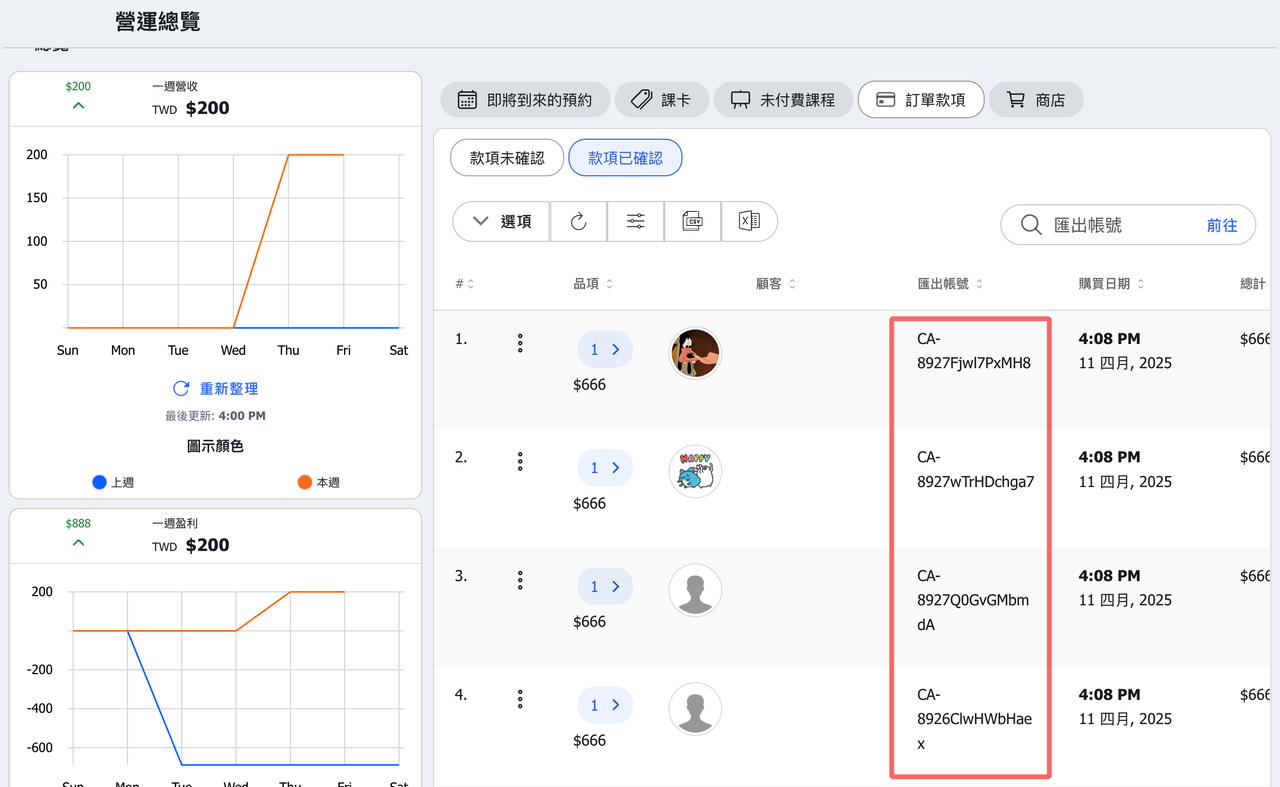
14. 【Payment】The format of reference number has changed. Order IDs now use a 12-character alphanumeric code for better security and uniqueness.
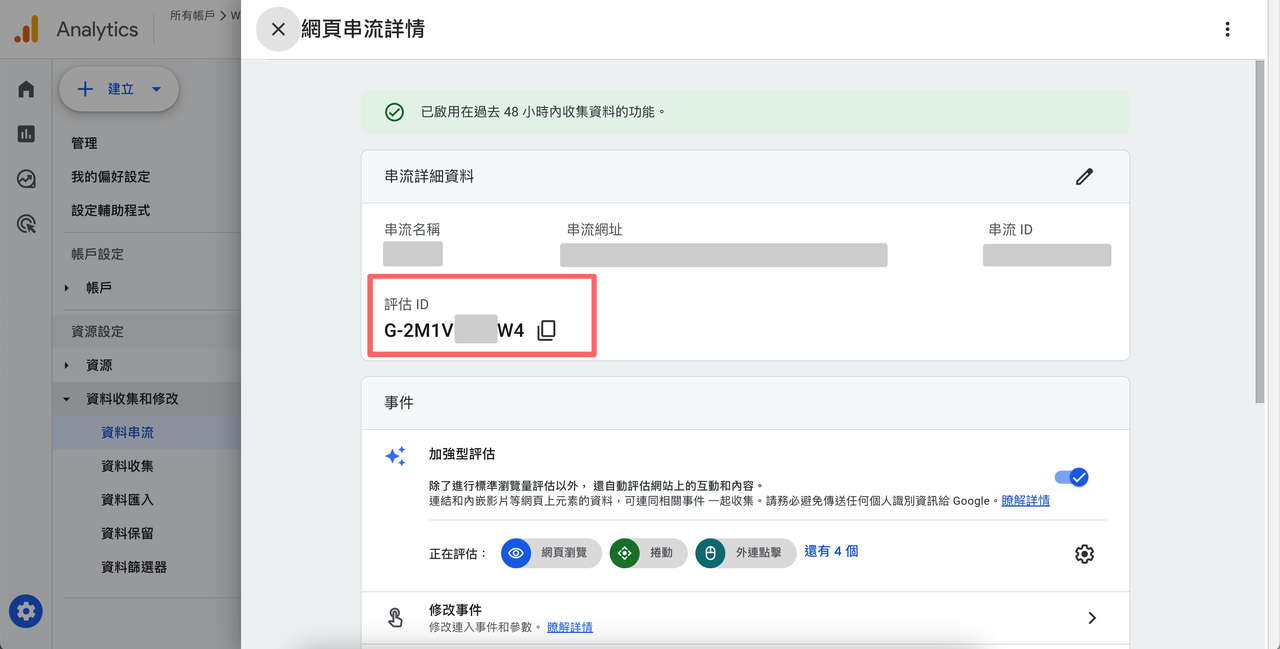
15. 【Google Analytics】In line with Google's update, we've switched from the old UA tracking ID to the new Measurement ID.
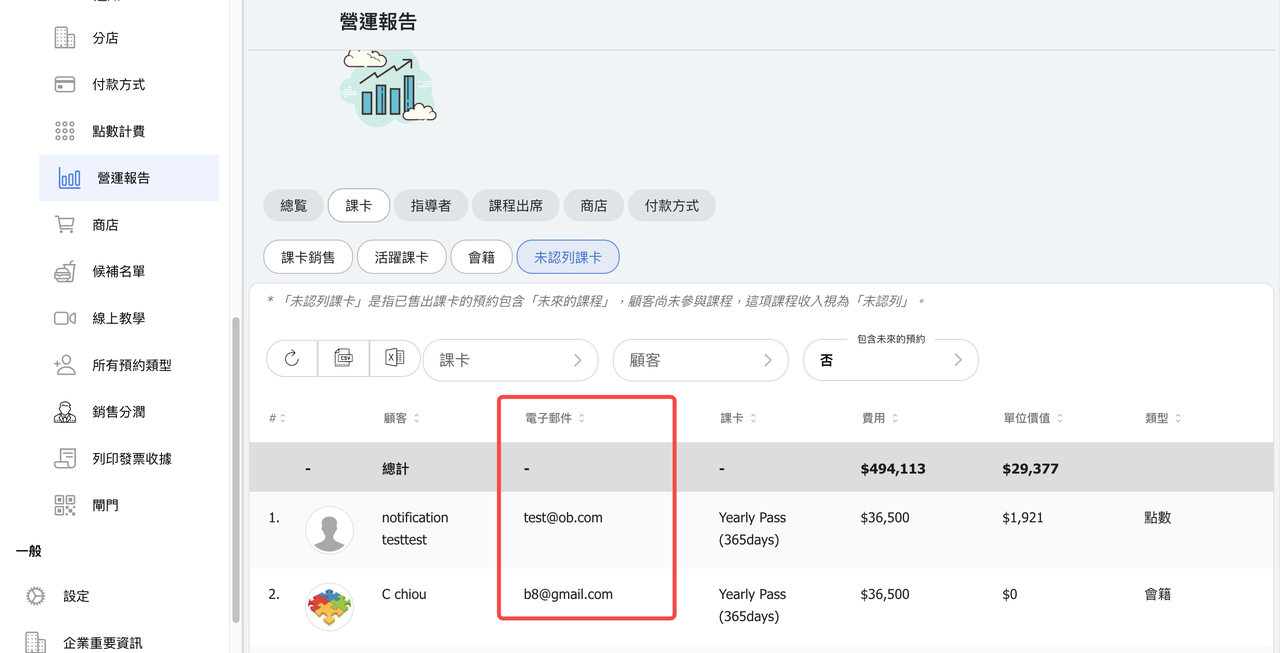
16. 【Reports - Pass】Add email column to unused pass table.
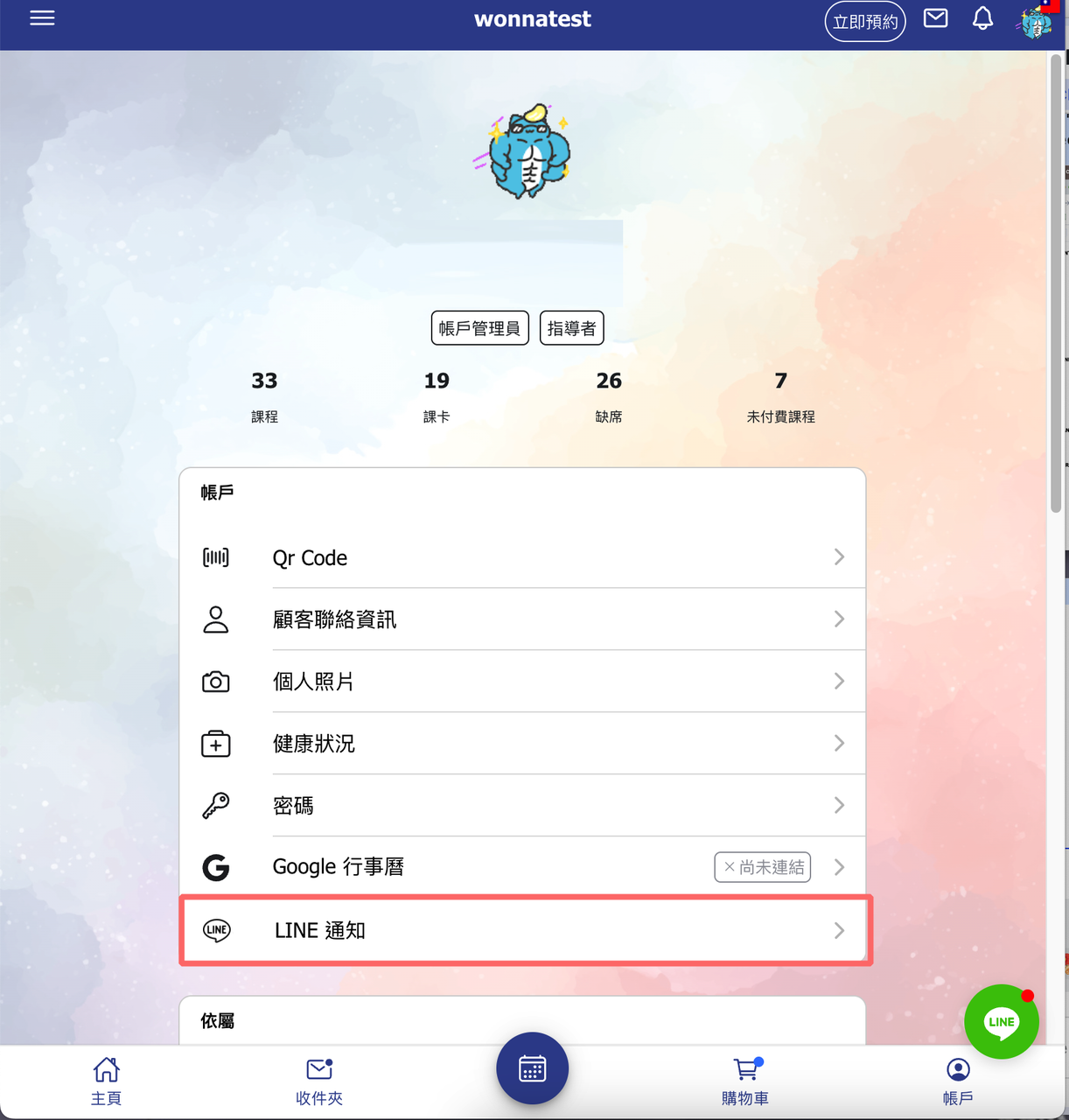
17. 【Old LINE Notify】LINE Notify has removed.
LINE officially ended support for LINE Notify on April 1, 2025.
The old personal settings page "LINE Notification" on account page has been removed.
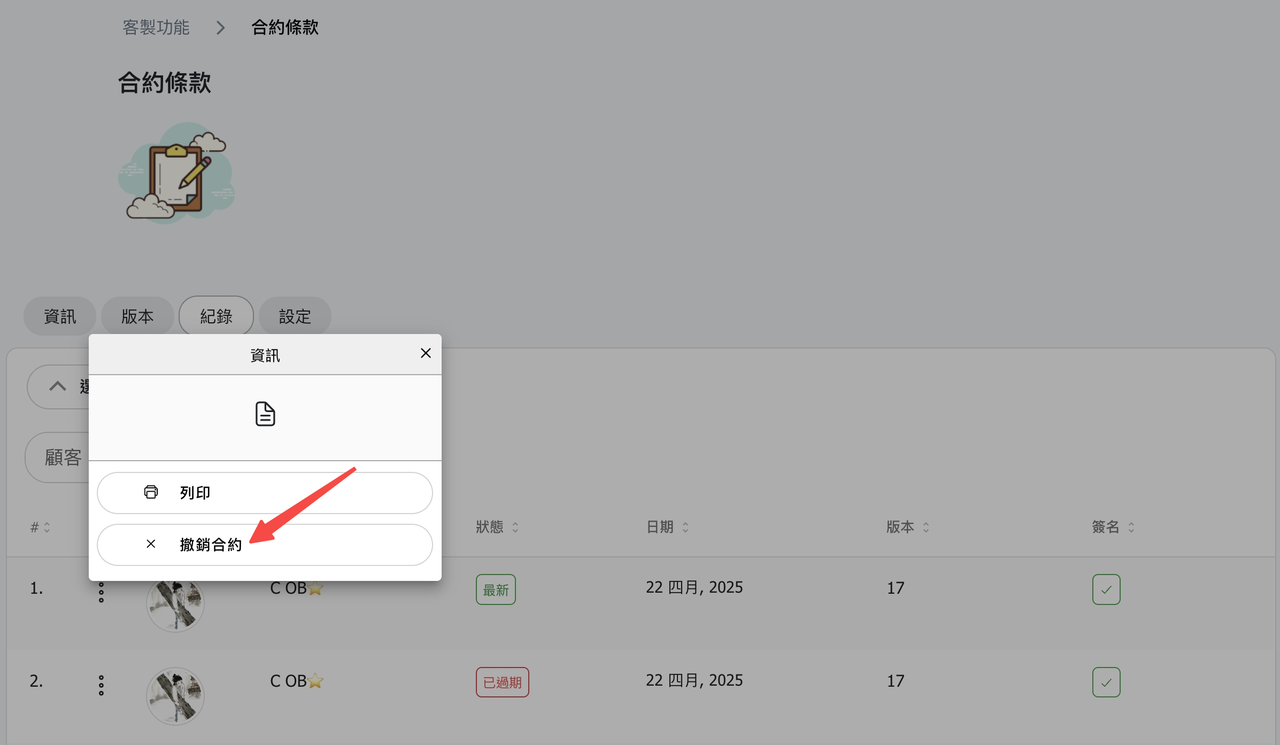
18. 【Terms and Conditions】New "Revoke Contract" Function!
Admins can now revoke a signed contract (when it's the latest version) to request the customer sign again.
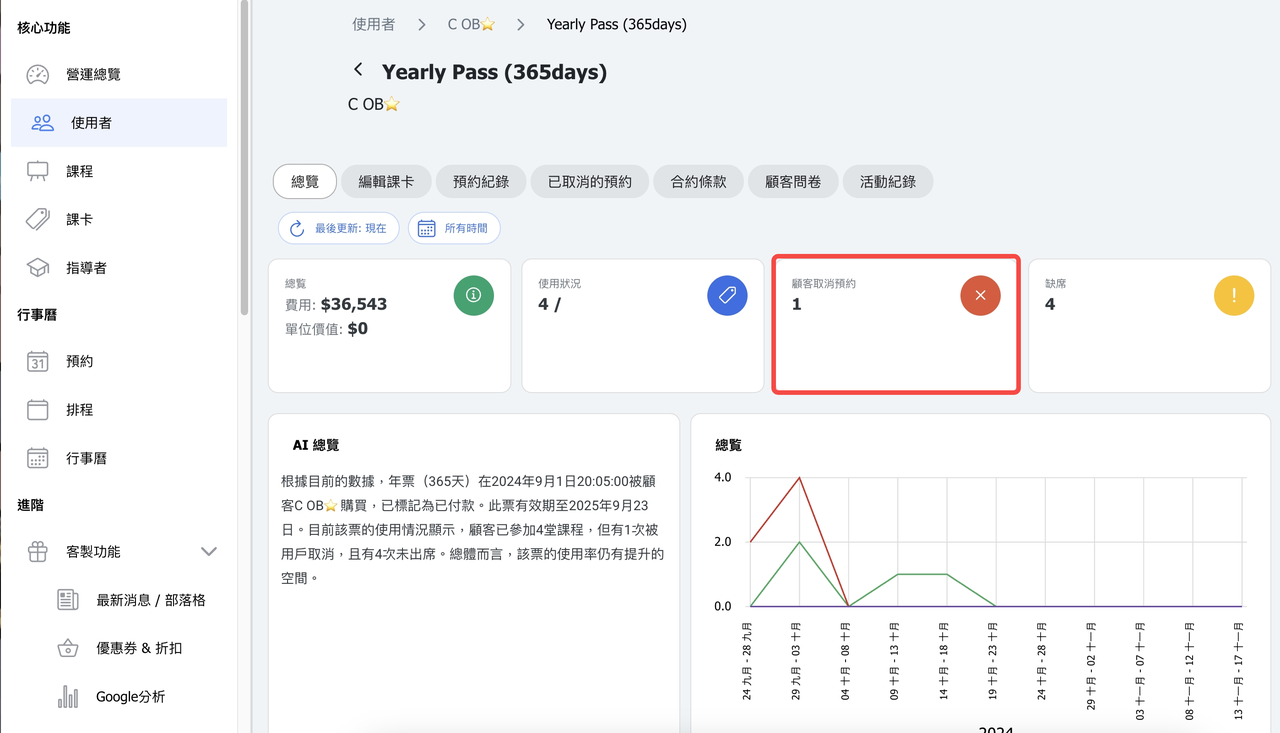
19. 【Cusotmer Pass - Summary】Improved how canceled bookings are counted in customer pass summary. Cancelled classes will now be included in the total.(Previously, if a class was cancelled, its cancellations weren't counted.)
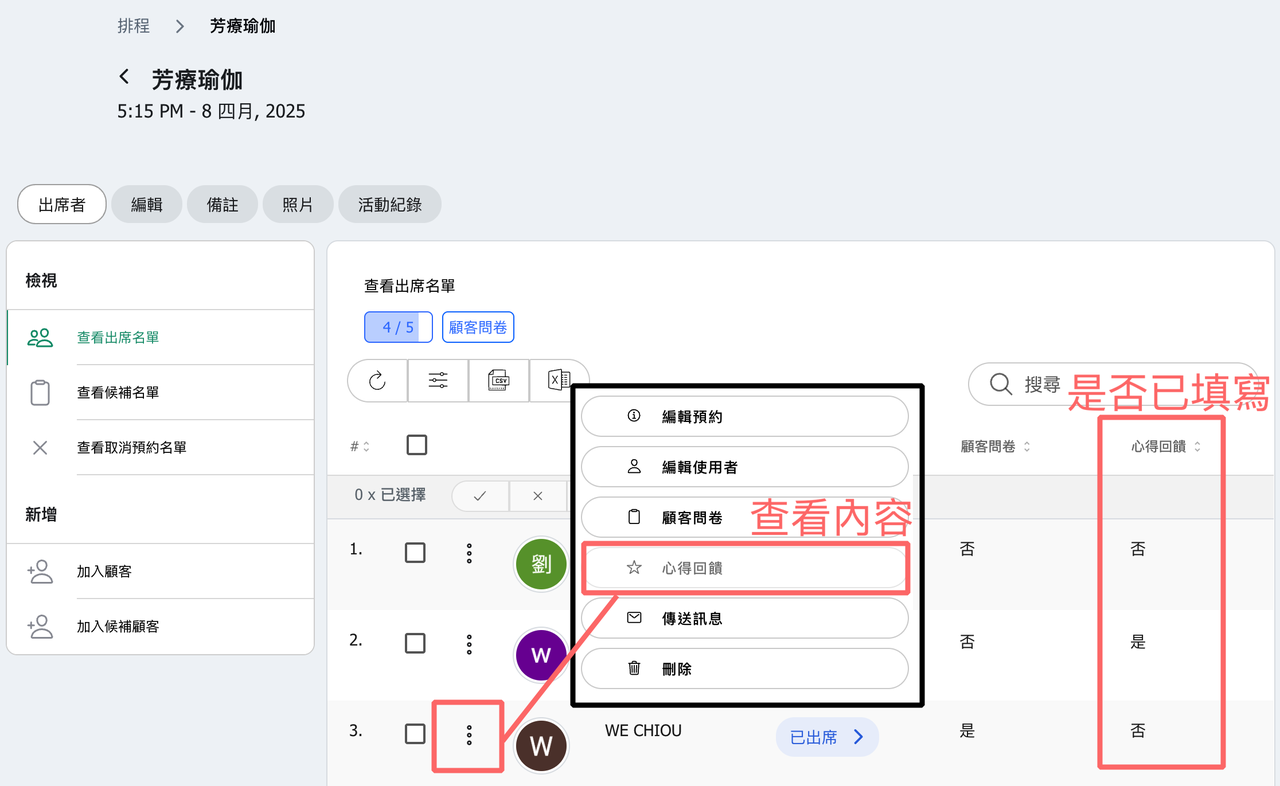
20. 【Intake Form】Added feedback form status and access link to the attendance list in the calendar.
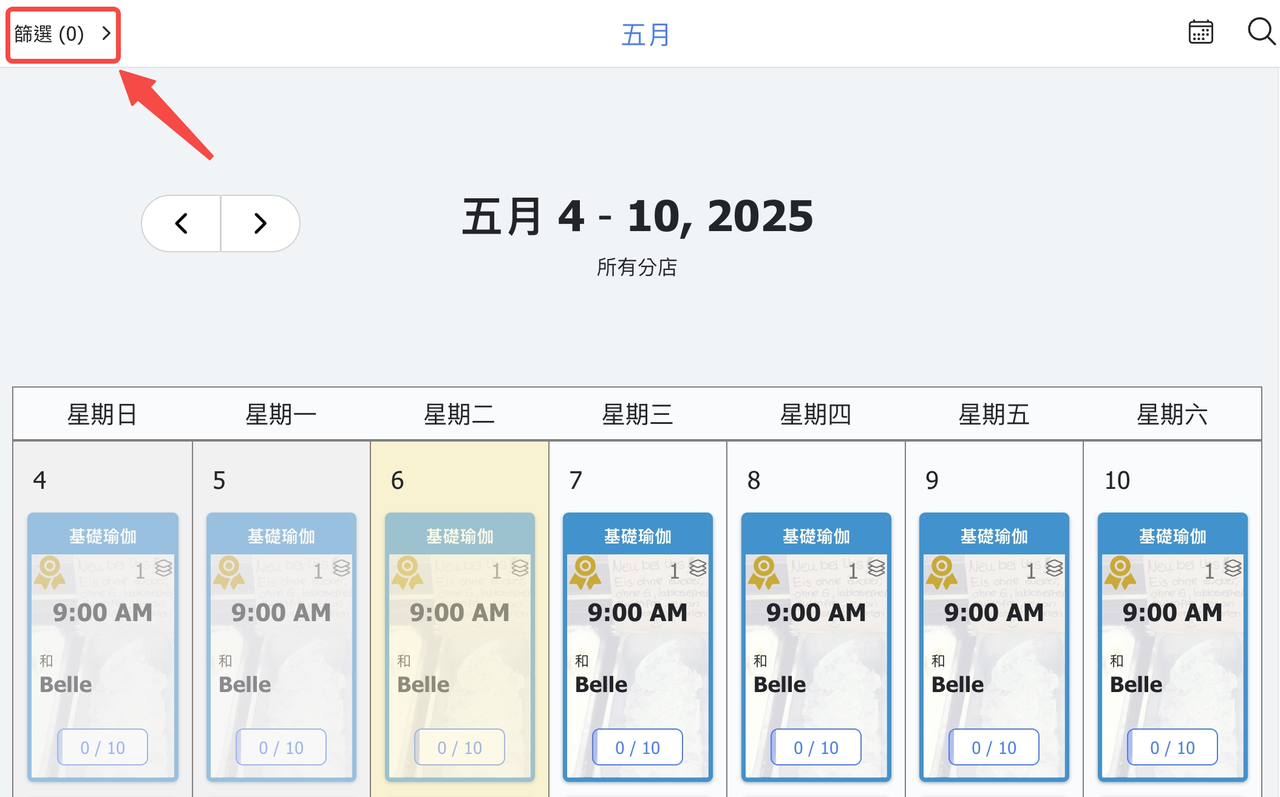
21. 【Calendar】Filter settings are now separated for customers and admins. Filters applied on the admin calendar will no longer affect the customer calendar, and vice versa.
We will gradually add more admin-only calendar filter options.
22. 【Payment Methods】Added a second bank account field for bank transfers.
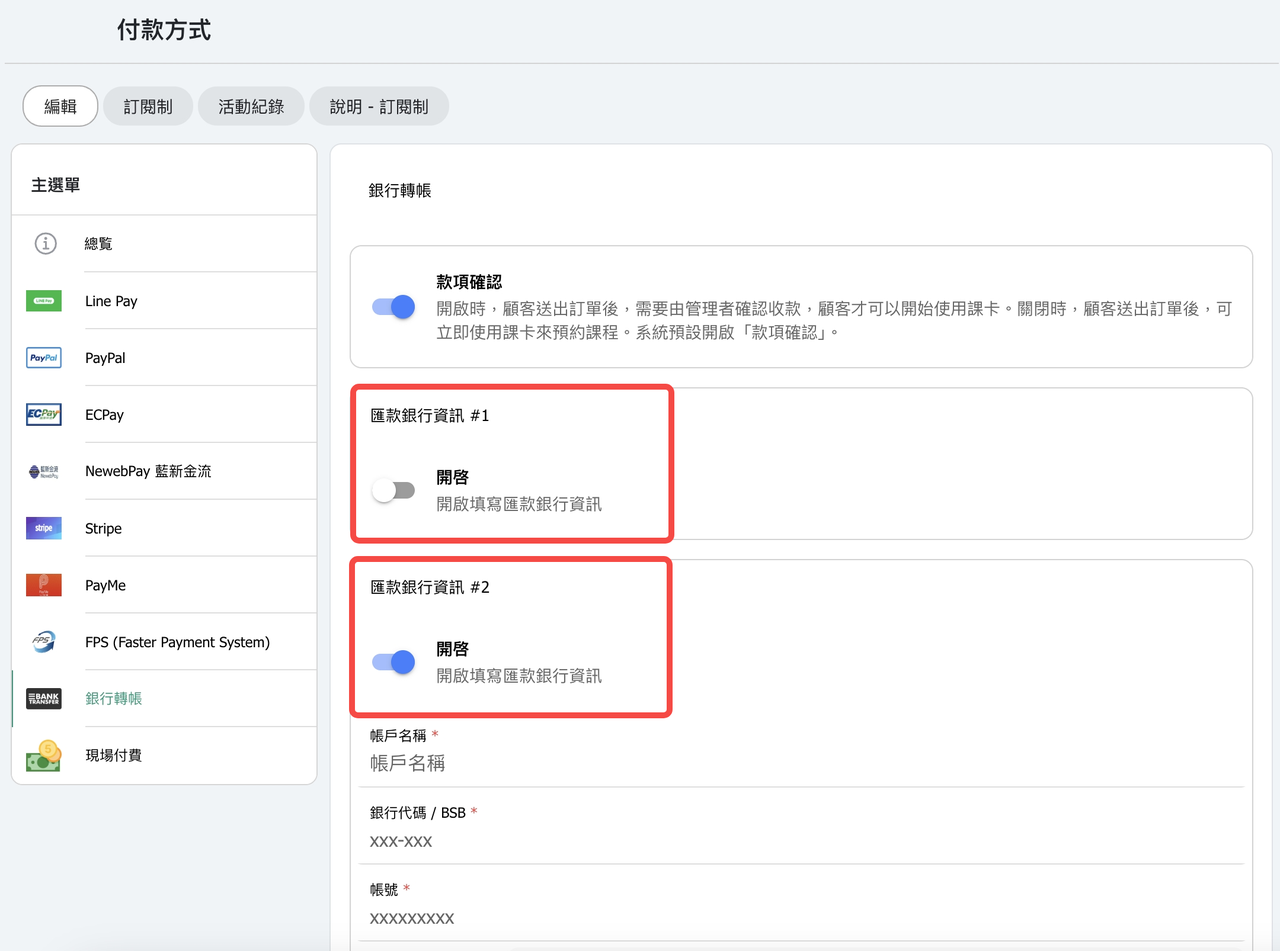
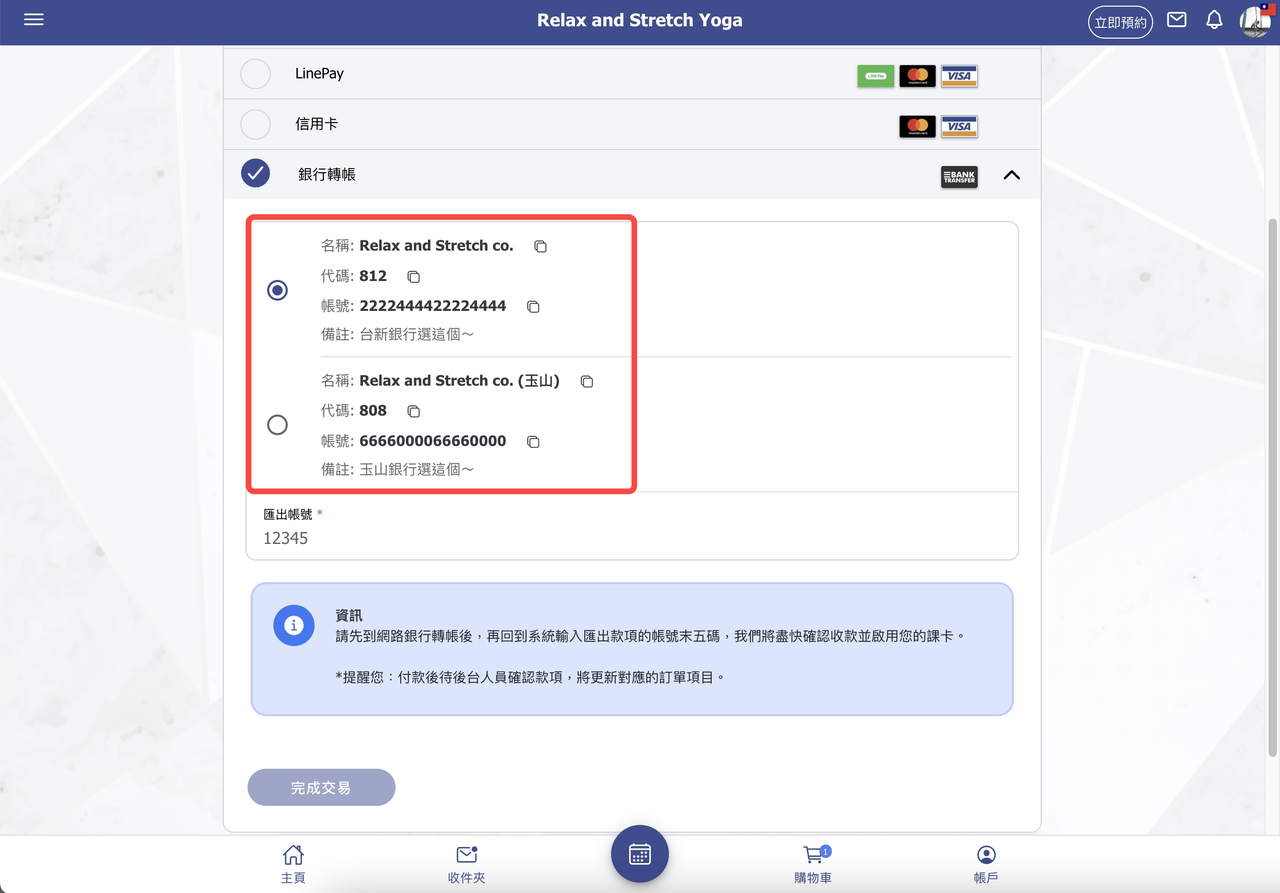
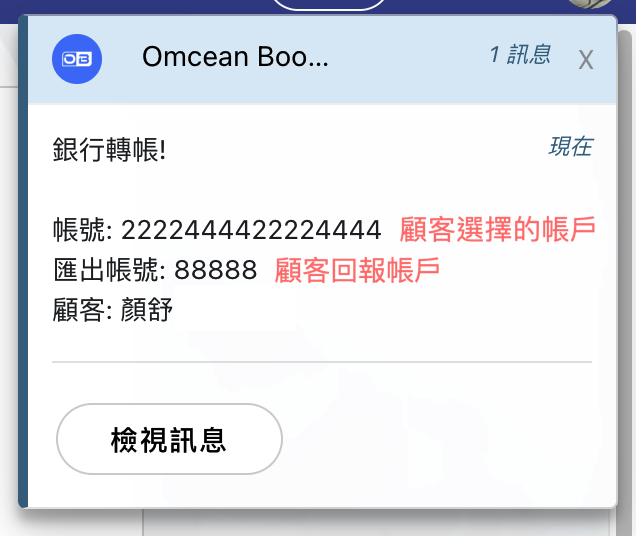
23. 【Messages】Bank transfer messages now include the bank account details which customer selected. When two bank accounts are used, this helps indicate which account to verify.
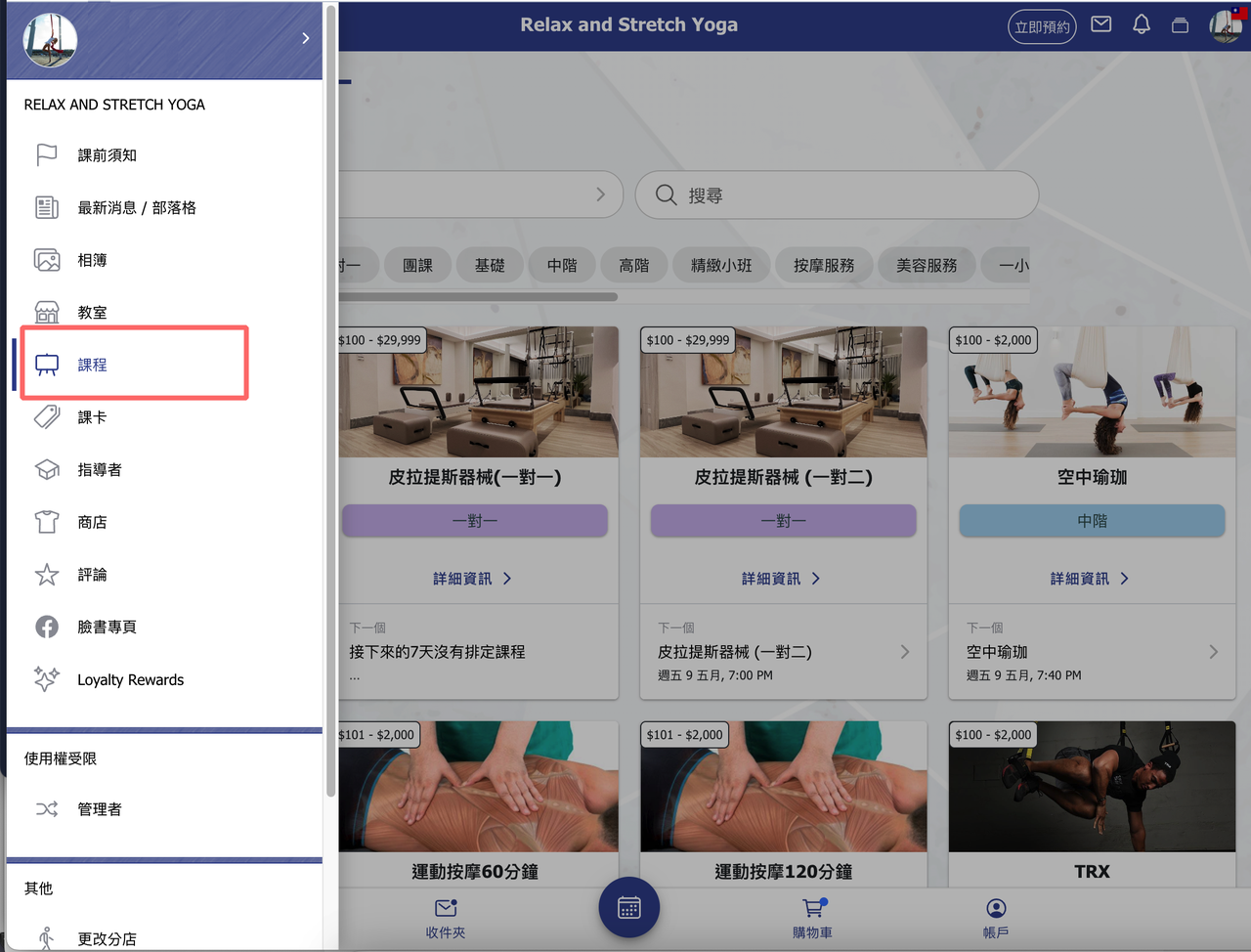
24. 【Classes(Customer Page)】The class list now initially shows 40 classes, with a "Load more" button at the bottom to view additional items.
*We noticed that some studios offer over 200 courses, which can take around 3 seconds to load. To improve loading speed, only 40 will be shown at first.
You can load more courses by clicking "Load more," or use tags and categories to quickly find the ones you're interested in.
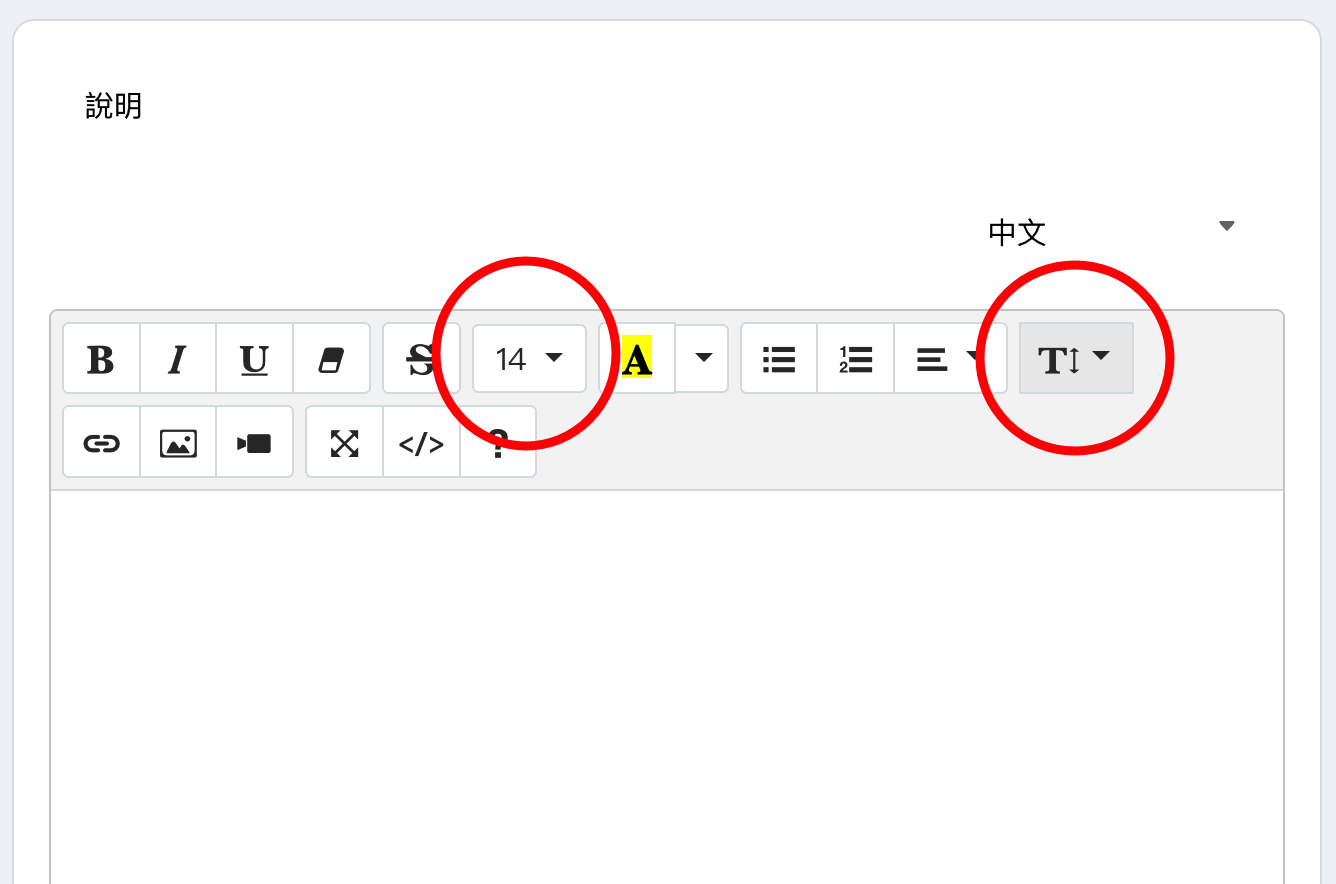
25. 【Text Editor】Paragraph tool has been removed. New tools for adjusting "font size" and "line spacing" have been added.
26. Other improvements.
