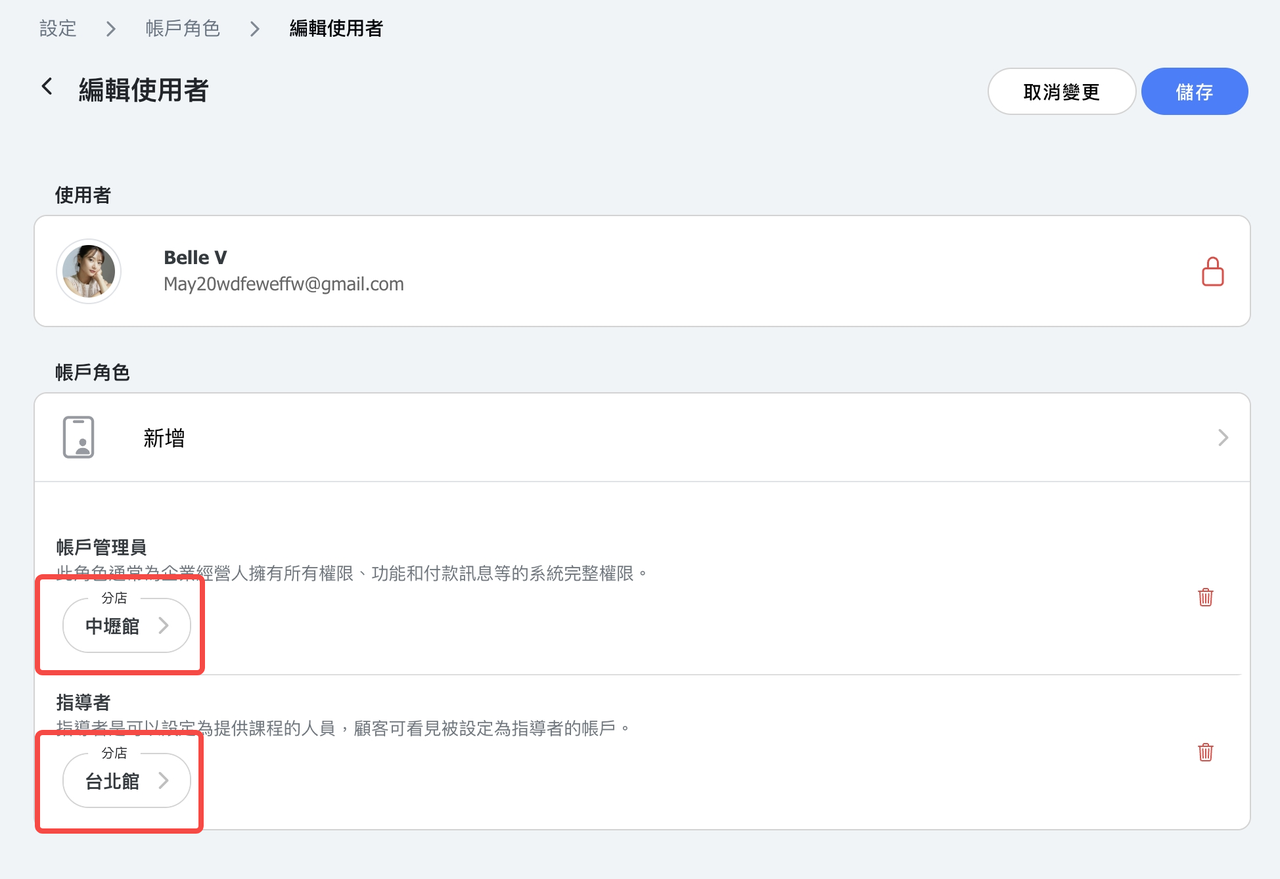
New location permissions feature available now! If a specific location is assigned on account role setup, the account will only have role permissions within that location. When attempting to access other locations, a "Permission Denied" message will be displayed.
Example:
If a staff member's role is restricted to a specific location, for example Location A, they will only have access to data under that location A, such as users, classes, payments, and other related records.
If a user is not assigned to any location, they are only visible when viewing "All Locations."
Currently, the following pages support location-specific data display:
- Dashboard
- Users
- Classes
- Appointment
- Schedule
- Calendar
- Reports
- Receipt Printer