📣 New version 15.00 for Omceanbooking App is now available to be downloaded!
Now available for download on Google Play and App Store.
Note: The following updates are already available in the web version (v15.1). Some features are partially available in App v15.00. If not visible in the app, please use the web version temporarily.
Updates on 15.00:
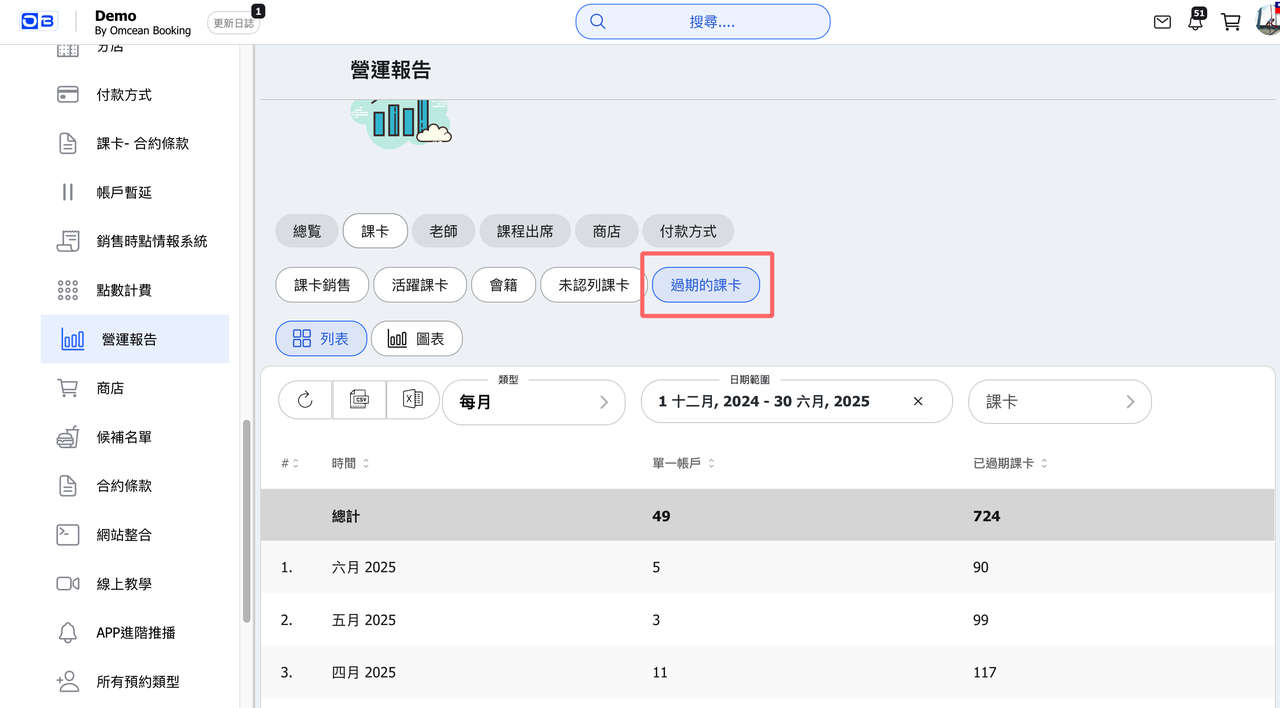
1. 【Reports】 New report: "Expired Passes"
View detailed list of passes expiring in a specific month.
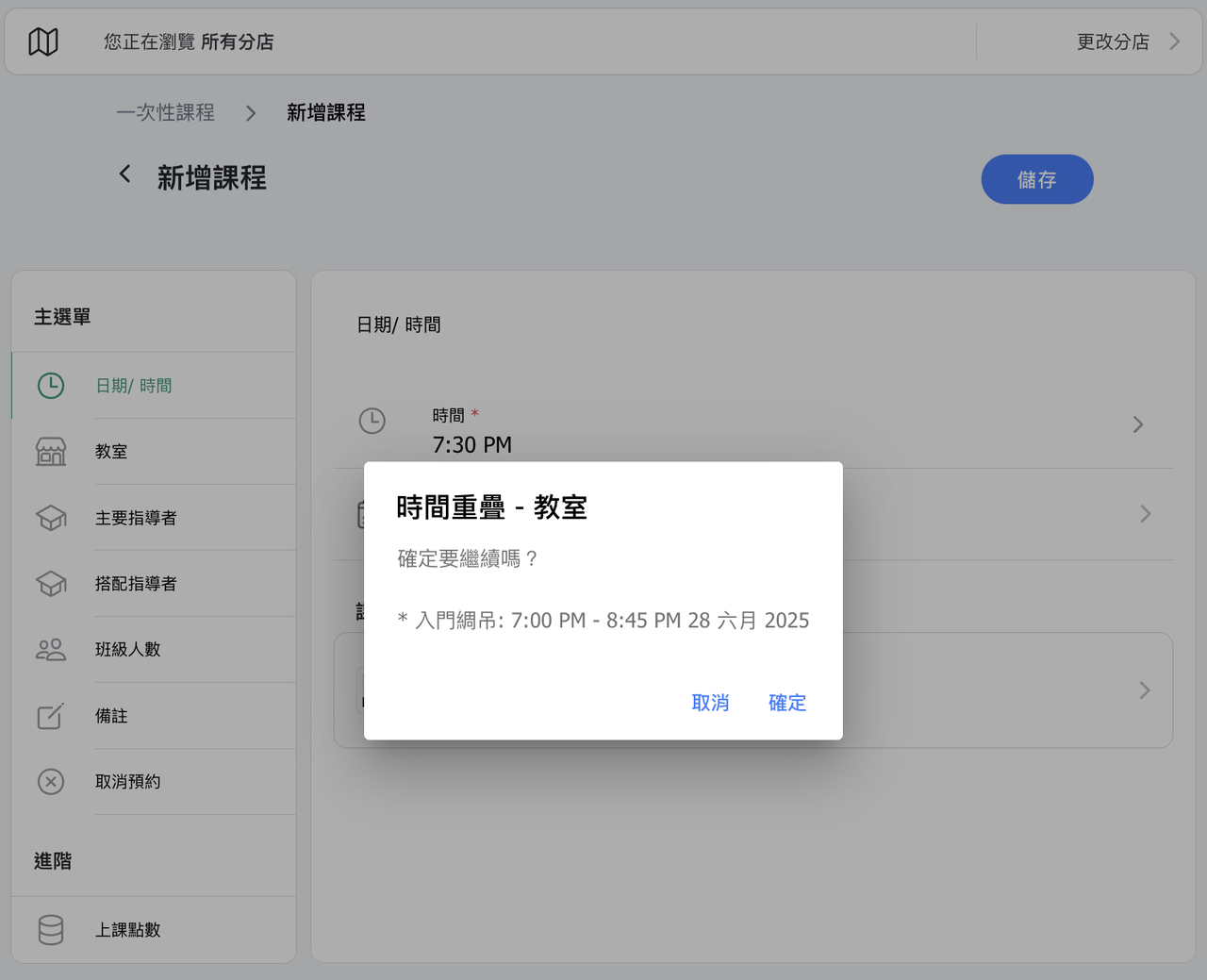
2. 【Schedule】 New conflict warnings when overlapping instructor or room availability during:
- One-time class creation (Schedule Module)
- Custom time creation (Booking Module)
- Class time adjustments
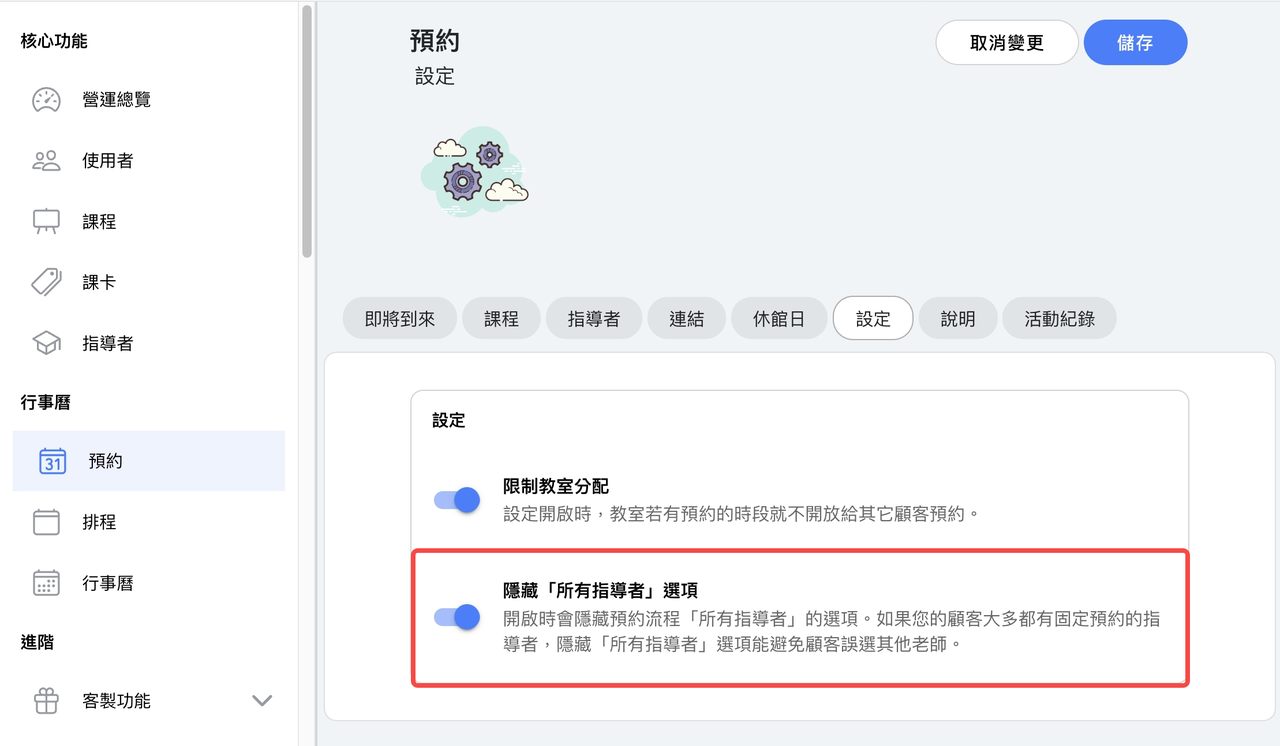
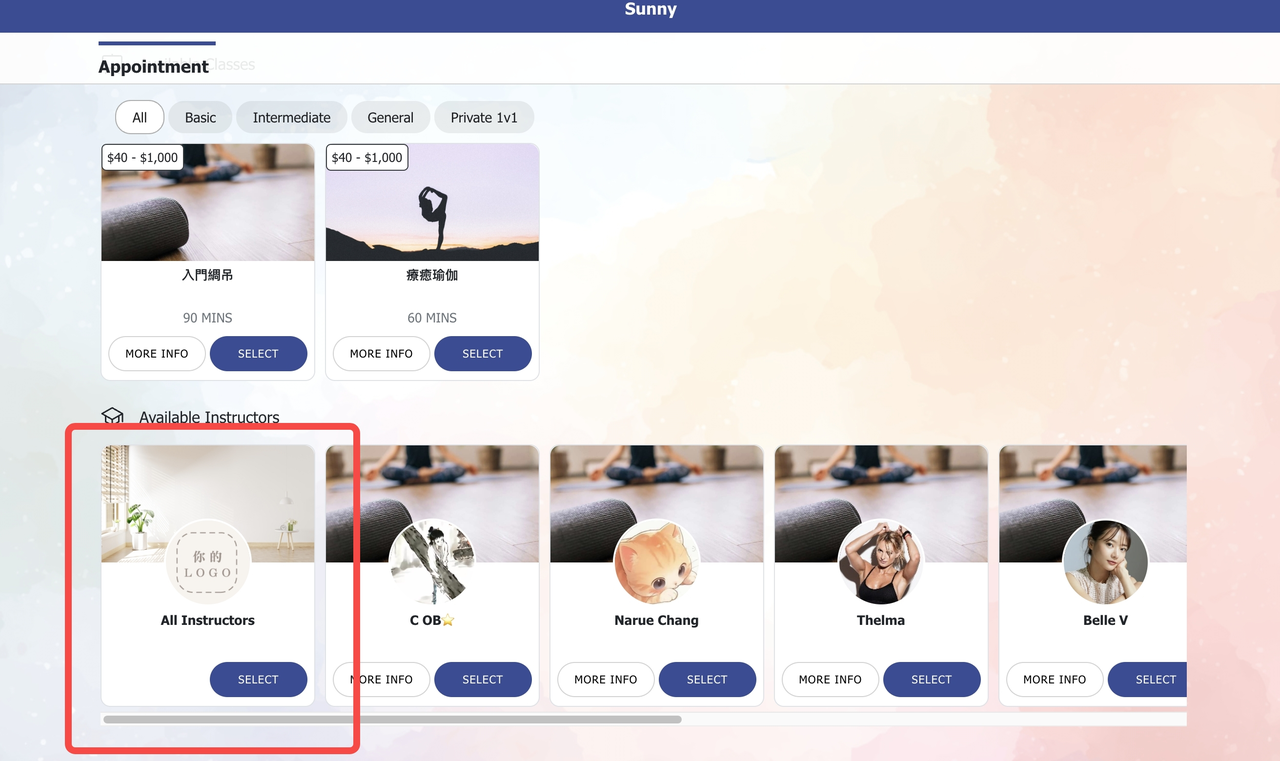
3. 【Appointment】 New toggle to hide the "All Instructors" option in the booking flow.
Note: When only 1 instructor is bookable, "All Instructors" is automatically hidden.
4. 【Instructor Dynamic Pay】 Adjusted logic based on studio feedback, overtime cancellations (cancel with penalty) are no longer included in attendance-based salary calculations.
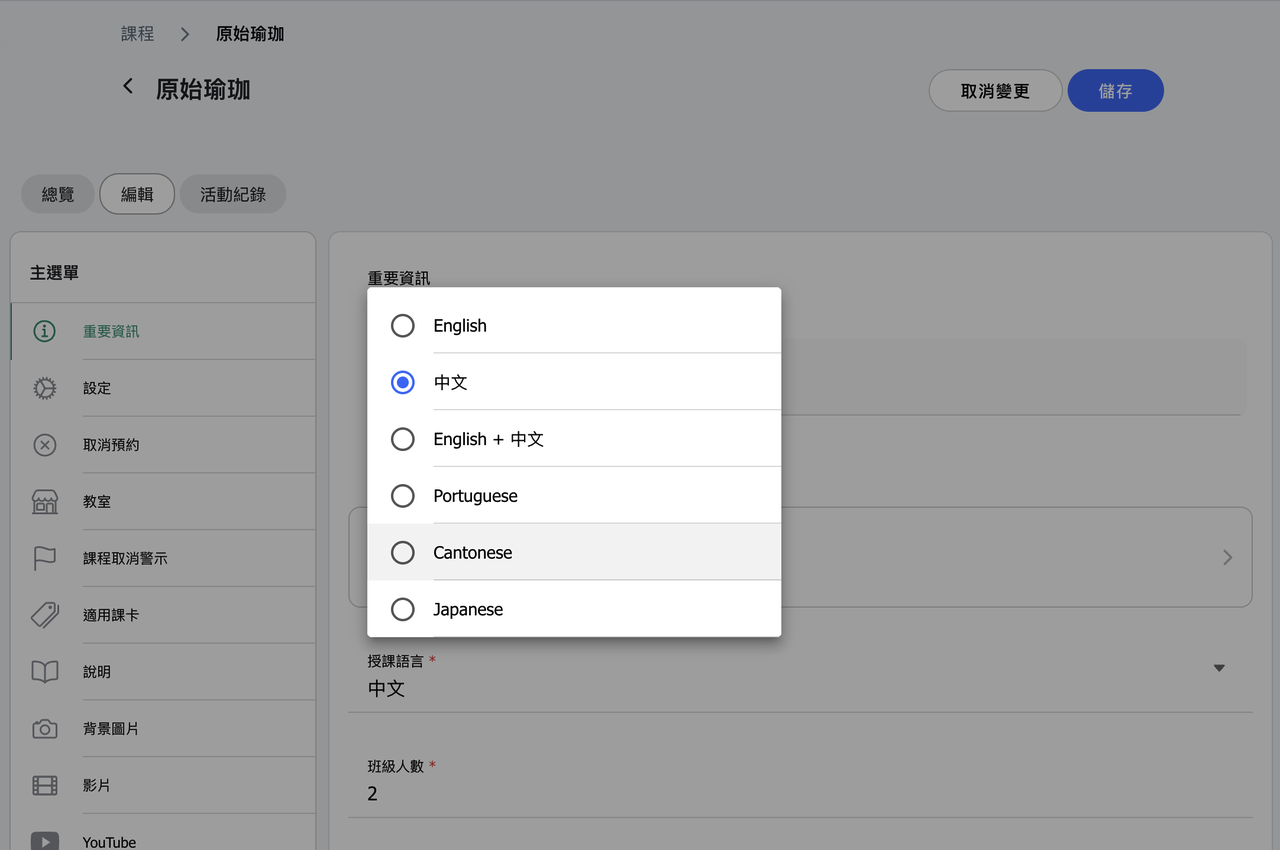
5. 【Class Language】 Added "Japanese" as a language option.
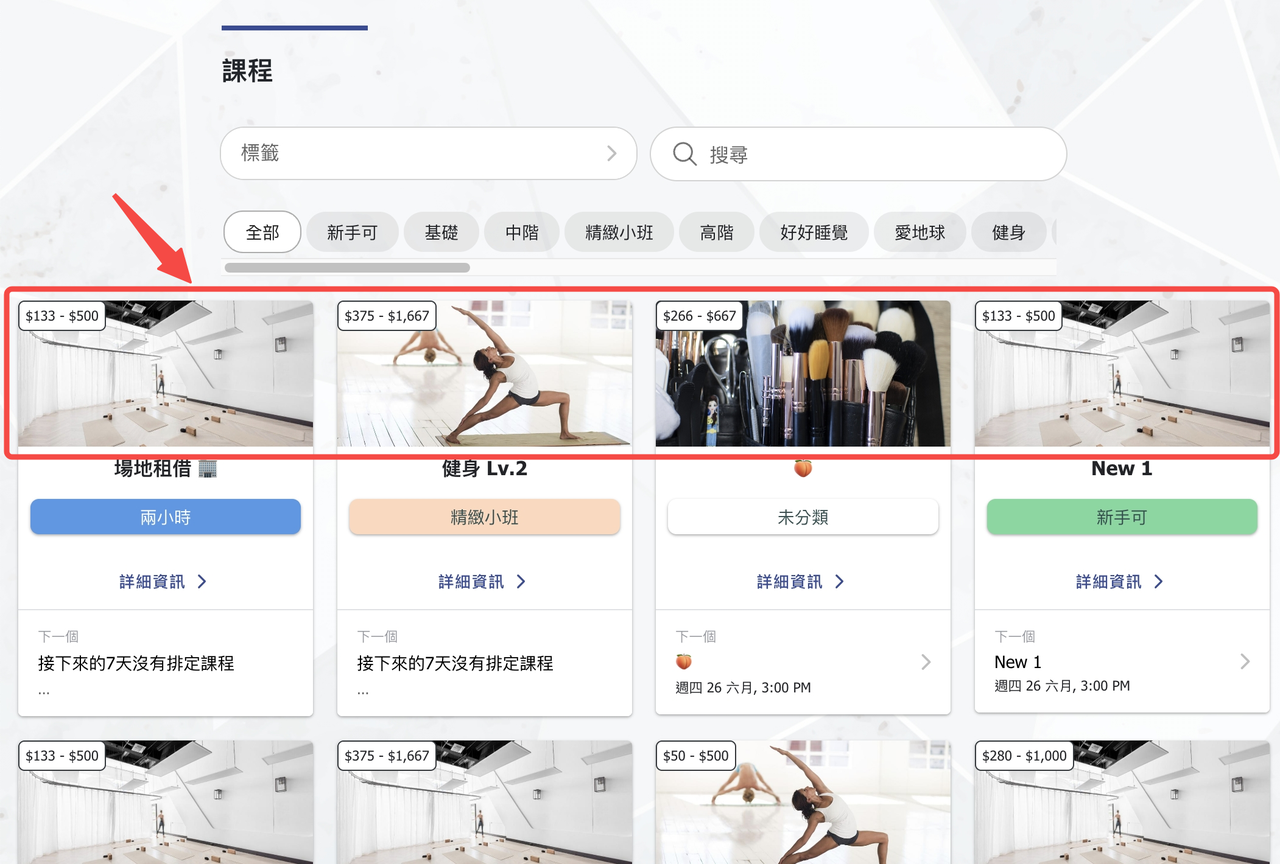
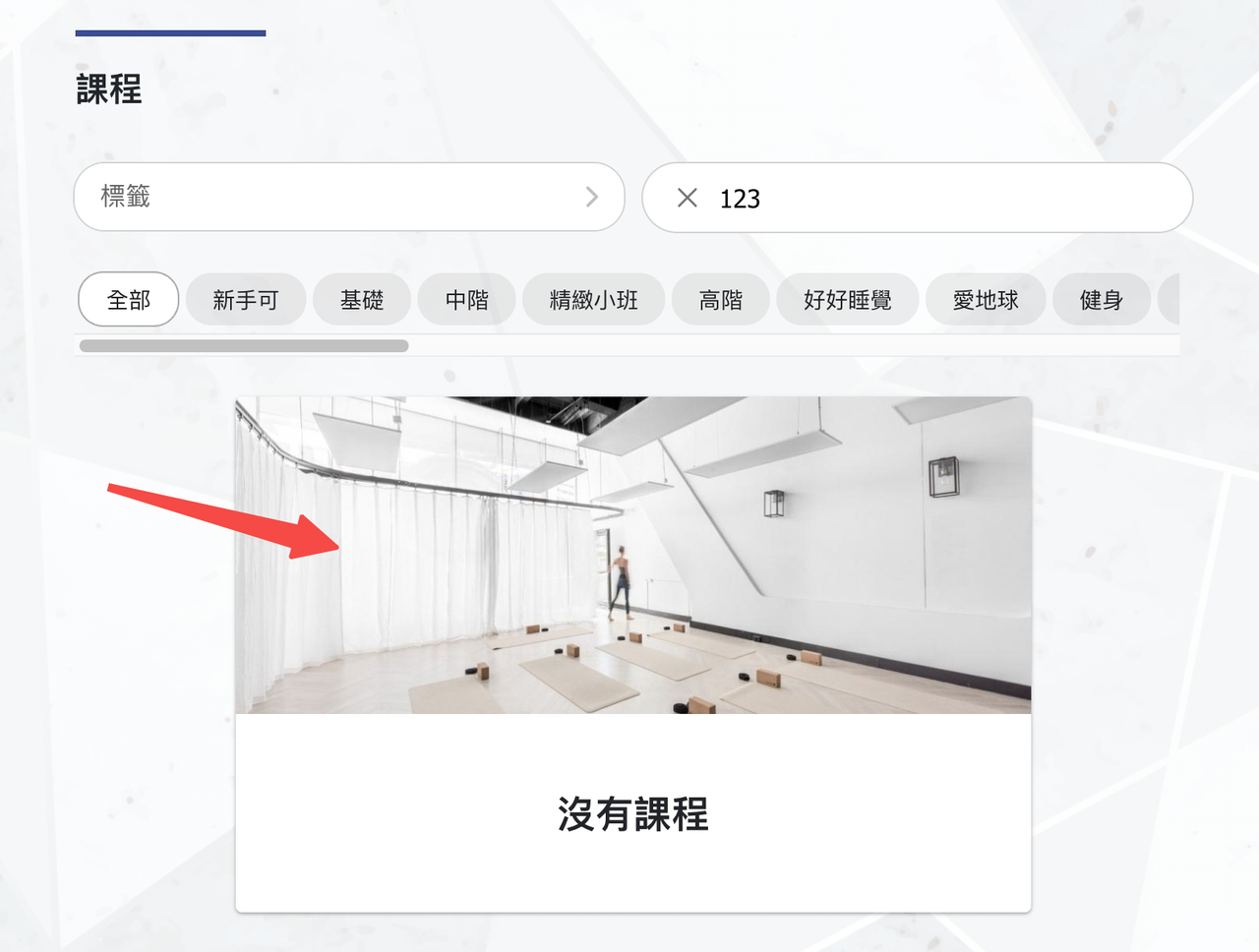
6. 【Default Images】 When no image is uploaded,b the system applies the first image of the company profile background to:
- Class image
- Pass image
- Classroom image
- Instructor background image
- Product brand background image
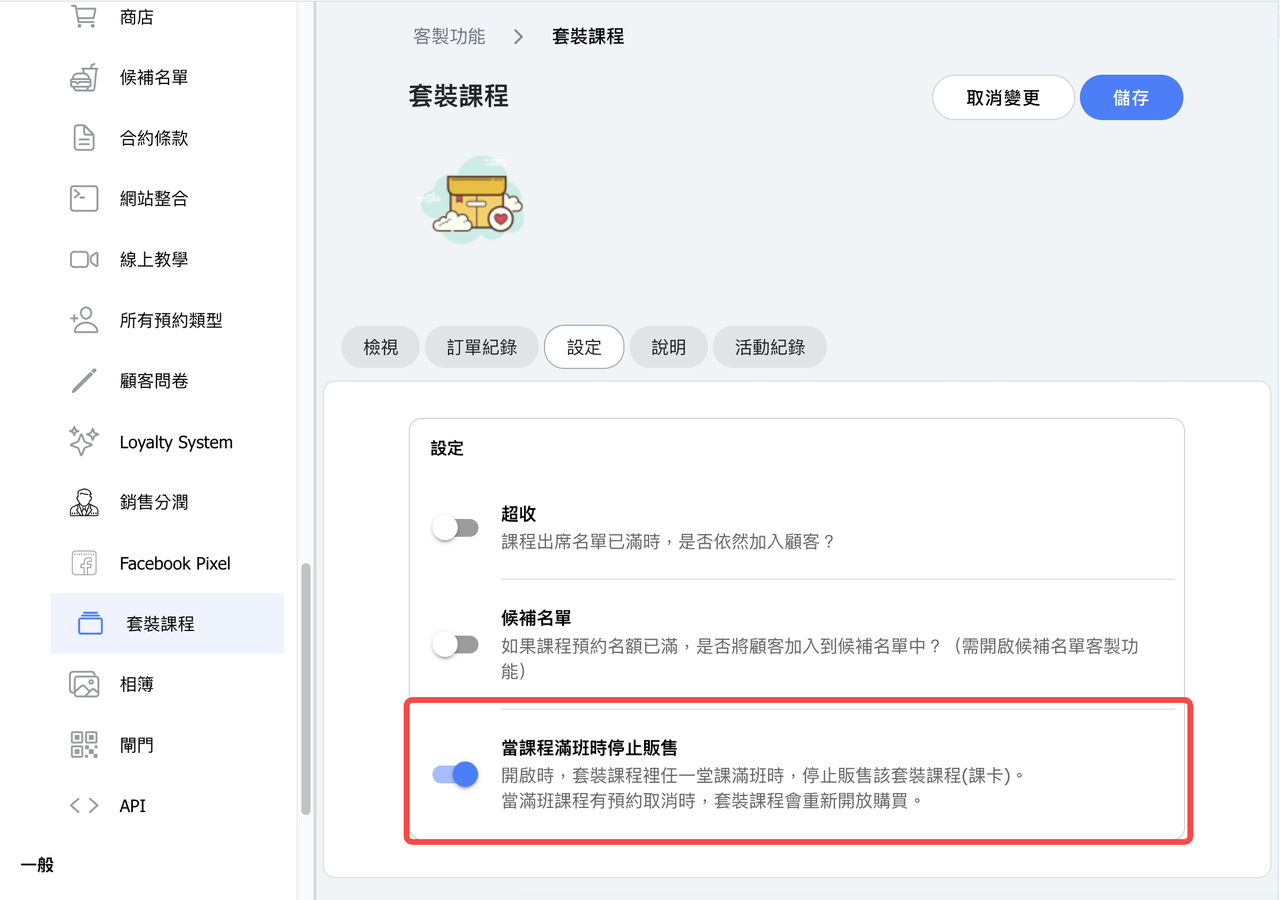
7. 【Class Package】 New setting: "Stop selling when class full."
- Links to the pass inventory "sold out" status of the class package.
- Automatically toggles based on booking and cancellation activity:
- Fully booked after booking → turn on (available).
- Cancellations open spots → turn off (not available).
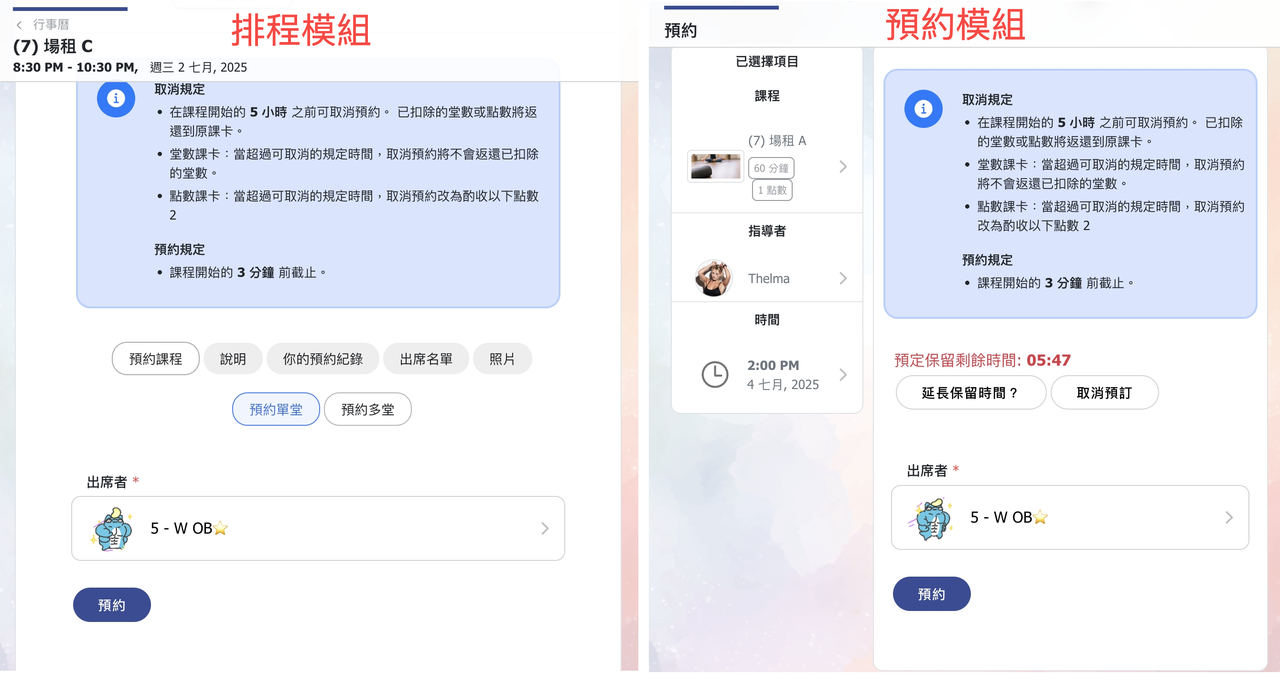
8. 【Passes (Customer View)】 New toggle: "Hide pass information from customer"
- When enabled, booking flows will not show and will not require pass purchases.
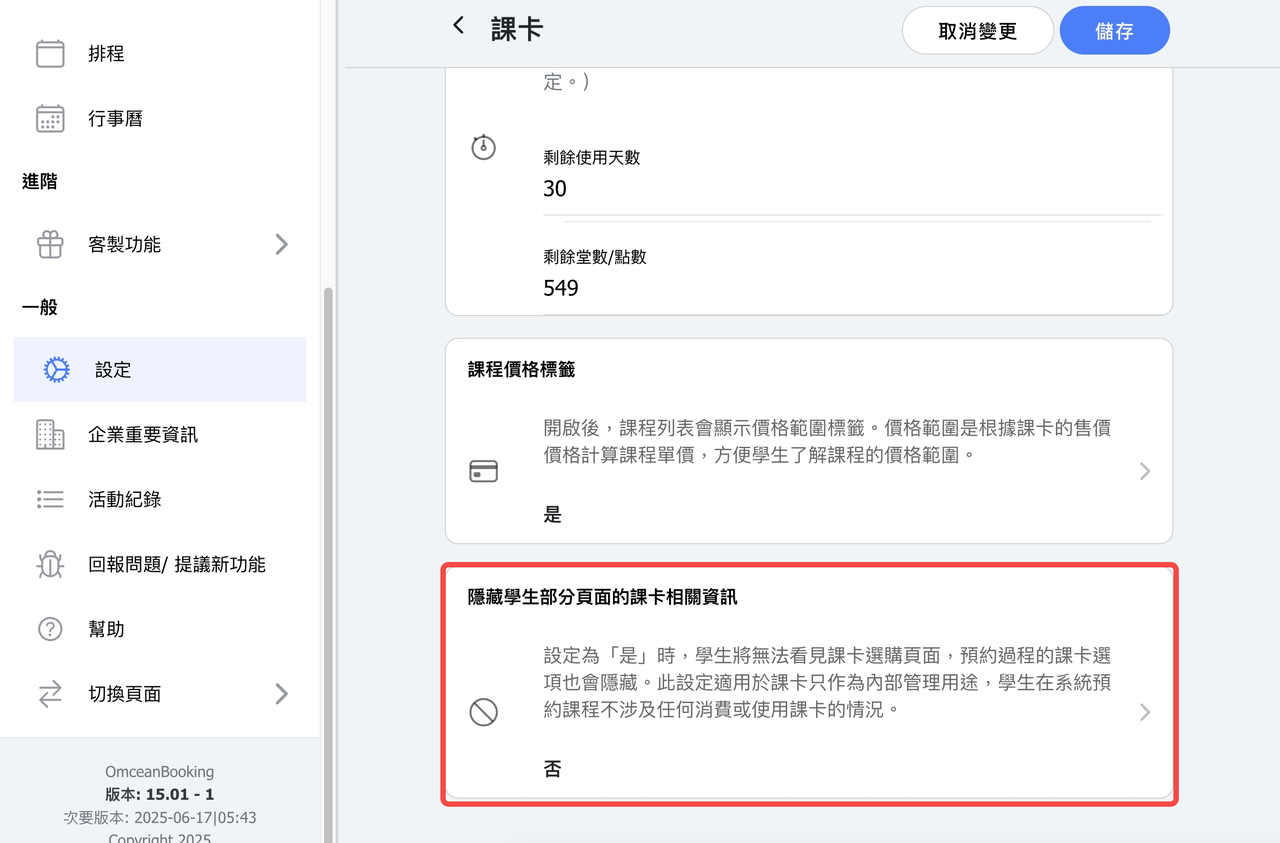
Screenshot of enabled setting:
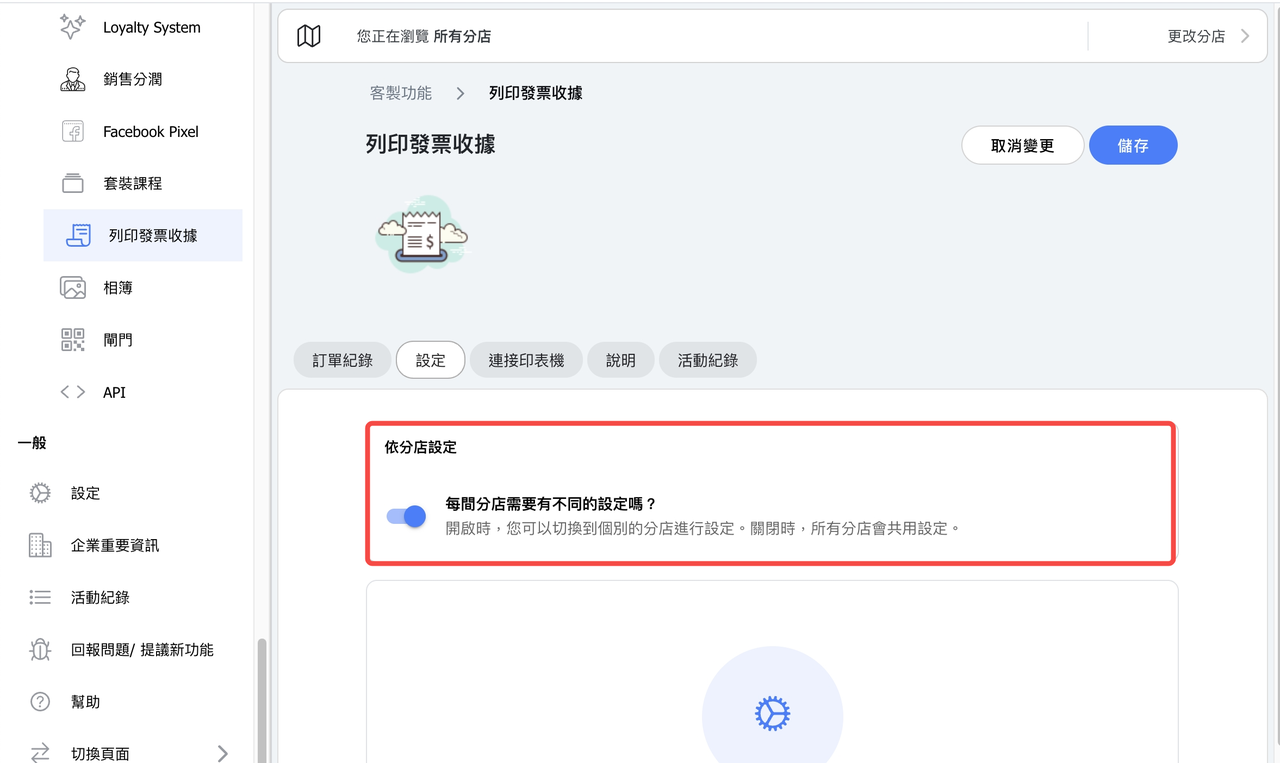
9. 【Receipt Printing】 New "Location-based" setting.
- Allows each location to set its own receipt APP KEY and tax ID.
- Receipts are issued based on the location where the admin is operating.
10. 【Terms / Pass Terms】Updated layout, removed illustrations.
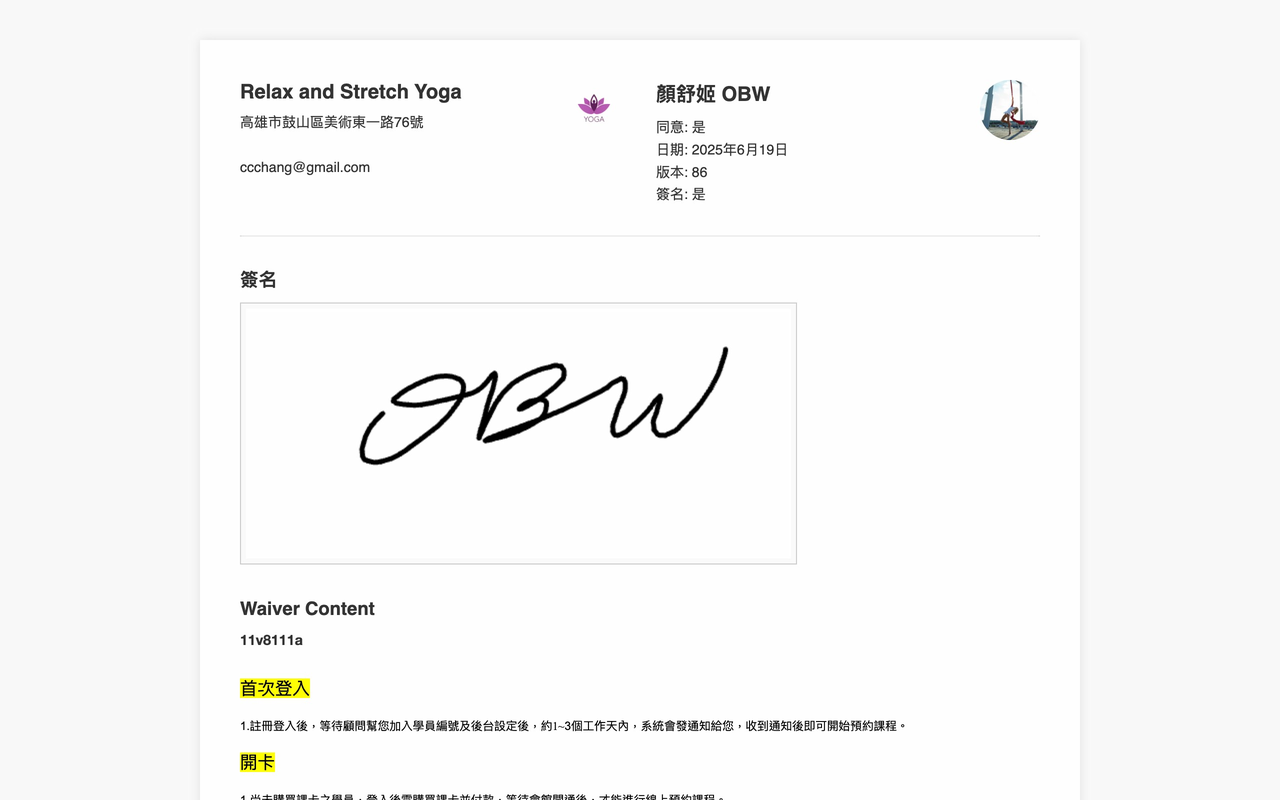
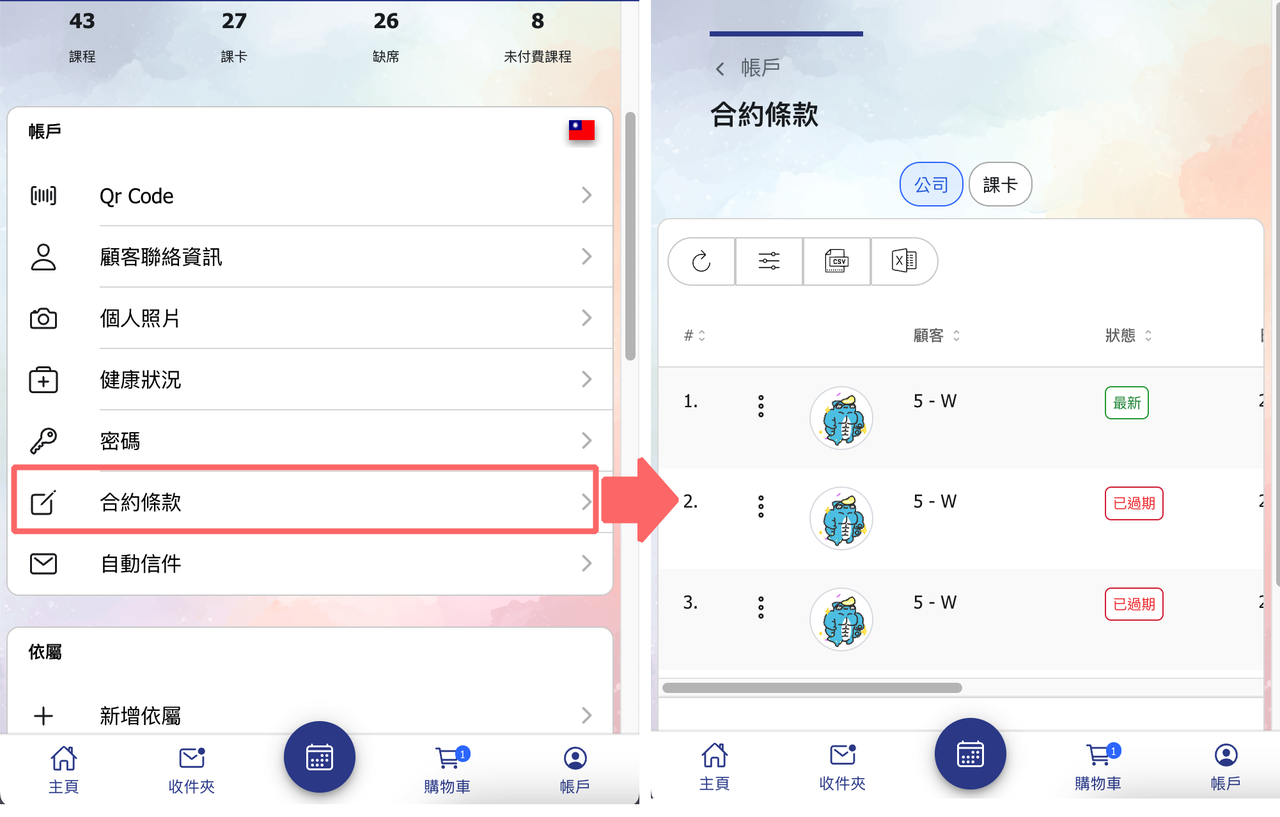
11. 【Terms History】 Customers can now view their agreement history from their account page.
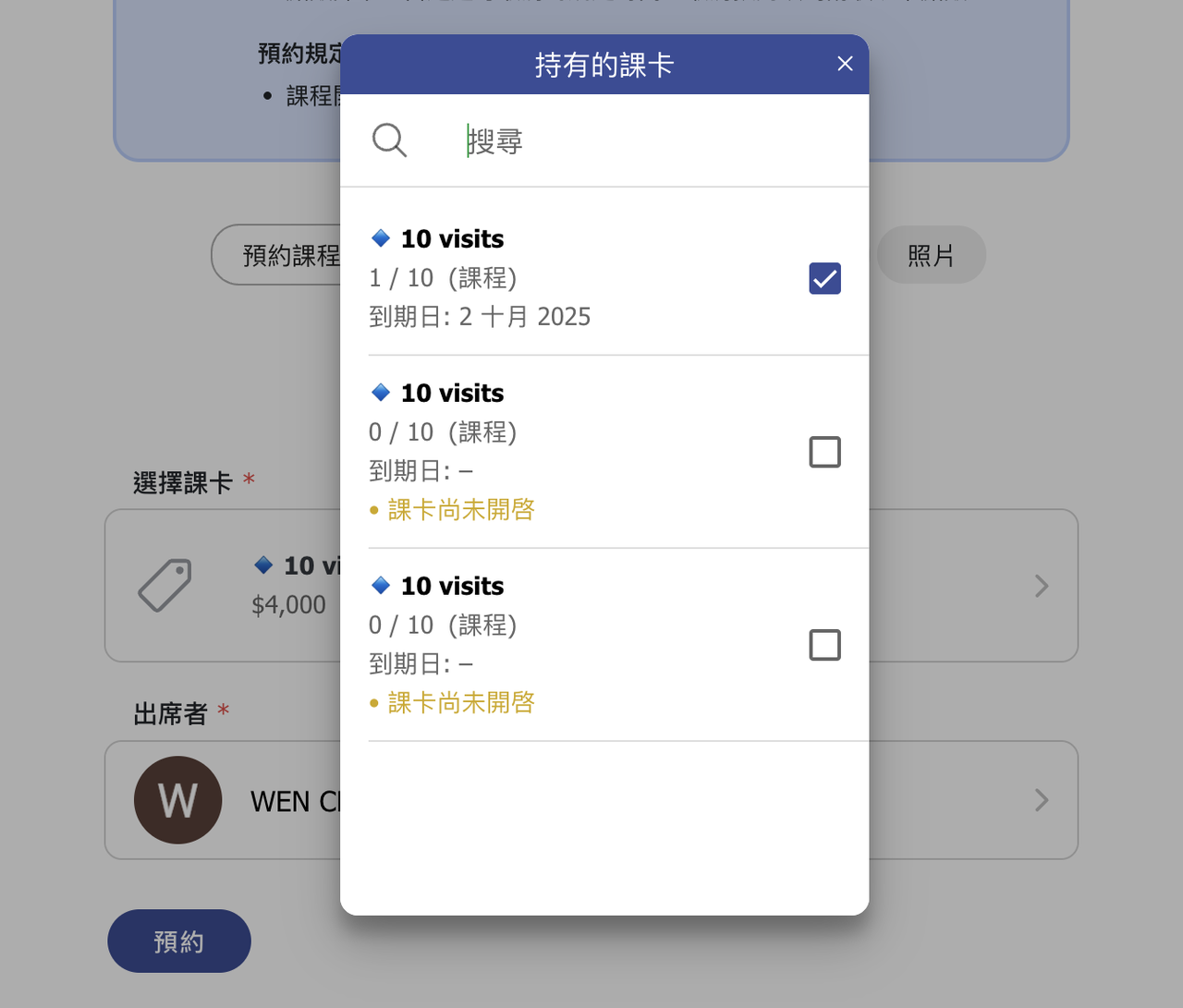
12. 【Passes】 Enabled passes are displayed first; disabled ones follow.
13. Other UI/UX optimizations and enhancements.
14. 【Multiple Locations】Users are automatically assigned to the locations they logged in. For example, a user logged into an account in Location A, and his account has no location assigned, he will be automatically assigned to Location A.
15. Other improvements.
