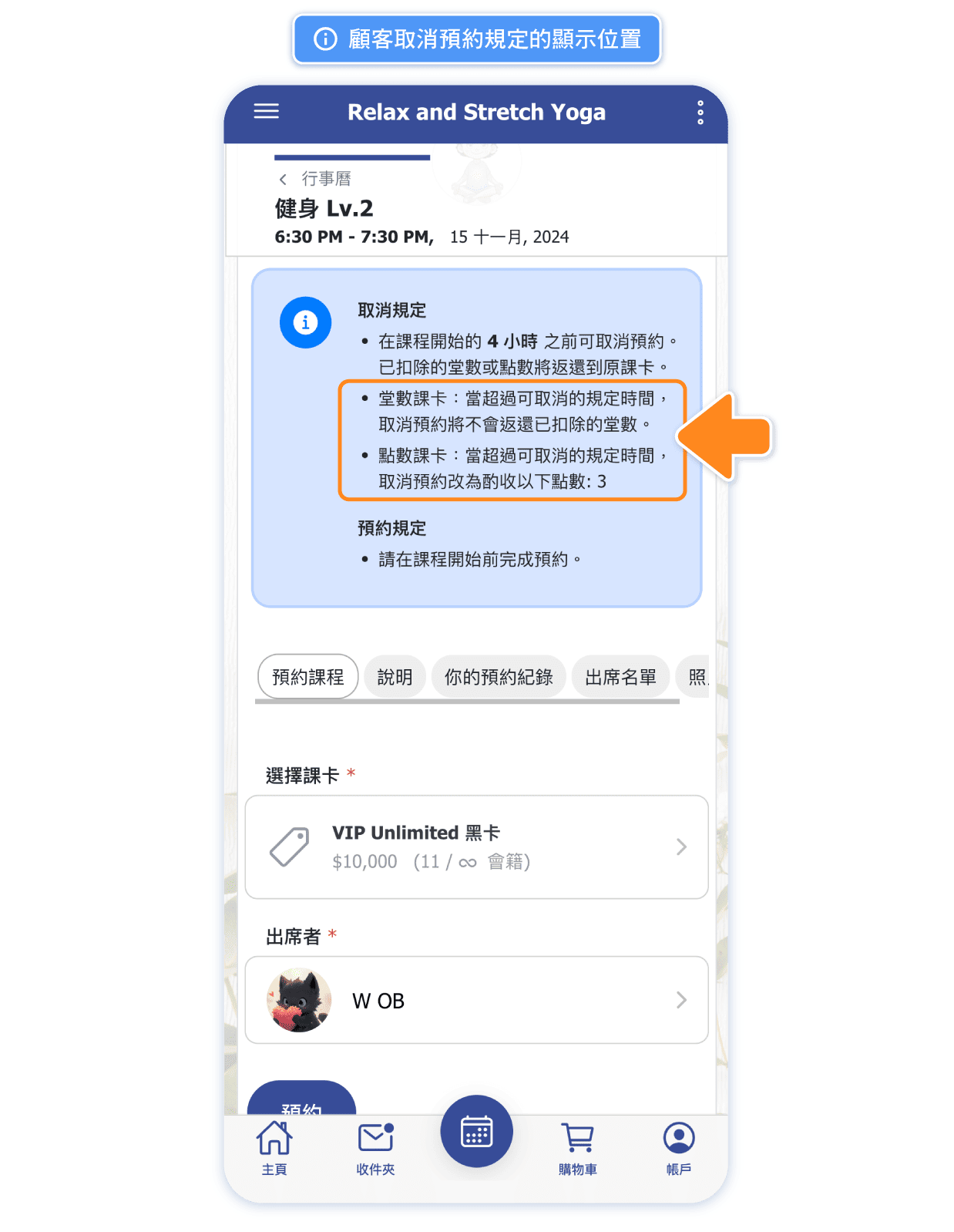
Do no-shows and last-minute cancellations cause you issues?
New "Cancellation Penalty" feature makes reservation management easier and more efficient!
- Admins must use version 13.03 or later to edit. The latest APP version is 13.02, while the latest web version is 13.03. To make edits, please temporarily use the web version.
- Studios with "Point System" enabled can now set up passes for sale as either "Class Passes" or "Point Passes".
- Customers can view class-based (session-based) and point-based passes listed by the studio by updating the APP to version 13.00 or later, or by using the web version of the system.
FAQ: https://app.omceanbooking.com/help/29/65/98
🌟 Customers can cancel without penalties within the designated period. If they cancel late, points or credits will be deducted according to the card type, making rules clearer for everyone.
🌟 Minimize Losses: With a clear penalty system, avoid situations where no-shows request refunds, ensuring class spots are fully utilized.
🌟 Reduce Communication Burden: The system automates cancellations and deductions, lowering the need for manual follow-ups, so you can focus on delivering quality classes!
Every class counts, so let's build a more efficient scheduling experience together!
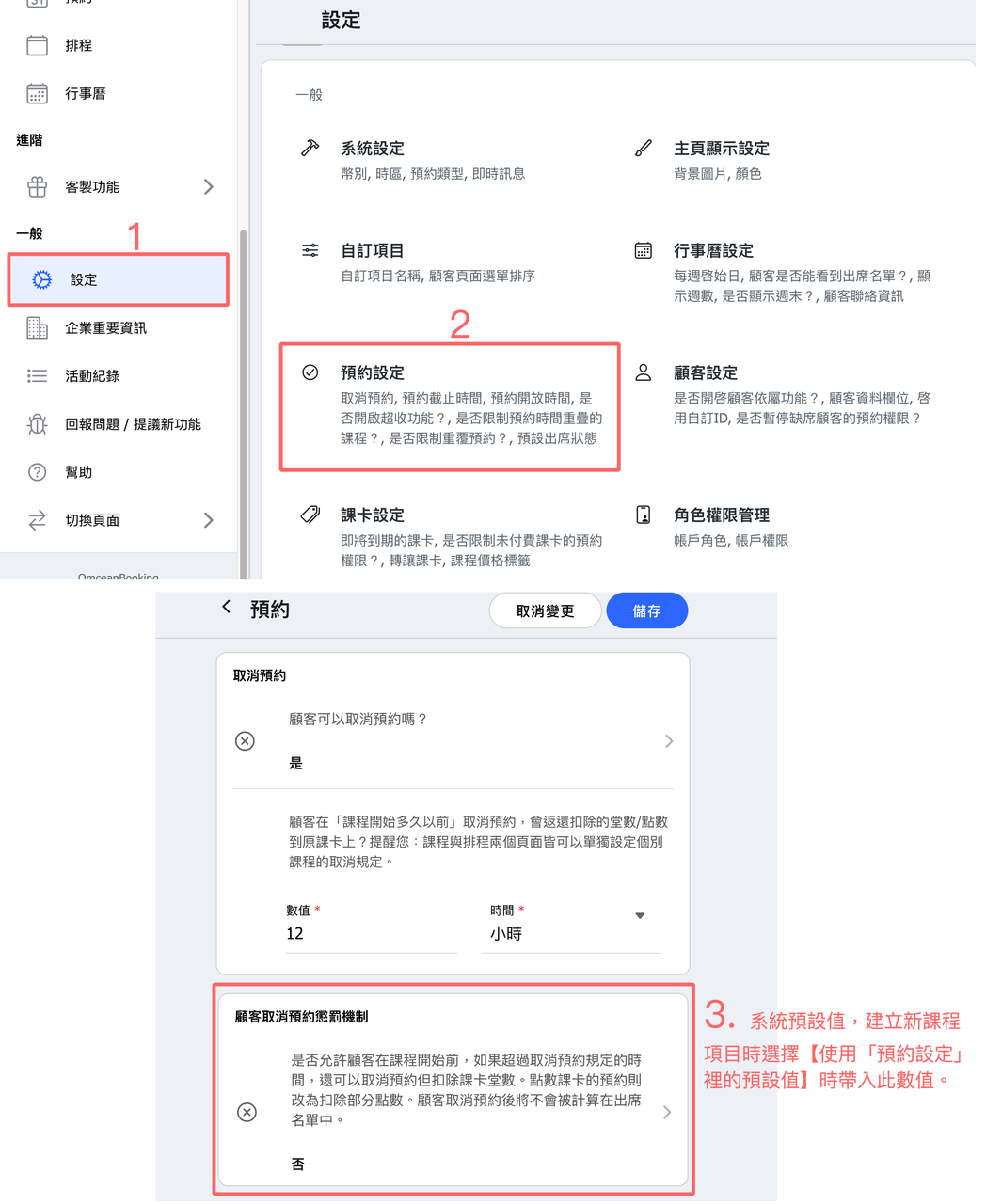
Settings Location:
- Default Values: Go to Settings > Reservation Settings > Cancellation with penalty
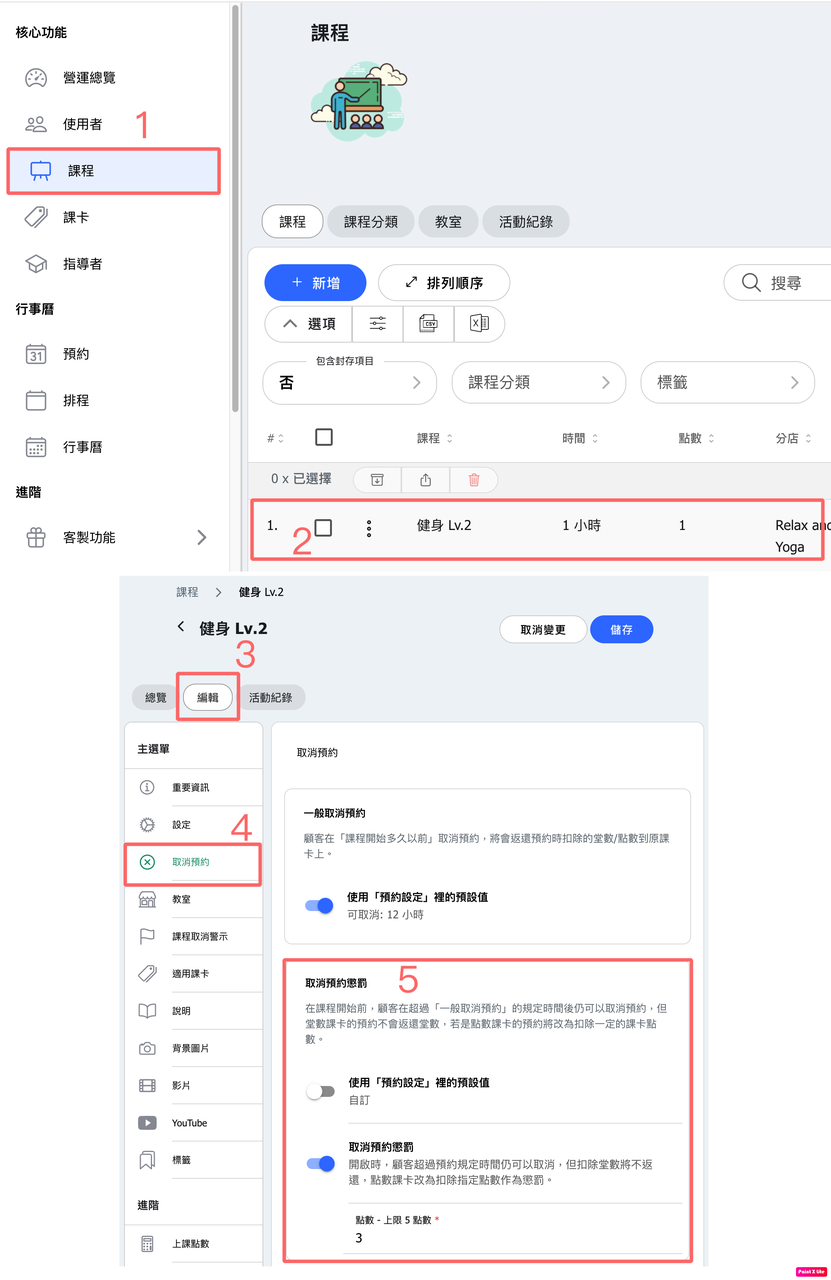
- classes: class > Edit class > Cancel Reservation > Cancellation Penalty
This setting acts as the default value and can be changed individually for each class.
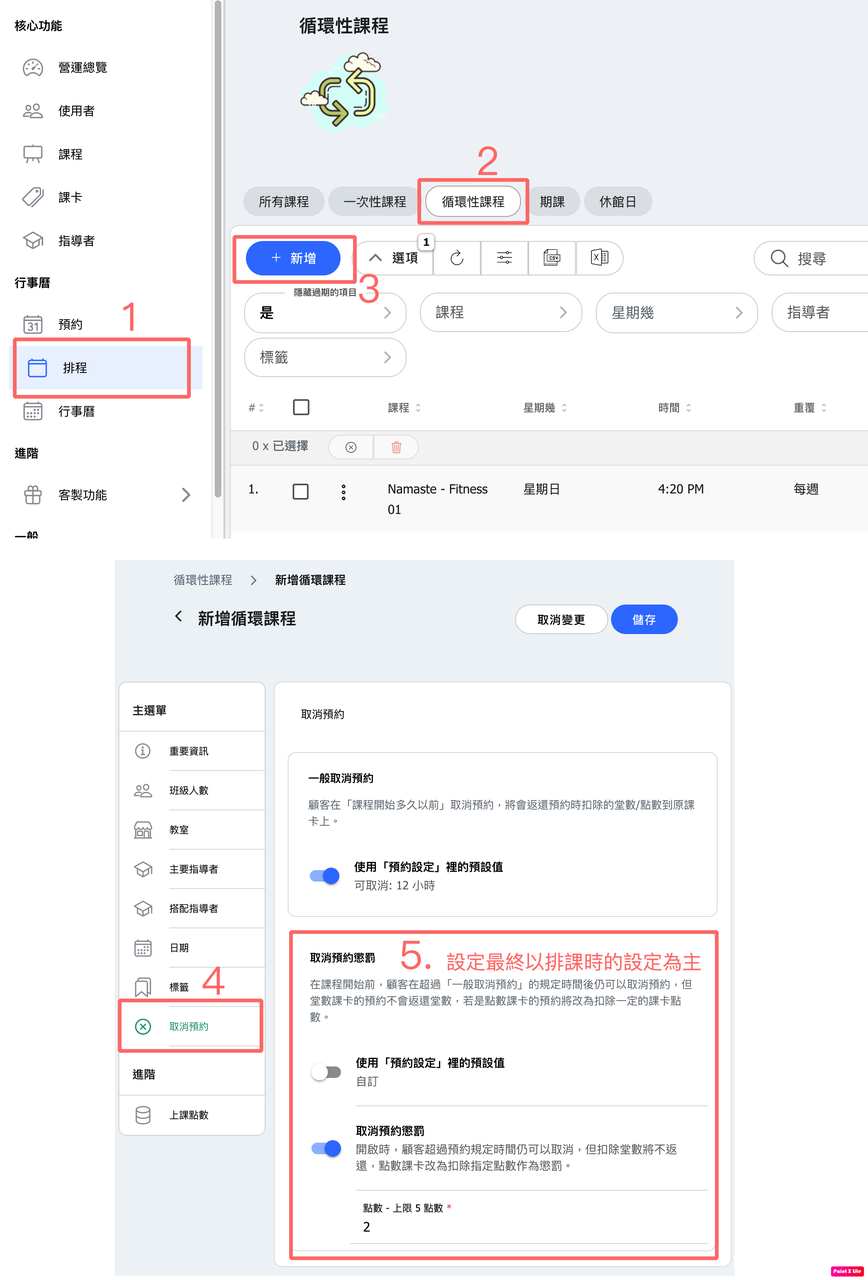
- Schedule: When creating a new calendar class in Schedule > New Class > Cancel Reservation > Cancellation Penalty
Calendar classes will follow this setting.