📣 New app version (14.01) is now available to be downloaded!
Please open Google Play or App Store to get the latest version.
Updates on 14.01:
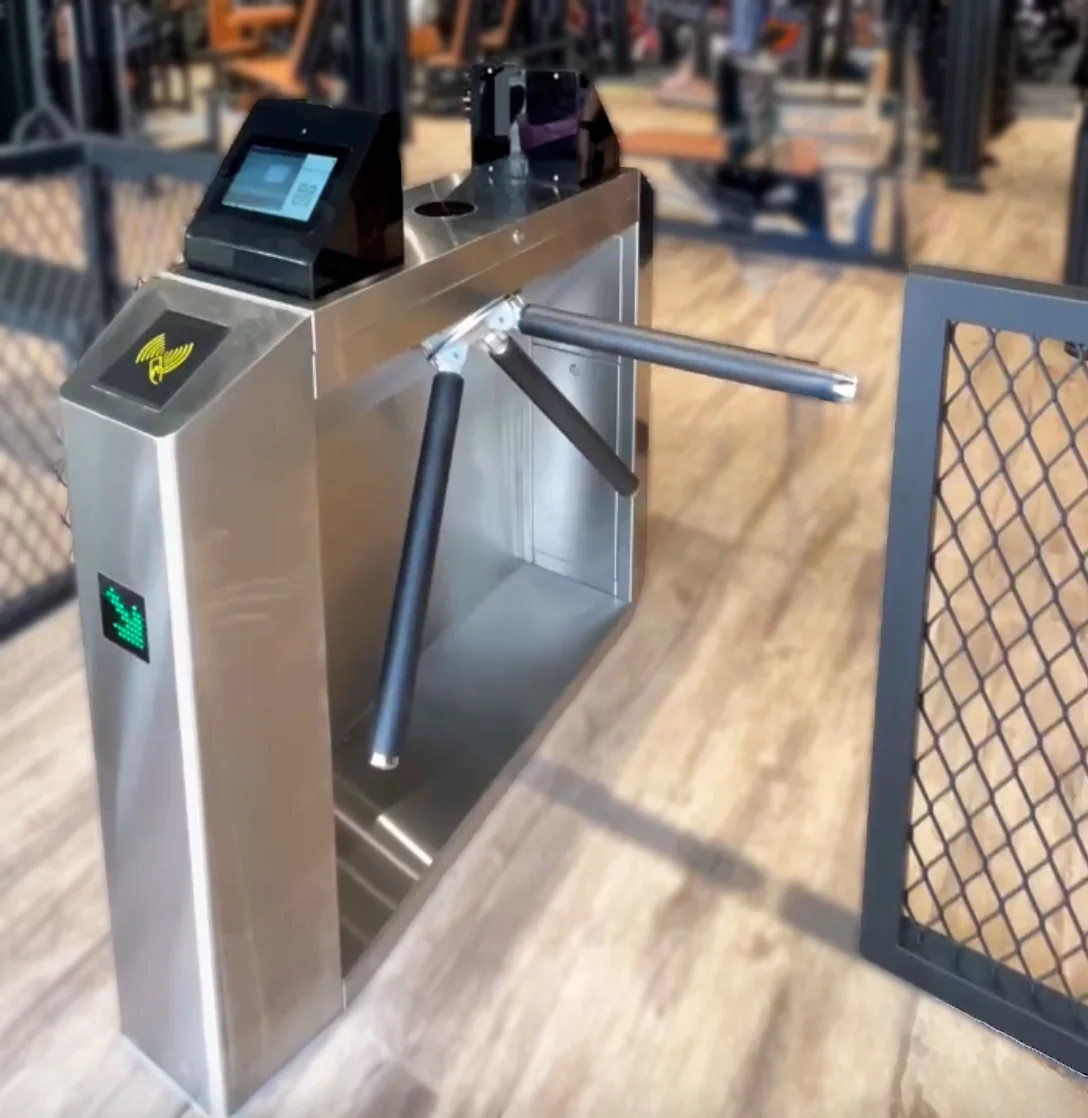
1. 【Gate System】 Added a new "Gate" custom feature to manage entry using gates. This is ideal for businesses offering classroom or venue rentals. You can set multiple entry rules, and customers must scan their account QR code to enter if they meet the requirements.
→ For more details, see the announcement "Need a Gate System for Access Control?"
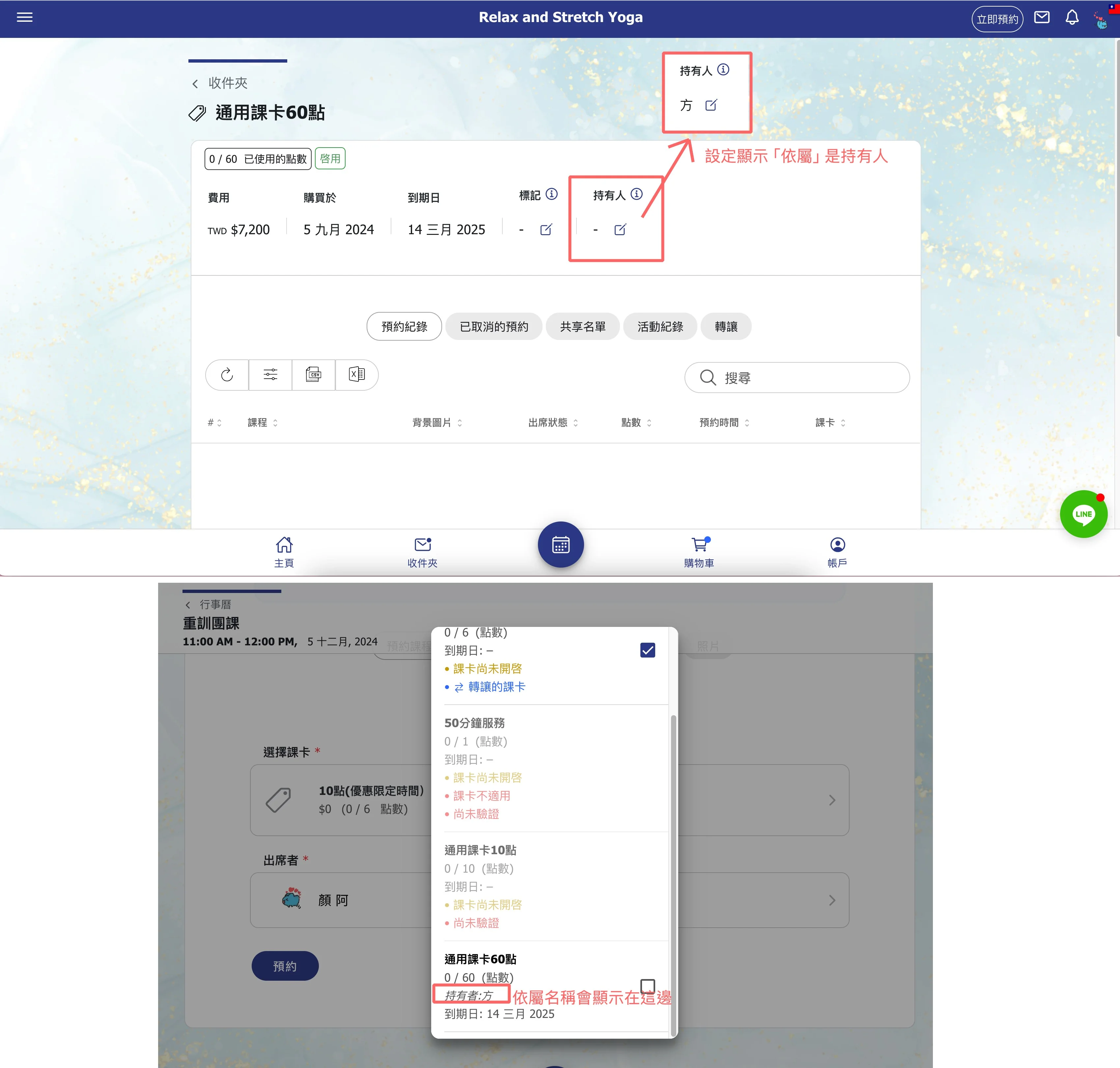
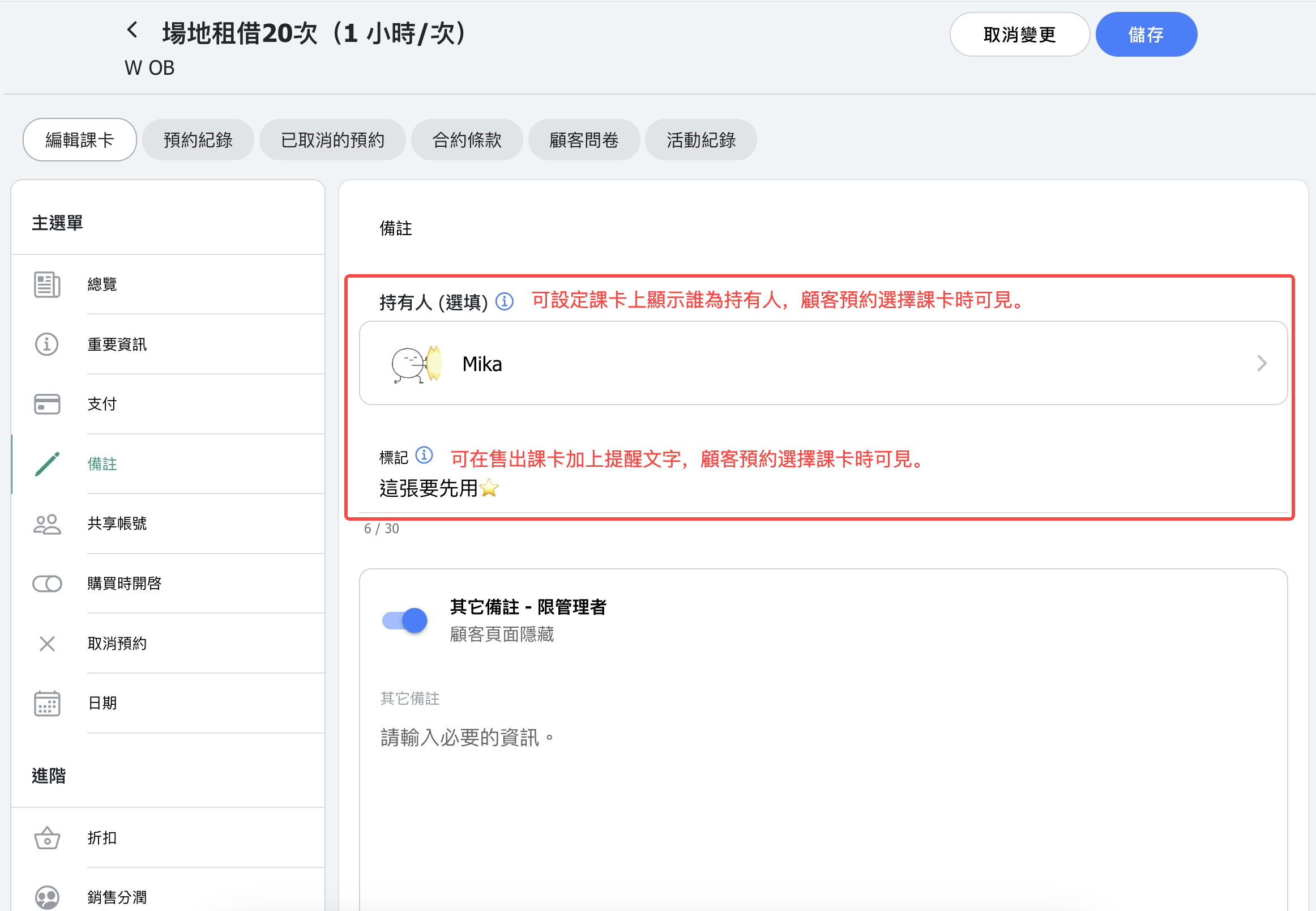
2. 【Customer Pass】 Customers can now label their passes with their dependent's name. When booking a class, the corresponding name will be displayed, making it easier to distinguish between multiple passes under the same account.
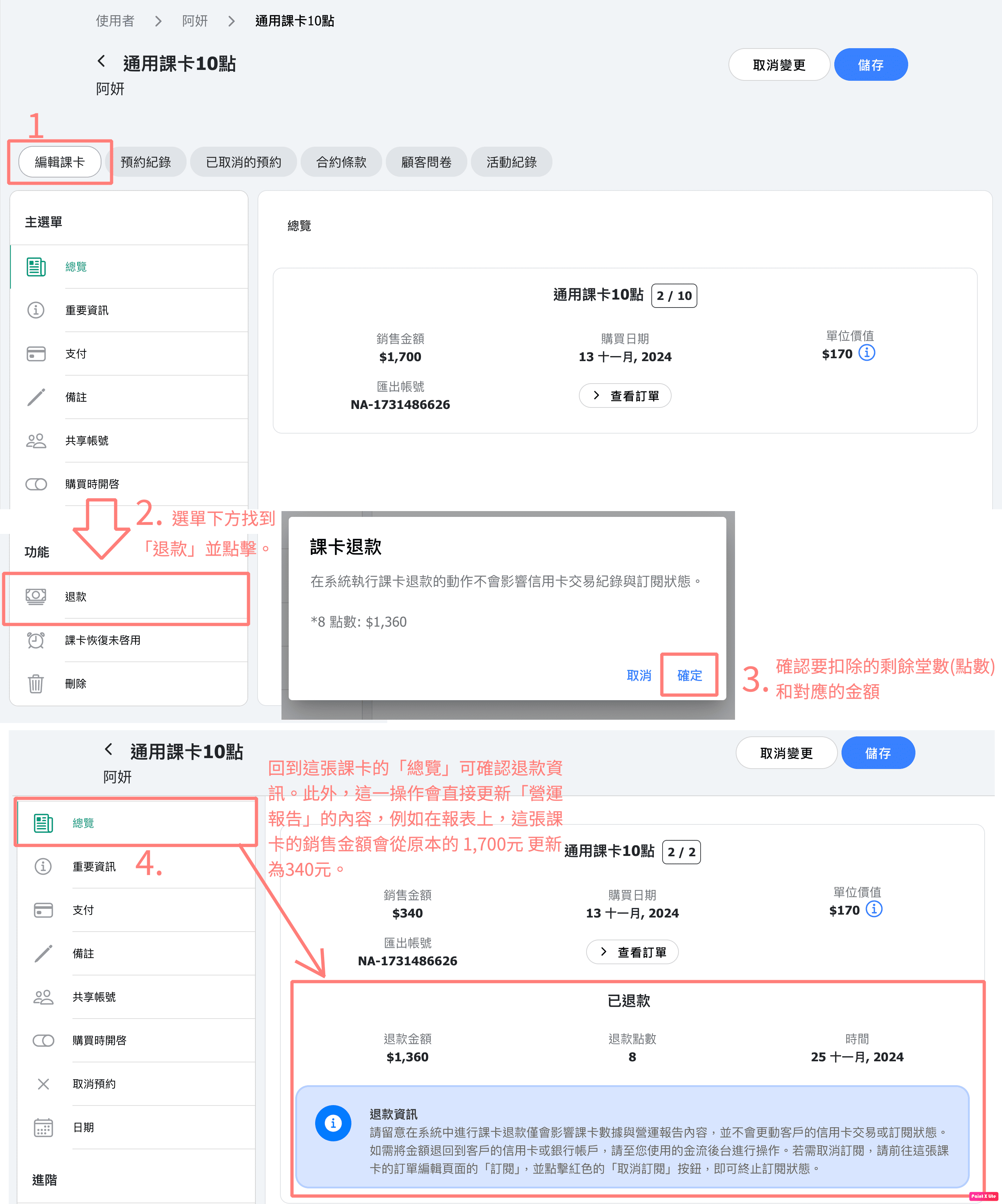
3. 【Pass Refund】 Admin can now find a "Refund" button on customer passes. Clicking this will deduct the remaining points and the corresponding sales amount from the pass. (Please note that this action does not involve any financial transactions. Actual refunds should be processed offline or through a payment platform.)
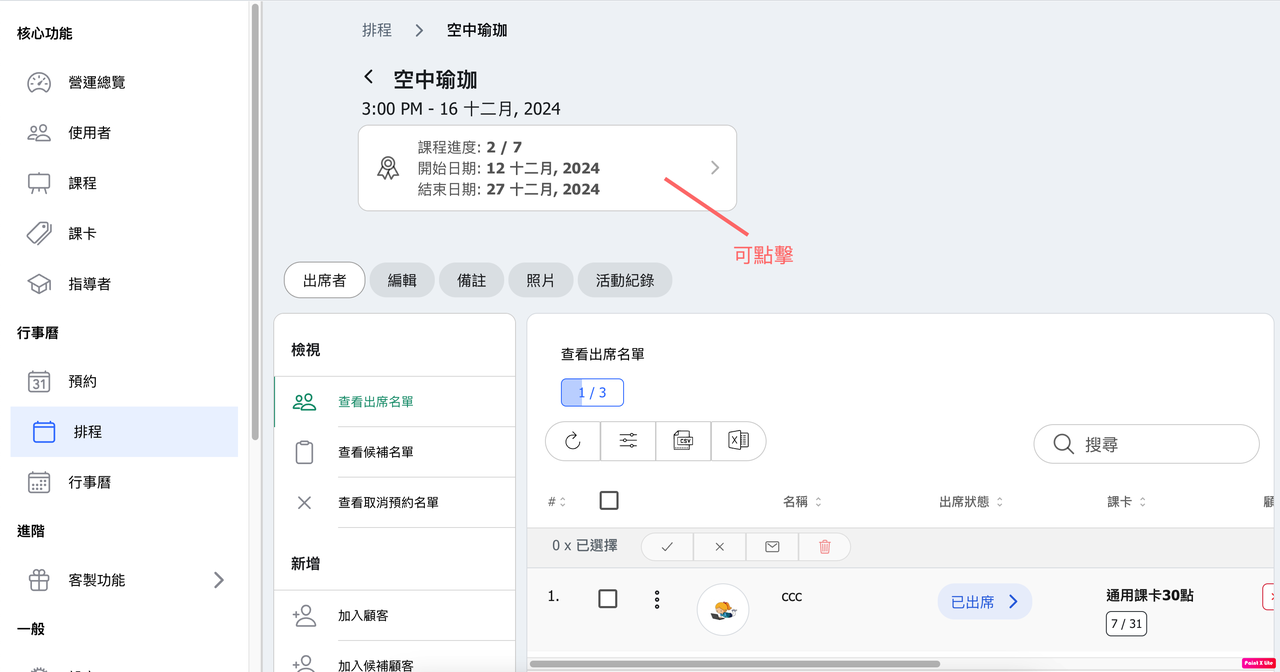
4. 【Schedule Courses】 Clicking the "Course Progress Info Box" will now take you directly to the editing page for that course group.
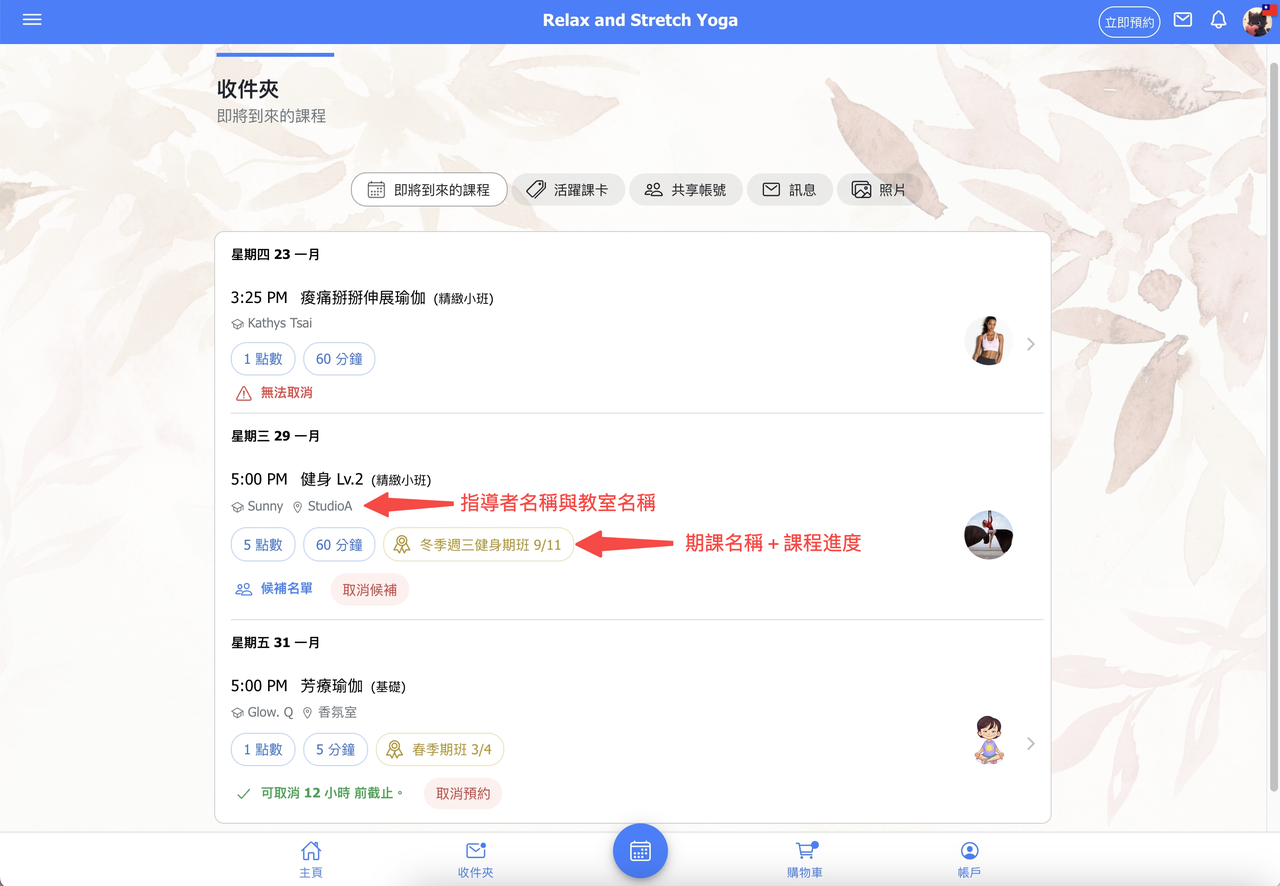
5. 【Customer - Inbox】 The "Upcoming Classes" section in the customer inbox now displays additional details:
(1) Instructor name,
(2) Assigned classroom,
(3) Custom schedule course name & progress.
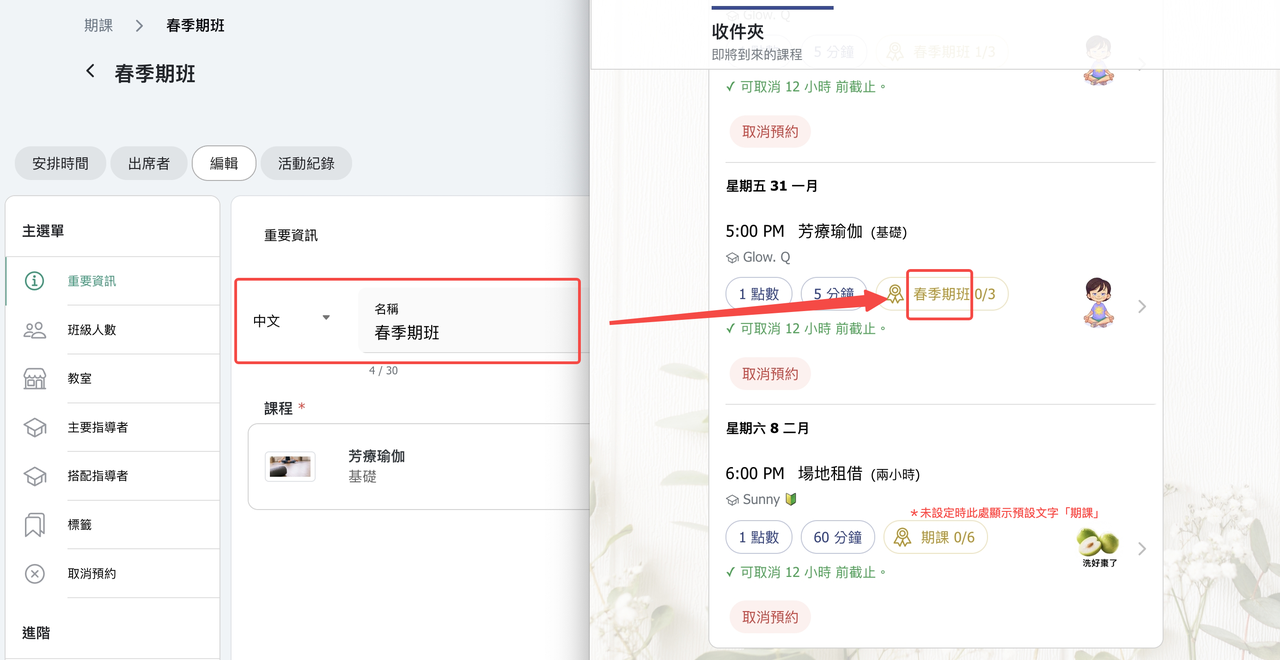
6. 【Schedule Courses】 Introduced a custom naming feature for schedule courses. When a name is set, certain text fields will display the course name instead, making it easier for both businesses and customers to identify different courses.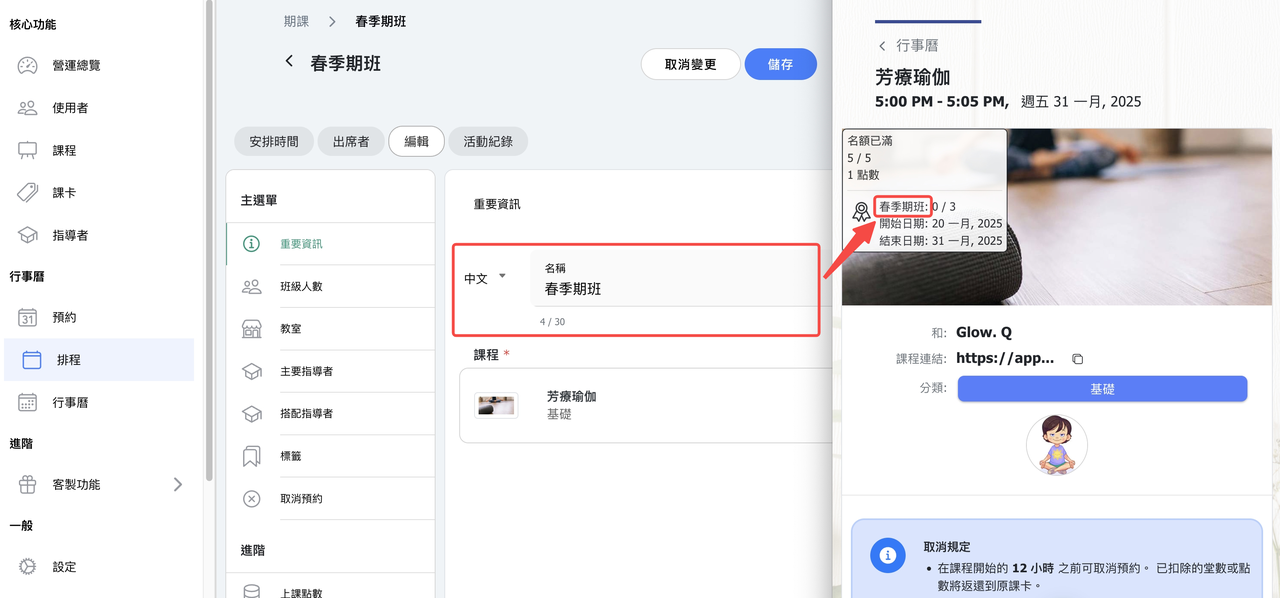
7. 【Customer Calendar Classes】 Class times now display the corresponding day of the week.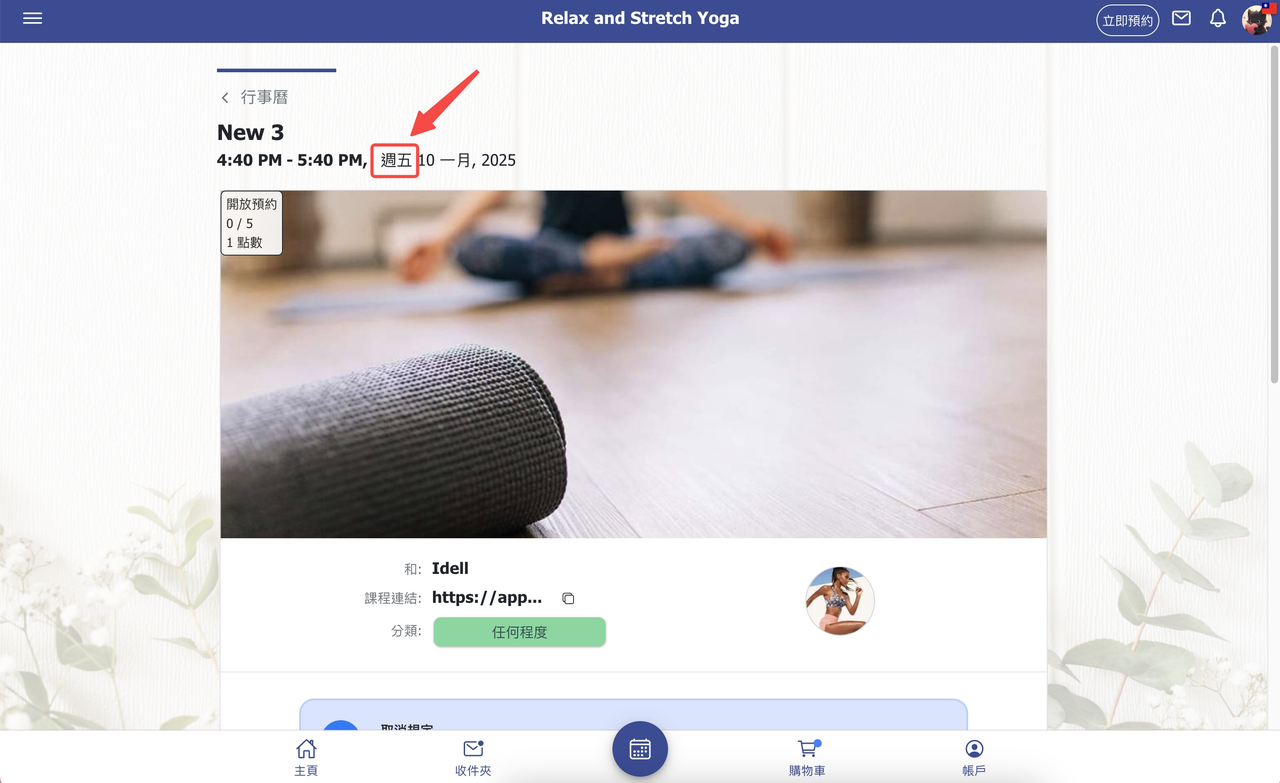
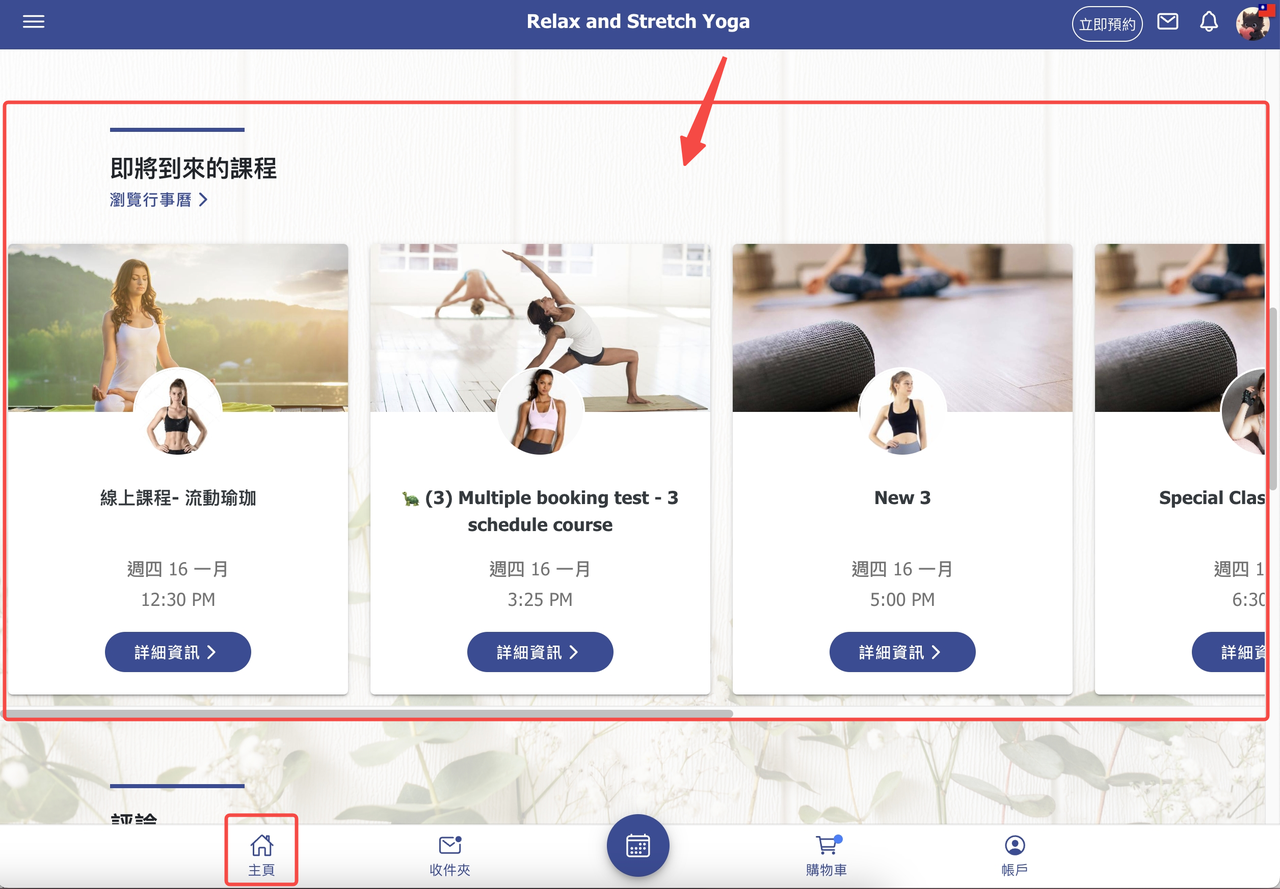
8. 【Homepage】 Added a setting to hide the "Upcoming Classes" section from the homepage.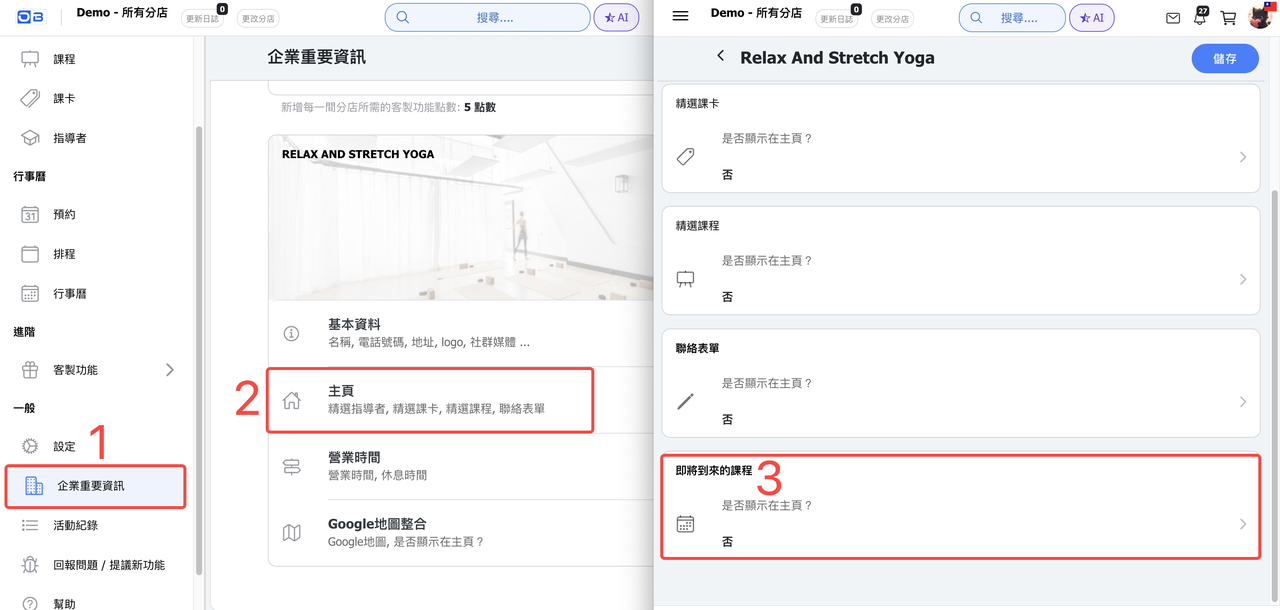
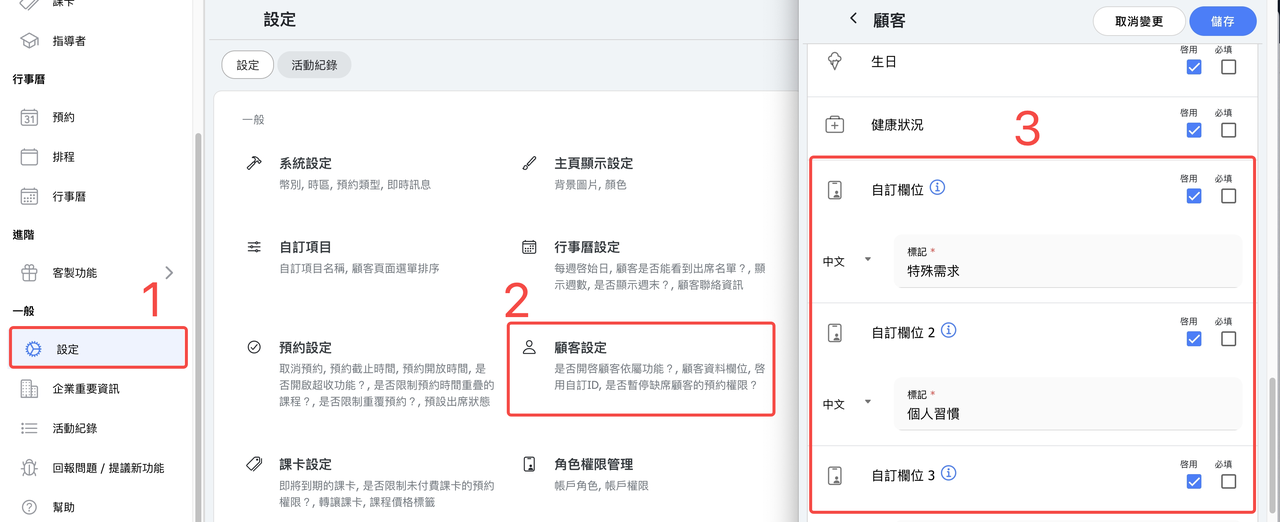
9. 【Users】The user list now includes the option to display custom fields.
If custom fields are enabled under Settings → Customer Settings, you can choose whether to display this data in the user list.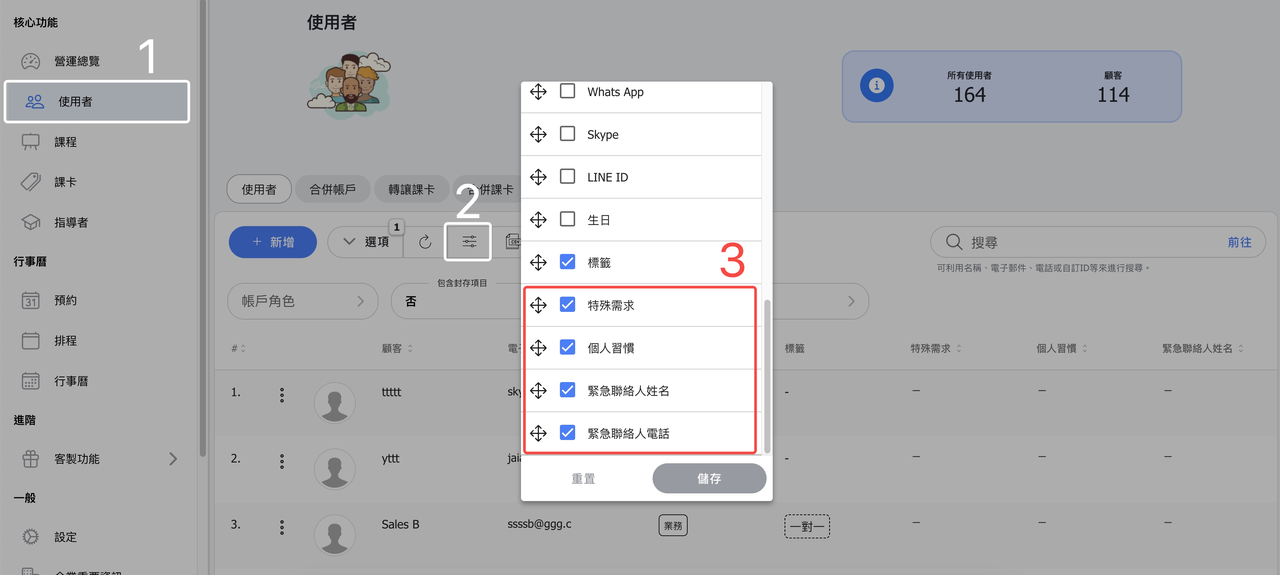
10. 【Reports】The attendance details report now includes a "Classroom" column.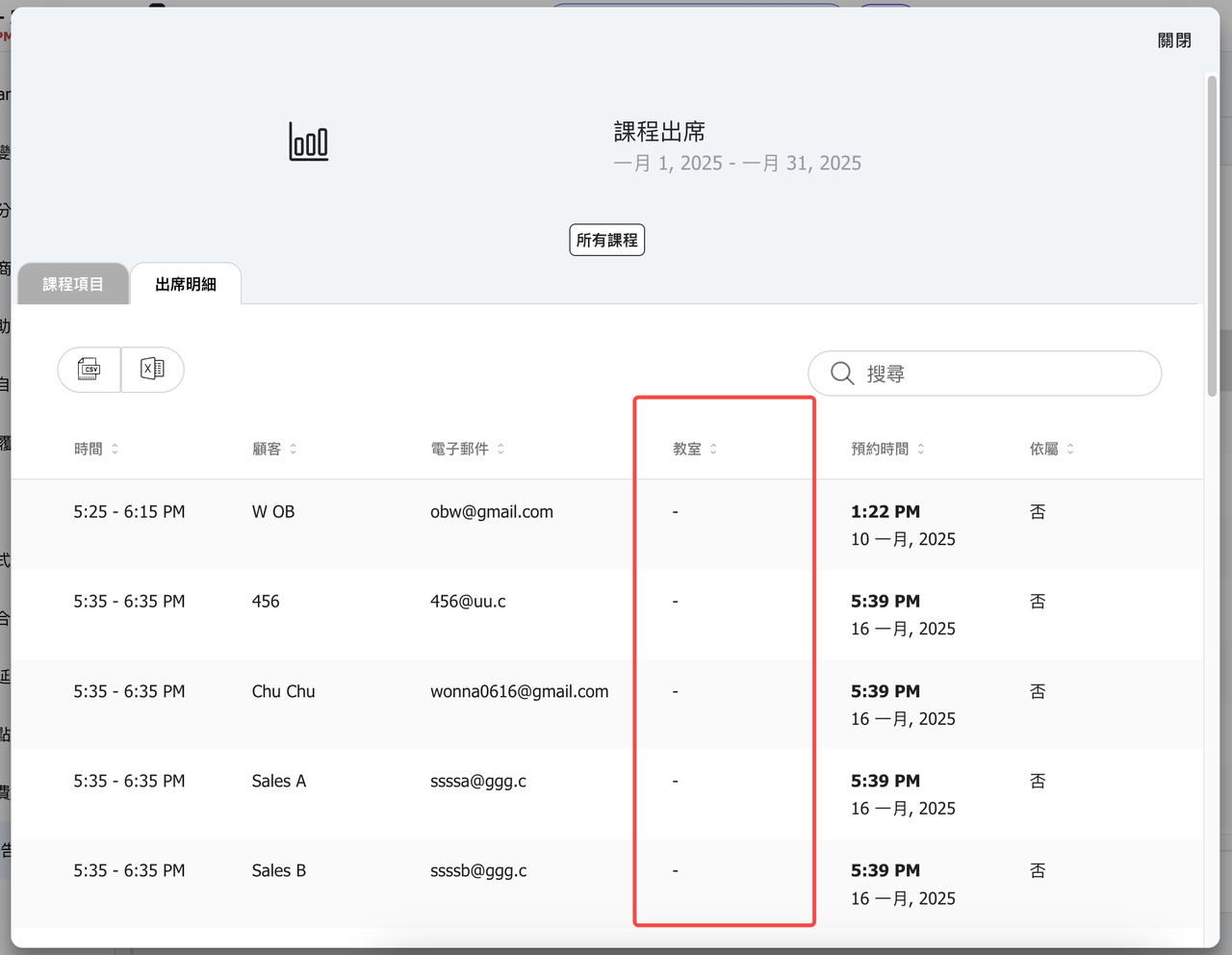
11. 【Reports】The payment methods in Reports now includes a "Payment Notes" column.
12. 【Lock customer access】 Added a setting for "Unlock After X Days."
Example: If set to 1 week, when a customer is automatically restricted from booking due to absences, the restriction will be lifted after 1 week.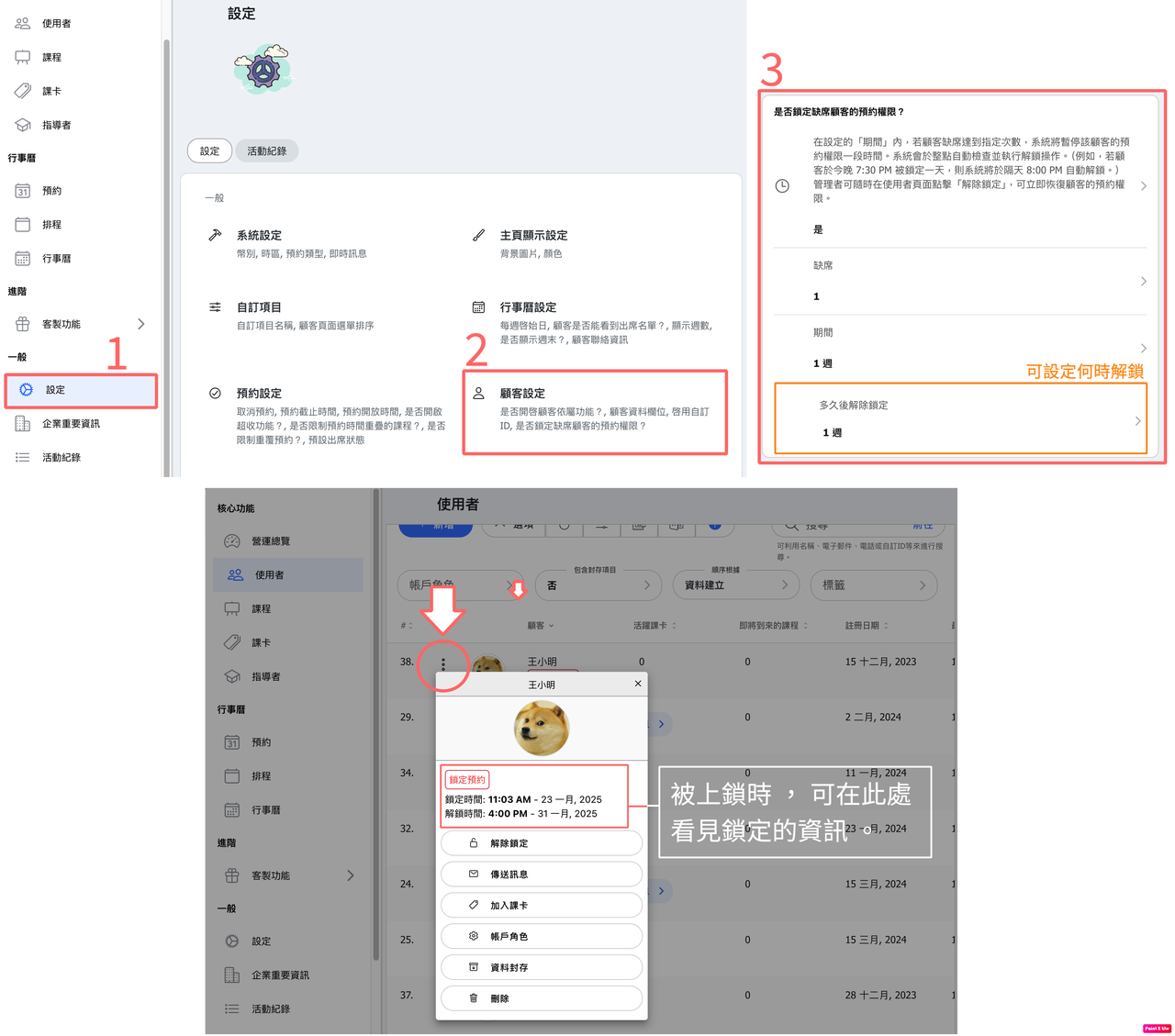
13. 【News/Blog】 Added a draft function.
Posts now include a "Ready to go" toggle. When turned off, the post remains in draft status. When turned on, it is published immediately.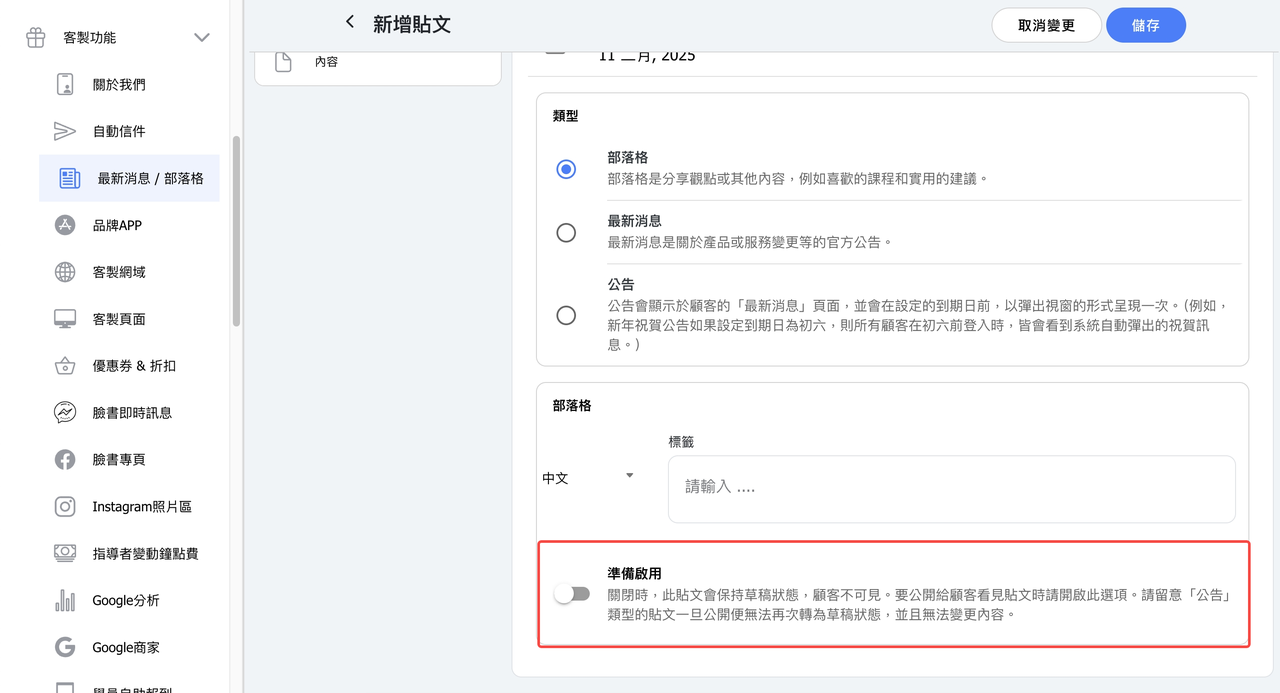
14.【Receipt Printer】 Added a "Receipt generated" filter.
Allows filtering out for ones already have an issued invoice or have not yet been issued an invoice.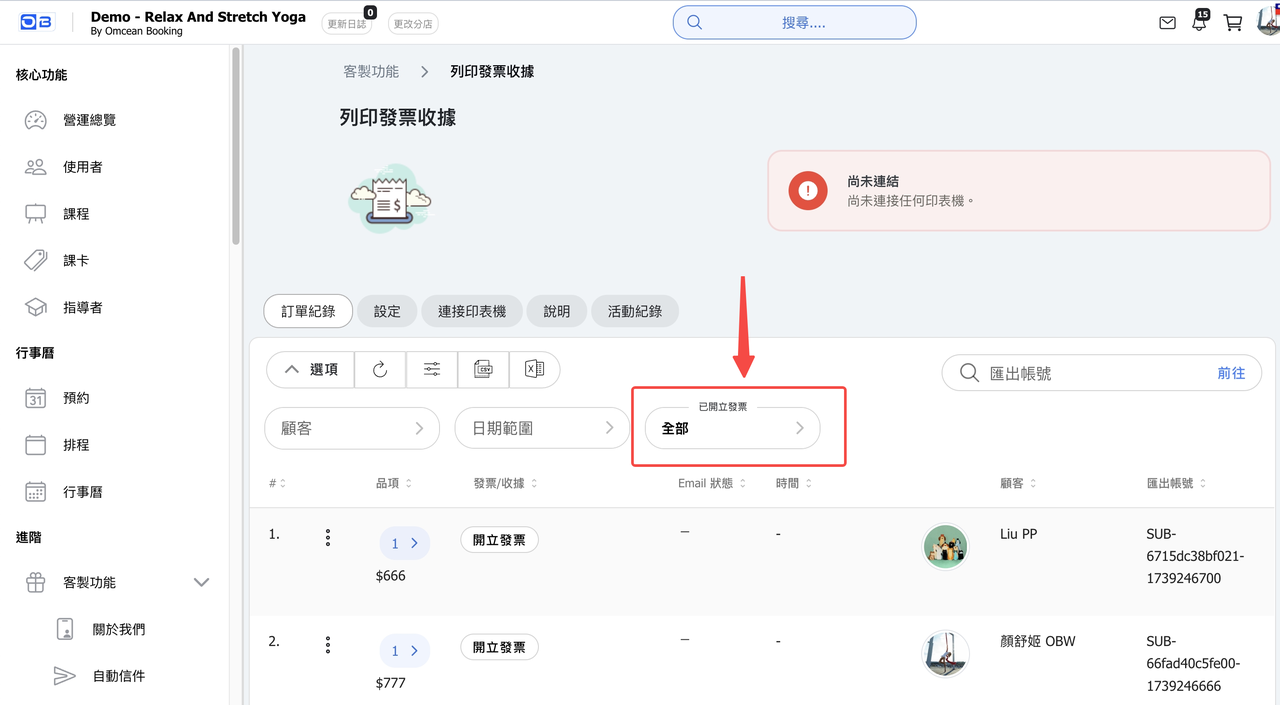
15.【Intake Forms】 Added a "Duplicate" function to create new forms or surveys based on existing ones.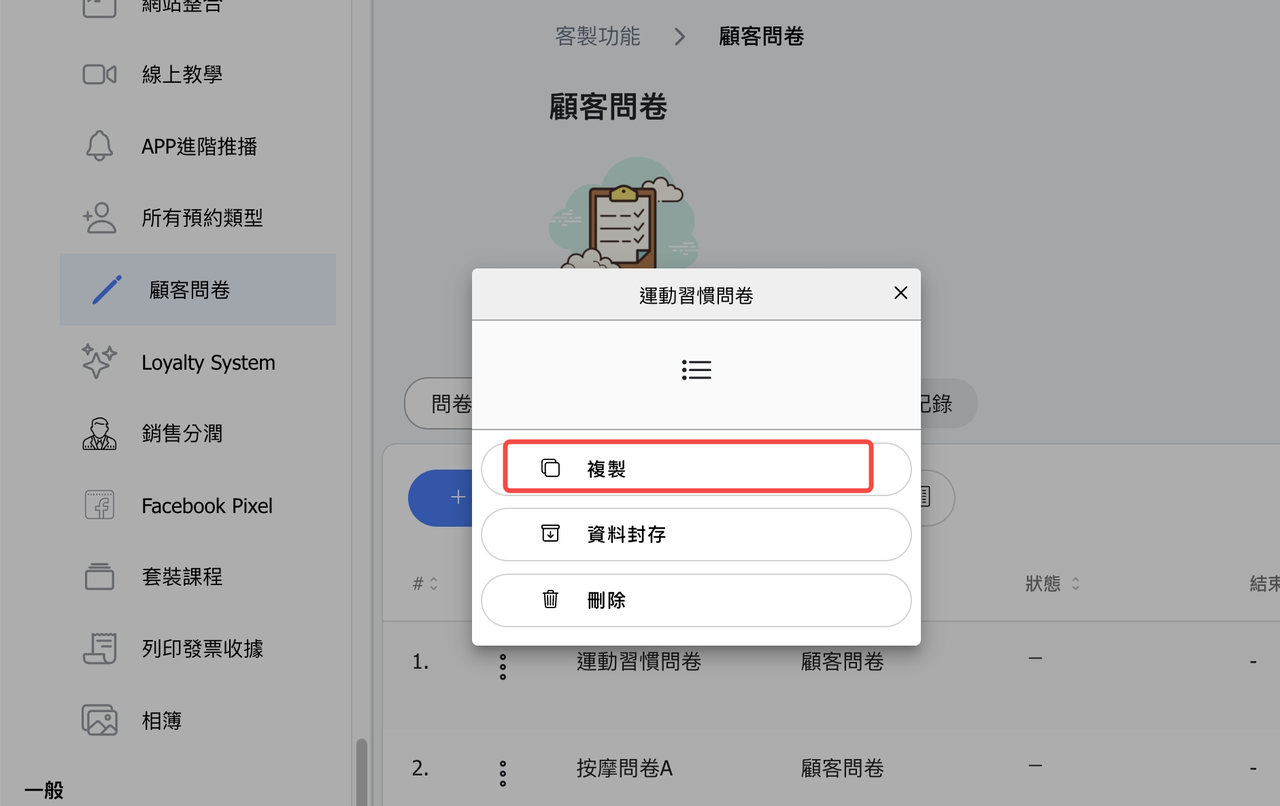
16. 【Instructor Profile (Customer Page)】 Adjusted the "Video" and "YouTube Video" sections.
Videos have been removed from the instructor background image area, and are now displayed in a separate tab, making them easier for customers to find.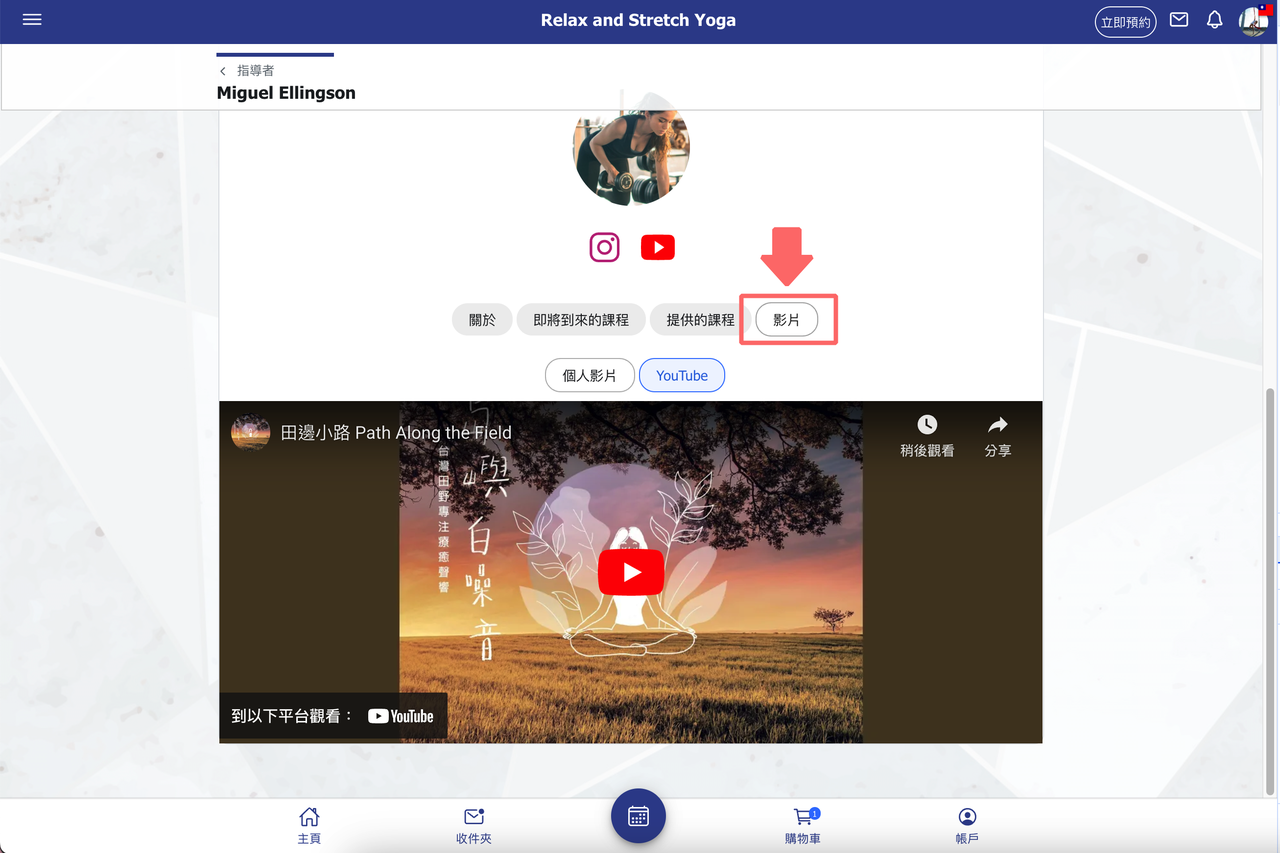
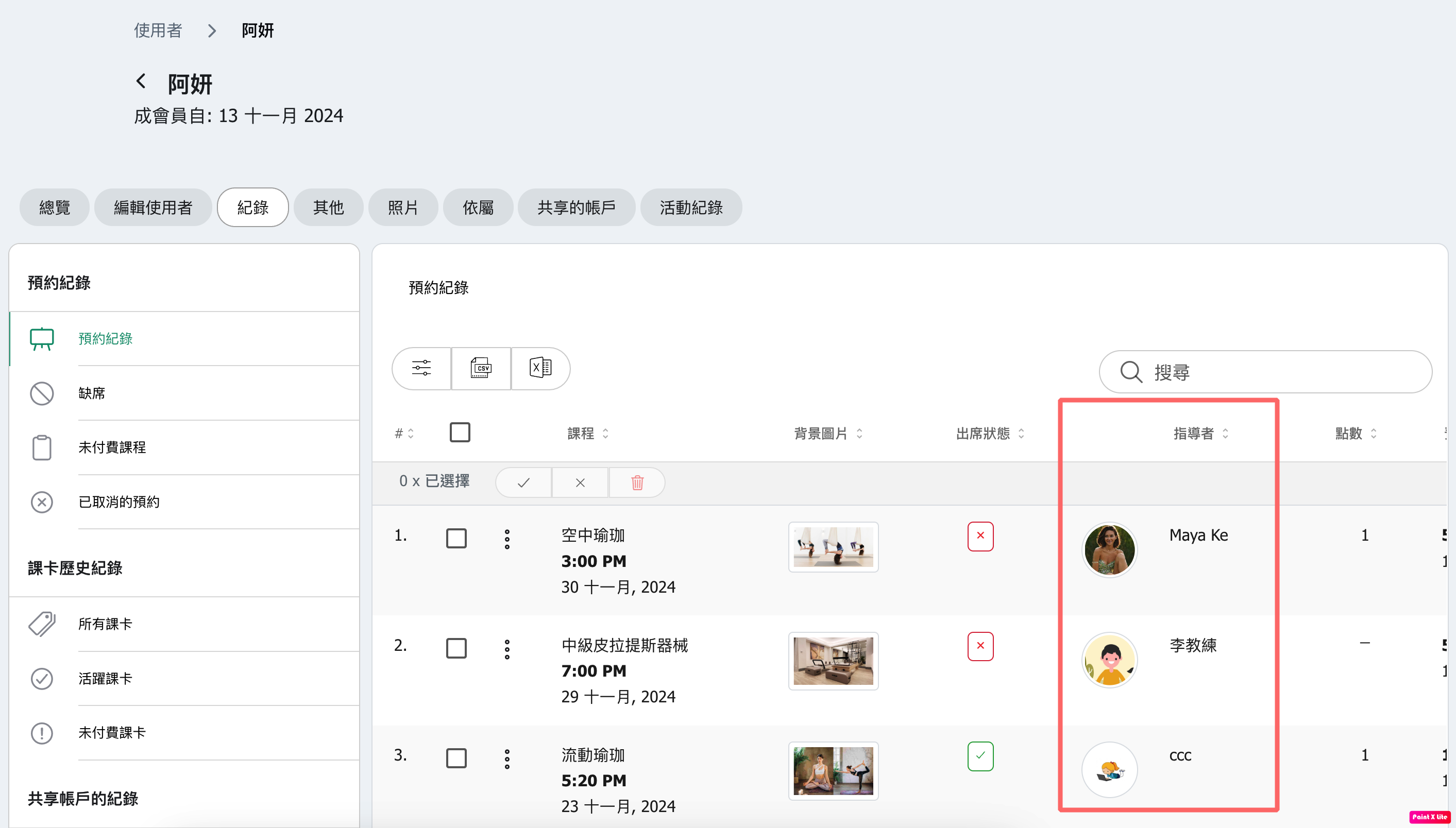
17. 【Customer Reservation History】 Added an "Instructor" column.
Helps businesses quickly review which instructors customers prefer to book.
18. Other updates and optimizations.
