📣 New app version (13.01) is now available to be downloaded!
Please open Google Play or App Store to get the latest version.
* All branded apps are currently awaiting review by the App Store and Google Play Store. They are expected to pass the review and be available for download by November.
Version 13.01 Updates:
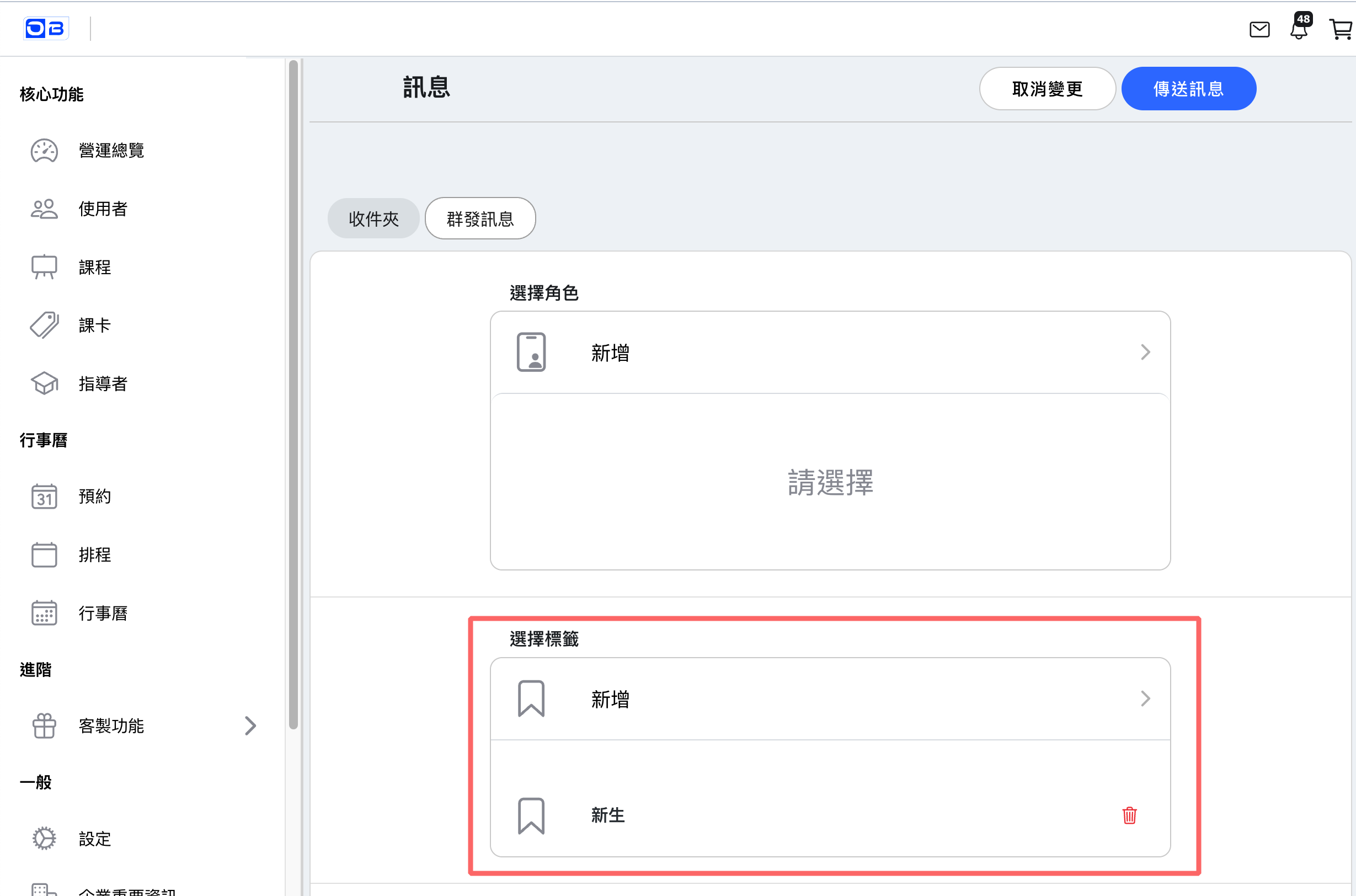
1. 【Message】New Tag Group Messaging Feature】When sending bulk messages, you can now target customers associated with specific tags.
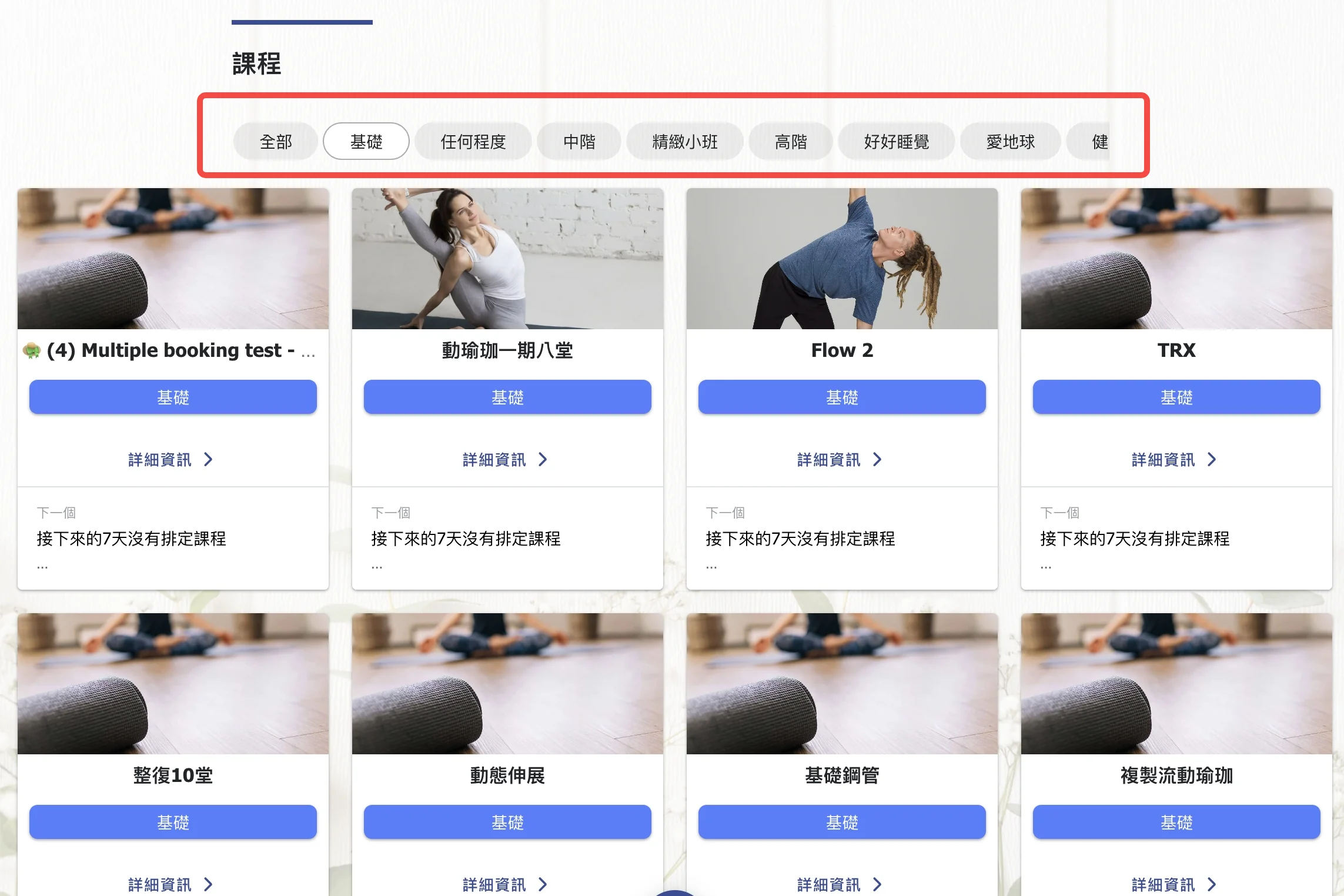
2. 【Class (Customer Page)】A new category filter button has been added at the top of the customer's class page. By selecting this button, customers can view classes within a particular category.
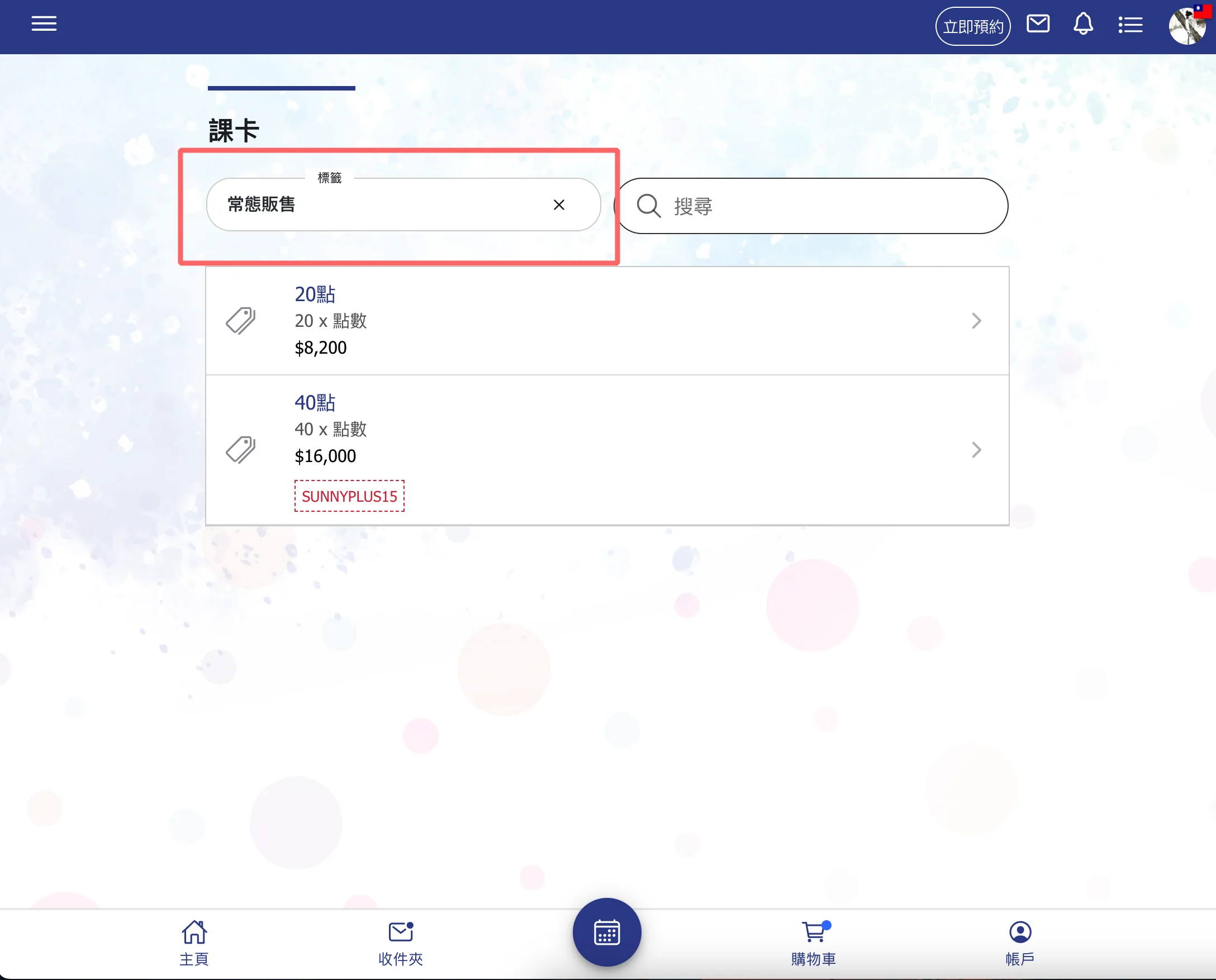
3. 【Class / Passes / Instructor (Customer Page)】A tag filter button is now available on the customer's class, pass, and instructor pages, allowing students to find items better suited to them through the tag filter tool.
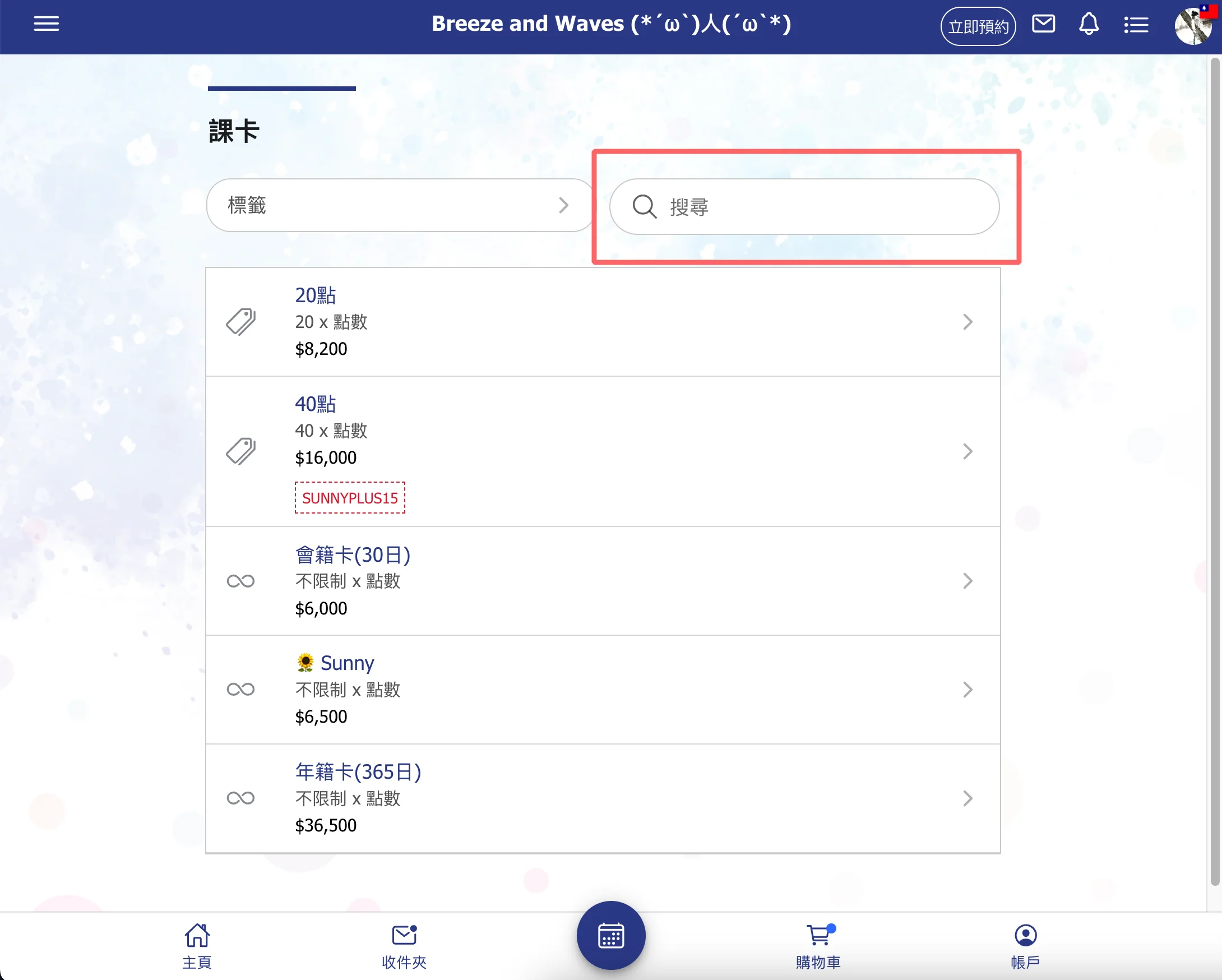
4. 【Search Tool for classes / Passes / Instructor Pages (Customer Page)】The search tool has been moved to a fixed position at the top of these three pages, making it easier for customers to find and access the tool (previously located under the magnifying glass icon on the top bar).
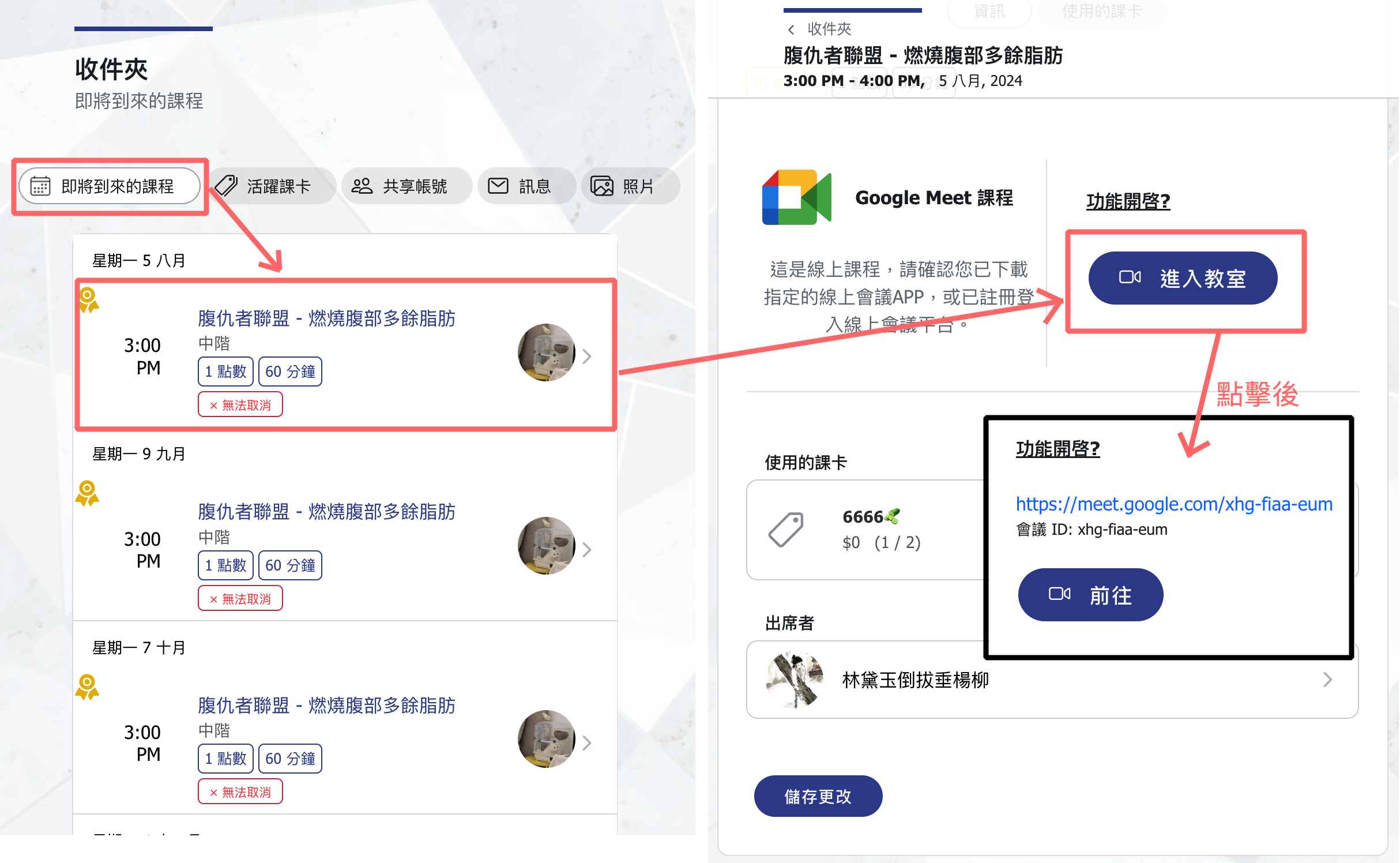
5. 【Online Classes】The inbox reservation editing page has been updated to include an entry link to the online classroom. Once the admin creates a meeting link, customers can click "Enter Classroom" to access the meeting link and join the session.
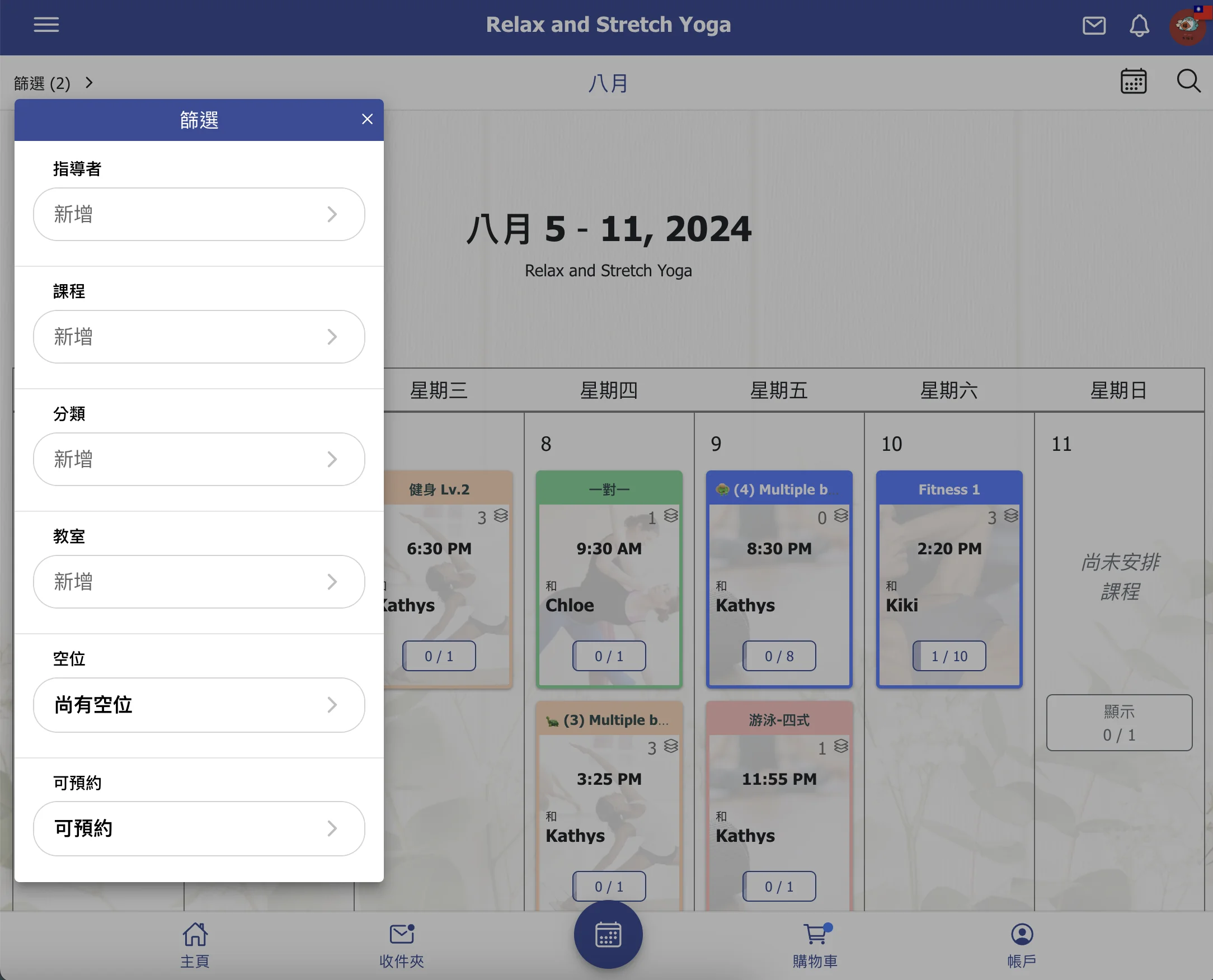
6. 【Calendar】Added two new filters, "Available Spots" and "Bookable," allowing customers to filter for classes that still have available spots and for those that can be booked using their current passes.
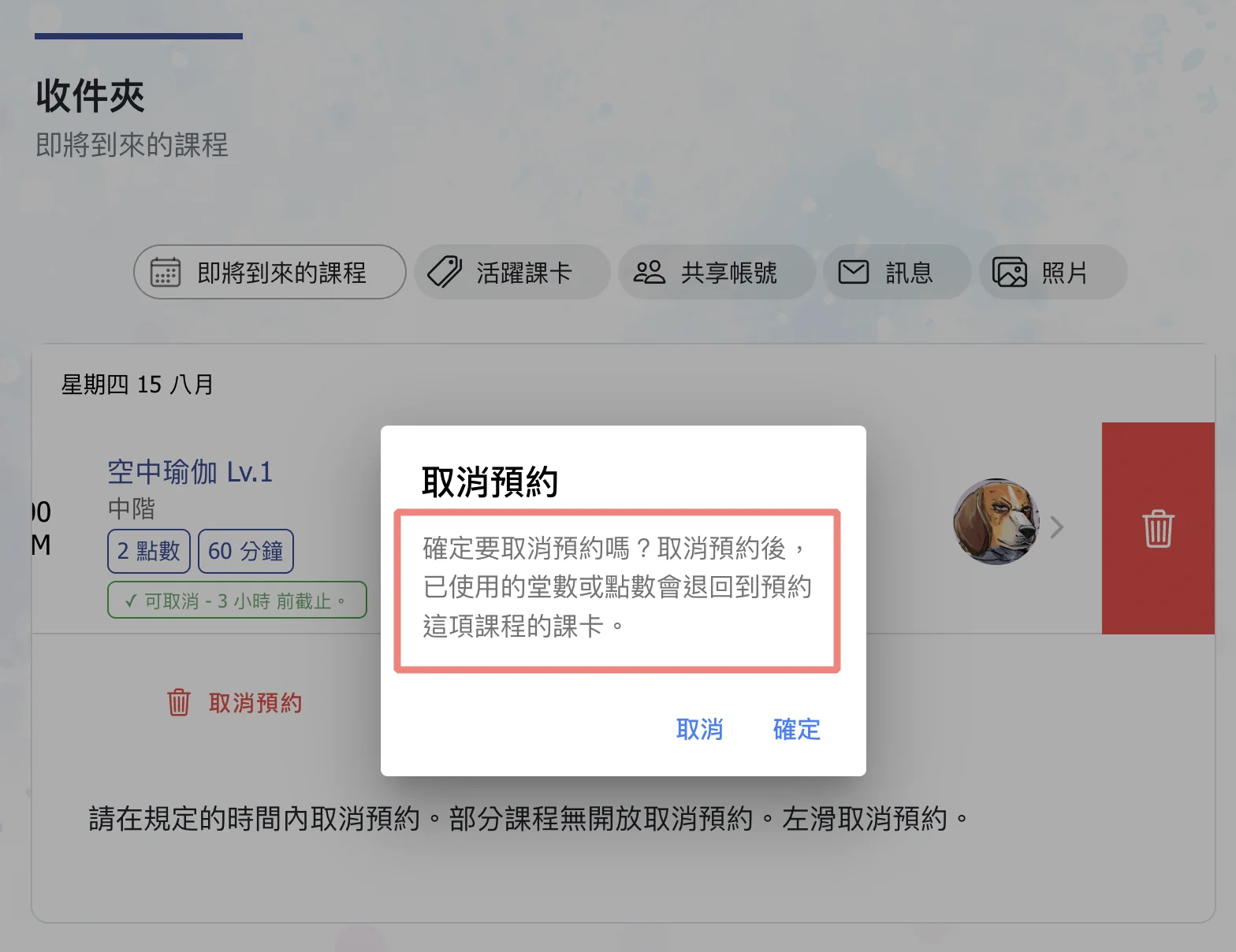
7. 【Cancel Booking】Updated the message prompt for customers when canceling bookings, reminding them that any used classes/points will be returned to the card originally used for the booking.
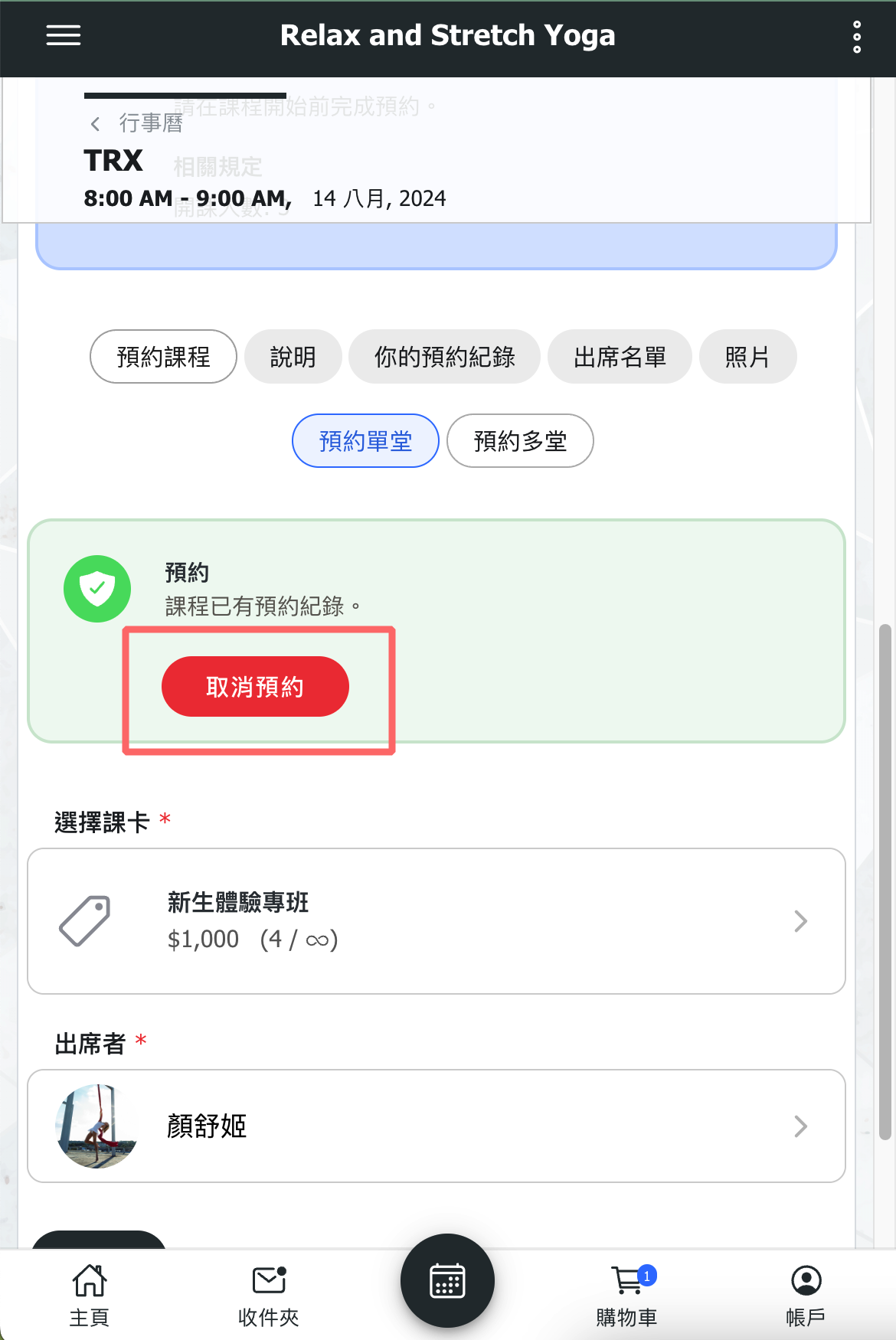
8. 【Calendar (Customer)】Updated the functionality of the "Cancel Booking" button to show a prompt. After confirmation, one booking record will be canceled.
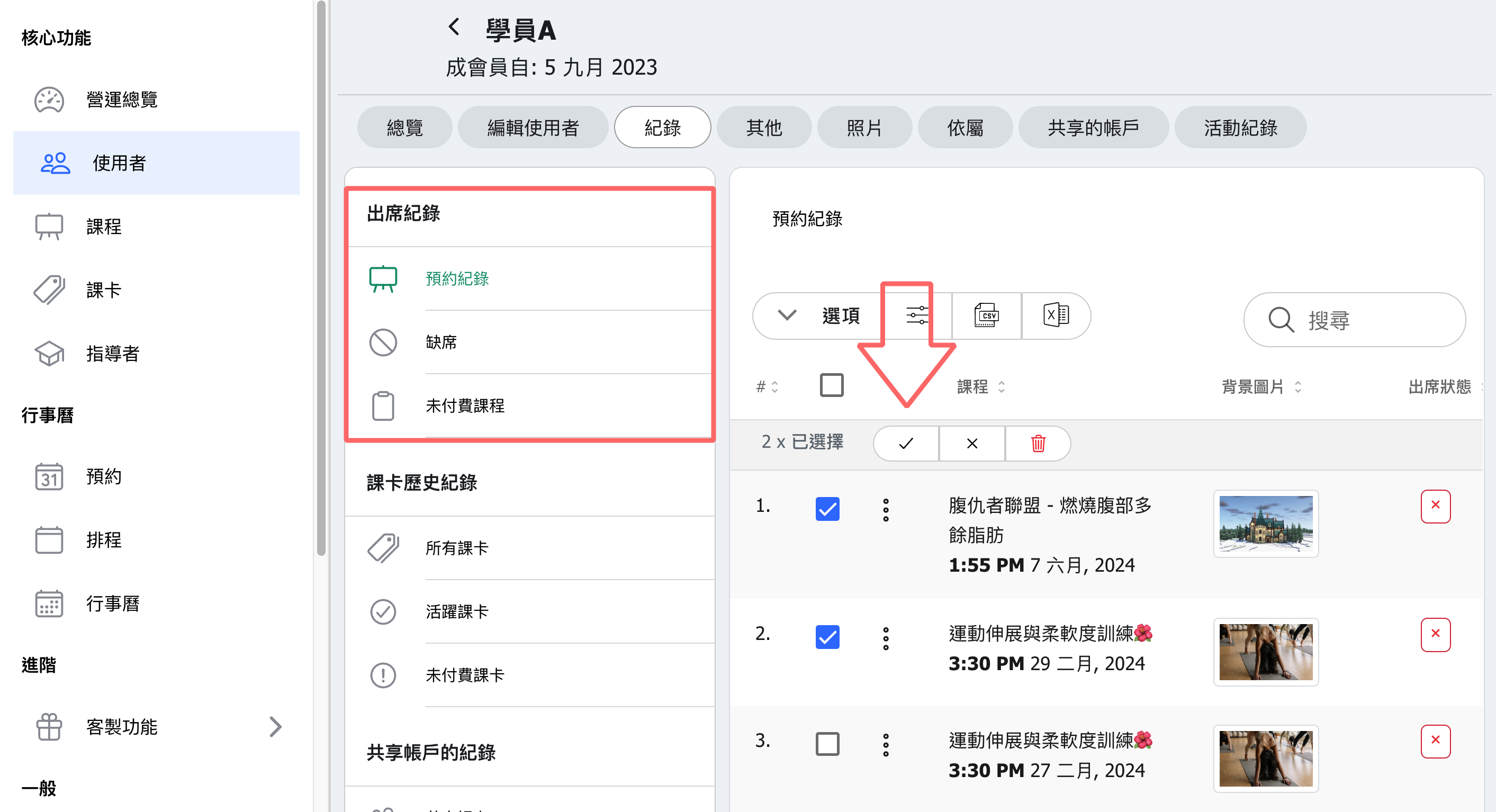
9. 【Attending list table】A bulk management tool has been added to the attendance records list, allowing users to select multiple bookings and change attendance status or cancel multiple bookings at once.
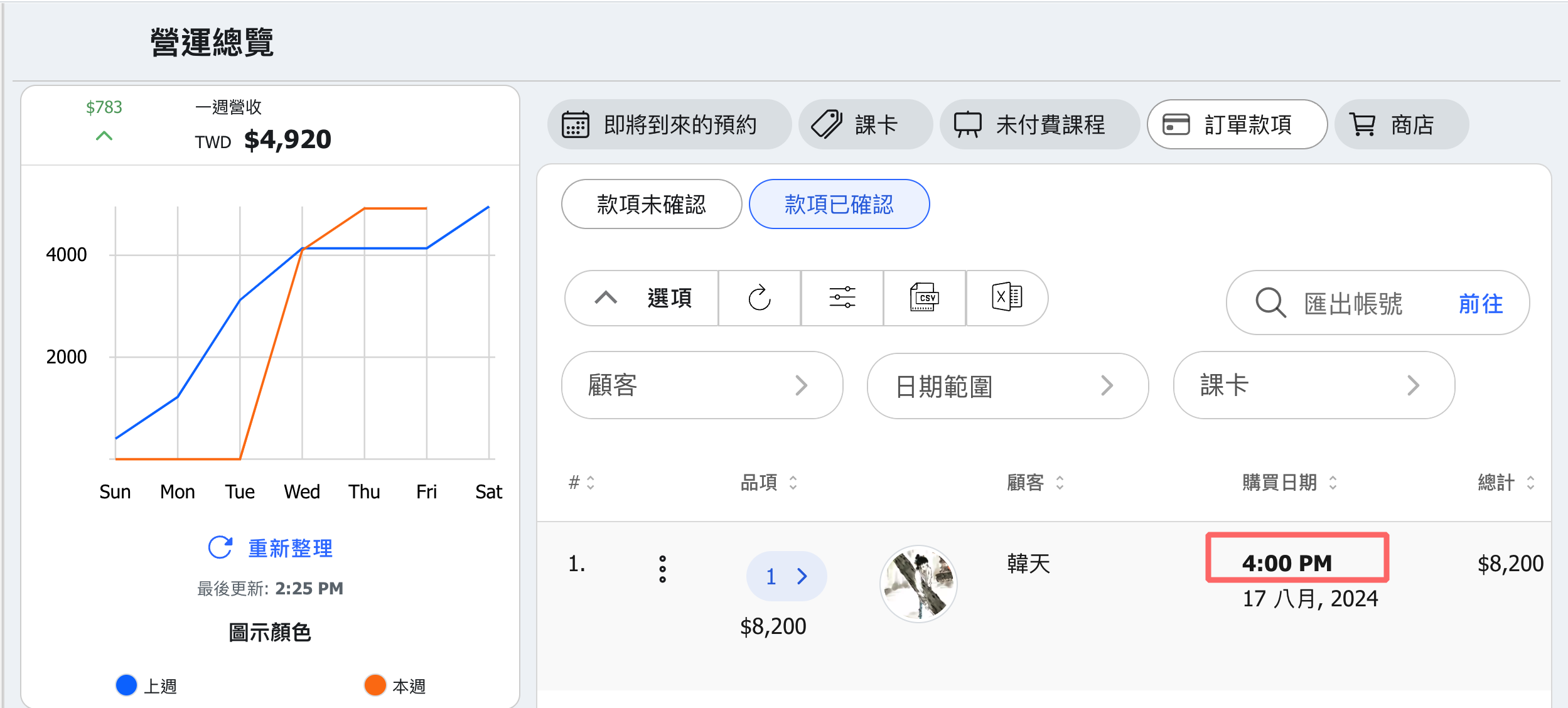
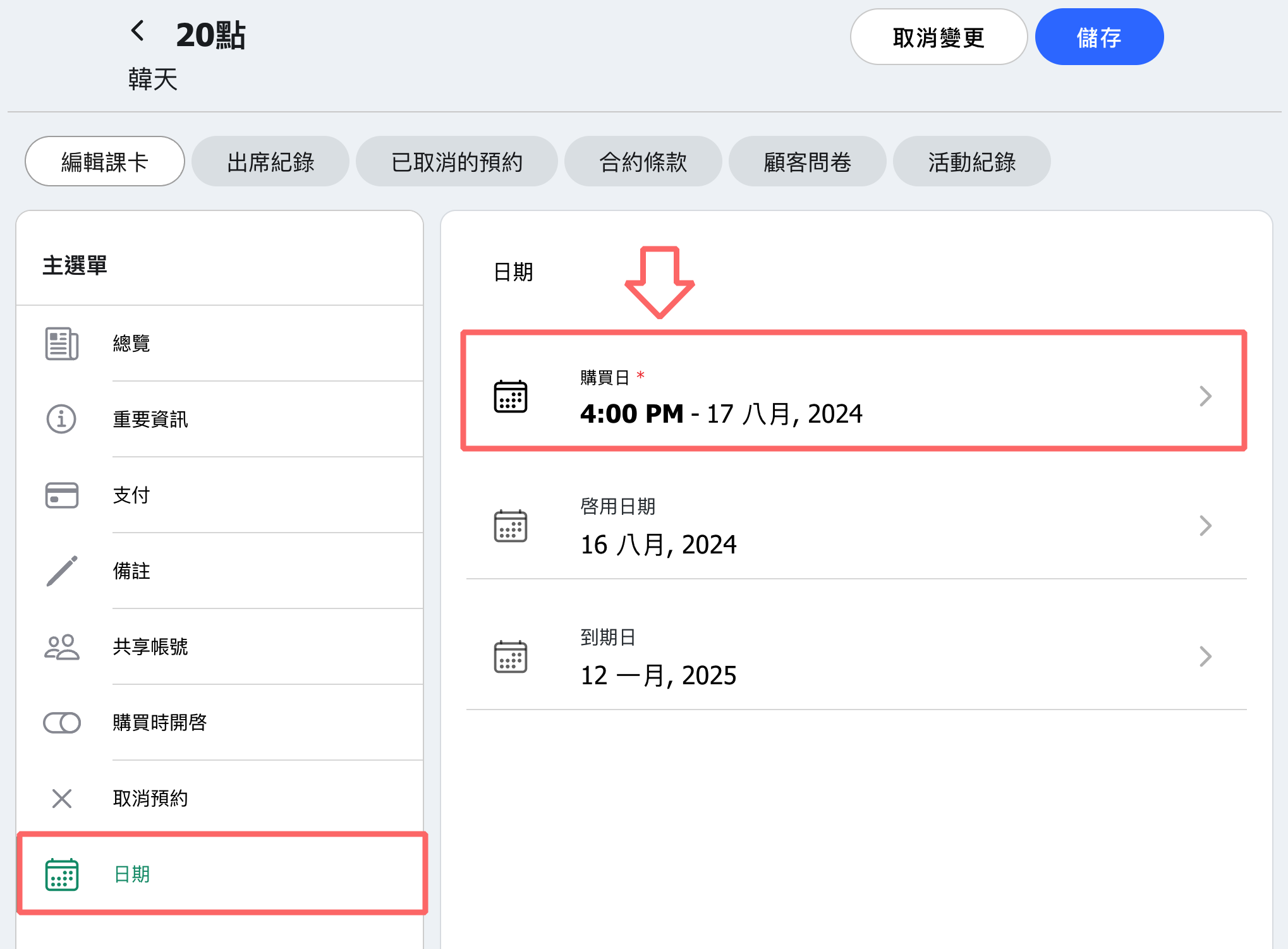
10. 【Dashboard > Order Payments】From 2024/8/16, when administrators add a pass to a customer's account, the order payment will record both the date and the purchase "time." (Note: passes added before 2024/8/16 will not automatically update with the purchase time. If needed, administrators can manually set this in the customer's pass date settings.)
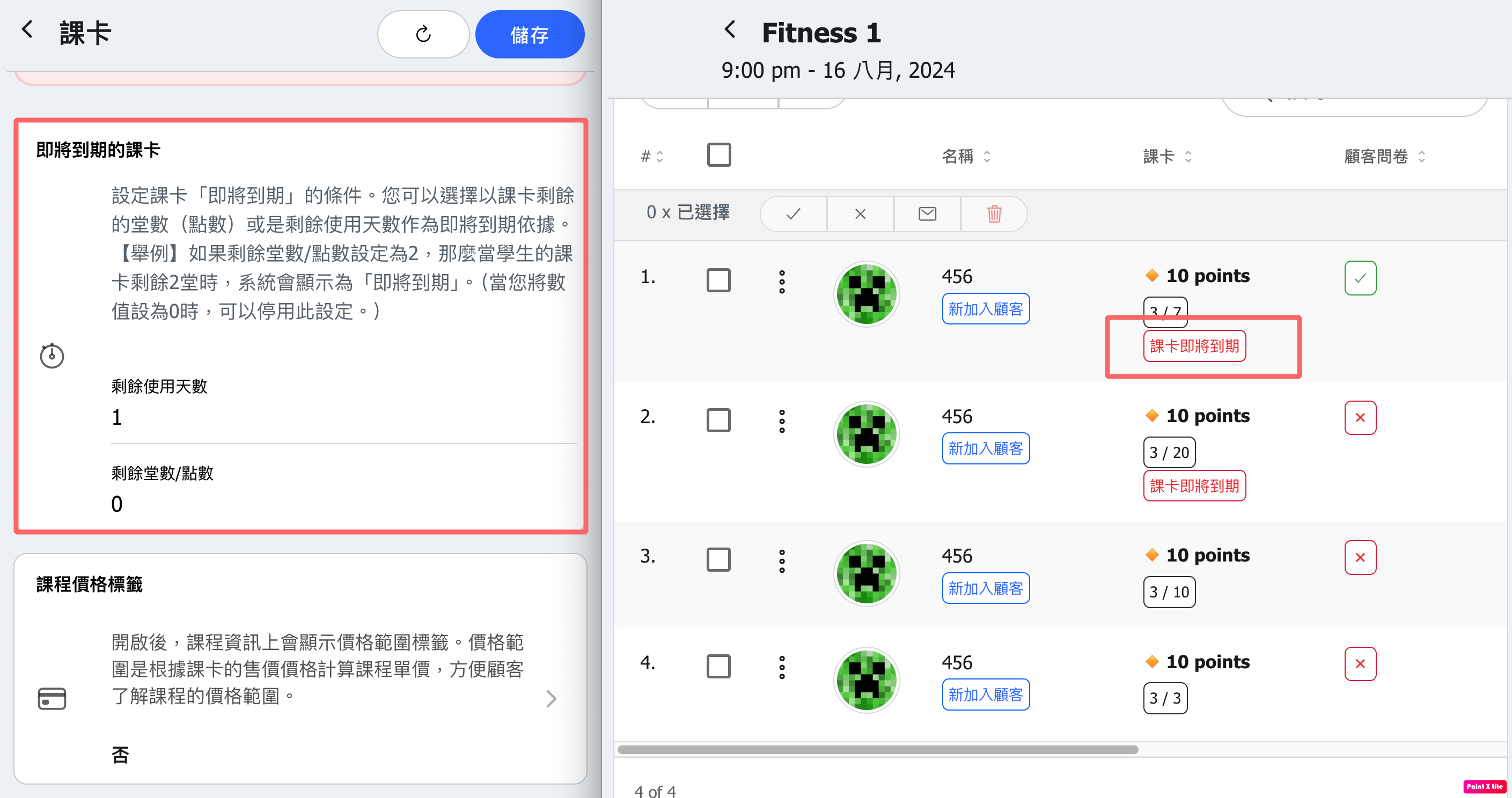
11. 【Calendar】As of the 2024/8/16 update, the expiration reminder settings for passes will apply to the customer pass information section in attendance lists.
Previously, default values were set to 7 days and 2 remaining classes (points).
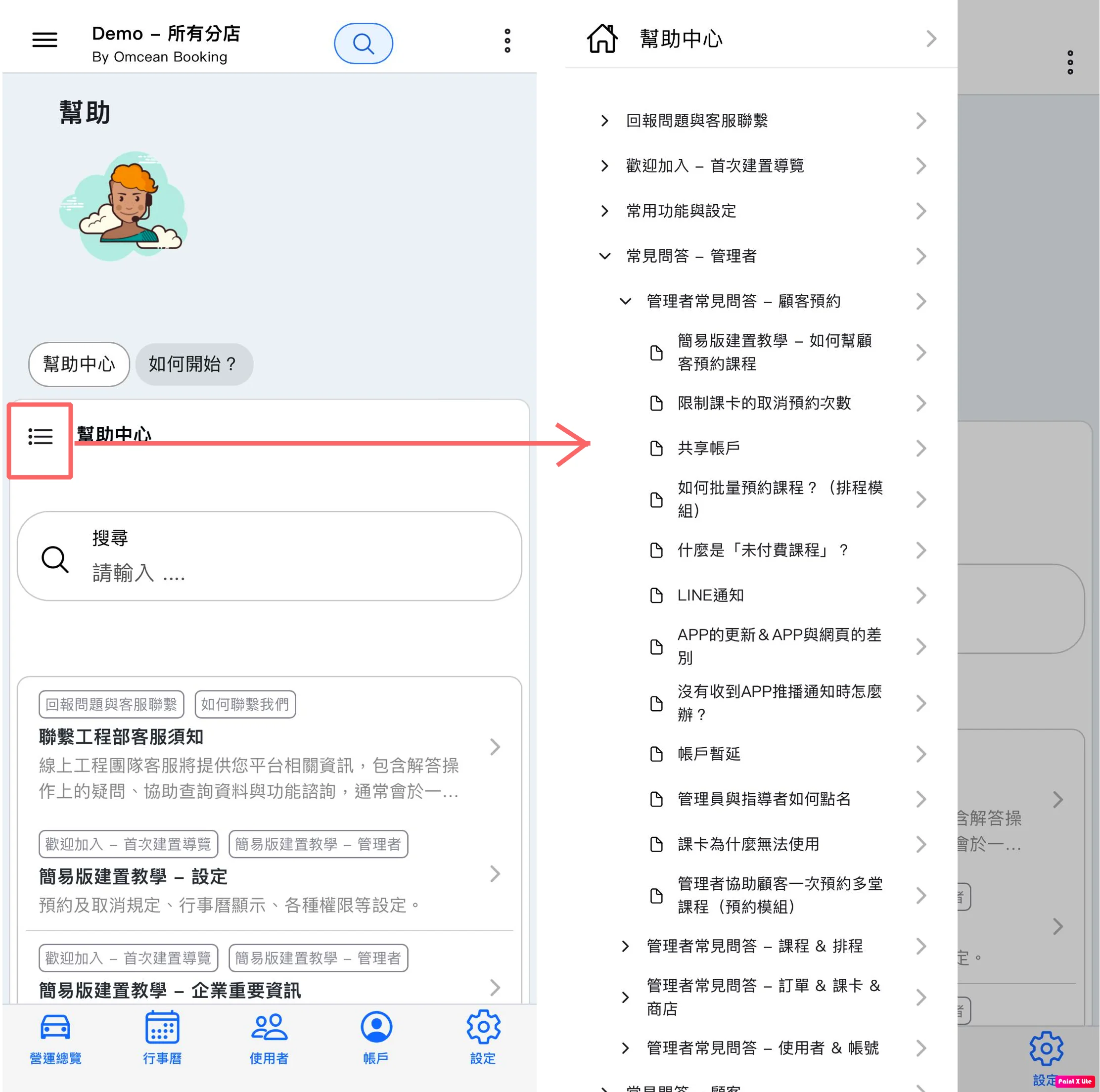
12. 【Help Center】On mobile, a "Main Menu" button has been added to the left side of the Help Center. Tapping it will bring up the Help Center directory.
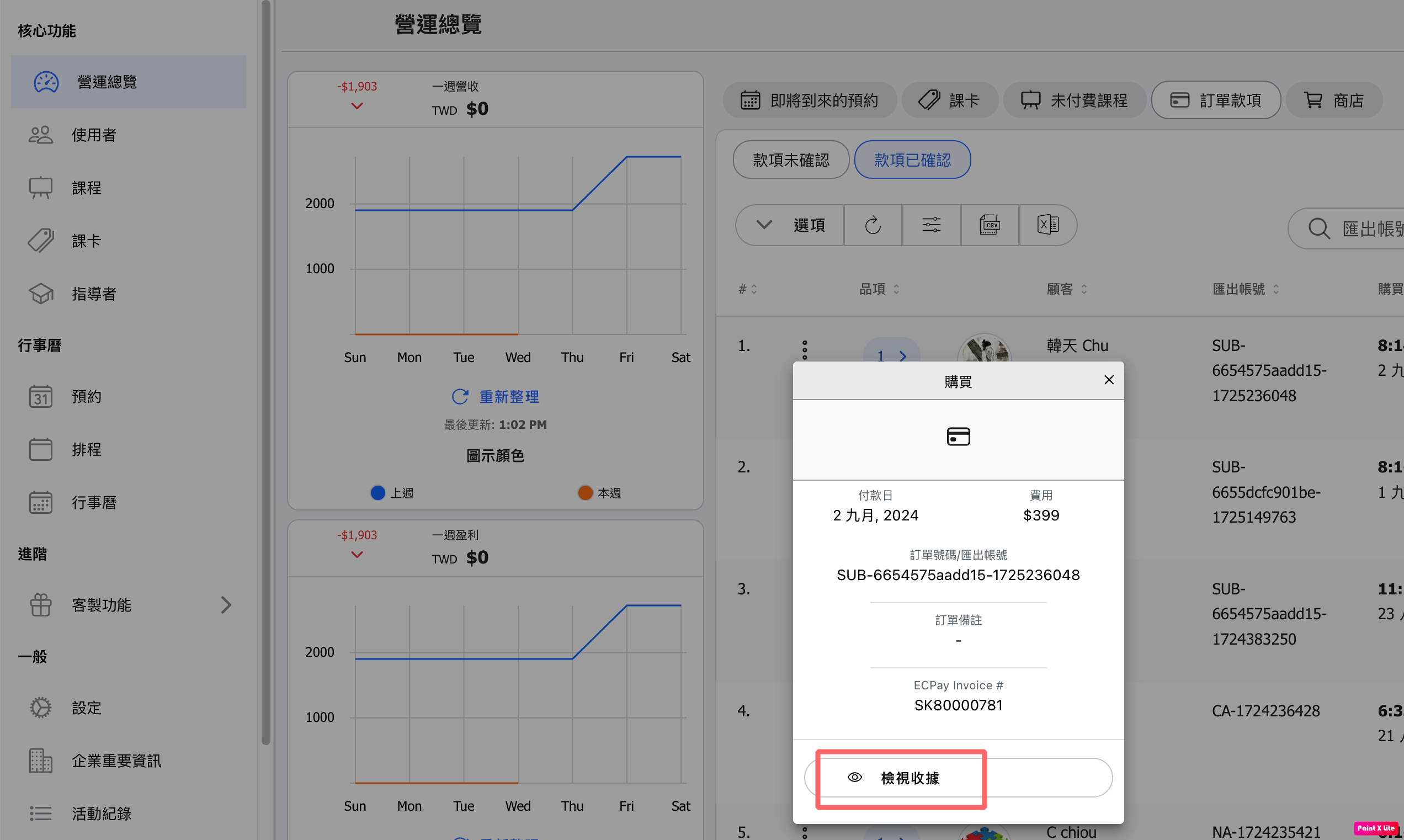
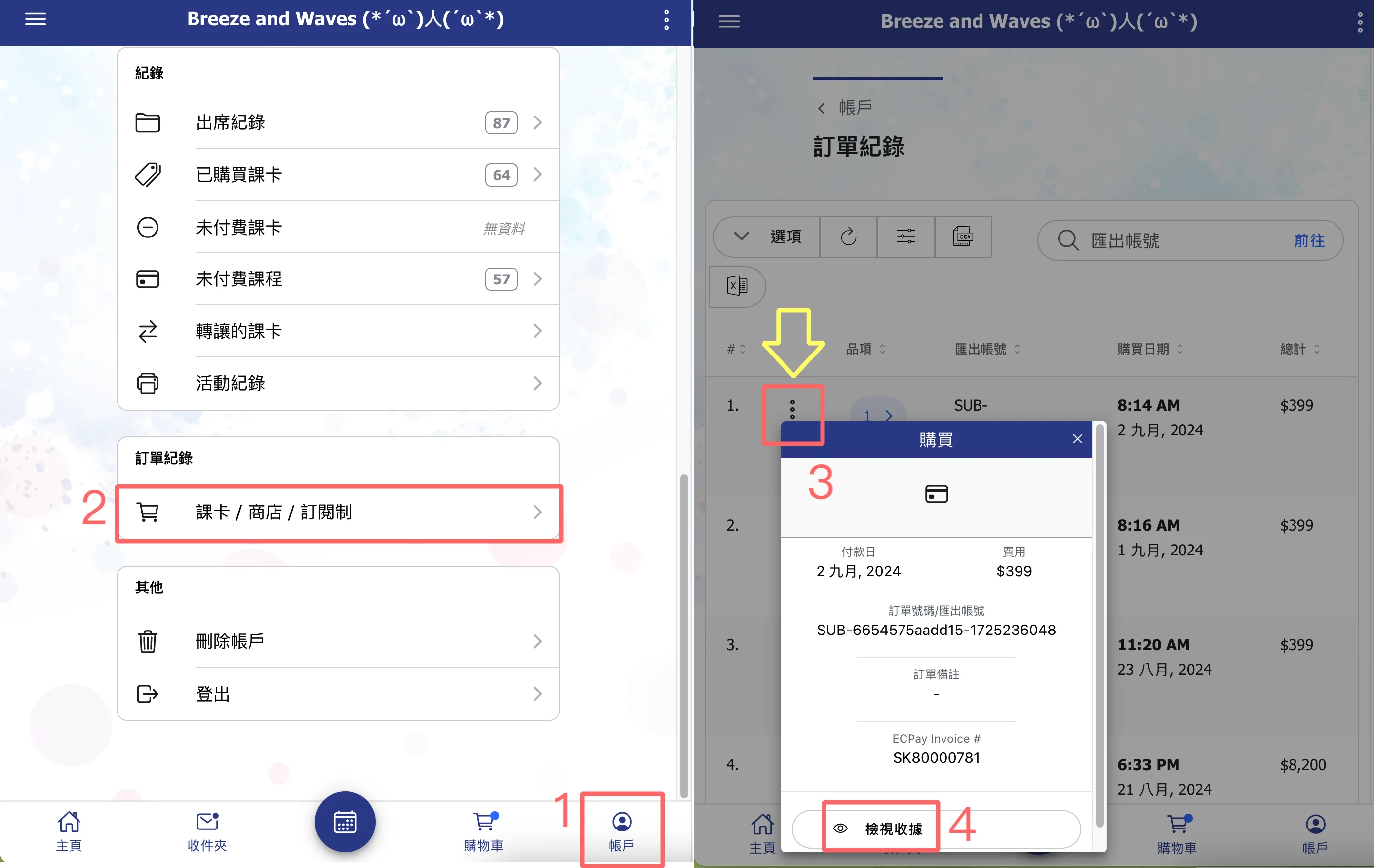
13. 【Order Receipt】Two new paths have been added for "View Receipt," allowing users to view receipt details for transactions.
Admin page: Dashboard-> Payments (click the three dots icon to find the "View Receipt" button)
Customer page:
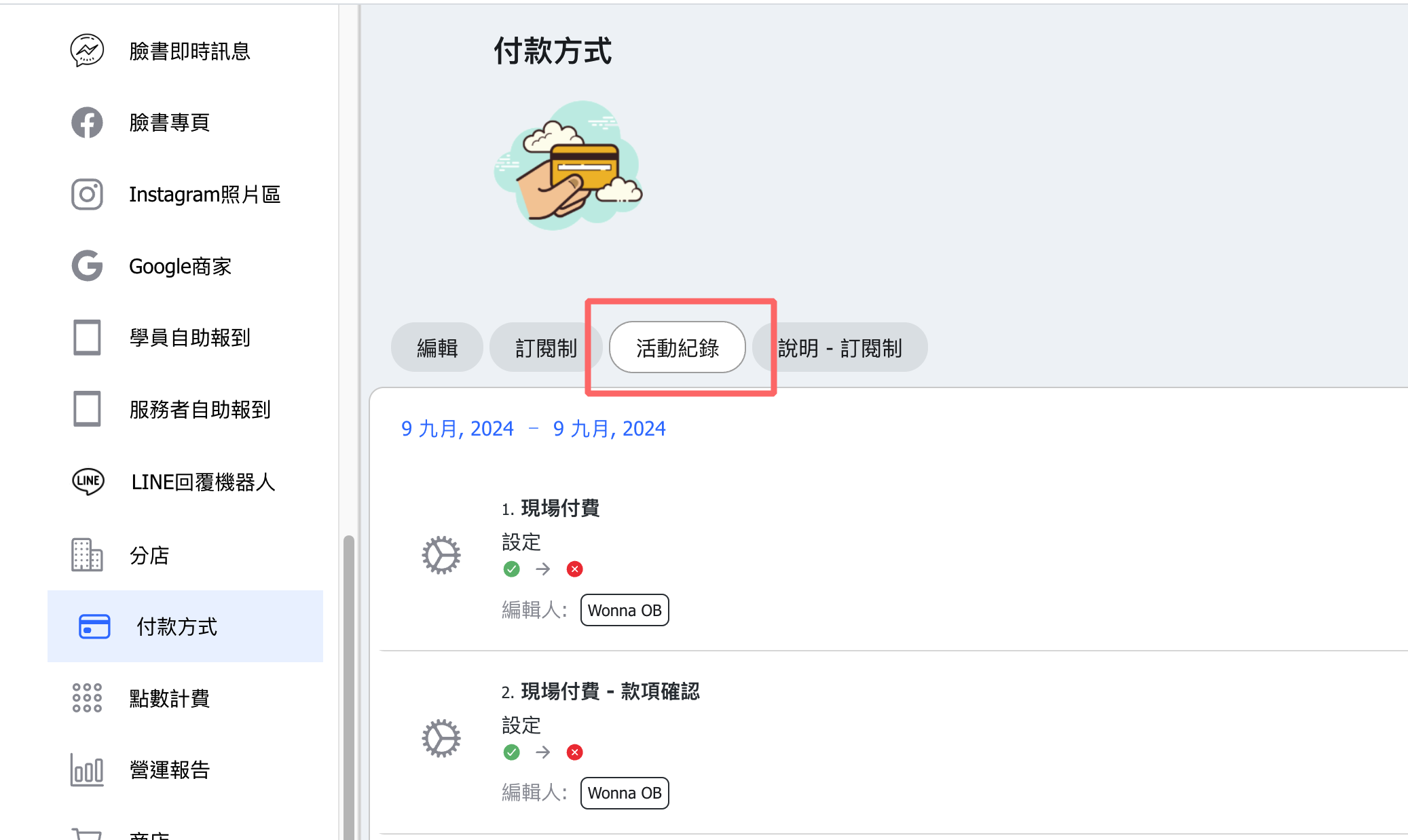
14. 【Payment Methods】A new activity log has been added to the settings page, where changes to text settings or toggles for options like cash or bank transfer will be recorded.
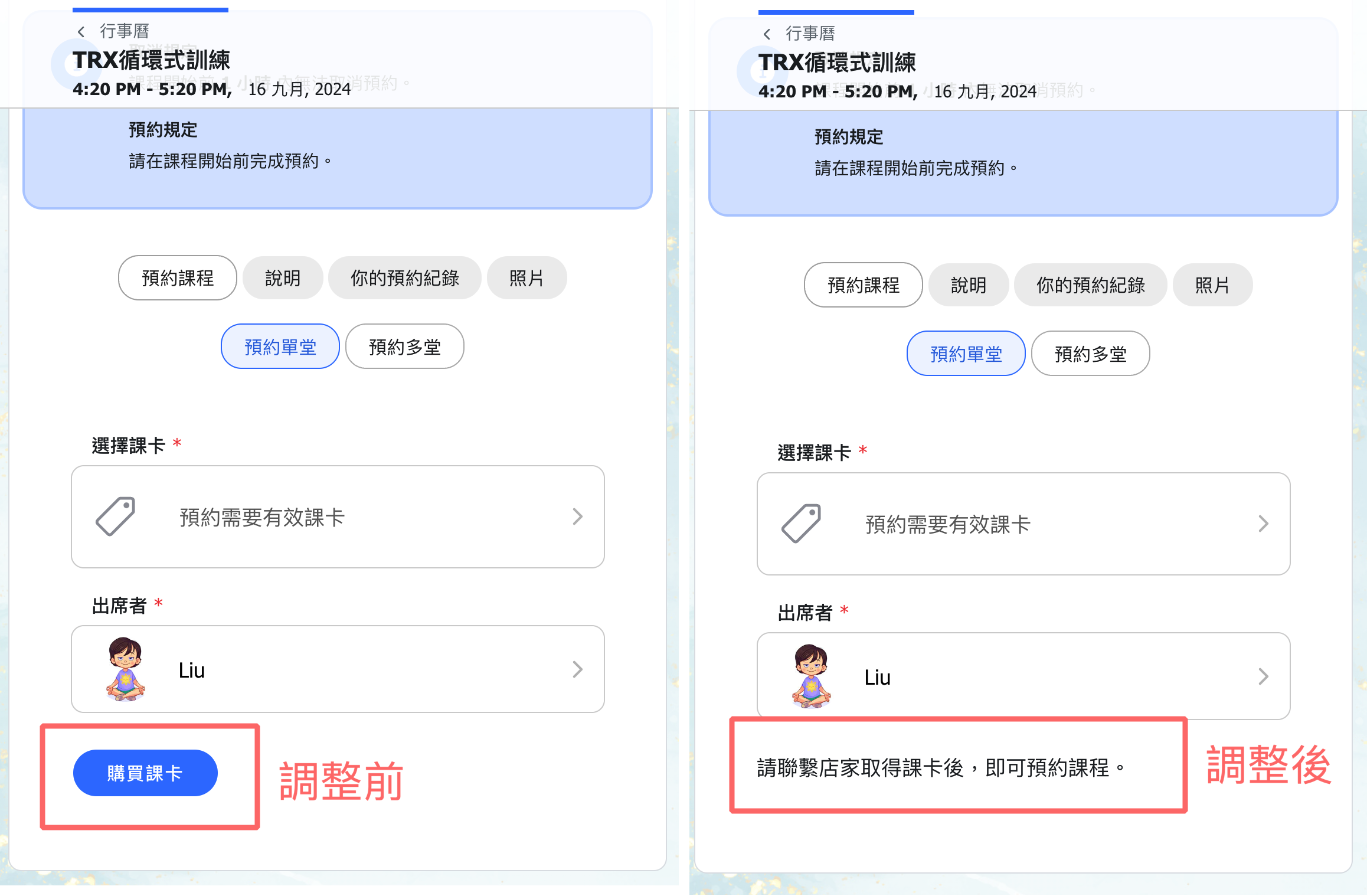
15. 【Payment Methods】When the custom feature for disabling payment methods is enabled, customers will no longer see the "Purchase pass" button during booking. Instead, they will see a message prompting them to contact the studio to obtain a pass for booking.
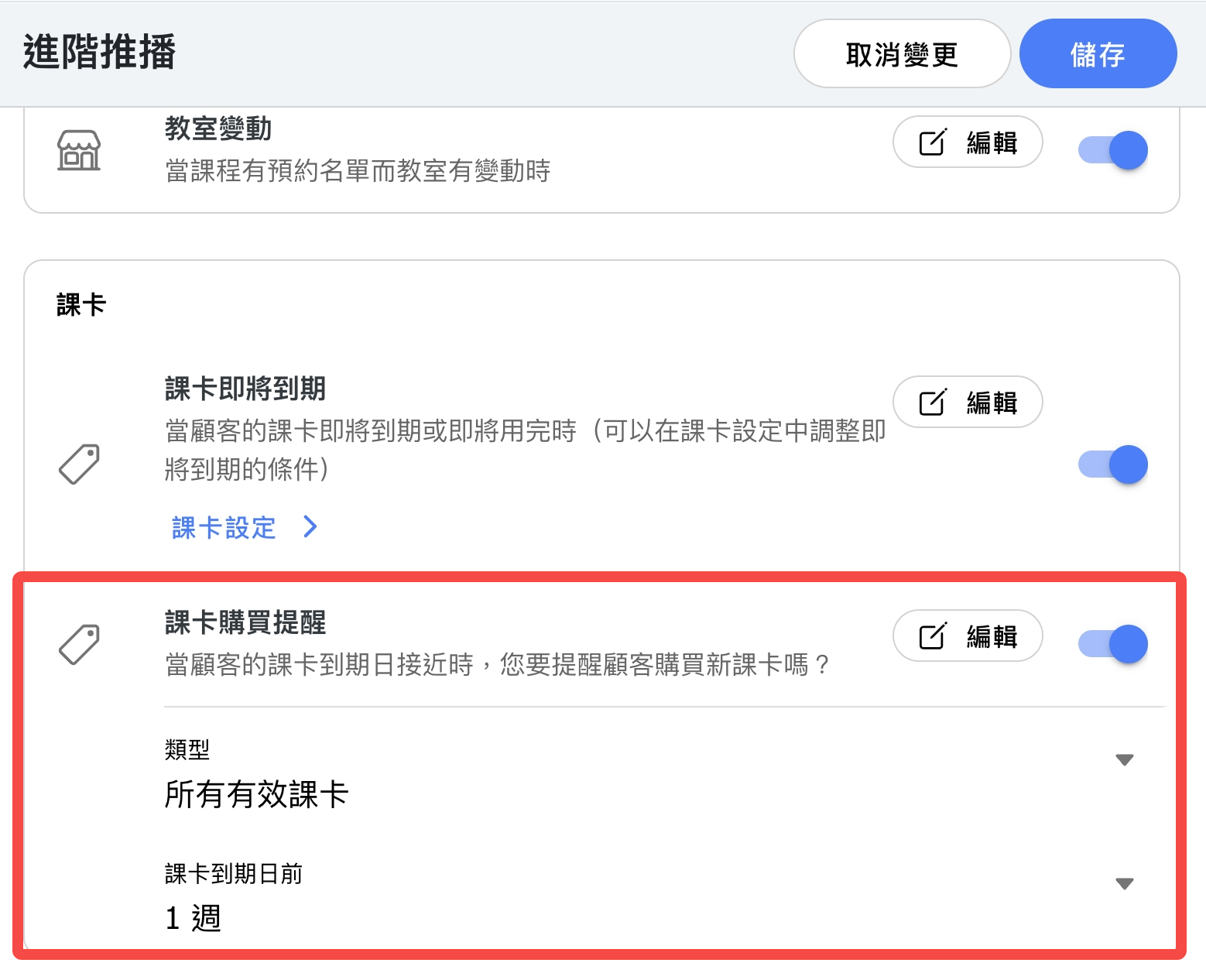
16. 【Advanced Notifications】Added a "Pass Purchase Reminder," where the system will send a notification to customers based on their pass expiration date. (This notification option is off by default.)
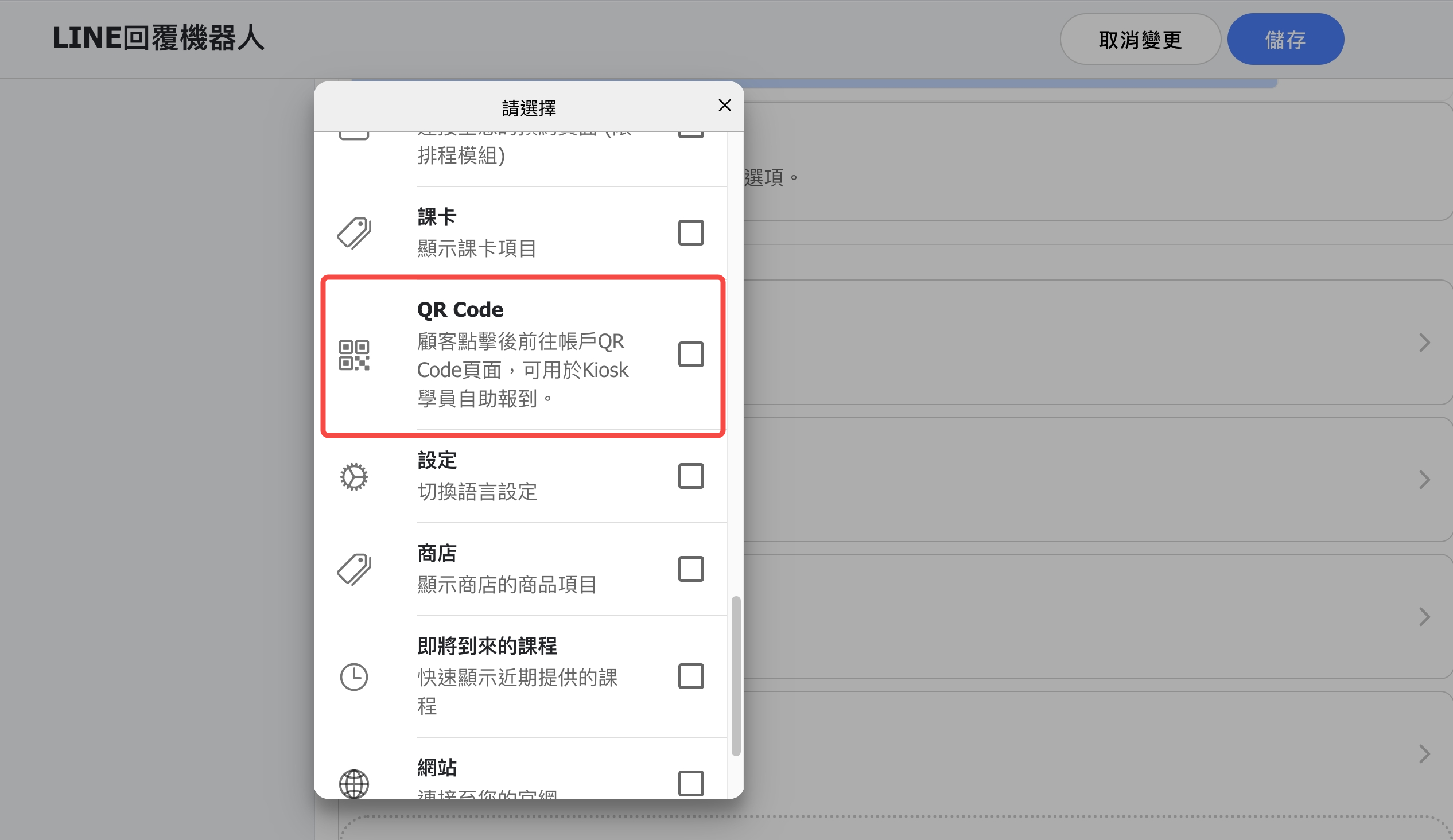
17. 【LINE Bot】A new QR Code option has been added to the menu. When customers click it, they will be directed to their personal QR Code page, which can be used for self-check-in via the Kiosk system.
18. 【Account】The QR Code page has been updated from a popup display to a URL page.
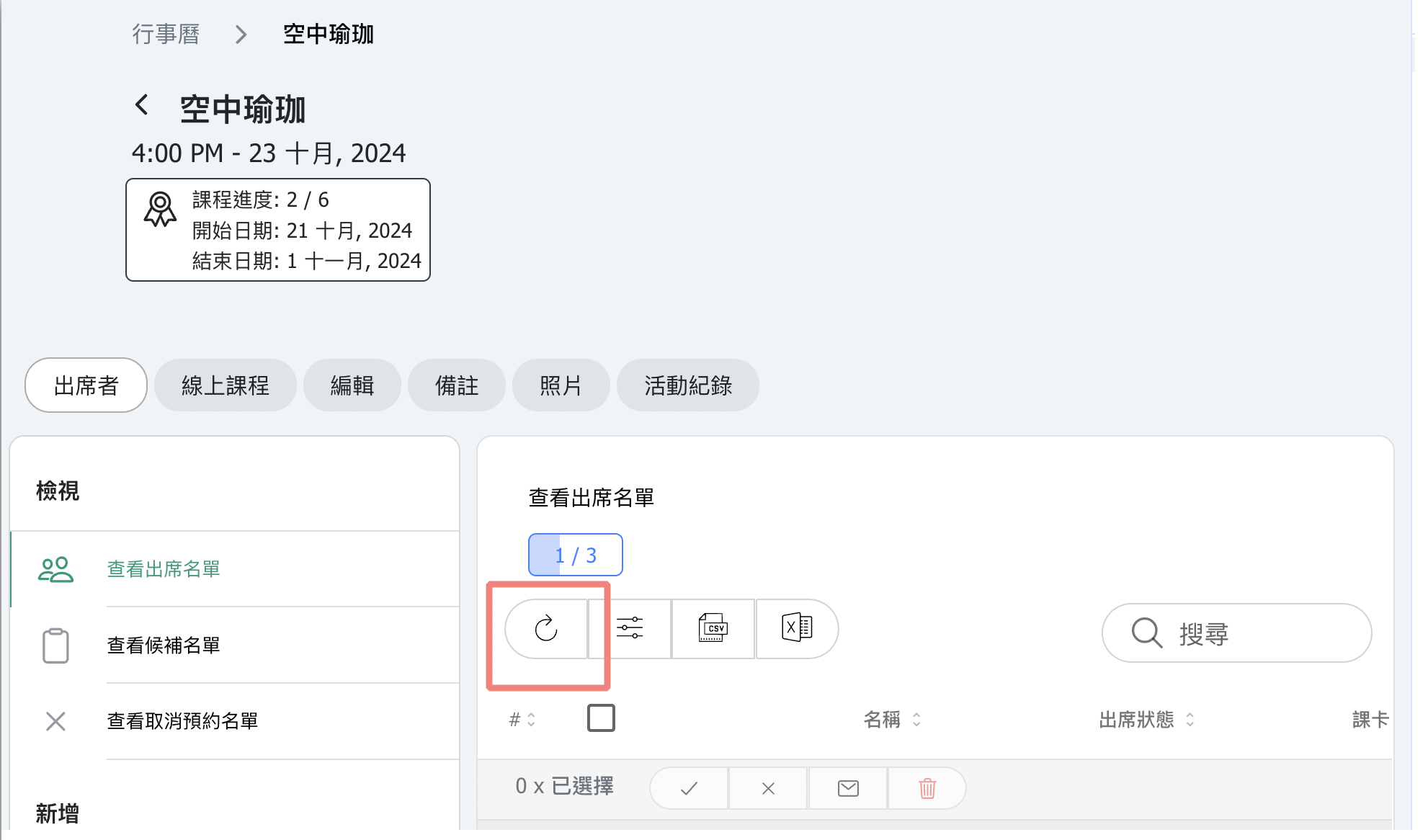
19. 【Calendar】A refresh button has been added to the top of the Attendance List / Waitlist sections. When you need to refresh the list, use this button.
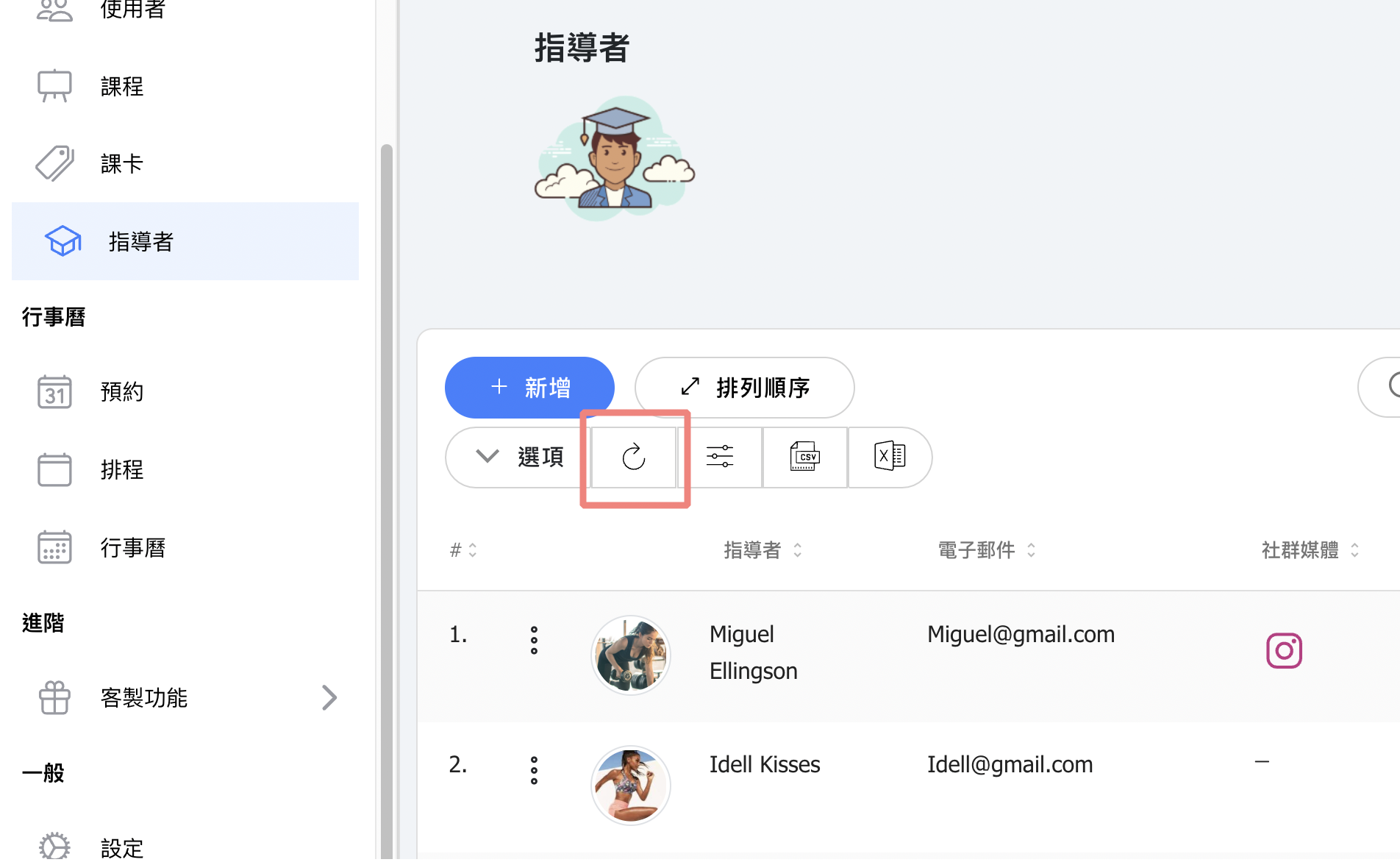
20. 【Instructor】Added a refresh button to the instructor list.
21. Other Updates
