📣 New app version (12.03) is now available to be downloaded!
Please open Google Play or App Store to get the latest version.
* Some brand apps are currently awaiting review by the Apple Store and Google Play Store. They are expected to pass the review and be available for download by mid-September.
Version 12.03 Updates:
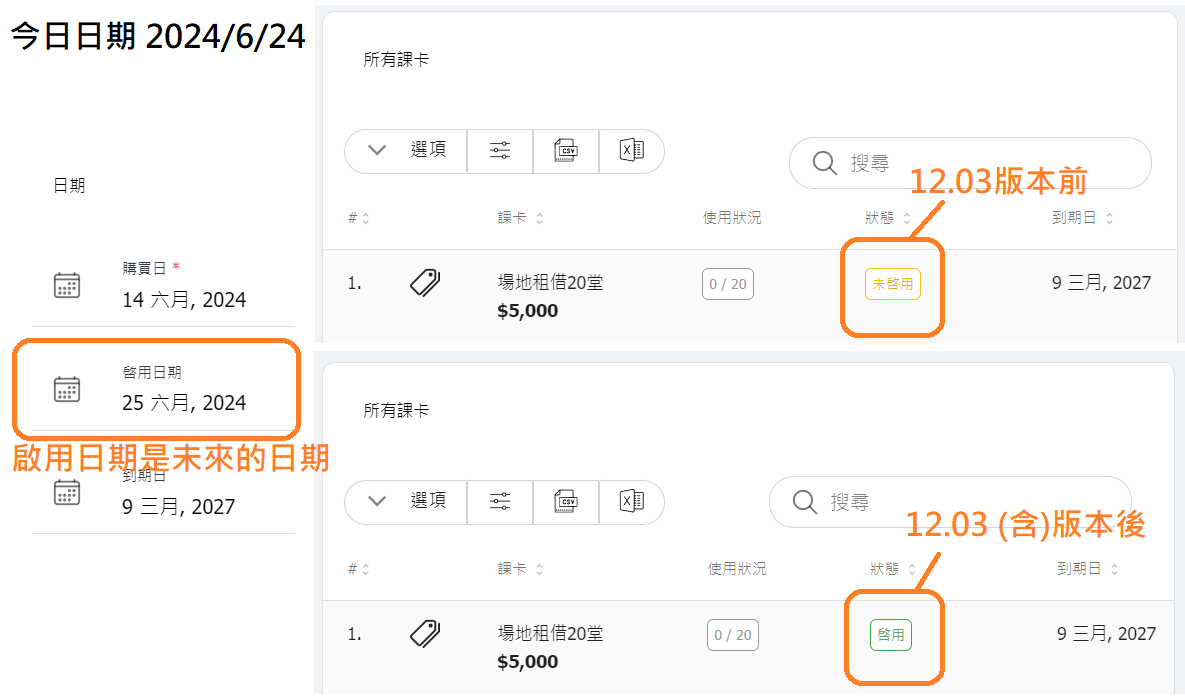
1. 【Customer Pass Activation Status】After the adjustment, passes will display as "Not Activated" if no activation date is set. Once an activation date is set and the pass is not expired, it will always display as "Active". (Previously, if the activation date is in the future, it shows as "Not Activated" until the date arrives.)

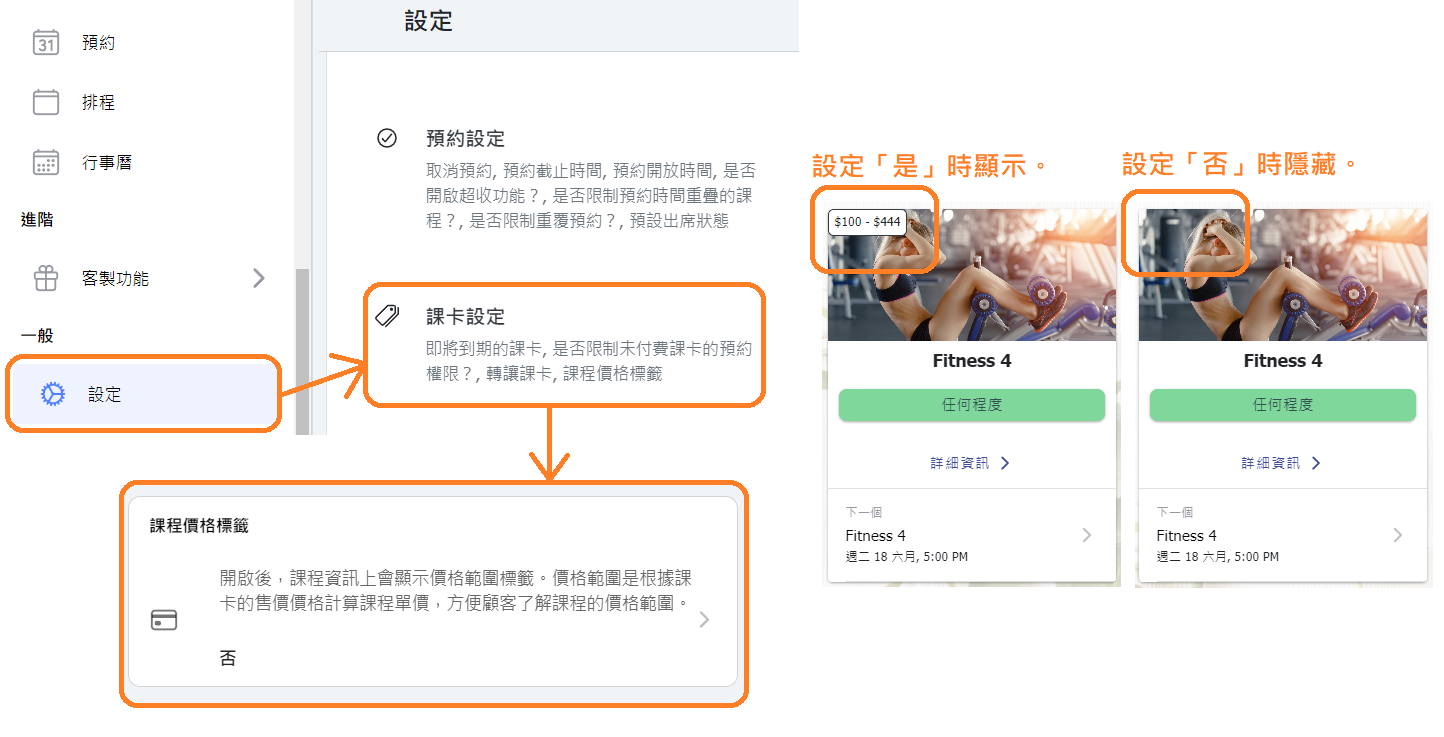
2. [Class Settings] Added "Class Price Tag" setting to choose whether to display or hide the price range on class information.

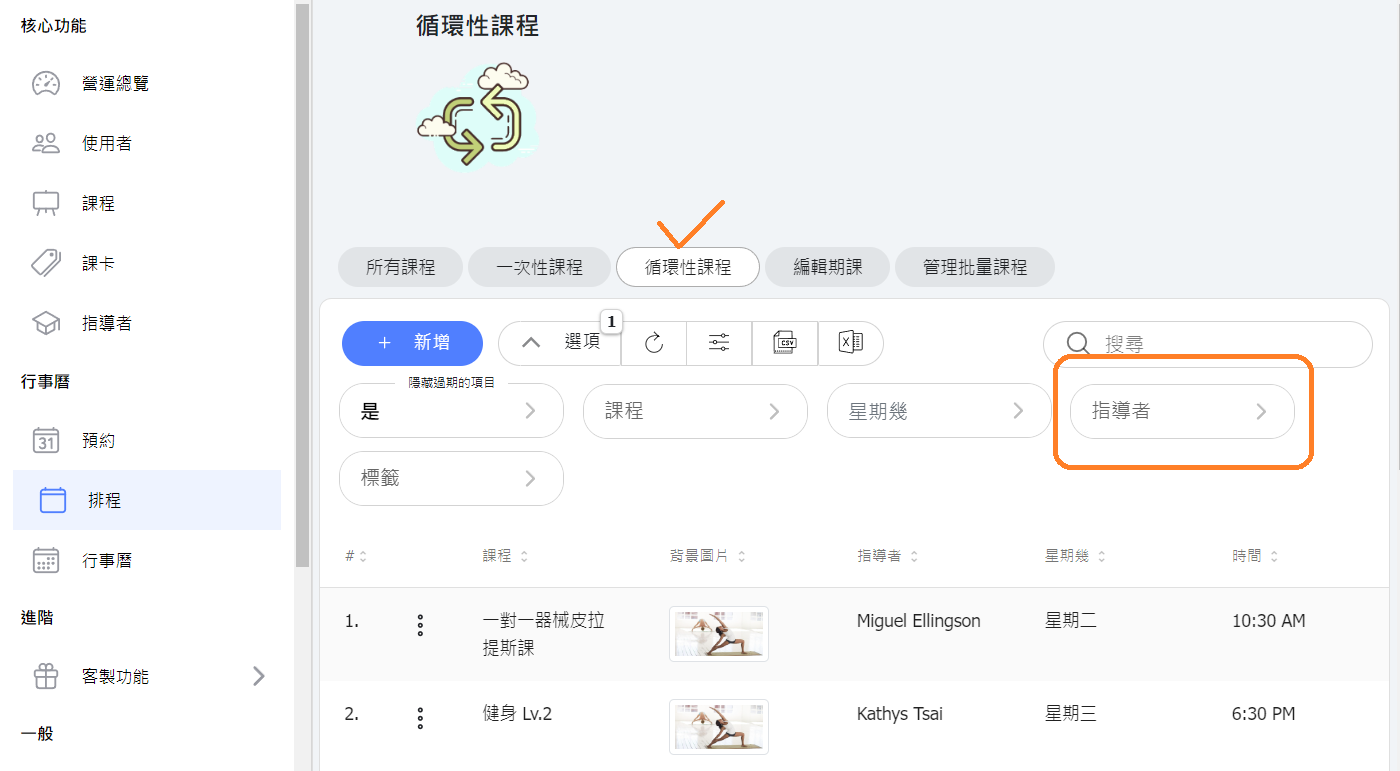
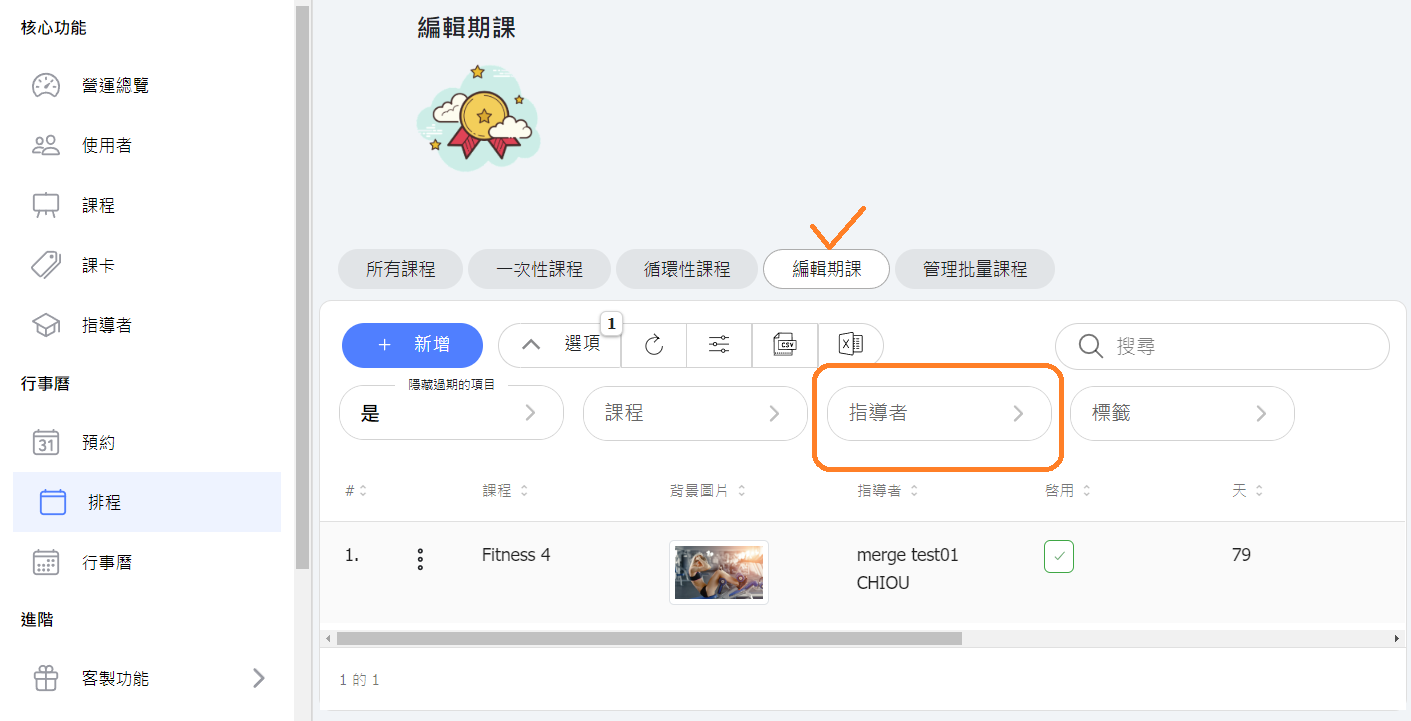
3. [Schedule] Added "Instructor" as a filter option in the repeating classes and schedule list.

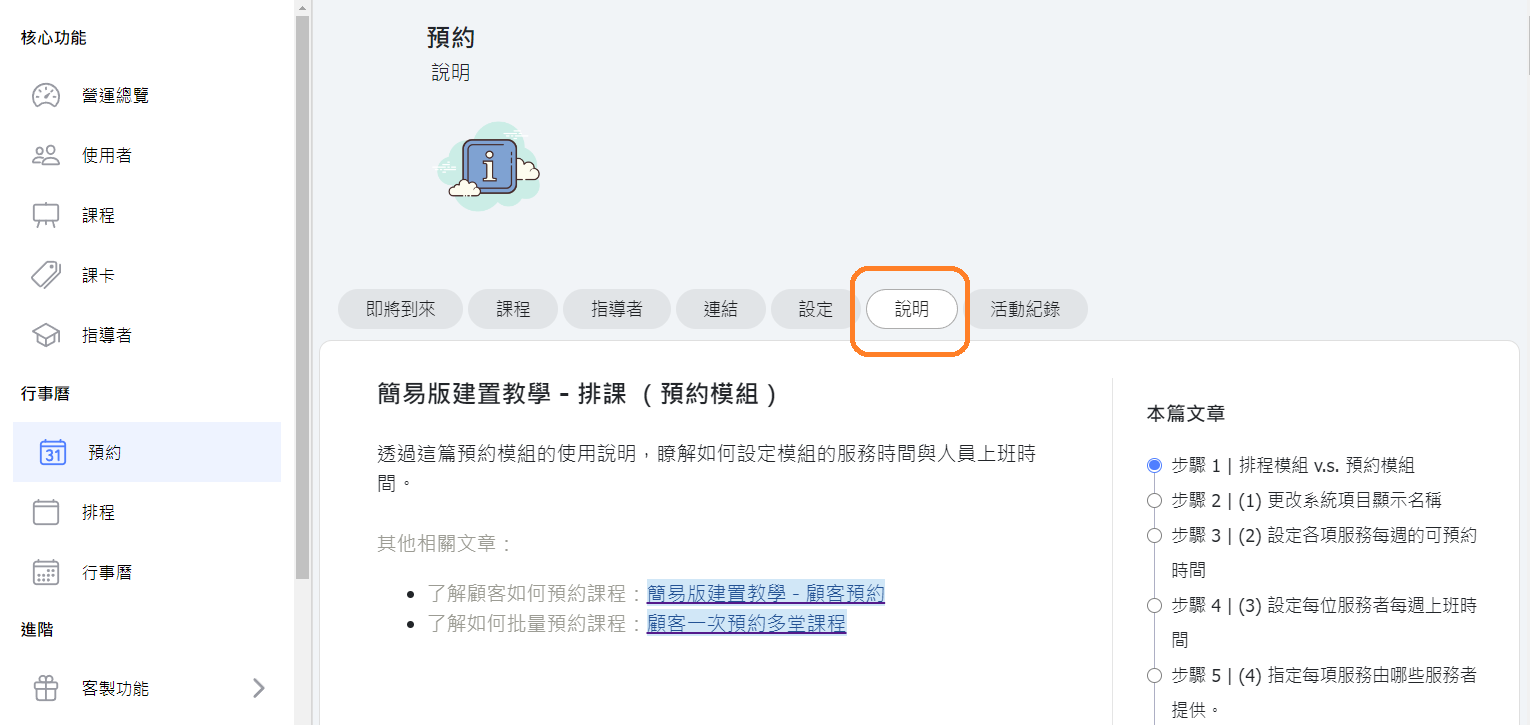
4. [Help/Troubleshooting] Updated the help pages in the system to display corresponding help center articles.

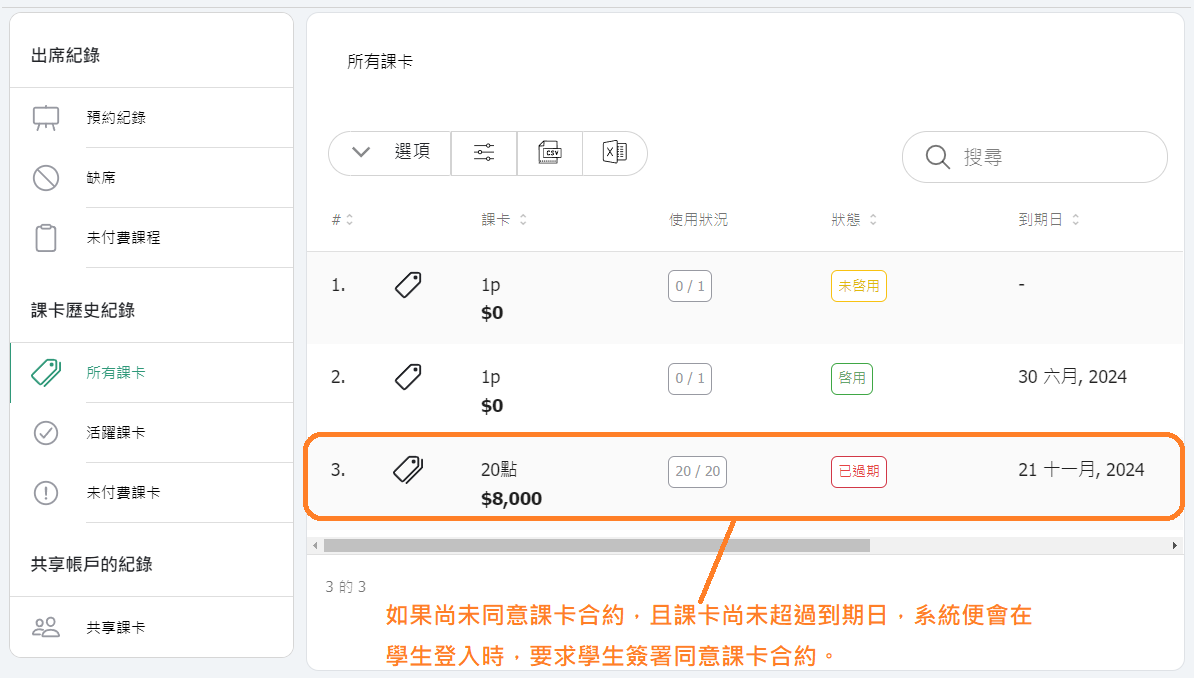
5. [Passes - Contract Terms] Adjusted so that for passes that are "Used Up But Not Expired", the system will still require students to sign a contract. (Previously, the system only required students to sign a pass contract if the pass was expired or the balance was used up.)

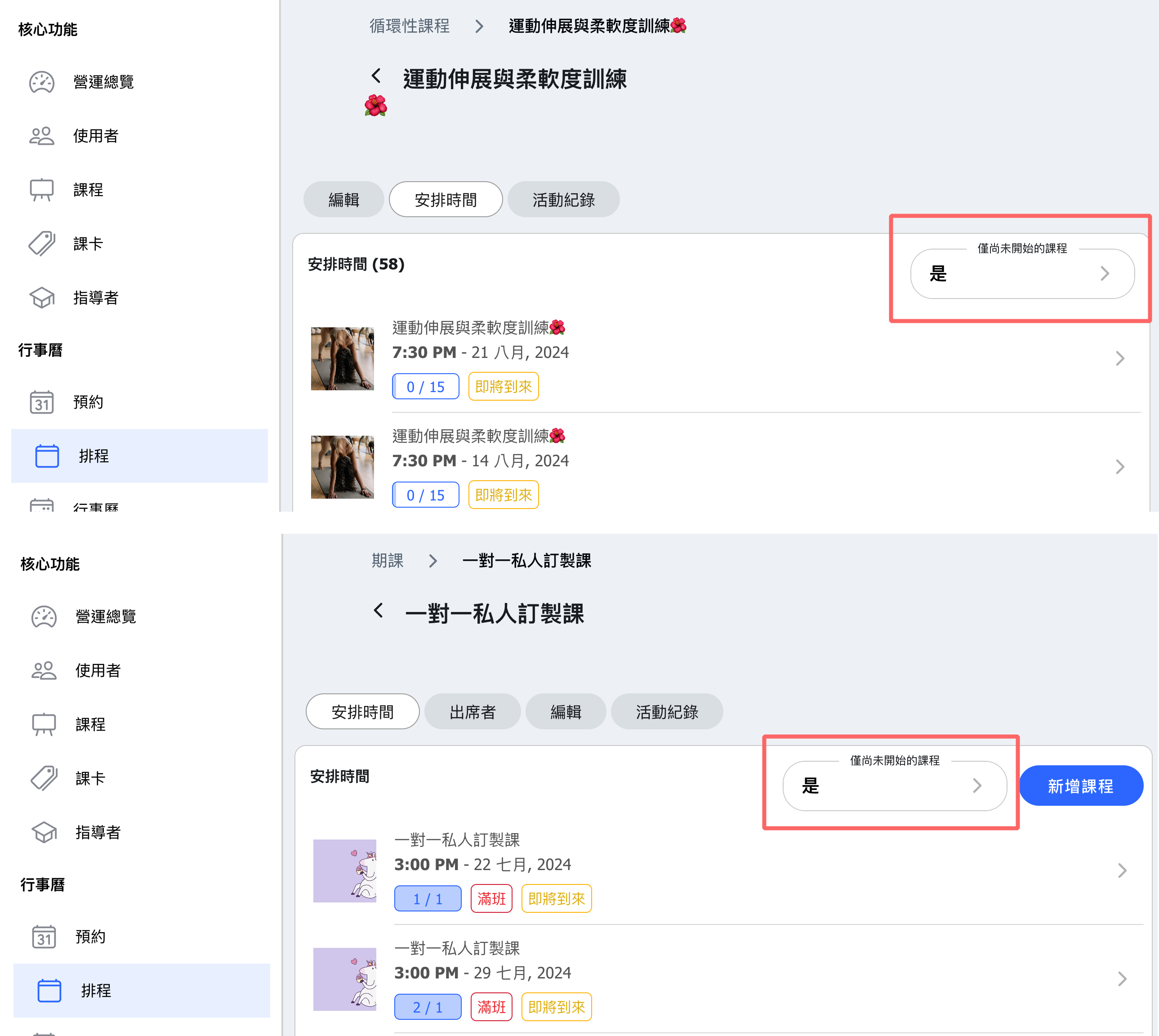
6. [Repeating Classes / Schedule Courses] When editing, you can select "Only Upcoming Classes" in the scheduling tab. When switched to "Yes", this page will only show future classes.

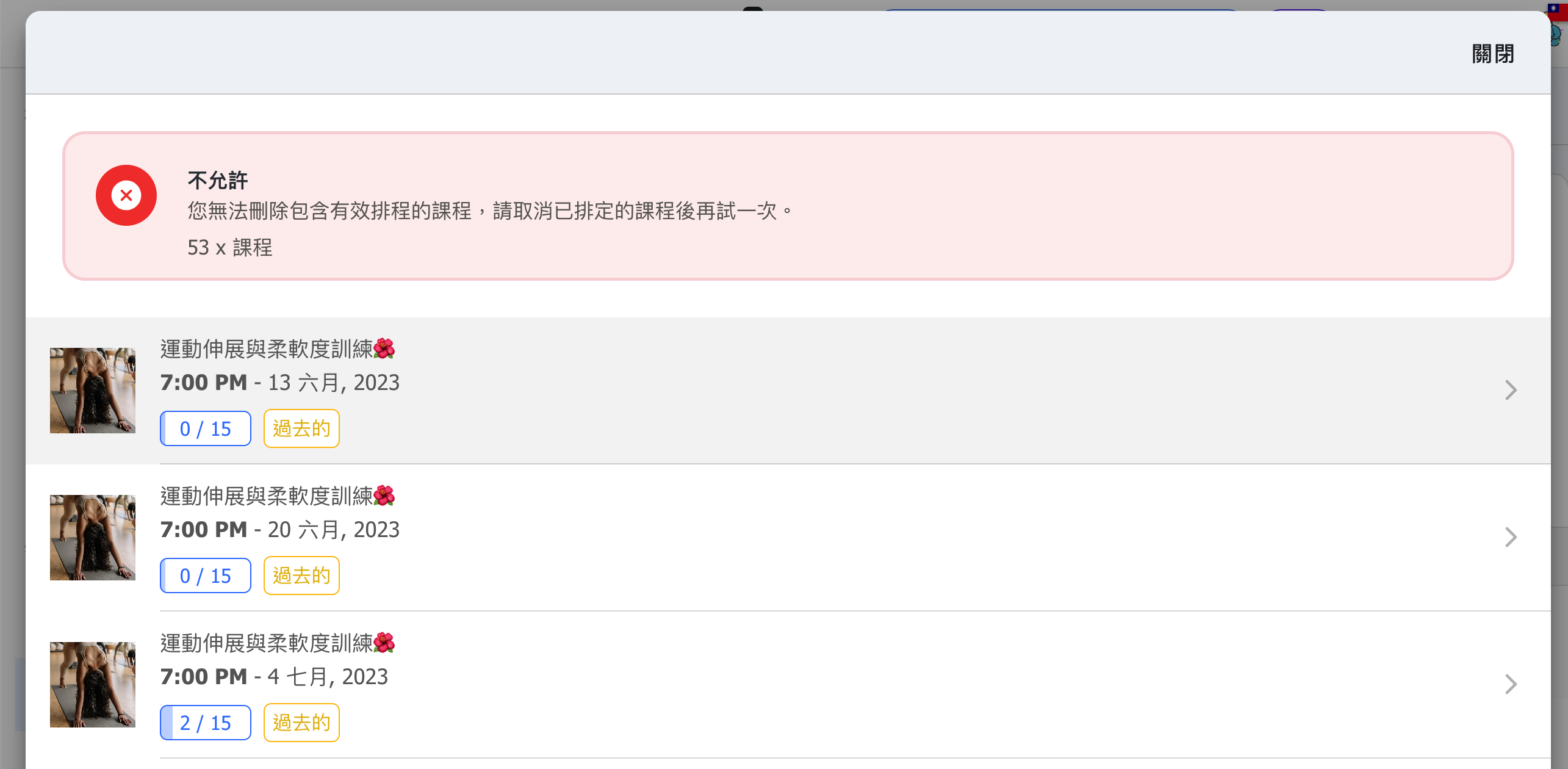
7. [Delete Class] Enhanced the mechanism to prevent accidental deletion of schedules and classes. Related schedules must be canceled before deletion. When deleting a repeating class or schedule course, the scheduled class must be canceled first. When deleting a class from the class page, all associated schedules must be canceled first.
8. [Appointment Module] Adjusted the time slots available for administrators to select based on "Display Weeks - Administrator", no longer matching the customer view. (Prior to 12.03 adjustment, the time slots displayed for administrators and students were based on "Display Weeks - Customer") 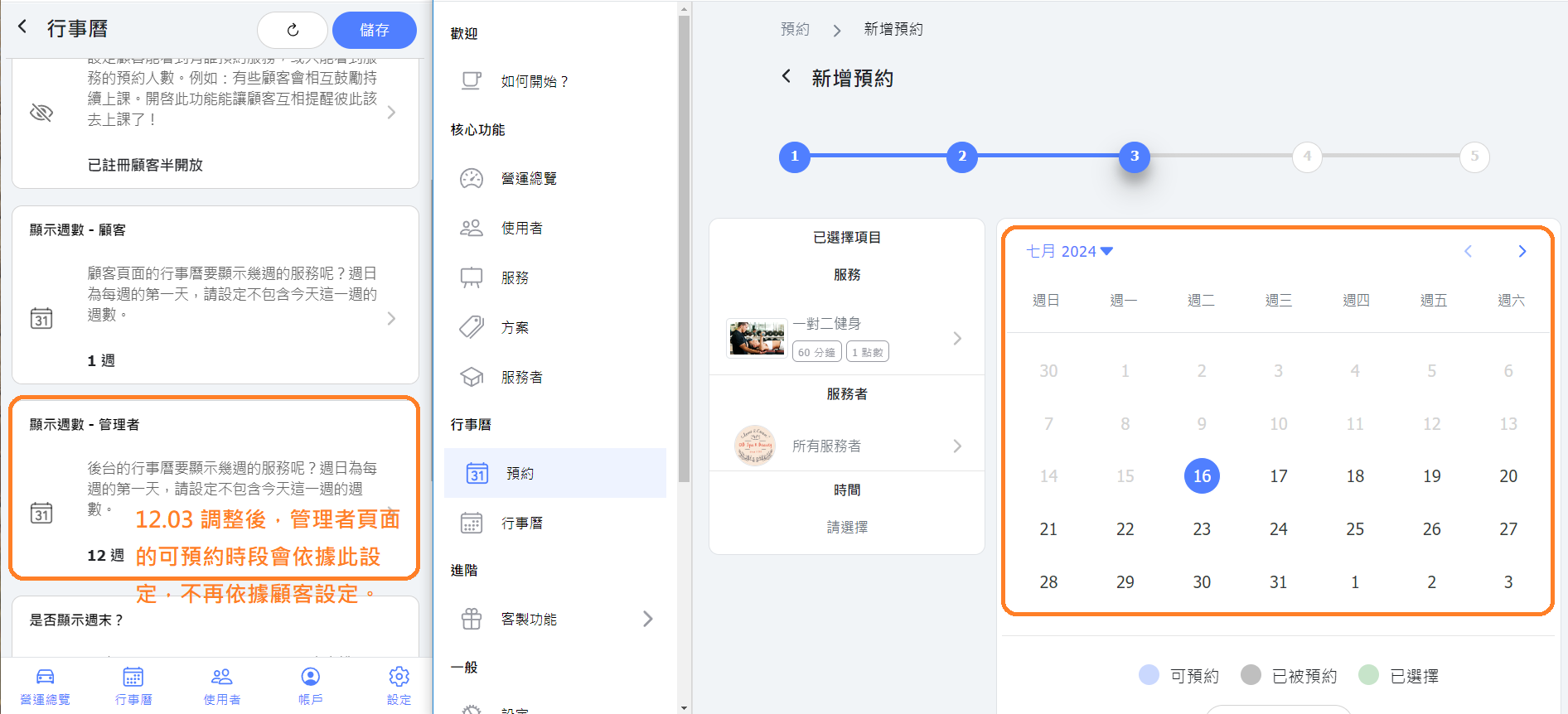
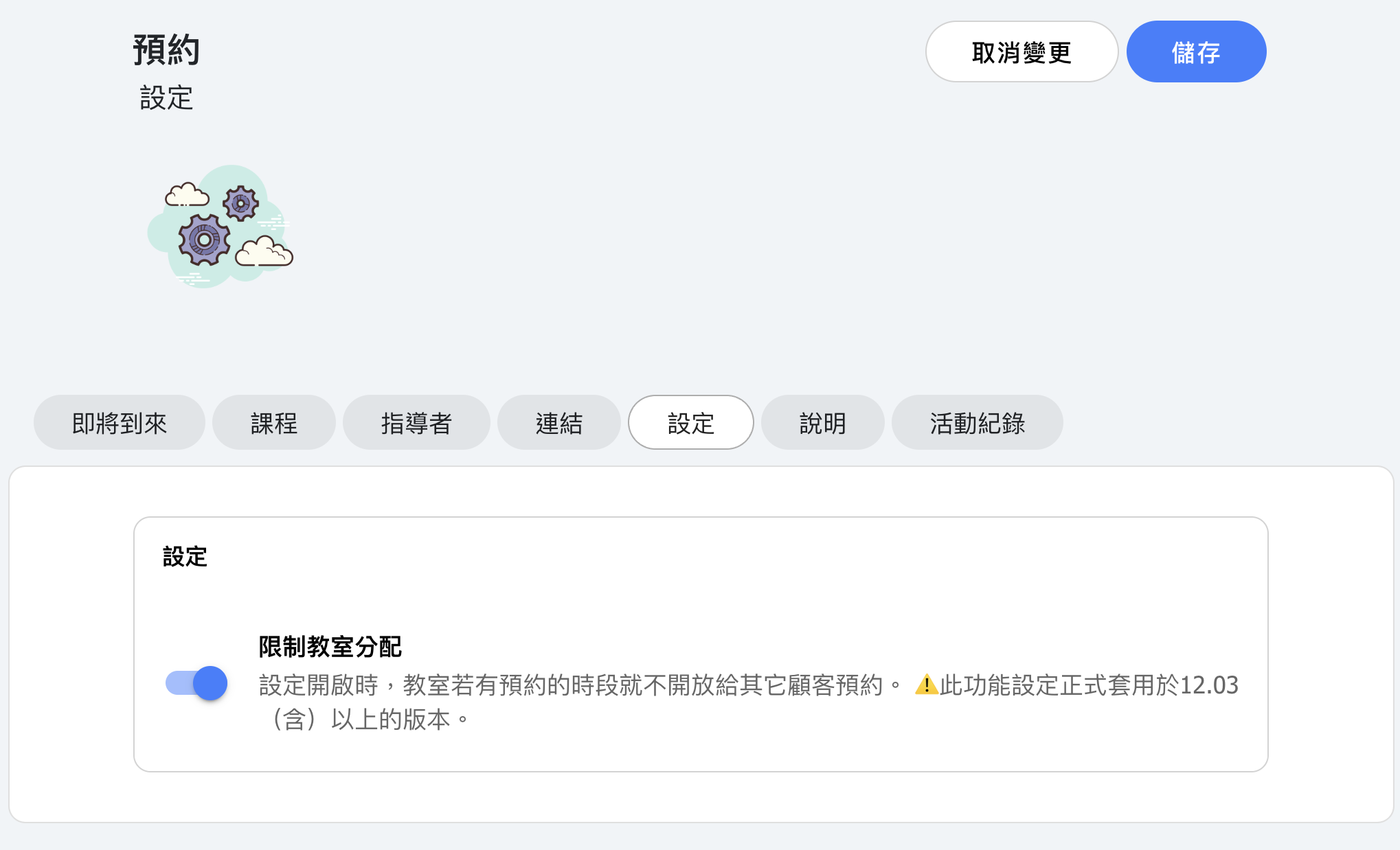
9. [Appointment Module] The "Limit Classroom Assignment" setting is officially applied in version 12.03.

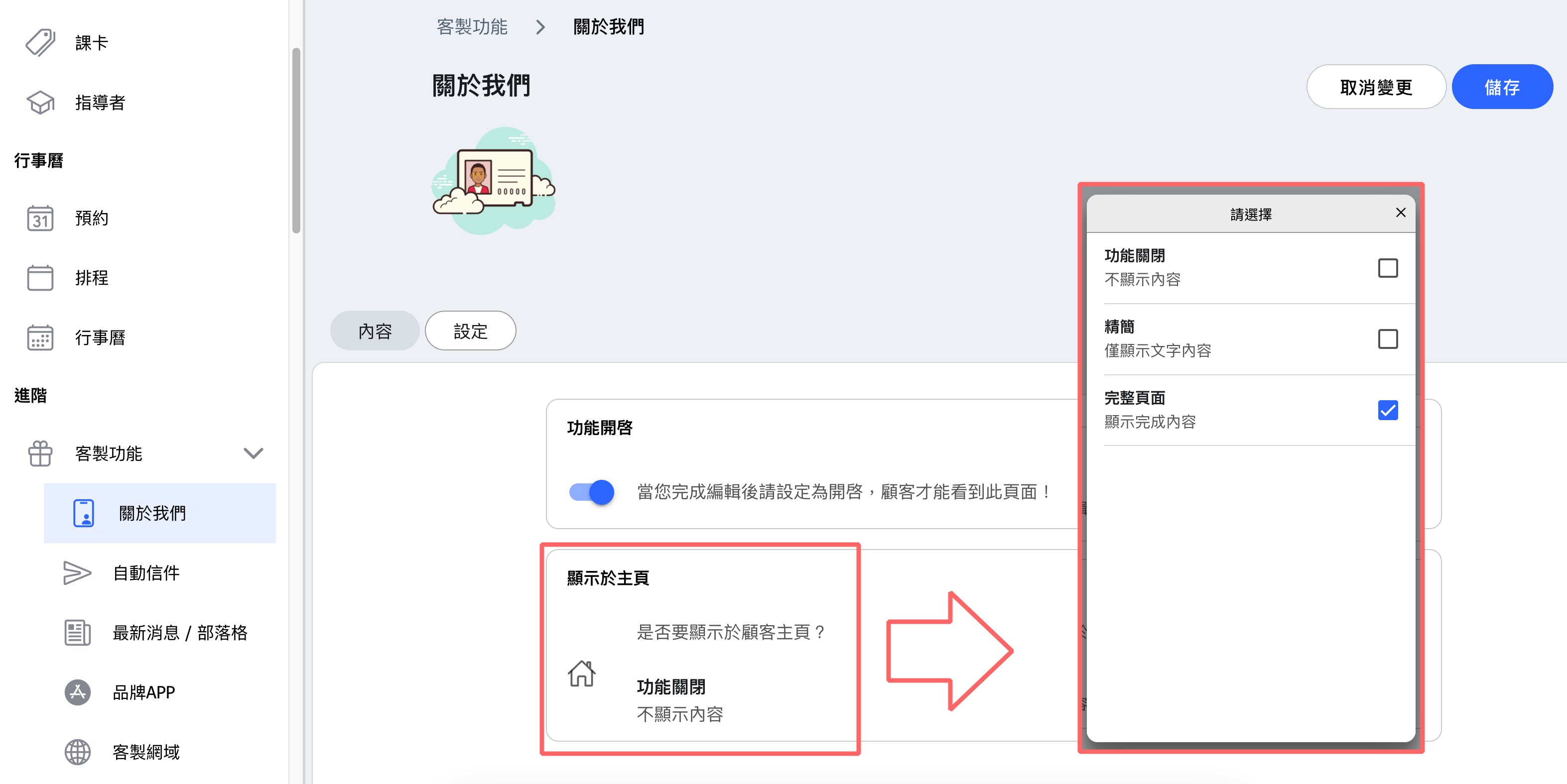
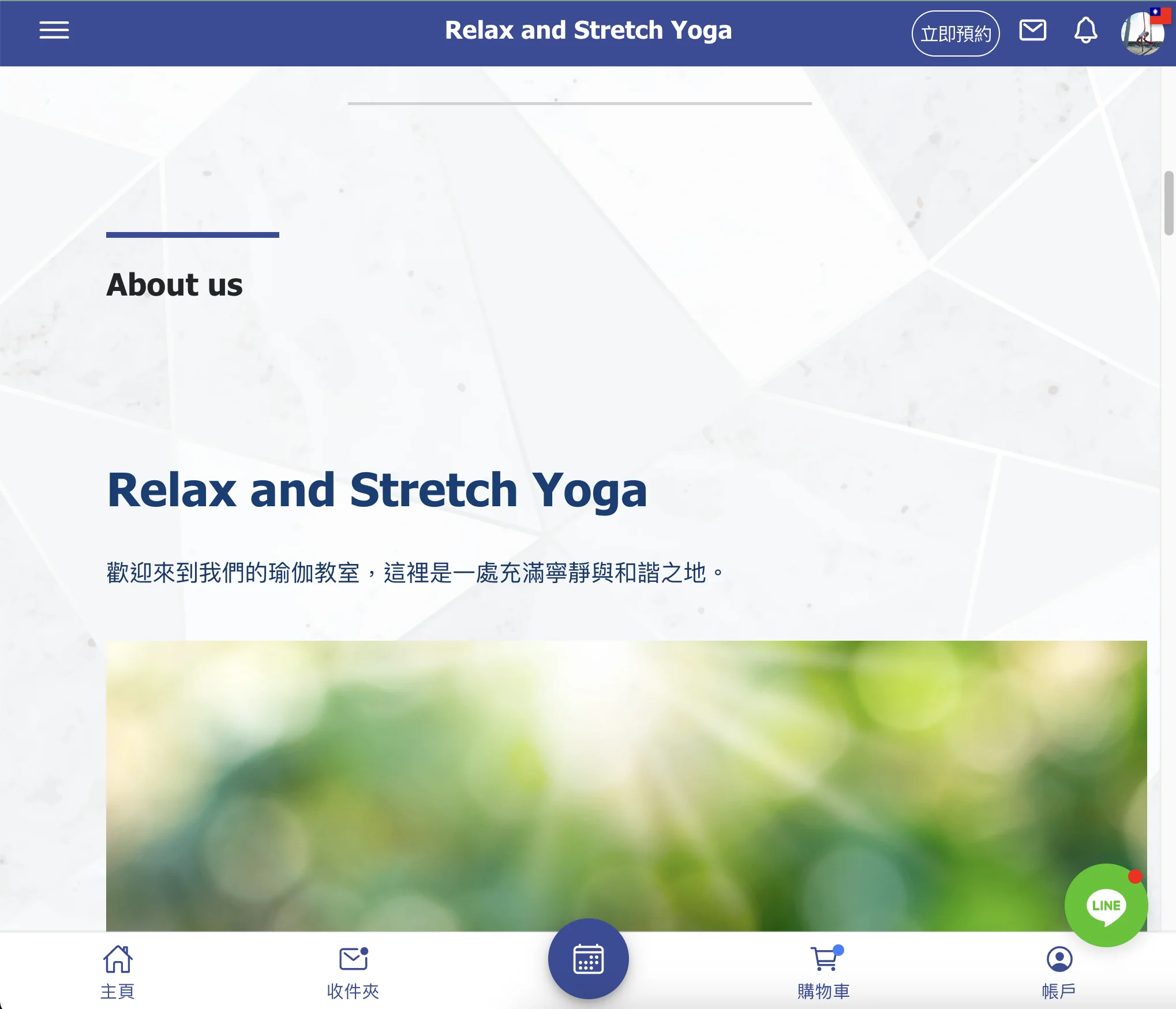
10. [About Us] Added setting "Display on Homepage", allowing you to display your "About Us" content on the customer homepage.