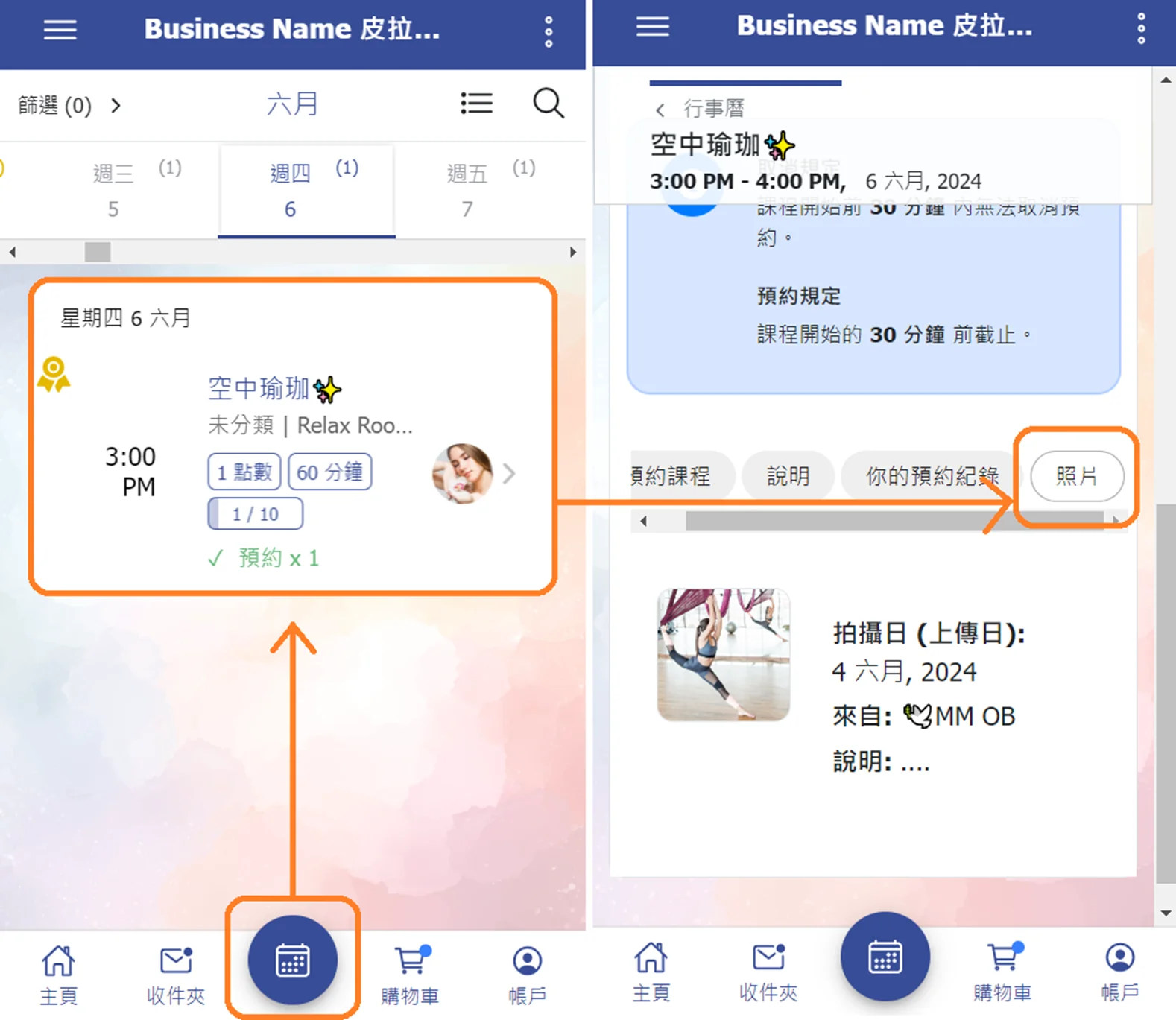
Administrators can upload photos to each scheduled class in the calendar and tag students, allowing the tagged students to view the photos.
Feature Summary
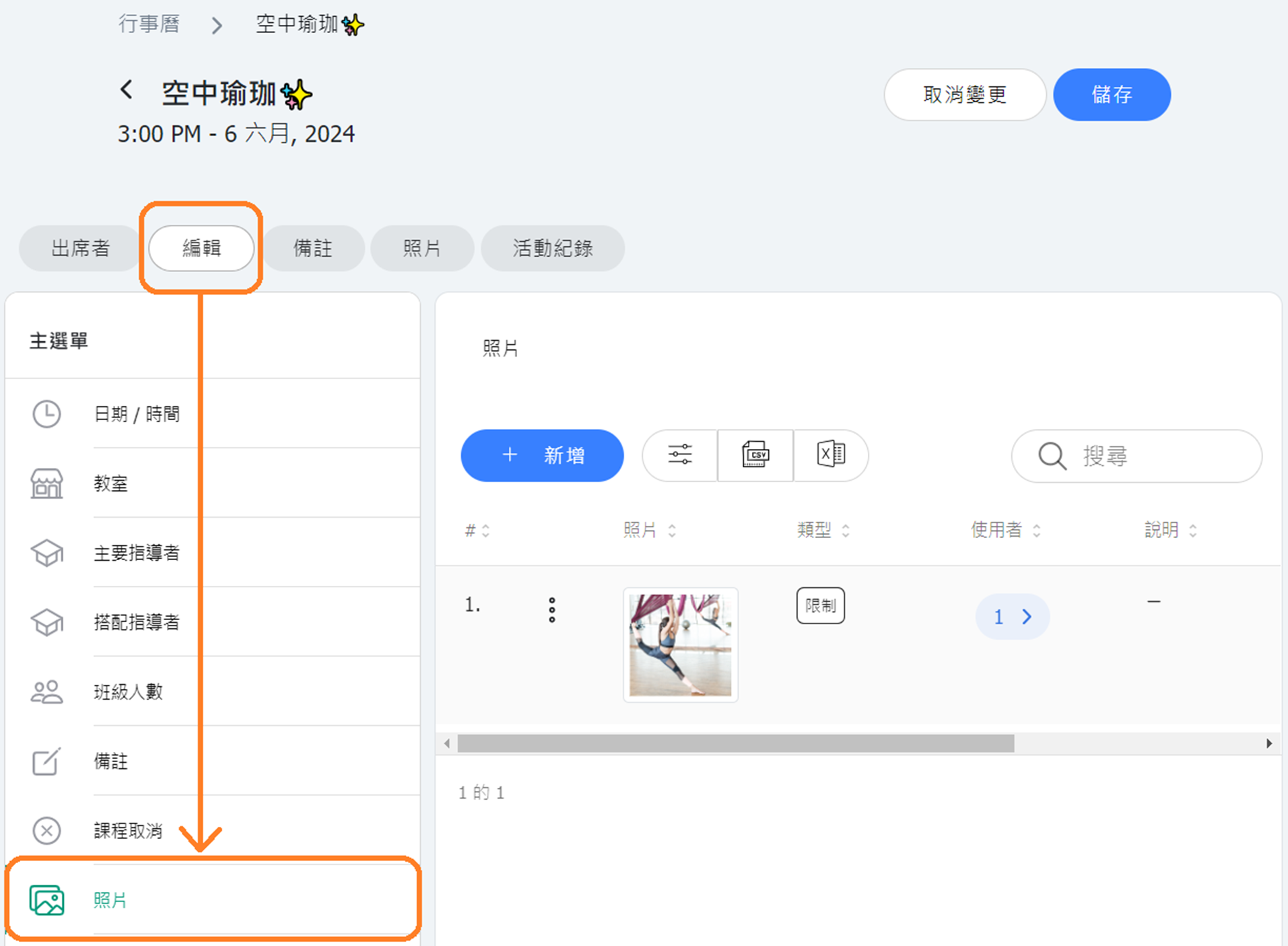
- 【Photo Upload】Instructors (or administrators) can upload multiple photos to a single class and set the visibility of the photos to be public, restricted to tagged individuals, or private. Photo Visibility Settings:
- Public: Visible to everyone
- Restricted: Visible to tagged individuals
- Private: Visible only to administrators
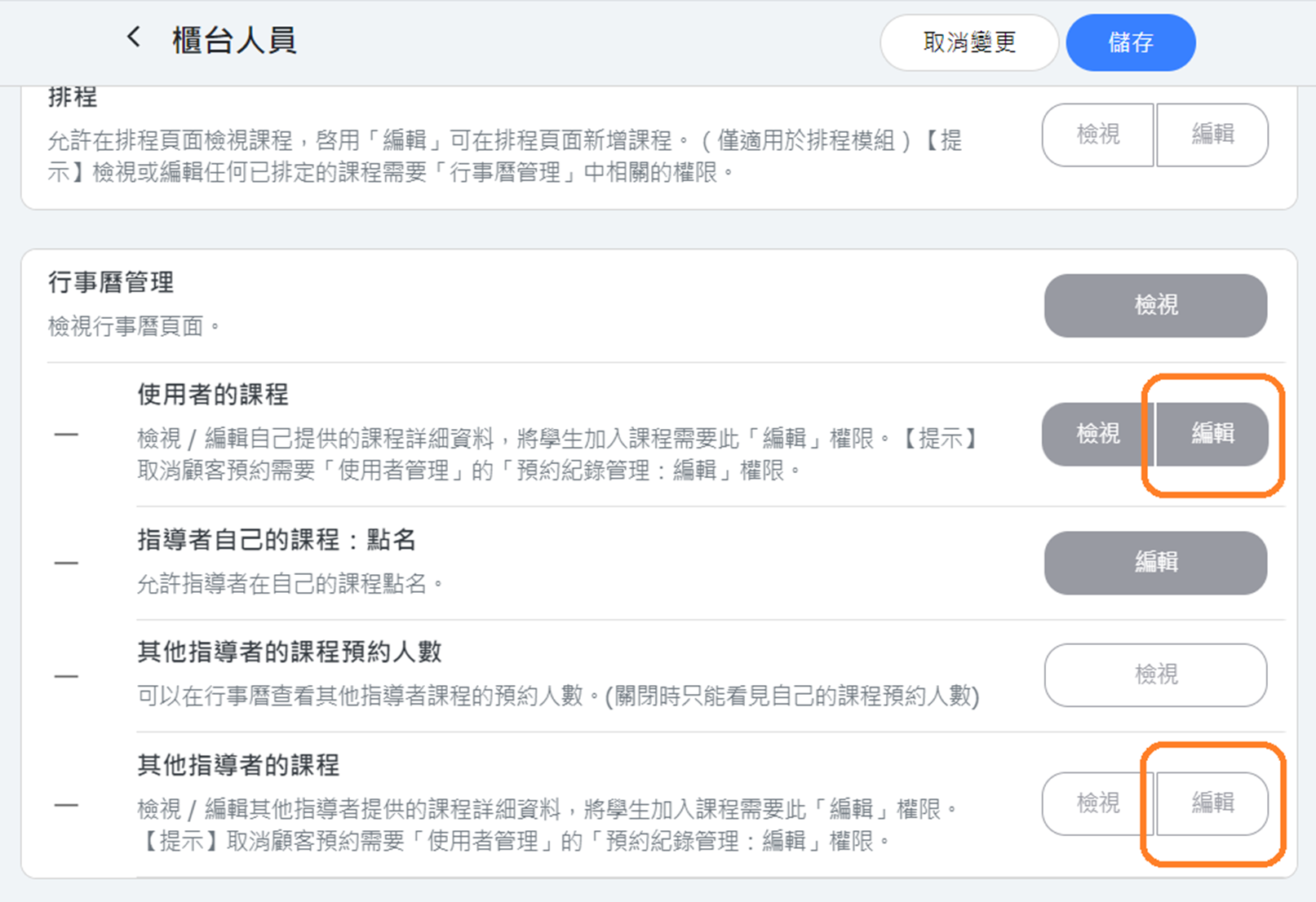
- Upload Permissions: The photo upload function adheres to the system role permissions related to "Calendar" viewing/editing.
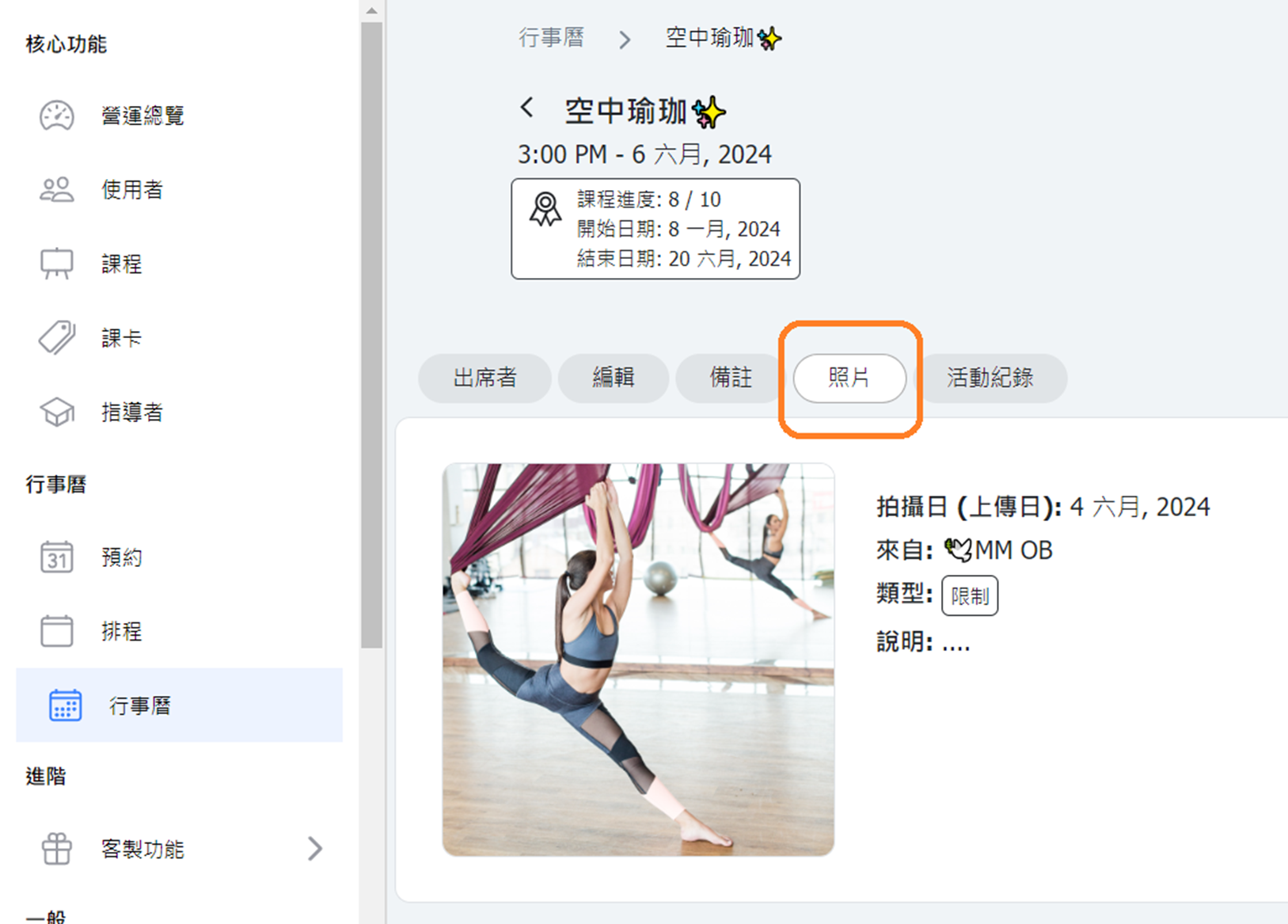
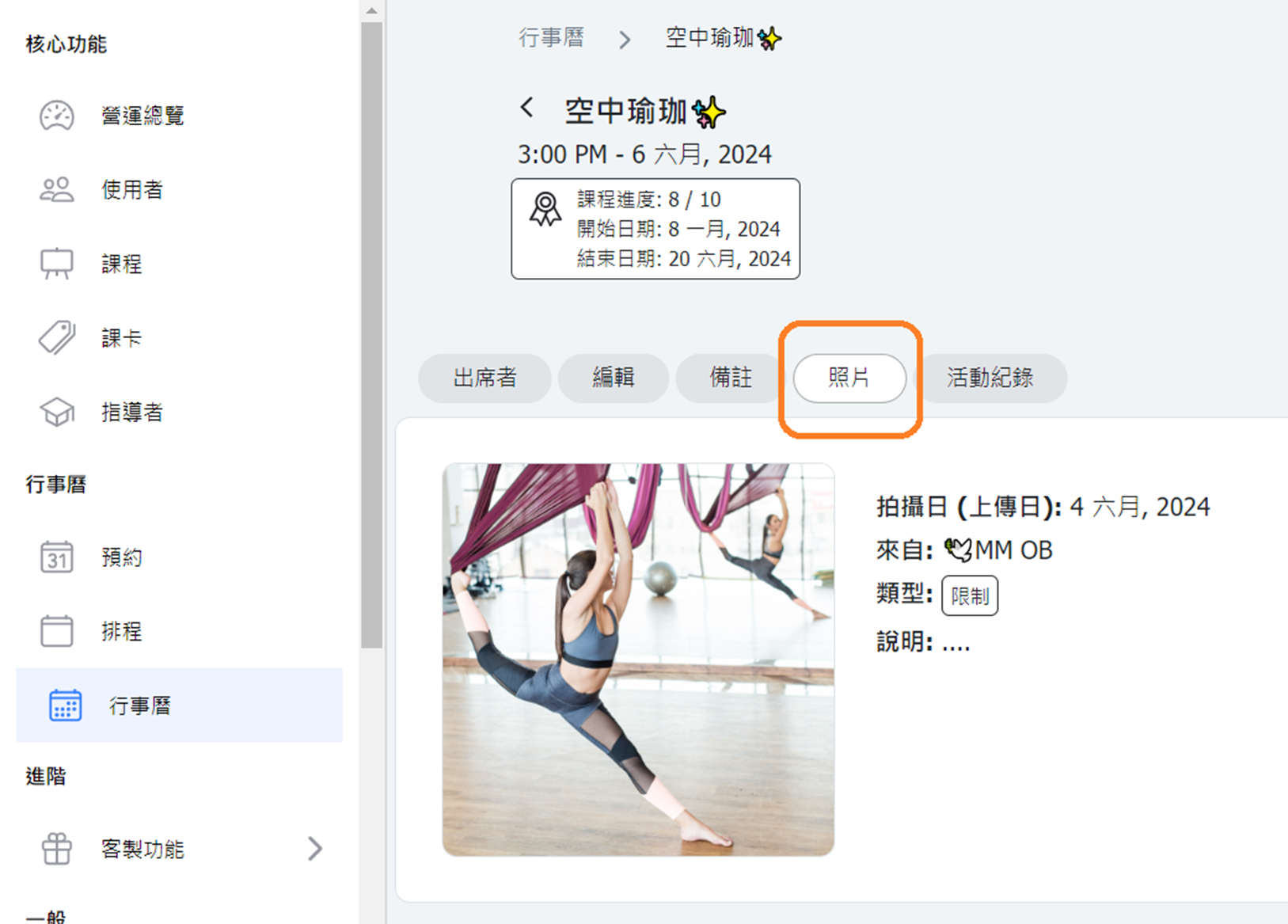
- Photo Display - Administrator Calendar Class Page: A "Photos" tab has been added to the calendar classes, allowing you to view all uploaded photos for that class.
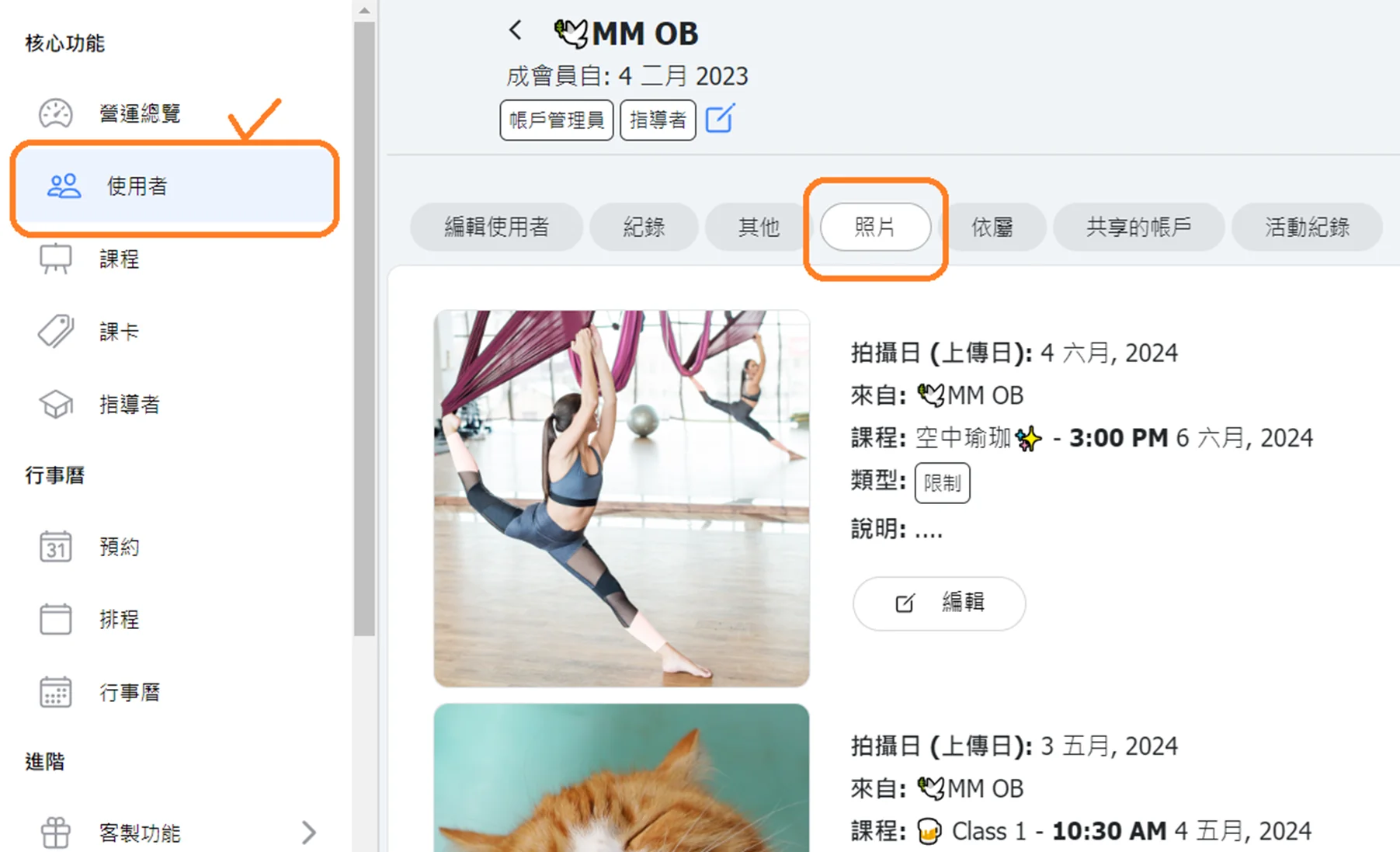
- Photo Display - Administrator User Profile Page: A "Photos" tab has been added to user profiles to display all photos in which the user is tagged.
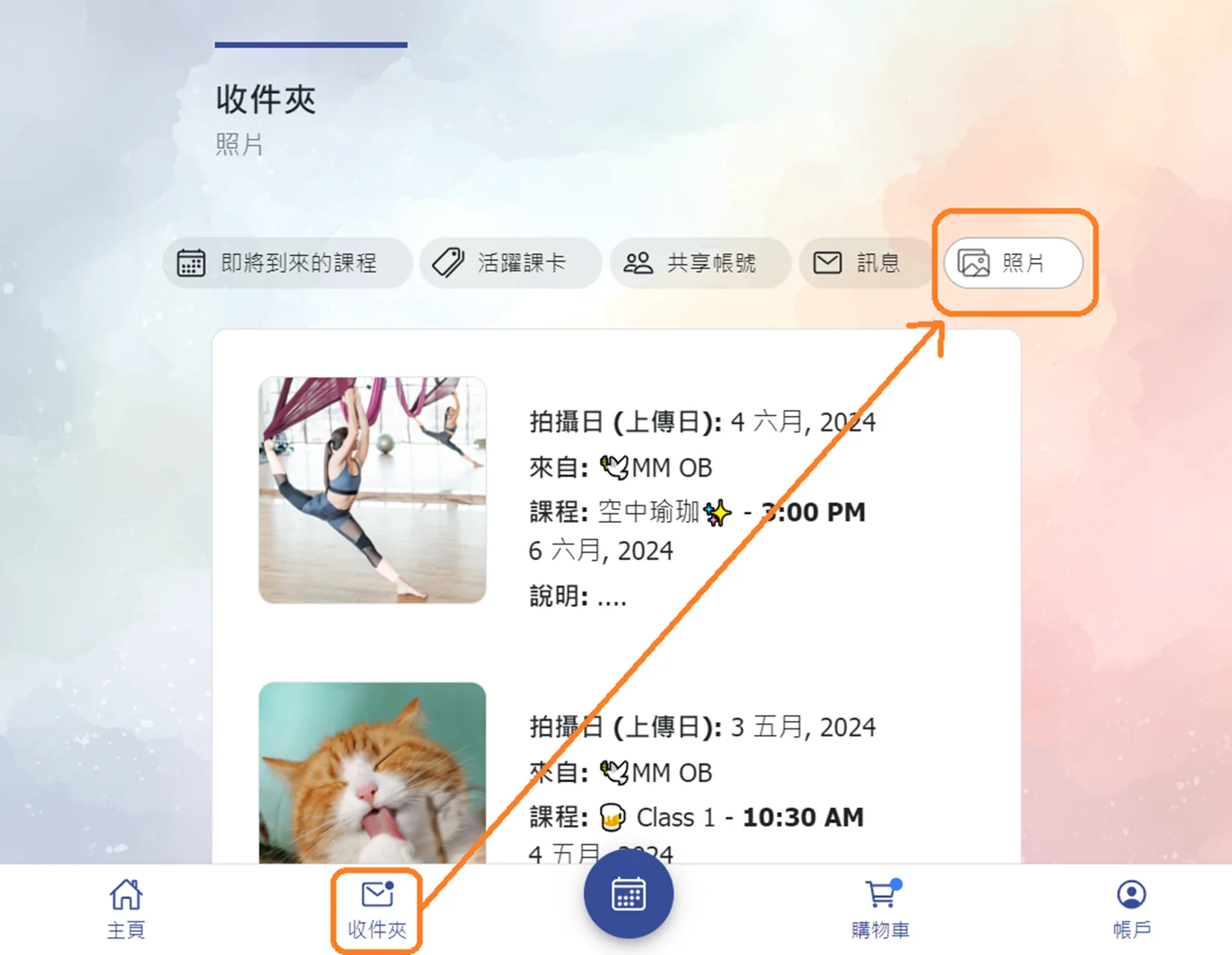
- Photo Display - Customer Inbox Page: A "Photos" tab has been added to the inbox, where users can view all public or restricted photos in which they are tagged.
- Photo Display - Customer Calendar Class: A "Photos" tab has been added to the customer calendar class page, where customers can view photos set to public.