When a customer's position on a class waiting list moves up, the system automatically sends them a notification so they know they're getting closer to securing a spot.
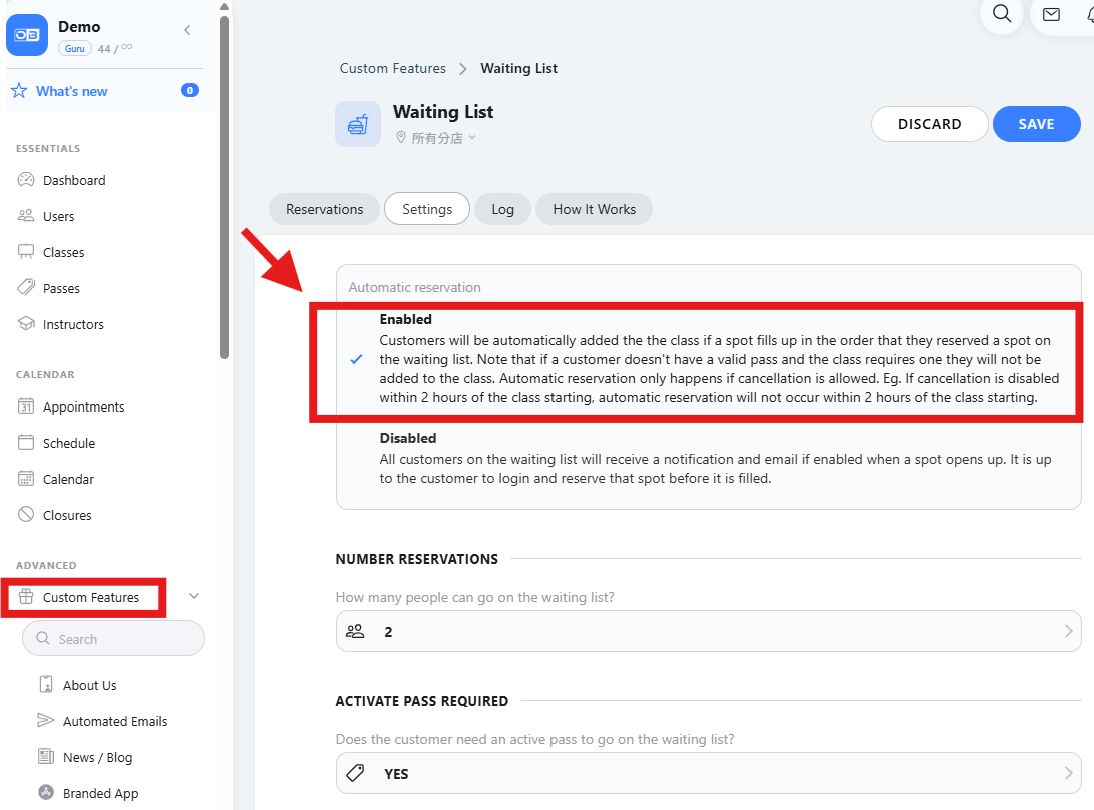
💡Prerequisite: The "automatic reservation" feature must be enabled for this class for this notification to take effect.
Setup path:
Custom Features → Extra → APP Advanced Notifications → Click the ⚙️gear icon → Waiting list → Enable "Moved up in waiting list"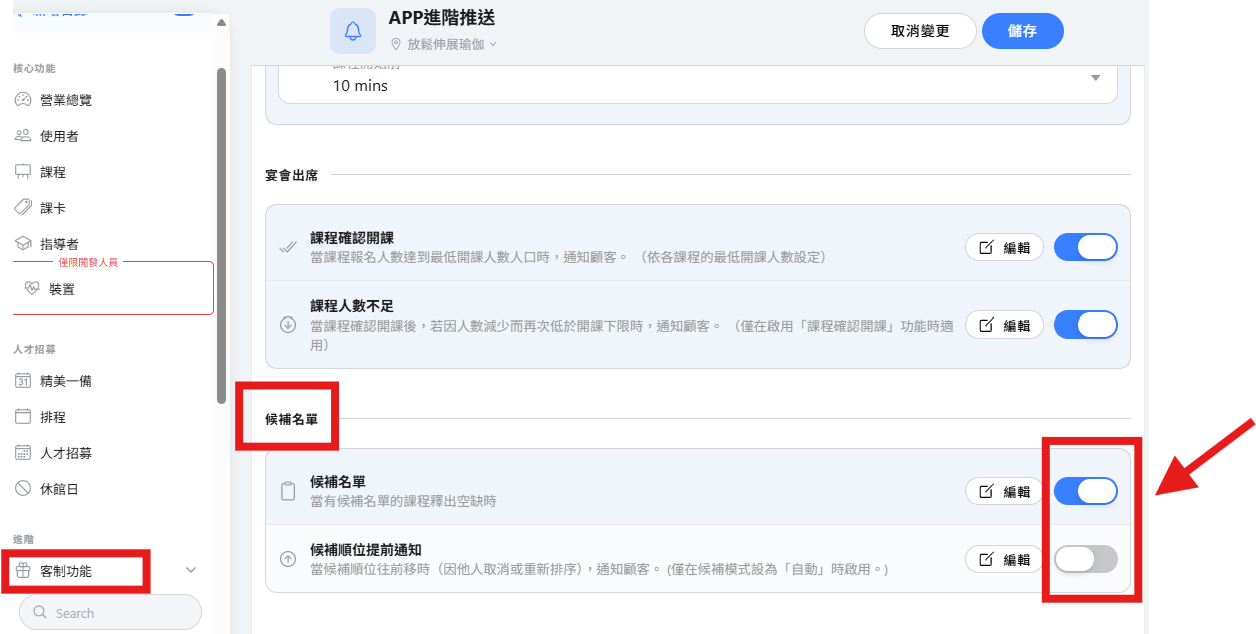
Automatic reservation setup path:
Custom Features → Core Features - Waiting list → Click the ⚙️gear icon → Settings → Waiting list → Automatic reservation → Enabled