- ∞Unlimited bookings
- ✨All AI features included
- 🌐Your own branded booking website
No credit card needed

Let guests choose their dining experience and reserve a time, while your team keeps tables, capacity and special requests together.
No credit card needed

Reserve what each booking needs, let customers add extras, and hire out equipment or space on its own.

Equipment · Appointments
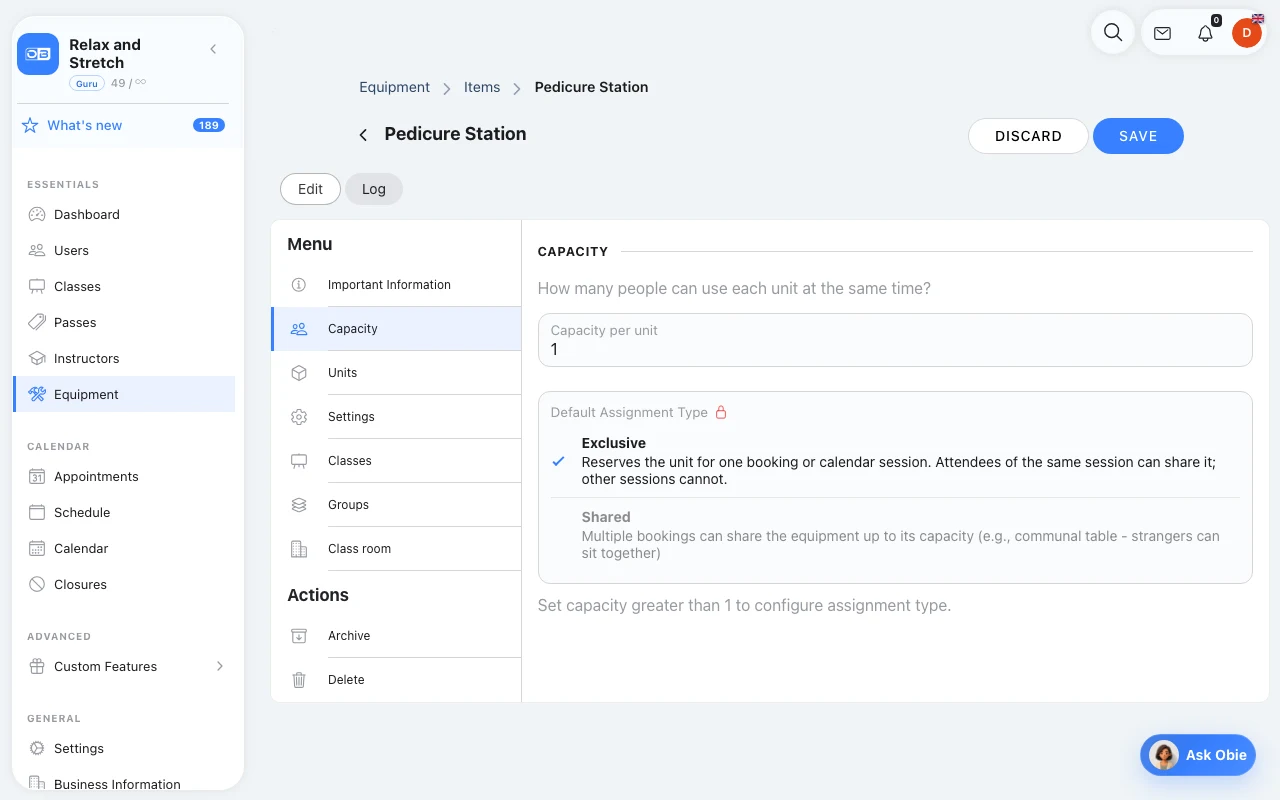
Tables for two, four, six and eight are grouped together. Each reservation is given a free table that fits the party, so you never accept a booking you cannot seat.
Explore equipment
Appointment add-ons · Appointments only
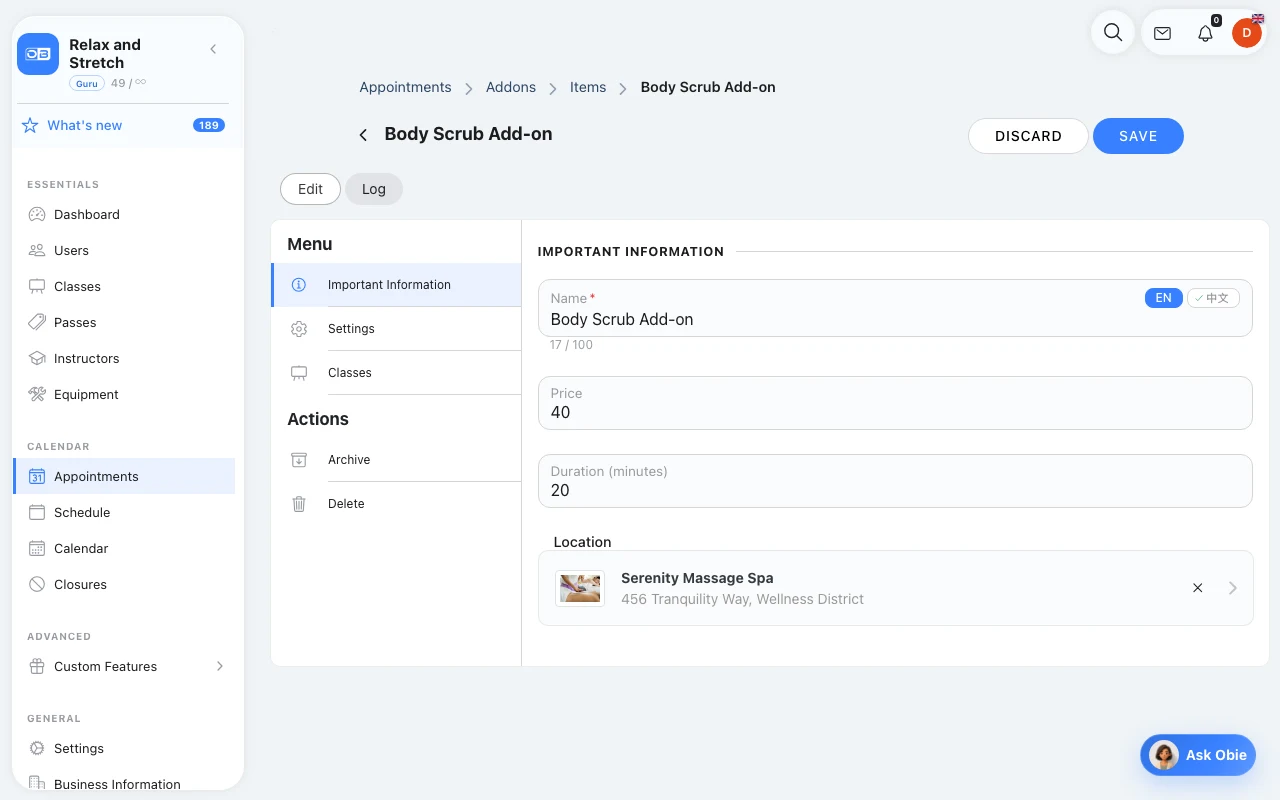
Guests can add house wine, an extra course, a birthday cake or extended seating when they reserve. Each add-on has its own price, and extra courses add time.
Explore appointment add-ons
Equipment hire · No class needed
Guests book the eight-seat private suite for a three-hour block on Friday, Saturday or Sunday, with half an hour kept free before the next party for resetting the room.
How equipment hire worksTap any question to see the full answer
Yes. Guests choose a date, time and party size on your Branded Booking Website or through LINE Booking & Messaging, and only see times when a suitable table is free, so staff are not interrupted by reservation calls during service.
Set your tables up in Equipment, grouped by dining area, with the number of seats at each. Every reservation is allocated a free table that fits the party size, so the same table cannot be double-booked.
Automated Reminders & Notifications remind guests of their date, time and party size before they arrive, and Cancellation Policies & No-show Protection let you set a cancellation deadline and how late cancellations and no-shows are handled.
Yes. Appointment Add-ons let guests add a celebration package per booking or a beverage pairing per person, with the price shown, so the kitchen and bar can prepare before they arrive.
Yes. Block the time slots on that date so no new reservations can be made, while your regular opening hours stay the same. Announcements can let guests know about the change.
The OmceanBooking AI Customer Assistant answers from the information you provide, such as parking, corkage fees and opening hours, so staff spend less time repeating the same answers.
Full-featured free trial—subscribe only when satisfied.
Ask for help with your settings. Response times depend on your support plan.
Check tonight’s bookings or a member’s remaining visits from your phone.
Get help setting up your first timetable, pass or private service.
Omcean Booking does not take a commission on bookings. Payment-provider fees still apply.
Manage weekly classes and one-to-one sessions with the same customer records.
No credit card needed
More day-to-day admin than this? There are plenty more features to explore.
Problem: Reservations arrive by phone, LINE and walk-in, and end up in different notebooks?
Solution: Appointment Booking keeps every reservation in one calendar with live table availability.
Problem: A large party books, but no table is big enough when they arrive?
Solution: Equipment allocates tables by party size and only offers times when a suitable table is free.
Problem: Guests forget a Friday-night booking and the table sits empty?
Solution: Automated Reminders & Notifications remind guests of the date, time and party size before service.
Problem: Late cancellations leave gaps on the busiest nights?
Solution: Cancellation Policies & No-show Protection set a cancellation deadline and how no-shows are handled.
Problem: Birthday cakes and pairings are only mentioned when guests sit down?
Solution: Appointment Add-ons let guests add celebration packages and pairings when they book, so the kitchen can prepare.
Problem: Staff answer the same questions about parking and corkage all day?
Solution: The AI Customer Assistant answers common questions from your restaurant's information.
No credit card required — 7-day full-feature trial
Send us a message and we'll respond within 24 hours
All Features Included
No credit card needed