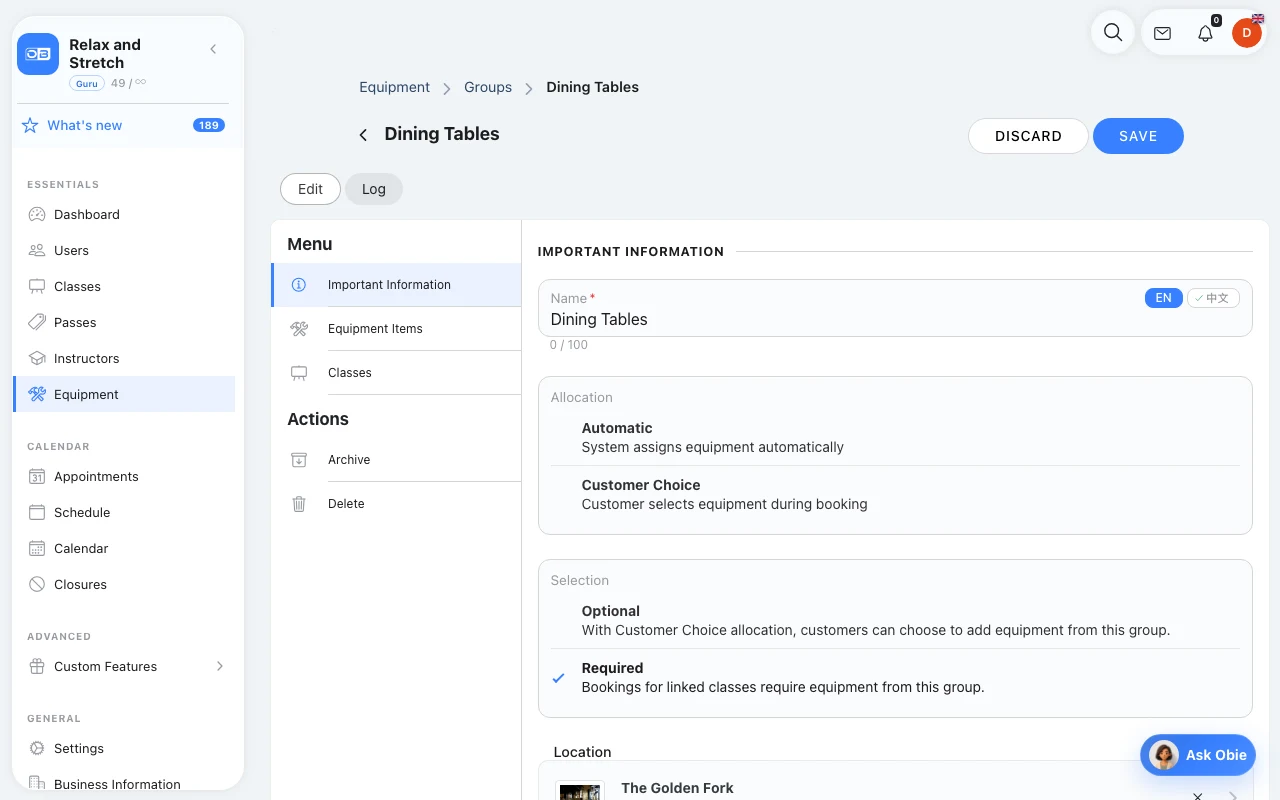
Equipment

A free instructor is not enough if every chair, court or reformer is already in use.

  • Match bookings to available resources
  • Set capacity for each unit
  • Offer required or optional equipment

No credit card needed

Arrow

See it in action

Equipment in Omcean Booking
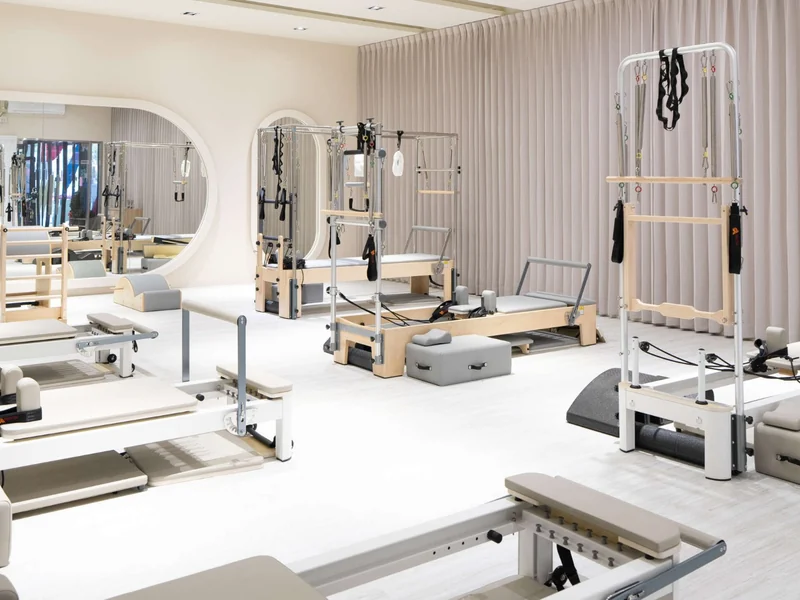
A Pilates studio with reformers arranged for a class

Example setup: a reformer studio

“Six reformers means six units to allocate. When a session needs a reformer, make it a required resource alongside the instructor and class schedule.”

Illustrative Pilates setup

Use equipment allocation for the resources each booking needs.

Set the real limit behind each booking in OmceanBooking

Set the real limit behind each booking

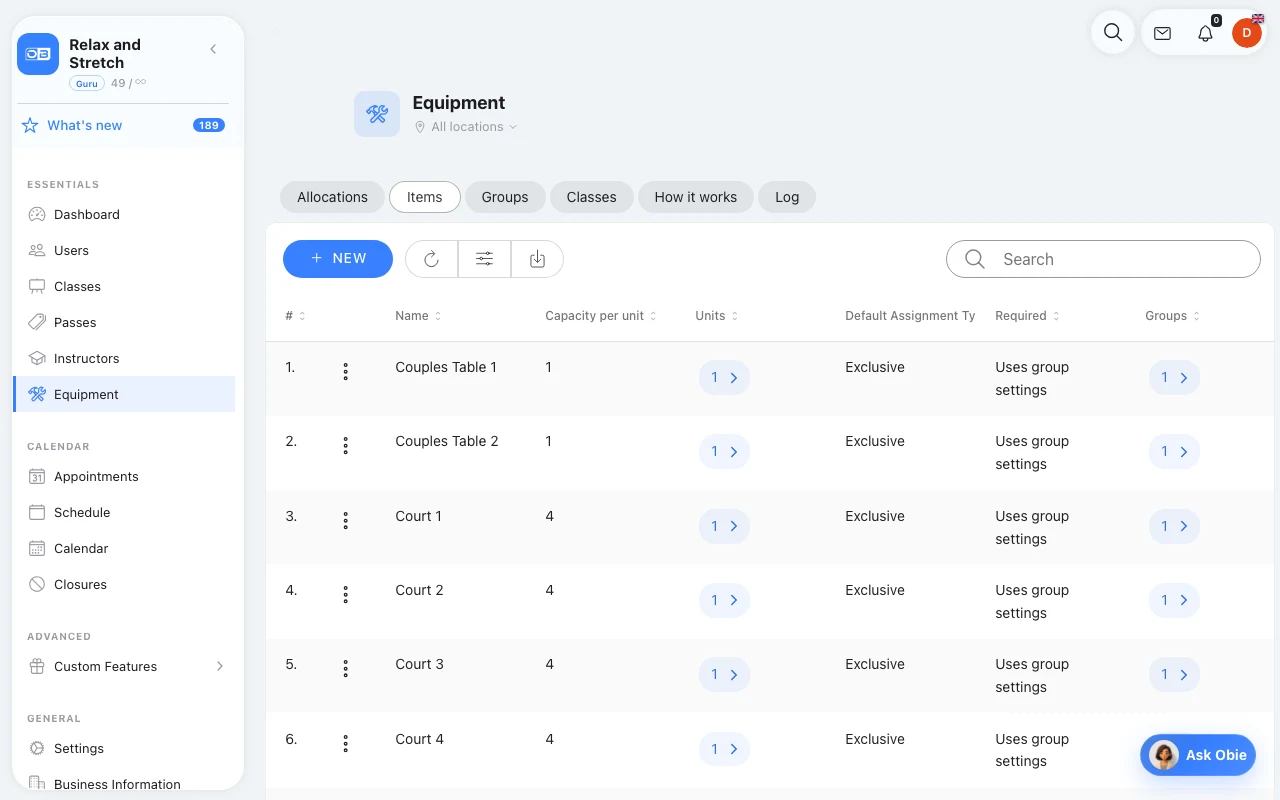
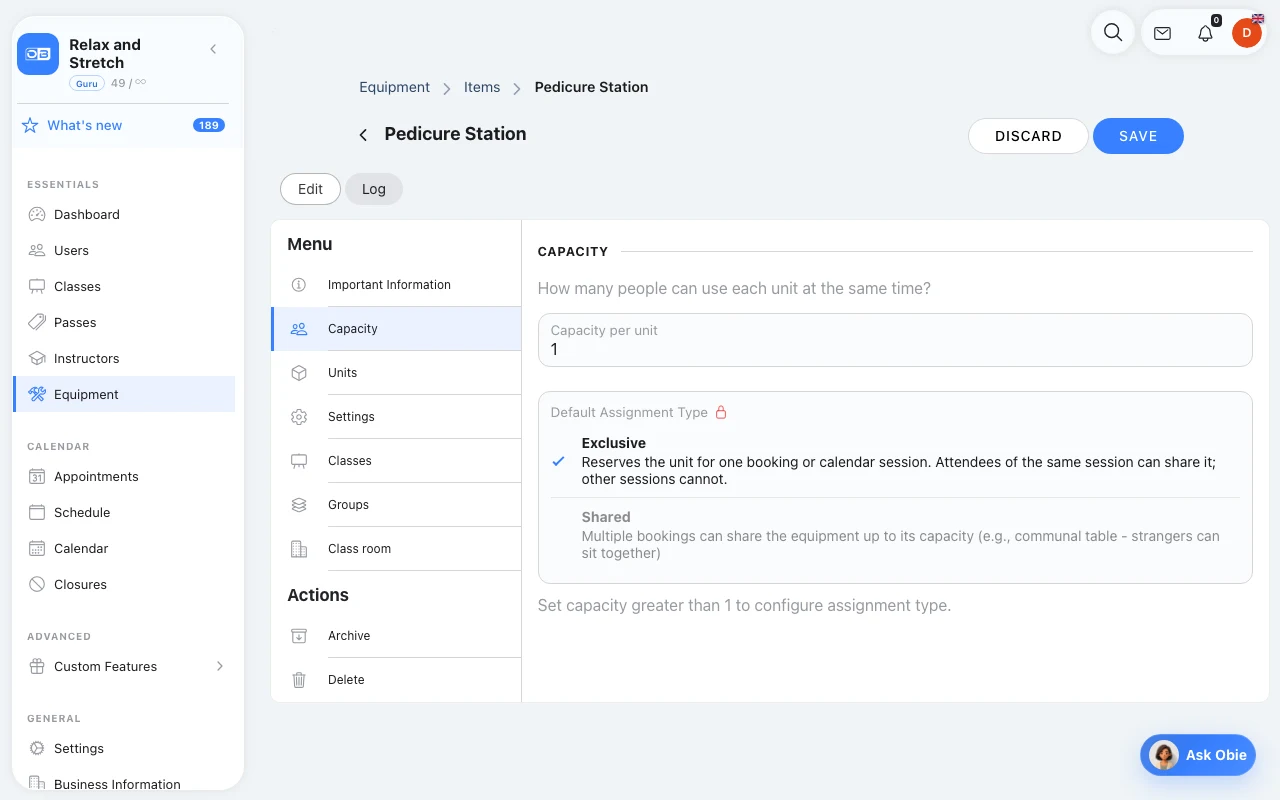
Create the resources your business actually allocates: treatment beds, styling chairs, courts or reformers. Add their physical units, set capacity per unit, and decide whether a unit is exclusive to a booking or can share its remaining capacity. Required equipment must be available before a booking can go ahead.
Offer the right choice of equipment in OmceanBooking

Offer the right choice of equipment

Link standalone items or equipment groups to the classes and appointment services that use them. Groups let you define a selection across related items. Keep optional rentals separate from required resources, and review allocations to see which units are in use.

Frequently asked questions

Equipment: common questions

Is equipment only for sports studios?

No. A resource can be a styling chair, treatment bed, court, pool lane or table. Use equipment when you need to allocate a limited resource to a booking; ordinary class-size limits may be enough when nothing needs allocating.

What is the difference between required and optional equipment?

Required equipment constrains availability: the booking needs a suitable free unit. An optional item does not block the main service when unavailable. You can set an equipment charge and service-specific overrides.

Is an appointment add-on the same as equipment?

No. Equipment tracks physical resources and availability. An appointment add-on changes the price, duration or both. A longer treatment may need an add-on for the extra time and equipment for the bed it occupies.

Perfect For These Business Types

See how other businesses use this product

Hair Salon & Stylist Management

Transform your hair salon with specialized booking management that eliminates scheduling chaos and optimizes chair time for exceptional styling experiences.

Pilates Studio Management

Transform your Pilates studio with comprehensive booking management that coordinates specialized equipment schedules with instructor certifications for mindful movement experiences.

Badminton Center Management

Transform your badminton center with streamlined booking management that keeps courts busy and players happy while eliminating scheduling chaos.

Wellness Spa & Holistic Center Management

Transform your wellness spa with comprehensive booking management that integrates diverse holistic treatments and practitioner schedules for complete healing experiences.

Connect with our consultant

Send us a message and we'll respond within 24 hours

✨
⭐

Try the Booking System for 7 days

All Features Included

7 DAYS FREE$
  • ∞Unlimited bookings
  • ✨All AI features included
  • 🌐Your own branded booking website

No credit card needed

Arrow