Commonly, there are four reasons for not receiving notifications from the app:
You can follow the steps below to troubleshoot and ensure that you receive push notifications from the reservation system app:
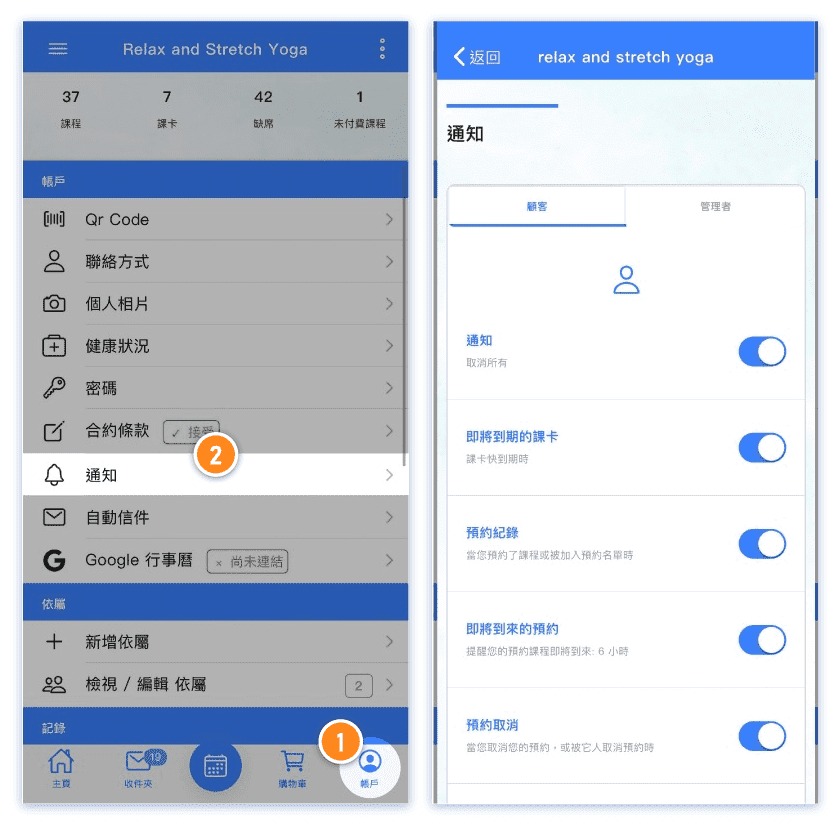
1. Ensure that notifications are enabled for the reservation system app.
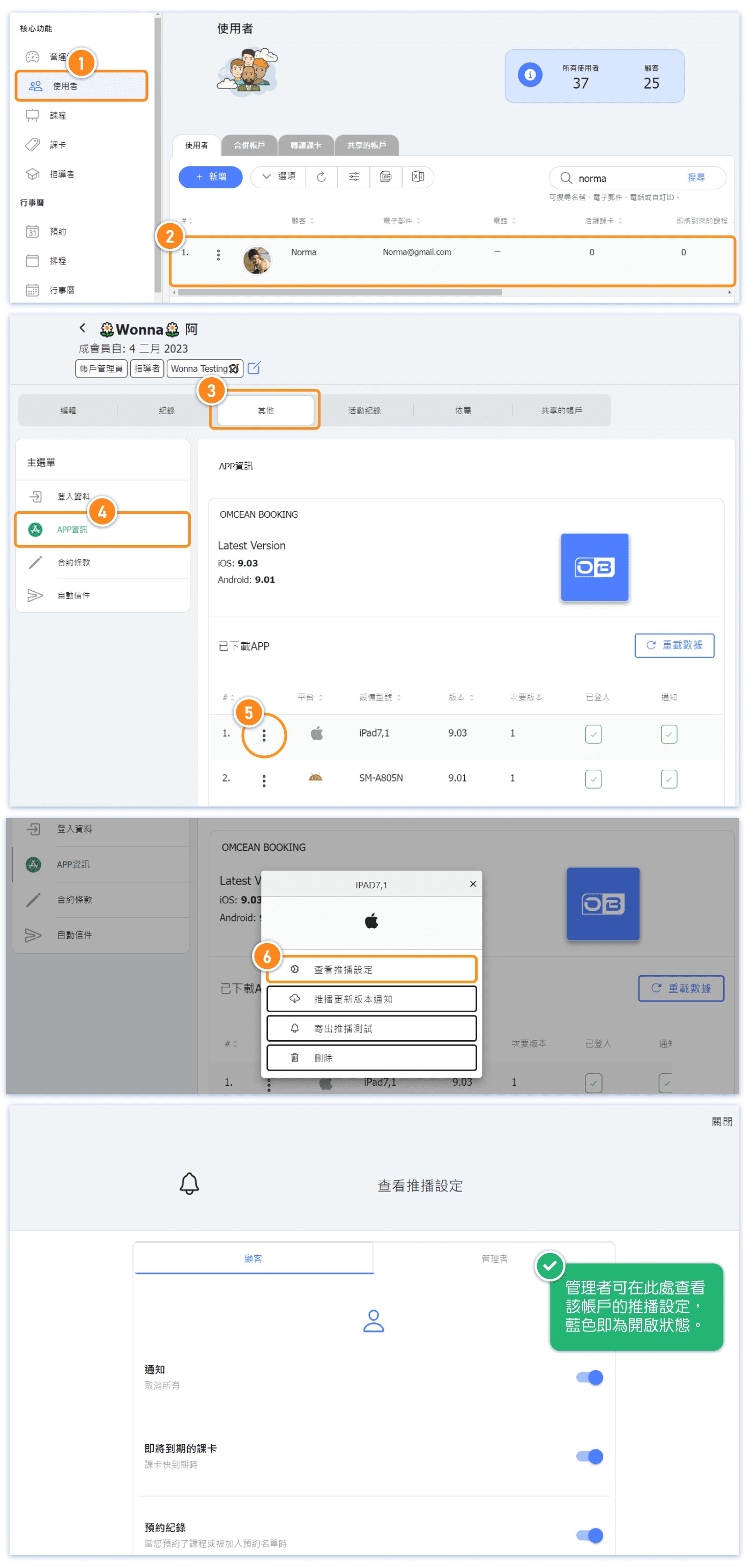
➞Additional Info (1): How to check the customer's notification settings?
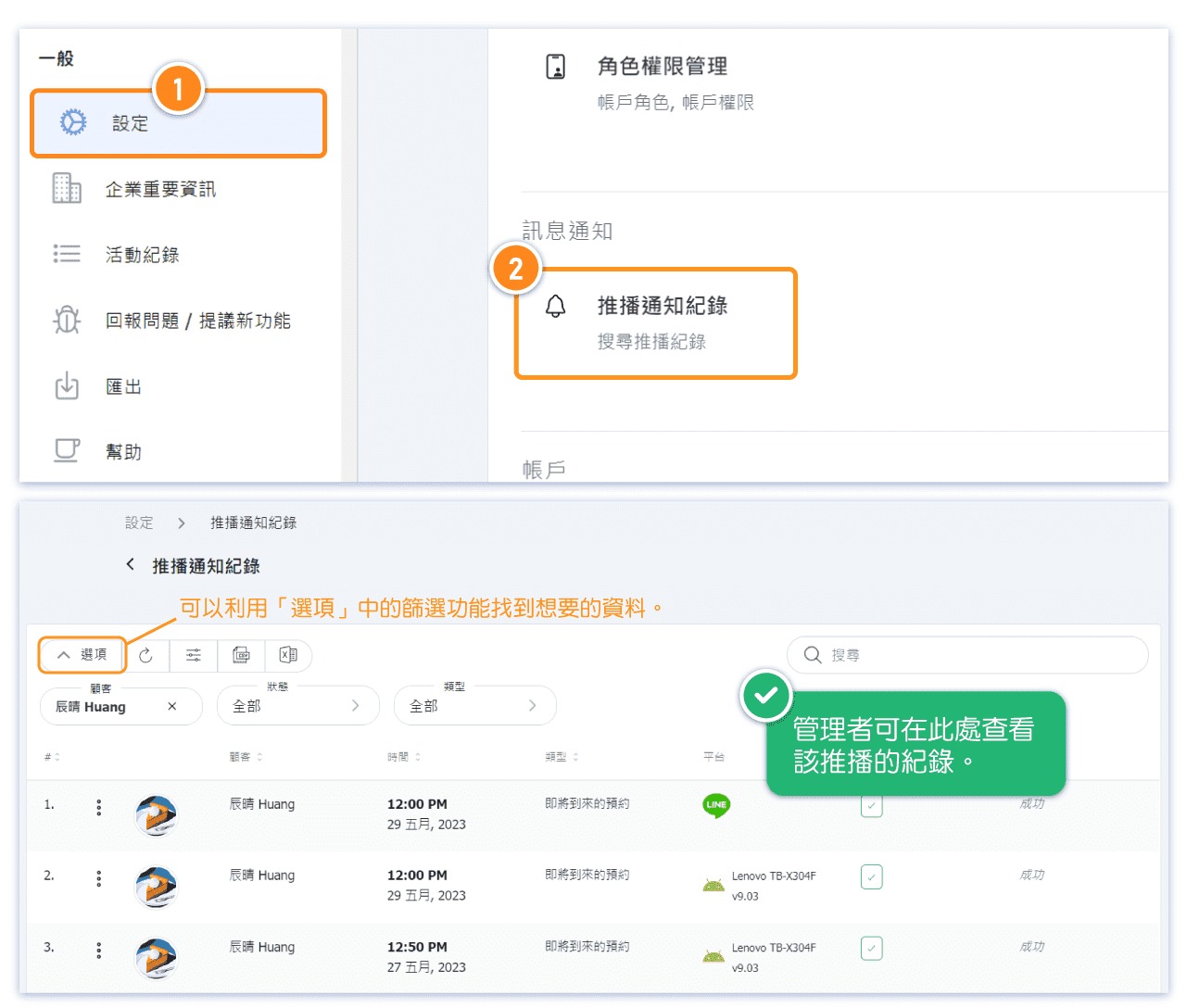
➞Additional Info (2): How to view the record of sent notifications?
2. Check if notifications are allowed for the app in your device settings. Ensure that the app is not blocked or restricted from sending notifications.
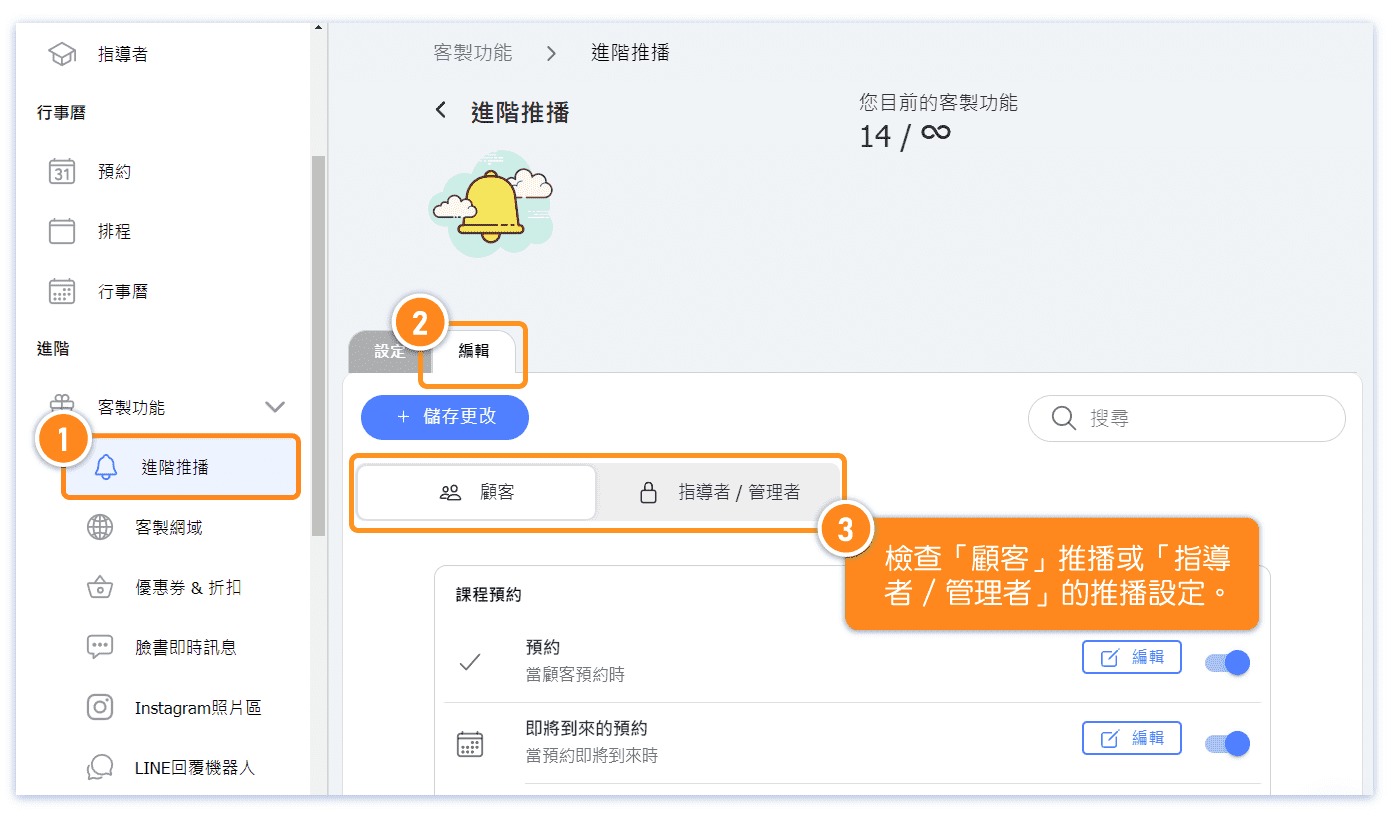
3. Verify that the relevant notification settings are enabled in the advanced notification settings on the backend.
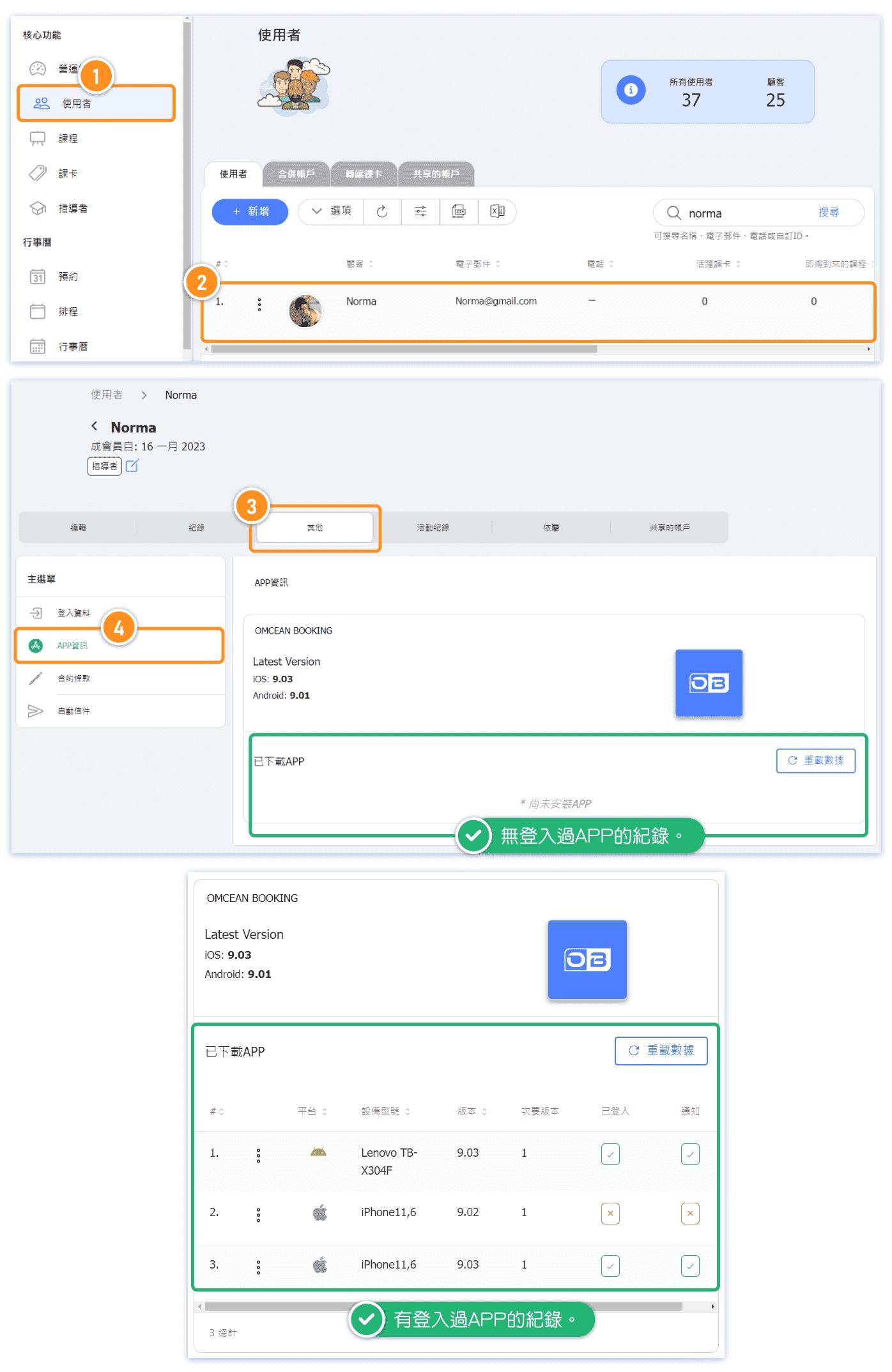
4. Make sure that the app is downloaded and installed on your device, and that you are logged in.
➞Additional Info (3): How to check if the customer is logged into the app?
Reservation system app has not enabled relevant notifications
You can enable or disable various notification settings by accessing "Notifications" in the "Account" section of the app.
Extended Content: How to View Customers' Notification Settings?
Extended Content: How to View the History of Sent Notifications?
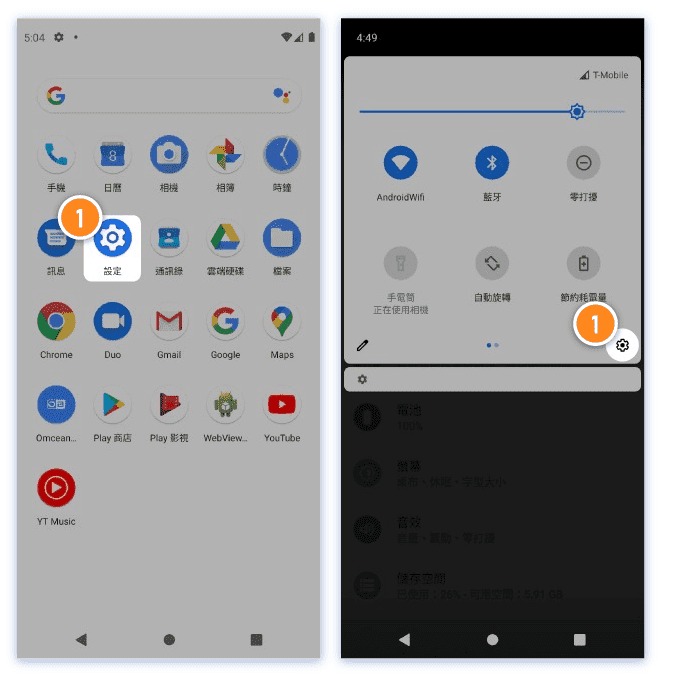
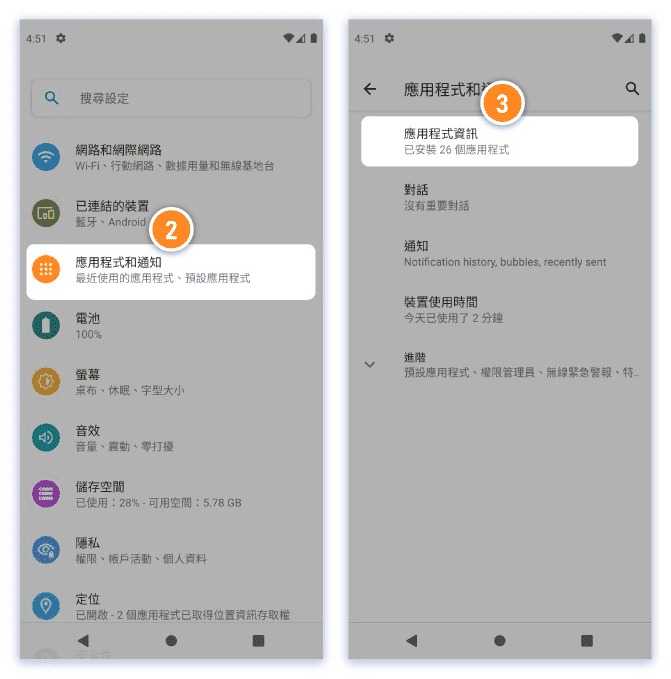
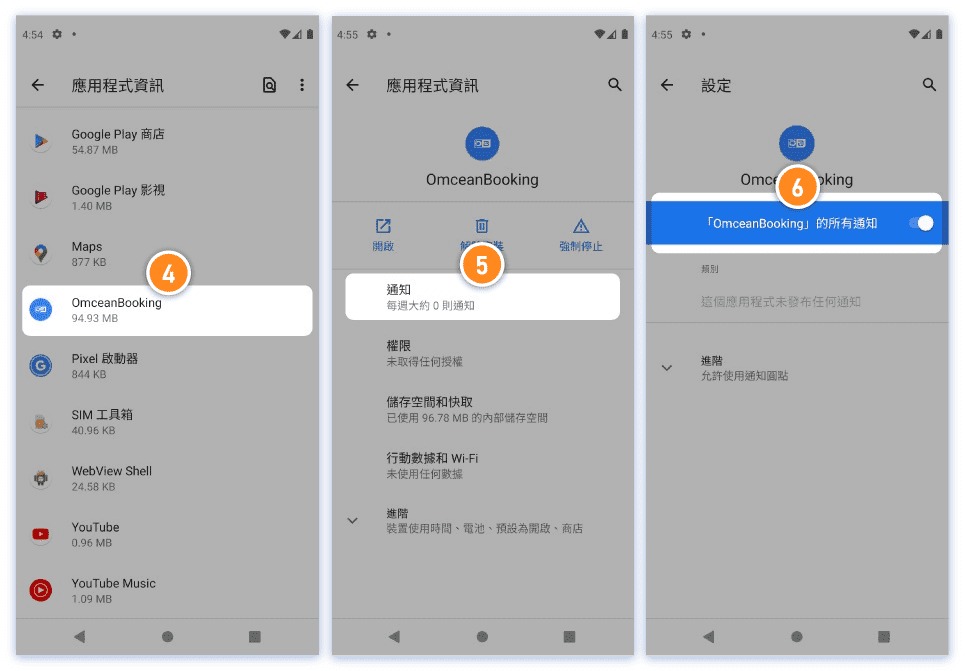
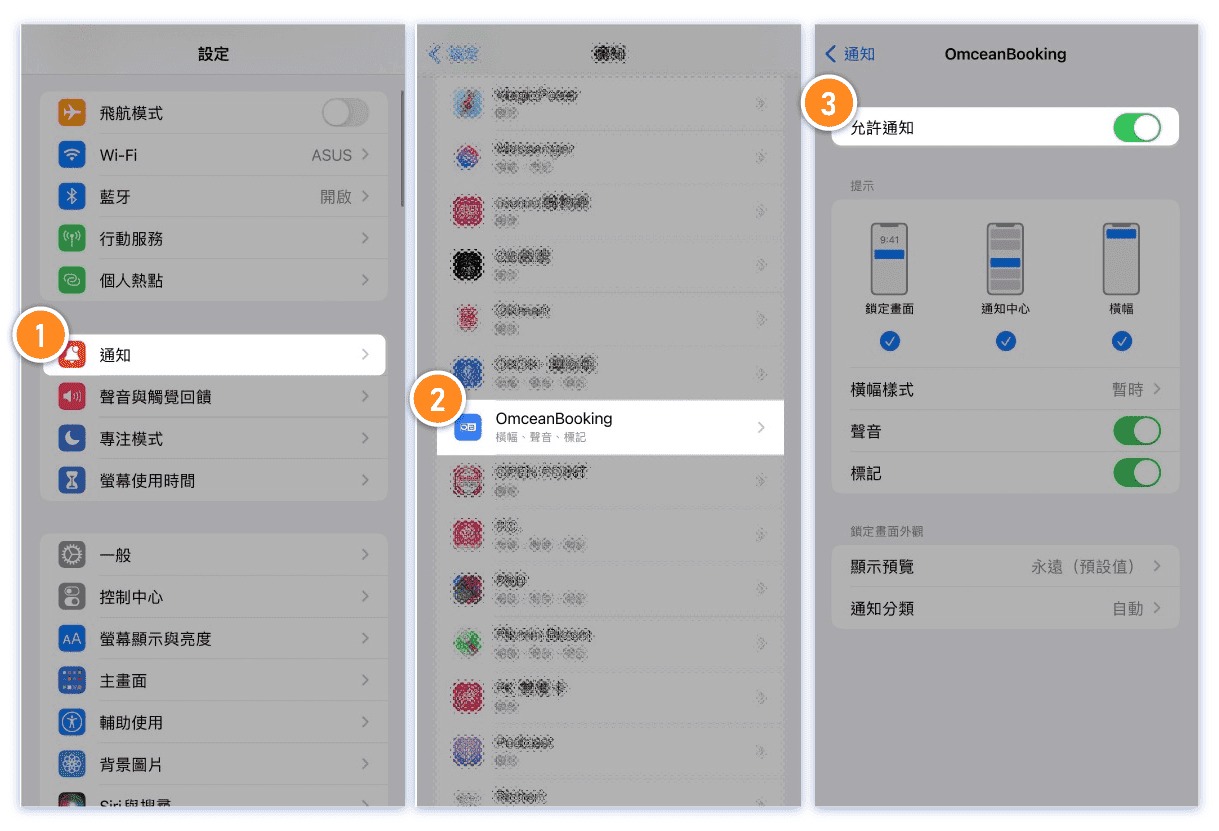
Mobile device settings have disabled or disallowed the app from sending notifications.
Please perform the following steps to check if app notifications are enabled on different device systems.
Android
iOS
Advanced notification settings in the backend have not enabled relevant notifications
The app has not been downloaded, or it has been downloaded but the user has not logged in
Notification Recipients: Users Must Download and Login to Receive Notifications. Please note that notifications are only sent to users who have downloaded the app. If the app is not downloaded, notifications cannot be received.
Additionally, even if the app has been downloaded, users must log in to receive push notifications.
Users who have downloaded the app and logged in will receive push notifications as long as they have not closed or blocked any OB APP notification settings.
Further Details: How to Check if a Customer Has Logged into the App?