What is Dependent Feature?
After enabling the "Dependency" feature, customer can add their children, siblings, or friends in the dependency field of his/her account.
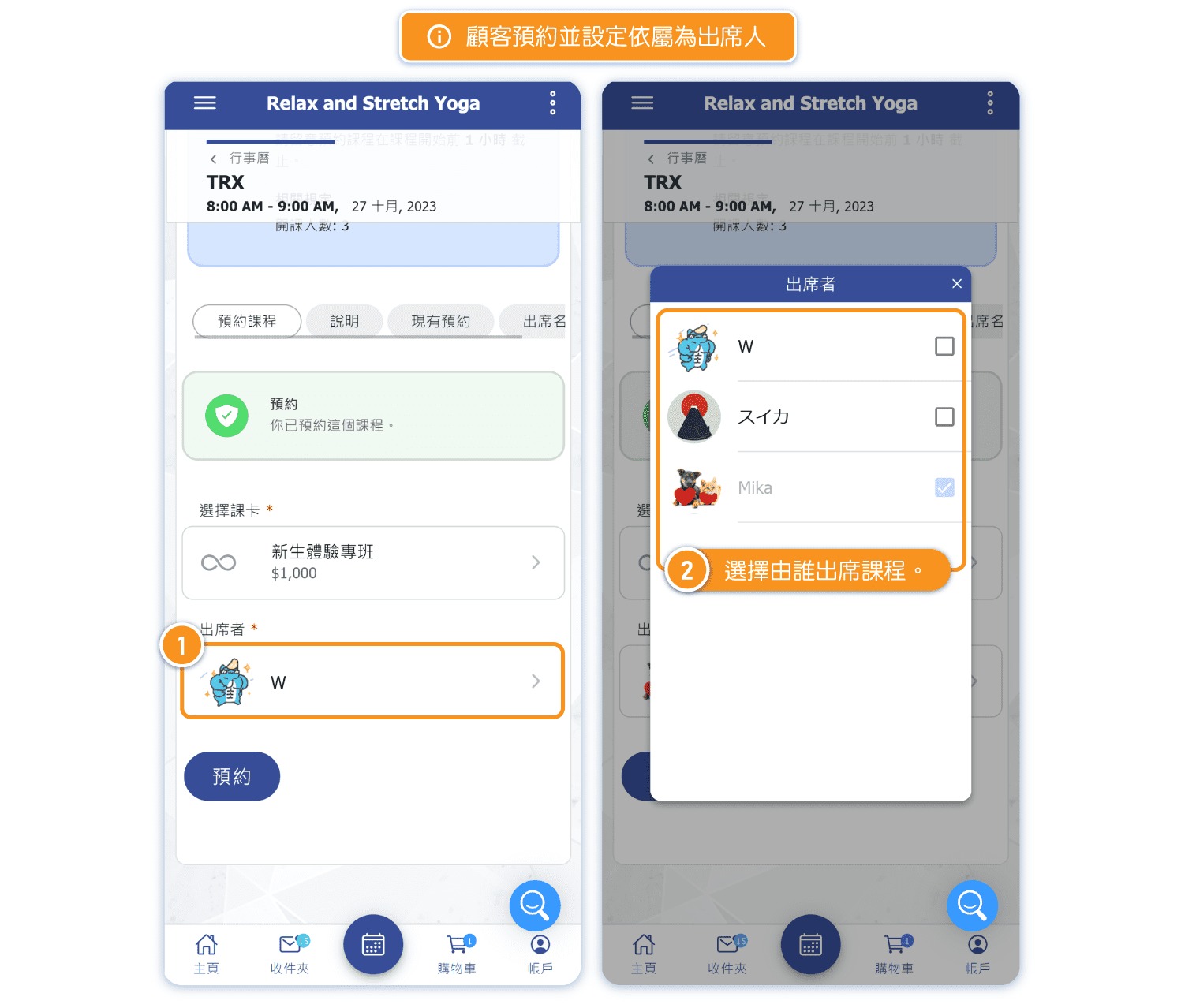
*When making a reservation, customers can choose which dependencies will attend the class.
Turn On Dependency Feature
[Instructions]
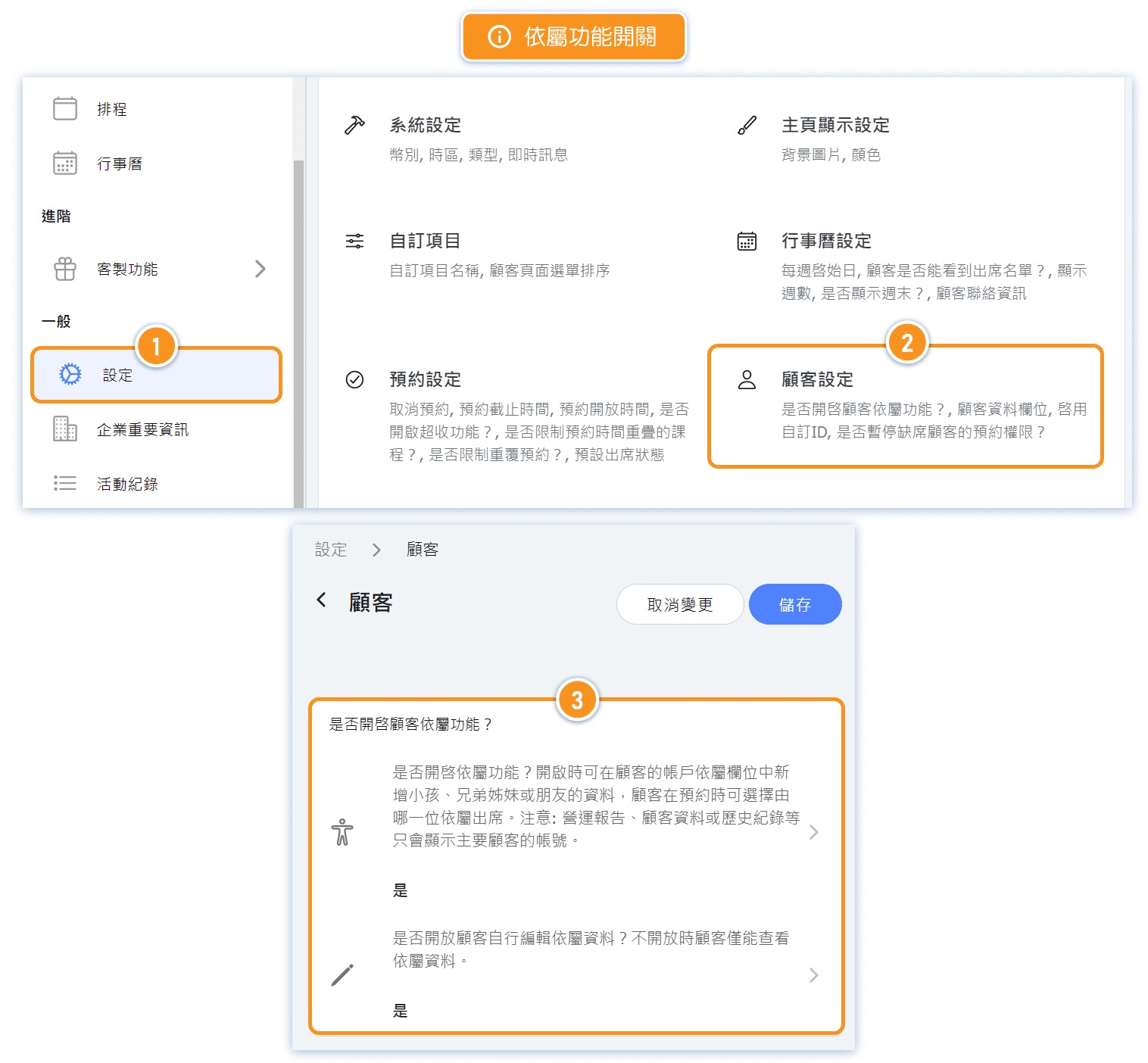
- Click Settings in the left menu.
- Select Customer Settings.
- Toggle the Enable Customer-Dependent Features switch.
How to Add Customer Dependents (Admin Side)
[Instructions]
-
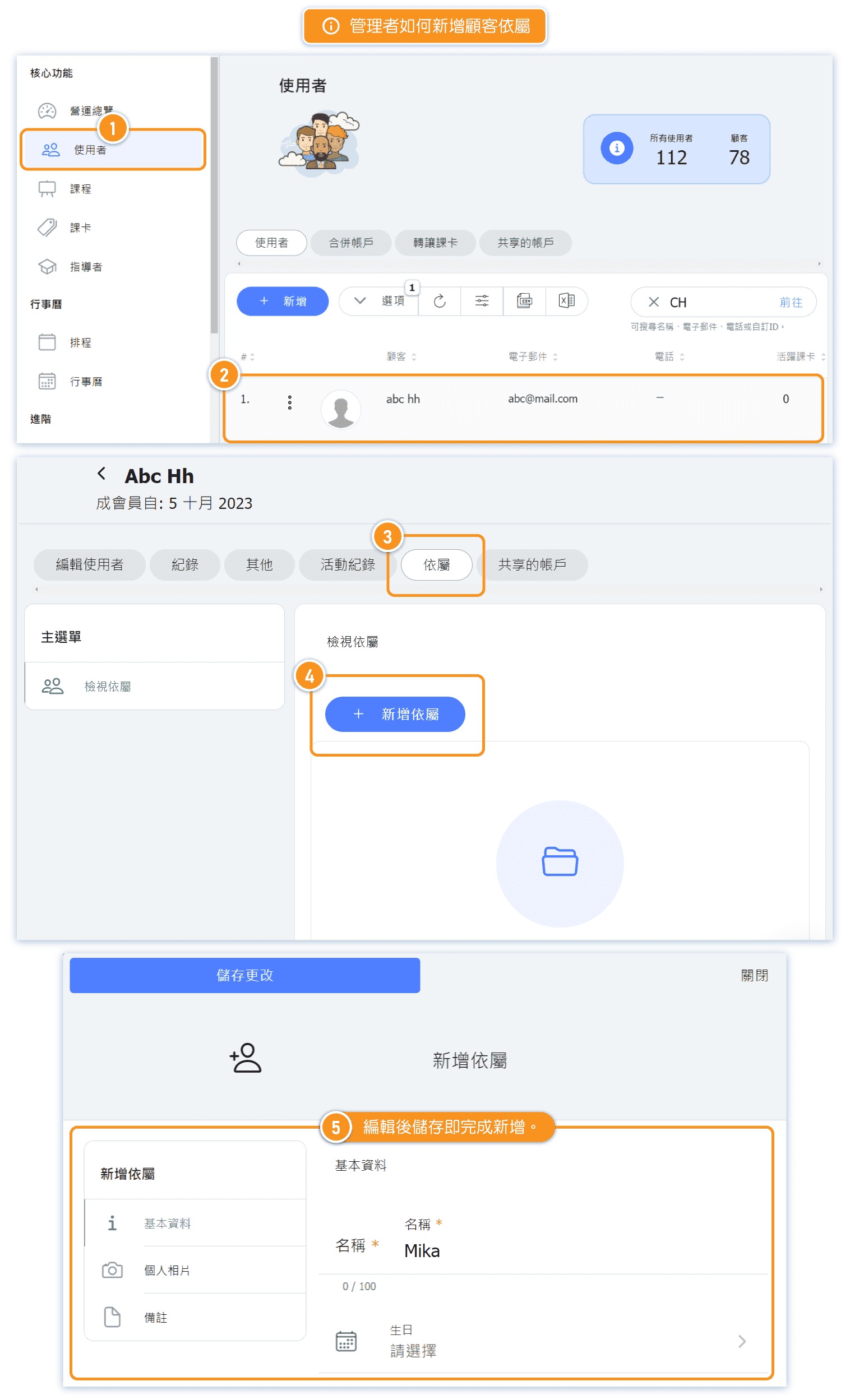
Click Users in the left menu.
-
Click on a user.
-
Select the Dependent tab.
-
Click + Add Dependent.
-
Edit the details and click Save to complete adding the dependent.
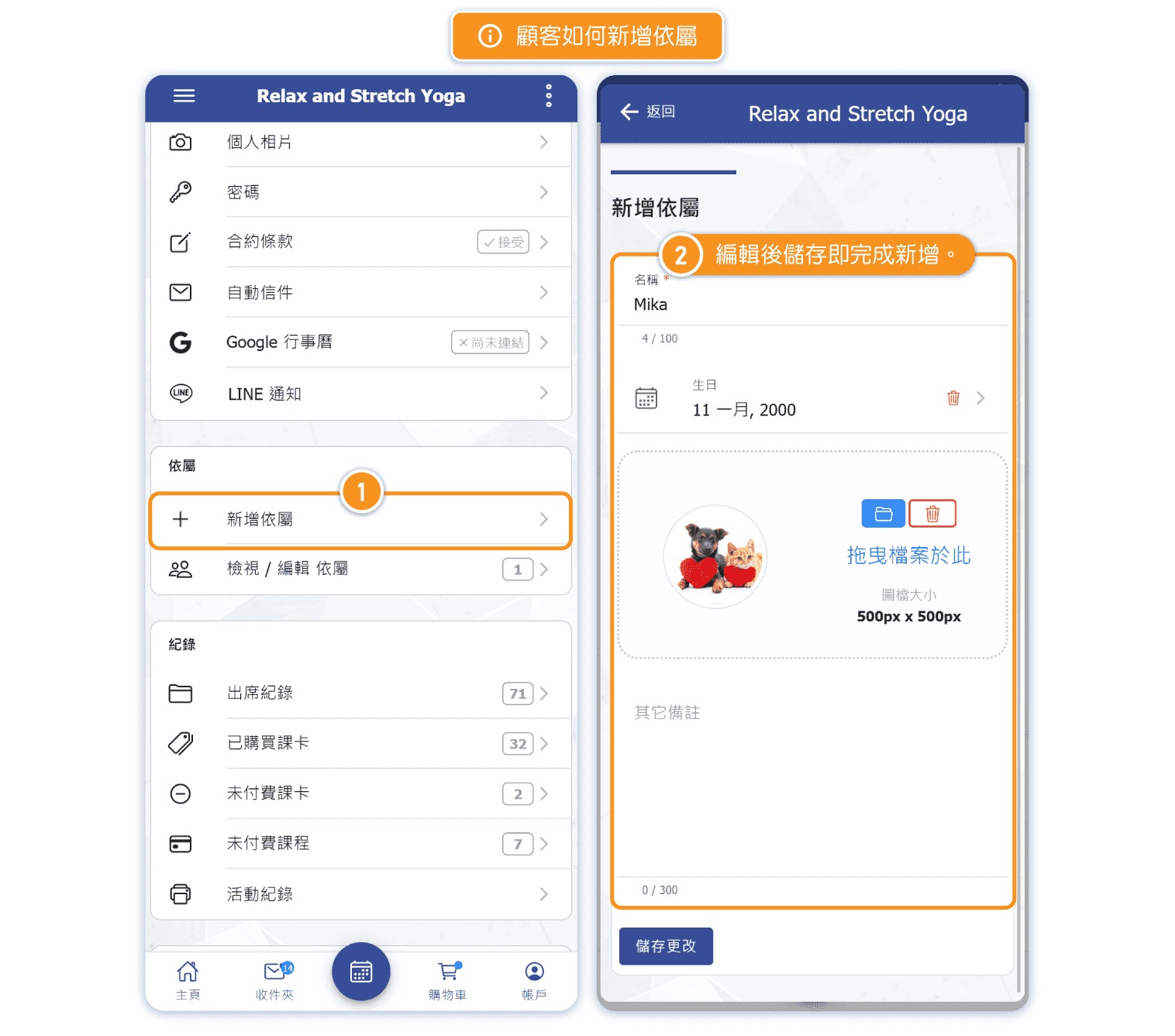
How to Add Dependents (Customer Side)
[Instructions]
- On the account page, select Add Dependent.
- Edit the details and click Save to complete adding the dependent.
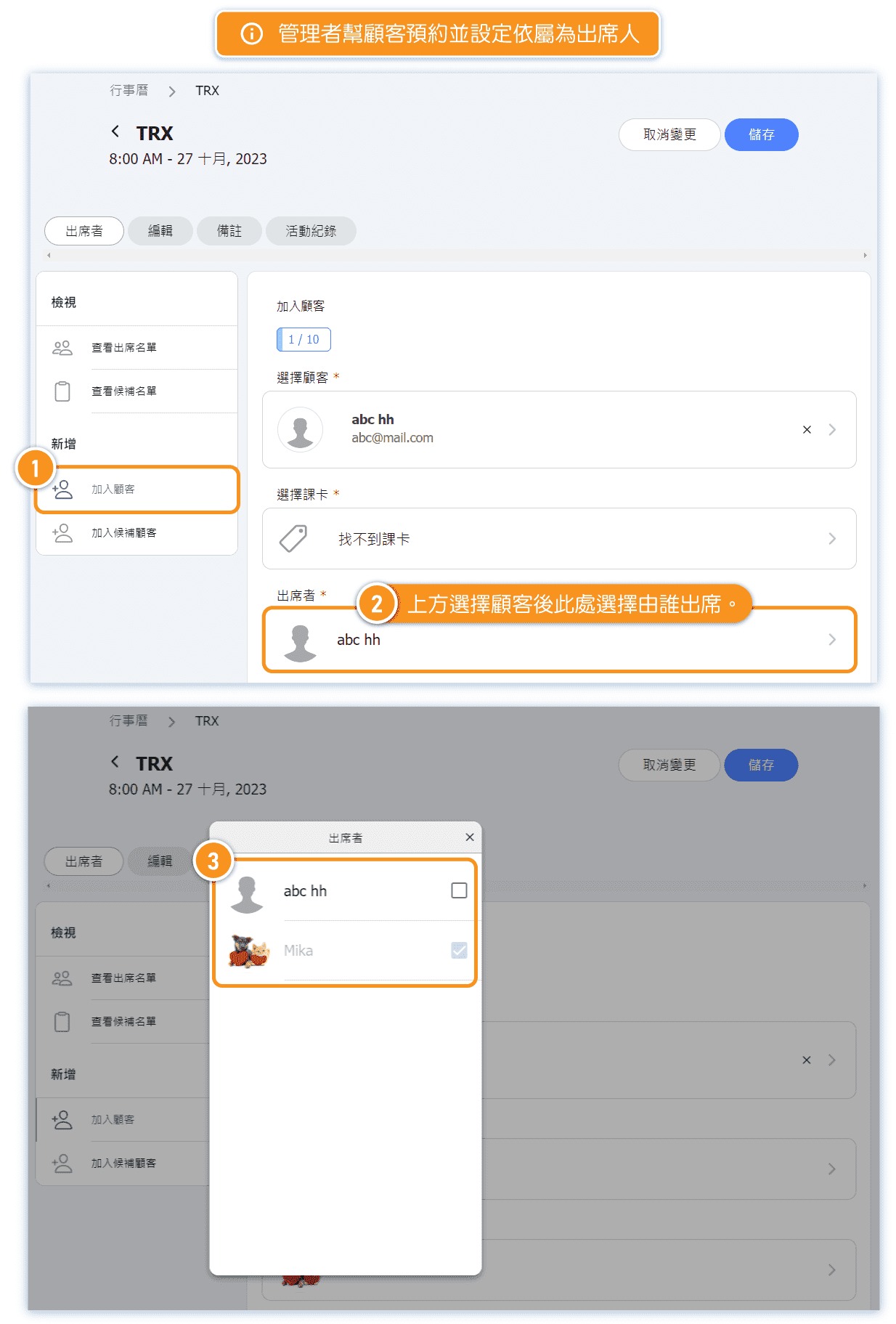
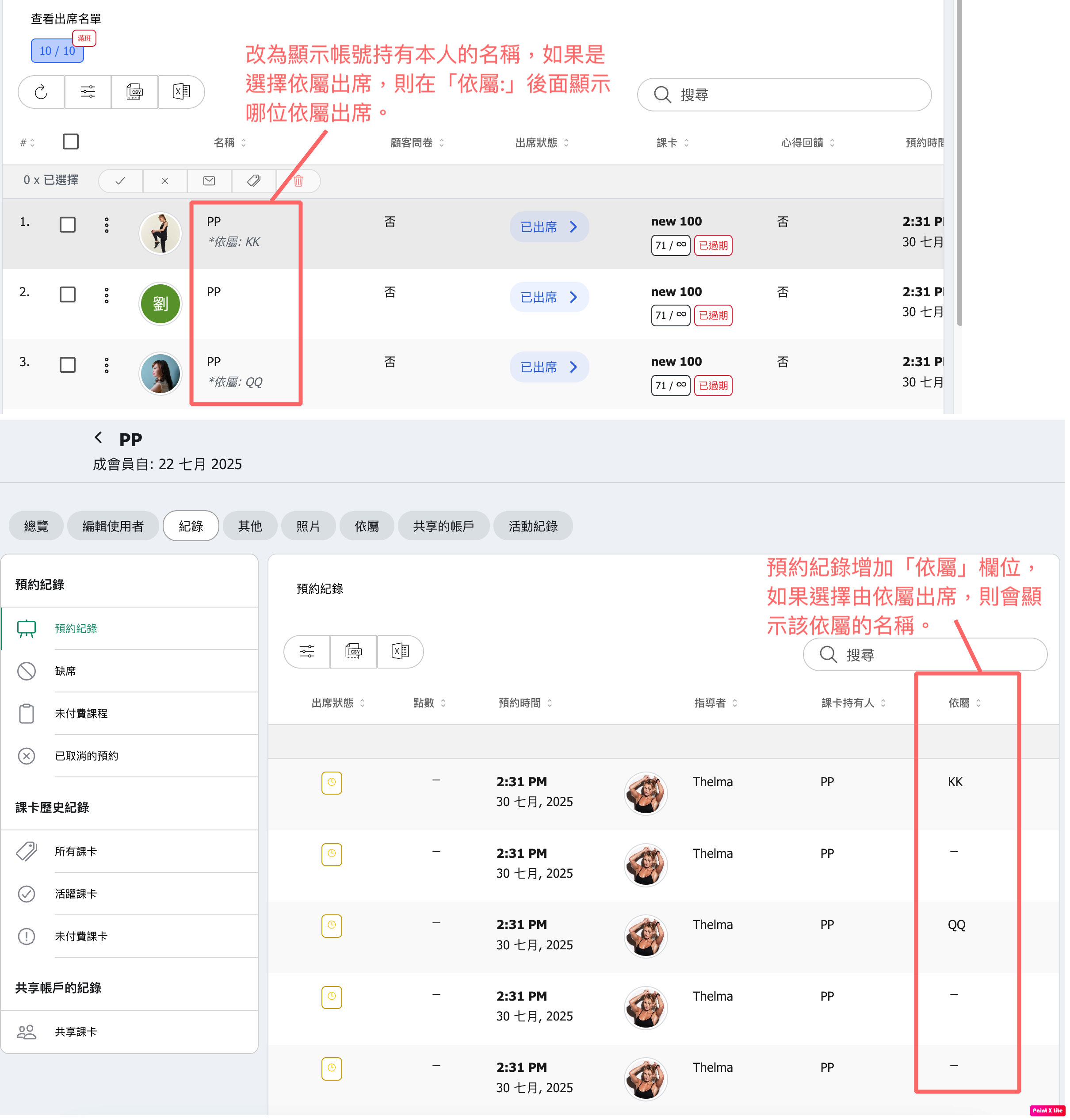
How to Book as Dependents (Admin Side)
[Instructions]
-
On the course page, click Add Customer.
-
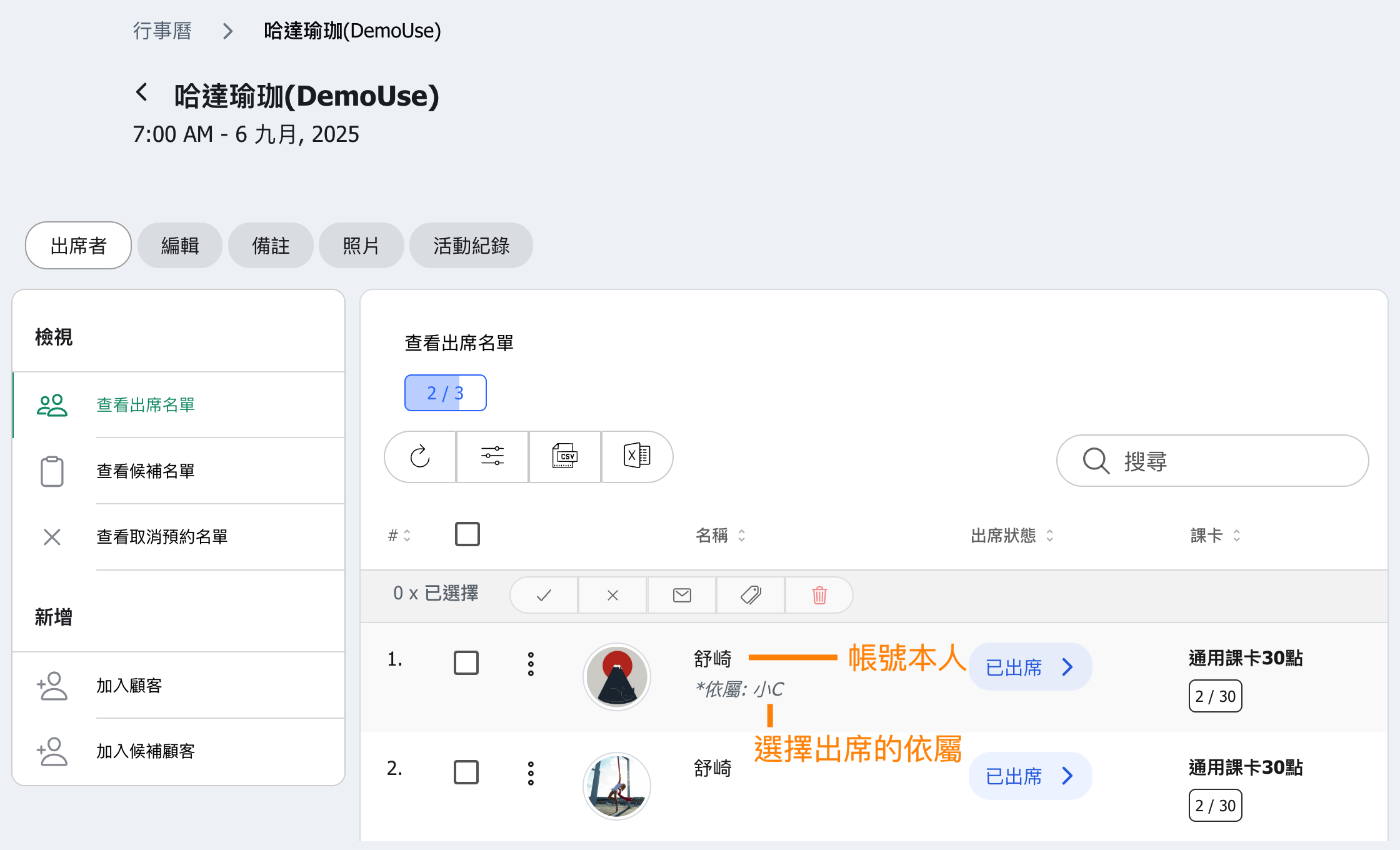
After selecting a customer, choose the attendee below.
-
You can select either the customer themselves or a dependent.
How to Book as Dependents (Customer Side)
[Instructions]
- On the course page, click Attendees.
- You can change an attendee to a dependent.
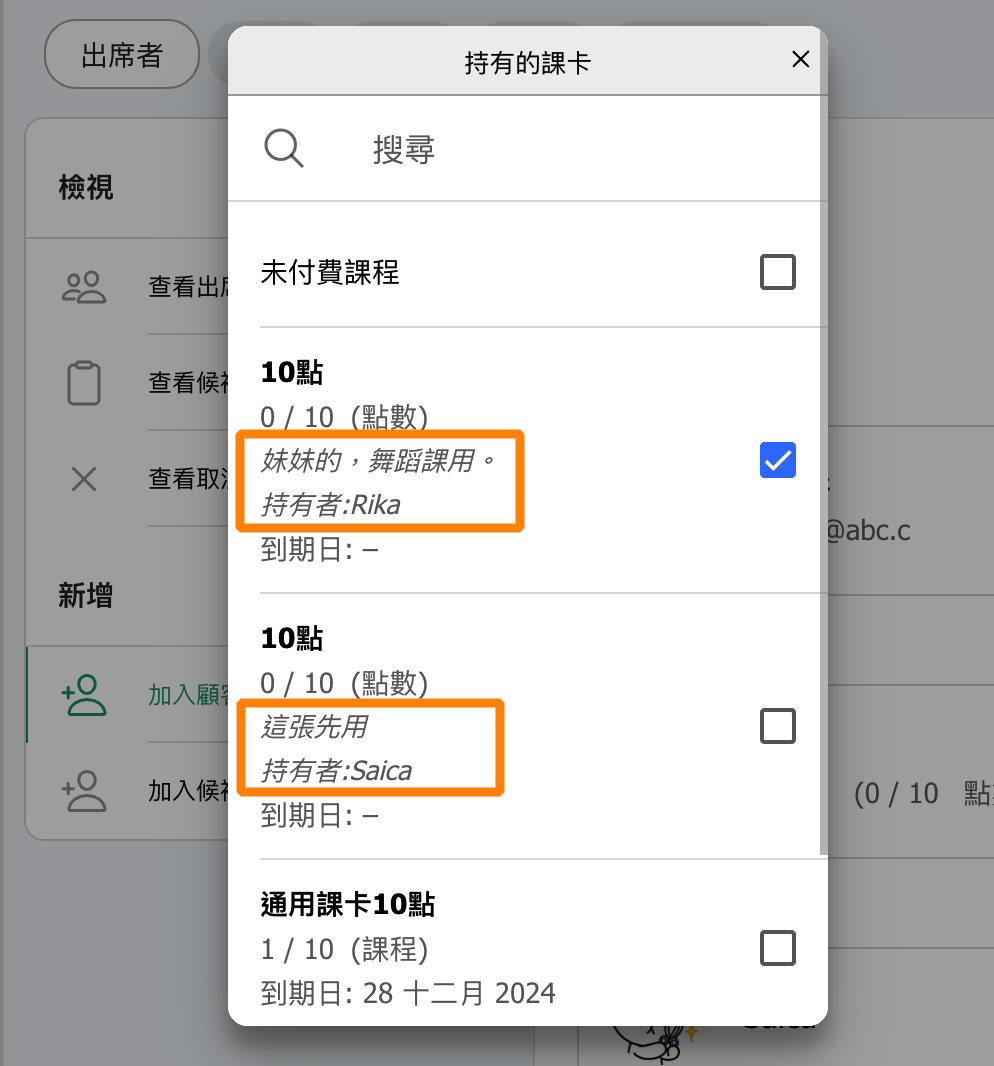
FAQ: How can I tell which pass belongs to each dependent?
Starting from version 13.03, administrators can add a "Note" to the customer's pass, specifying the "Holder's Name" or adding a custom label.
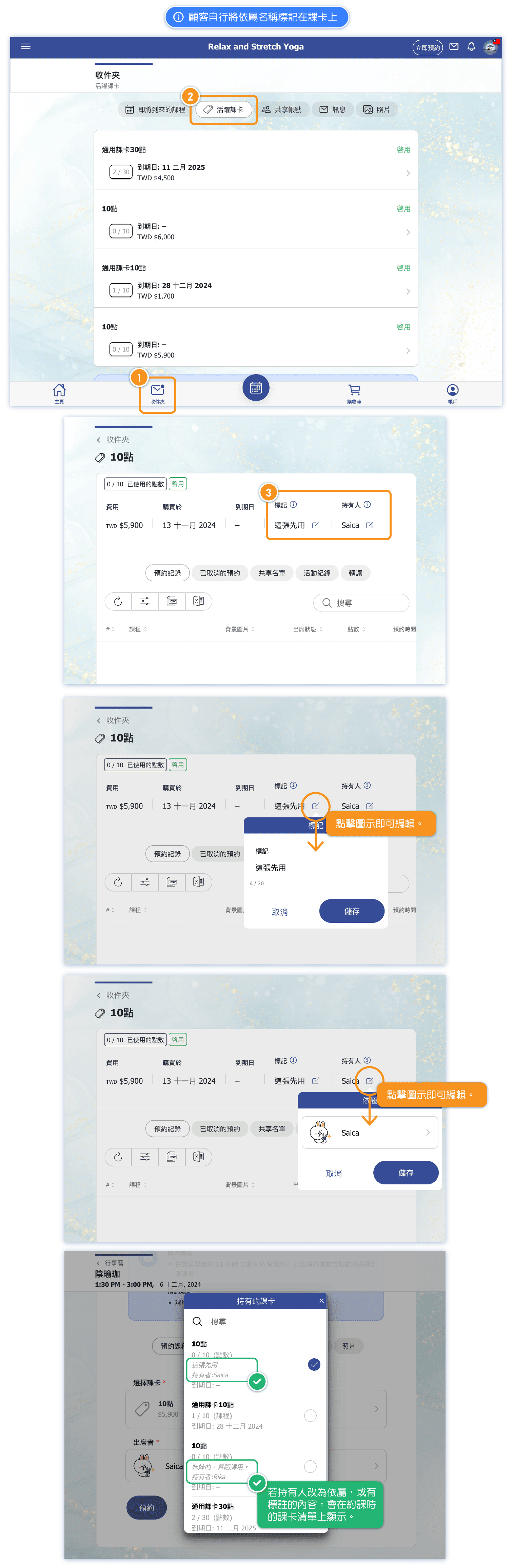
These details will be displayed in the pass selection list, making it easier to identify the correct pass for each dependent.
Solution 2: Customer Tags Dependent's Name to the Pass
[Instructions]
- Click Inbox.
- Click Active Course Cards.
- Click the icon next to a tag or the holder to edit.