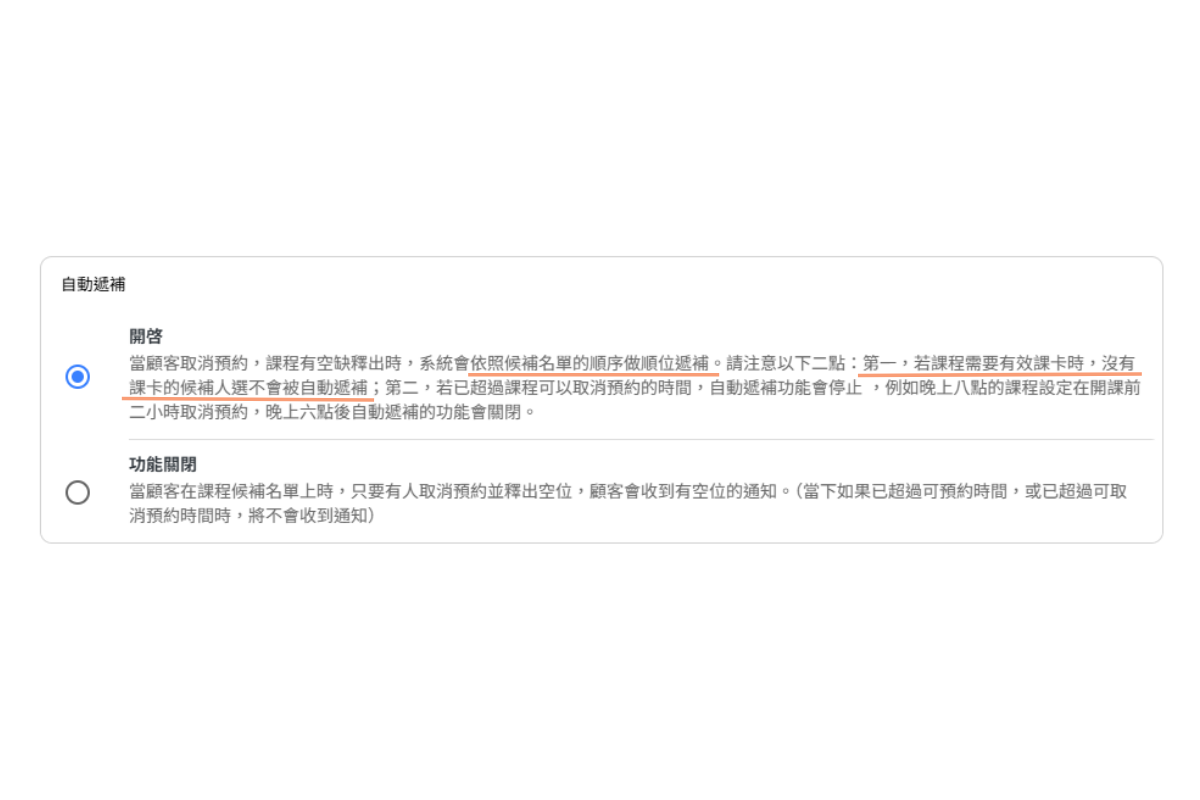
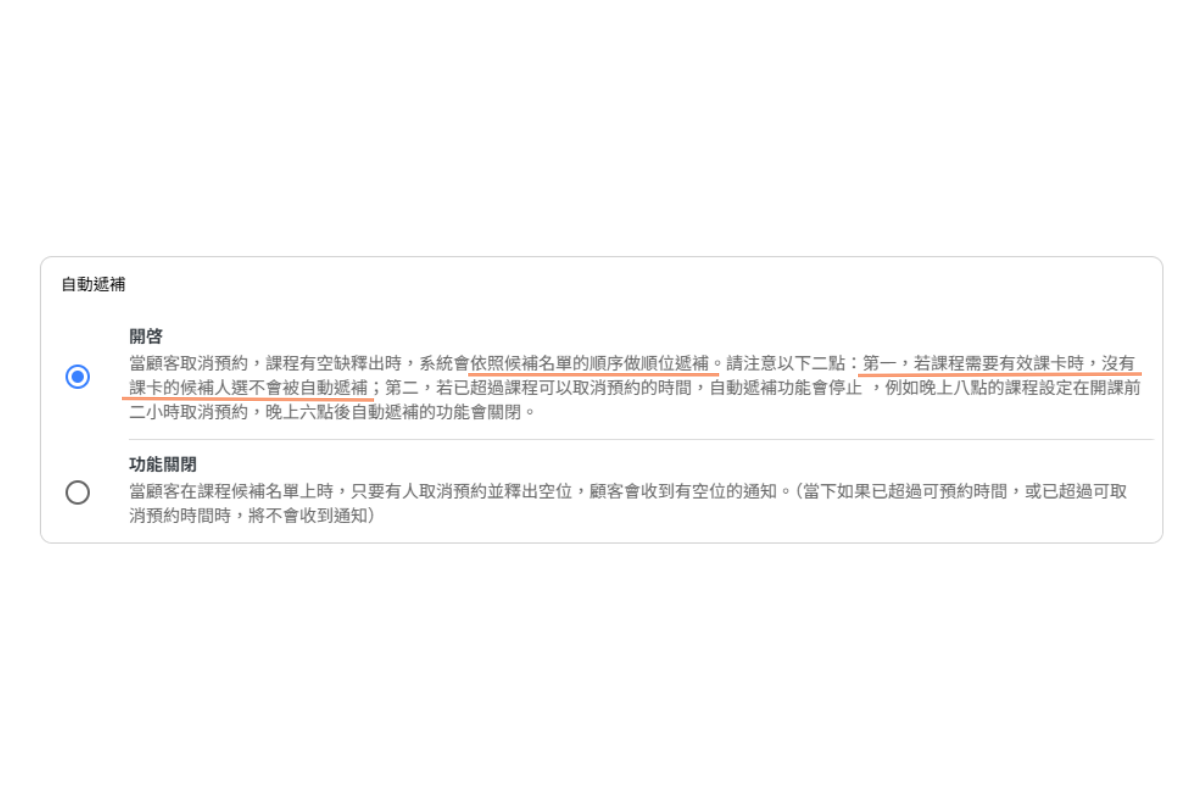
AUTOMATIC RESERVATION: ON
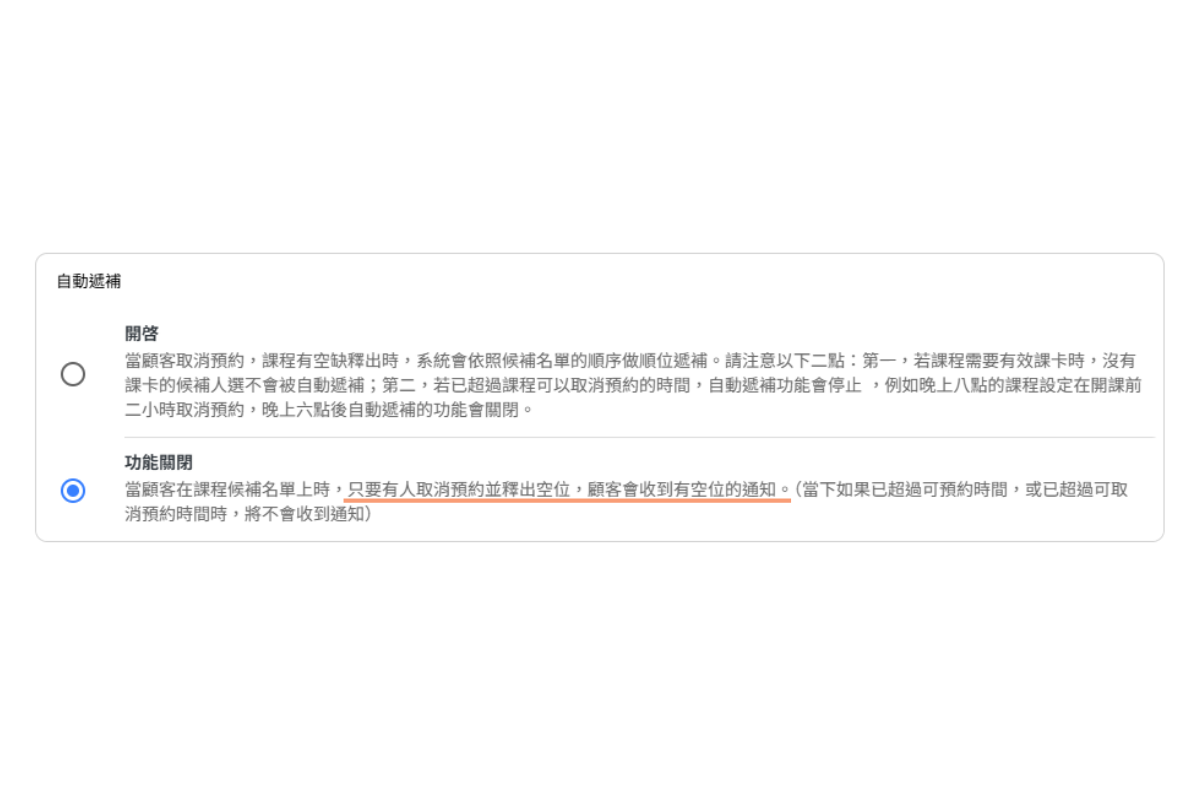
AUTOMATIC RESERVATION: OFF (Manually)
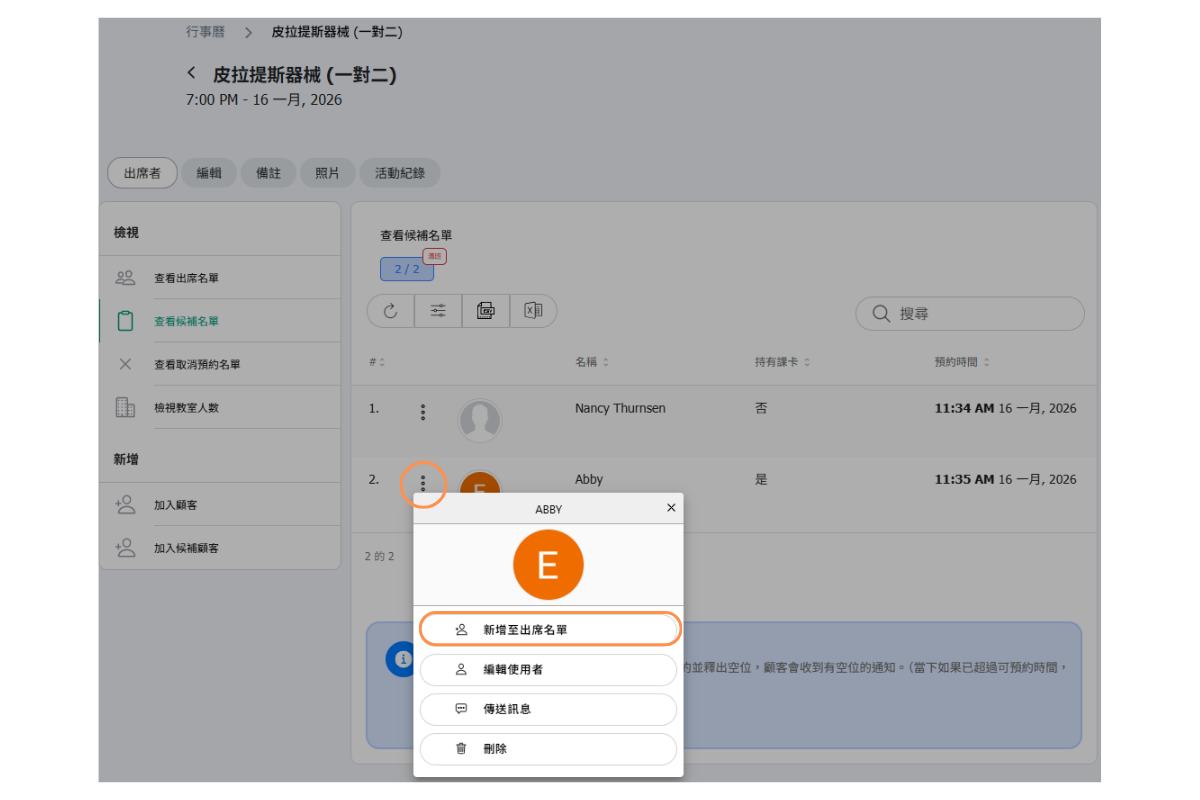
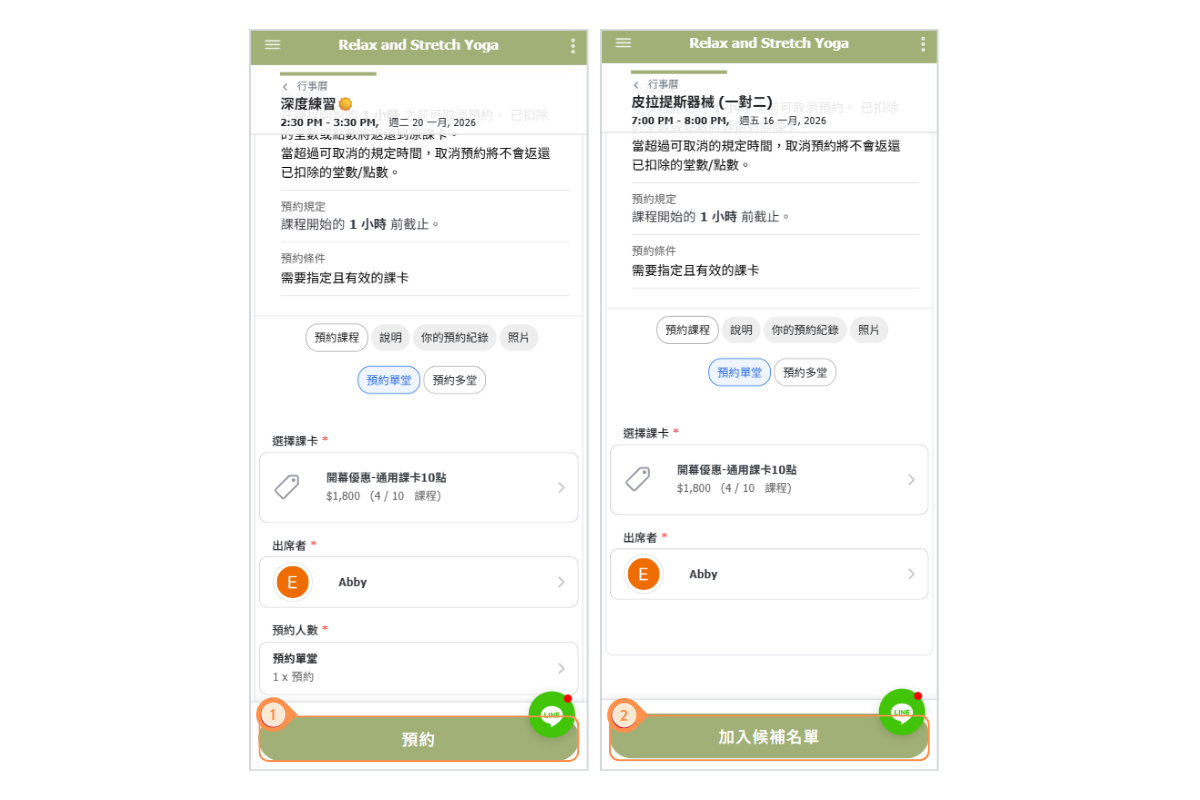
Schedule Module - Eaxmple of Customer Adds to Waiting List
- When there are available spots on the attendance list, display the “Reserve” button.
- When the attendance list is full but the waiting list has available spots, display the “Join Waiting List” button.
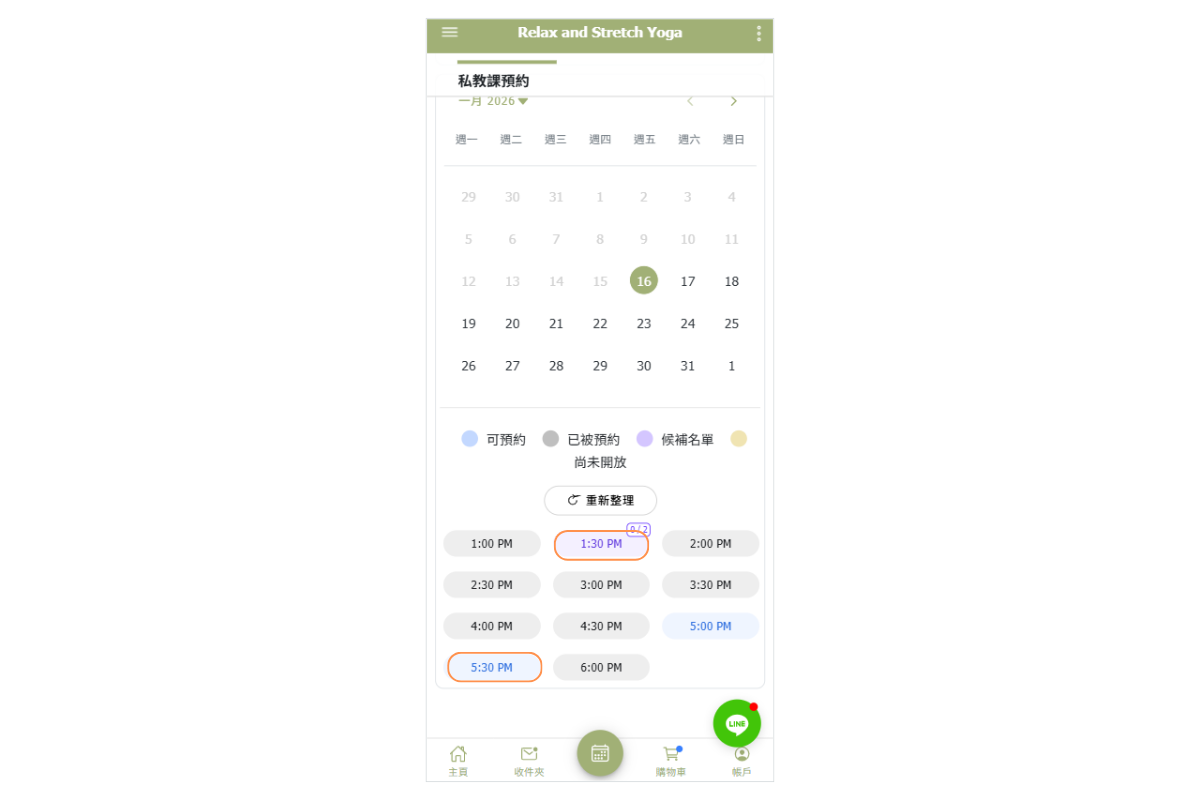
Appointment Module - Eaxmple of Customer Adds to Waiting List
When there are available spots on the attendance list, the time is displayed in blue.
When the attendance list is full but the waiting list has available spots, the time is displayed in purple.
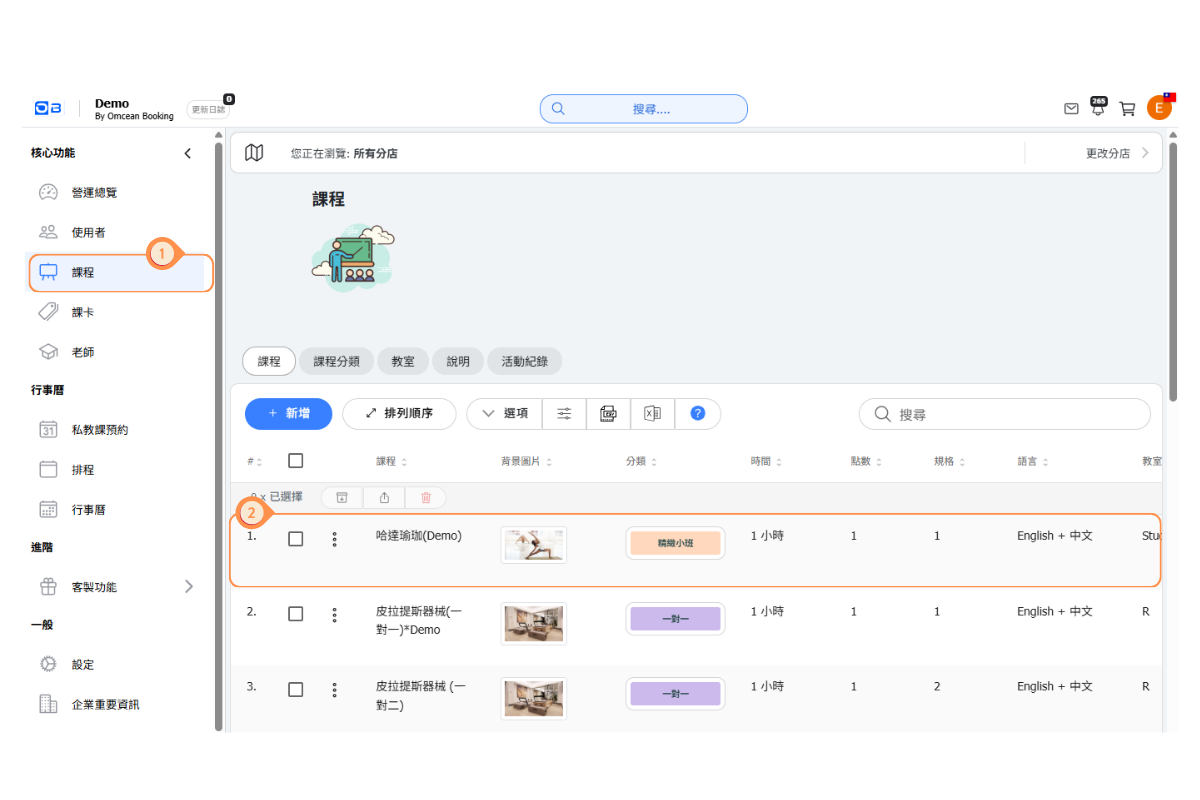
FAQ: How can I set up certain classes to not allow a waitlist?
You can disable the waitlist feature on the setting of any one of class. Waitlist of this class will be disabled, and customers will not be able to join the waitlist.
[Instructions]
-
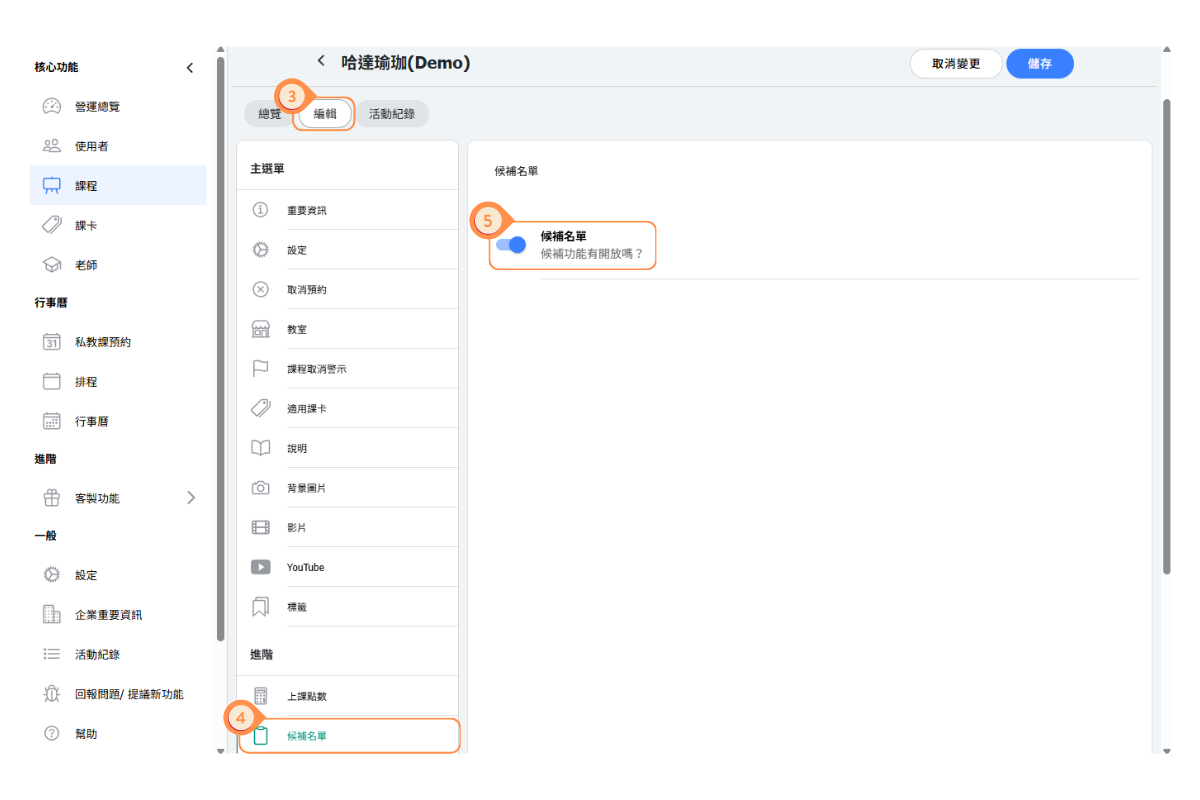
Click “Courses” on the left-side menu.
-
Select a course.
-
Click the “Edit” tab.
-
Click “Waiting List” on the left side.
-
Turn off the Waiting List toggle.
FAQ: If I enable automatic reservation for waitlist user, will customers who haven’t paid be added to the class?
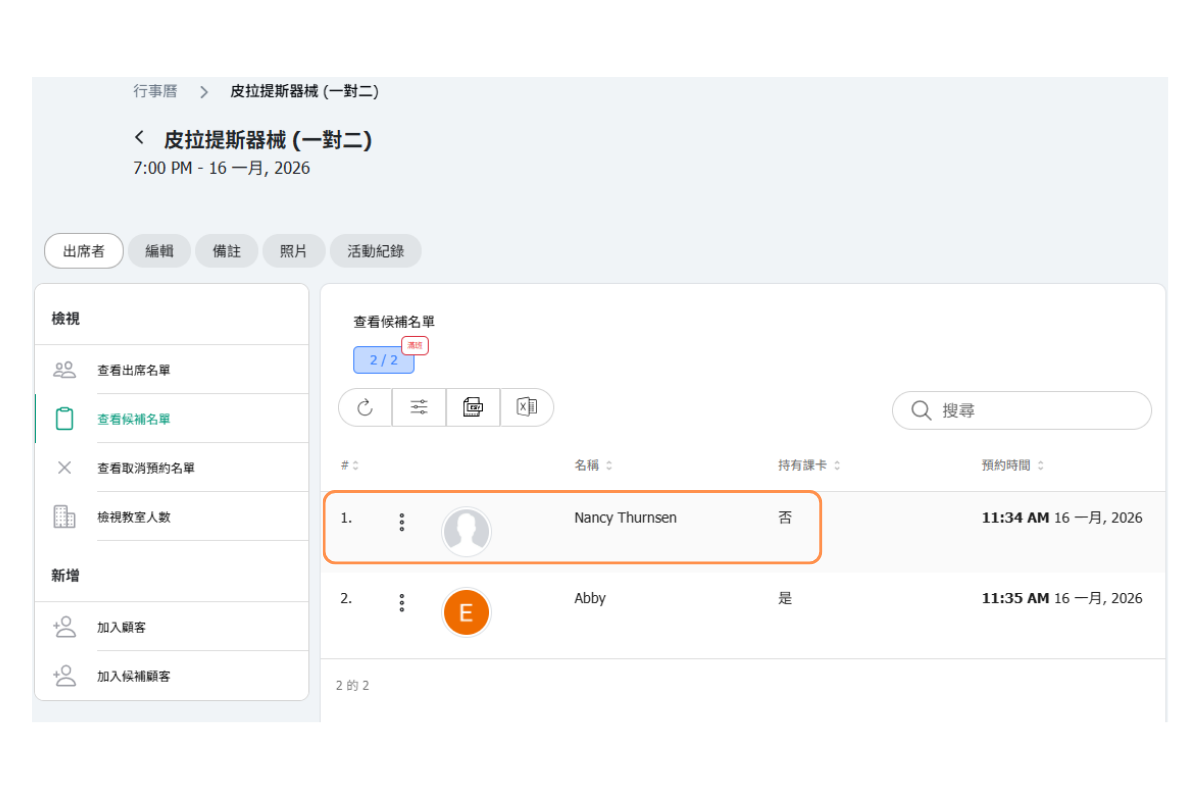
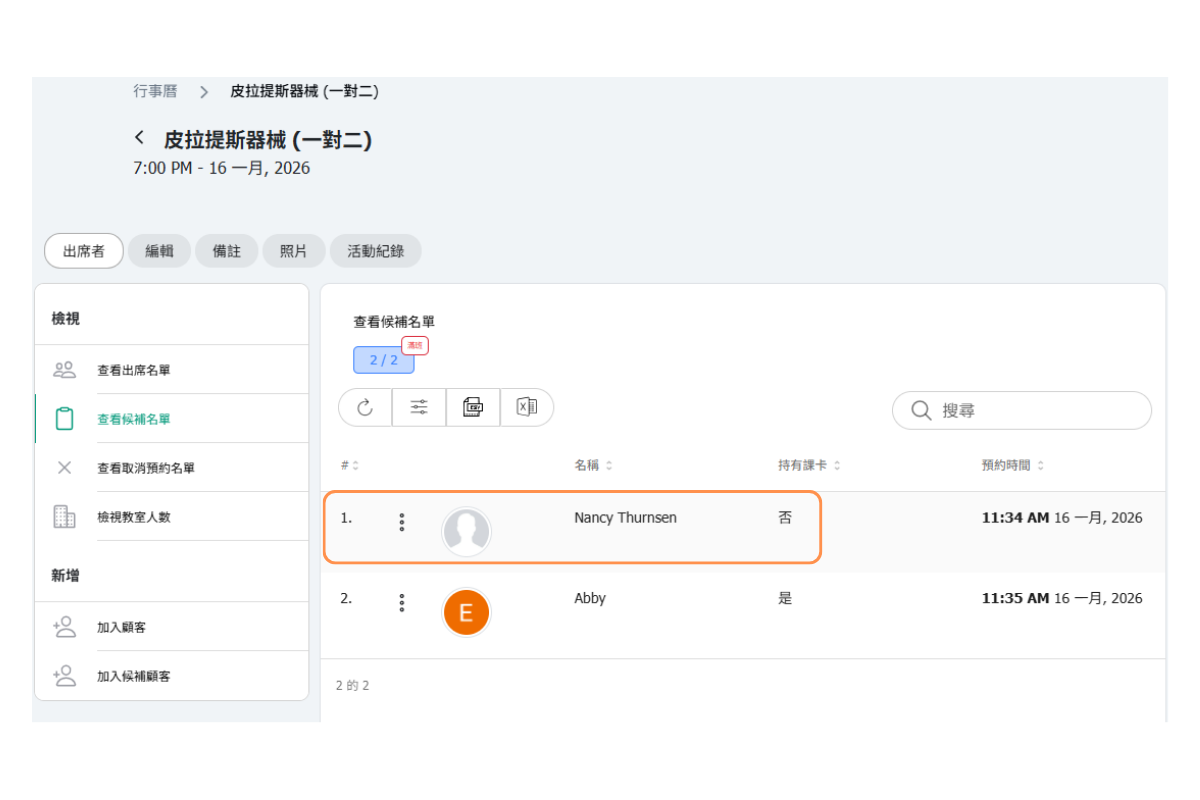
The answer is NO. Automatic replacement will occur if the waitlisted customers have active pass.
However, if a customer does not complete the payment when spot opens up, they will not be added to the class.
FAQ: If I choose manual replacement, where should students go to book the class after receiving the vacancy notification?
With manual replacement, once customer on waiting list receiving the vacancy notification, they will need to go to calendar page and book the class after.FAQ: Can customers cancel their waitlisted booking?
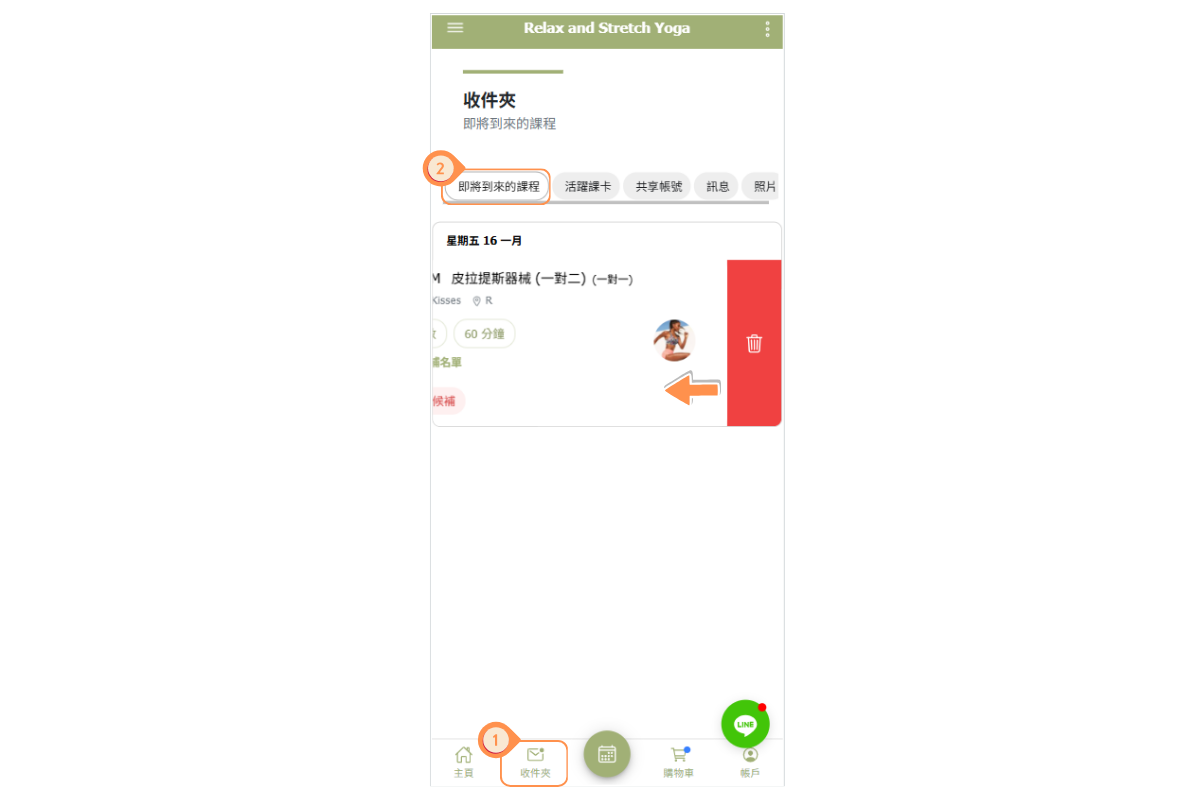
Yes, customers can cancel their waitlisted booking in the same way they cancel a reservation. In the "Inbox," customers simply swipe right on the waitlisted reservation and then tap the trash can icon to cancel it.