Why merge accounts?
If a customer registers multiple accounts using different email addresses or third-party logins (e.g., Google, Facebook), duplicate accounts may be created. In such cases, administrators can use the "Merge Users" feature to combine them into one.
What happens when accounts are merged?
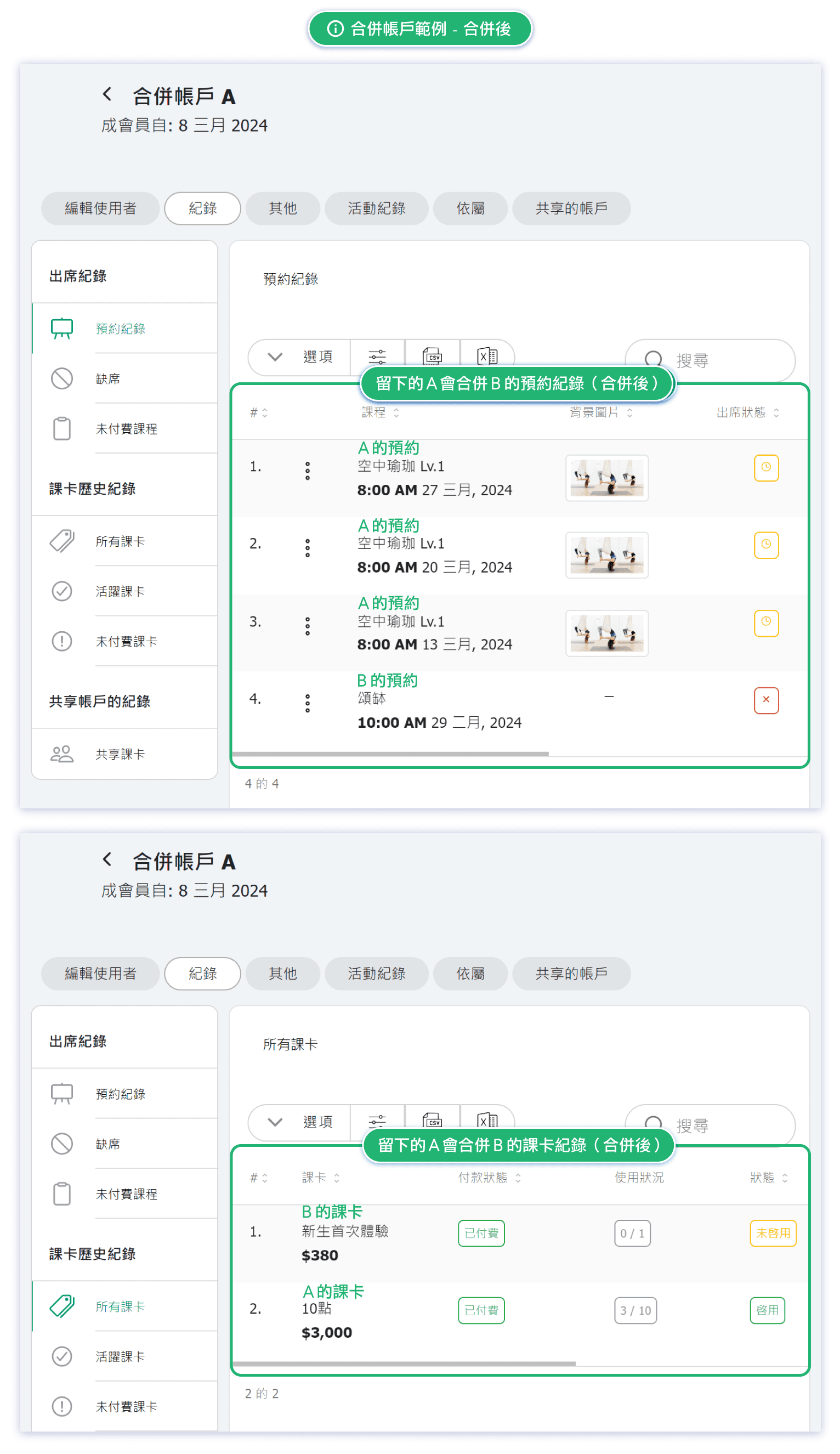
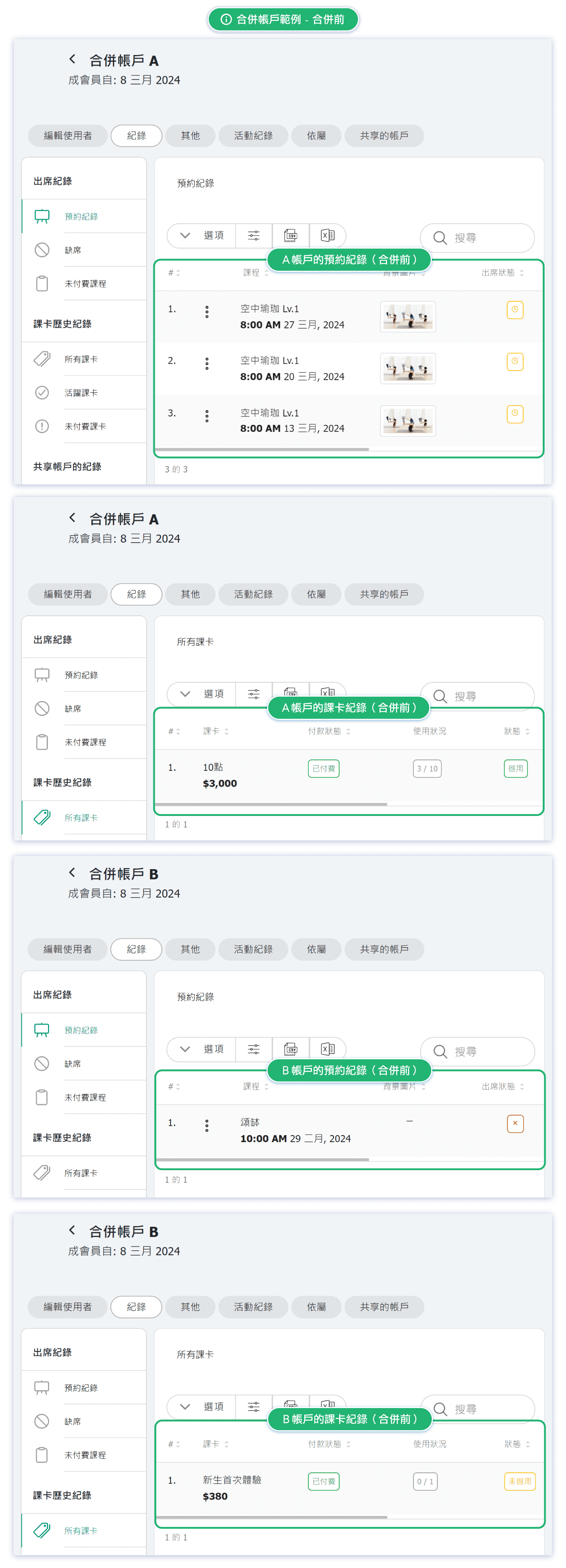
- Reservation history, pass History, and account role(s) from the account being removed will be transferred to the account being kept.
- Third-party login information will also be linked to the remaining account.
Example: If one account was created with Facebook and another with Google, after merging, both login methods will access the same remaining account.
⚠️ Reminder: Merging users is irreversible. Please double-check the accounts and information before proceeding.
How to merge accounts?
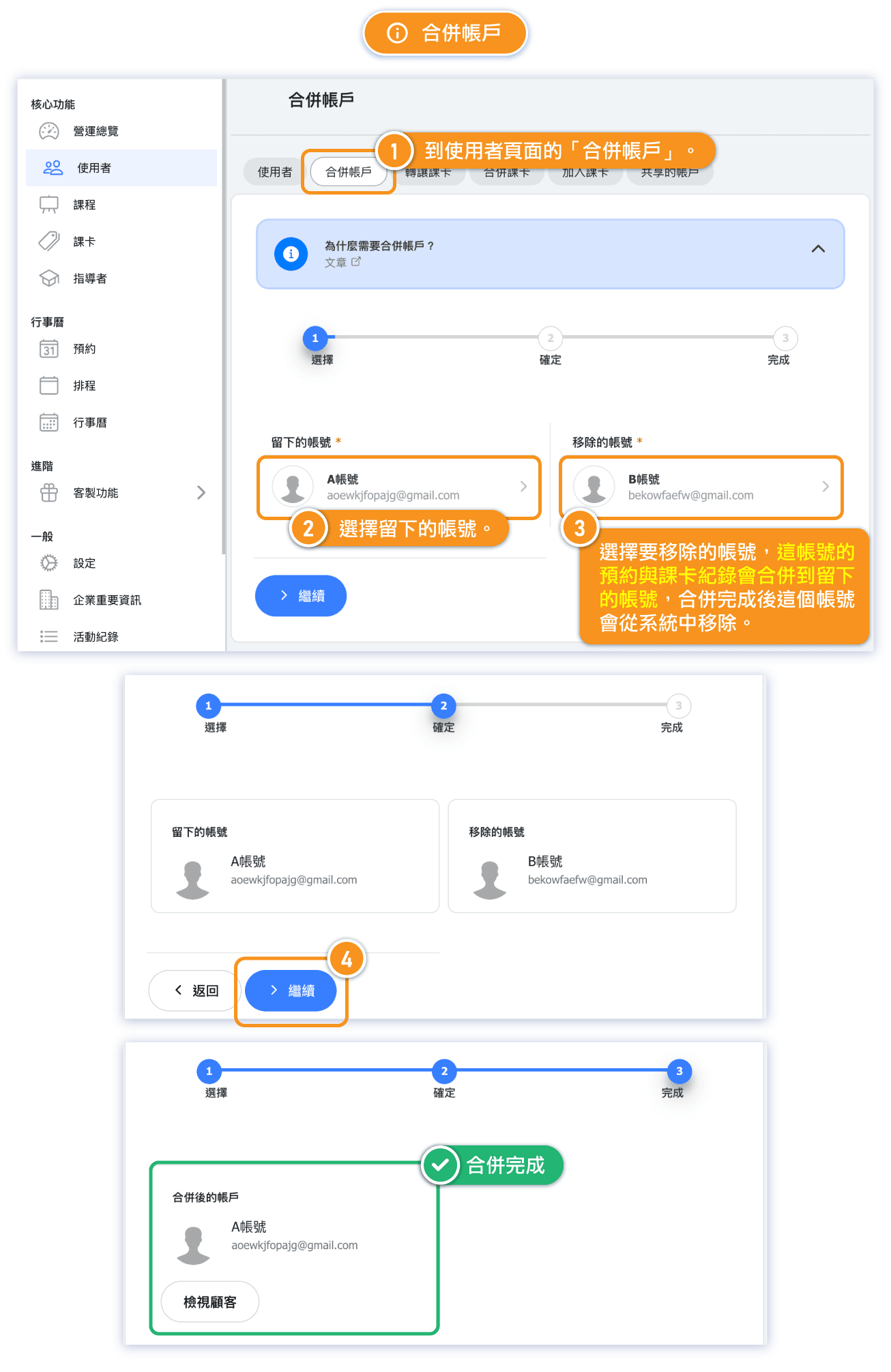
Follow the steps shown in these examples:
[Instructions]
-
Go to the Merge Accounts tab on the Users page.
-
Select the account you want to keep.
-
Then select the account to be removed (its bookings and course card records will be merged into the account you keep; the removed account will be deleted after merging).
-
Click Continue.
-
The merge is complete.
Account Merge Example – Before
Account Merge Example – After