
What is "tags"?
The tagging feature is an efficient management tool designed for labeling classes, pass, instructors, and categorizing customers.
With tags, you can manage data more flexibly, easily categorize and filter, and enhance daily communication efficiency by sending bulk messages to specific tagged customer groups. It makes business management and customer maintenance more accurate and efficient!
Benefits of Using Tags:
- Customizable Tags: Create personalized tags based on your business needs, adaptable to various data types.
- Quick Filtering: Use tags for fast filtering, reducing search time and improving work efficiency.
- Group Management: Create tag combinations for similar groups, making batch operations more convenient.
- Targeted Messaging: Select specific tagged customers for targeted bulk messaging, ensuring precise and effective communication.
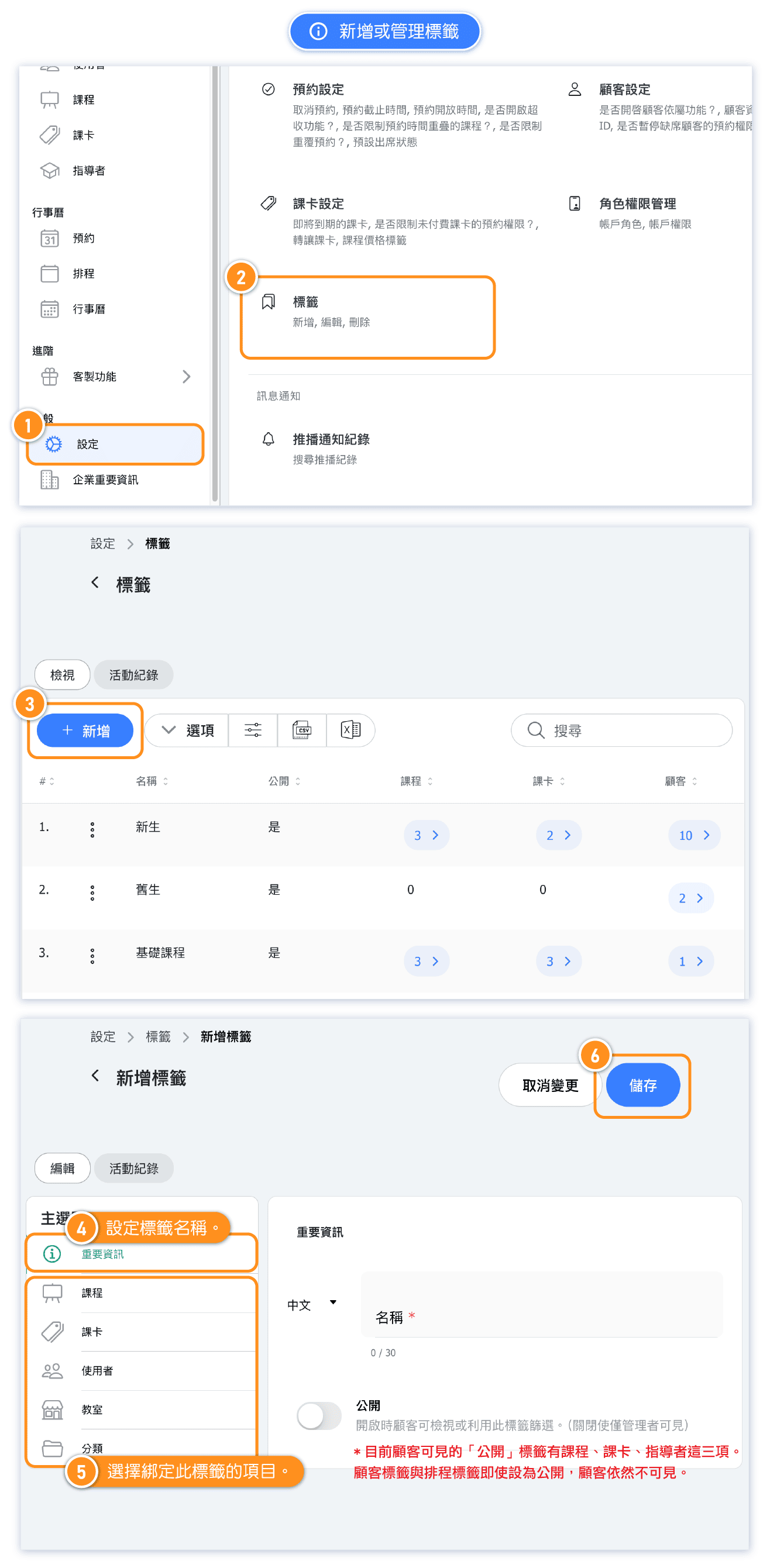
Where can I add or manage tags?
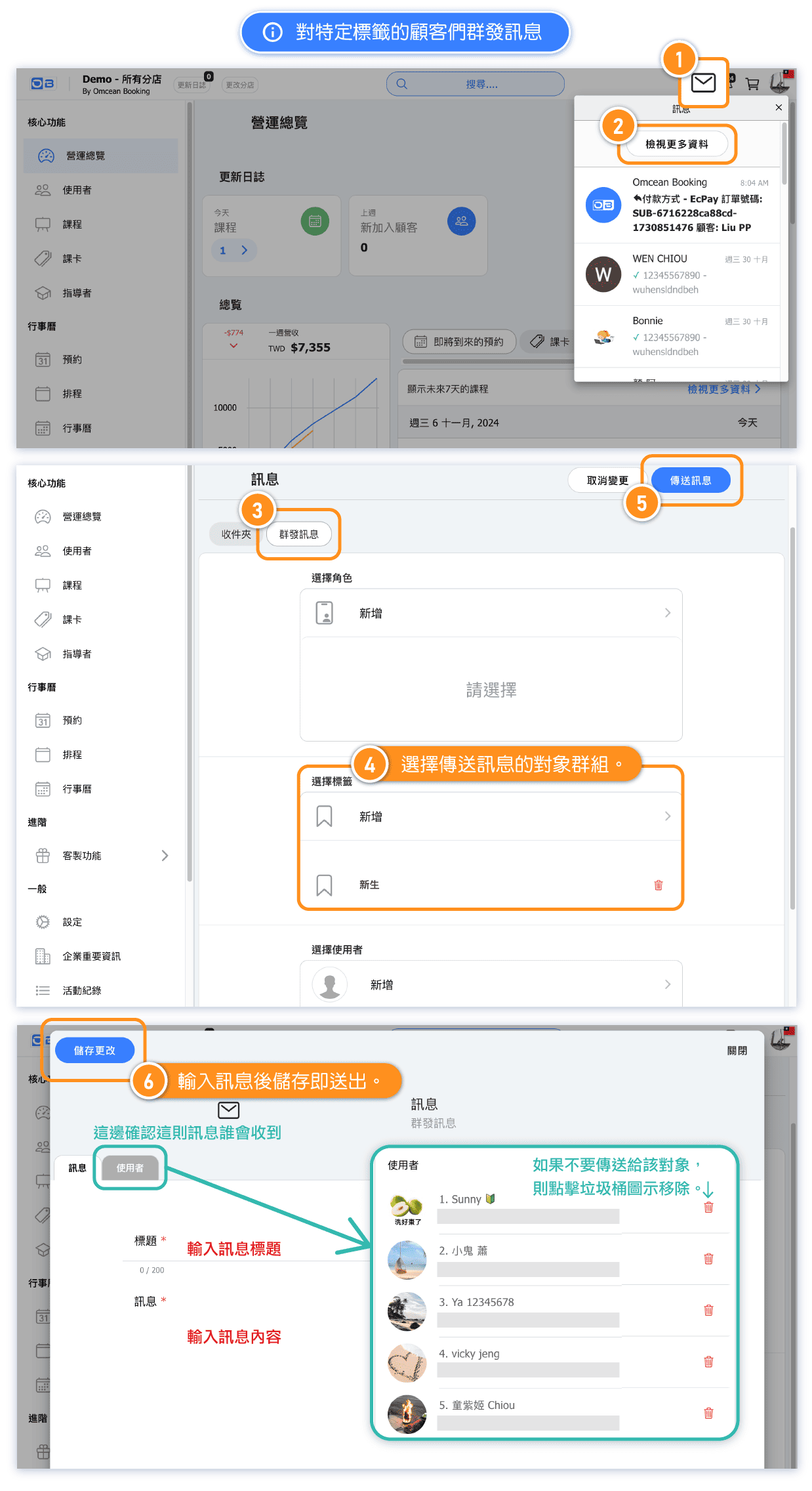
Tag Utilities: send bulk messages to tagged customer groups
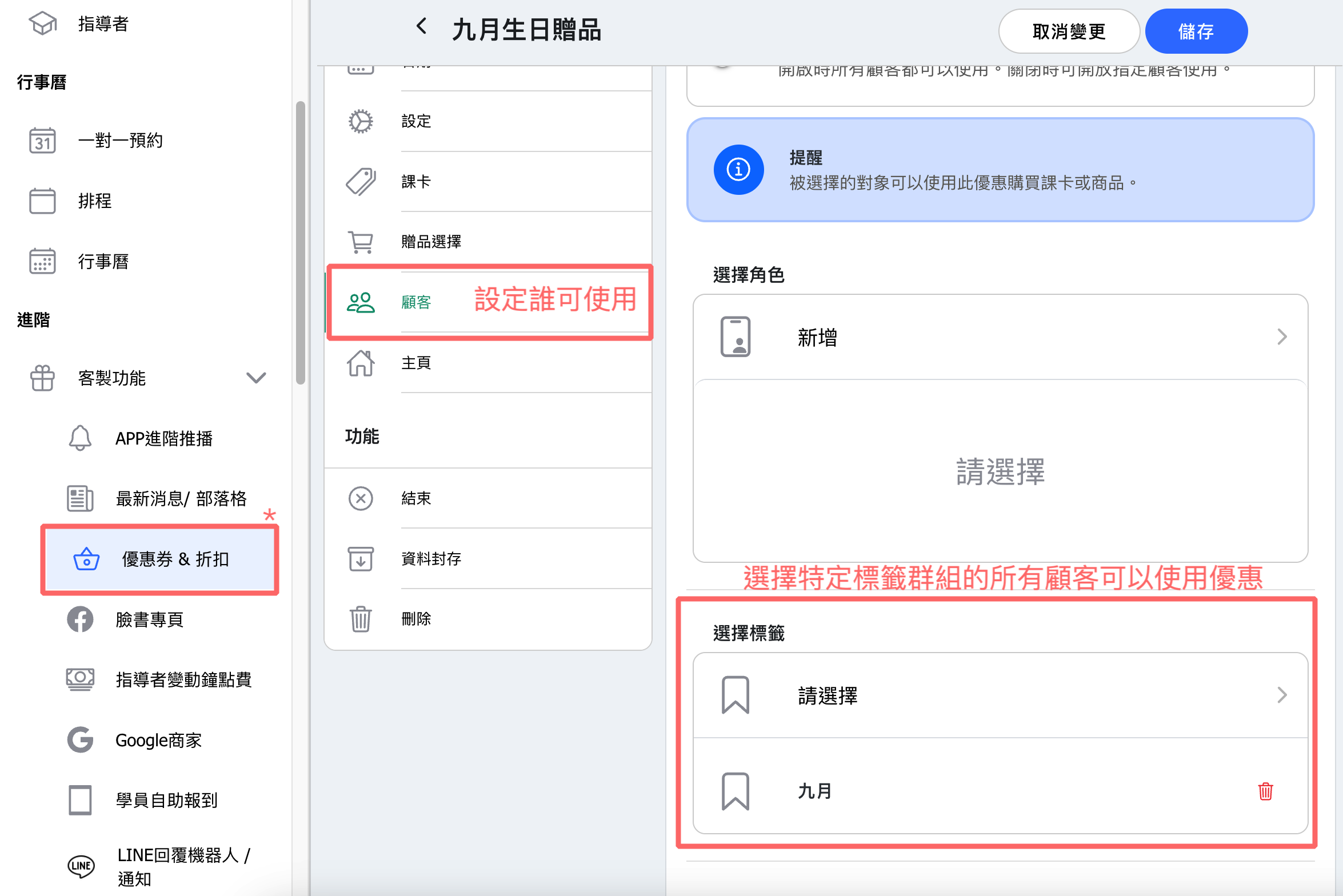
Tag Utility: Send promotions to tagged customer groups
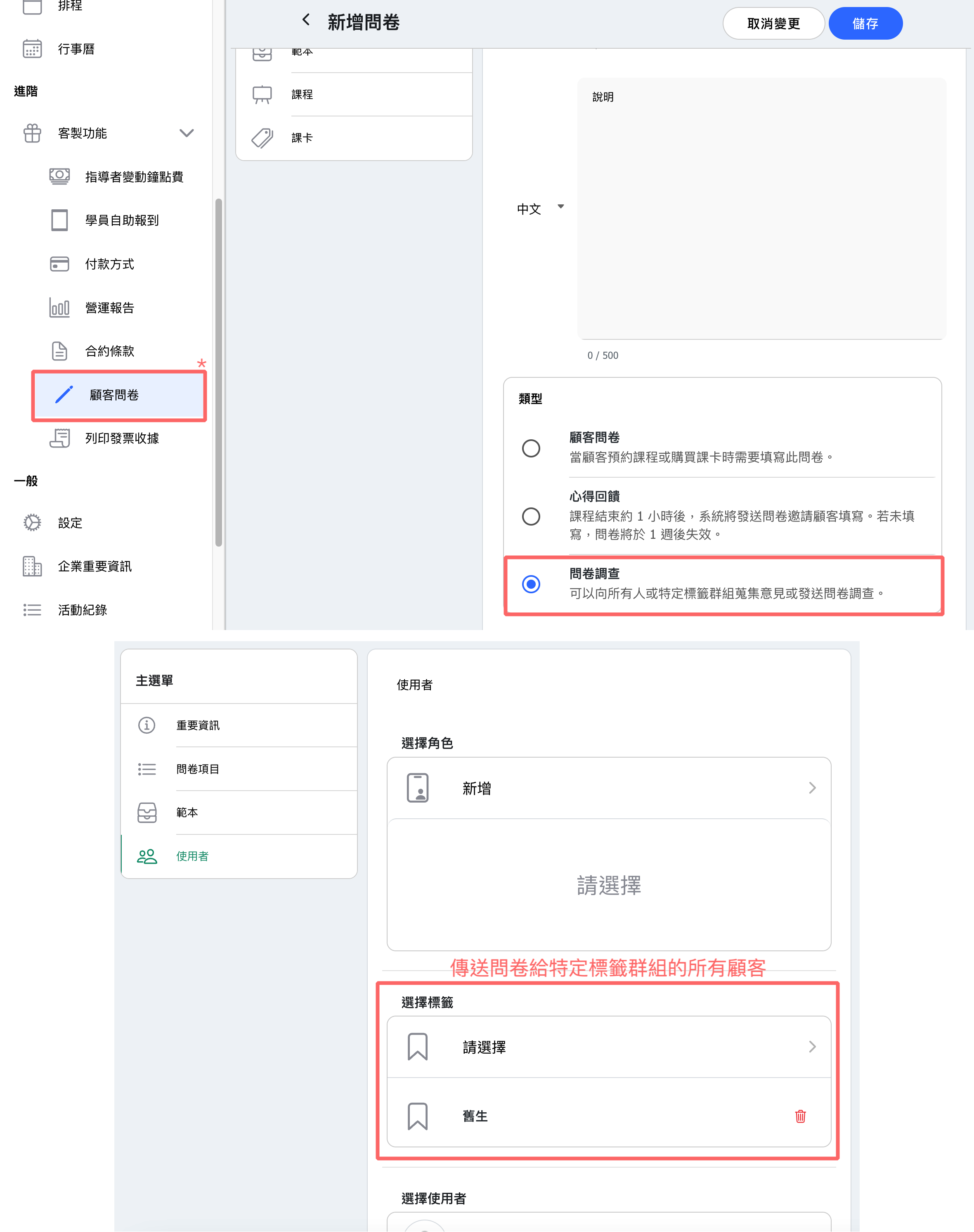
Tag Utility: Send surveys to tagged customer groups
Example of filter by tag
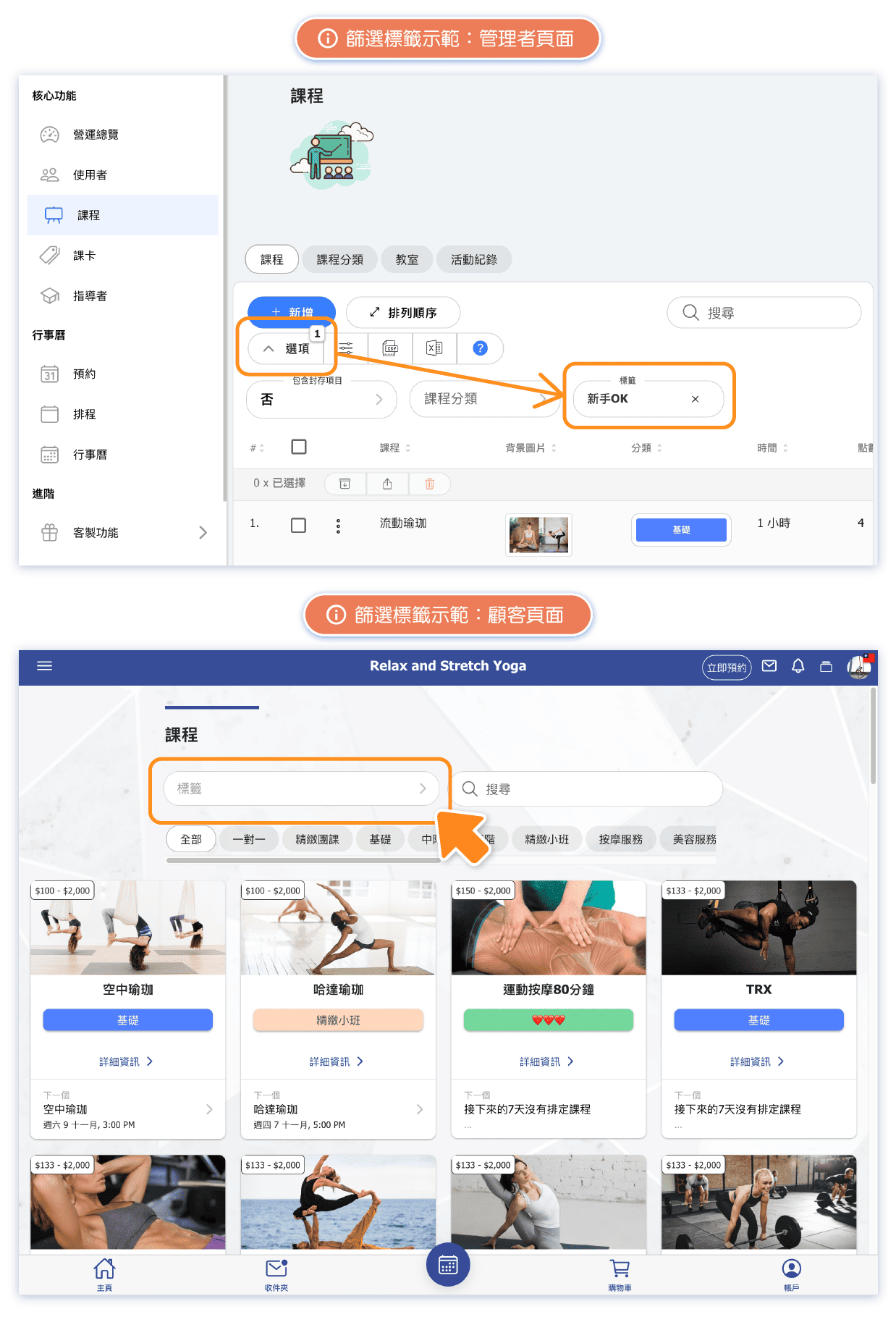
FAQ: Are schedule tags and class tags interconnected?
They are NOT interconnected.
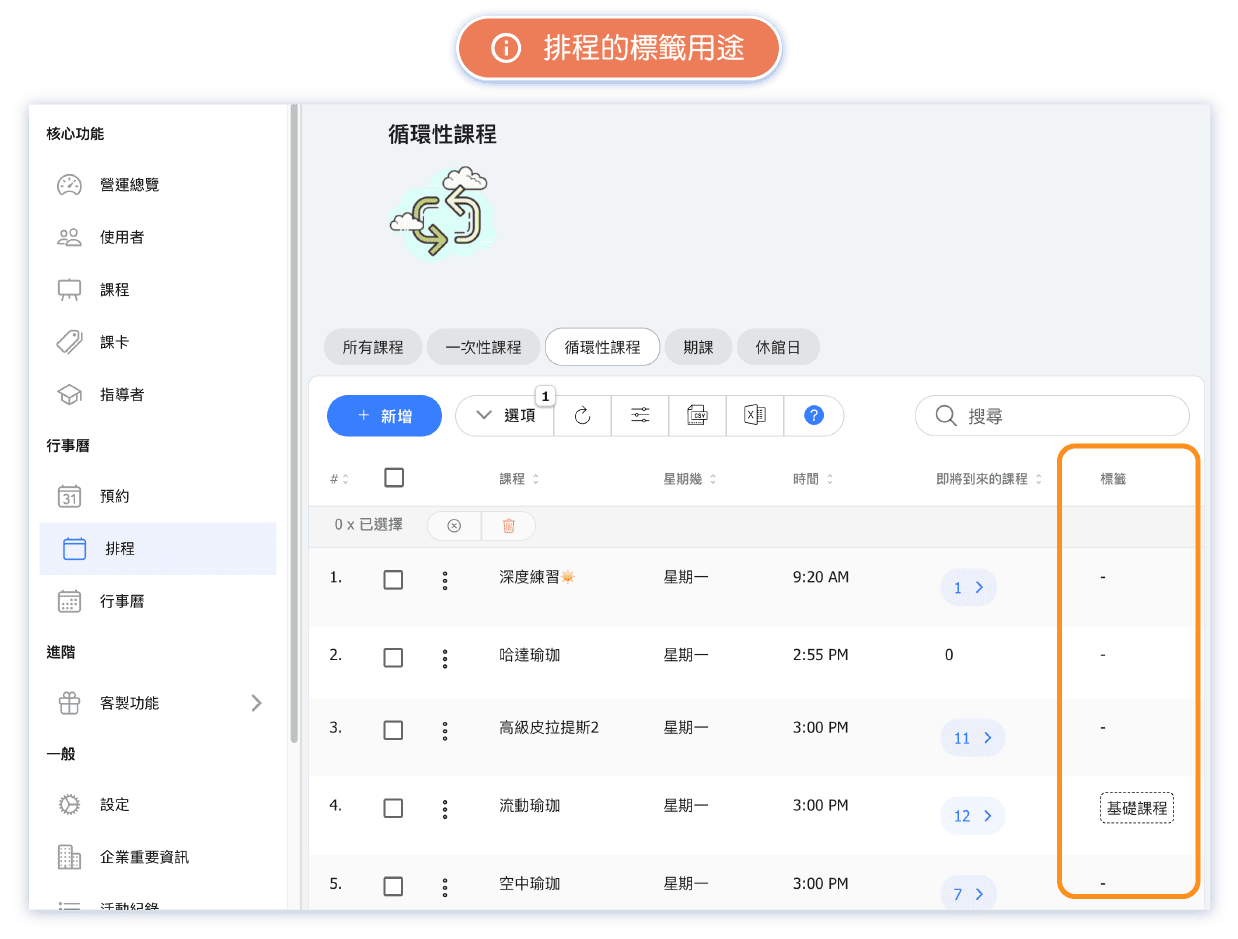
The repeating class tags and schedule course tags on the schedule page are used for "easier categorization and management of schedules." When there are many classes, tags can be used to categorize repeating class and schedule course, making it easier to locate them.
FAQ:What public tags can customers currently see?
Currently, the "public" tags visible to customers are for classes, passes, and instructors.
At this stage, even if "customer tags, repeating class tags, and schedule course, etc., are set to public, they remain invisible to customers.

