
What is Sales Commission?
The Sales Commission feature allows you to track and manage commission payments for your sales team. When a salesperson sells passes or products, the system can automatically calculate their commission based on your configured settings.
Key Features:
- Multiple Commission Models - Choose manual entry, item-based, or user-based commission calculation
- Flexible Rate Types - Set commissions as percentages or fixed amounts
- Sales Tracking - View all purchases with assigned salespeople and their commissions
- Performance Monitoring - Track total items sold and commission earned per salesperson
- Tags Organization - Categorize salespeople with custom tags for filtering
Accessing Sales Commission:
Go to Custom Features → Sales Commission in the admin menu.
Setting Up Sales Role Permissions
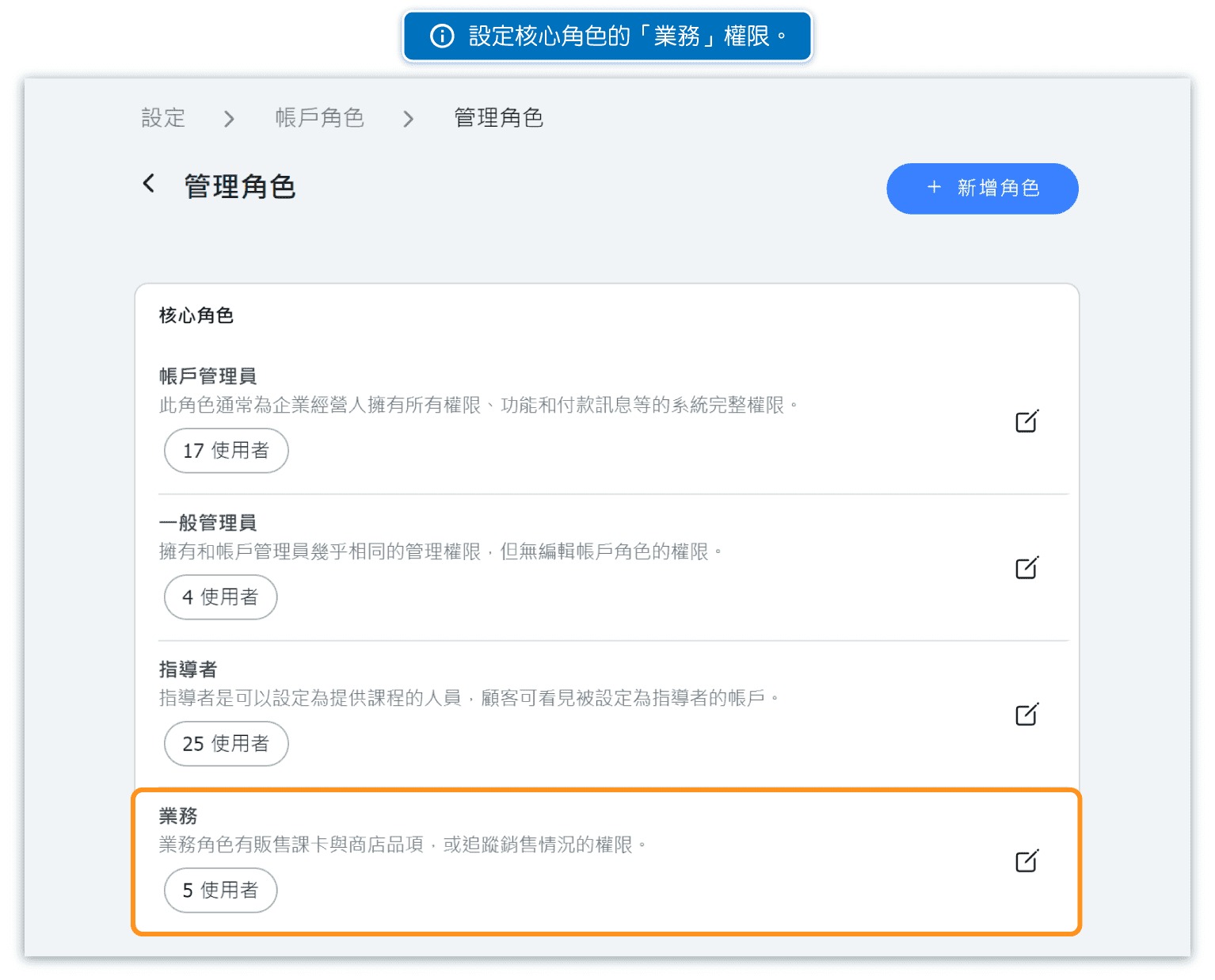
Before adding salespeople, ensure that the "Sales" role permissions are properly configured in your system.
Steps to Configure:
- Go to Settings → Role Permissions
- Locate the Sales role in the list
- Configure what salespeople can access and modify
- Save the permission settings
Common Permissions for Sales Role:
- View customer information
- Process sales transactions
- View their own commission reports
- Access relevant booking information
(Further reading: How to set role permissions)
Adding Salespeople
Add salespeople to your system by assigning the Sales role to existing accounts or creating new accounts.
To Add a Salesperson:
- Go to Sales Commission → Salesperson tab
- Click + NEW to add a new salesperson
- Select an existing user account or create a new one
- Assign the Sales role to the account
- Optionally add tags to categorize the salesperson
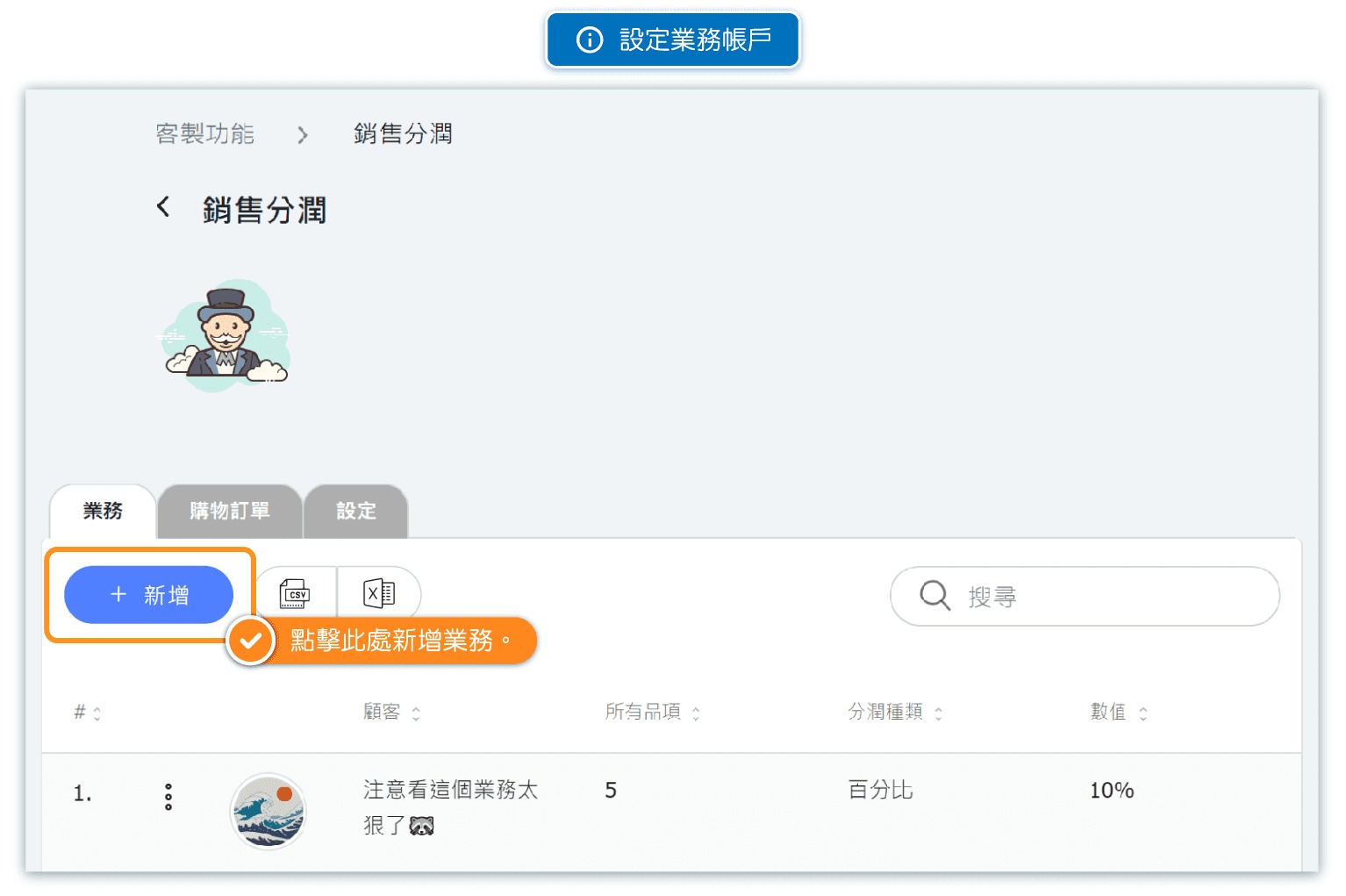
Salesperson List Information:
- Customer - The salesperson's name and profile
- Total Items - Number of items they have sold
- Commission Type - Percentage or fixed amount
- Value - Their commission rate
- Tags - Custom tags for organization
Choosing a Commission Model
Navigate to the Settings tab to choose how commissions are calculated. There are three main commission models:
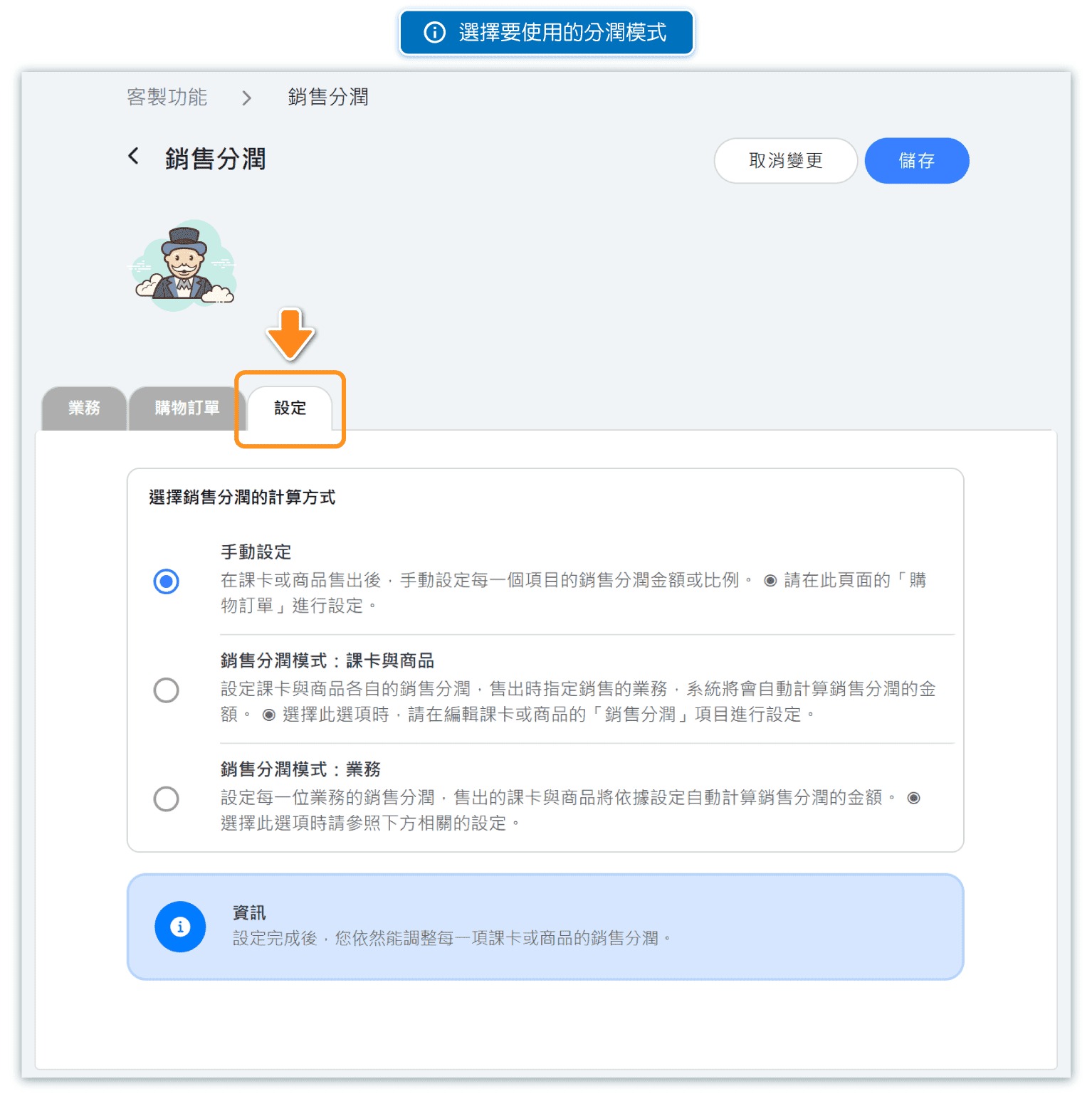
1. Manual
You manually enter the commission value for each item sold. This gives you complete control over commission amounts but requires manual input for every sale.
2. Item Based
Each pass or product has a pre-set commission. When a salesperson is assigned to a sale, the system automatically calculates their commission based on the item's configured rate.
3. User Based
Each salesperson has their own commission rate. When they make a sale, the system automatically calculates commission based on their personal rate setting.
Note: Regardless of which model you choose, you can always override the commission value for any individual sale.
Manual Commission Entry
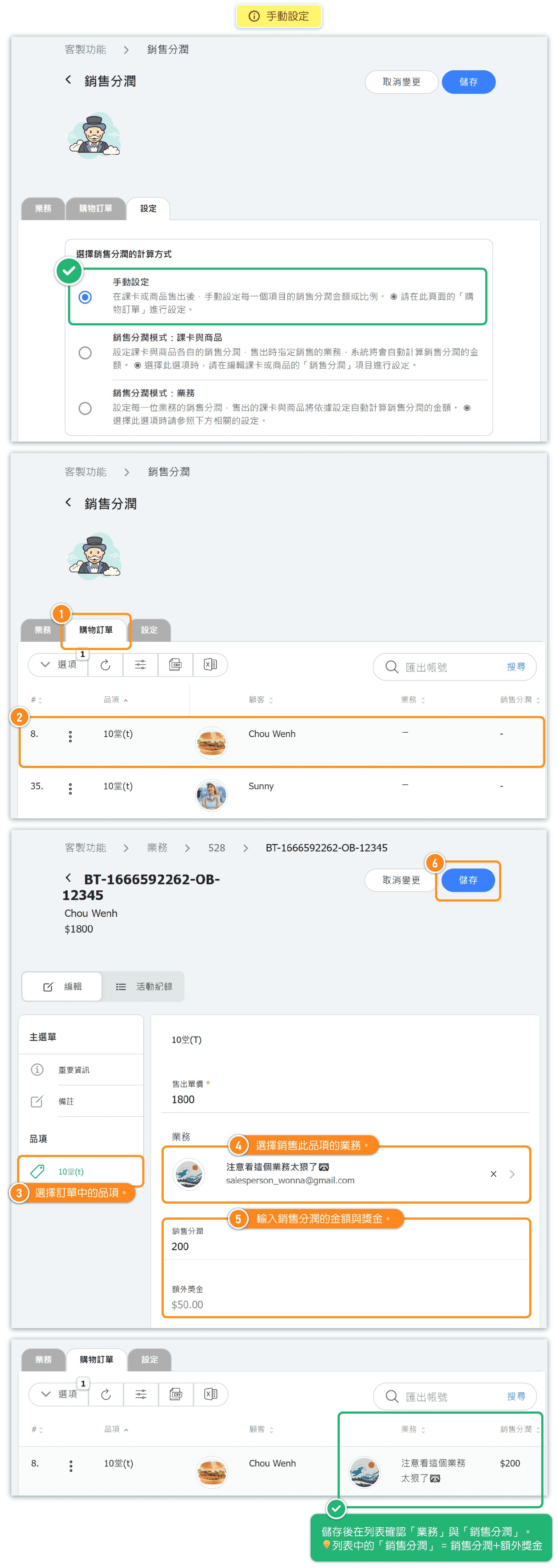
When using the Manual commission model, you enter the commission amount or percentage for each sale individually.
How It Works:
- A sale is made for a pass or product
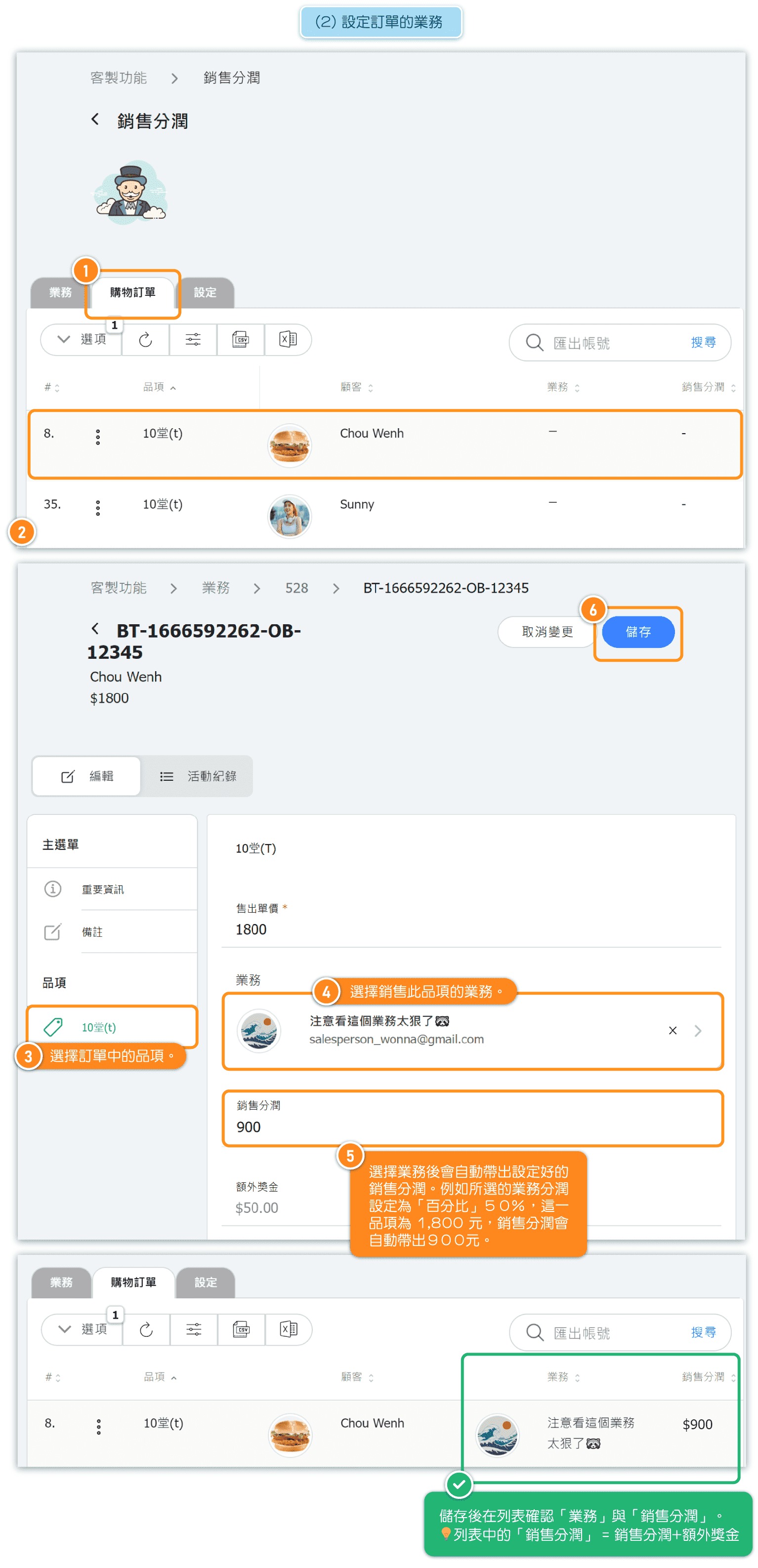
- Go to the Purchases tab in Sales Commission
- Find the sale and assign a salesperson
- Manually enter the commission amount or percentage
- The commission is recorded for that salesperson
Best For:
- Businesses with variable commission structures
- Special promotional periods with different rates
- Cases where commission varies by deal or negotiation
Item-Based Commission
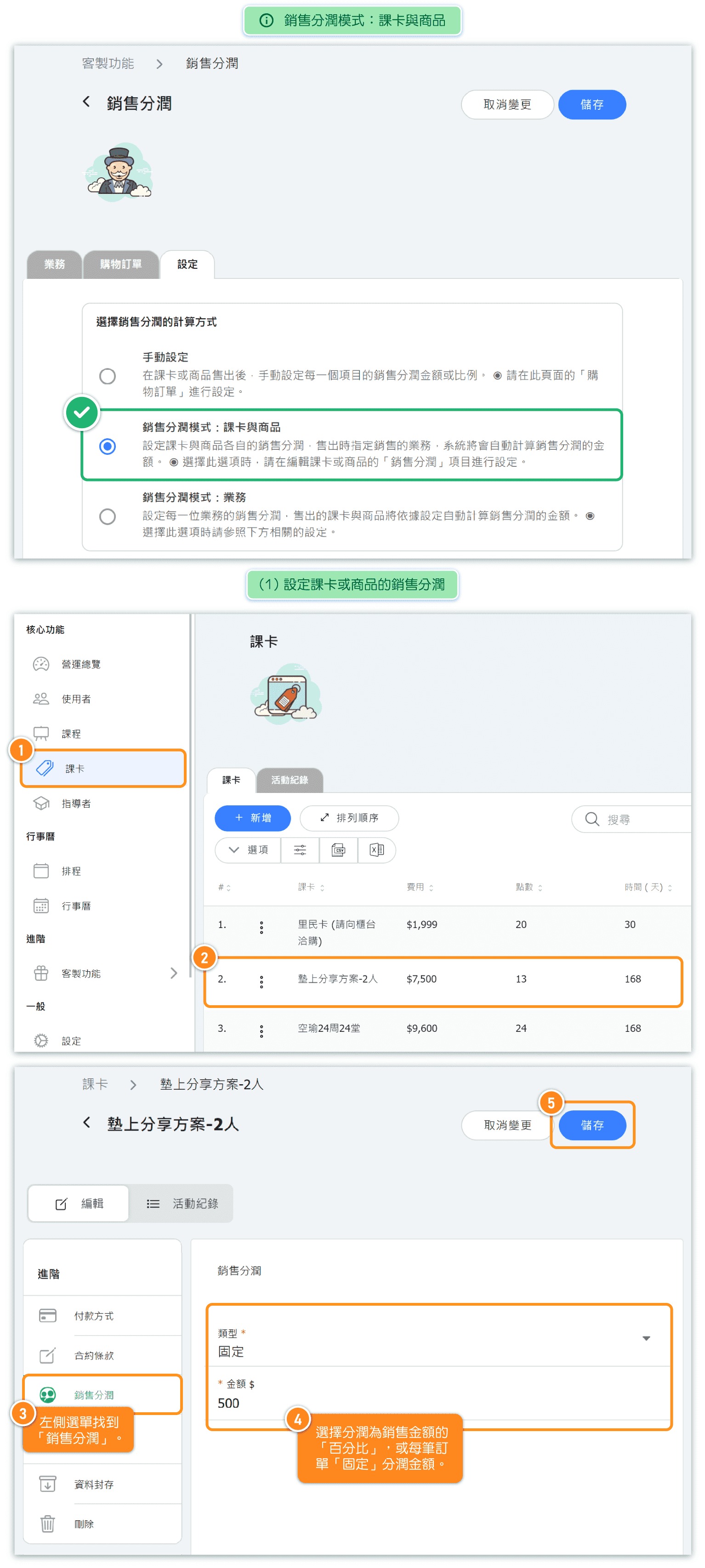
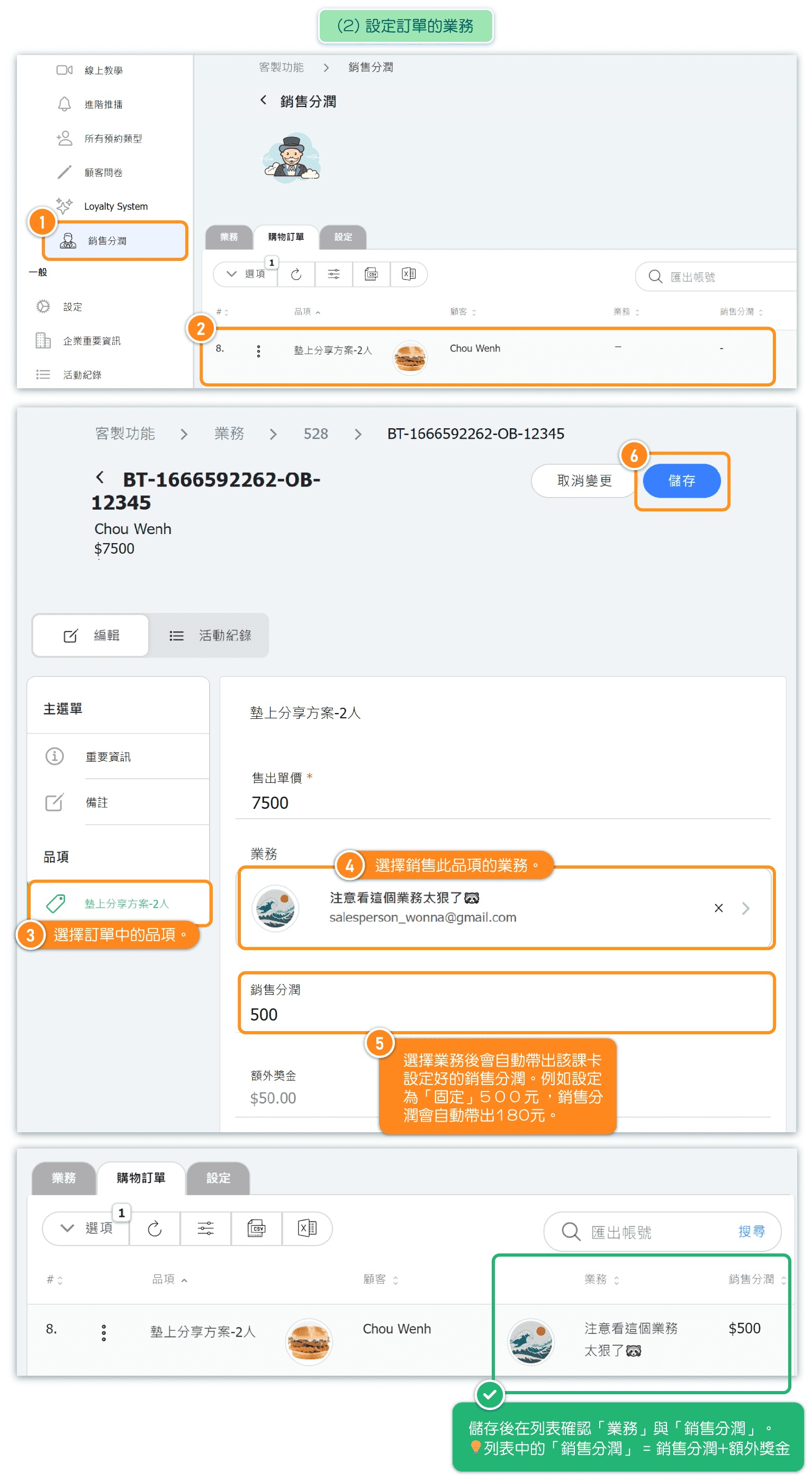
With Item Based commission, you set the commission rate on each pass or product. When a sale is made, the system automatically calculates the salesperson's commission.
Setting Up Item-Based Commission:
- Select Item based in the Settings tab
- Go to your passes or products
- Set the commission (percentage or fixed amount) for each item
- When a sale is made, assign the salesperson
- Commission is automatically calculated based on the item's rate
Best For:
- Businesses where commission varies by product type
- Different commission rates for passes vs. merchandise
- Premium products with higher commission rates
User-Based Commission
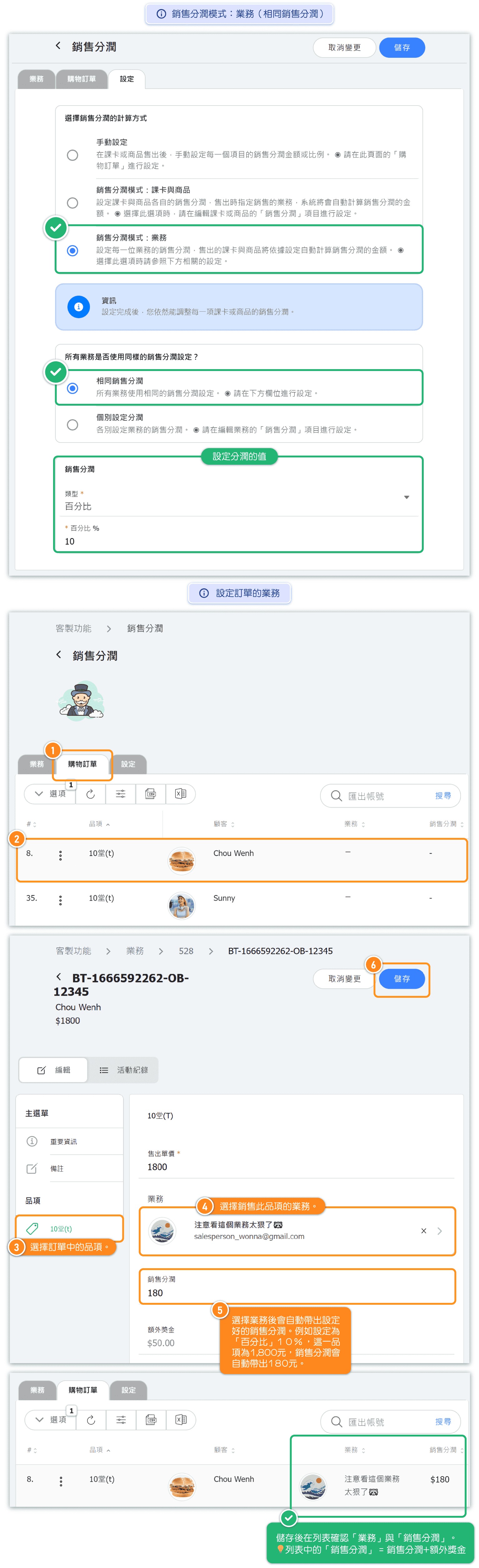
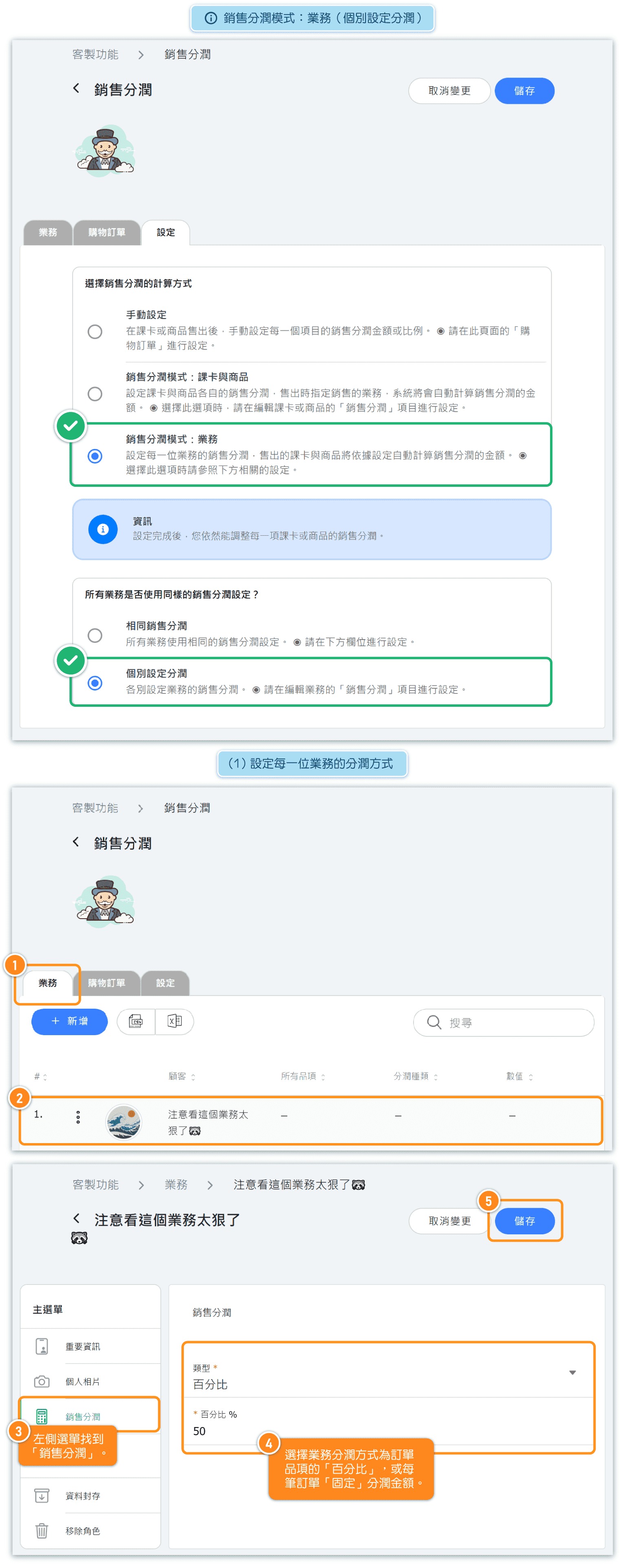
With User Based commission, the commission rate is tied to each salesperson rather than the items they sell. This model has two sub-options:
Same Commission:
All salespeople receive the same commission rate. Set one rate and it applies to everyone.
Individual Commission:
Each salesperson has their own commission rate. This allows for different rates based on experience, seniority, or performance.
Best For:
- Businesses where all products have the same commission structure
- Teams with tiered commission based on seniority
- Performance-based commission adjustments per salesperson
Viewing Purchases and Commission
The Purchases tab shows all sales transactions with their assigned salespeople and commission details.
Information Displayed:
- Item - The pass or product that was sold
- Customer - Who made the purchase
- Salesperson - The assigned salesperson for this sale
- Commission - The commission amount for this transaction
- Reference Number - Unique transaction identifier
Managing Purchases:
- Use the search box to find purchases by reference number
- Click OPTIONS to filter or export data
- Click on a purchase to view details or modify the salesperson assignment
- Override commission values for individual sales when needed
Tip: Regularly review the Purchases tab to ensure all sales are properly attributed to salespeople for accurate commission tracking.


