
How to Refund a Pass
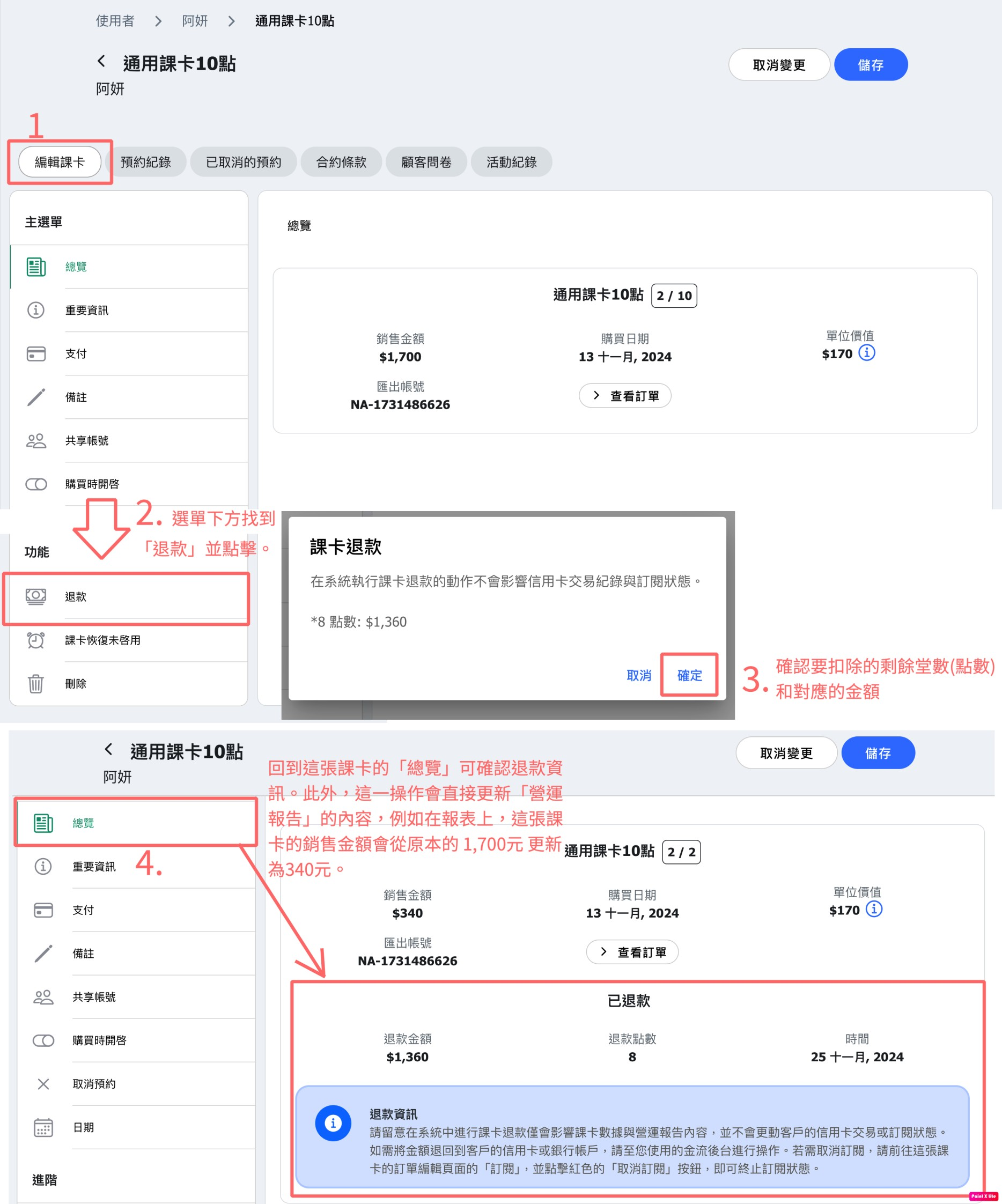
You can find the "Refund" button on the customer's course card page. Clicking it will bring up a confirmation message displaying the amount of remaining balance and the corresponding refund amount.
Once confirmed, click "Confirm," and the system will automatically deduct the respective balance and amount from the reports while simultaneously updating the customer's course card status.
FAQ: Does the refund automatically process to the customer’s credit card?
No, it won’t. System refunds only affect pass data and reports. For the actual refund amount, please process it using cash, bank transfer, or through the third-party payment system you are partnered with.
FAQ: Can I partially refund points or monetary amounts?
Currently, the system only supports refunding the remaining points or classes and their corresponding amount. The ability to customize refunds will be available in a future update.FAQ: What happens to the pass status after a refund?
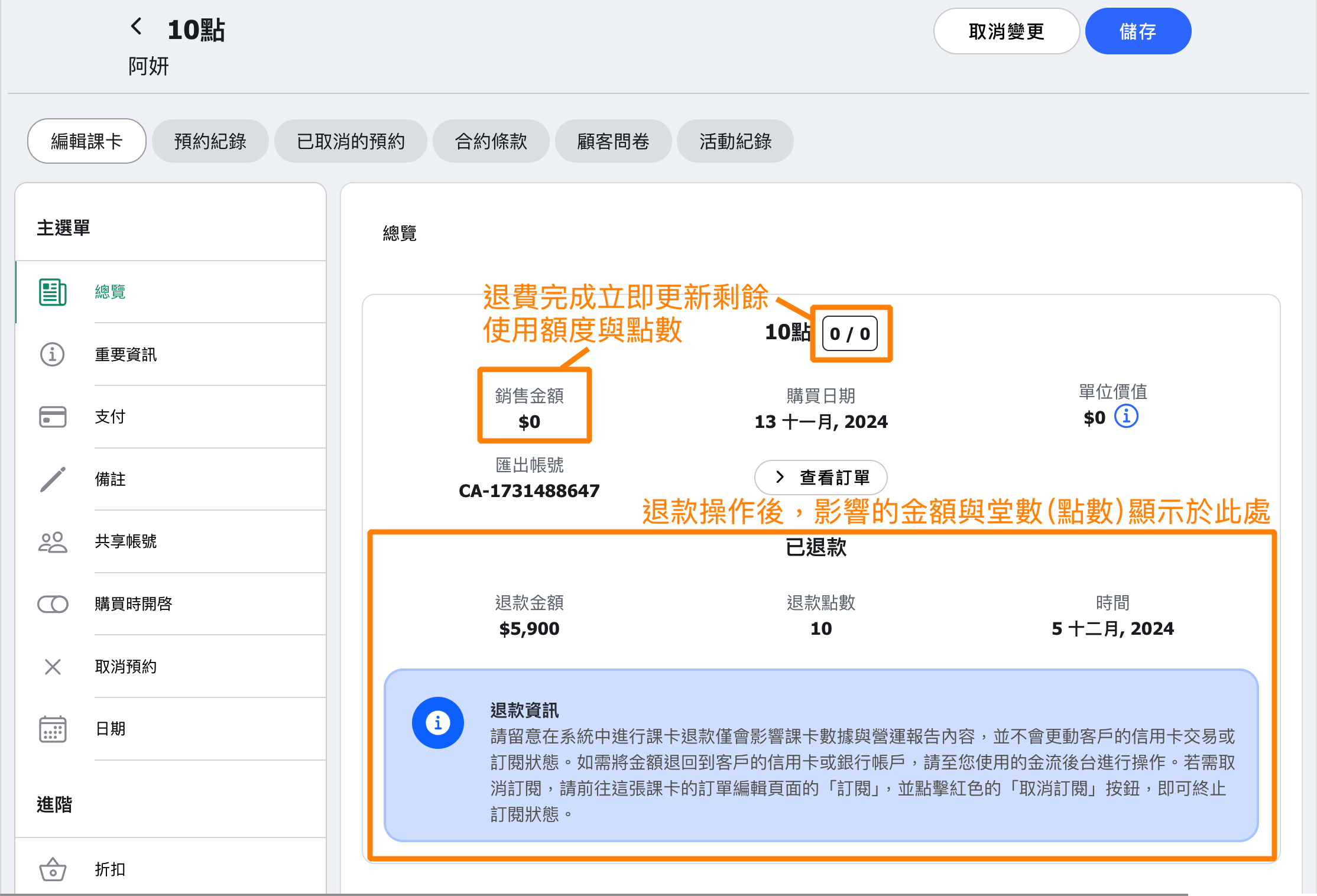
On pass summary page, the pass will be marked as "Refunded" and can no longer be used.
FAQ: Does the Reports record refund details?
Reports will directly deduct the refunded points and amount from the specific order.
For example, if a pass order was created on 11/1 with a price of NT$5000 for 10 points, and 8 points have been used, a refund would deduct 2 points and the corresponding NT$1000. The record will be updated from NT$5000 for 10 points to NT$4000 for 8 points, ensuring the report accurately reflects the actual status.
FAQ: Will the refund affect transferred or rollover passes?
No, it will not be affected.
For instance, if Customer A transfers half of their points to Customer B and later requests a refund, the system will process the refund for Customer A without affecting Customer B's course card or points in any way

