Schedule Module v.s. Appointment Module
Schedule Module v.s. Appointment Module
| Schedule Module | Appointment Module |
| Customers can choose those scheduled classes and make reservations. • Repeating Classes: Classes held at fixed times every week or every other week. • Schedule Course: A full term of classes scheduled at once. • One Off Class: Individual classes scheduled separately. | Set the reservation availability for each type of class and also define the working hours for each instructor. Reservation is allowed only when there is an overlap between the two schedules, allowing customers to choose the most suitable time for them. |
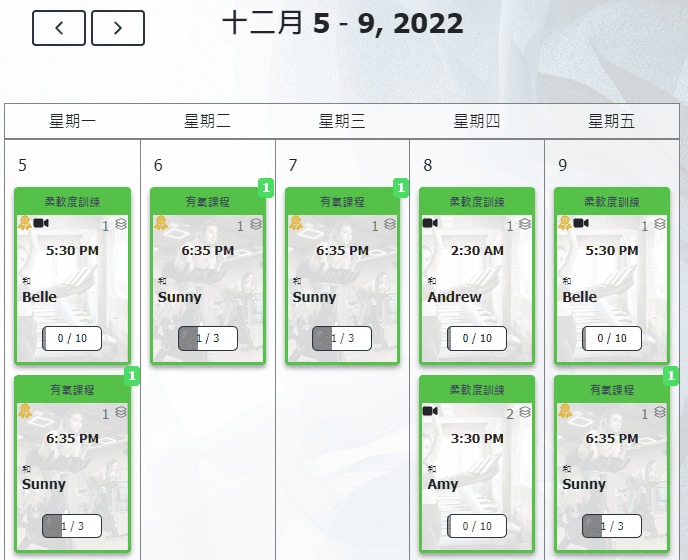 | 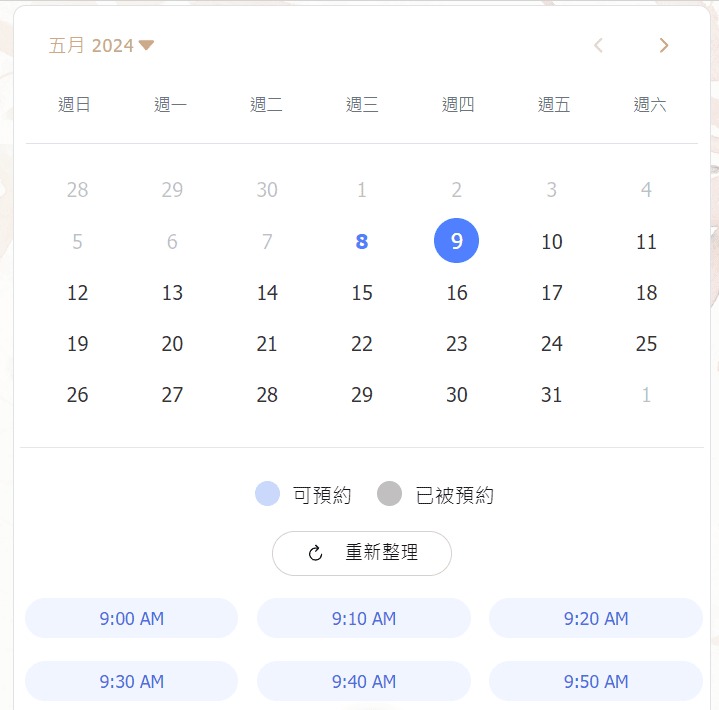 |
Switch Schedule Modules: In the admin page , go to【Settings】→【Configuration】→【Reservation Type】and choose the module type【Schedule】.
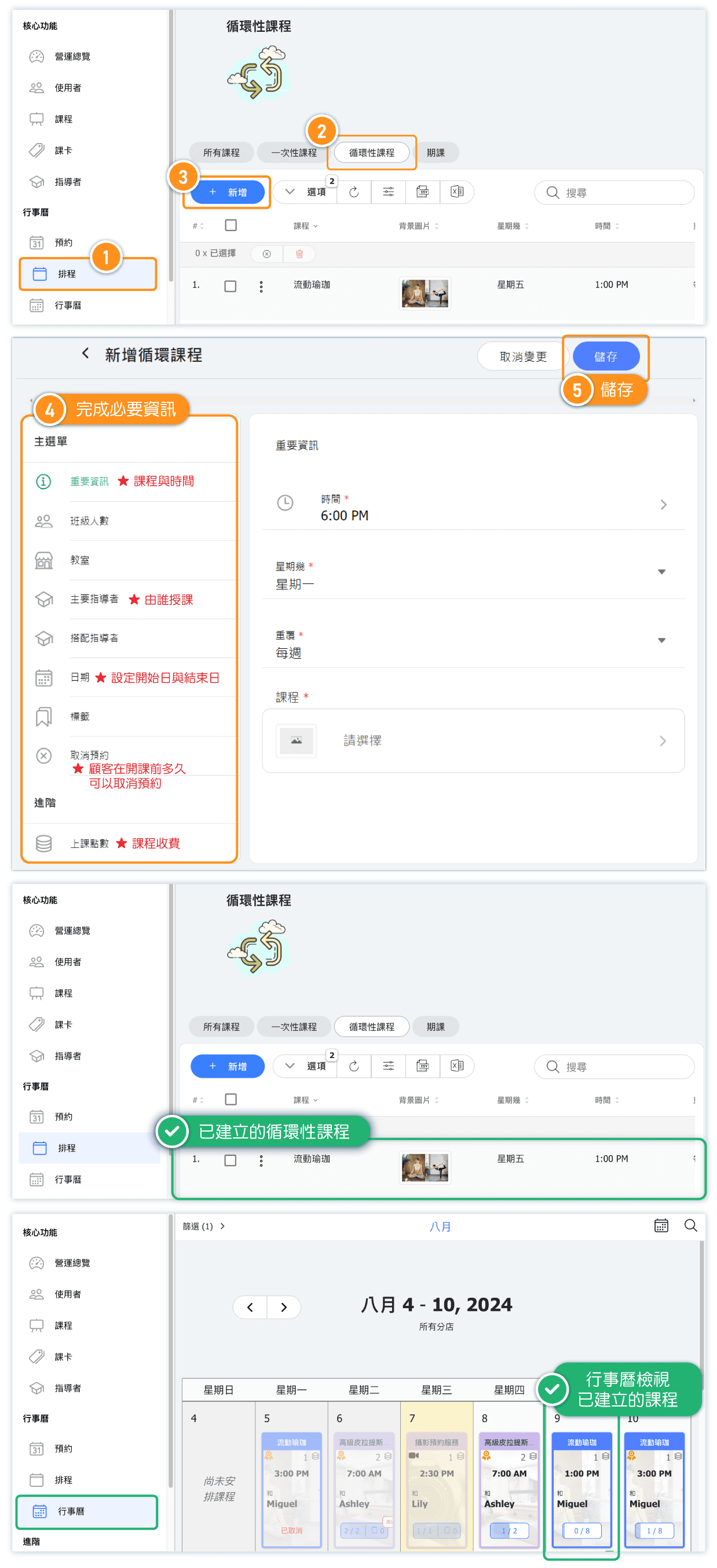
How to Add "Repeating Classes"
[Instructions]
-
Click Schedule in the left menu.
-
Select the Recurring Courses tab.
-
Click + Add.
-
Fill in the required course information.
-
Click Save.
How to Add "Schedule Courses"
[Instructions]
- Click Schedule in the left menu.
- Select the Recurring Courses tab.
- Click + Add.
- Fill in the required course information.
- Click Save.
- Click Add Course.
- Select the course time.
- Choose one or more dates.
- Click Save.

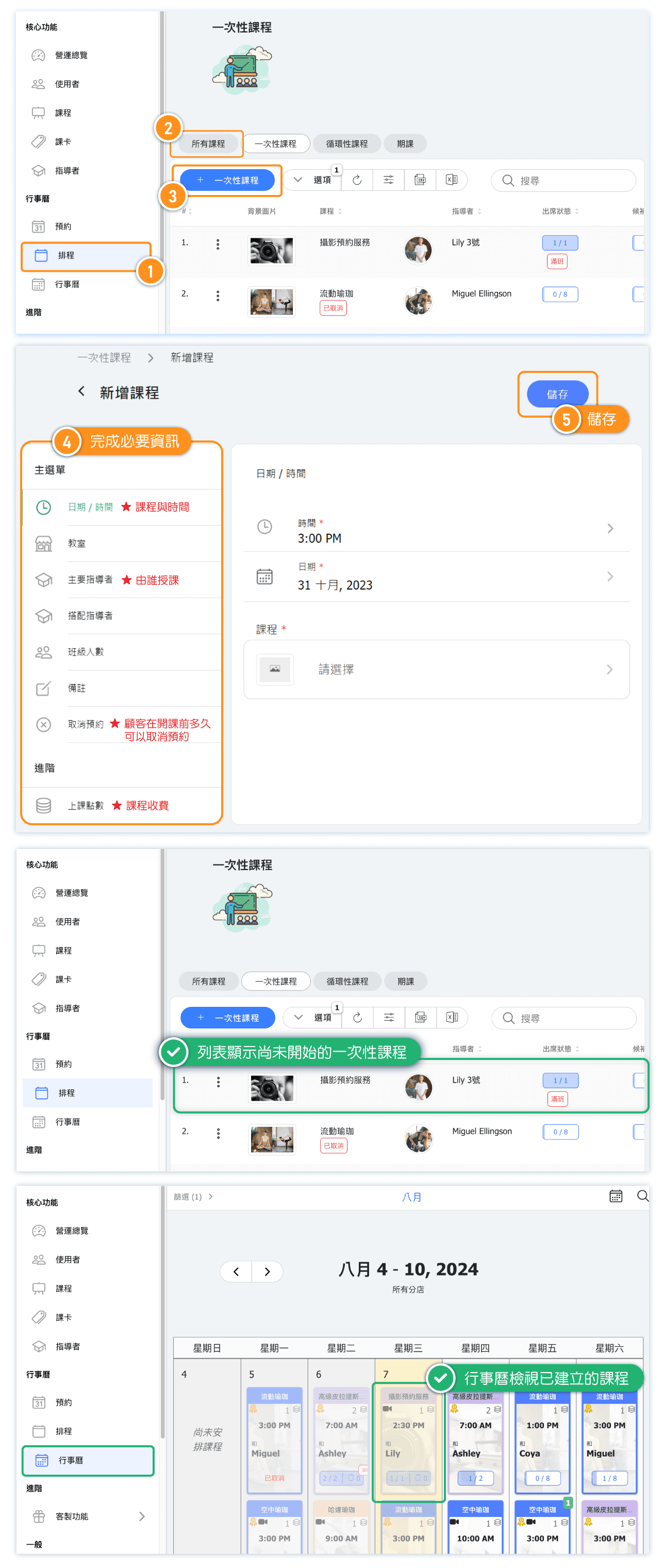
How to Add "One off Class"
[Instructions]
-
Click Schedule in the left menu.
-
Select the All Courses tab.
-
Click + One-Time Course.
-
Fill in the required course information.
-
Click Save.