
Scenario 1: Customer purchase passes via cash or bank transfer.
When customers purchase passes on the booking website and choose "cash" or "bank transfer" at checkout, the studio needs to verify the payment before customers can receive and use their purchased passes.
Selling pass process:
- Customer places an order: Customers check out through the shopping cart to purchase passes, selecting "cash" or "bank transfer."
- Waiting for customer payment: Admin checks the bank account to confirm receipt of payment or waits for the customer to pay in the studio.
- Verify Payment: After confirming receipt of payment, Admin navigates to "Dashboard → Payments → Unverified Payments" and clicks "VERIFY PAYMENT" for the order. Once confirmed, the pass will be immediately issued to the customer for booking.
[Instructions]
-
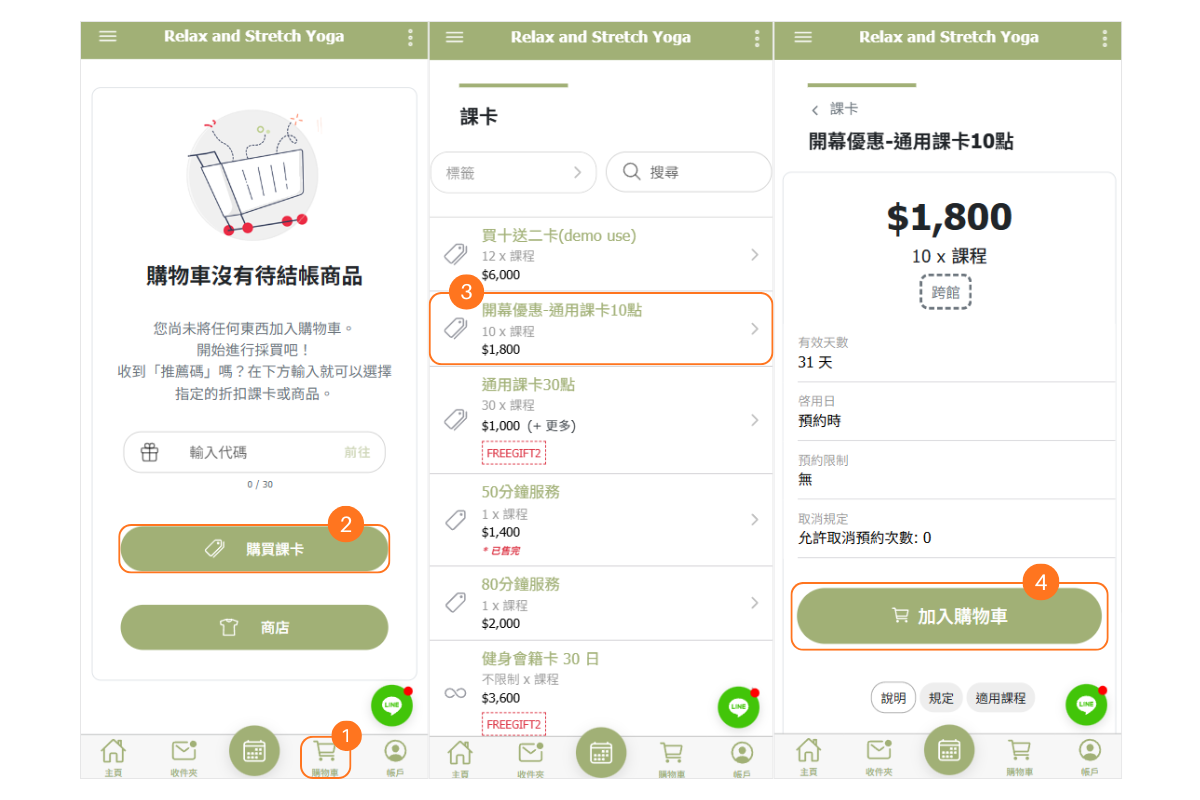
Click the shopping cart button at the bottom.
-
Click “Purchase Course Card”.
-
Select the course card you want to buy.
-
Click “Add to Cart”.
-
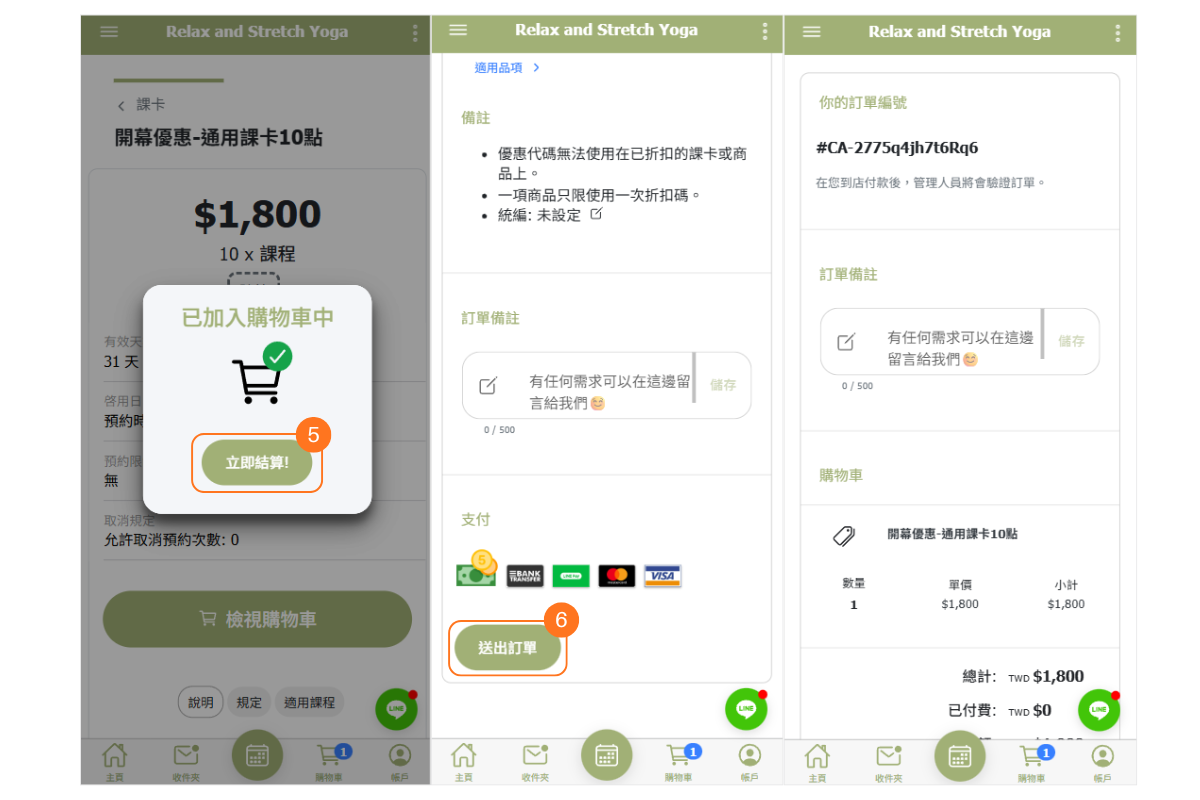
Click “Checkout Now”.
-
Choose a payment method and submit the order.
Verifying Payment
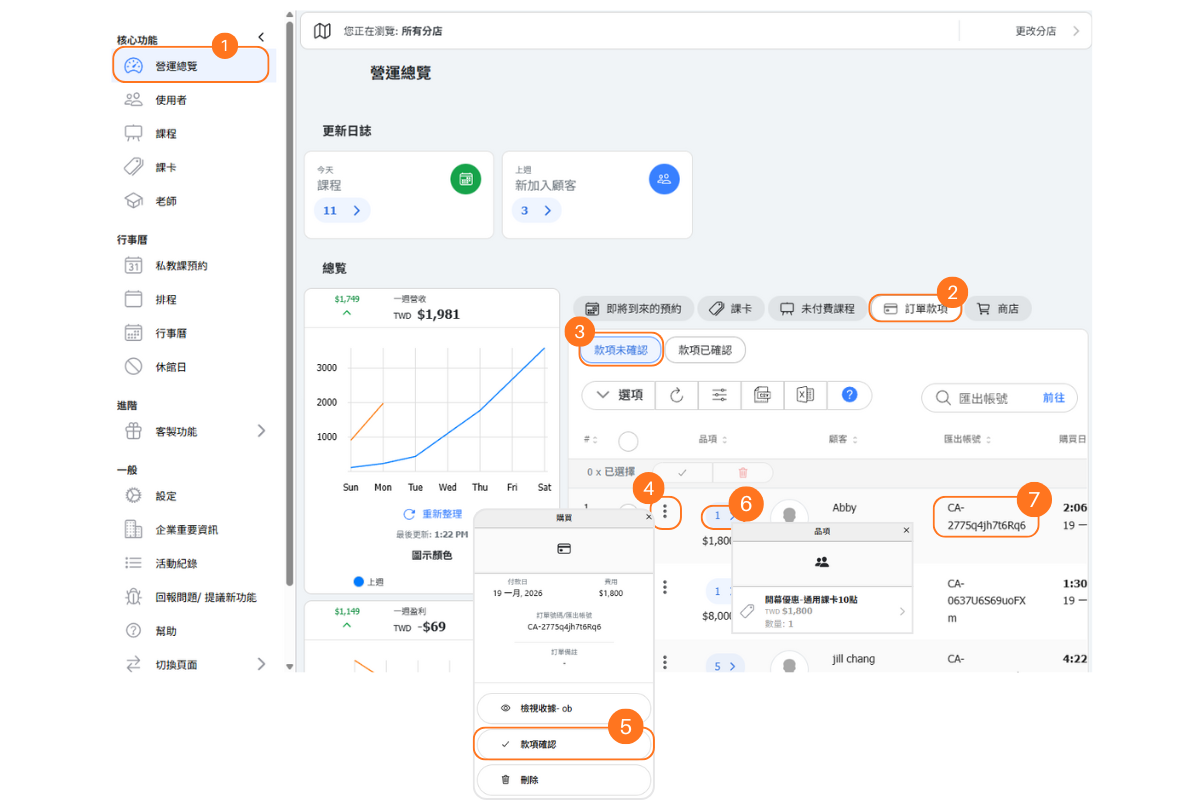
When customers place an order and choose payment options such as "cash" or "bank transfer," which are not online payment methods, you need to verify payment to issue the pass to the customer.
[Instructions]
-
Click “Operations Overview”.
-
Select the “Order Payments” tab.
-
Select the “Unconfirmed Payments” tab.
-
Click to view the order details.
-
Click “Confirm Payment”.
-
Click to view the product details.
-
Order Number (CA – Cash / BT – Bank Transfer)
Scenario 2: Customer purchases a pass at studio.
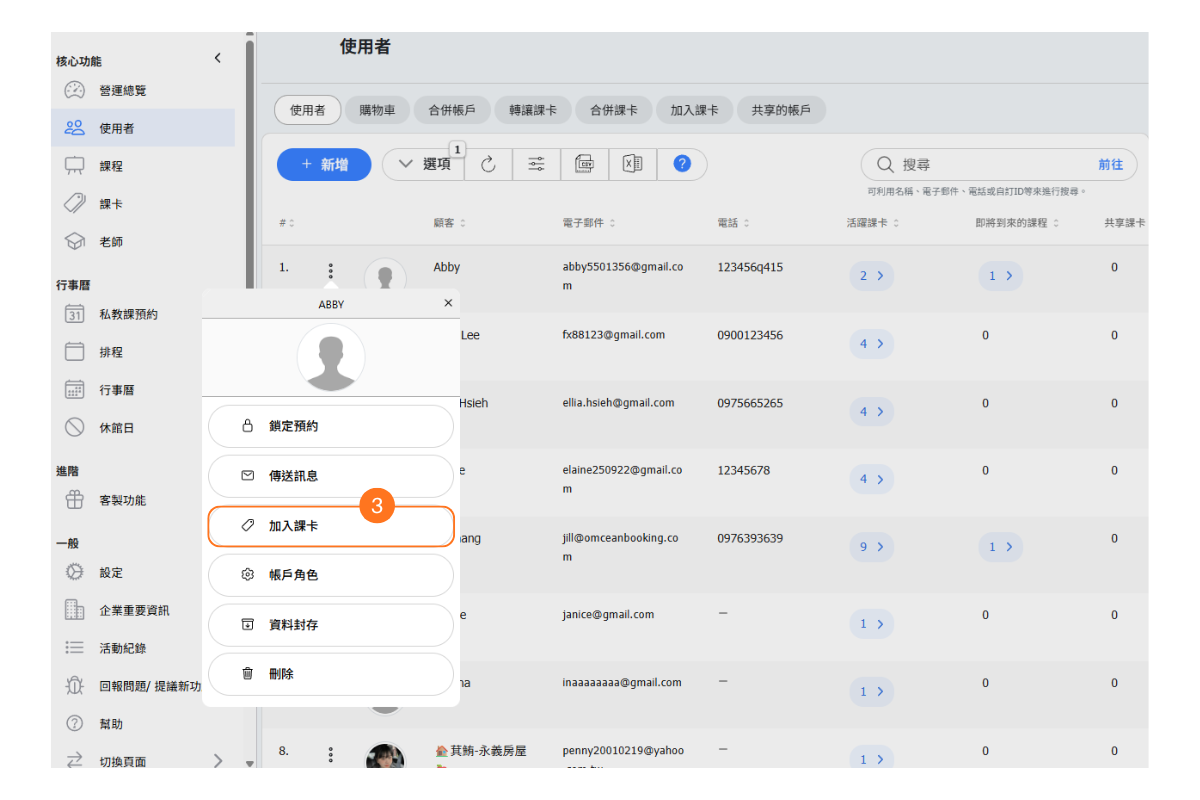 When customers pay in-store to purchases pass without placing order on booking website, admins need to manually issue the pass to customer account.
Process:
- Waiting for customer payment: Customers complete the payment in-store.
- Issuing passes: Admins use the "ADD PASS" or "ADD PASS TO CUSTOMER" button on the "Users" page to issue passes to customers.
[Instructions]
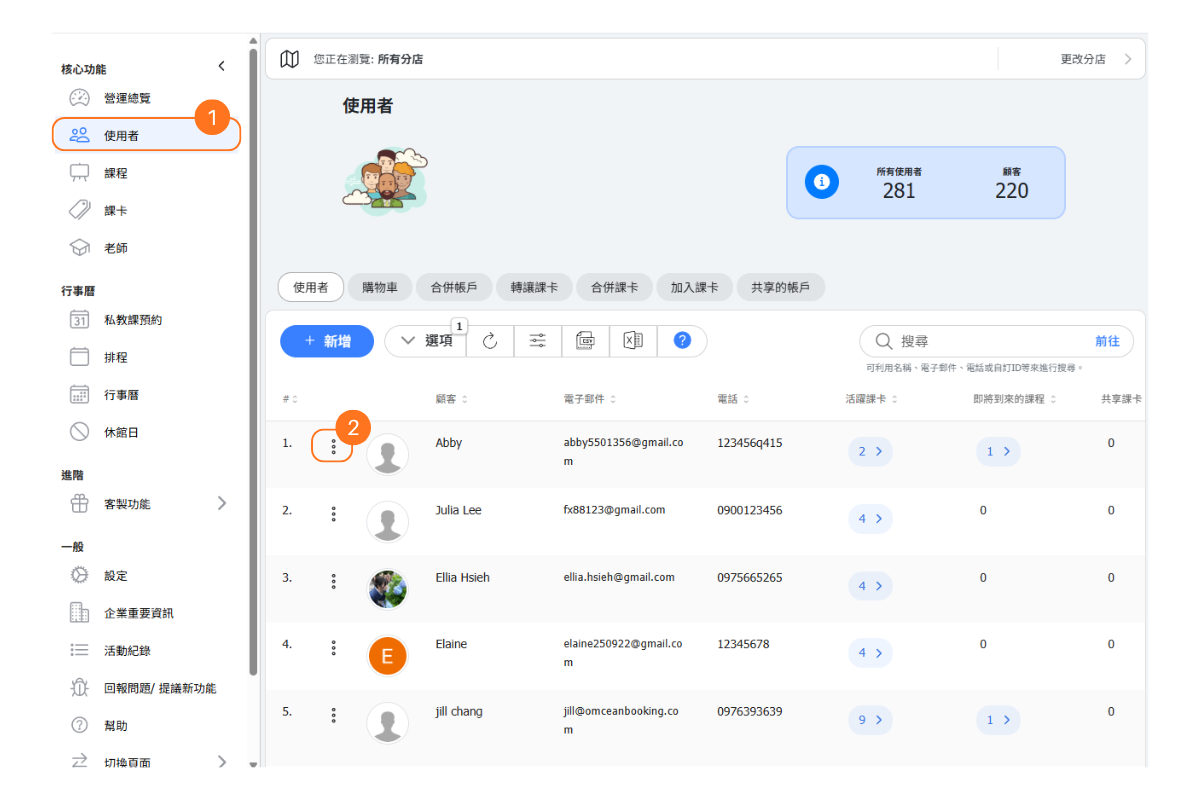
-
Click “Users”.
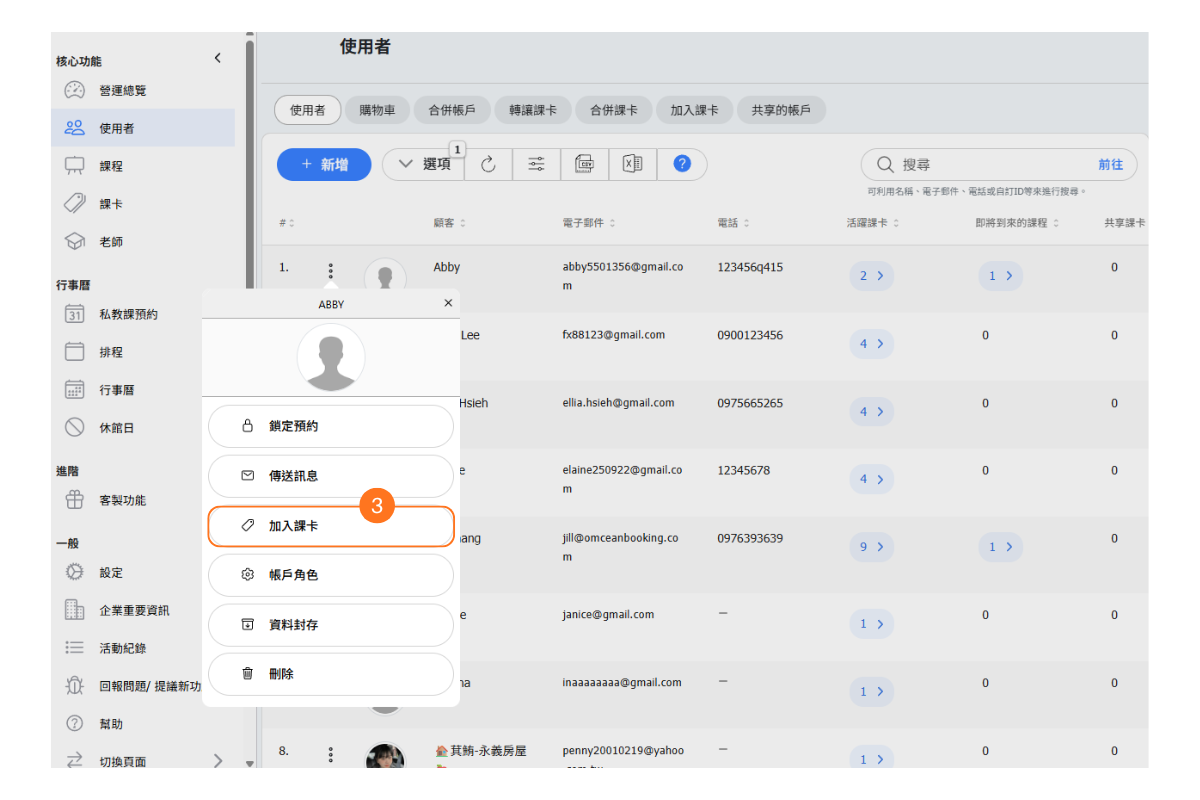
-
Click the button on the left side of the user.
-
Select “Add Course Card”.
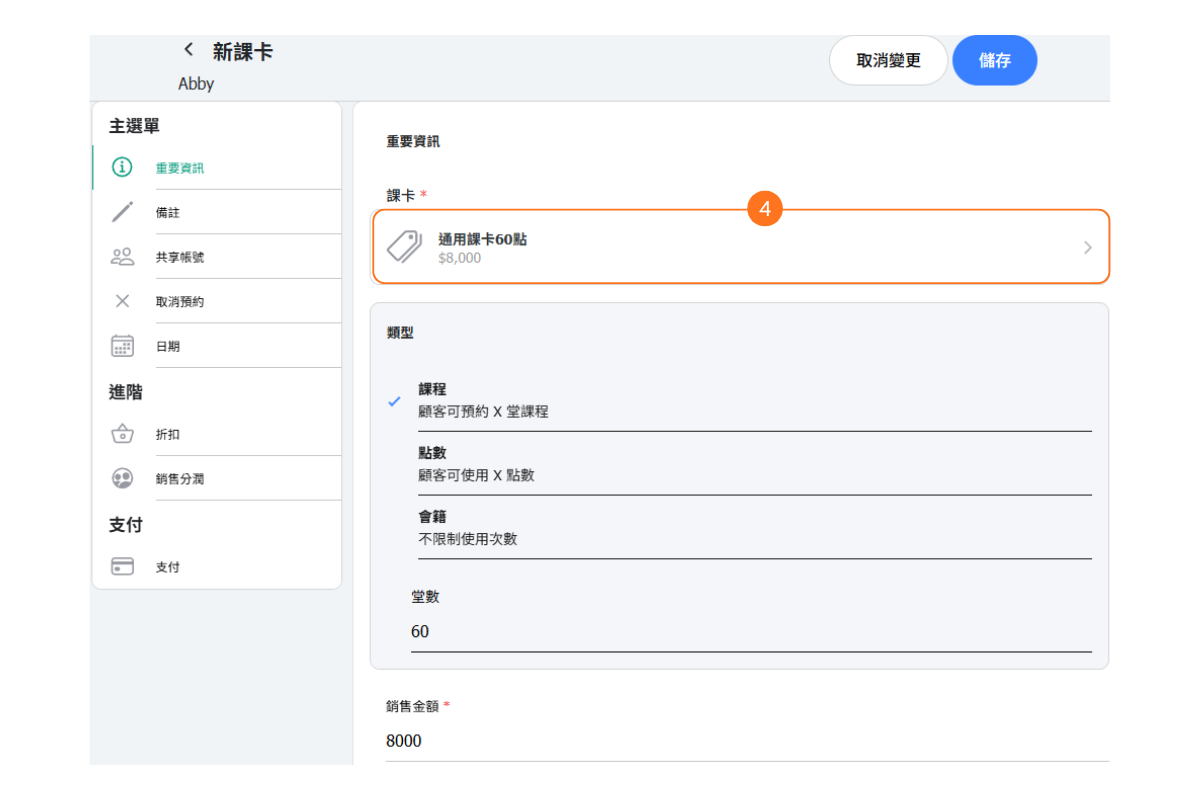
-
Select a course card and edit details such as the card type, number of sessions/points, card amount, activation date, and expiration date.
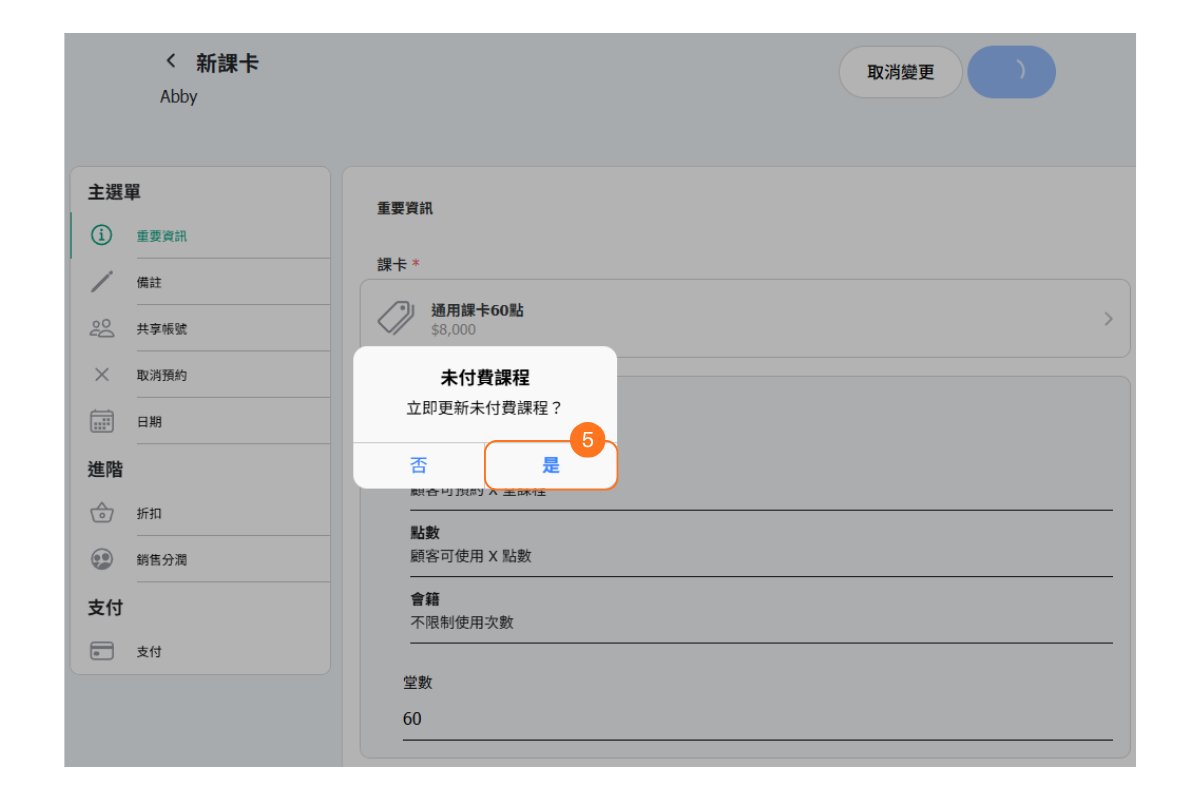
-
If there are any previously reserved but unpaid courses, you may choose to update the unpaid courses here.
Viewing Purchased Passes as Customer
[Instructions]
-
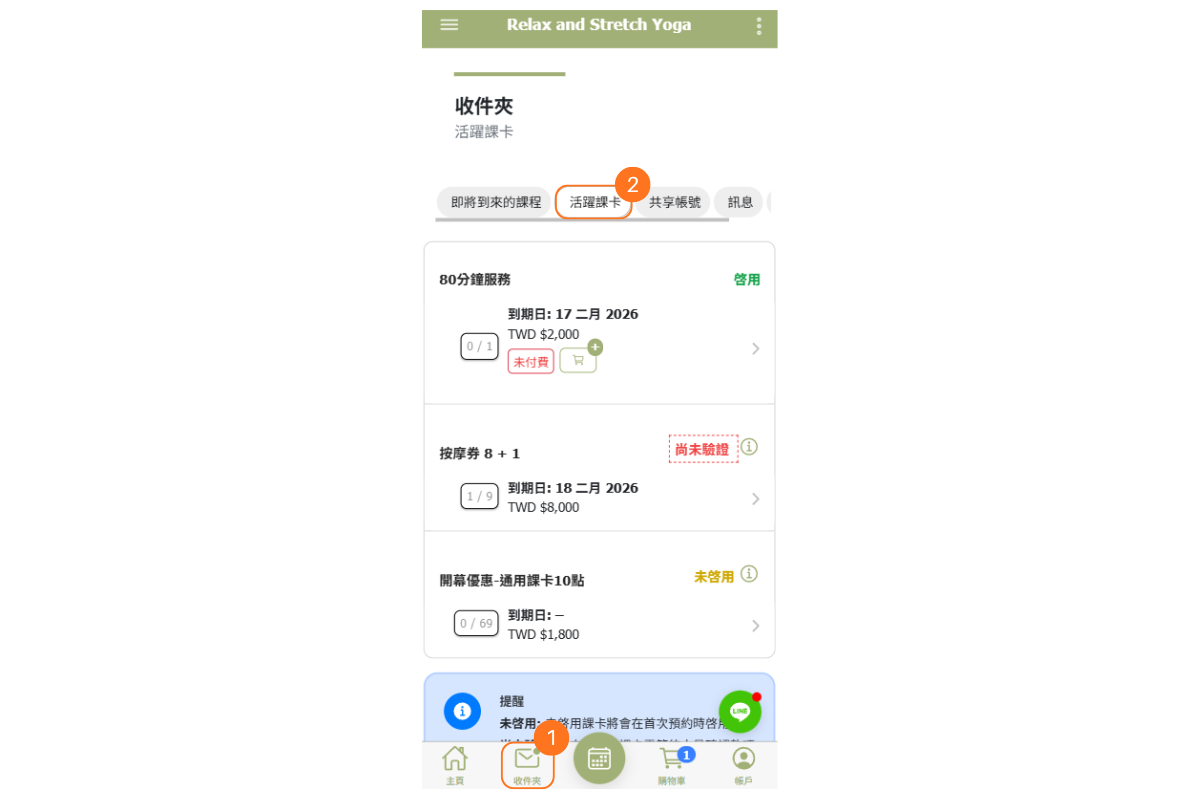
Click the “Inbox” at the bottom.
-
Select the “Active Course Cards” tab.
Activated: The validity period has started.
-
Not Activated: Ready to be used; the validity period has not started yet.
-
Unpaid: The course card was added to the customer’s account by the admin, but checkout has not been completed.
-
Pending Verification: The customer has completed checkout, but the payment has not yet been confirmed in the admin backend.
Viewing Purchased Passes as Admin
[Instructions]
-
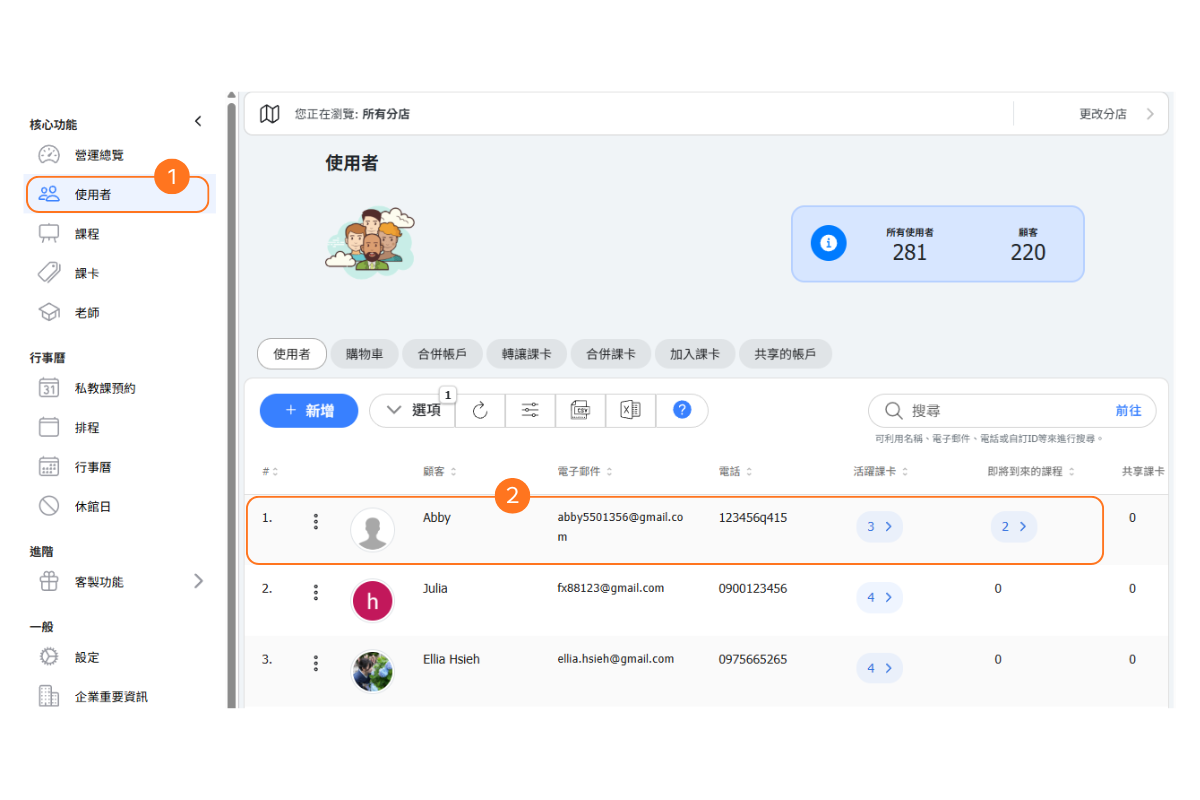
Click “Users”.
-
Select a user.
-
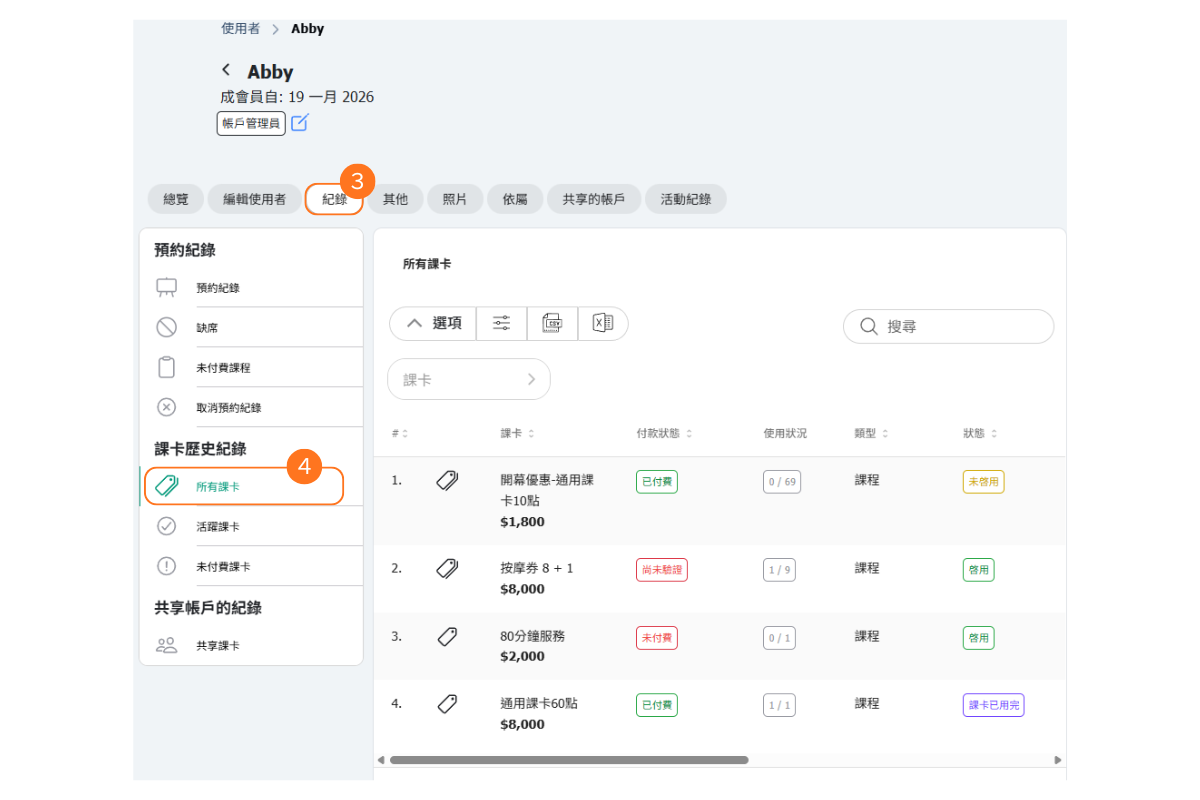
Select the “Records” tab.
-
Click “All Course Cards” on the left side.
Scenario 3: Customer purchase passes via credit card.
When customers choose to purchase a pass with credit card, they can start using the pass immediately after completing the checkout.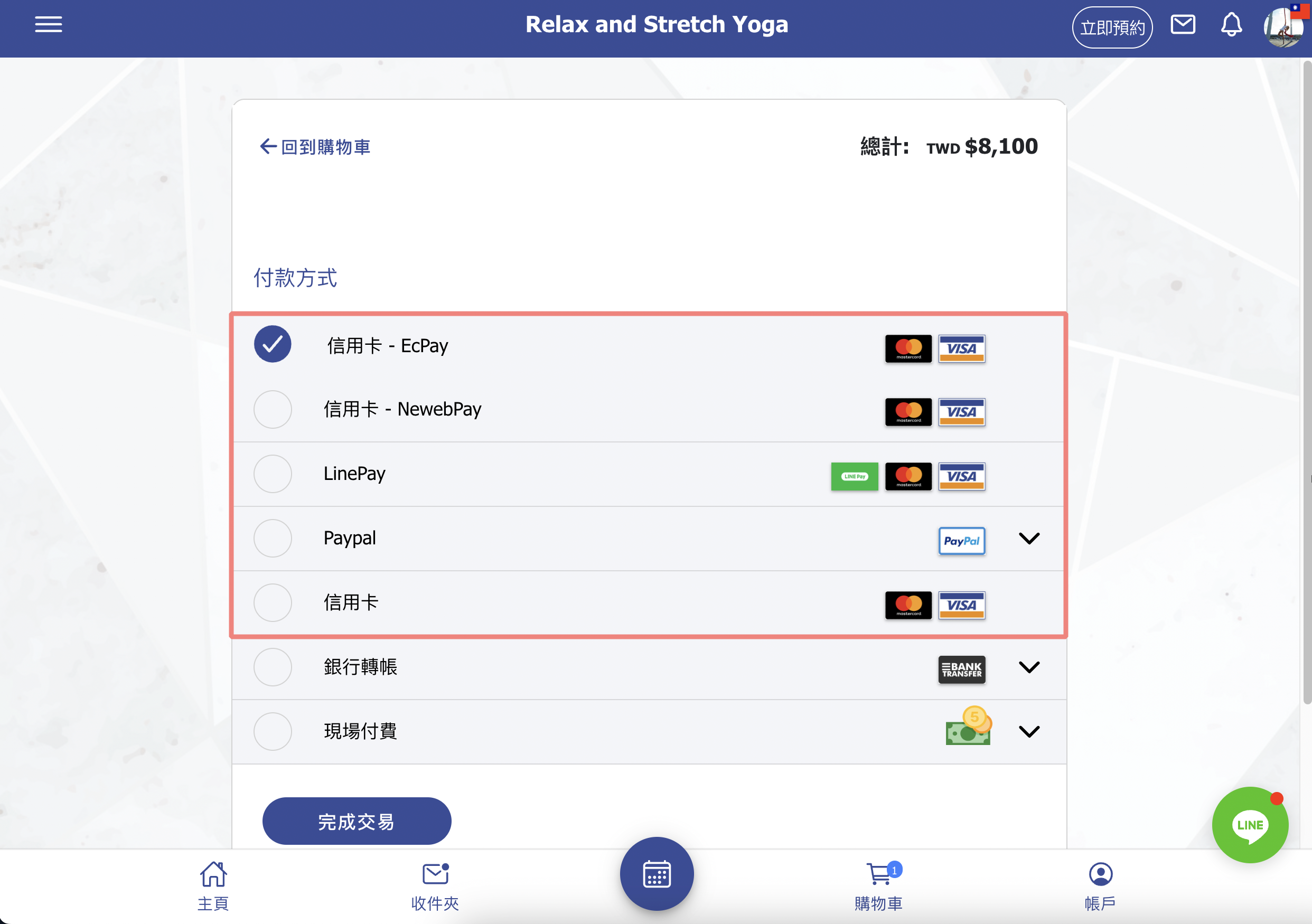
FAQ:Why Passes Cannot Be Used?
When customers inquire about why their pass cannot be used, you can assist them promptly by providing solutions based on this article.


