Point System
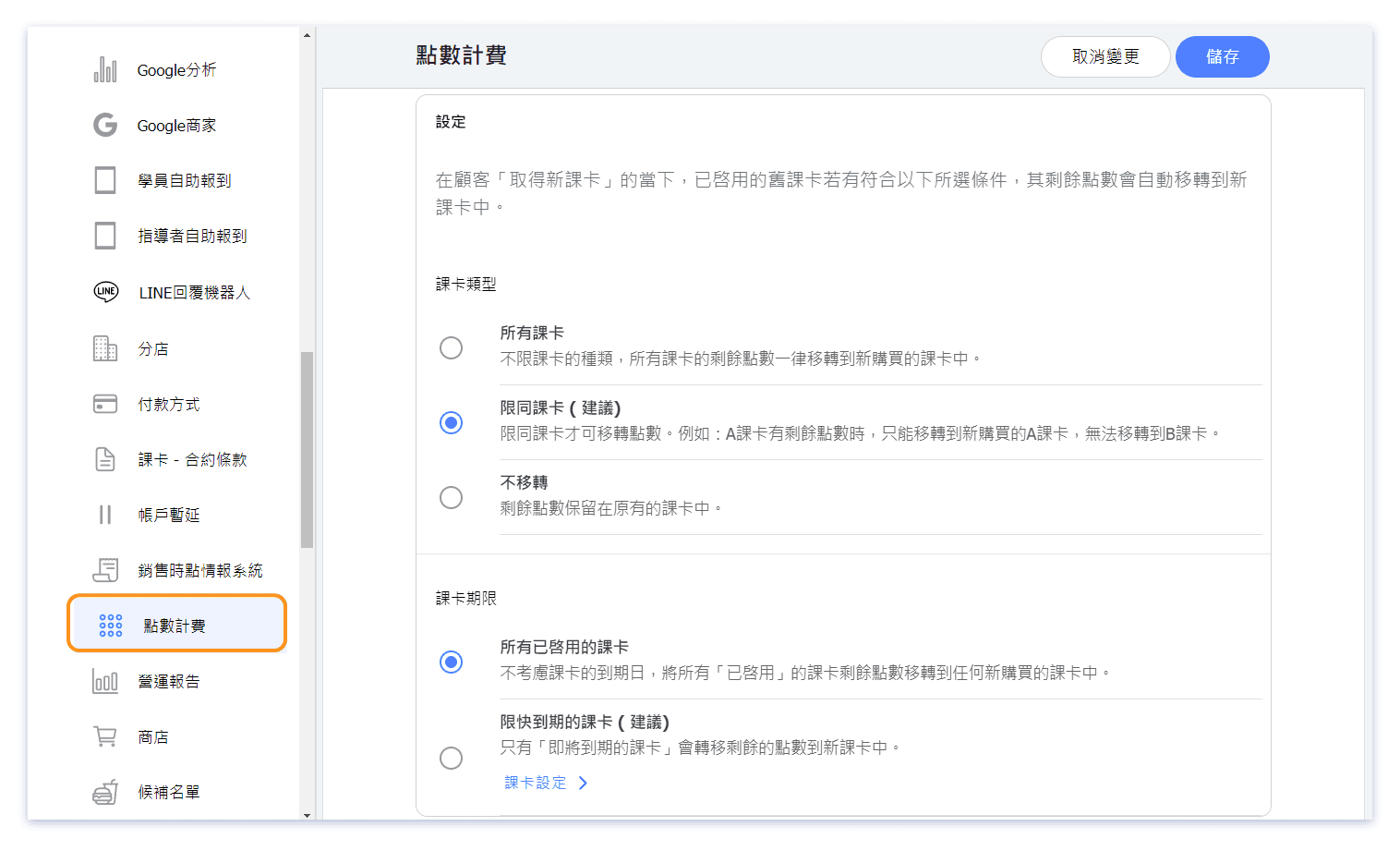
In the "Points System" feature of the custom function, you can automatically rollover the remaining points and corresponding unit value of the activated passes to the new purchased passes.
💡 Saving the settings in points system will not immediately transfer the points. The transfer occurs when the customer acquires a new pass.
💡 After transferring the remaining points from the old pass to the newly purchased one, the expiration date of the transferred points will be based on the new pass. The old pass will terminate immediately after the points are transferred.
Click to view an example of pass transfer.
Point System Settings
 Example of Rollover Pass
For example, if a customer purchased a "3 Points" pass for $ 690, each point is valued at $ 230 (unit vaule = $230).
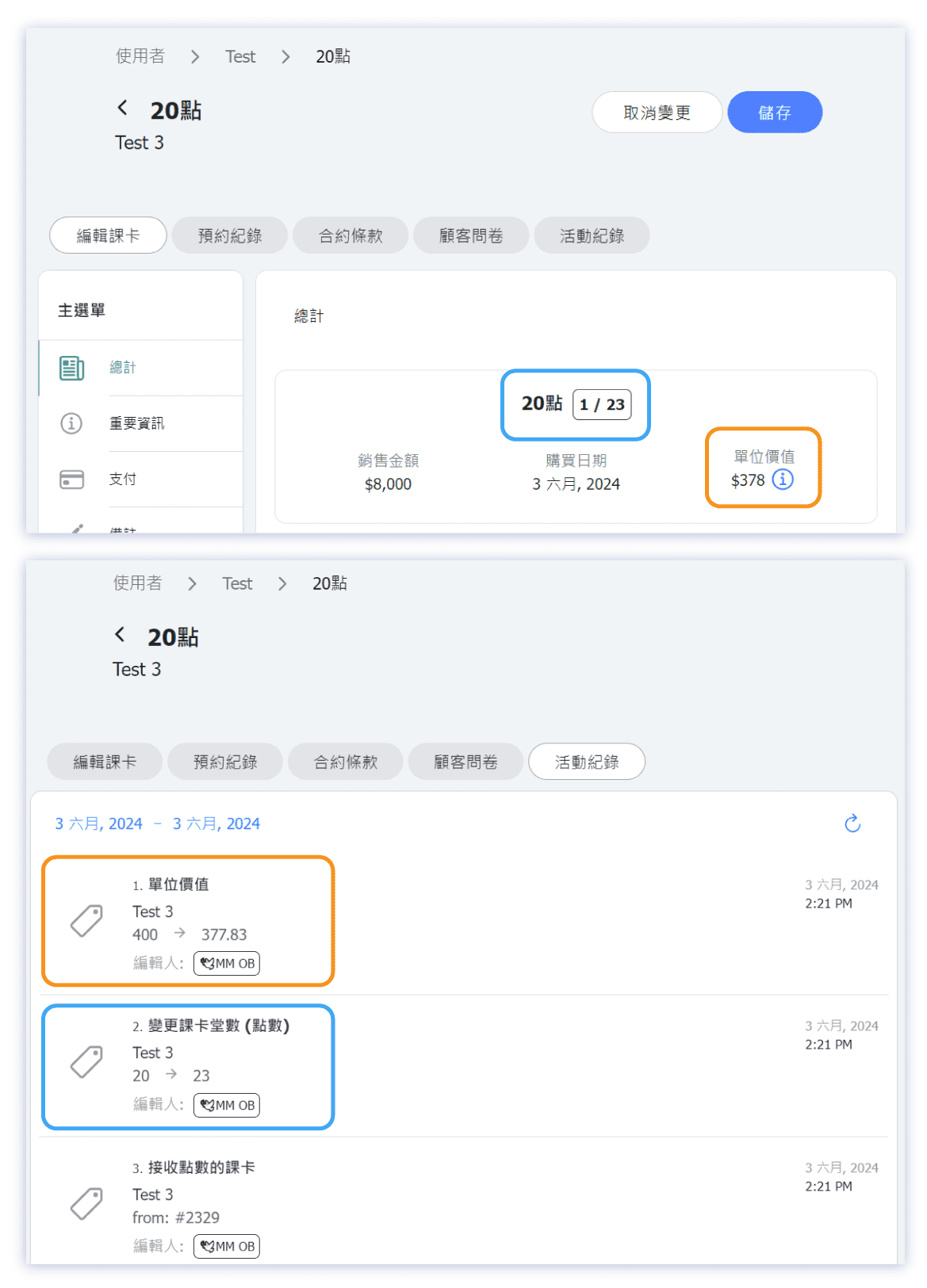
Later, she bought another "20 Points" pass for $ 8,000, with each point valued at $ 400.
When customer got the new pass, it triggers automatically rolling the "3 Points" pass to the "20 Points" pass, meanwhile both passes' sales prices keep unchanged. The 3 points from the "3 Points" pass are deducted and added to the "20 Points" pass.
The unit value of the "3 Points" pass remains $ 230, while the unit value of the "20 Points" pass, after merging the value of the "3 Points" pass, is updated to $ 378.
Calculation: [(230 × 3 + 8000)] ÷ (20+3) ≒ 378 (*rounded)