
Online Payment
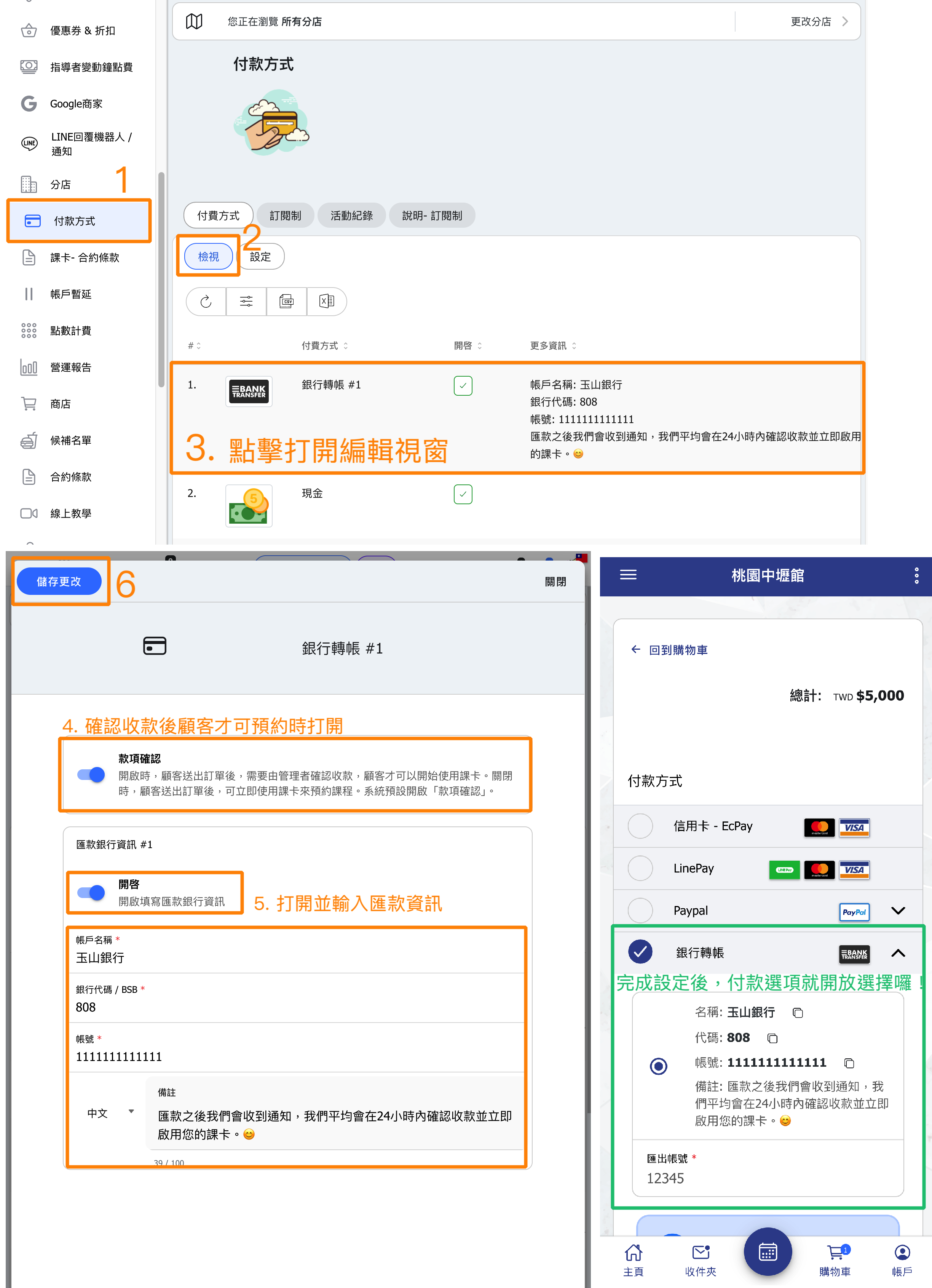
The explanations for various payment methods are as follows:
| Payment | Explaination |
| Line Pay | IP Address: Please contact OB customer service to obtain the IP address. For stores that have already applied for and completed the LINE PAY store review, please enter your "Merchant ID" (the login ID set when registering the LINE Pay store), and the "Channel Secret Key" obtained after completing the application. |
| PayPal | This is only applicable for users with non-Taiwan PayPal accounts. Due to regulatory restrictions in Taiwan, PayPal accounts registered in Taiwan cannot facilitate domestic transactions. |
| ECPay | Please log in to the ECPay Technology official website to obtain your store-related information, including your "ECPay Merchant ID," "ECPay Hash Key," and "ECPay Hash IV." If you are using ECPay electronic invoices, please enable "ECPay Invoice" and enter your "ECPay Invoice Merchant ID," "ECPay Invoice Hash Key," and "ECPay Invoice Hash IV." |
| NewebPay | Please log in to the NewebPay official website to obtain your store-related information, including your "NewebPay Merchant ID," "NewebPay Hash Key," and "NewebPay Hash IV." |
| Stripe | If you are unable to use Stripe, please first check if this service is available in your country.Click here to visit the official Stripe website and verify its availability.Once confirmed, please change the currency of your OB platform to one of the following: AUD, EUR, USD, HKD, MOP, MYR, or JPY.Then, log in to the Stripe official website to obtain your "Stripe Publishable Key" and "Stripe Secret Key". |
| PayMe | If you are unable to use PayMe, please change the currency to HKD.Please enter your PayMe "Account Name" and "Phone Number". |
| FPS (Faster Payment System) | If you are unable to use FPS, please change the currency to HKD.*FPS supports HKD (Hong Kong Dollar) and RMB (Renminbi).Please enter your FPS "Account Name", as well as "Phone Number" or "Email". |
| Bank Transfer | Please enter your "Account Name", "Bank Code / BSB", and "Account Number".*When customers use "Bank Transfer" on this platform, they will only provide the remittance details (last five digits) to the store. The transfer transaction needs to be completed on the online banking or ATM. |
| Payment at Business | Stores using classroom payments can choose whether they require "Verify Payment" and "Notification" functions.*When the store disables "Verify Payment" here, if customers use classroom payment to checkout, they will not need the store's confirmation to start using the pass. This situation applies to customers who purchase a pass first and then make a reservation, followed by payment at the store later. |
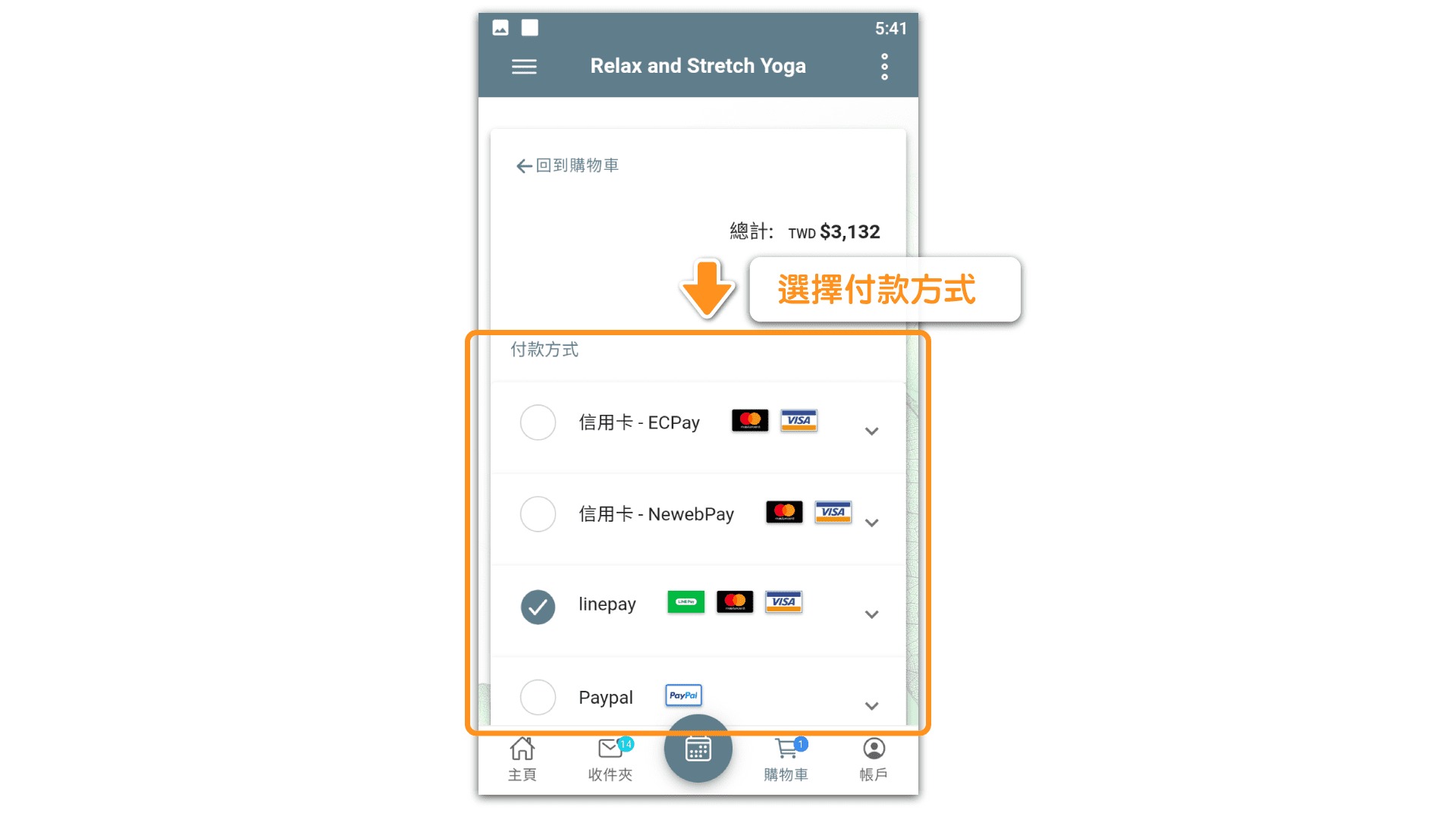
Once the setup is complete and saved, customers can then choose to use the online payment methods set up by the store.
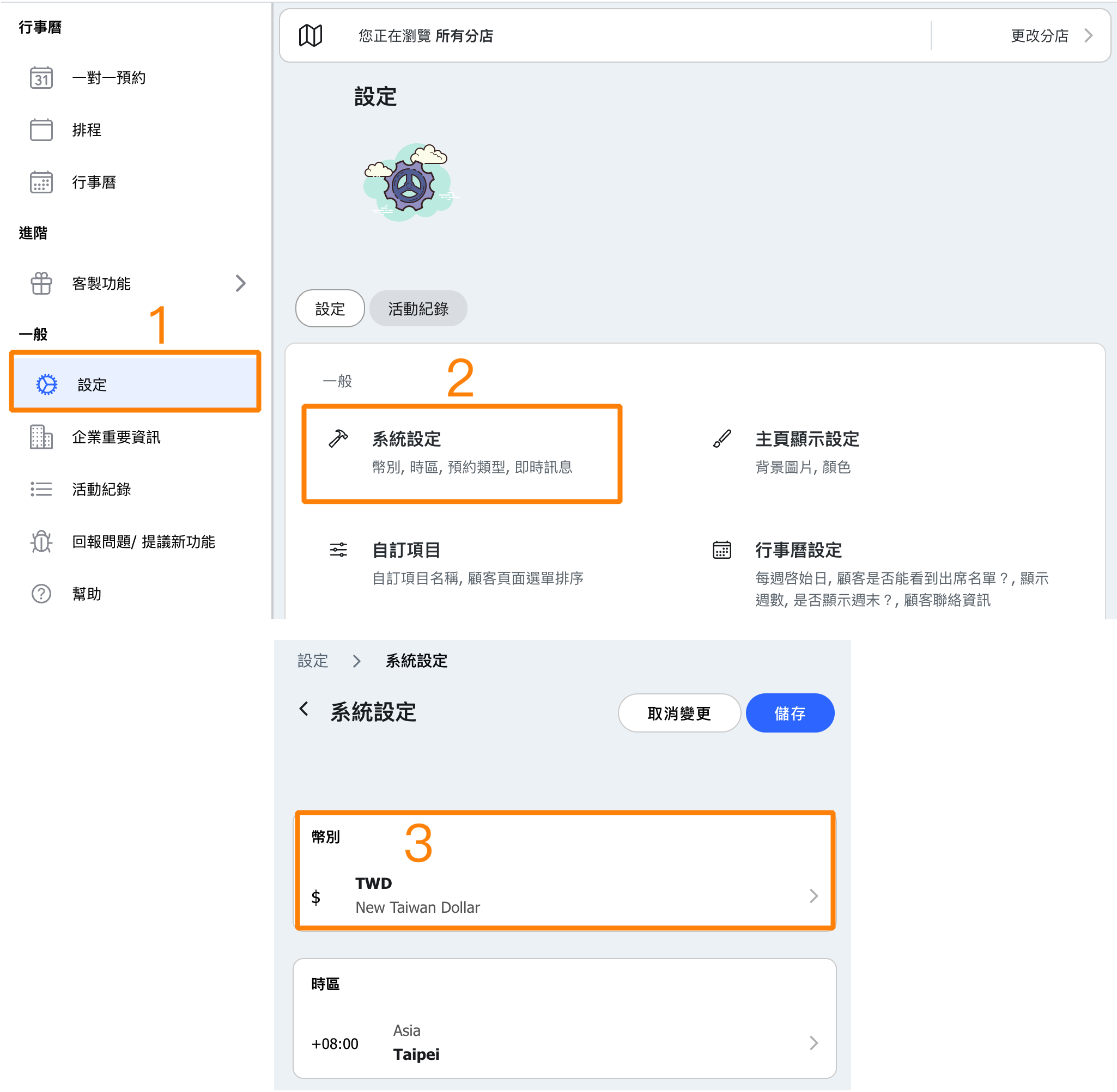
Change Currency
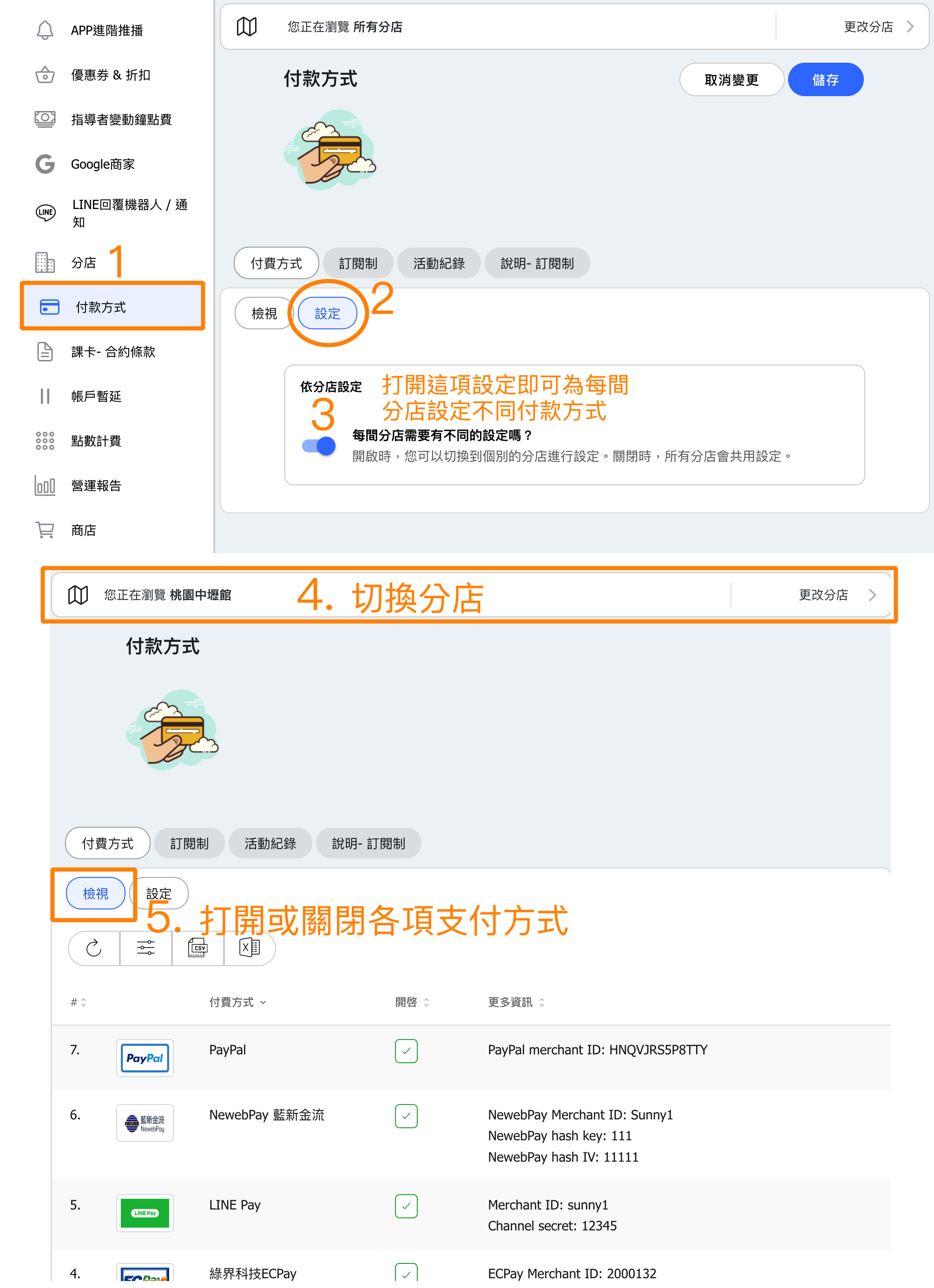
Set Up Payment Methods for Each Location
Can Studio A accept credit cards while Studio B takes cash only?
Yes! Locations can now set up their own payment methods independently, making accounting clearer.
With the new system, each location can configure its own payment channels. You decide how each location gets paid!
How can I verify the payment flow when customers pay via Ecpay or Newebpay?
When customers complete payments using the system-integrated Ecpay or Newebpay, you can log in to the respective merchant backend to check the transactions and verify whether the payment has been successfully authorized.
【Ecpay】
https://vendor-stage.ecpay.com.tw/User/LogOn_Step1
【Newebpay】
https://www.newebpay.com/main/login_center/single_login


