Smart Branch Management
Opening a Second Studio?
Instead of building a separate booking site, consider using our Multiple Location feature, here's why it's the smarter choice:
1. Centralized Admin Dashboard
Manage all classes, passes, and client data in one place, no need to switch accounts.
2. Realtime Insights: Multi-Location & Individual Location Reports
Access financial reports to instantly monitor all and per location revenue performance.
3. Flexible Cross-Location Plans
Sell all access passes that allow clients to attend classes at any locations, drive more revenue and retention!
4. Seamless Client Experience
Clients only need to register once. All bookings and purchase records are consolidated, no matter the locations.
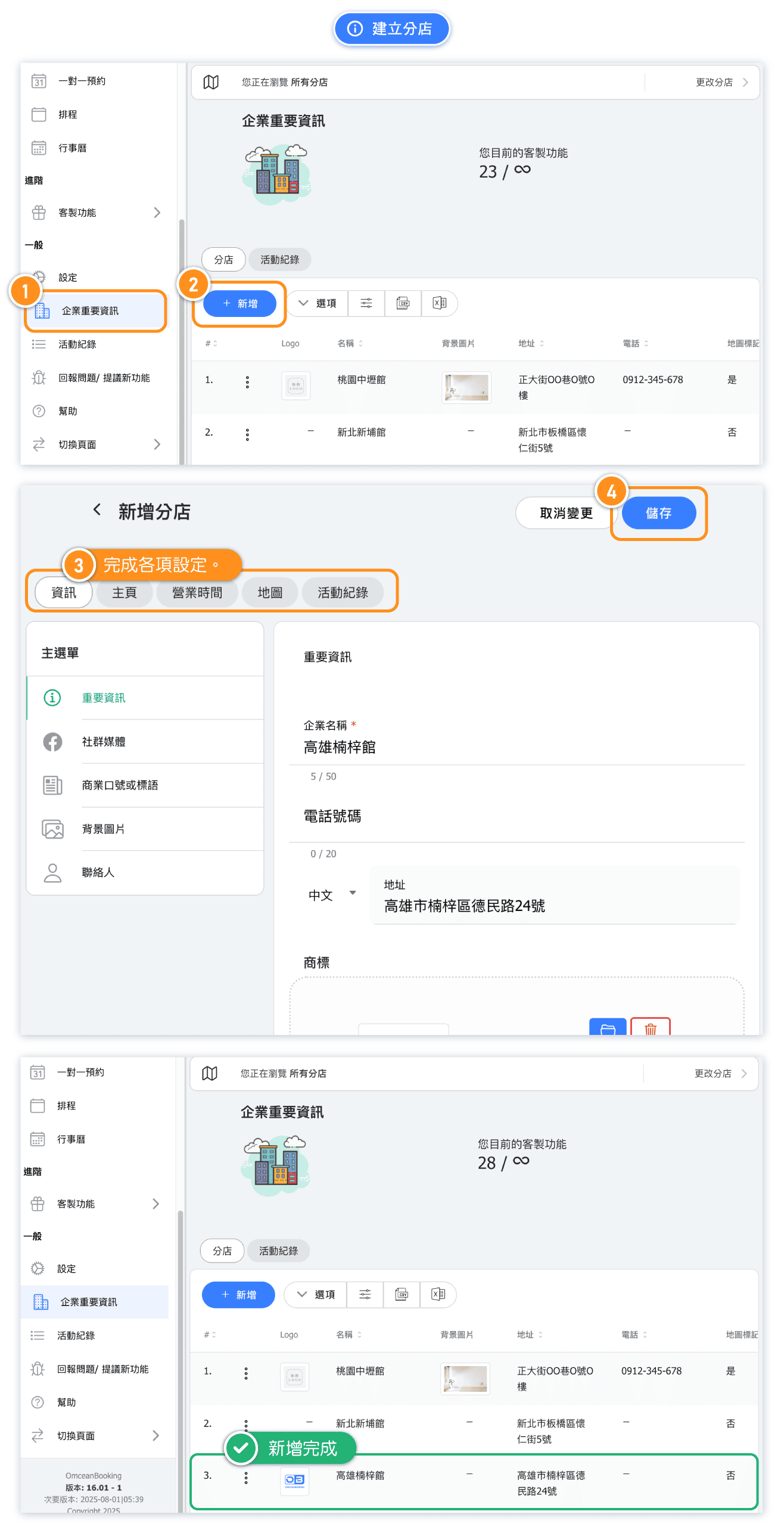
Create new location
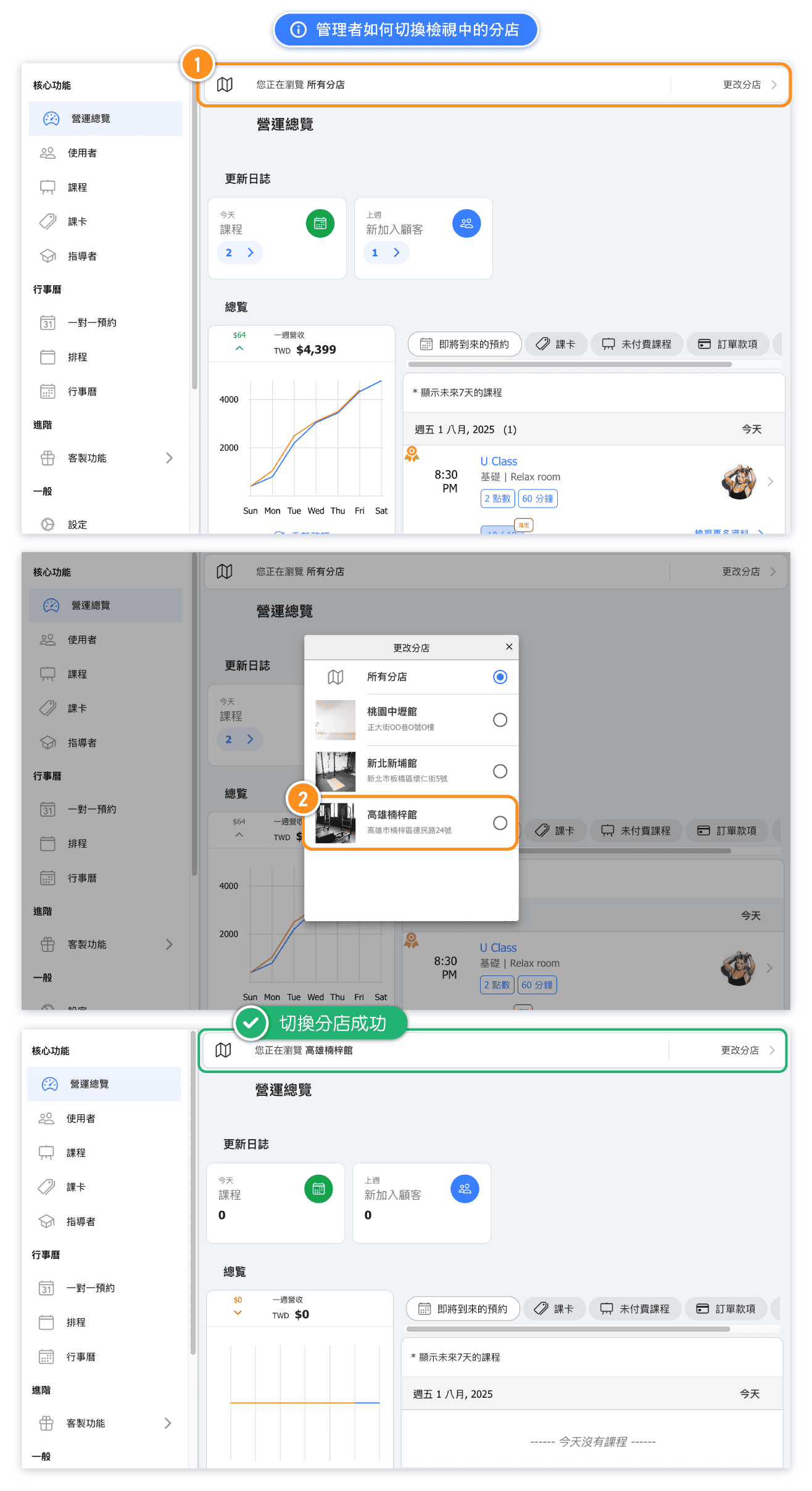
How to Switch Locations in Admin Page
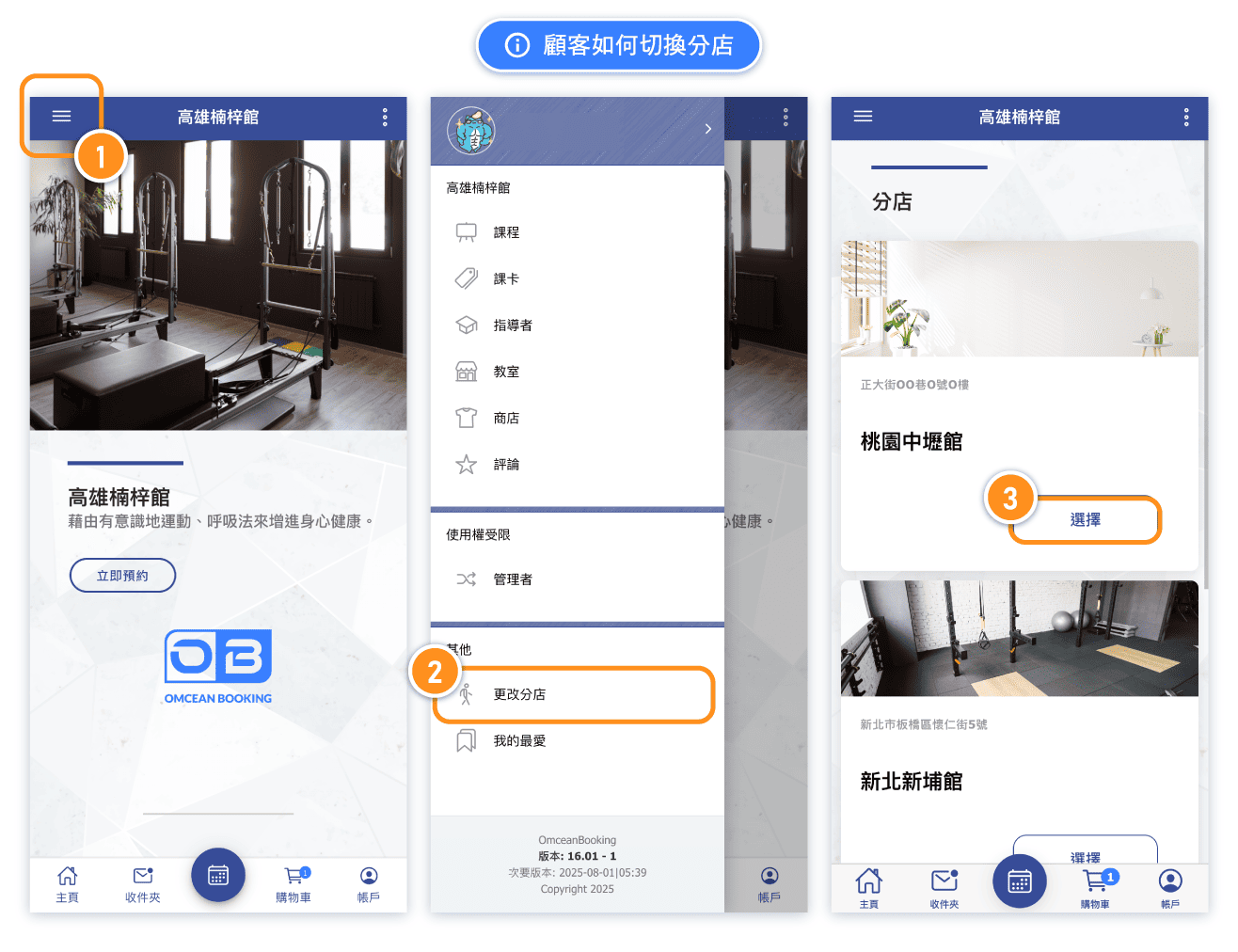
How Customers Switch Location
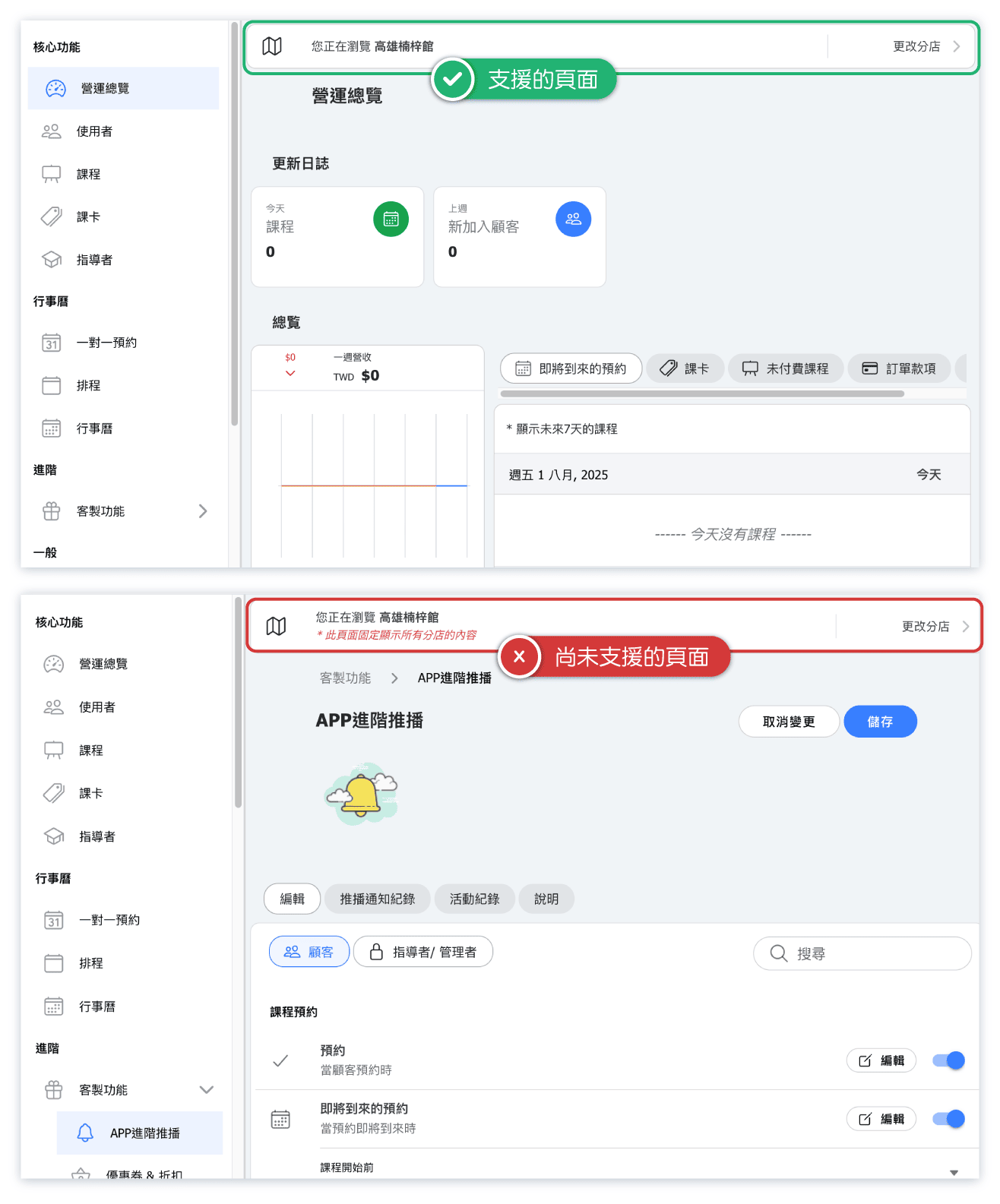
Currently Supported Location-Specific Features & Pages
The following pages and features currently support location-specific configurations:
Essentials:
- Dashboard
- Users
- Classes
Calendar:
- Appointments
- Schedule
- Calendar
Custom Features:
- Online payment
- Reports
If you switch from "All Location" to a specific location and see a red message "*This page does not use locations", it means that this page or feature currently does not support location-specific settings and is fixed to display content across all locations.
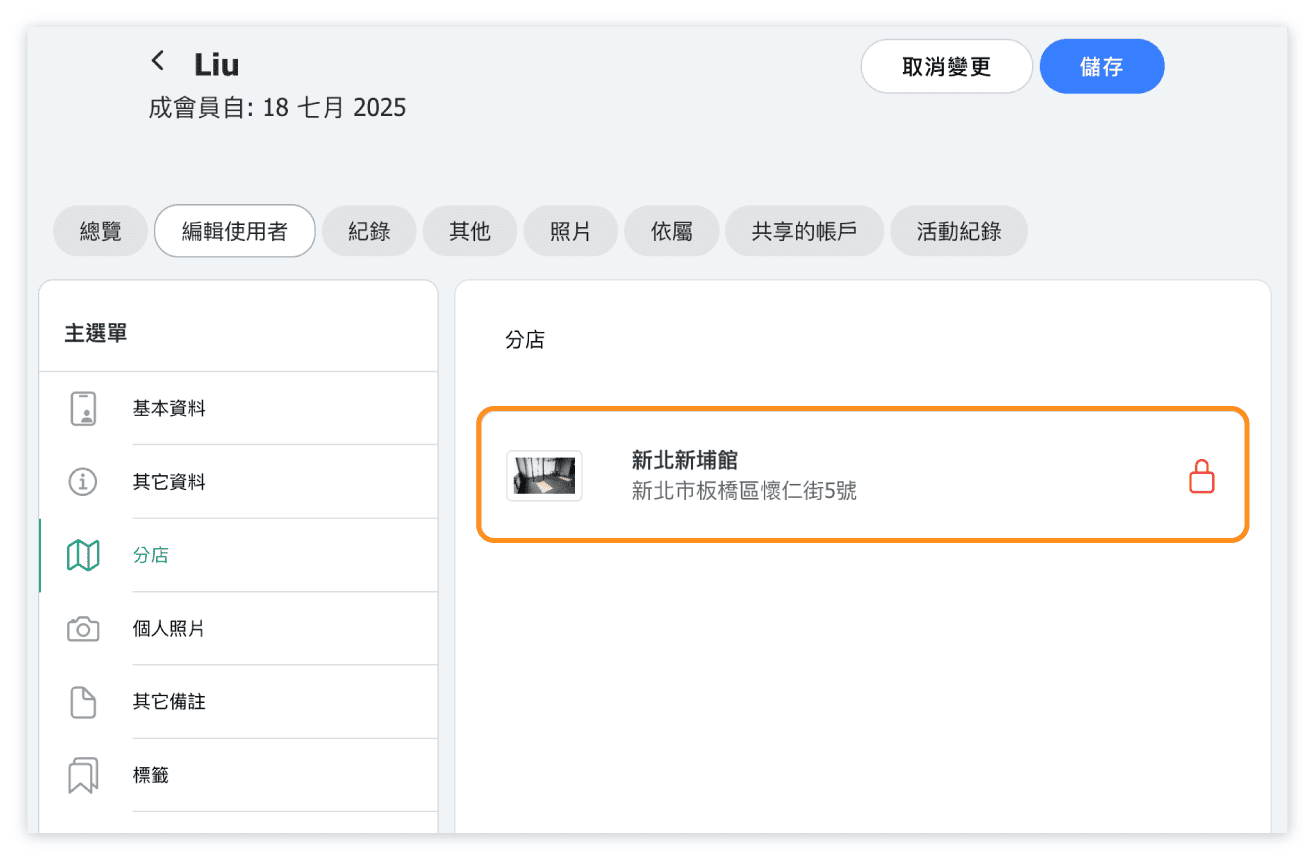
FAQ 1: Why can't I change the location setting for a class or user?
When viewing data for a specific location, the location field is locked to prevent changes. This ensures that users with access to only that location cannot modify the assigned location.
Switch to "All Locations" to edit location setting for data.
FAQ 2: Why can't I find certain customer when viewing one location?
If you're viewing a specific location, only the data assigned under that location will appear.
Switch to "All Locations" to access the full list of users or class or purchases.
FAQ 3: How is a user's "location" determined?
If a user's profile does not have a location assigned, the system will classify them under the location they are currently browsing when using the system.
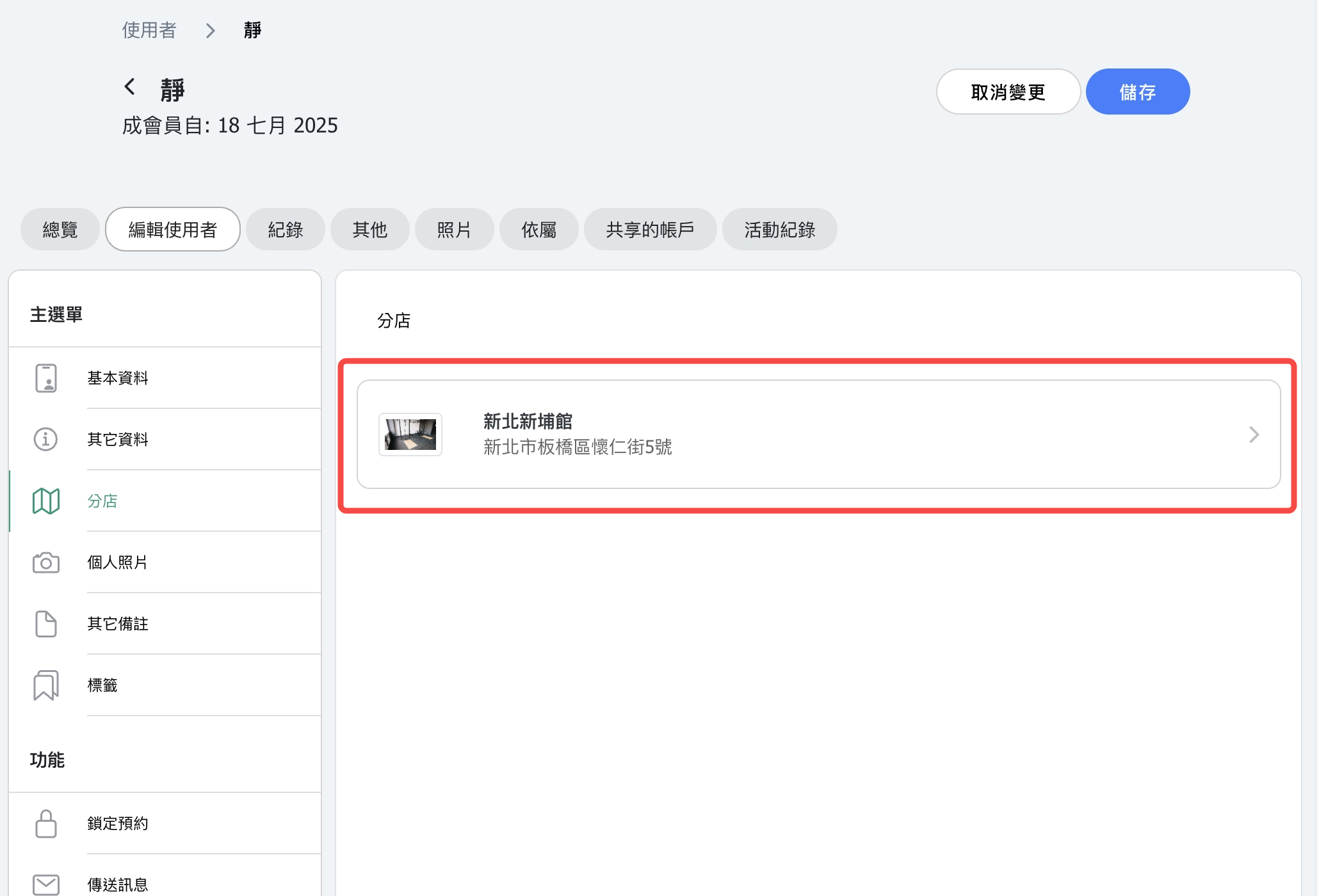
FAQ 4: Can I restrict staff to manage only one location?
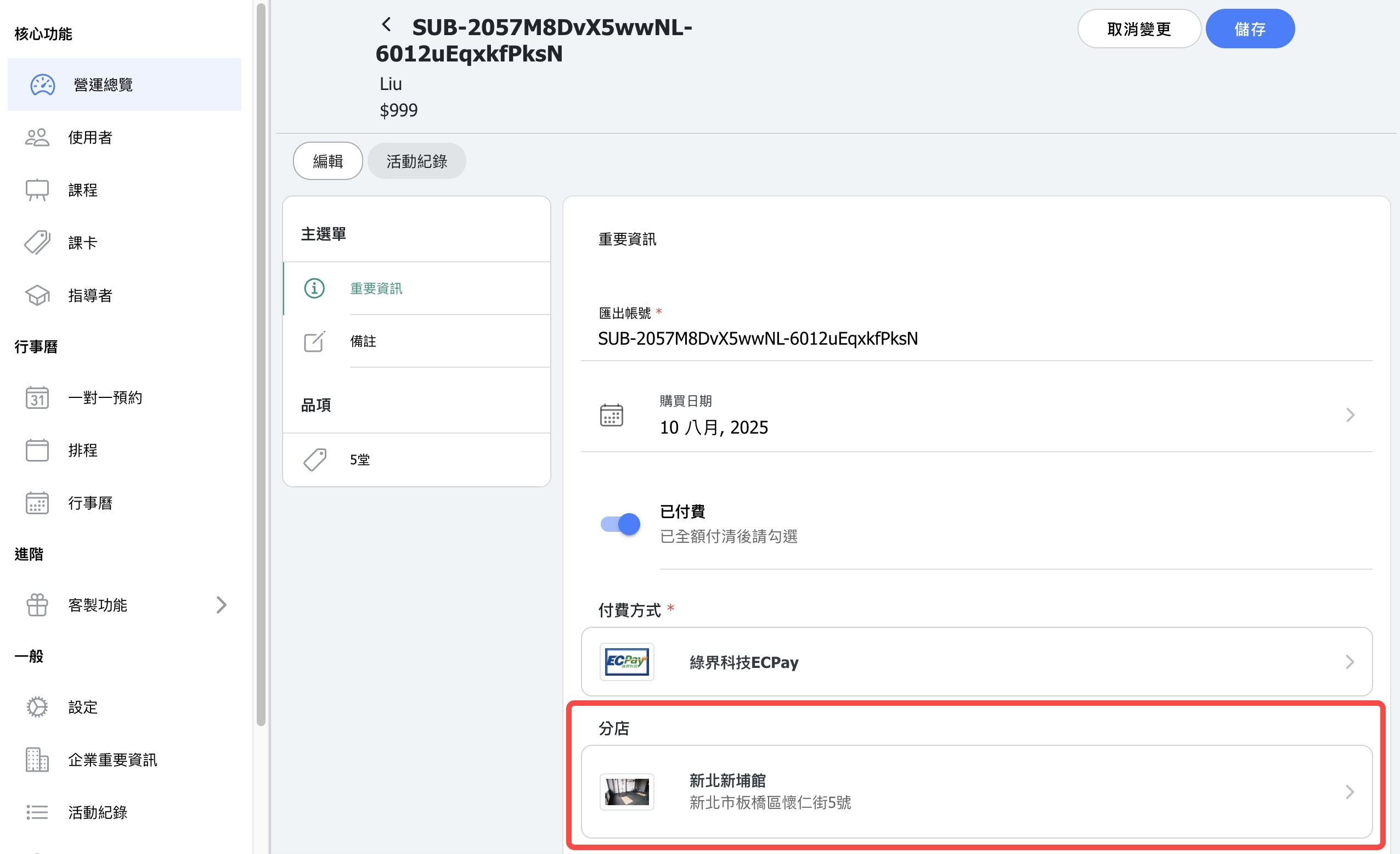
Yes. You can set staff permissions to limit their access to a specific location. This ensures they only see and manage relevant schedules, customers, and sales data.
FAQ 5: How is an order's "location" determined?
When placing an order directly, the location where the customer places the order will be the location to which the sales revenue is attributed.
If staff add a pass from the backend for a customer to check out, and no location is assigned, the location where the customer places the order will determine the location attribution.
If a location is already assigned, the order will be attributed to that assigned location.
The "class revenue" generated upon usage will be attributed to the actual class location.
(In other words, the location that receives the payment is based on where the customer made the purchase, while class revenue is based on where the class actually took place.)