
What is the Instagram Gallery Feature?
The Instagram Gallery feature allows you to connect your Instagram account to your booking system. Once connected, your Instagram photos are automatically displayed on your booking page, making it more visually appealing and engaging for potential customers.
Benefits of Using Instagram Gallery:
- Showcase your work - Display your portfolio, completed projects, or service examples
- Build trust - Show real photos of your studio, team, and happy customers
- Stay current - Photos update automatically when you post new content on Instagram
- Increase engagement - Give visitors a glimpse of your business personality
Important: Due to Instagram policies, only professional accounts (Creator or Business) can be linked. Personal accounts cannot be connected.
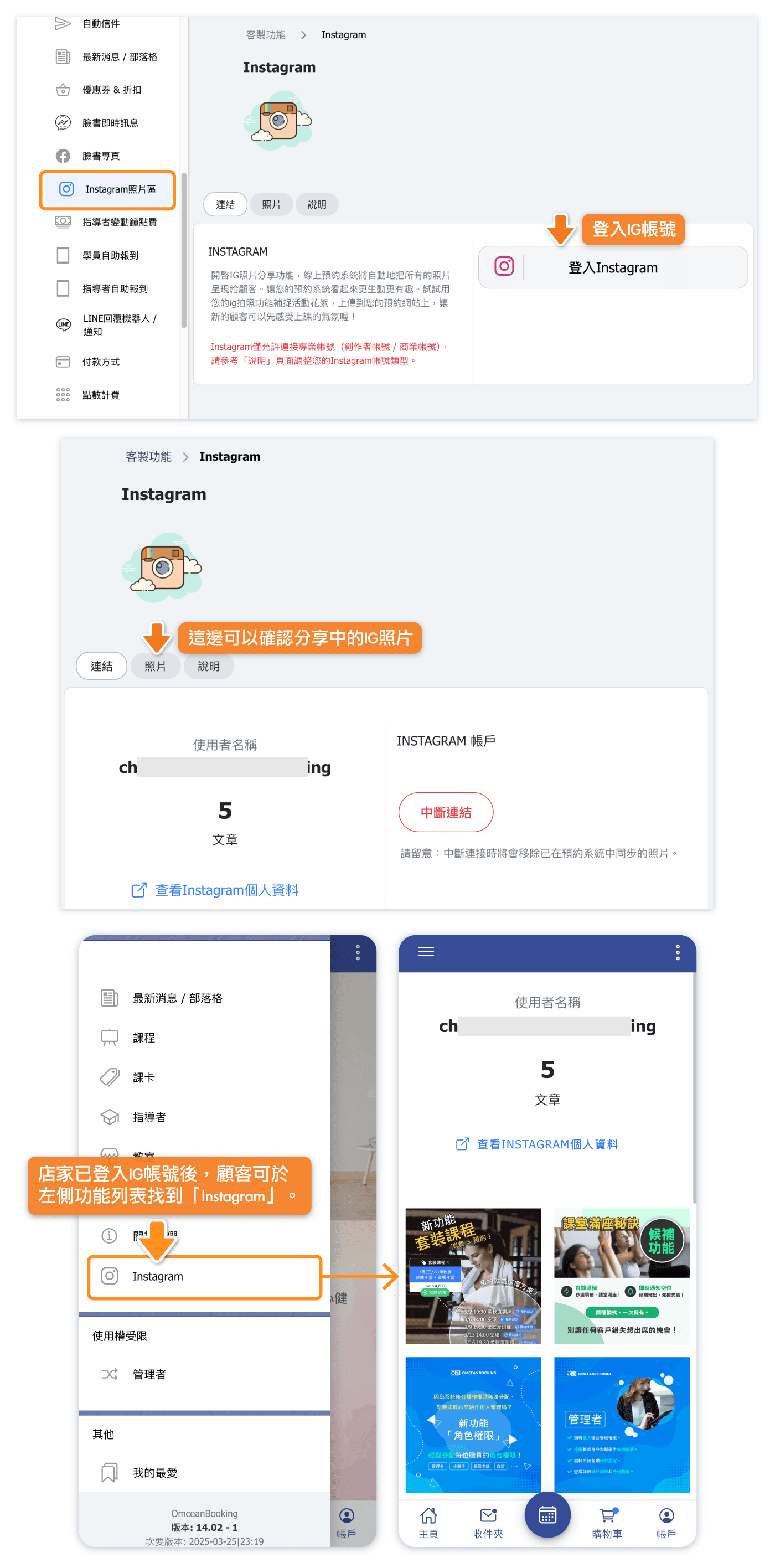
How Do I Connect My Instagram Account?
Follow these steps to connect your Instagram professional account:
- Go to Custom Features > Instagram in the left sidebar
- Click on the Connect tab
- Click the Sign in with Instagram button
- Log in to your Instagram account when prompted
- Authorize OmceanBooking to access your photos
- Once connected, your photos will automatically appear on your booking page
Before Connecting:
- Make sure your Instagram account is set to a Professional Account (Creator or Business)
- Your Instagram account must be linked to a Facebook Page
- Ensure you have photos posted on your Instagram account
If you see an error during connection, check that your account meets these requirements.
How Do I Change My Instagram Account to a Professional Account?
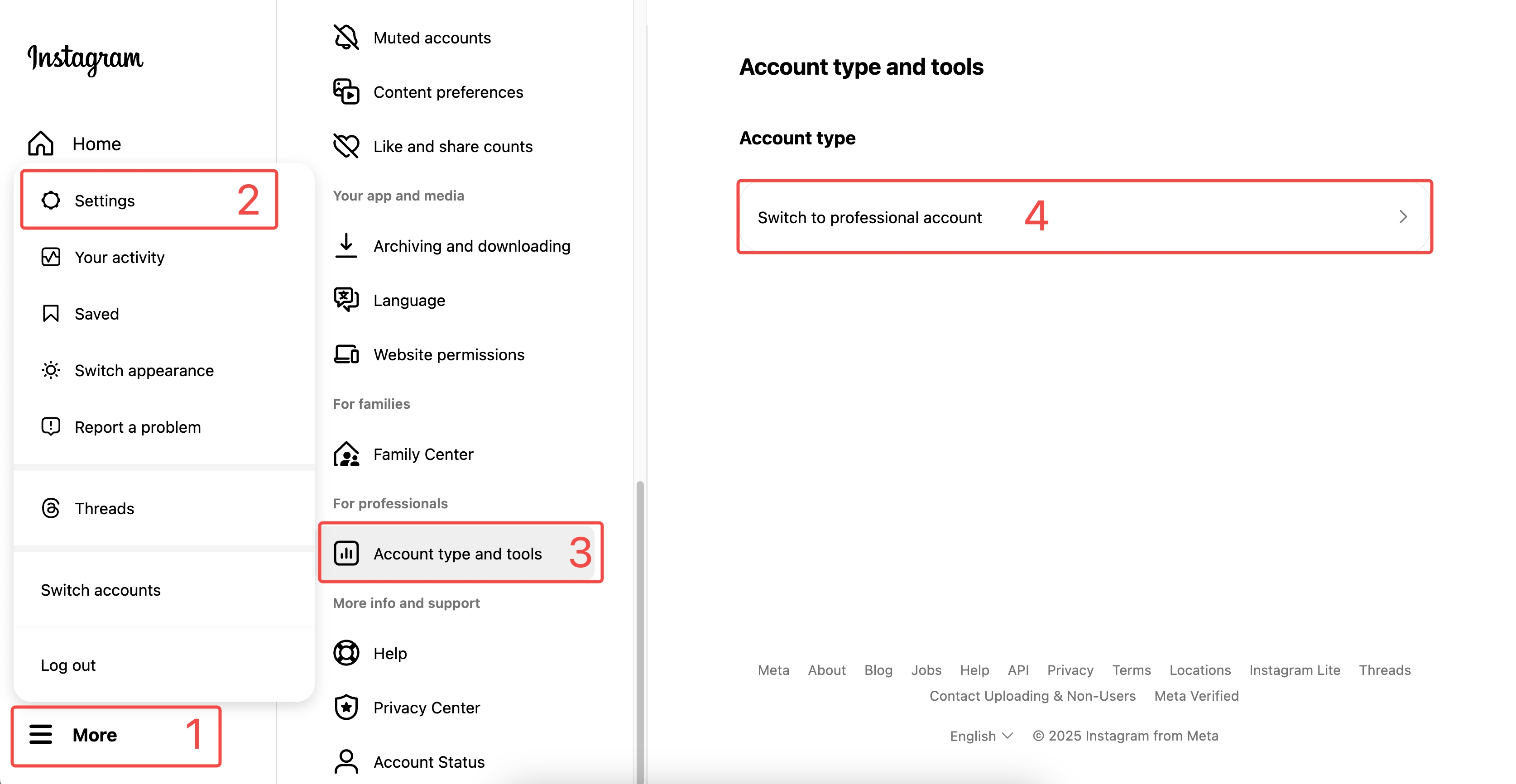
If your Instagram account is currently a personal account, you'll need to switch it to a Professional Account before connecting. Here's how:
- Open the Instagram app on your phone
- Go to your Profile and tap the menu icon (three lines)
- Tap Settings and privacy
- Tap Account type and tools
- Tap Switch to professional account
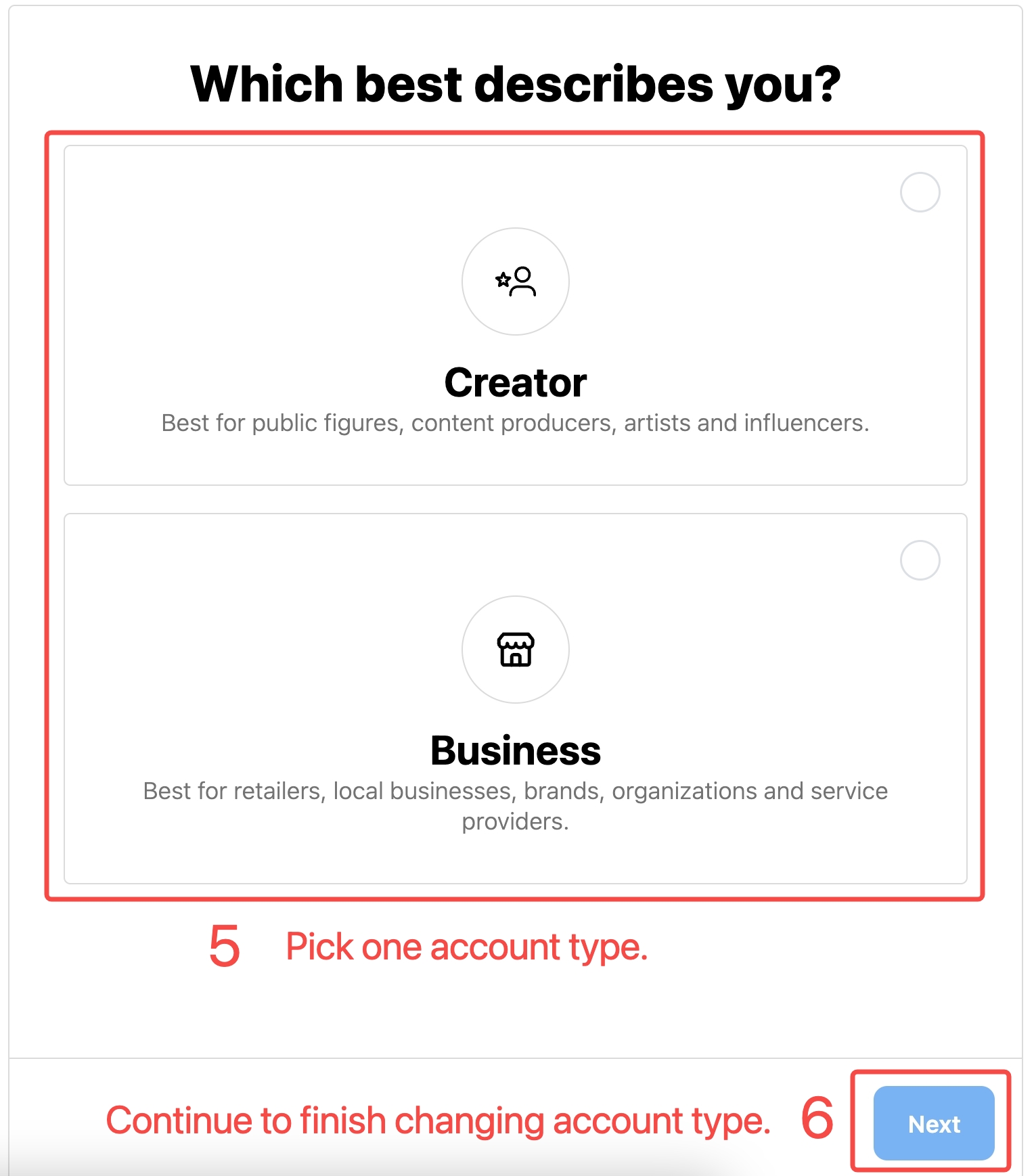
- Choose between Creator or Business account type
- Select a category that best describes your business
- Complete the setup by adding your contact information
Creator vs Business Account:
- Creator - Best for individuals, influencers, and content creators
- Business - Best for shops, studios, and service-based businesses
Both account types work with the Instagram Gallery feature.
How Do I Switch Account Types or Revert to Personal?
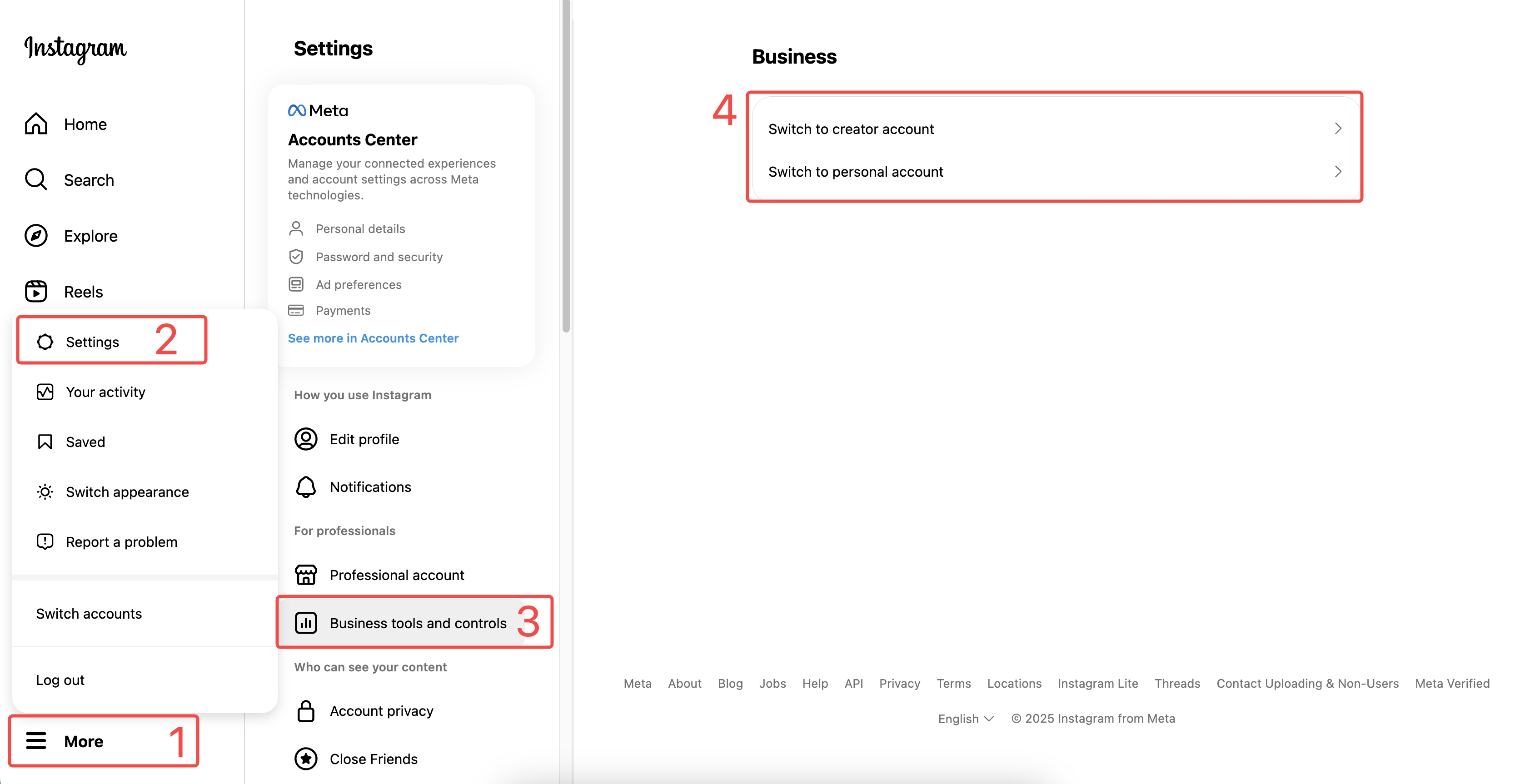
You can change your professional account type or switch back to a personal account at any time:
To Switch Professional Account Type:
- Go to your Instagram Profile
- Tap the menu icon and go to Settings and privacy
- Tap Account type and tools
- Tap Switch account type
- Choose between Creator or Business
To Switch Back to Personal Account:
- Go to Settings and privacy > Account type and tools
- Tap Switch to personal account
- Confirm the switch
Note: If you switch back to a personal account, the Instagram Gallery connection will stop working, and your photos will no longer display on your booking page.
Where Will My Instagram Photos Appear?
Once connected, your Instagram photos will automatically appear on your public booking page. Customers visiting your booking website will see a gallery section showcasing your recent Instagram posts.
What Customers See:
- A grid of your recent Instagram photos
- Photos update automatically when you post new content
- Clicking on a photo may link to your Instagram profile (depending on settings)
Tips for Best Results:
- Post high-quality photos that represent your services
- Keep your Instagram feed professional and on-brand
- Regularly update your Instagram with fresh content
- Use a consistent visual style for a cohesive look
Frequently Asked Questions
Why can't I connect my Instagram account?
Make sure your Instagram account is a Professional Account (Creator or Business). Personal accounts cannot be connected due to Instagram's API policies. Also ensure your Instagram is linked to a Facebook Page.
How often do photos update?
Photos sync automatically. When you post new content on Instagram, it should appear on your booking page within a few hours.
Can I choose which photos to display?
The gallery displays your recent posts automatically. To control what appears, manage your Instagram content directly - the gallery will reflect your current Instagram feed.
Will this affect my Instagram account?
No. Connecting to OmceanBooking only allows us to display your public photos. We cannot post, edit, or delete content on your behalf.
Can I disconnect my Instagram account?
Yes. Go to Custom Features > Instagram > Connect, and you'll find an option to disconnect your account. Your photos will stop displaying on your booking page.
Do I need a Facebook Page to connect?
Yes. Instagram's API requires professional accounts to be linked to a Facebook Page. If you don't have one, create a Facebook Page for your business first.


