
How do I set passes to be class-based or point-based?
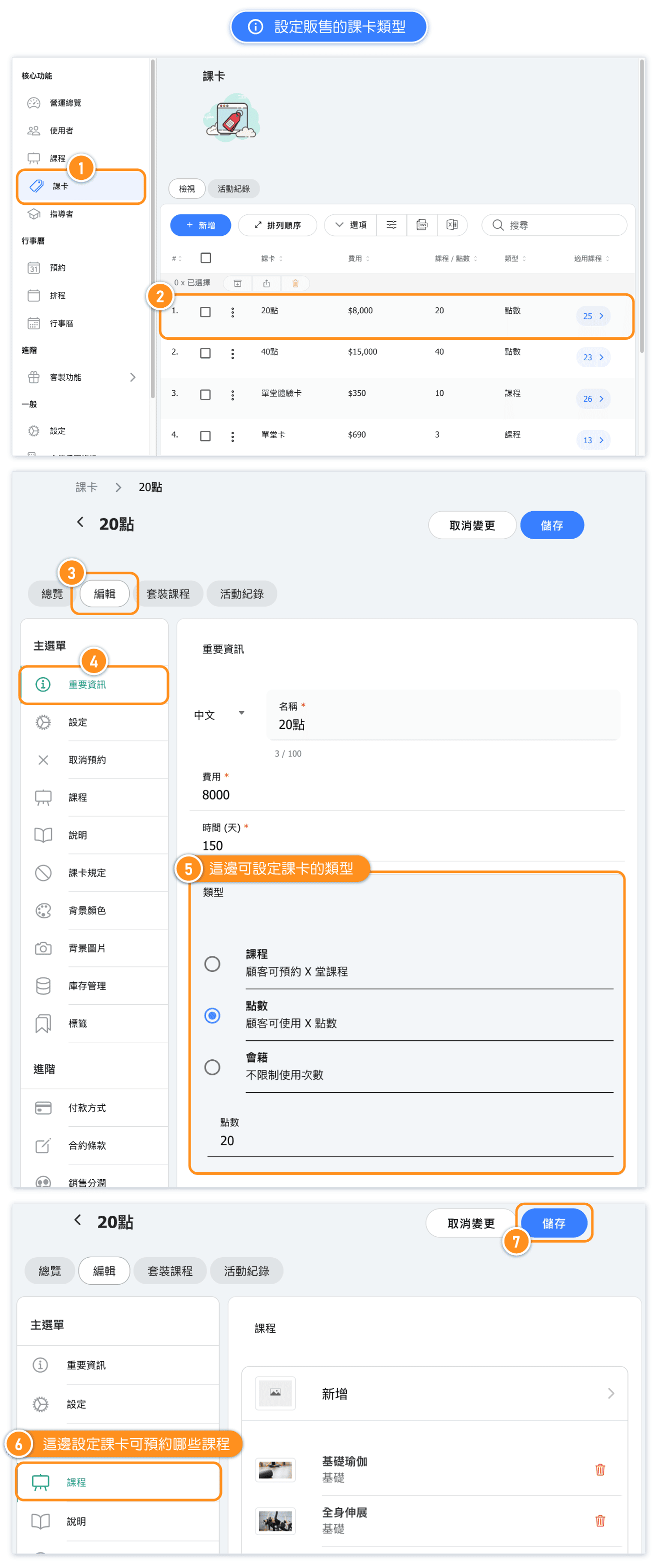
Go to the "Passes" page and click to edit the pass which you want to change the type (class-based or point-based).
After saving, newly sold passes will automatically apply the new settings.
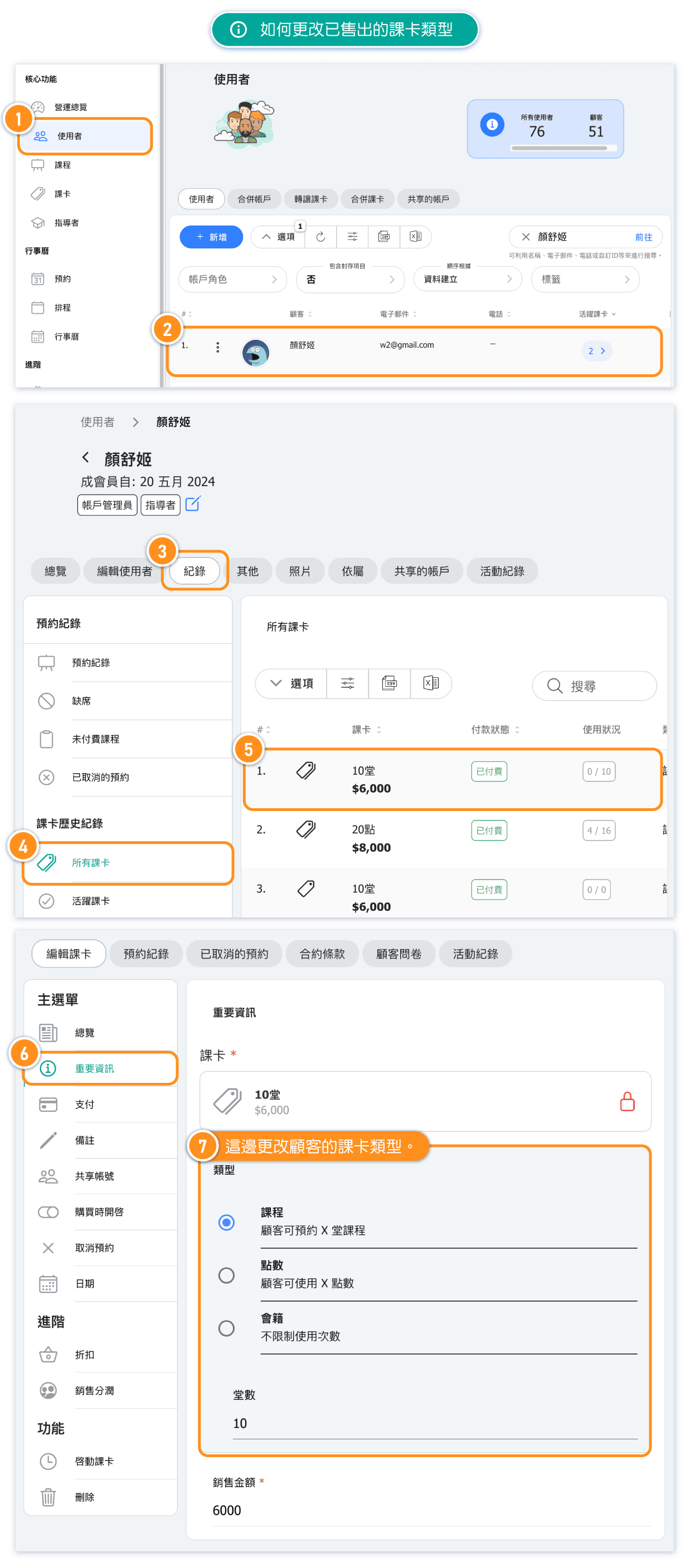
Note: For passes already sold, go to the customer's account to update the pass settings.
How do I allow both class-based and point-based booking for the same class?
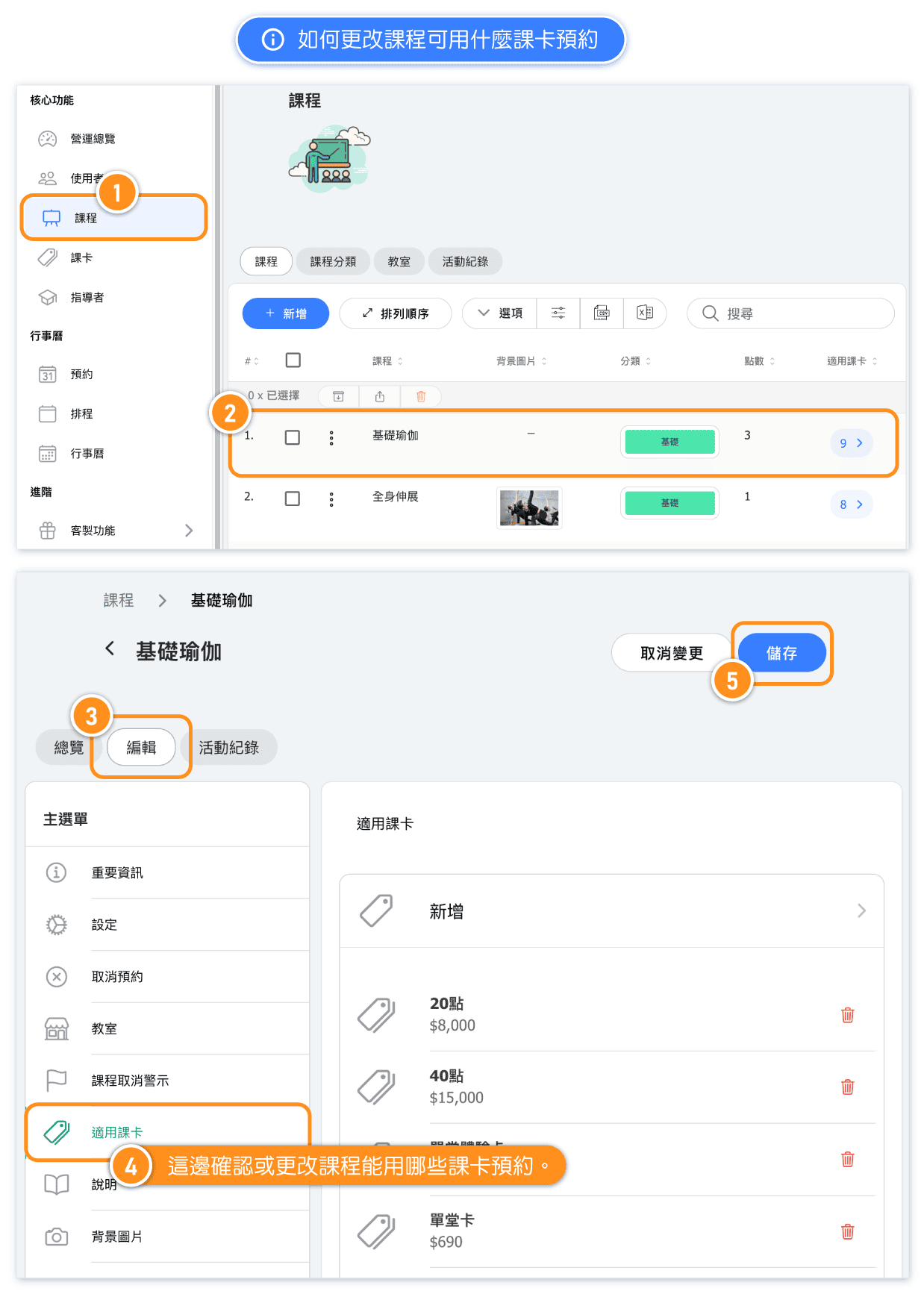
For example, if the "Basic Yoga" class allows both class-based and point-based booking, link both types of passes to the "Basic Yoga" class.
If the class costs 3 points, customers with a class-based pass will use 1 class credit to book, while customers with a point-based pass will use 3 points to book.
FAQ: How do I enable the custom feature 'Point Systen'?
If you want to enable the custom feature 'Point System', we recommend contacting your Sales Representative to understand the setup process, ensuring a smooth transition from 'class-based only' to the 'class-based + point-based'.FAQ: I have enabled Point System; why can't I set up class passes?
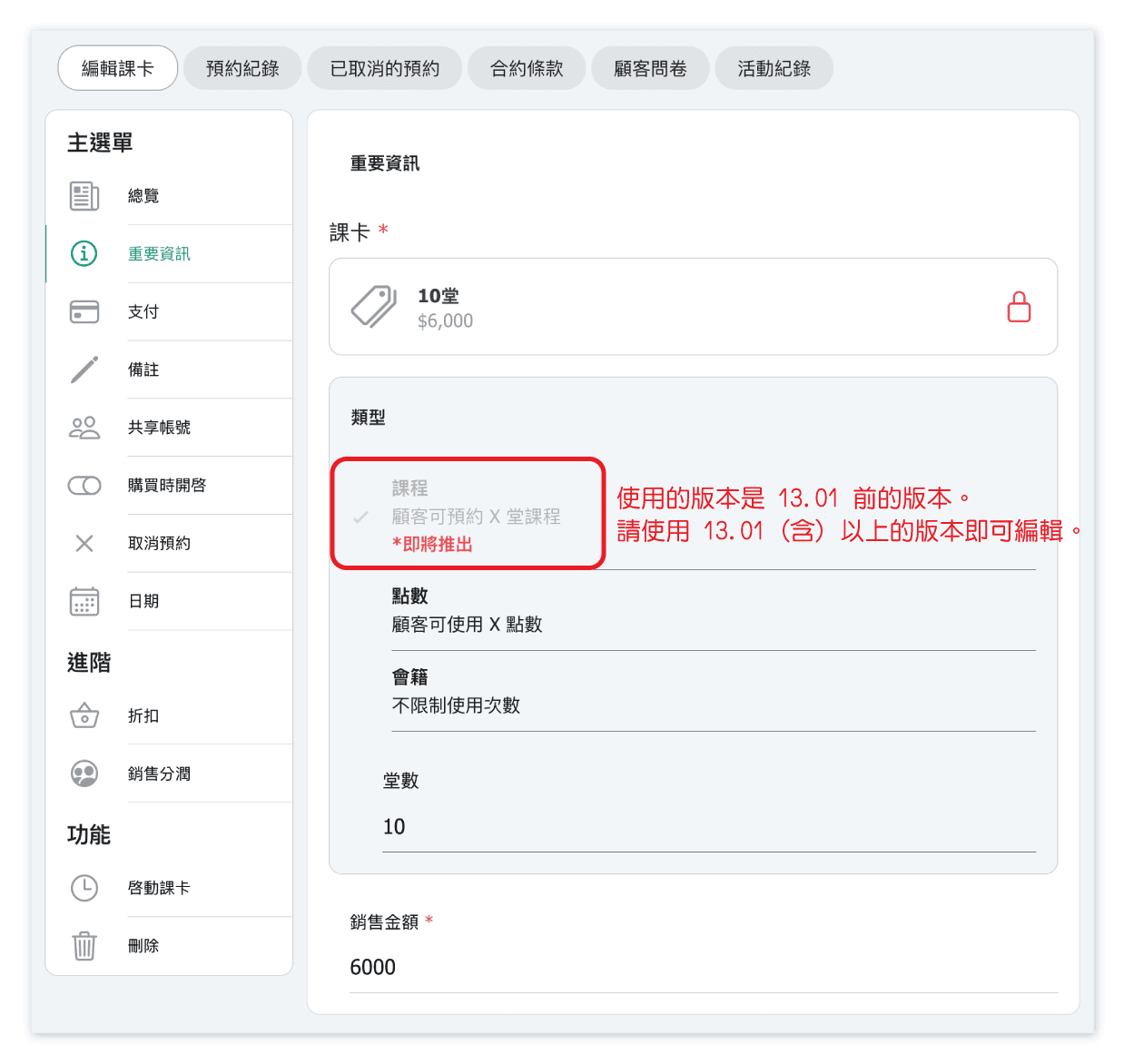
Please make sure that you are using system above version 13.01.
Studios that have enabled 'Point System' and are using version 13.02 or higher can set passes to be sold as either 'Class-based Passes' or 'Point-based Passes.'
FAQ: Can I use sell point pass if I haven’t enabled the feature 'Point Systen'?
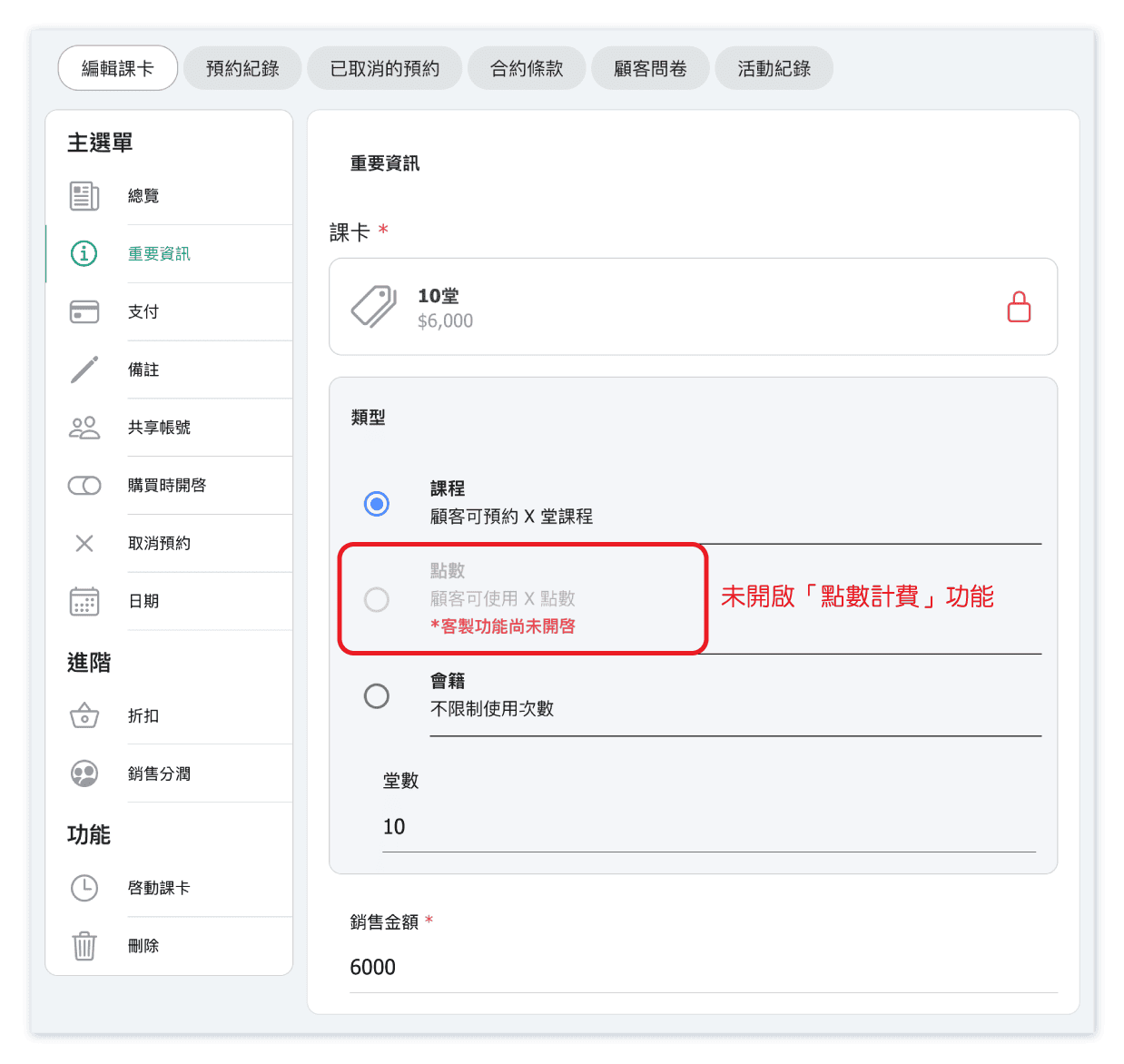
No, the point-based pass can be sold only when custom feature 'Point System' is enabled.FAQ: Why can't I set passes to be sold as point-based pass?
Please make sure that you are using system above version 13.02, or check you have enabled the 'Point System' feature.
Studios that have enabled 'Point System' and are using version 13.02 or higher can set passes to be sold as either 'Class-based Passes' or 'Point-based Passes.'
FAQ: Why didn't customer passes update after I changed the pass type?
Changes to pass settings don’t automatically affect passes already sold.
You’ll need to manually update the customer passes on user page or 'dashboard > pass'.
FAQ: Will the class revenue in the reports be affected by this update?
No, it will not be affected.
For example, if 1 point costs $100 and a class charges 5 points. The class revenue is $500.
If class-based passes are also allowed for booking, with each class costing $500, the revenue remains $500 (500 × 1 = $500).


