
What is the “Closures” feature for, and how to set it up?
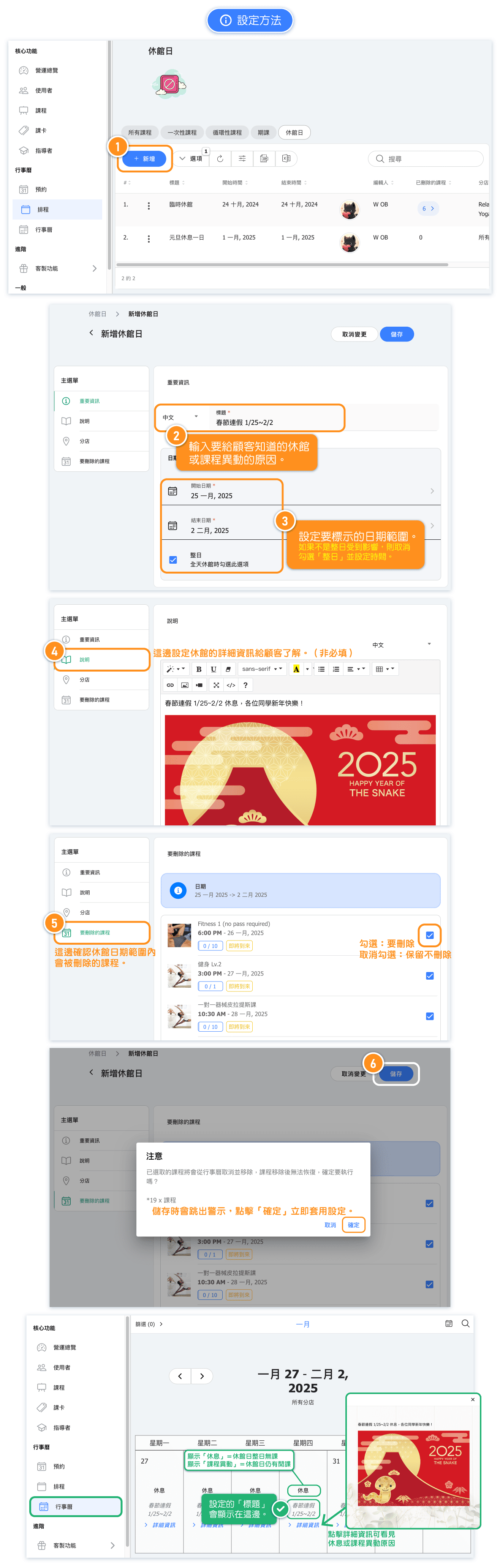
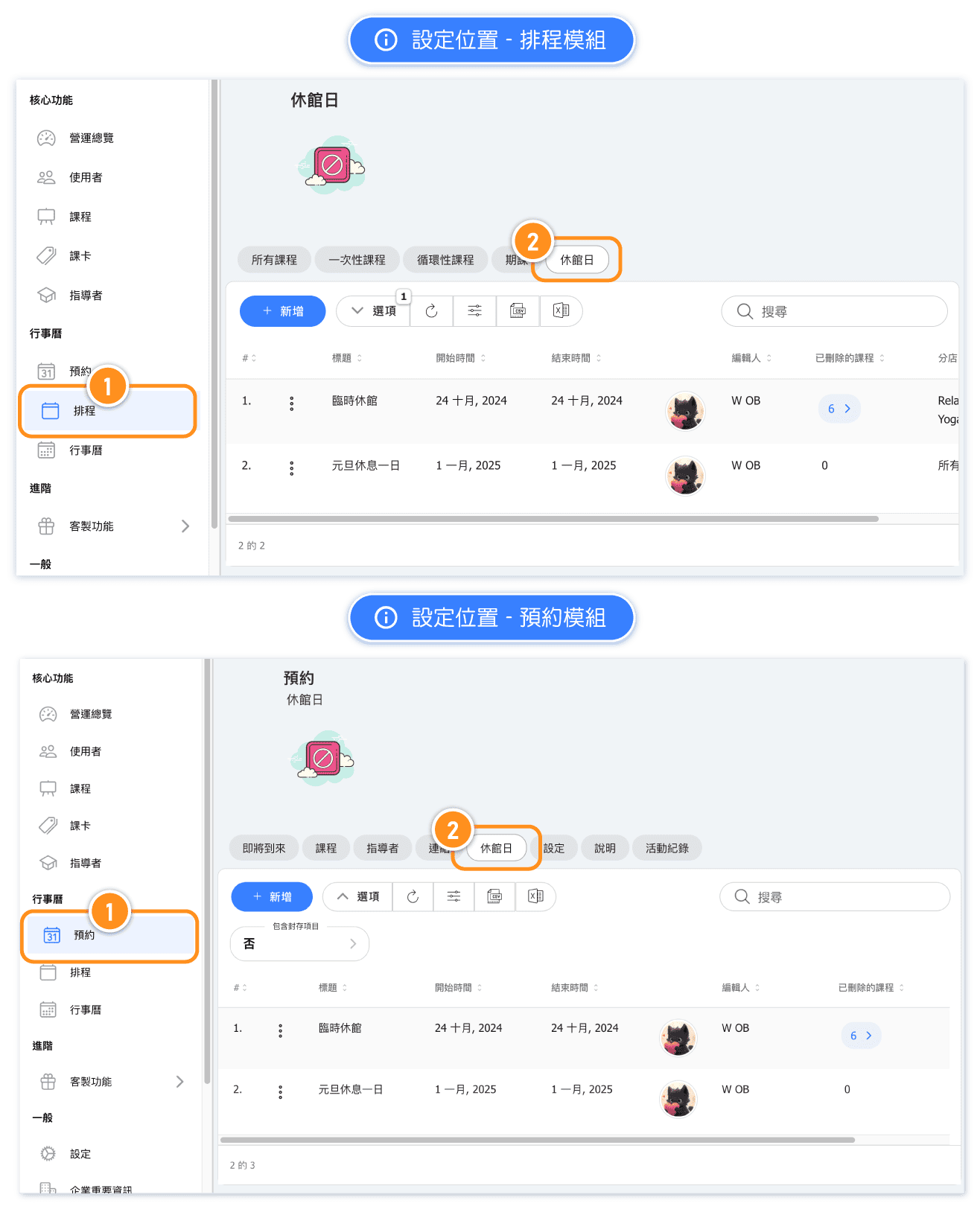
Where to set 'Closures'?
The Closures setting in the Schedule Module is located on 'Schedule' > 'Closures' page.
The Closures setting in the Booking Module is located on 'Appointment' > 'Closures' page.
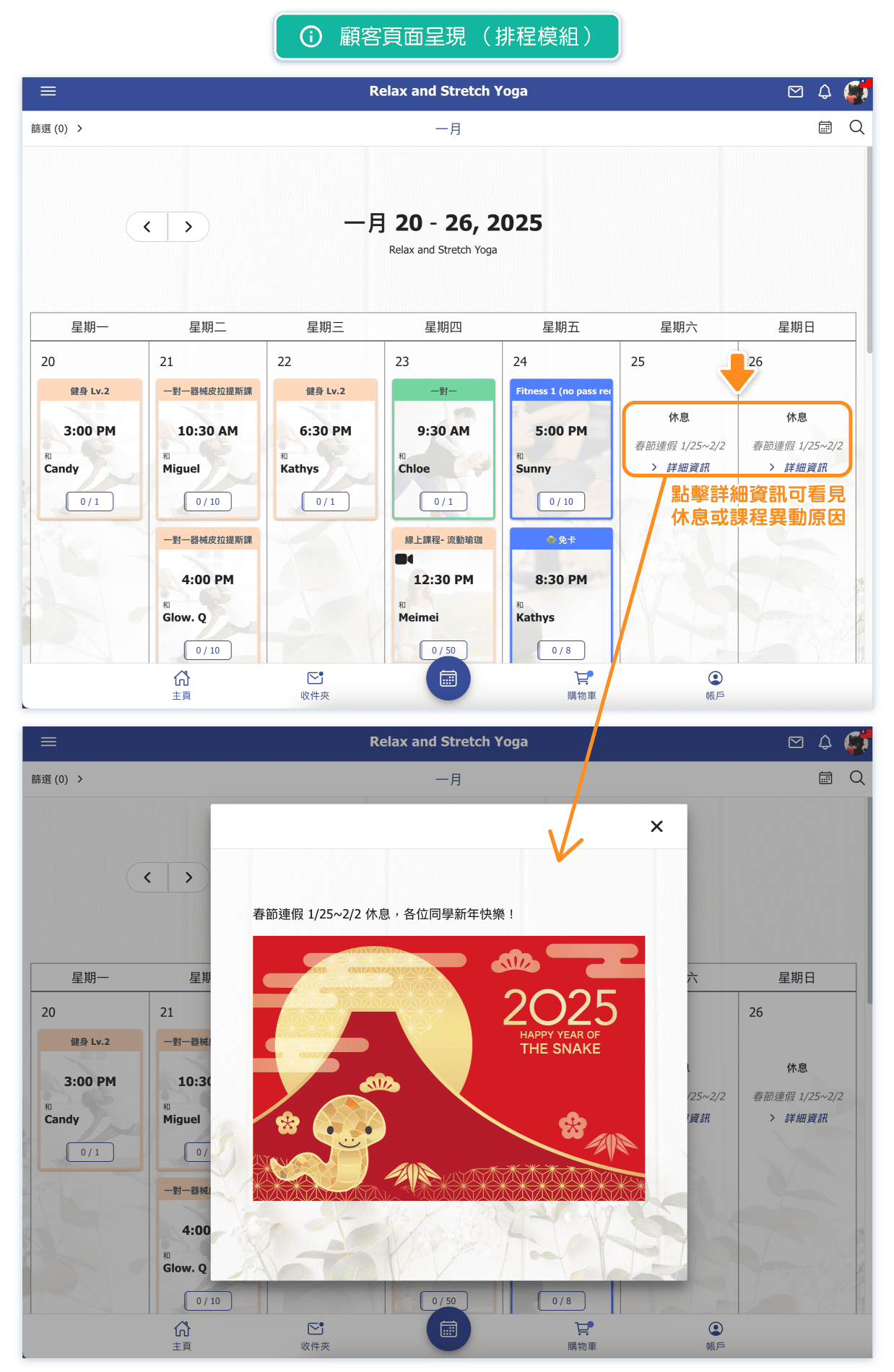
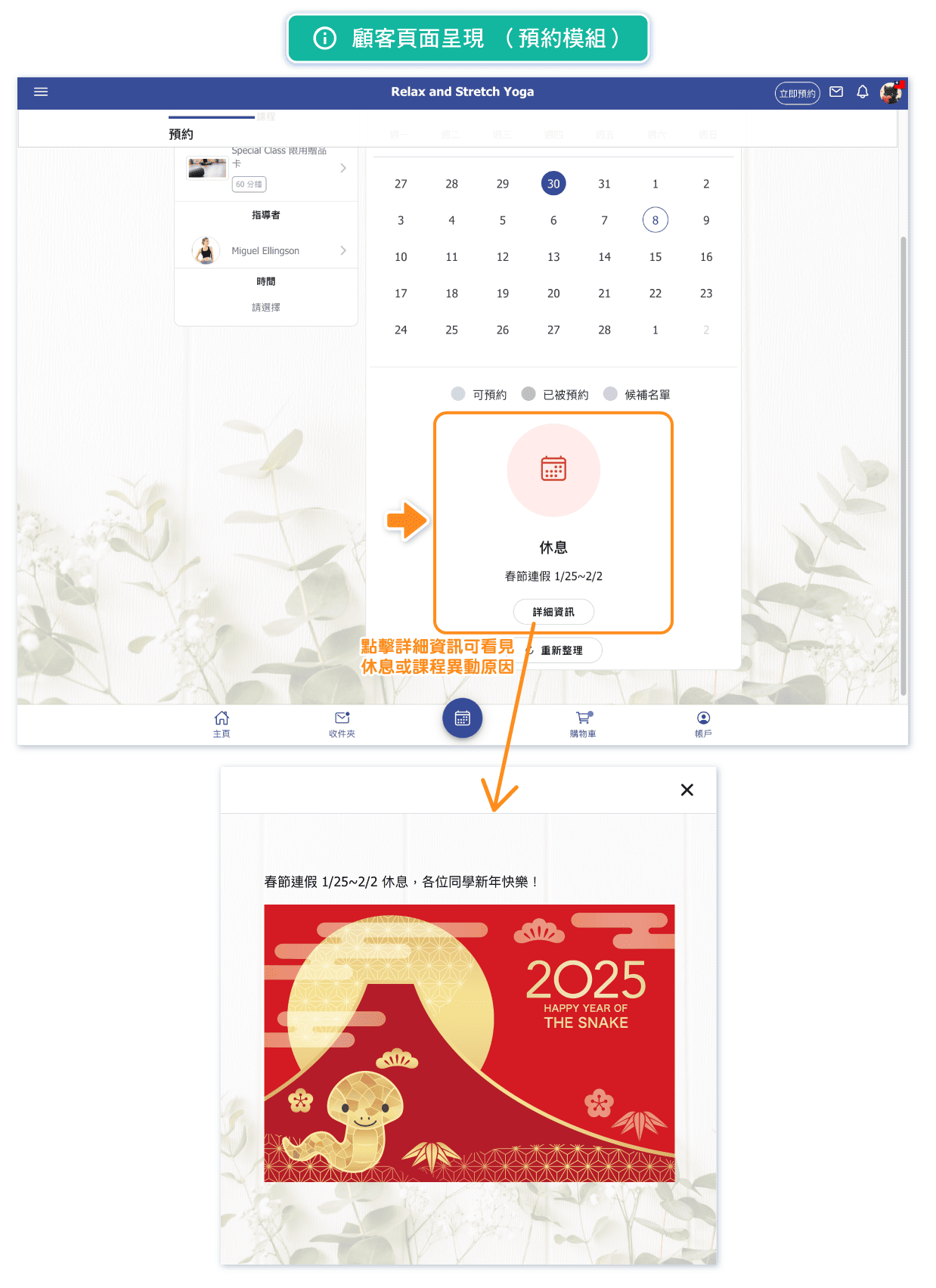
What will customers see after setting a closure? (Schedule Module)
In the Schedule Module, the customer’s calendar will show “Closed” or “Limited classes” for the days.
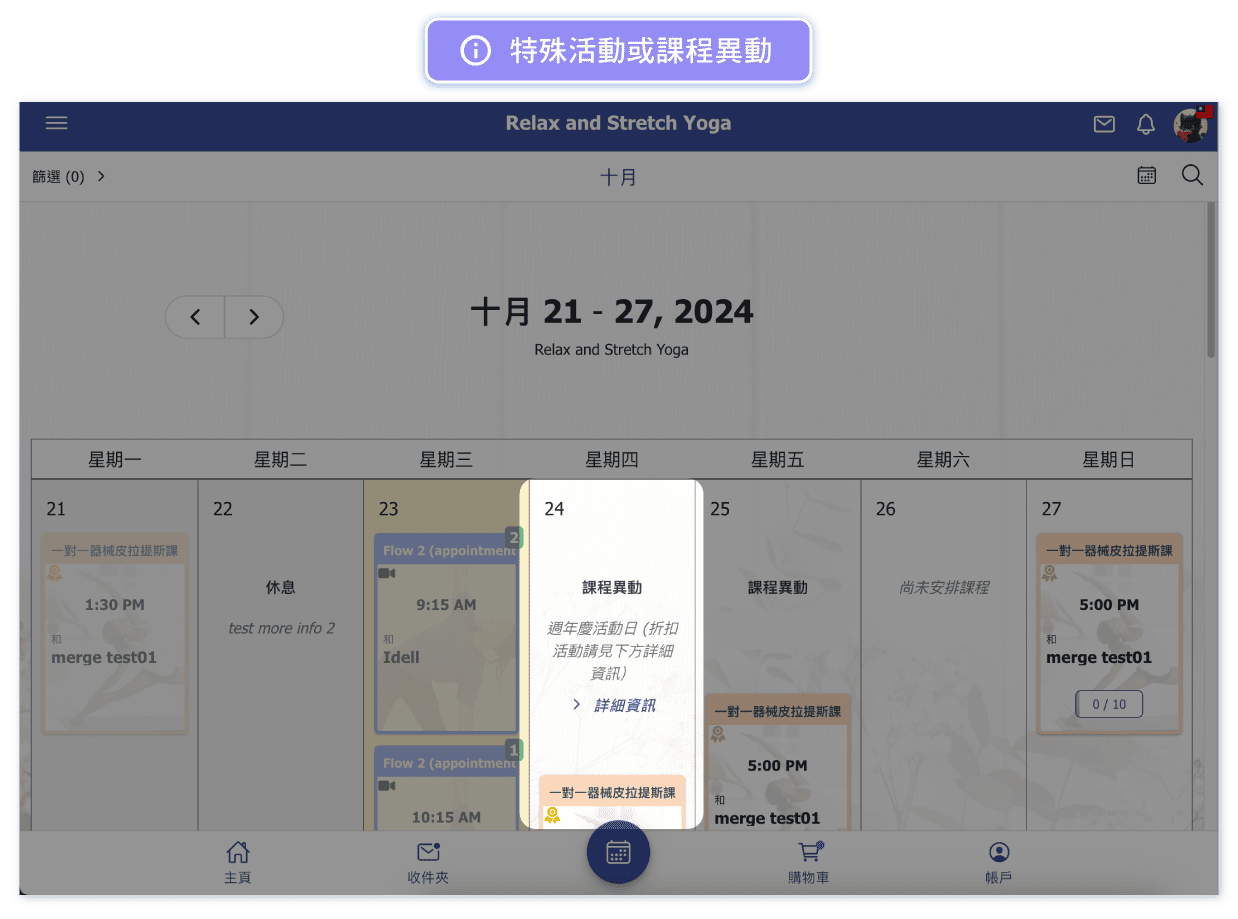
What will customers see after setting a closed day? (Appointment Module)
In the Appointment Module, on the page of selecting available time, closed days will be marked as "Closed."
Note: The closed days feature applies to full-day closures in the Appointment Module. To adjust available booking times without closing for the day, please go to the “Special dates” page on the admin side “Appointment” page to modify specific class times.
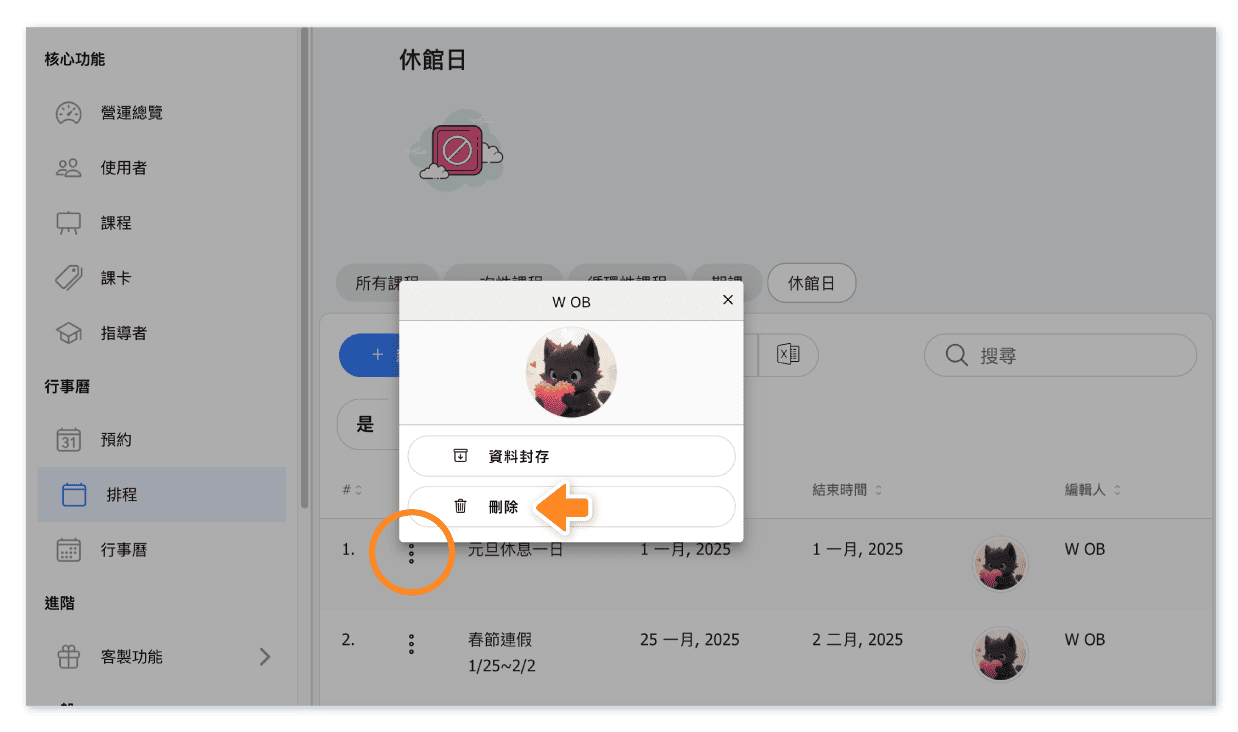
Can a Closure be revoked after it's set?
Yes, once revoked, 'Closed' or 'Limited classes' will no longer appear on the calendar. Any classes that were already deleted will remain deleted and will not be restored.
Can a set Closure be hidden from customers?
Yes, you can hide a Closure from the calendar by setting it to 'Archive.' When you're ready for customers to see it, simply restore (unarchive) the closures."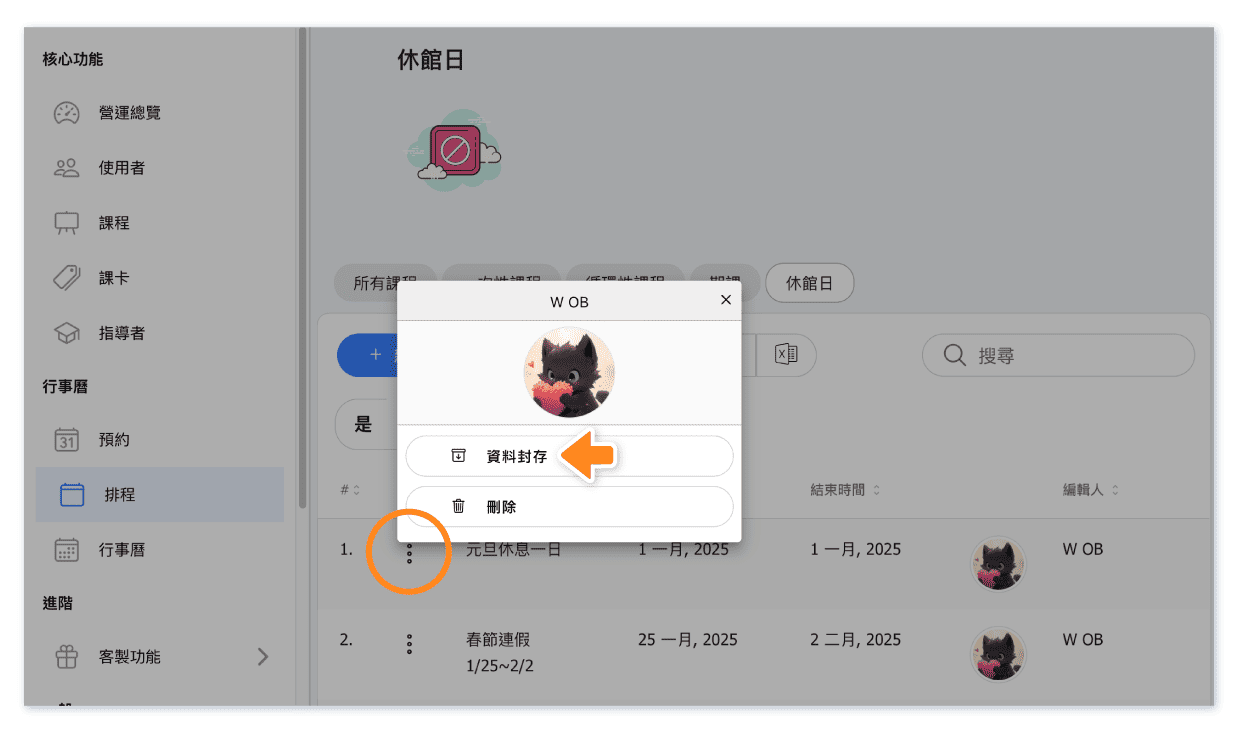
Are there any important points to consider when scheduling classes?
When scheduling classes, please keep the following note in mind:
For studios using the schedule module, the system will automatically ignore date ranges set as "closure" when arranging repeating classes.
If you wish to create classes during these dates, you can opt to use either the "one off class" or "schedule courses" to create during closures.


