How do I set a different time zone?
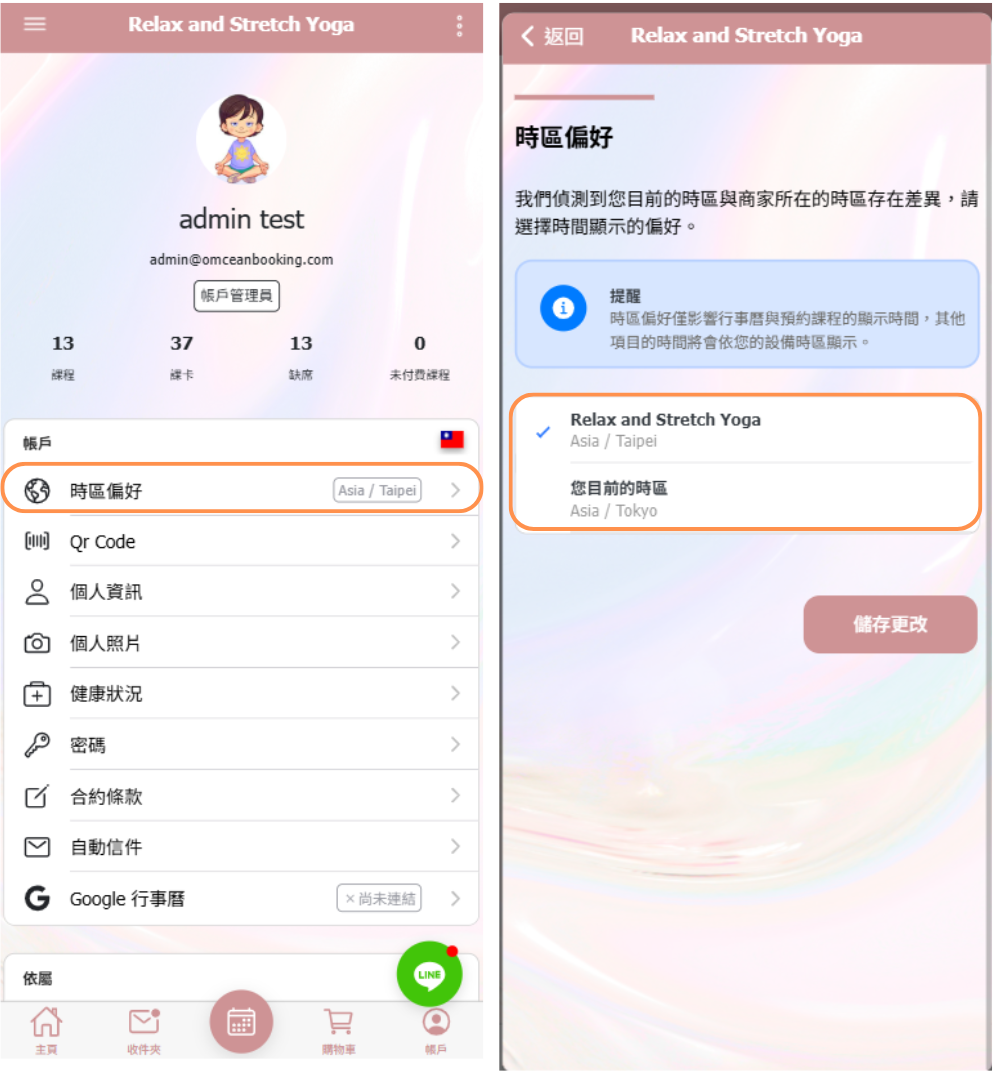
When your device time zone is different from the business time zone, a “Timezone Preference” option will appear on the Account page.
This setting allows you to choose which time zone you want to use when viewing times, such as:
-
The business time zone
-
Your local device time zone
Please note that the Time Zone Preference only affects how times are displayed for the following features:
-
Calendar
-
Closures
All other system behavior and settings will continue to follow the business time zone and are not affected by this preference.
Notes: When you add or edit class times in the calendar using your current time zone, the system will use the time you enter as-is.For example, if your device time zone is set to Osaka, Japan, while the system is using the Taiwan time zone, and you create a class at 10:00 AM, the system will store 10:00 AM in the database. If you later switch the system time zone to Osaka, Japan, the class time will then appear as 11:00 AM.
The location to set the business timezone: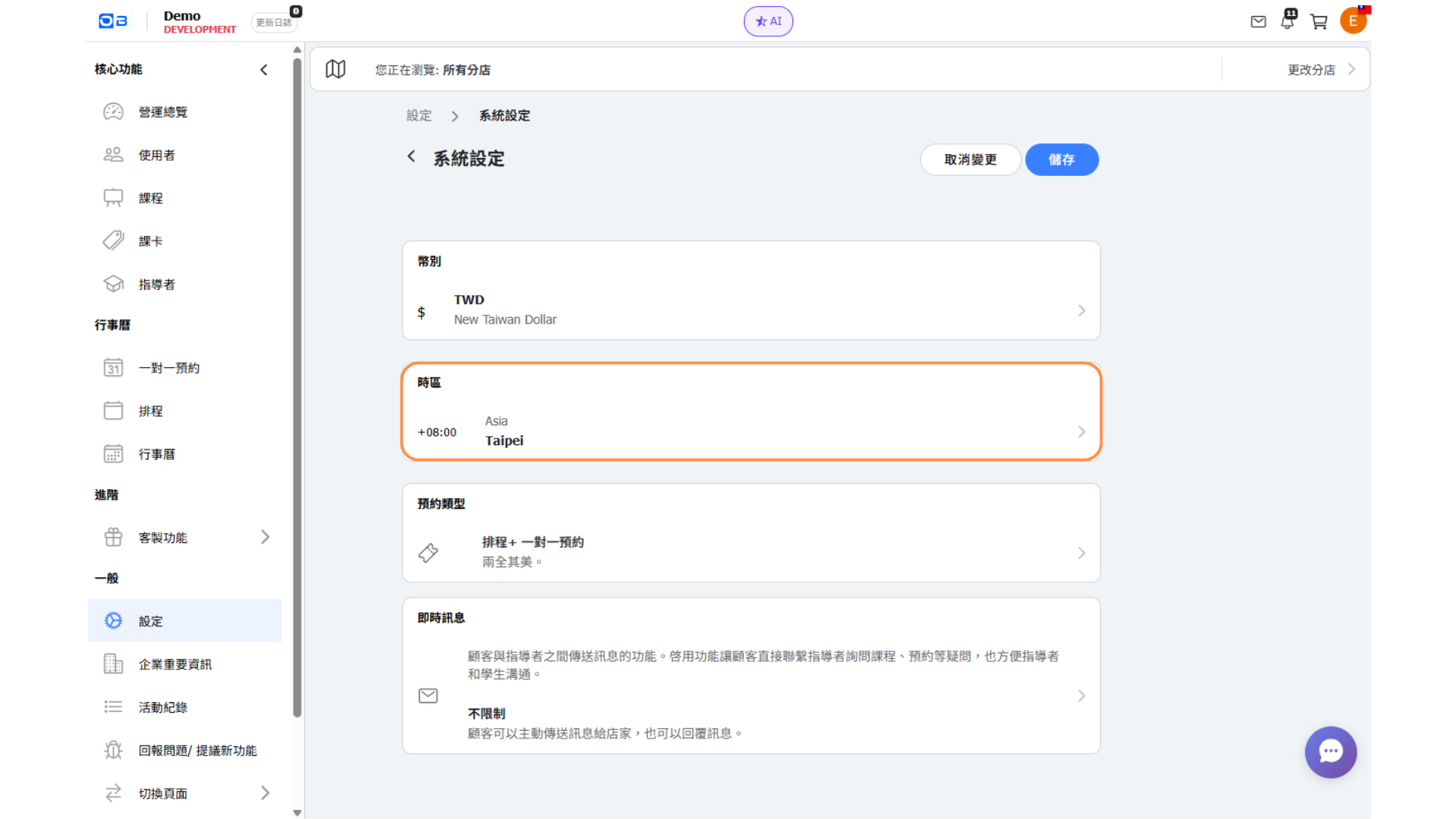
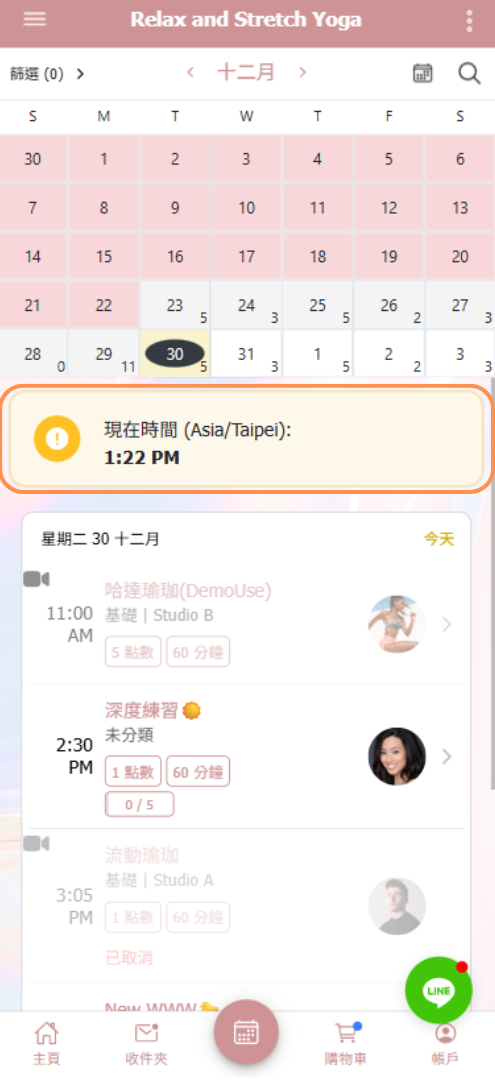
When the system time zone is different from your device’s time zone, the calendar will display a **“Current Time”** indicator to remind you which time zone is being used.