
What is a custom domain and why should I use one?
A custom domain is your own branded web address that customers use to access your booking system. Instead of directing customers to app.omceanbooking.com/yourbusiness, you can use a memorable URL like www.yourstudio.com.
Benefits of using a custom domain:
- Professional appearance: Reinforces your brand identity
- Easy to remember: Customers can find you more easily
- Full access: All pages work including admin, instructor, and customer logins
- Marketing friendly: Perfect for business cards, social media, and advertising
See a live example: www.relaxandstretch.online
What do I need before setting up a custom domain?
Before you can use a custom domain with your booking system, you need to purchase a domain name from a domain registrar. A domain name is the web address people type to visit your site (like "yourstudio.com").
Tips for choosing a domain name:
- Keep it short and easy to spell
- Match it to your business name when possible
- Avoid hyphens and numbers if you can
- Consider common extensions like .com, .net, or country-specific ones
Popular domain registrars:
- GoDaddy - Global provider with competitive pricing
- Chunghwa Telecom Hi-Net - Popular in Taiwan
- PChome - Taiwan-based option
Domain names typically cost $10-20 USD per year depending on the extension.
How do I connect my domain to the booking system?
A
fter purchasing a domain name, please follow the steps below to connect it to your booking system.
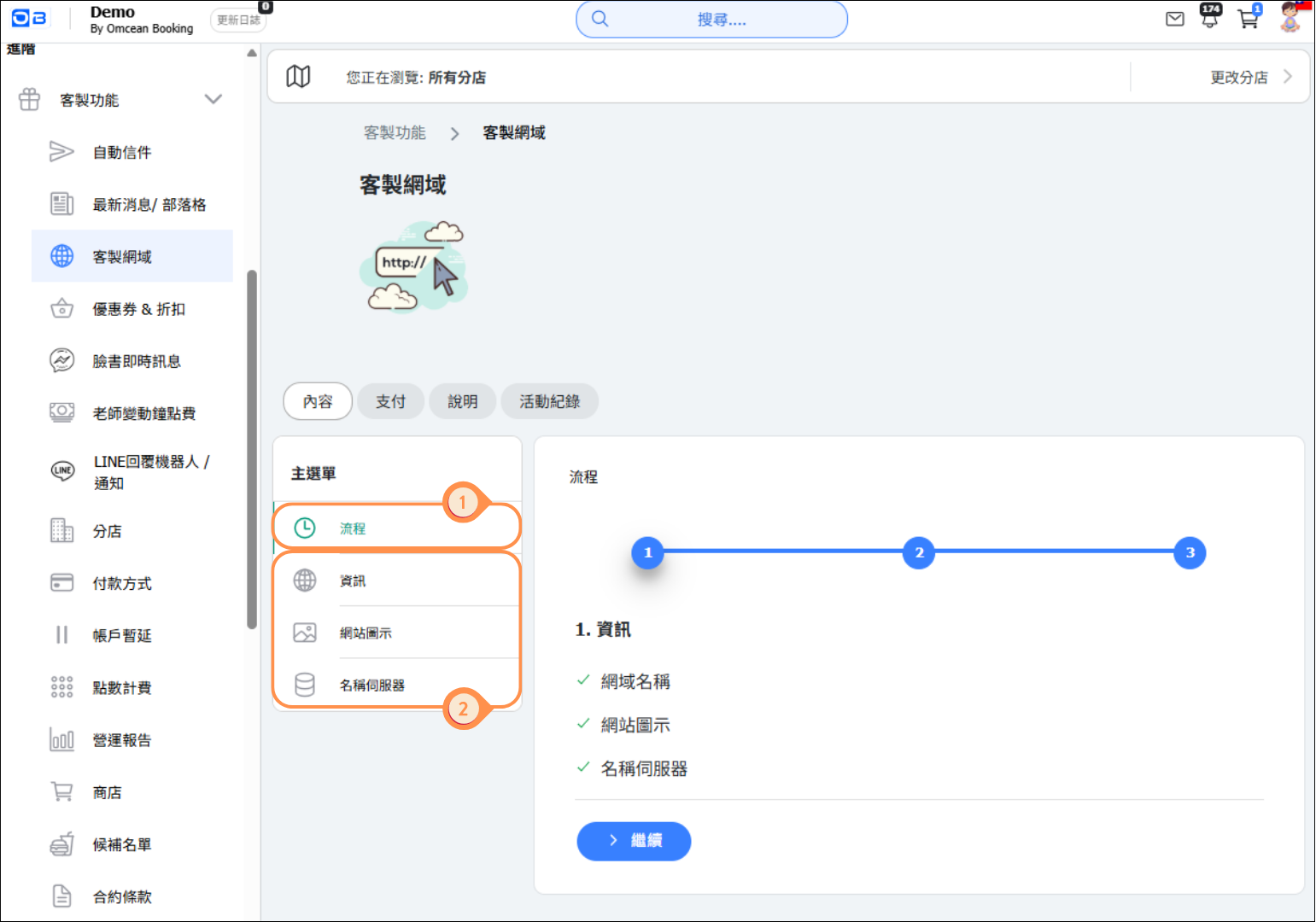
1. Go to the "Custom Domain" page and click on "Process."
2. Then complete the settings in order and save them.
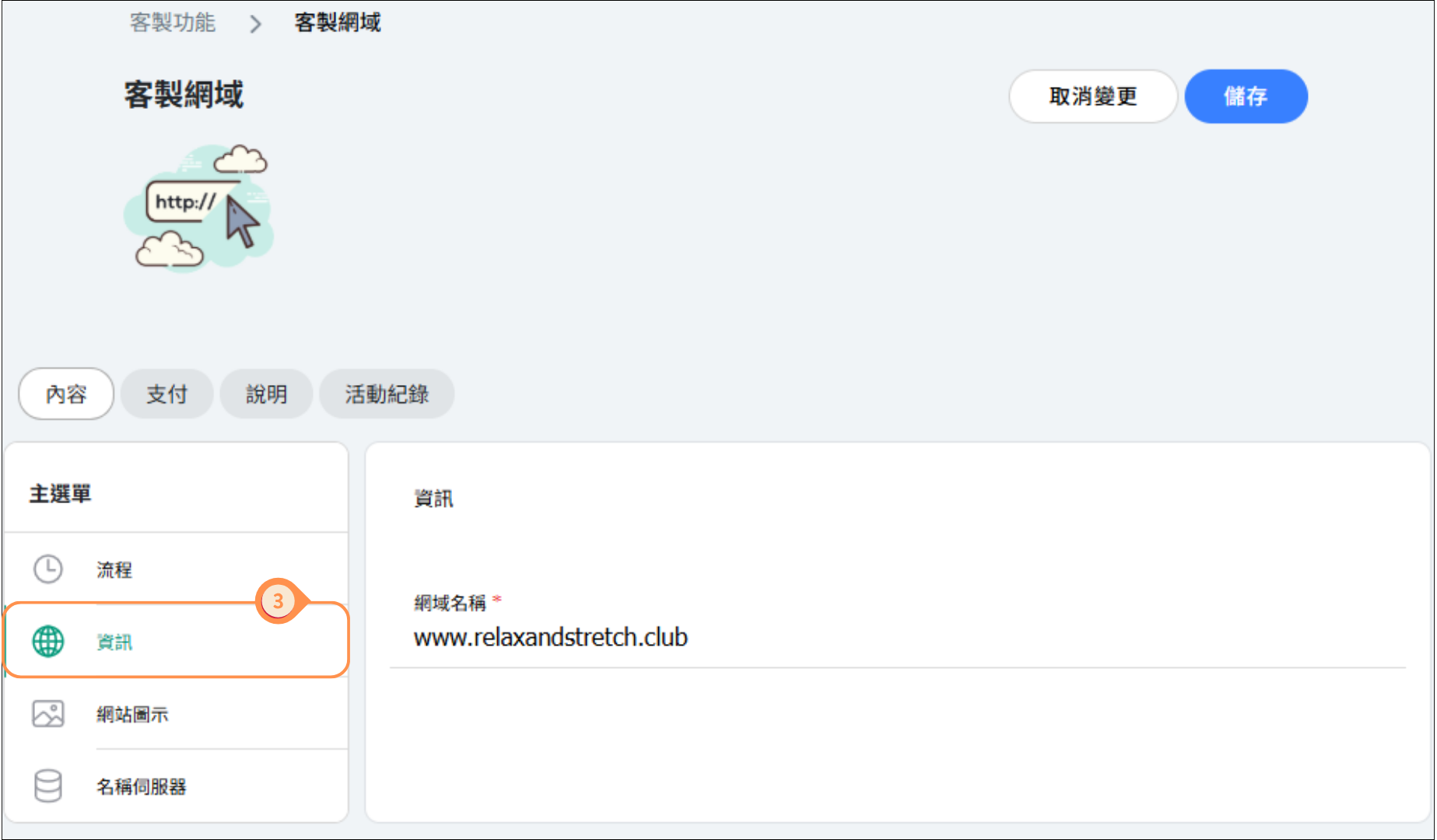
3. Enter the domain you have registered.
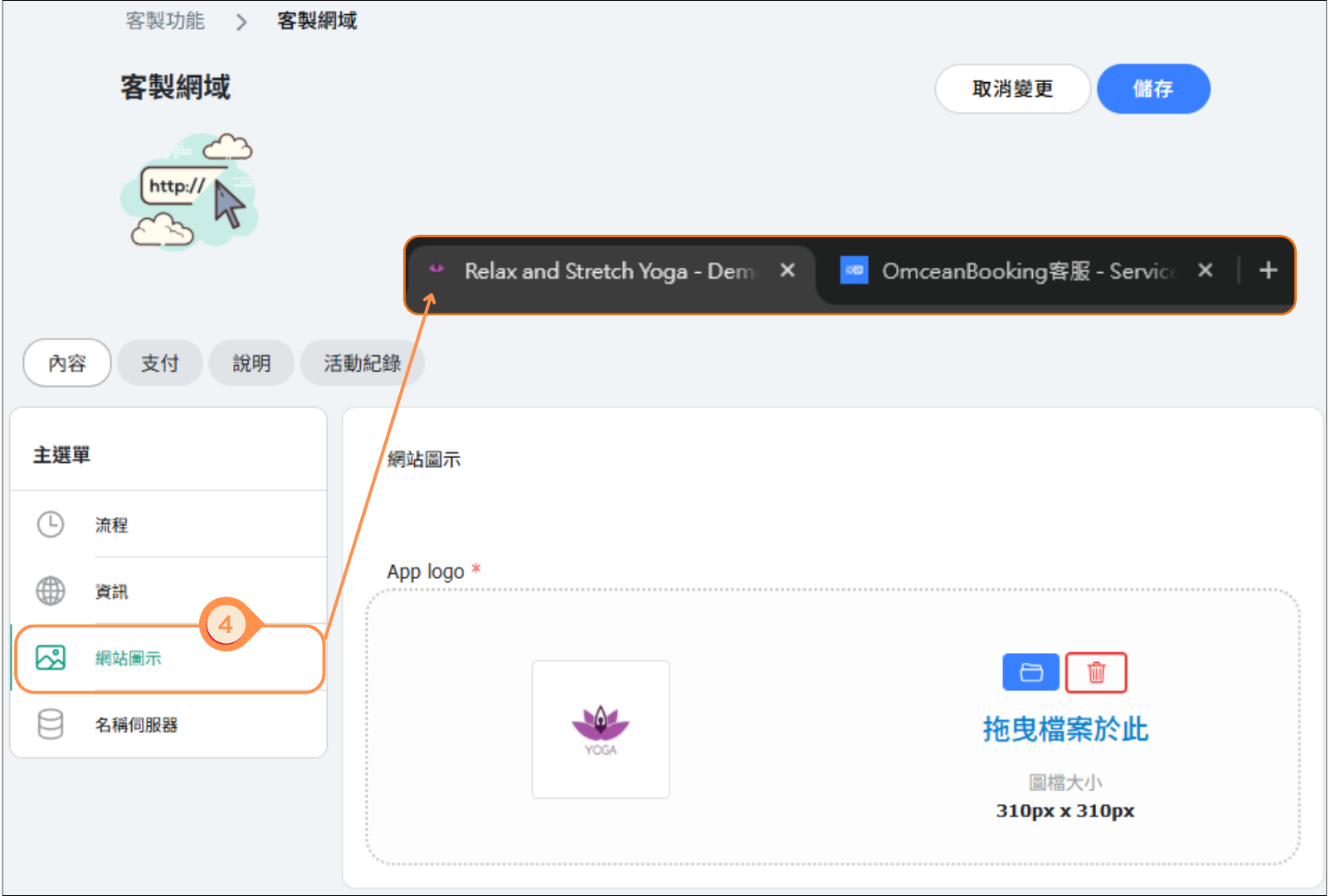
4. Upload your website logo, which will appear in the browser tab.
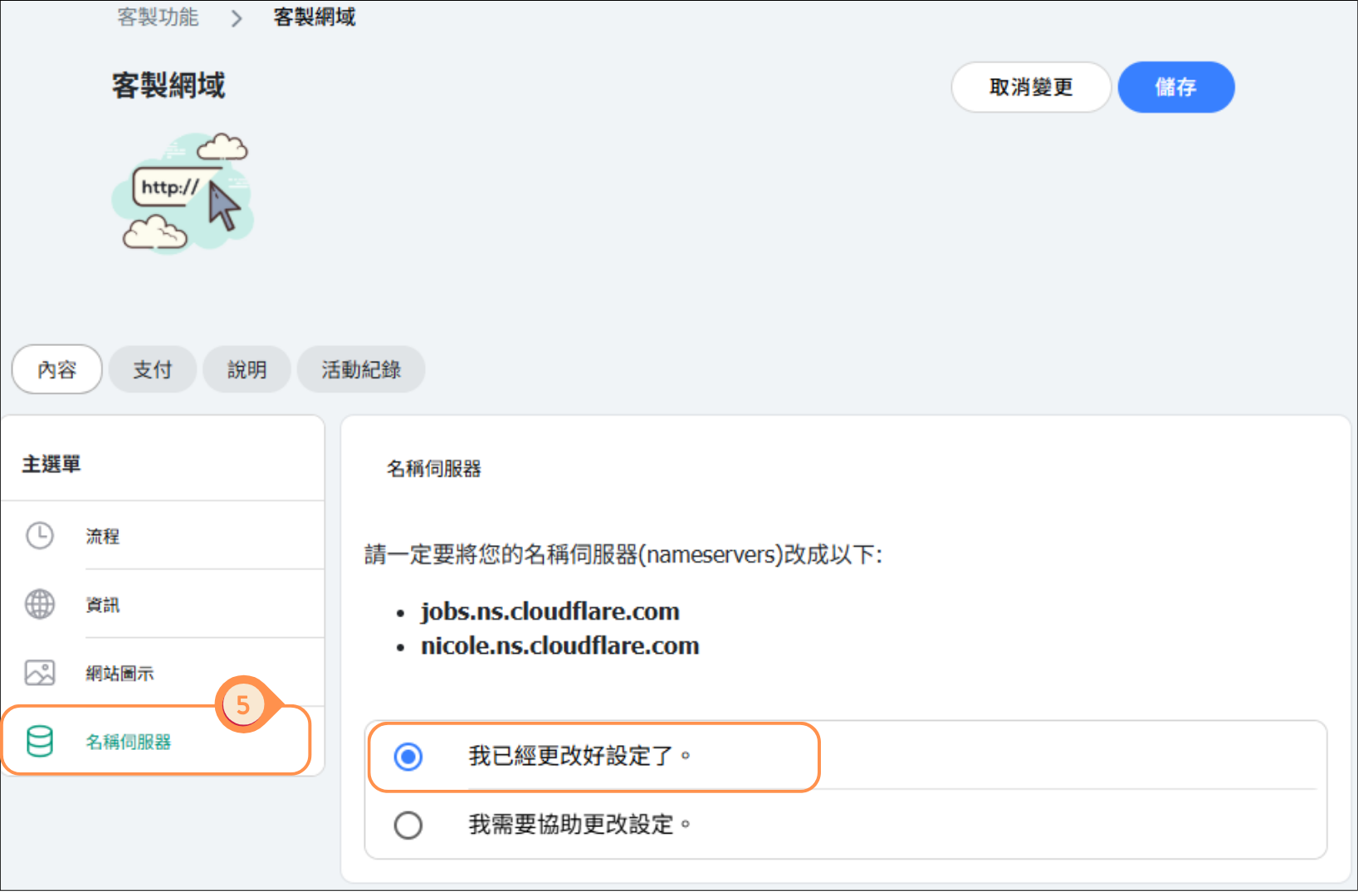
5. You can adjust the nameservers in the domain's backend and notify OB once it is set up; we will then configure the system to allow your connection.
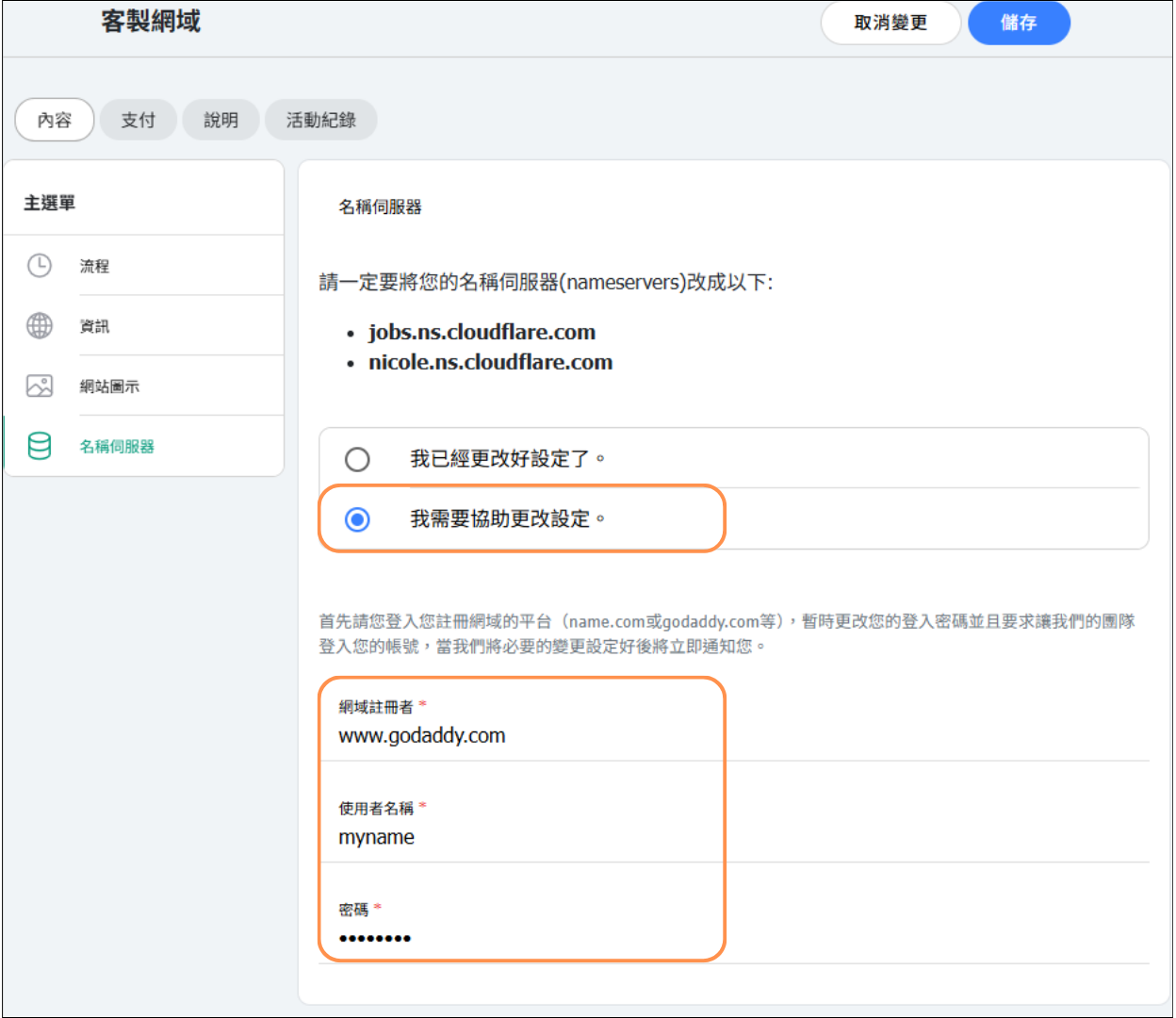
6. If you need assistance with the setup, you can choose this option and enter your domain backend account and password below, so that an OB engineer can access the page to configure it for you (an additional setup fee applies).
Please note that after completing the setup, due to DNS propagation, the domain usually takes 24–48 hours to become fully active.
Frequently asked questions about custom domains
Q: Will my old URL still work after setting up a custom domain?
A: Yes, both URLs will work. Customers can access your booking system through either address.
Q: Can I use a subdomain like booking.mywebsite.com?
A: Yes, subdomains work perfectly. This is a great option if you already have a main website.
Q: What happens if my domain registration expires?
A: Your custom domain will stop working, but your booking system remains accessible through the default omceanbooking.com URL. Renew your domain to restore the custom address.
Q: Do I need technical knowledge to set this up?
A: Basic understanding of DNS settings helps, but our support team can guide you through the process if needed.


