
What is Facebook News?
Facebook News is an integration that displays your Facebook page content directly within your booking system. Instead of customers having to visit Facebook separately, they can see your updates right where they book.
What gets displayed:
- News feed: Your latest Facebook posts, photos, and updates
- Reviews: Customer reviews and star ratings from your Facebook page
Benefits:
- Keep customers informed: Share promotions, events, and updates
- Build trust: Display positive reviews as social proof
- Save time: Content syncs automatically every 6 hours
- Unified experience: Customers see everything in one place
How do I connect my Facebook page?
Follow these steps to connect your Facebook page:
- Go to Custom Features in the admin menu
- Click on Facebook News
- On the Facebook account tab, click Connect
- Sign in with your Facebook credentials
- Grant permission to access your page
- Select the Facebook page you want to connect
Once connected, you'll see your account email and page name displayed with a "Connected" status.
Requirements:
- You must be an admin of the Facebook page
- The page must be a business or public page (not a personal profile)

How do I choose what content to display?
You can control which Facebook content is visible to your customers:
- Go to Custom Features → Facebook News
- Click on the Settings tab
- Toggle the options:
- News feed: Display your Facebook posts to customers
- Reviews: Display Facebook reviews to customers
- Click Save Changes
Tip: You can enable one or both options depending on your needs. If you mainly want to showcase reviews, you can disable the news feed and vice versa.
How often does the content update?
Your Facebook content syncs automatically:
- Initial sync: Content is retrieved when you first connect your account
- Automatic updates: The system checks for new content every 6 hours
- Manual refresh: Click the Refresh button to update immediately
What syncs:
- New posts and photos from your news feed
- New reviews and updated star ratings
- Changes to existing content
Note: If you've just posted something on Facebook and want it to appear immediately, use the manual refresh option rather than waiting for the automatic sync.
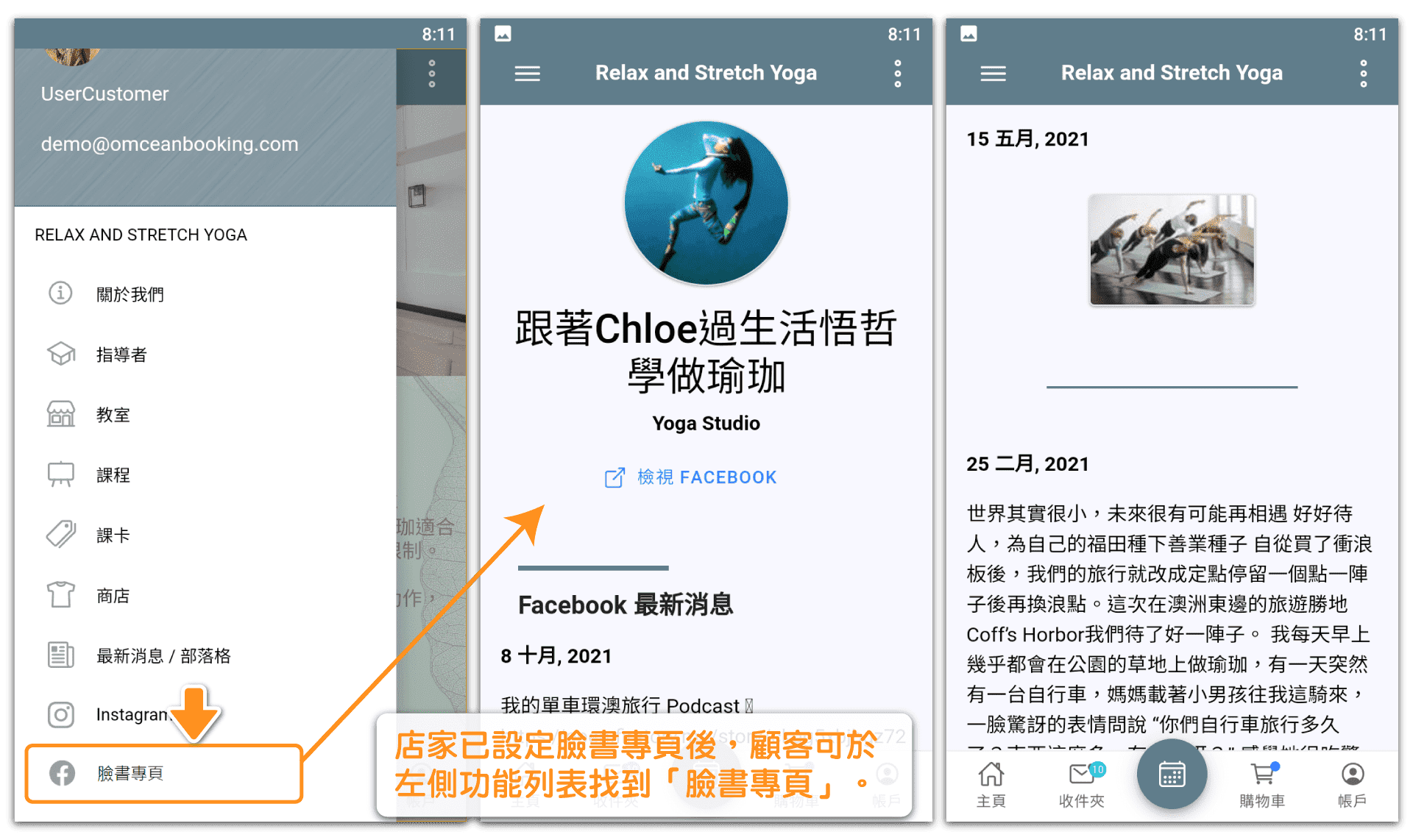
Where do customers see the Facebook content?
Customers can access your Facebook content from the booking system:
- Open the side menu on your booking page
- Select Facebook News
- Browse your posts, photos, and reviews
What customers see:
- News feed tab: Your recent Facebook posts with text, images, and links
- Reviews tab: Customer reviews with names, dates, and star ratings
This provides social proof and keeps customers engaged with your brand without leaving the booking experience.
How do I disconnect my Facebook page?
To disconnect your Facebook page:
- Go to Custom Features → Facebook News
- On the Facebook account tab, find your connected account
- Click the Disconnect button
What happens when you disconnect:
- Your Facebook content will no longer appear in the booking system
- The Facebook News menu option will be hidden from customers
- You can reconnect at any time by following the connection steps again
Tip: If you just want to temporarily hide the content without disconnecting, use the Settings tab to toggle off the news feed and reviews instead.


