
What is a pass and how does it work?
A pass is a prepaid package that customers purchase to book classes at your business. Each pass you create in the system is unique - even if two passes share the same name, they have different pass numbers in the database and can have different settings.
Important: Passes can be bound to specific classes. For example, if you create two passes both named "10 Points" but only bind the first one to your Flow Yoga class, customers with the second pass cannot book Flow Yoga - even though both passes have the same name. This gives you precise control over which services each pass type can access.
Step-by-step: How to create a new pass
Follow these steps to create a new pass in your booking system:
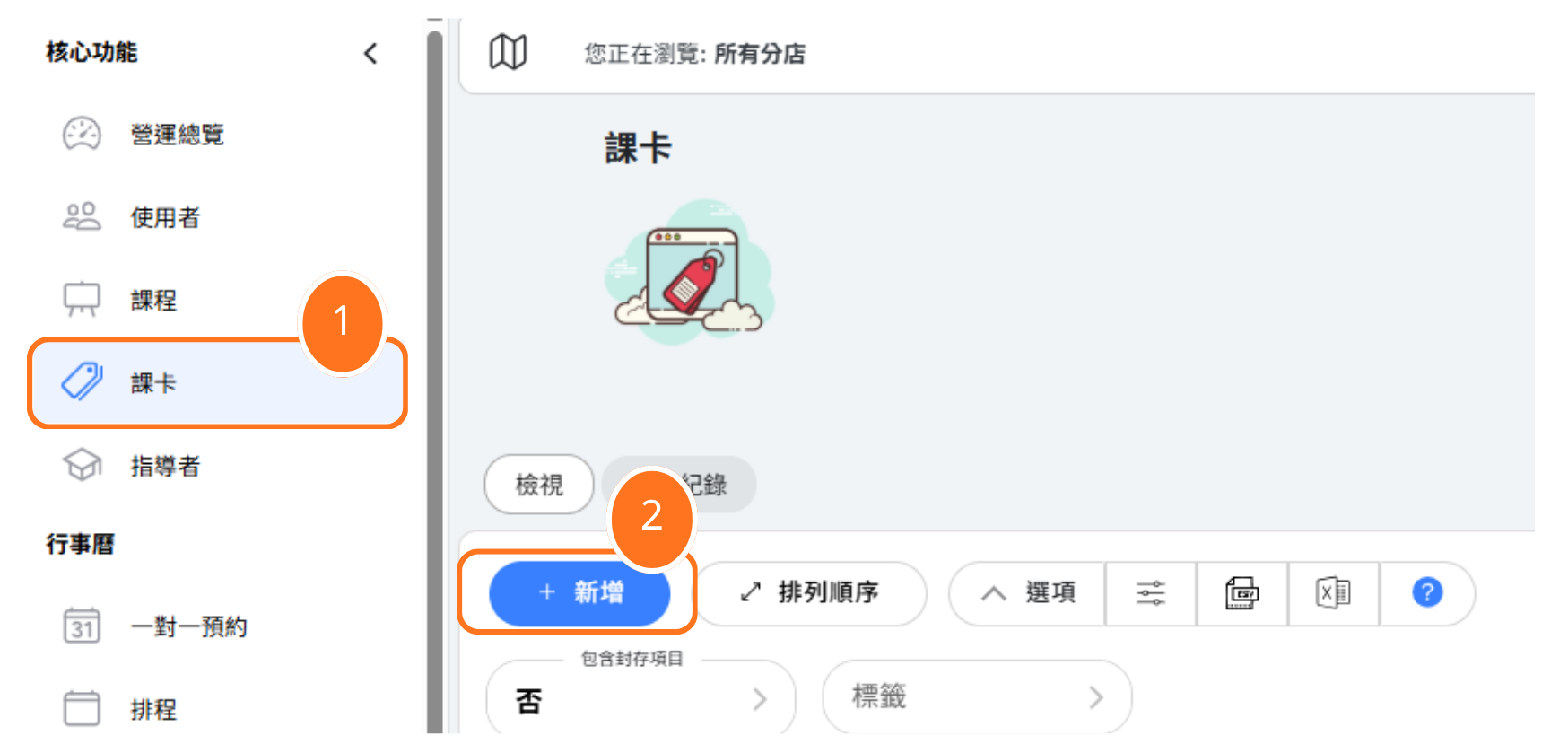
Step 1: Click "Passes" in the left menu to access the pass management area.
Step 2: Click the "NEW" button to start creating a new pass.
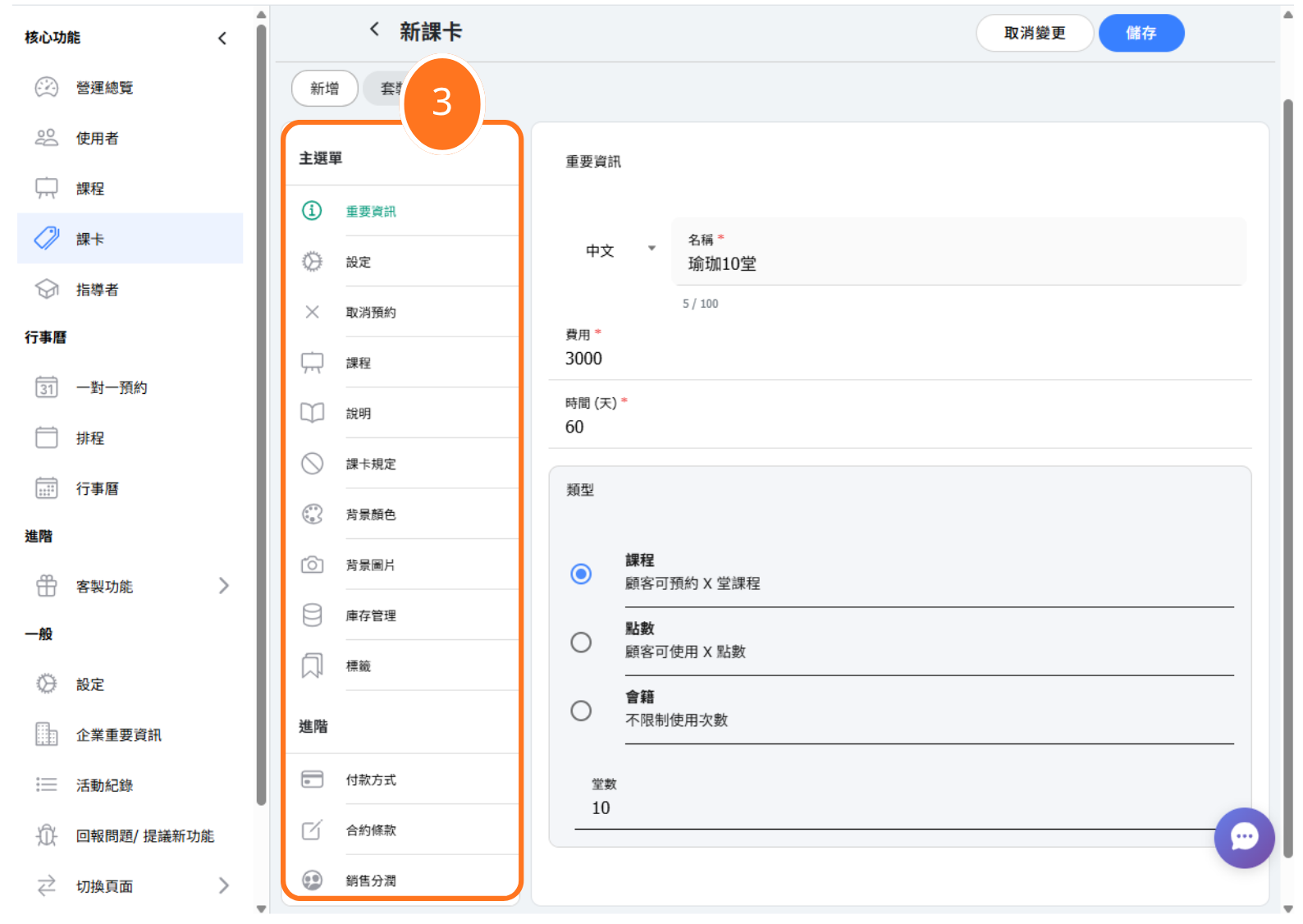
Step 3: Fill in the required information including pass name, fee, number of classes or points, and time(days).
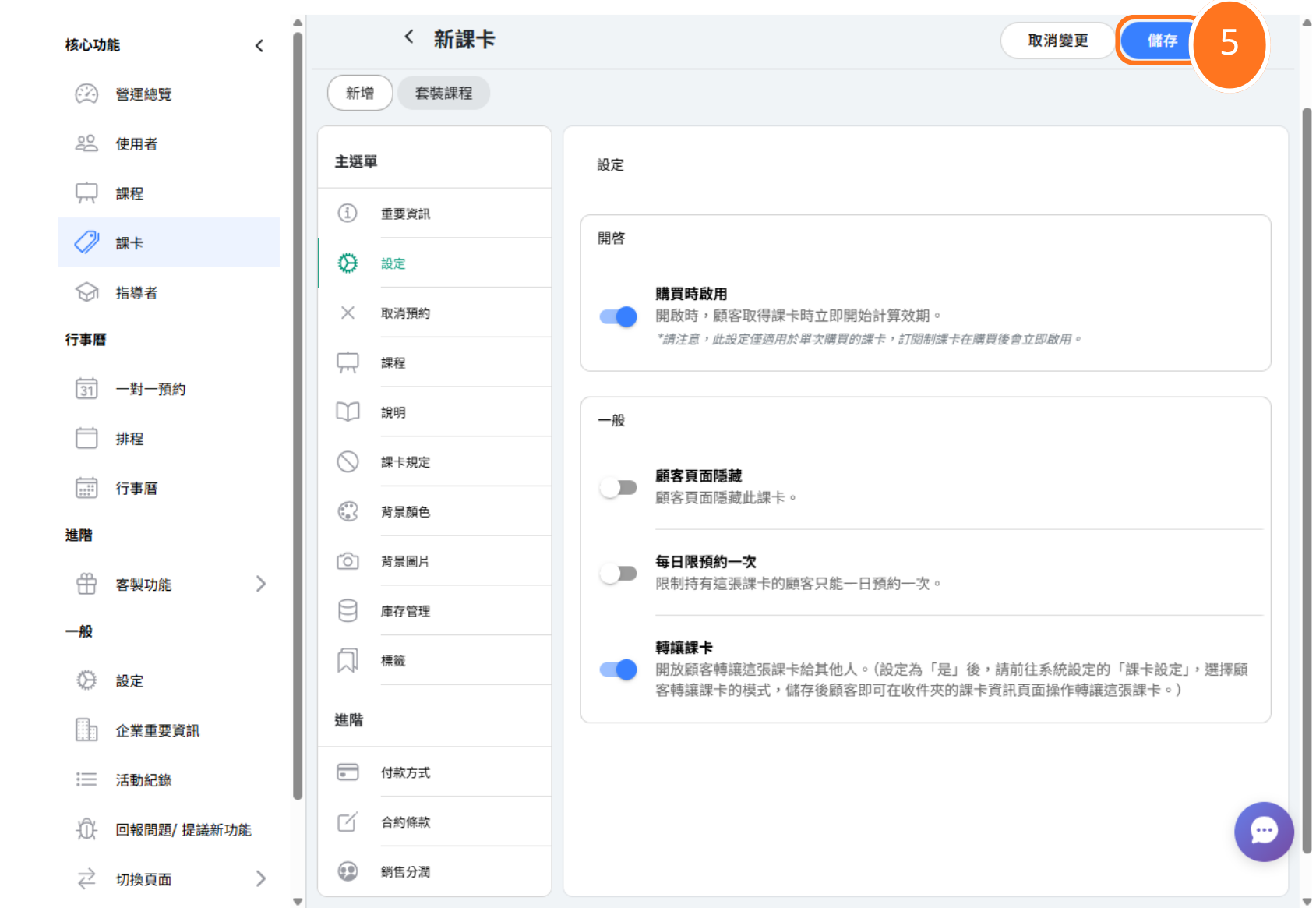
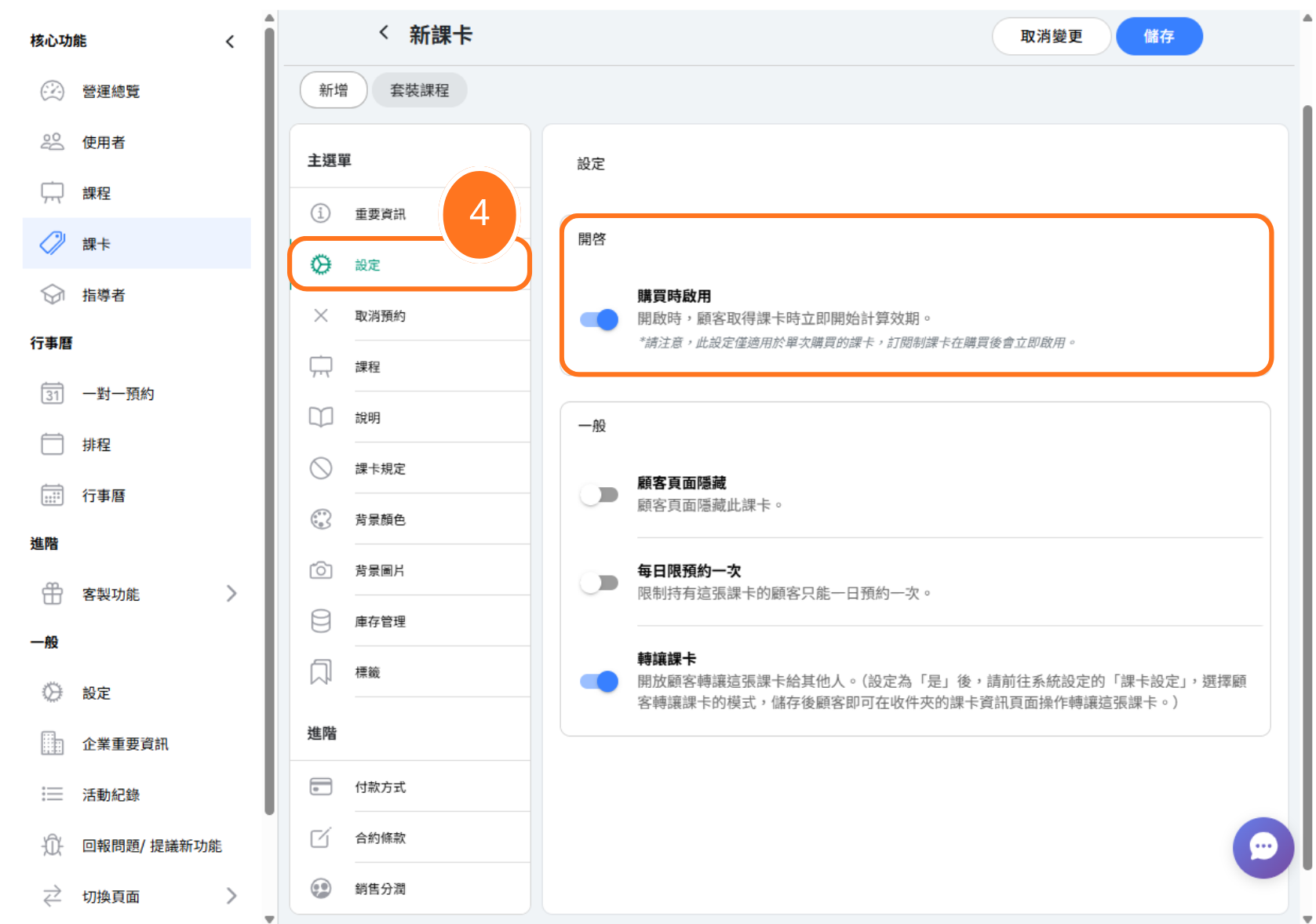
Step 4: Configure your pass settings (see activation options in the next section).
Step 5: Click Save to create your pass.
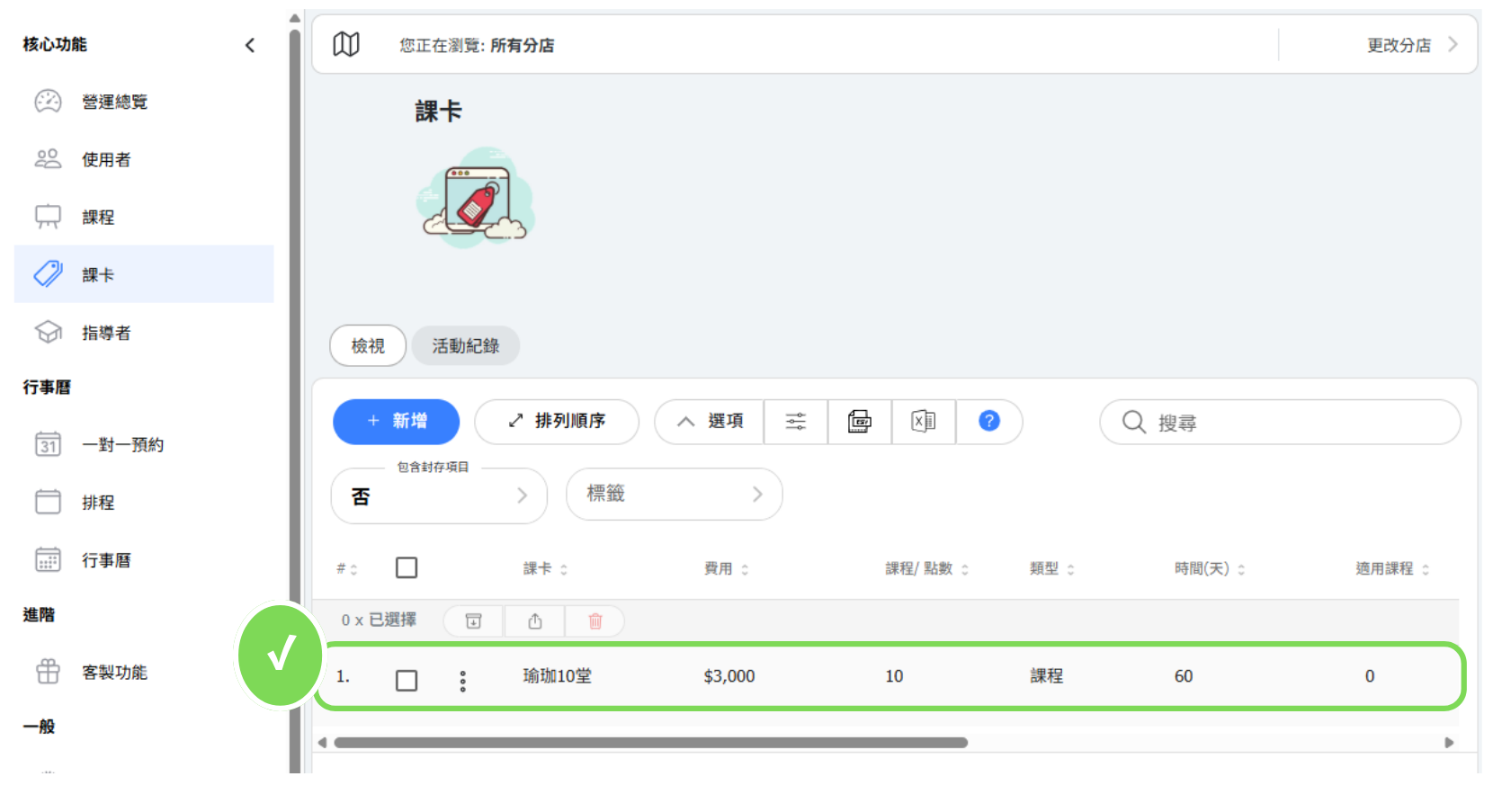
Your pass is now created and ready to be sold to customers!
What are the pass activation options?
Pass activation determines when the validity period of a pass begins. You have two options:
Option A: Activation Date = Purchase Date
The pass validity starts immediately when the customer purchases it. Best for: memberships where you want time to start counting right away.
Option B: Activation Date = First Booked Class Date
The pass validity starts when the customer books their first class. Best for: flexible passes where customers may not use them immediately after purchase.
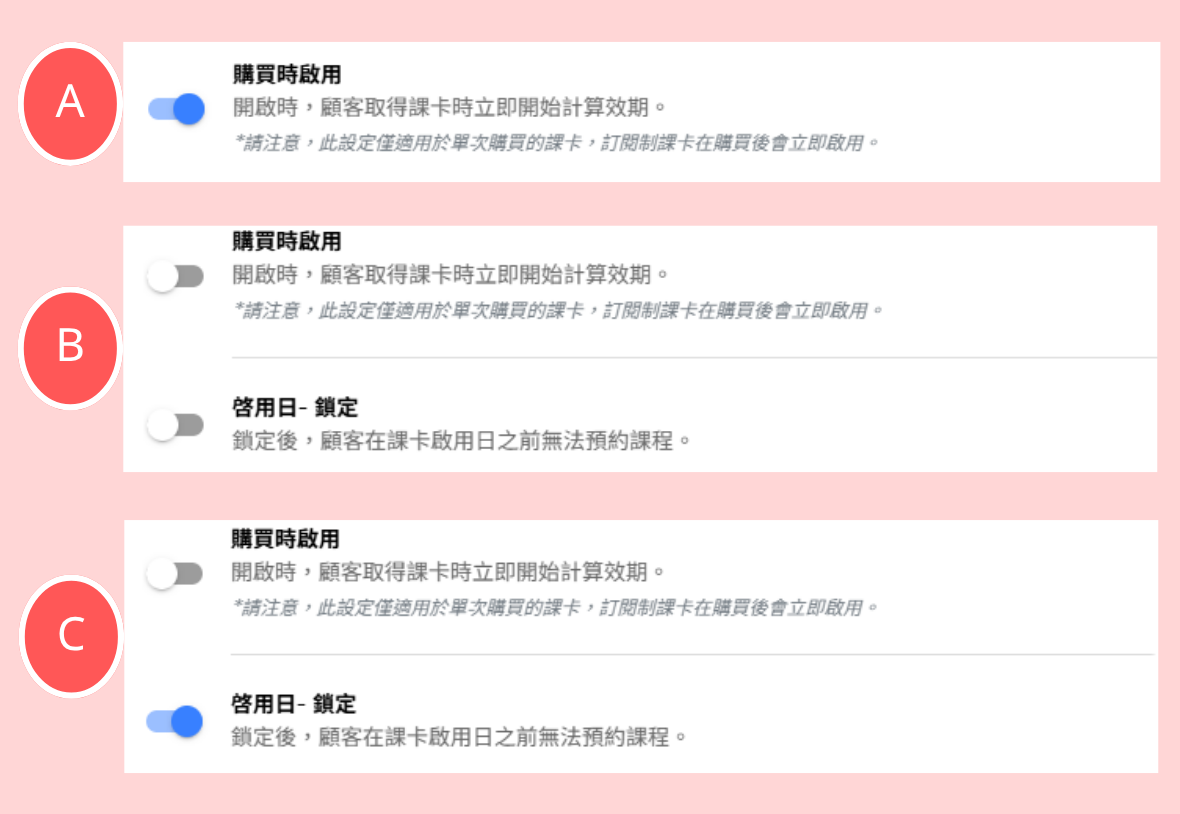
Important: Once a pass has an activation date, customers can only book classes between the activation date and expiration date. Classes outside this window will not be available for booking with that pass.
Can I restrict which classes a pass can be used for?
Yes! You can bind passes to specific classes to control exactly which services customers can book. This is useful for:
- Specialty classes: Create passes that only work for premium or specialty sessions
- Beginner packages: Limit passes to introductory classes only
- Instructor-specific passes: Create passes that only work for specific instructors
- Location restrictions: For multi-location businesses, restrict passes to certain branches
When creating or editing a pass, look for the class binding options to configure which classes the pass can access.
What's the difference between class-based and point-based passes?
Class-based passes give customers a fixed number of class bookings (e.g., "10 Classes Pass"). Each booking uses one class credit regardless of the class type.
Point-based passes give customers a pool of points (e.g., "100 Points Pass"). Different classes can cost different amounts of points, giving you pricing flexibility. For example:
- Regular yoga class: 10 points
- Private session: 30 points
- Workshop: 25 points
Point-based passes are ideal when you offer services at different price tiers or want to encourage certain class types.
Frequently asked questions about passes
Q: Can I edit a pass after it's been sold to customers?
A: You can edit certain settings, but be careful - changes may affect existing pass holders. It's often better to create a new pass version and stop selling the old one.
Q: What happens when a pass expires?
A: Customers can no longer use expired passes to book new classes. Any existing bookings made before expiration remain valid.
Q: Can customers have multiple active passes?
A: Yes, customers can hold multiple passes simultaneously. When booking, they can choose which pass to use if they have options.
Q: How do I handle pass refunds?
A: See our separate guide on refunding customer passes for detailed instructions on processing partial or full refunds.

