How can I view a user’s shopping cart status from the admin page?
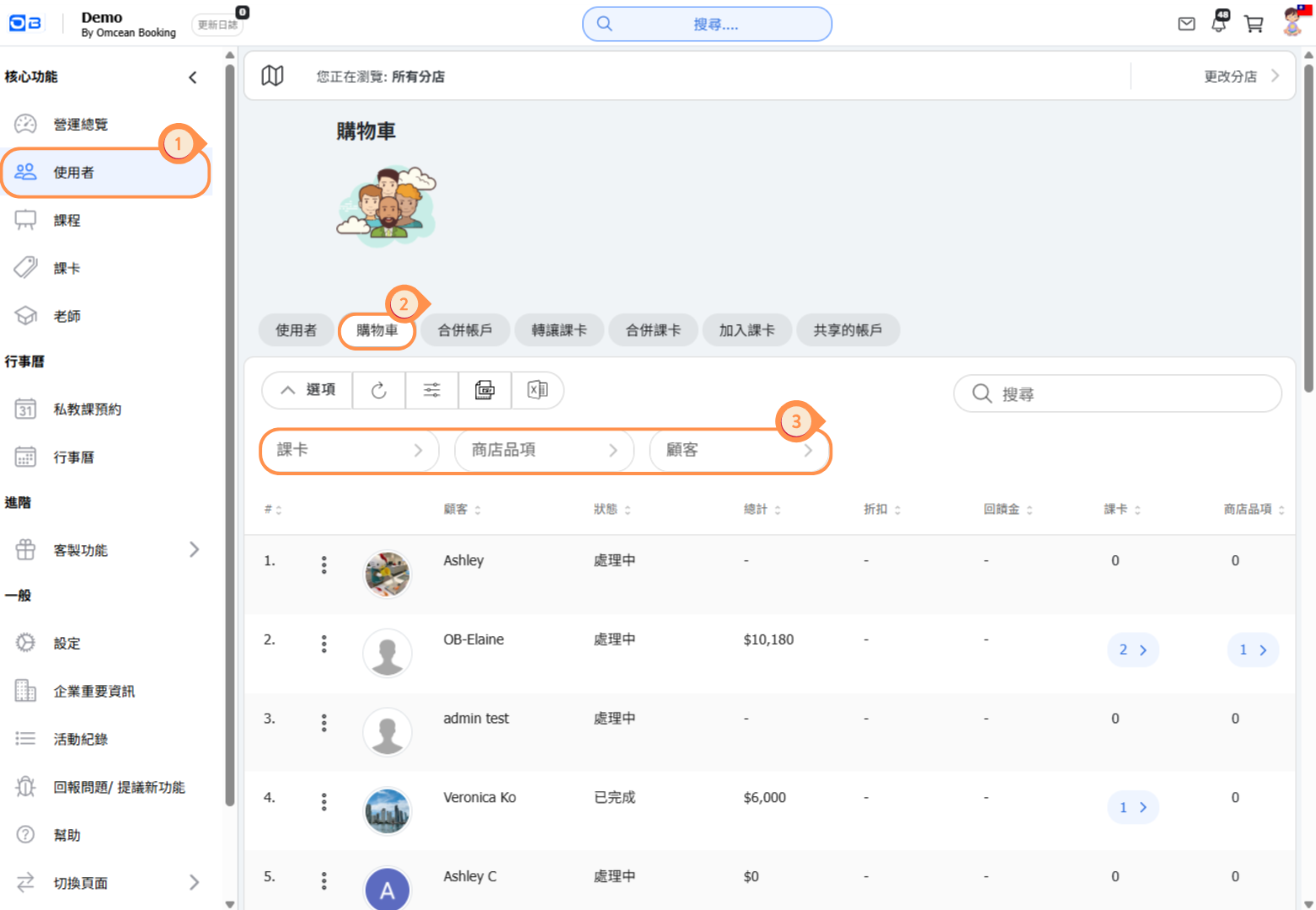
Click “Users” on the left menu.
Click “Shopping Cart”.
You can enter criteria to search for a specific shopping cart.
On the shopping cart page, you can view the current status of a user’s cart (e.g., Processing means not yet checked out, Completed means checkout is finished), total amount, discounts, reward points, passes, and sales items. You can also clear the contents of a user’s cart from this page.
How can I add items to a user’s shopping cart from the admin page?
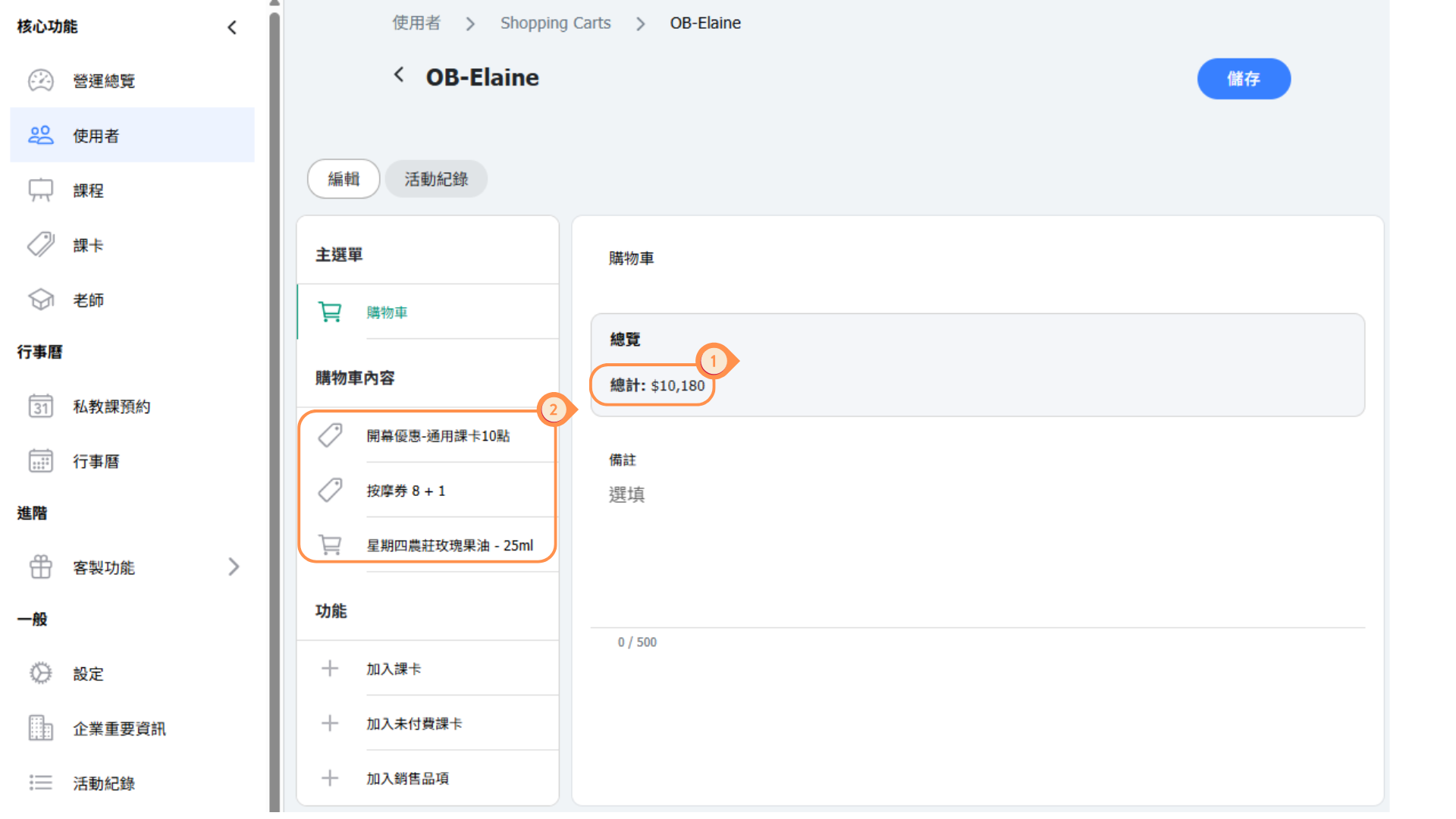
【View Cart Contents and Total Amount】
(1) You can see the current total amount in the shopping cart.
(2) You can see the current contents of the shopping cart.
【Add or Modify Items】
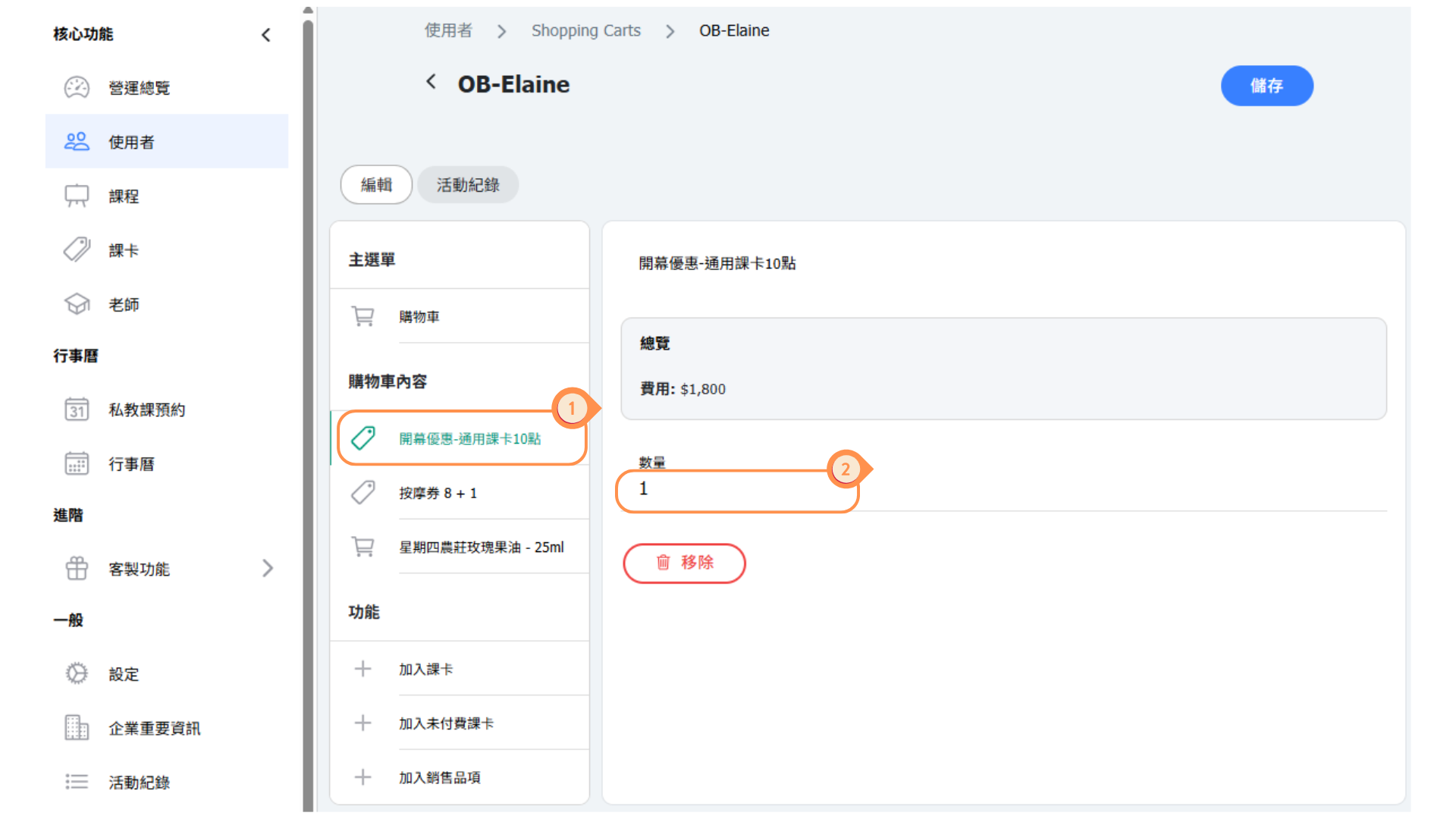
(1) Click on the item on the left.
(2) You can modify the quantity of the item or remove it.
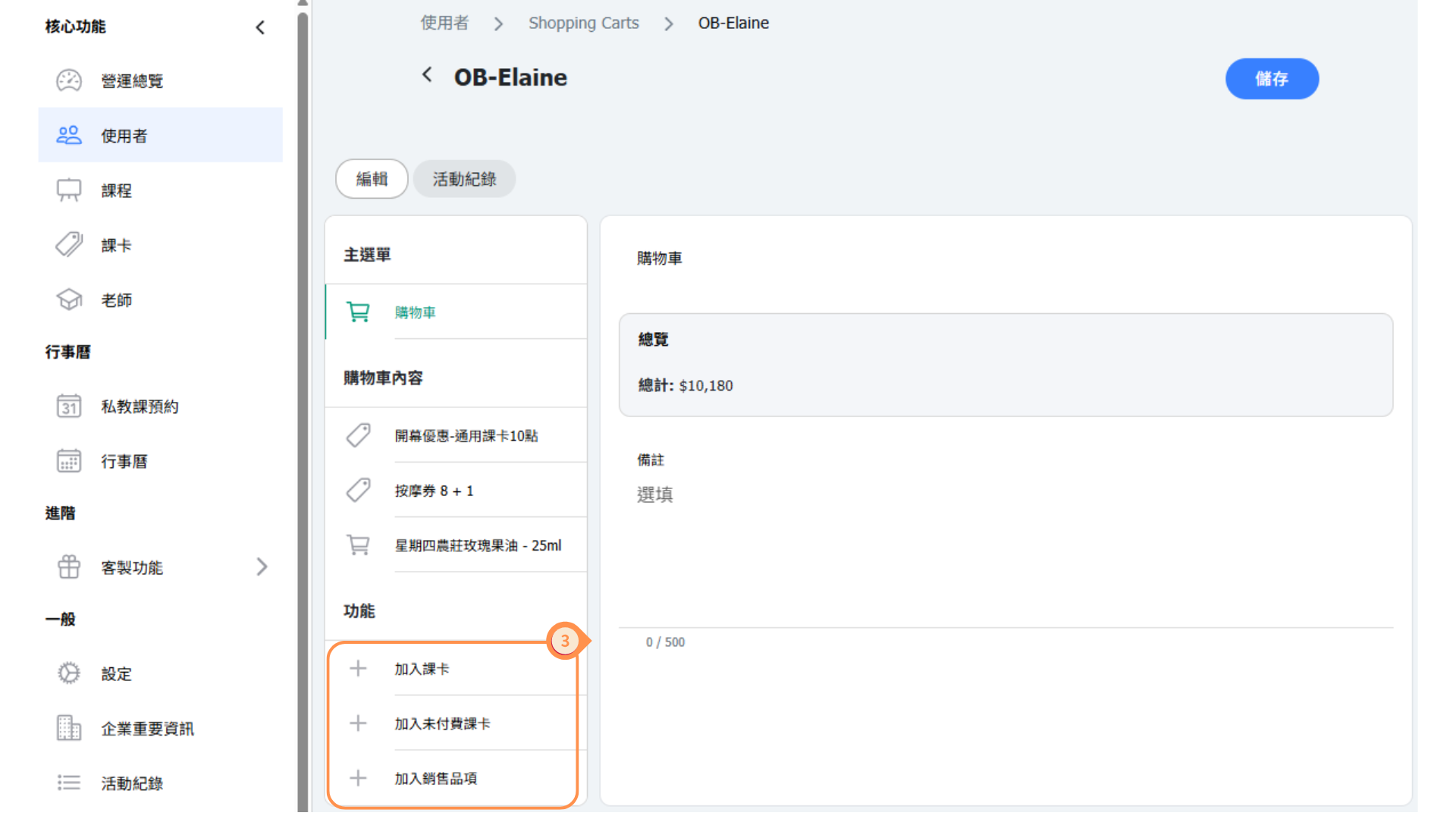
(3) The action bar allows you to add new Passes, unpaid Passes, or new sale items.