
What is gate (gate access control system) ?
The gate access control system is a hardware device integrated with our software platform, typically installed at venue entrances.
Its primary function is to help businesses more effectively manage the entry and exit of members or customers, ensuring that only authorized individuals, such as those with reservations or active memberships, can access designated areas. This not only improves venue usage management but also enhances security and operational efficiency.
- Access ControlYou can set only customers with reservations or valid passes are permitted to enter your studio, preventing unauthorized access.
- Enhanced Management EfficiencyThe system records the entry and exit times of each customer, reducing manual operations and improving the venue's operational efficiency.
- Integration with Reservation SystemsConnected to our reservation system, the gate verifies customers' reservation status in real time, ensuring they only access areas corresponding to their bookings, avoiding accidental entry into unreserved zones.
- Instructors Payroll CalculationThe system tracks each Instructor's entry and exit times, providing accurate data to calculate teachers’ salaries, particularly when payments are based on teaching duration.
How to Enable and Set Up the "Gate" Feature
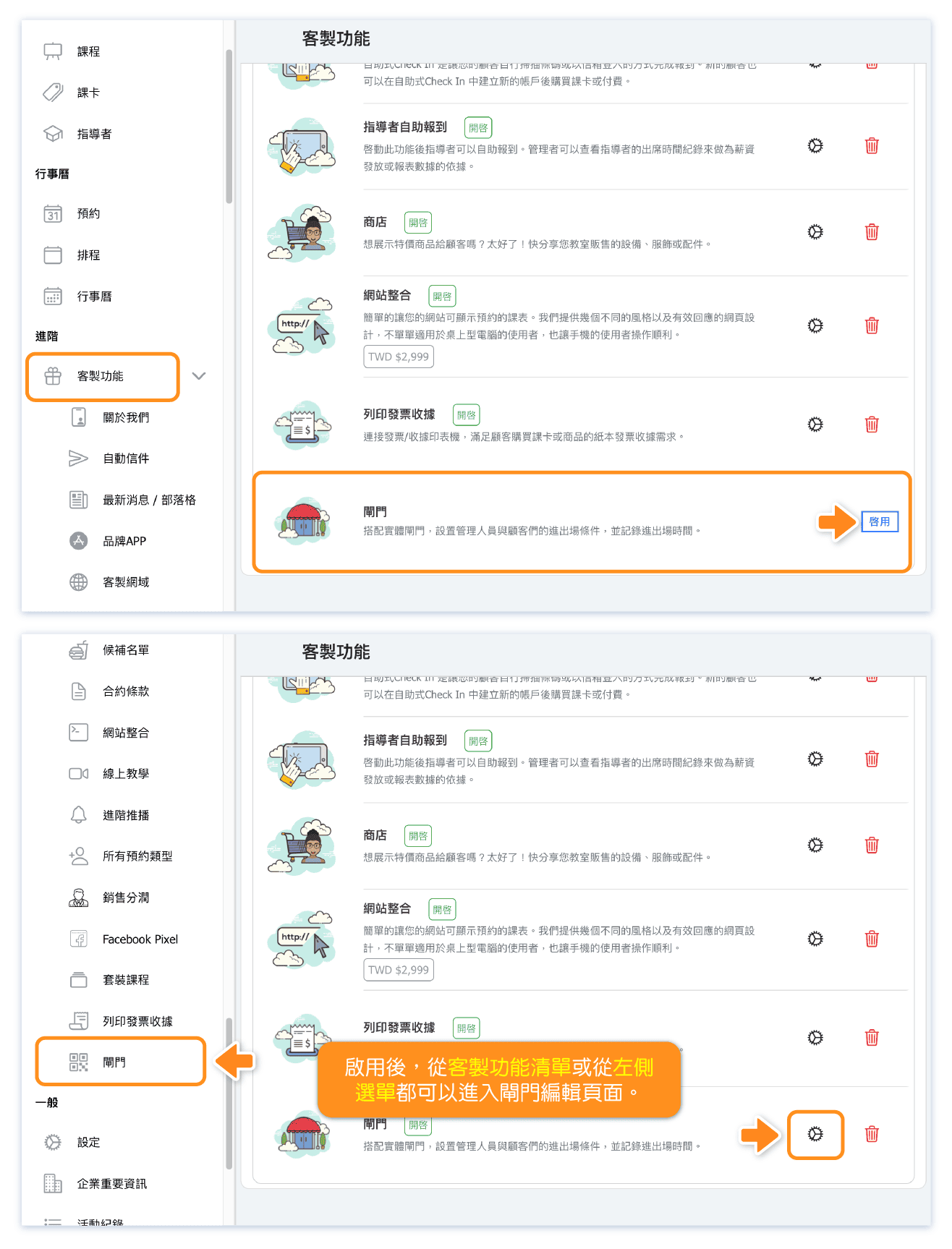
You can find the "Gate" feature under Custom Features. Simply enable it to view and edit the settings related to the gate.
* Please contact us for information on purchasing gates that are supported by the OB system.
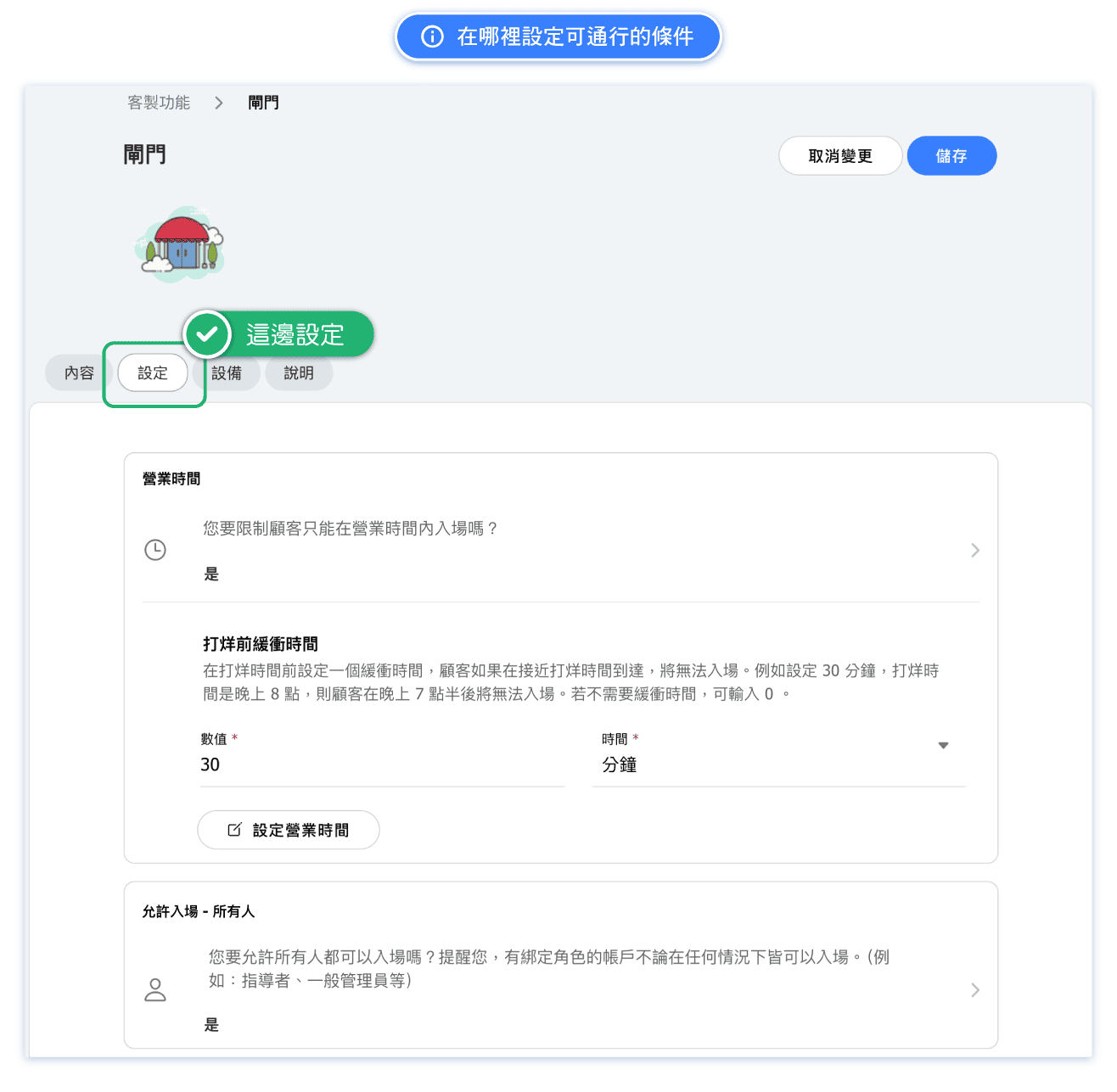
Where to Set Conditions for Entry?
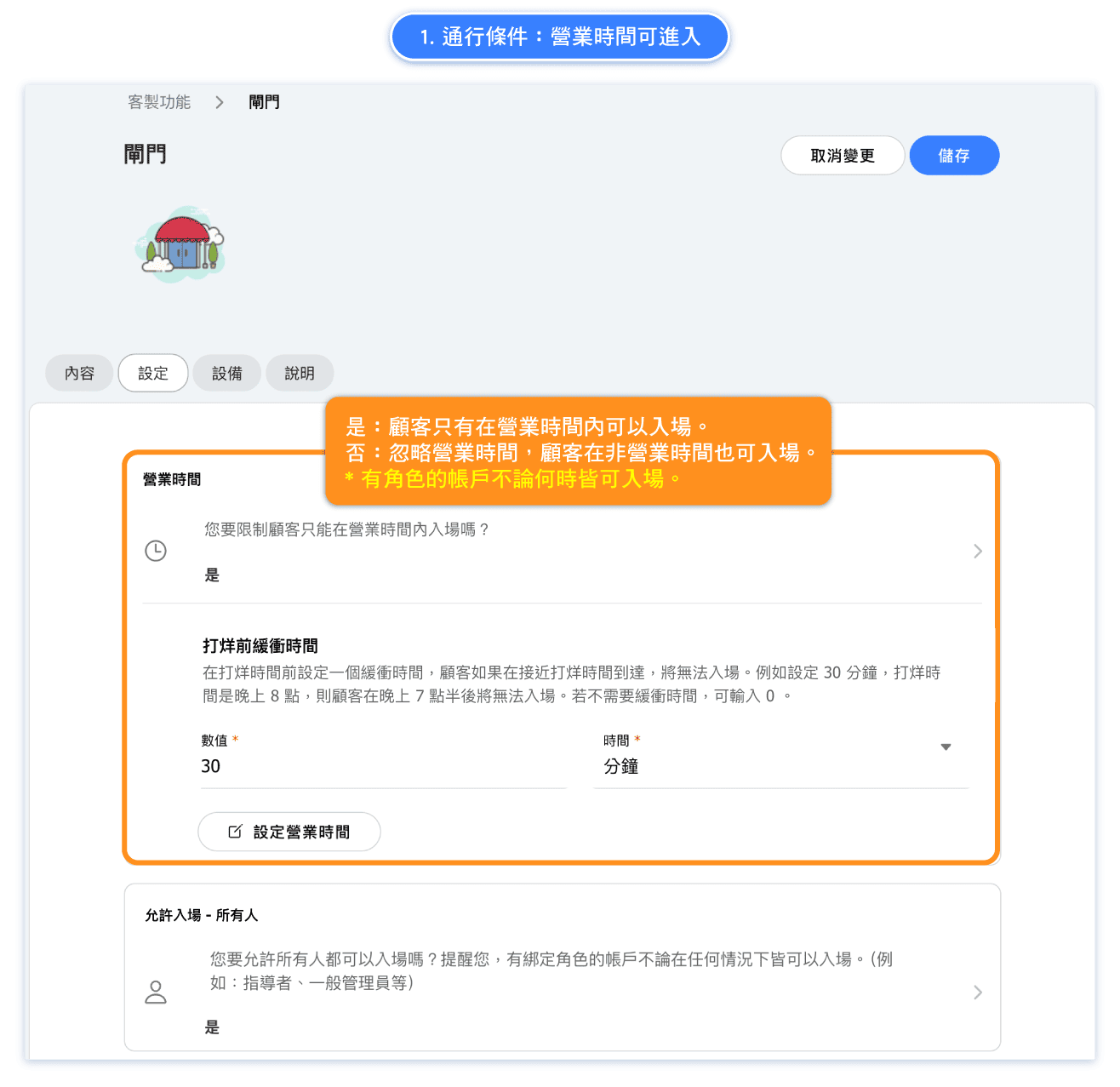
1. Entry Conditions: Based on Business Hours
Enable this setting if you want customers to enter the studio only during business hours.
What is the “Closing buffer”?
This feature allows you to restrict access close to closing time. For instance, if you don’t want customers to enter within 30 minutes before closing, set the buffer time to "30 minutes."
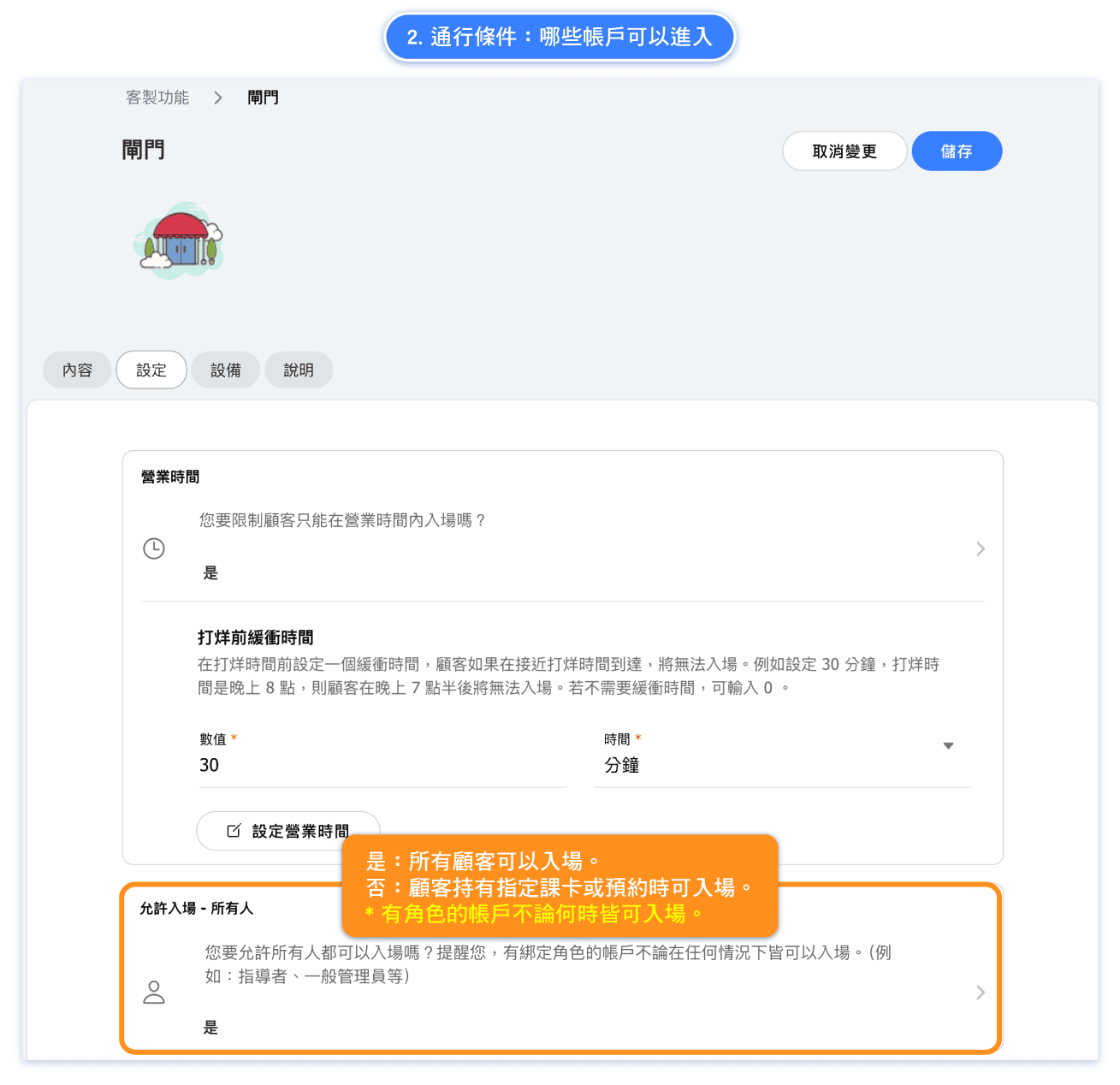
2. Entry Conditions: Who l Can Enter
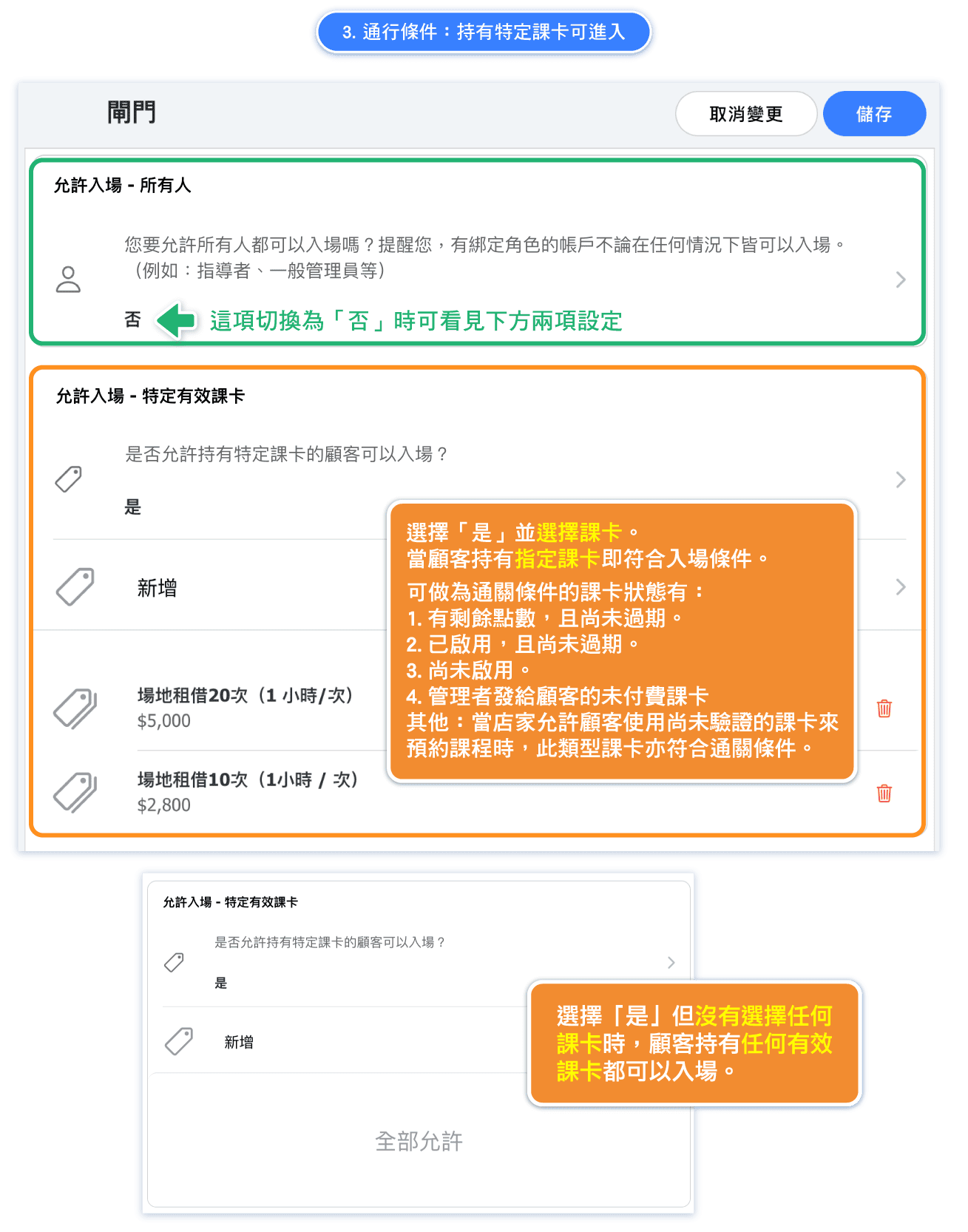
3. Entry Conditions: Having Specific Passes
Types of Passes That Allow Entry
- Passes with remaining points that haven’t expired.
- Non-activated passes.
- Unpaid passes (if the studio ALLOWS customers to book with unpaid passes).
Note: These include shared passes.
Types of Passes That Restrict Entry
- Expired passes.
- Passes with no remaining points.
- Unpaid passes (if the studio does NOT allow customers to book with unpaid passes).
- Unverified passes (e.g., purchased but pending payment confirmation from the business).
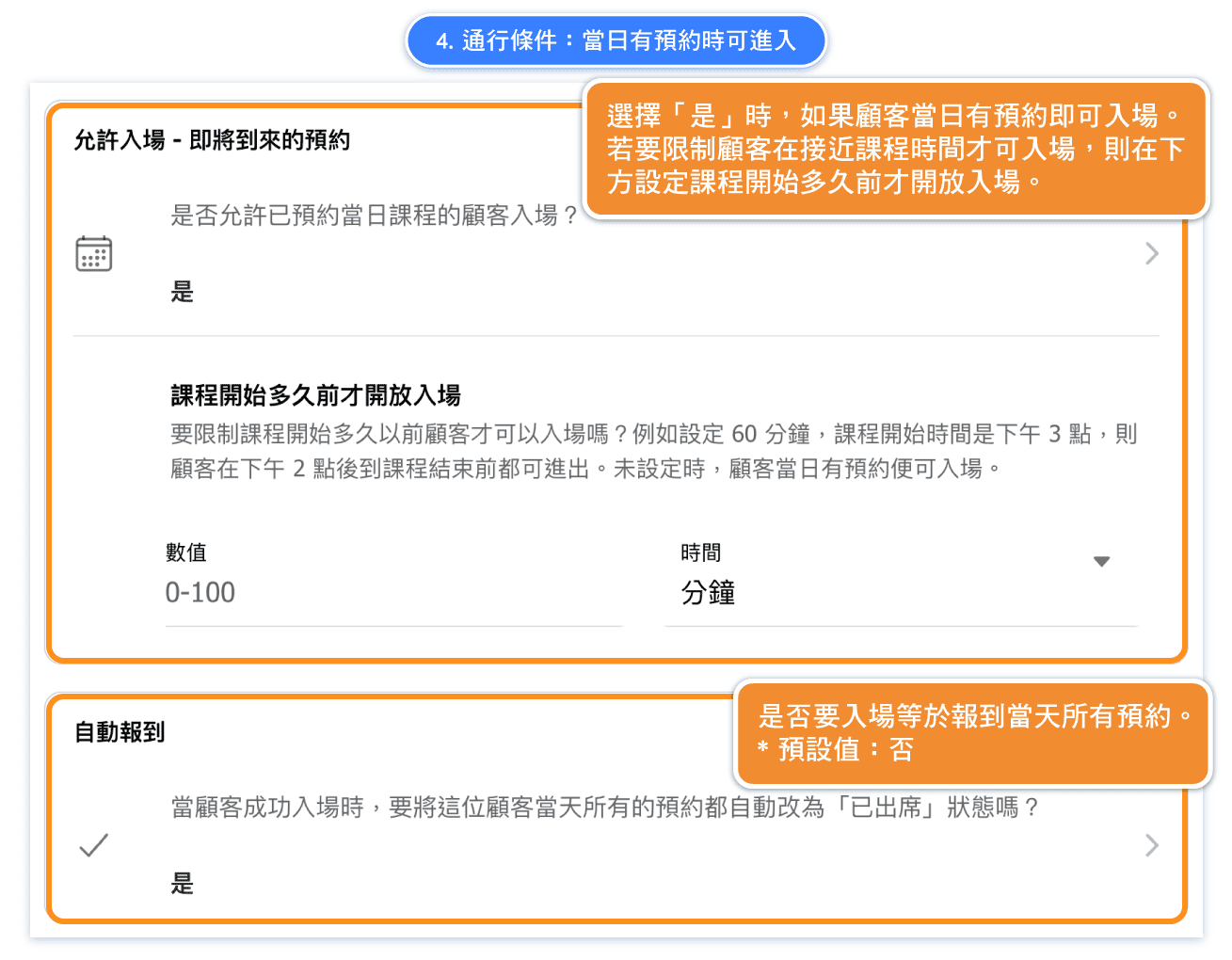
4. Entry Conditions: Reservations Made for the Day
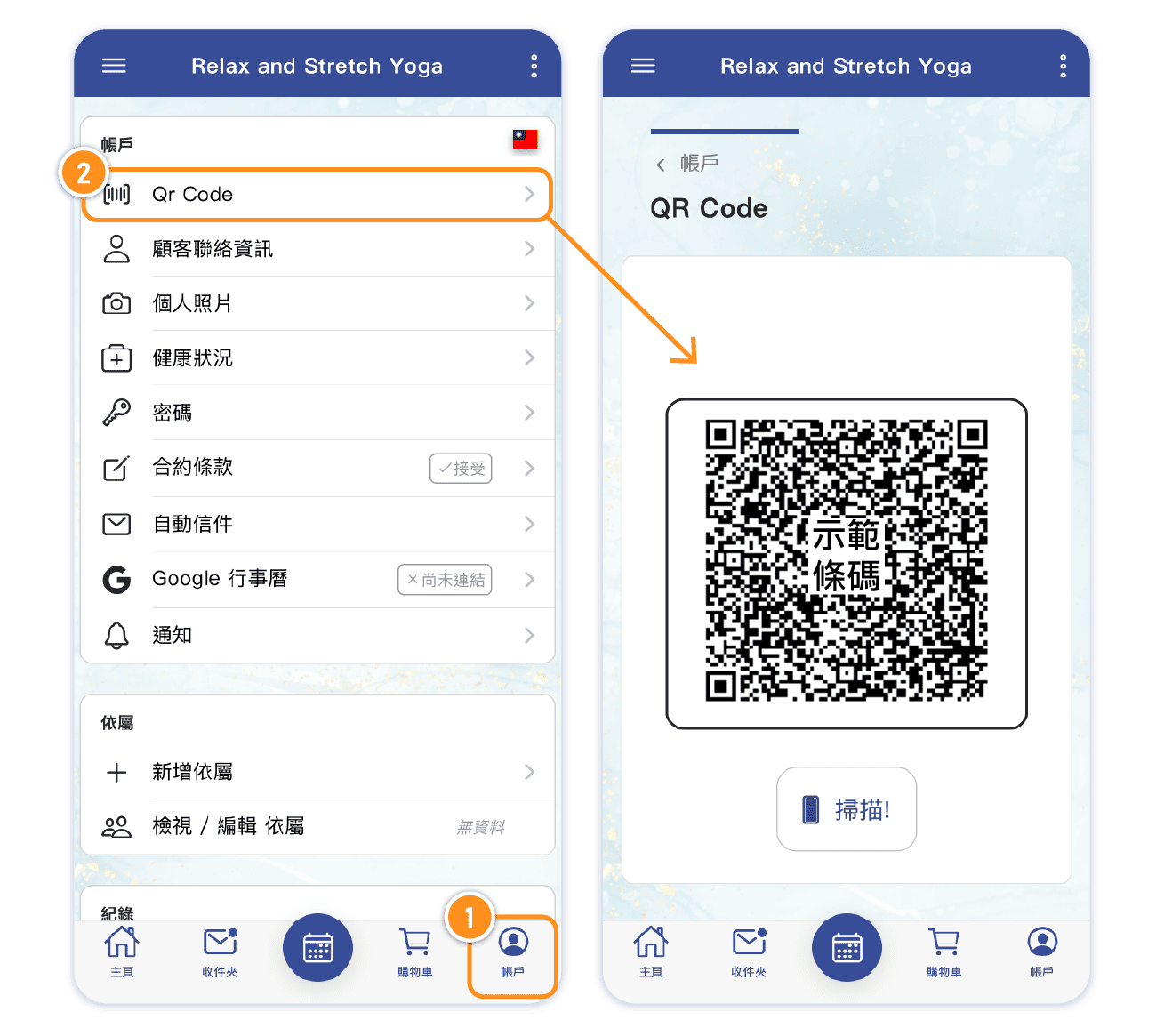
Where is the Account QR Code?
Customers enter by scanning their personal account QR code in the system.
The gate will verify whether the account meets the entry conditions. If it does, access will be granted; if not, access will be denied.
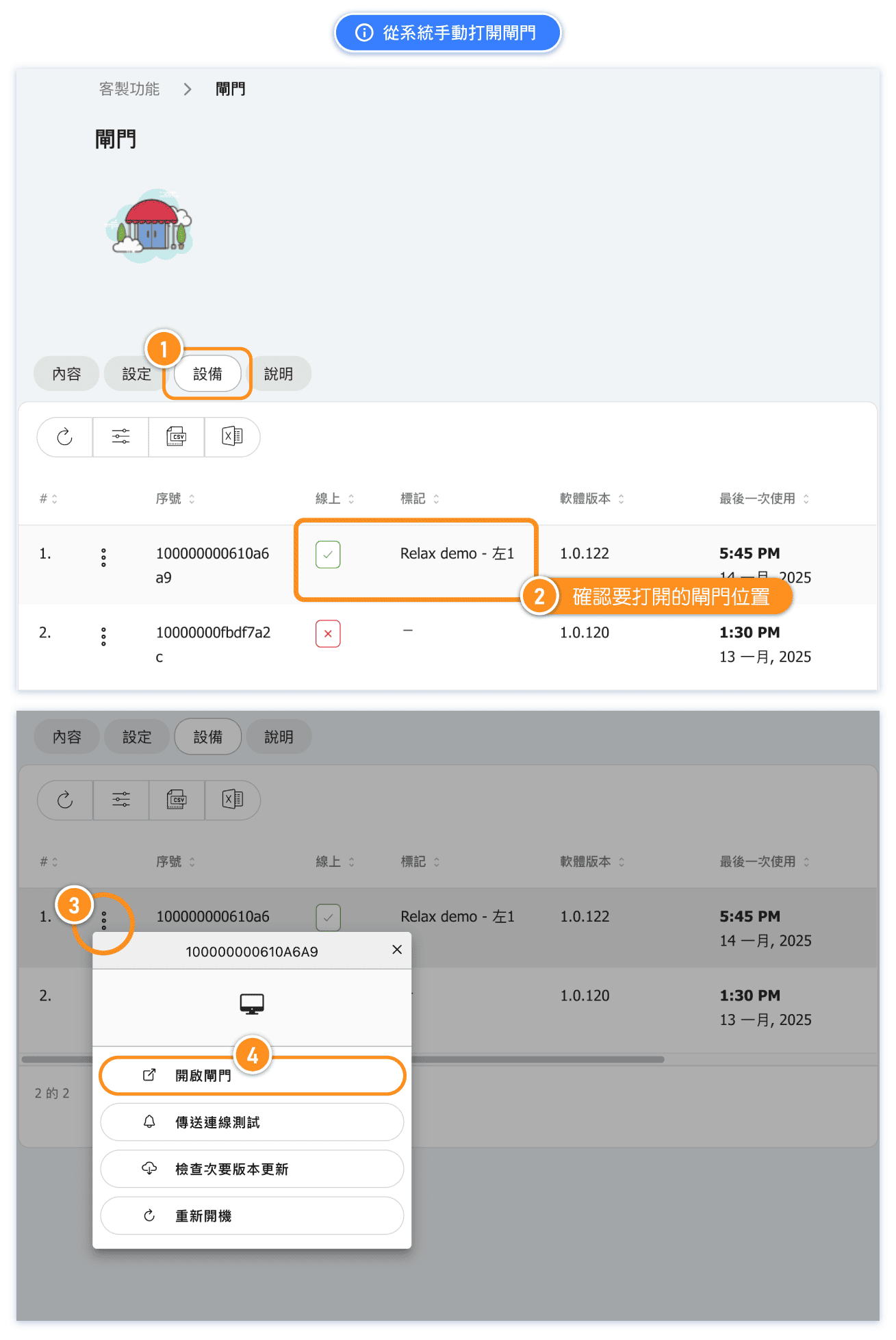
FAQ: How to Manually Open Gate via System
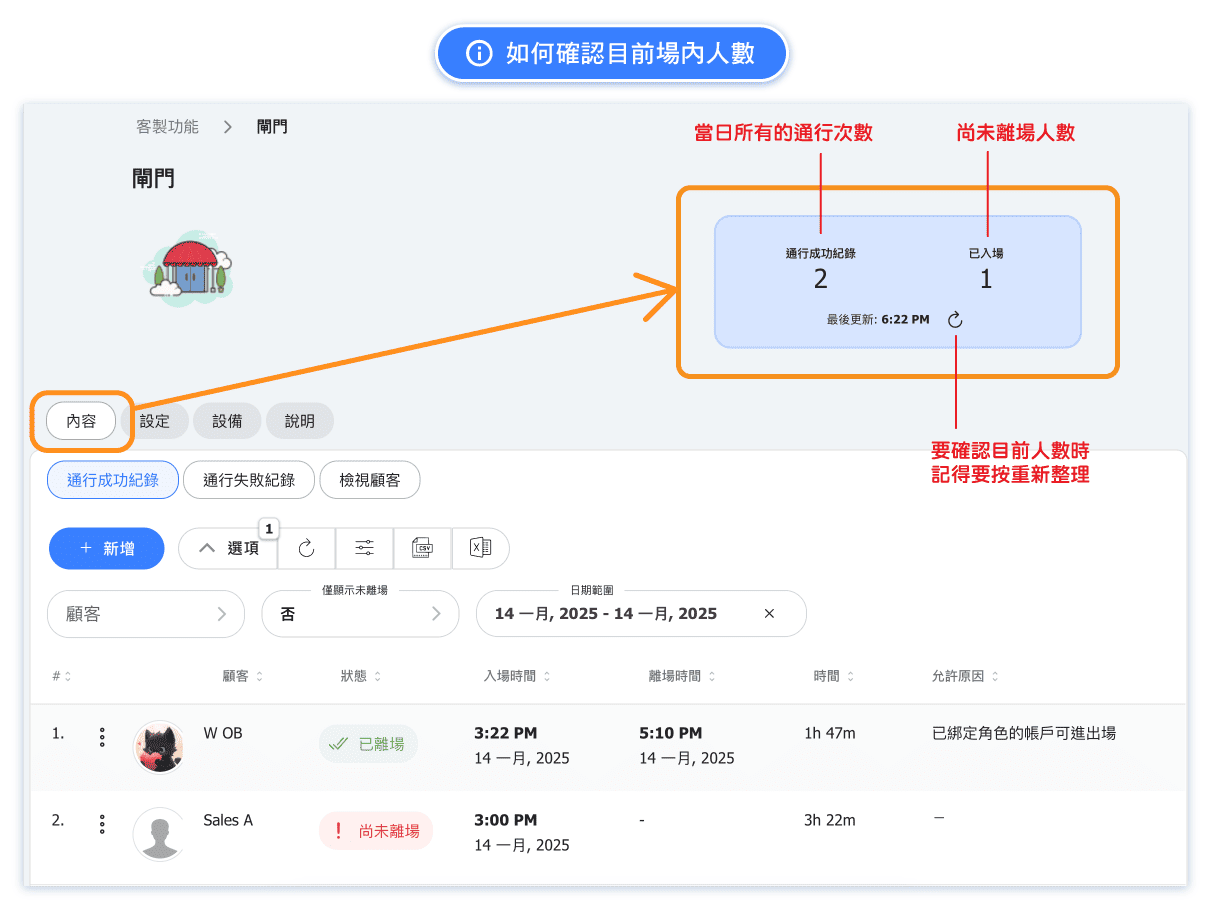
FAQ: How can I check the current number of people inside the studio?
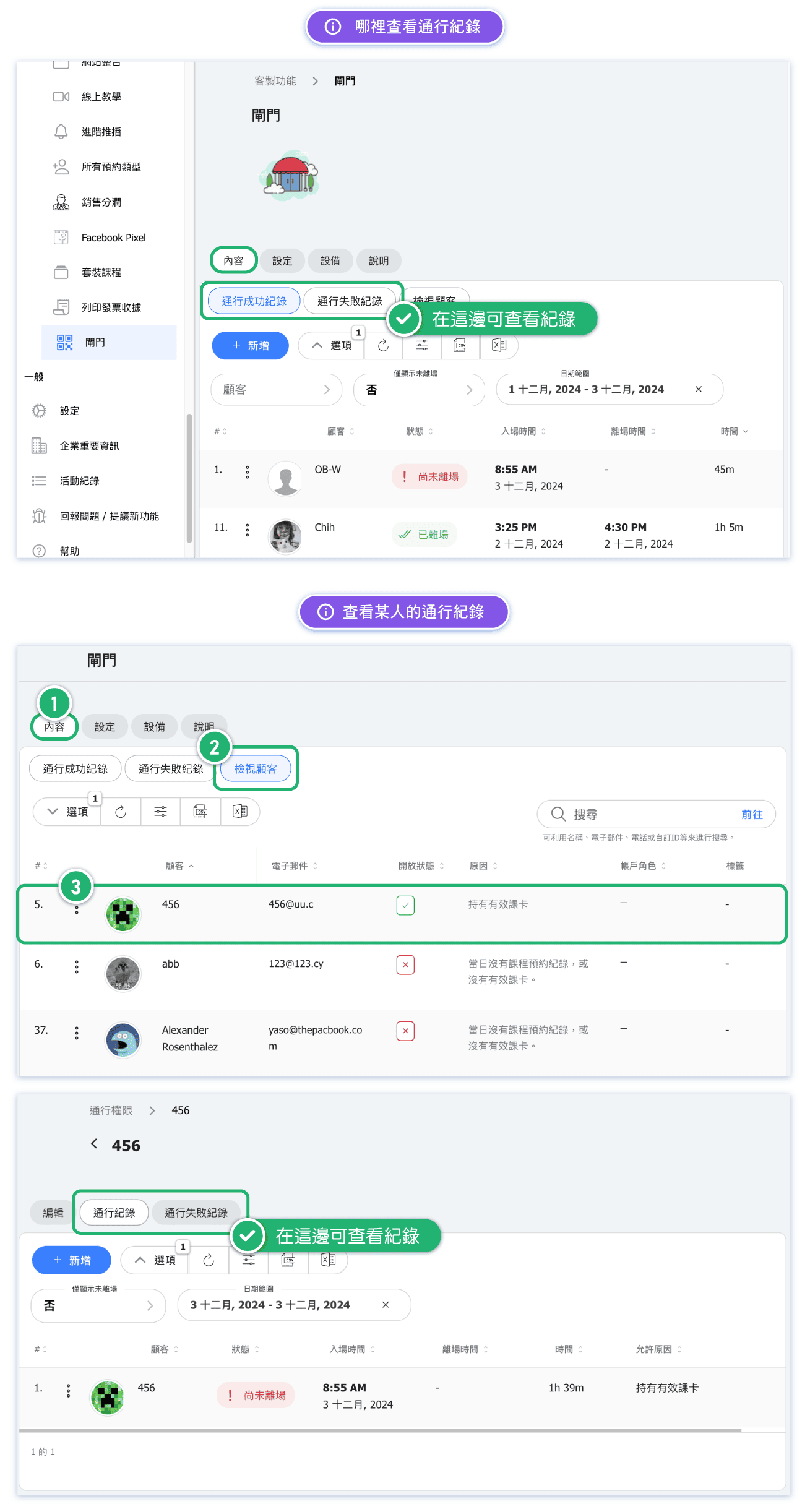
FAQ: Where to Viewing Access Records
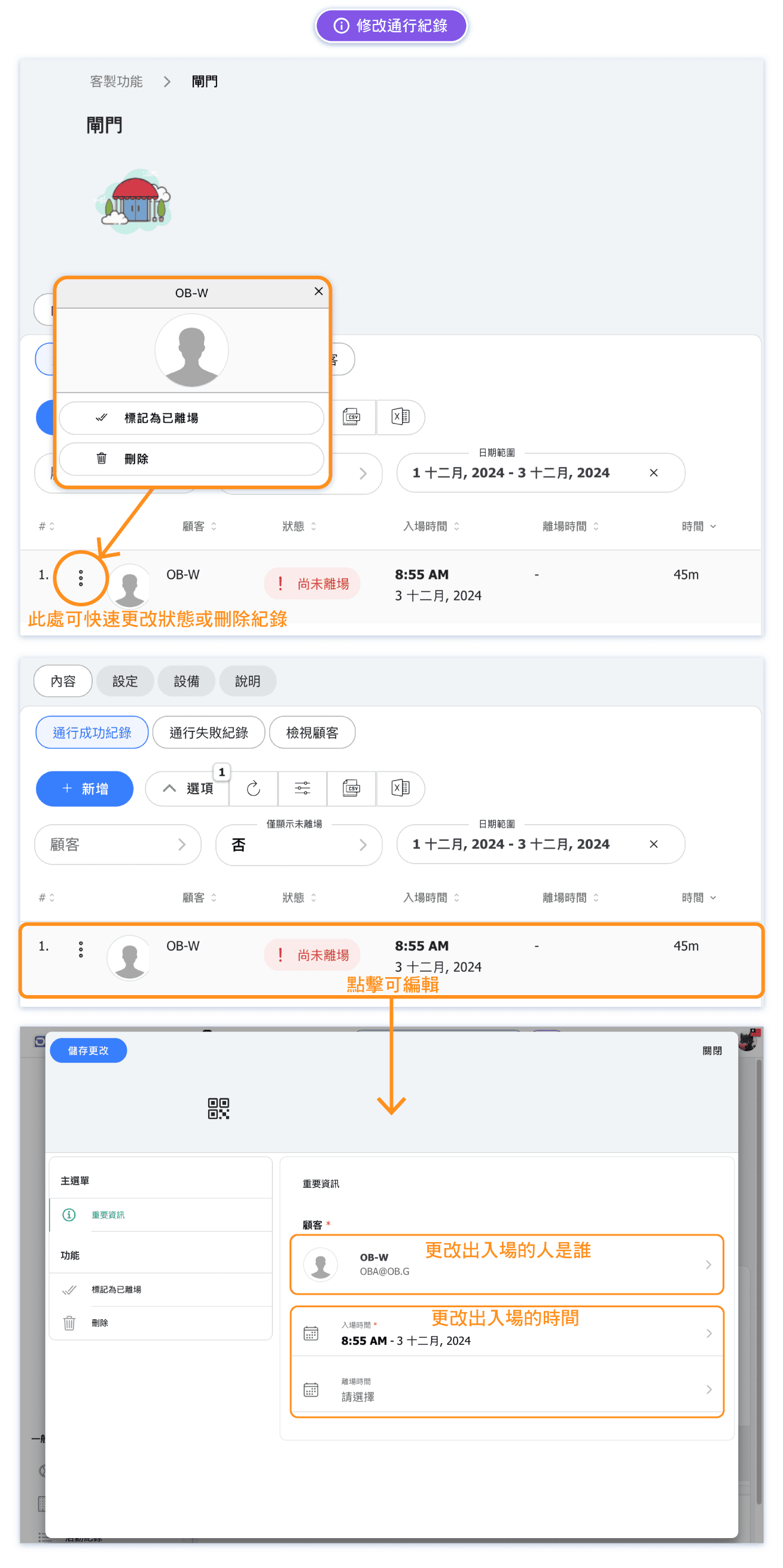
FAQ: How to Edit the Access Records
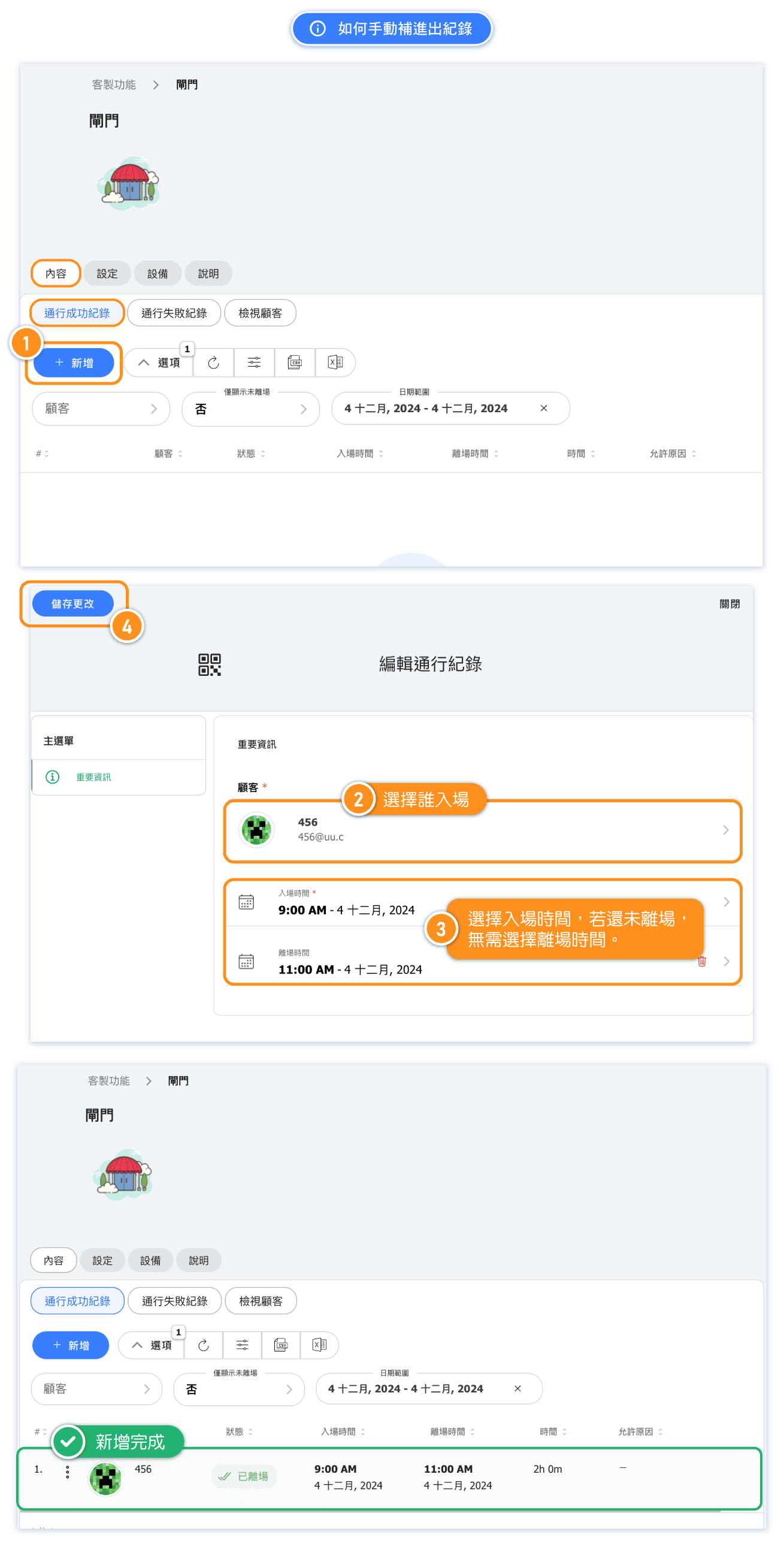
FAQ: How to Manually Add Entry and Exit Records?
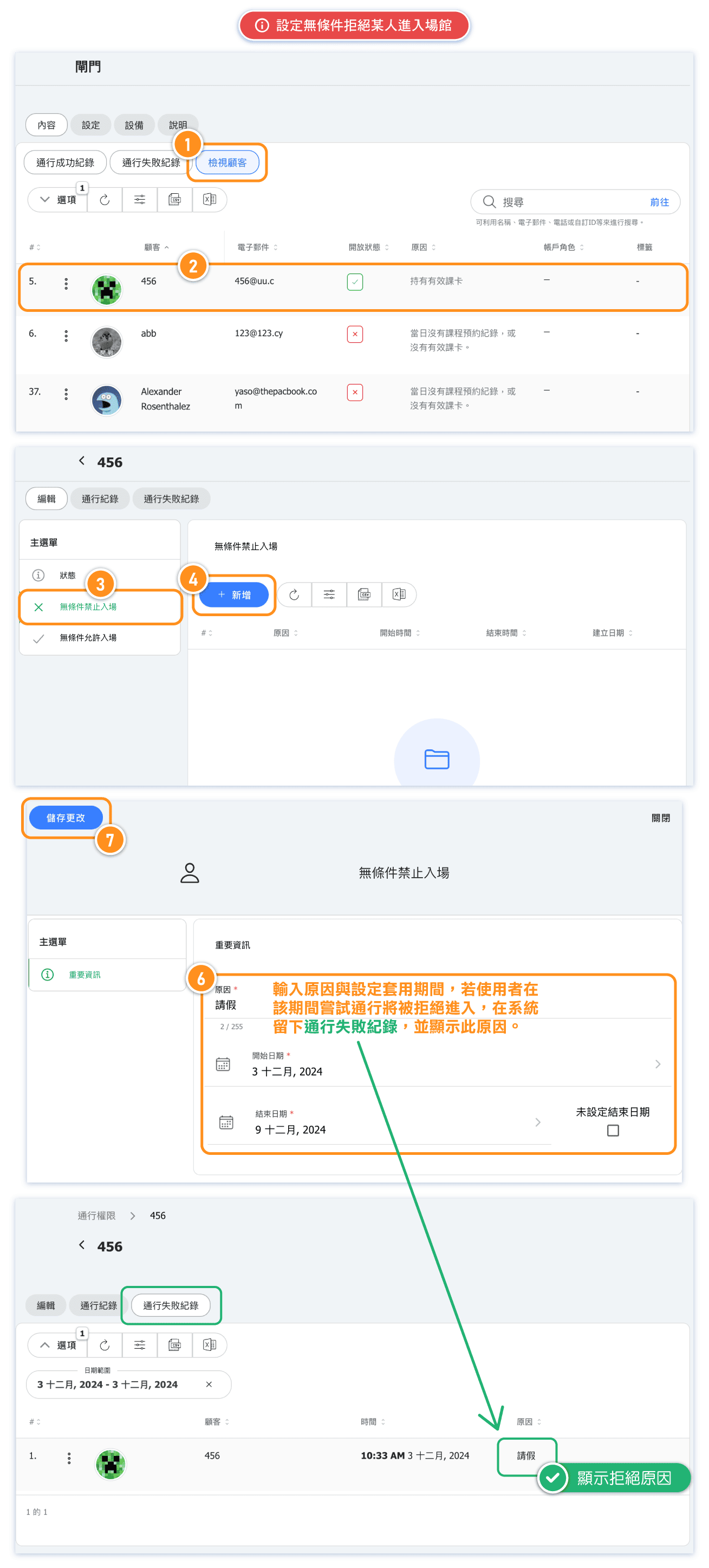
FAQ: Can I Set Someone to Be Unconditionally Denied Access to the Gate?
Yes, you can. This feature is typically used for cases where a customer needs to be temporarily or permanently denied entry, such as during absences or for repeated no-shows.
If an account with an assigned role is set to be unconditionally denied entry (e.g., a specific instructor), the account will be unable to access the studio even if it has an assigned role.
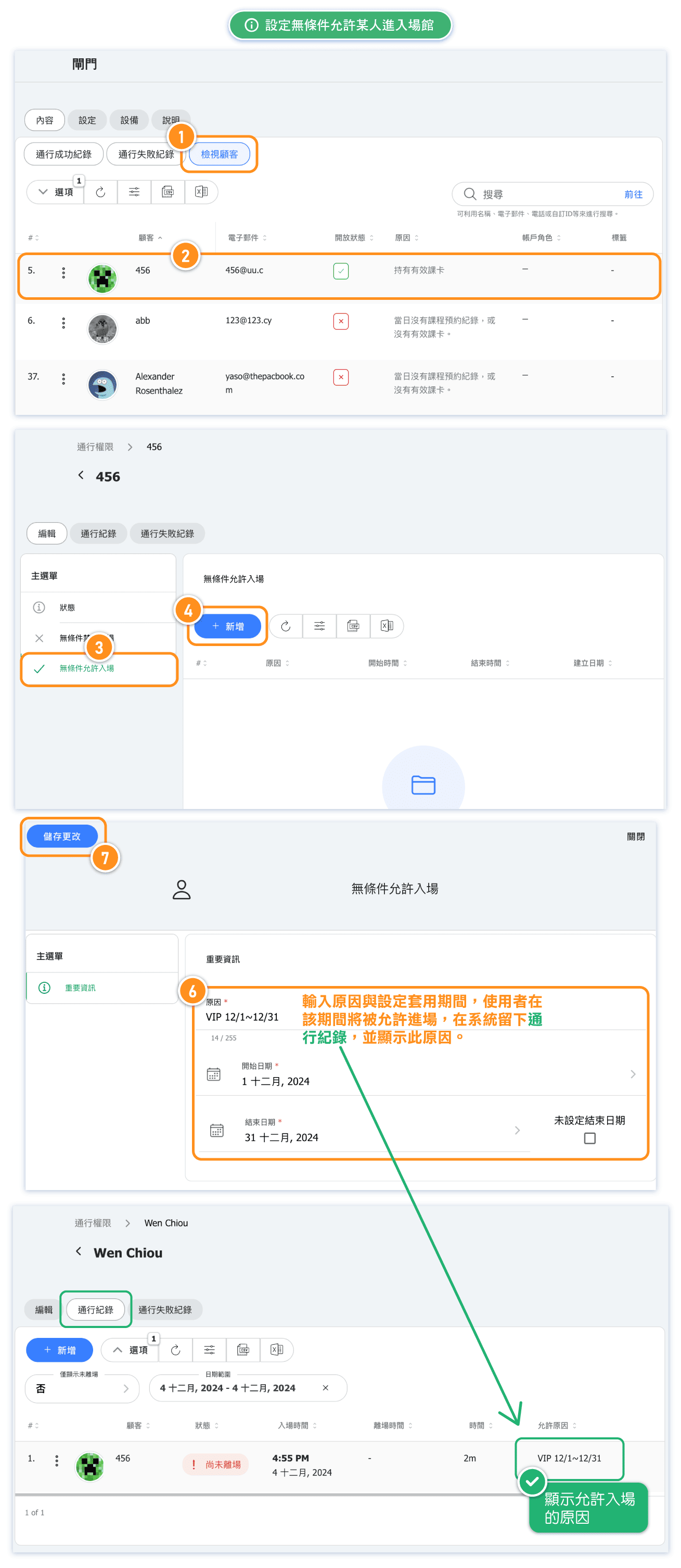
FAQ: Can I Allow Someone to Have Unconditional Access to the Gate?
Yes, you can. This feature allows you to set customers who can enter the venue unconditionally.
Accounts with assigned roles can access the venue at any time without requiring additional configuration.
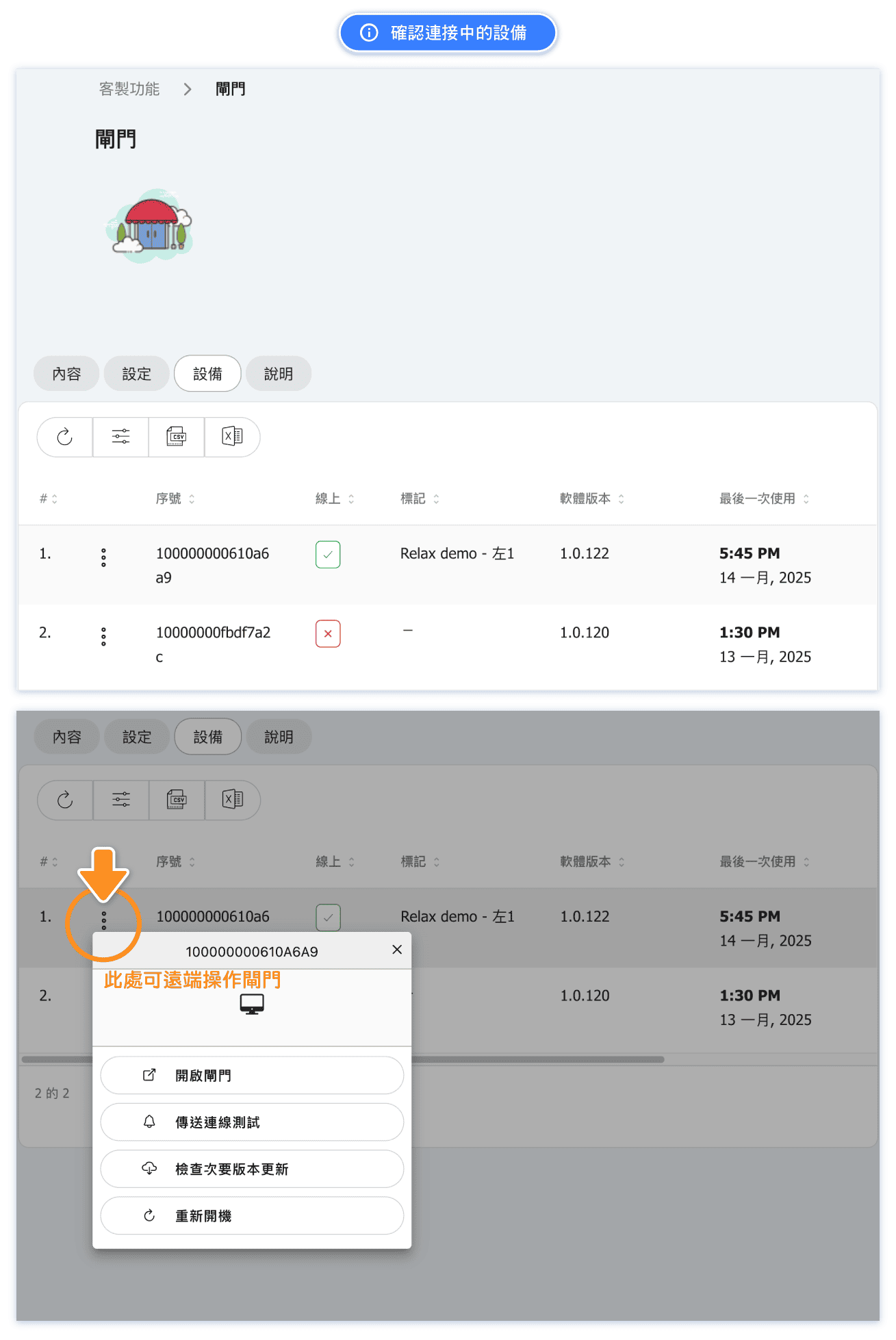
FAQ: Where to Check the Connected Devices
More FAQs
Q3: If I set a customer to be unconditionally denied entry, but their account still has an active pass, can they enter?
A3: No. The "Explicit Deny" status takes precedence over any access conditions. Once set, the customer will not be able to enter the venue, regardless of whether they hold an active pass or have a reservation for the day.
Q4: If the physical gate displays a hardware-related error message, who should I contact?
A4: Please contact the gate's manufacturer or supplier for assistance with hardware issues. If you need further support integrating the gate with our system, feel free to reach out to our team.
Q5: How should the gate equipment be installed?
A5: Installation of the gate equipment should be handled by professionals recommended by the gate supplier or by licensed electricians. Alternatively, you can request us to coordinate with the supplier to send personnel to your venue for installation. Relevant costs will be determined based on the supplier's quotation.


