Gate Computer Interface
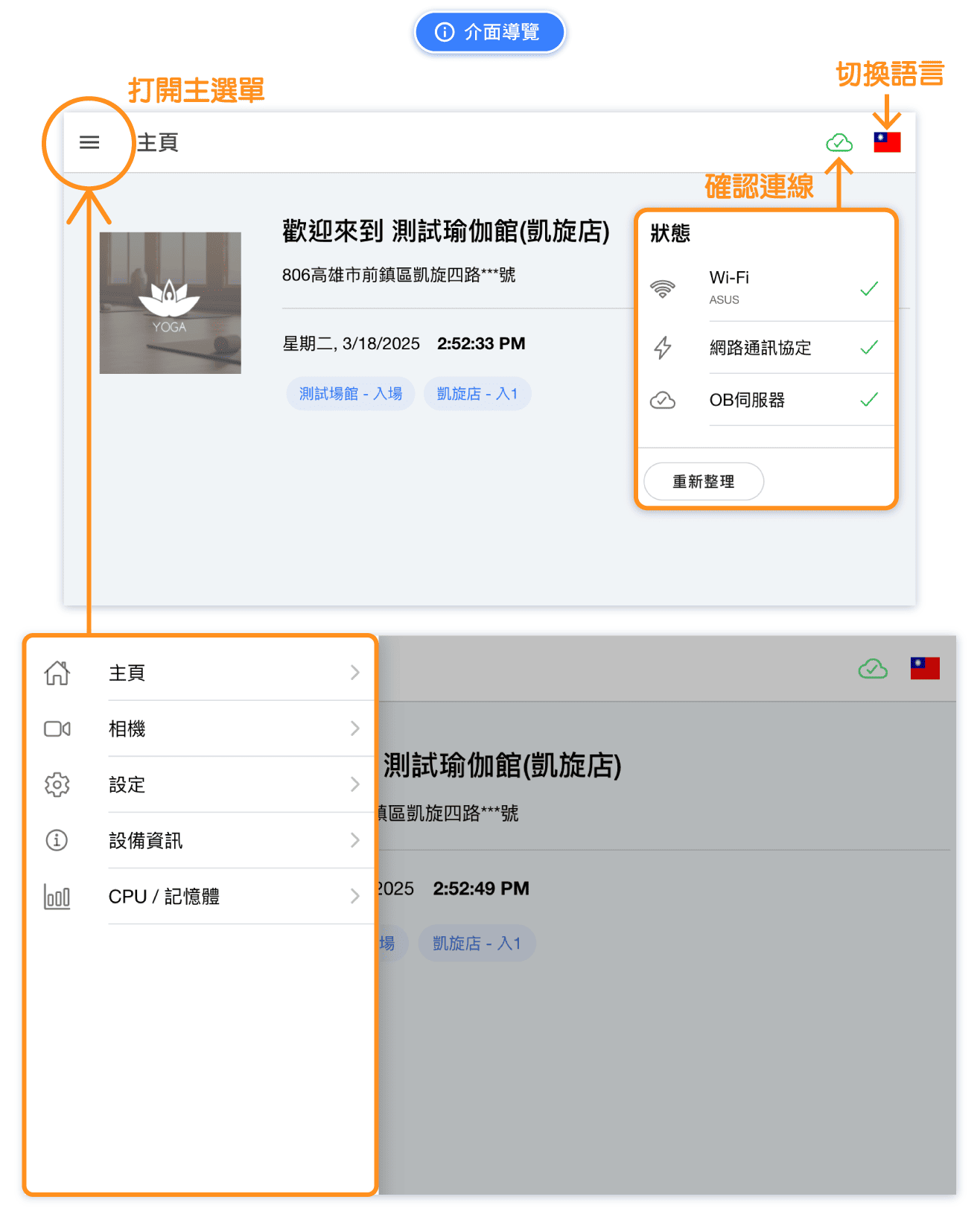
Default Startup Screen of the Gate Computer
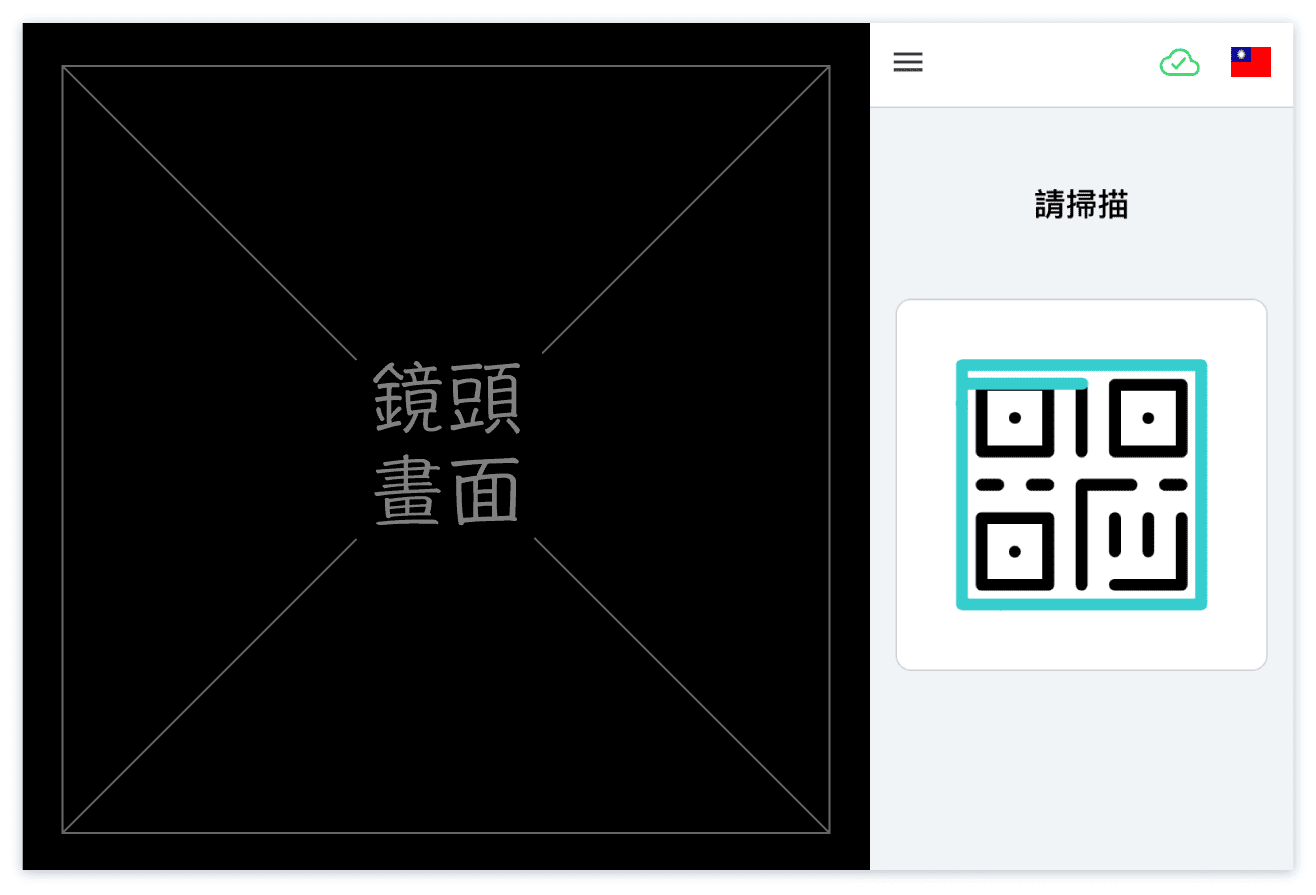
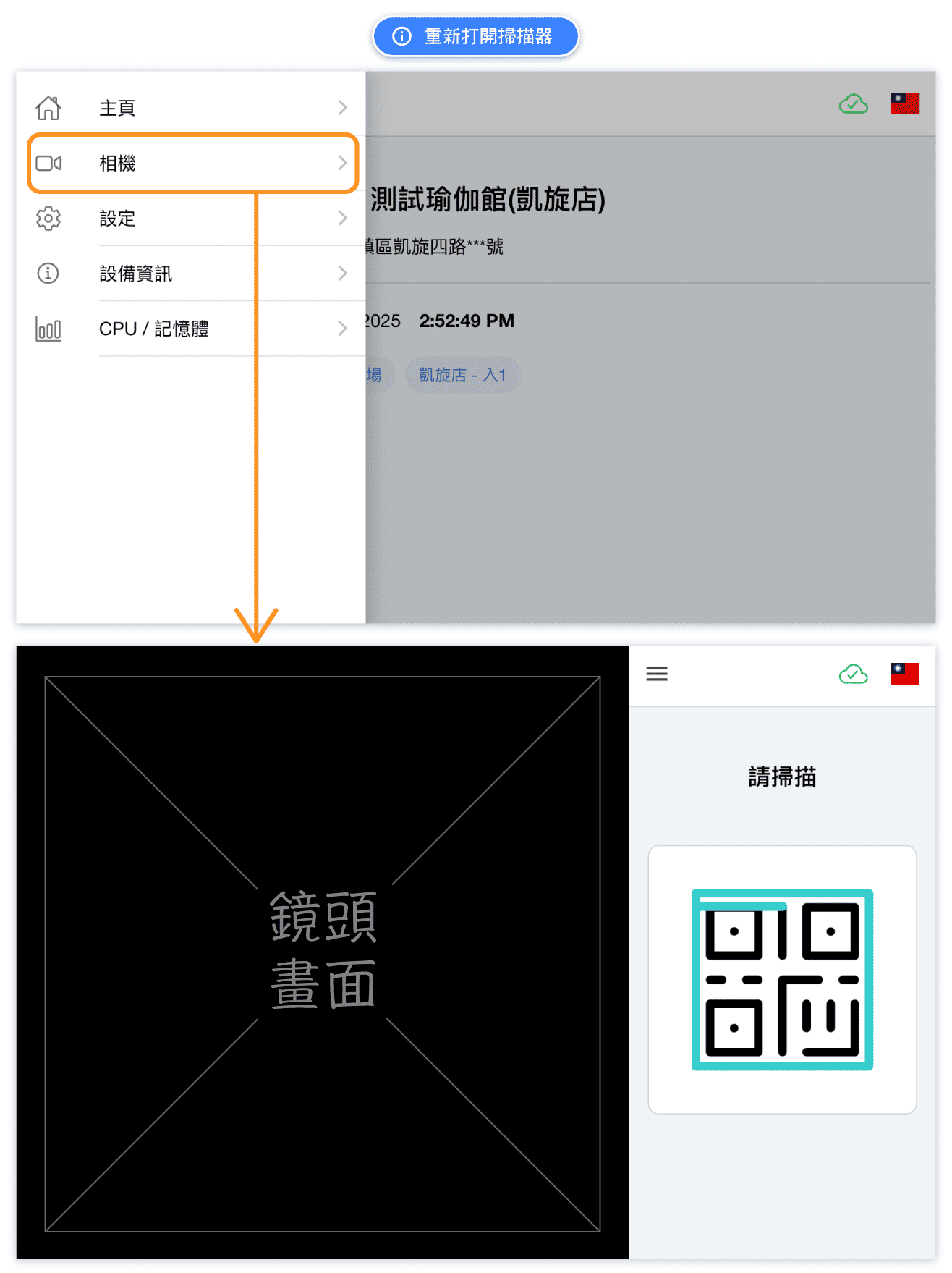
After the gate computer restarts, the Omceanbooking App will automatically launch within 1 minute and open the camera (QR code scanning) page.
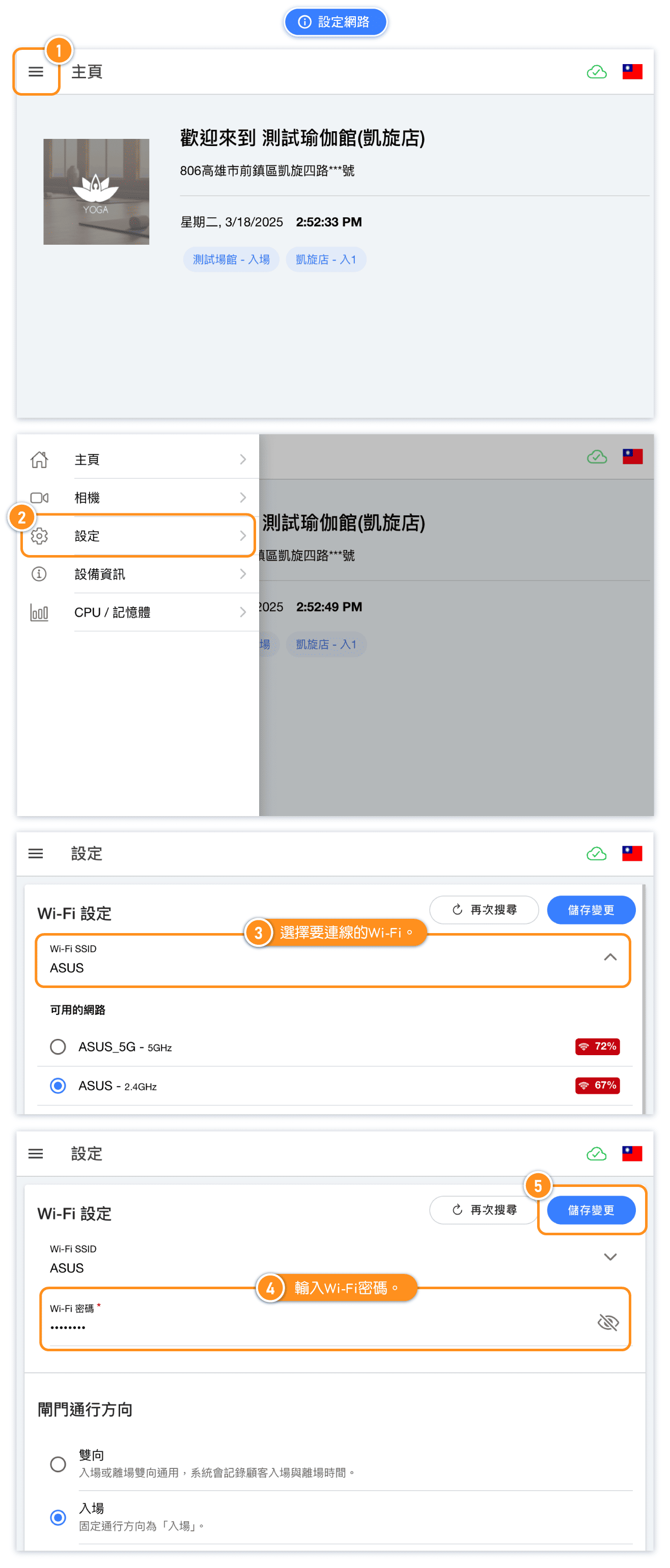
FAQ: Connecting to the Network
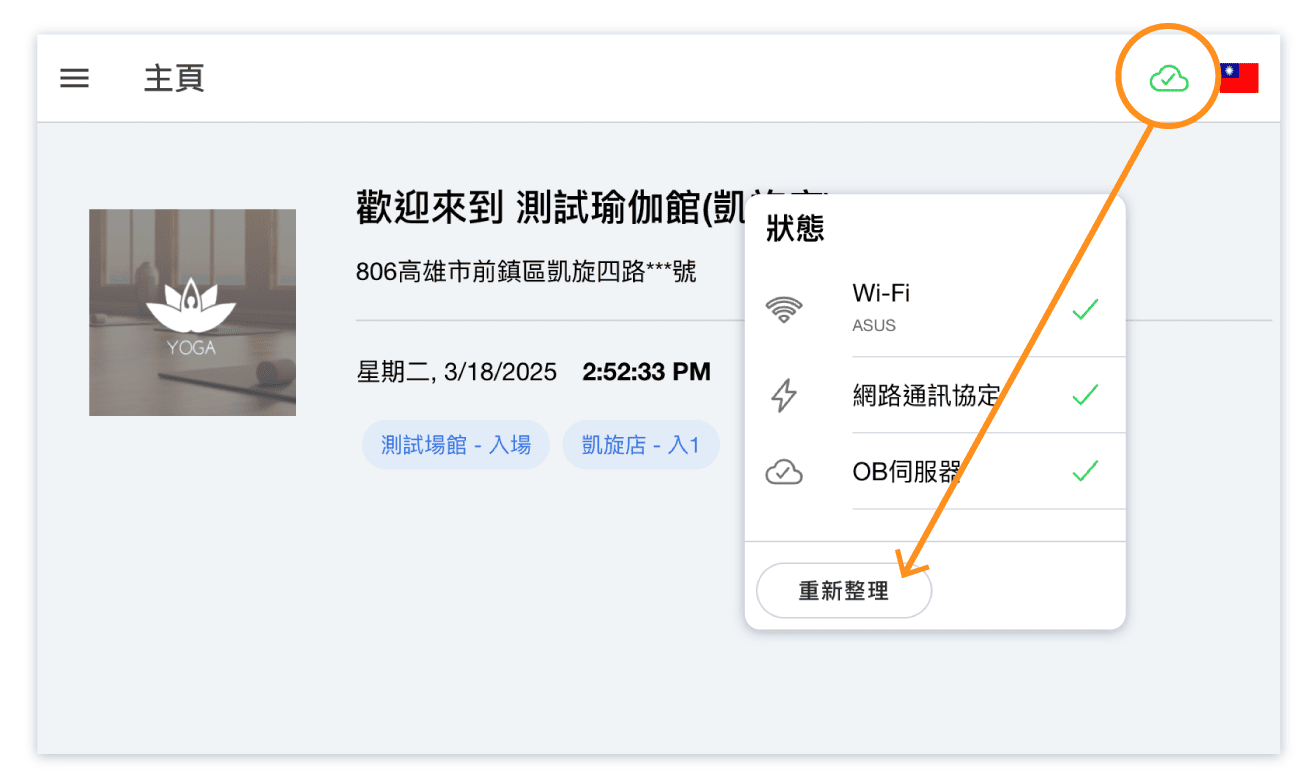
FAQ: "OB Server" Connection Issue
"OB Server" Connection Issue
This issue is usually caused by an unstable network. To ensure data security, the server will temporarily disconnect and automatically reconnect once the network stabilizes.
Please try the following common solution:
- Ensure your network connection is stable. To verify, stand within 1 meter of the gate and check if your phone or computer can connect to the same Wi-Fi with full signal strength.
- Place the WiFi router or modem within 5 meters of the gate, avoiding obstructions such as walls, ceilings, or floors.
- After confirming the network status, click "Refresh" to restore the connection.
FAQ: Can the gate installation direction be changed?
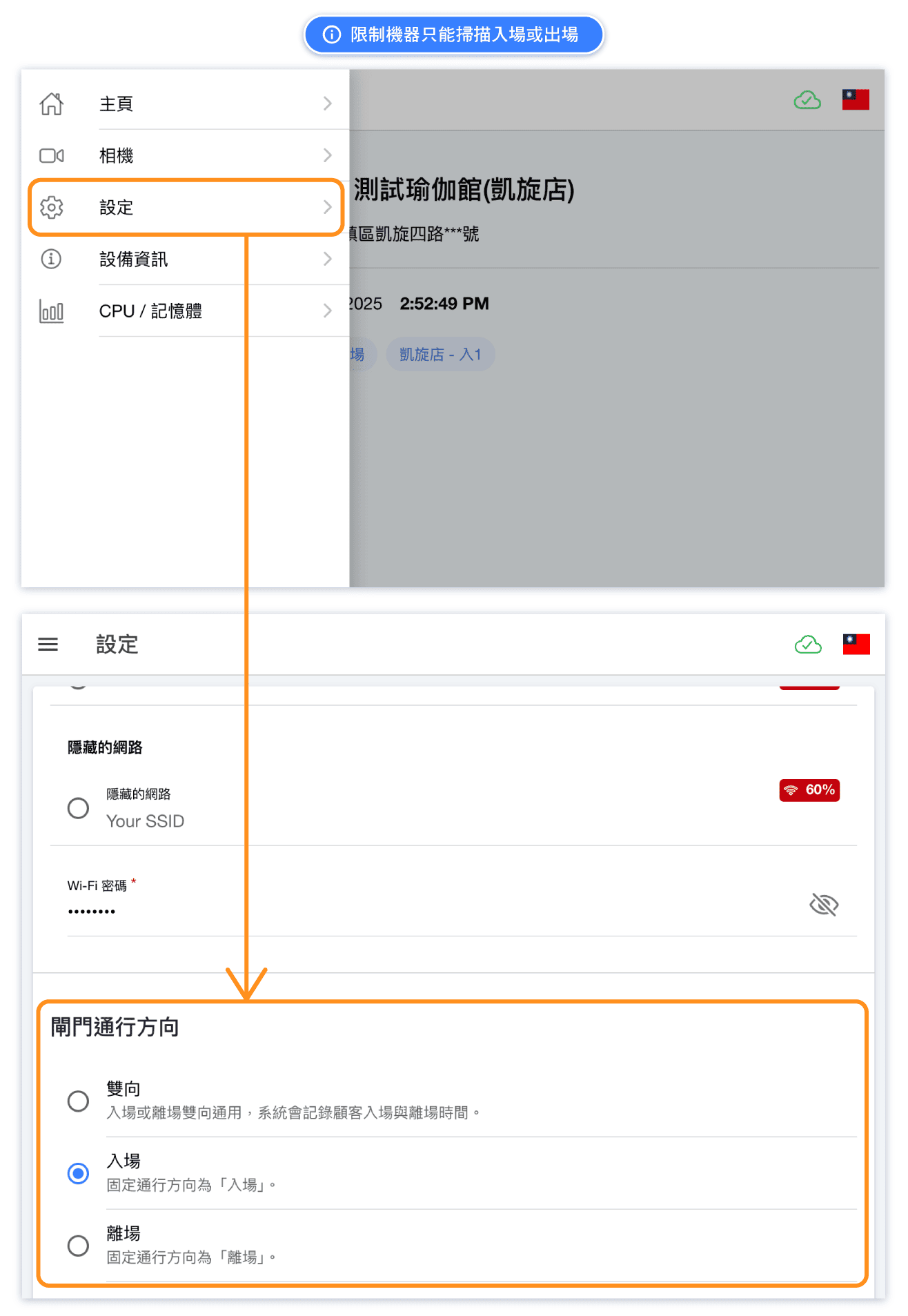
Yes, but changes should be made only AFTER discussing with the OB team.
The OB team configures the entry or exit direction of each gate computer before shipment based on discussions with the studio.
If there is a need to change the installation direction in the studio, please inform the OB team in advance for discussion. Since the gate is manufactured according to the agreed installation configuration, any changes may require adjustments to hardware wiring and gate computer settings.
Please avoid modifying hardware wiring without prior authorization.
The following settings should only be adjusted under our guidance.
FAQ: How to return to the QR Code scanning page? (Camera page)
FAQ: Does the gate automatically go into sleep mode?
No, the gate and computer will remain continuously on.FAQ: Is there a set time for the computer to automatically check for updates?
Yes, the computer will check for updates every time it restarts or at 2 AM daily.
If the gate is not used during the night due to a power outage, please make sure to power on the gate 10~15 minutes in advance the next use.
FAQ: If the computer is stuck on the boot screen and cannot go to the scanning screen, how to resolve it?
Please try powering off and on the gate.
The computer will restart, and in most cases, it will successfully enter the scanning screen after restarting.Boot screen: