
Dynamic Instructor Pay
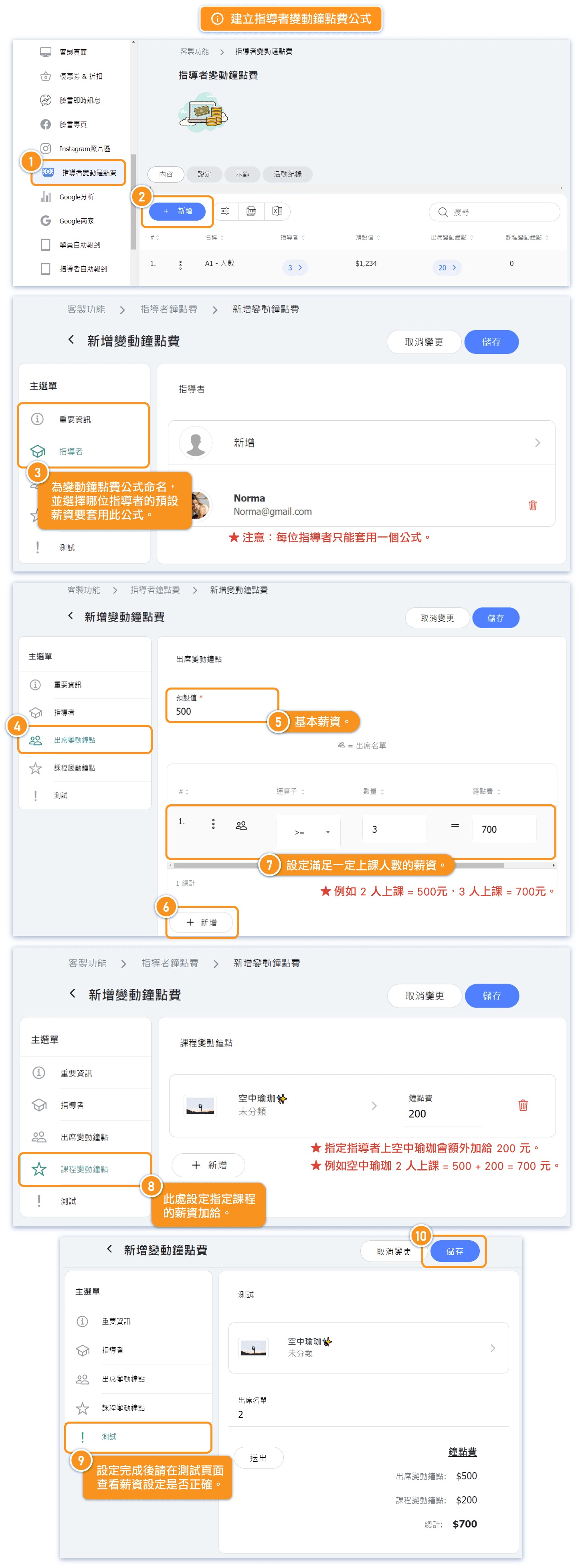
By utilizing the "Dynamic Instructor Pay" feature, you can set up a formula to calculate wages for class based on factors like the number of attendees and the type of class.
⛔ Note: Each instructor can be associated with only one Dynamic Pay formula. The Dynamic Pay configured for an instructor serves as the default value and is automatically applied when creating new schedules, making the scheduling process more convenient.
⛔ Automatic updates for future classes: Changes made to Dynamic Instructor Pay formulas will automatically apply to all future scheduled classes using that formula. Past/completed classes retain their original calculated pay.
Remarks: For canceled classes, the instructor's earnings from hourly rates will be $0.
Creating Formula for Dynamic Instructor Pay
Setting Default Hourly Rate from Instructor Page
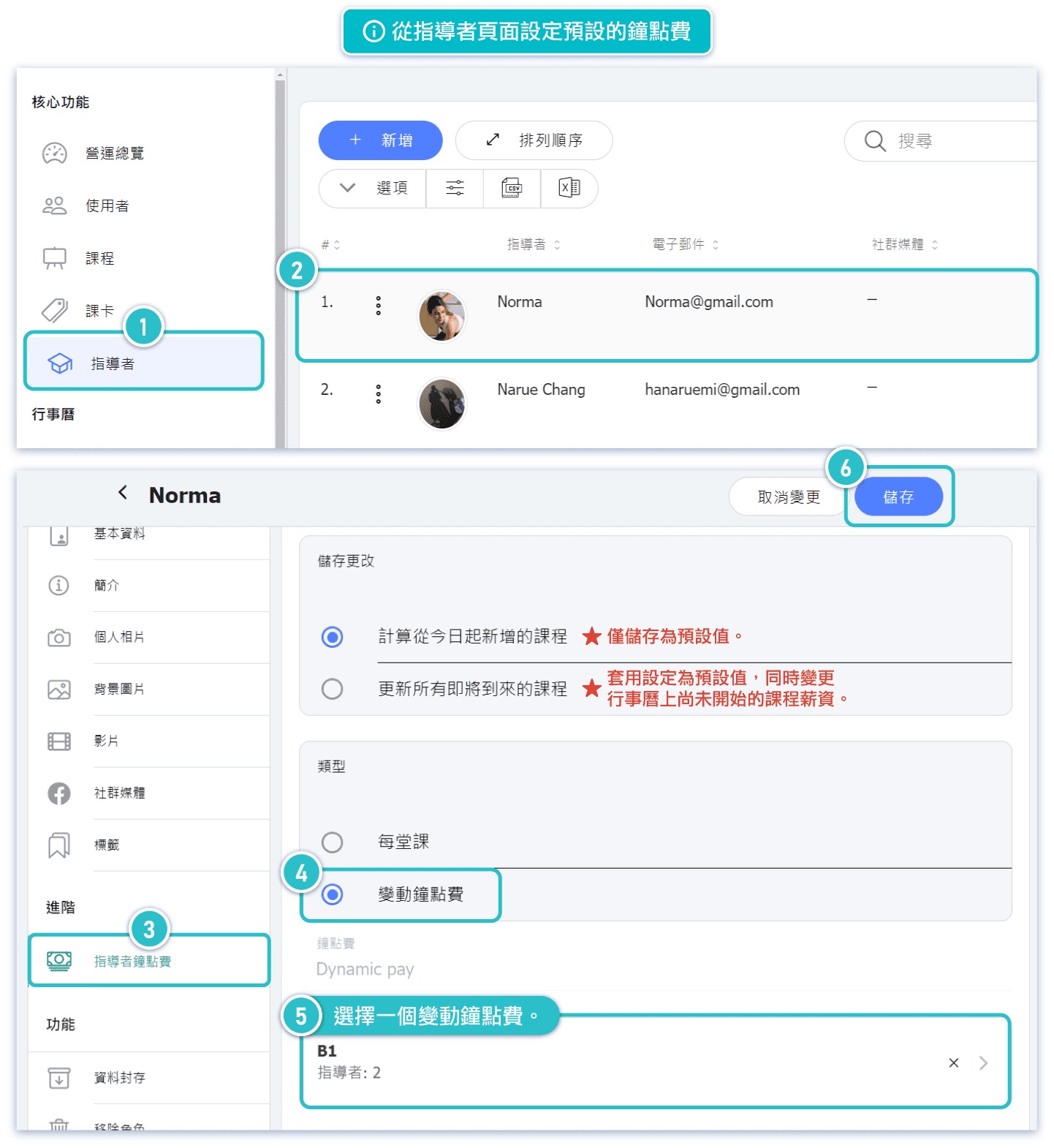
| Calculate for newly added classes from today | This is saved as the default value for future scheduling. |
| Update all upcoming classes | This applies to future schedules as well as all classes on the calendar that have been "created" but have not yet started. (Note: This change will only update the wages of classes already created on the calendar; it will not affect the settings of repeating classes or schedule courses. If you want these changes to apply to newly created classes after these schedules, please update the corresponding schedules on the scheduling page.) |
Type
| Per Class | Fixed hourly fee per class. (System default) |
| Dynamic Instructor Pay | Choose an existing dynamic pay formula to apply to the schedule. |
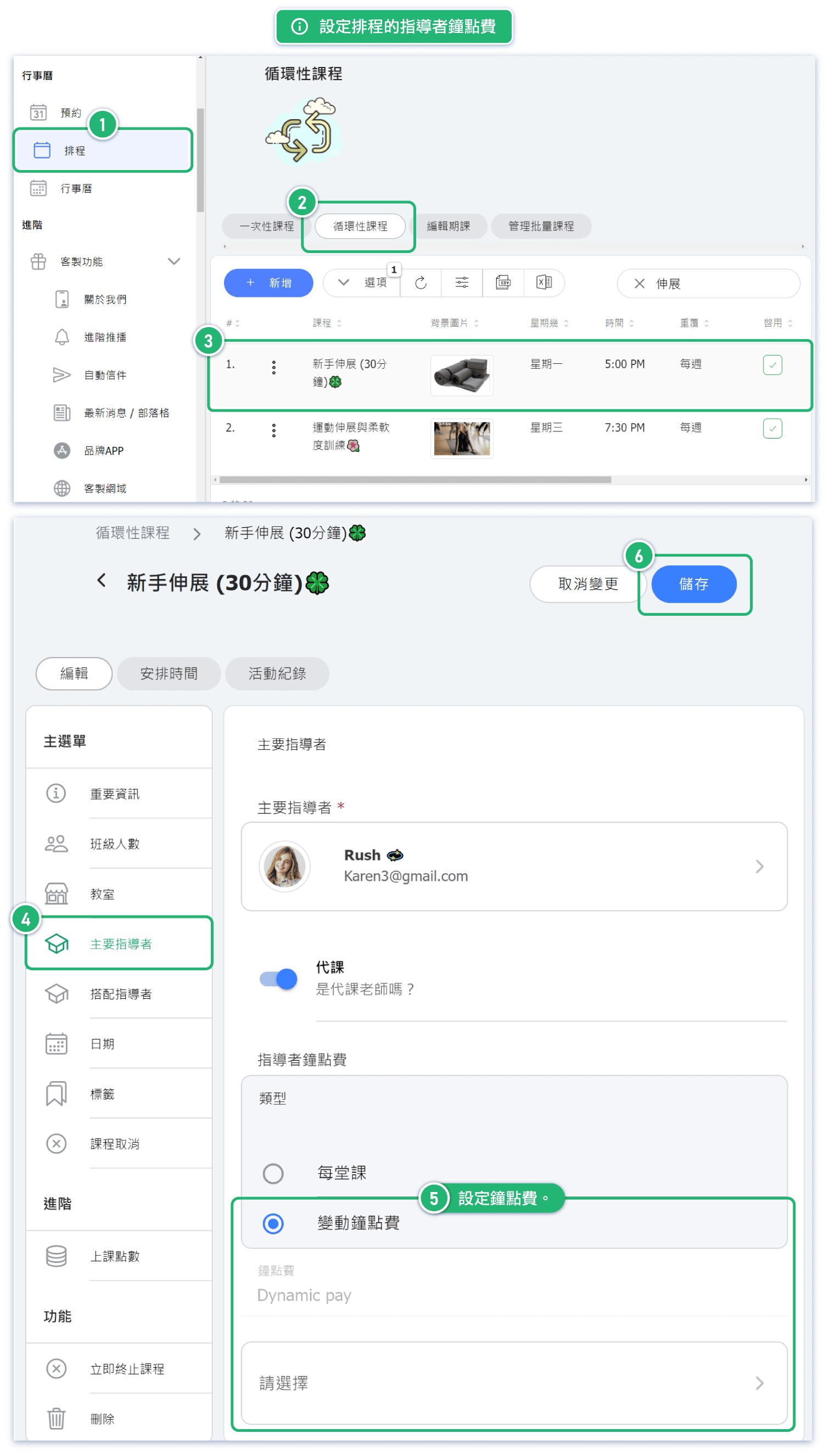
Setting Instructor Hourly Rates for Scheduling
Changing the instructor's dynamic pay through the "Calendar" will only affect that particular class and will not impact the instructor's other classes.
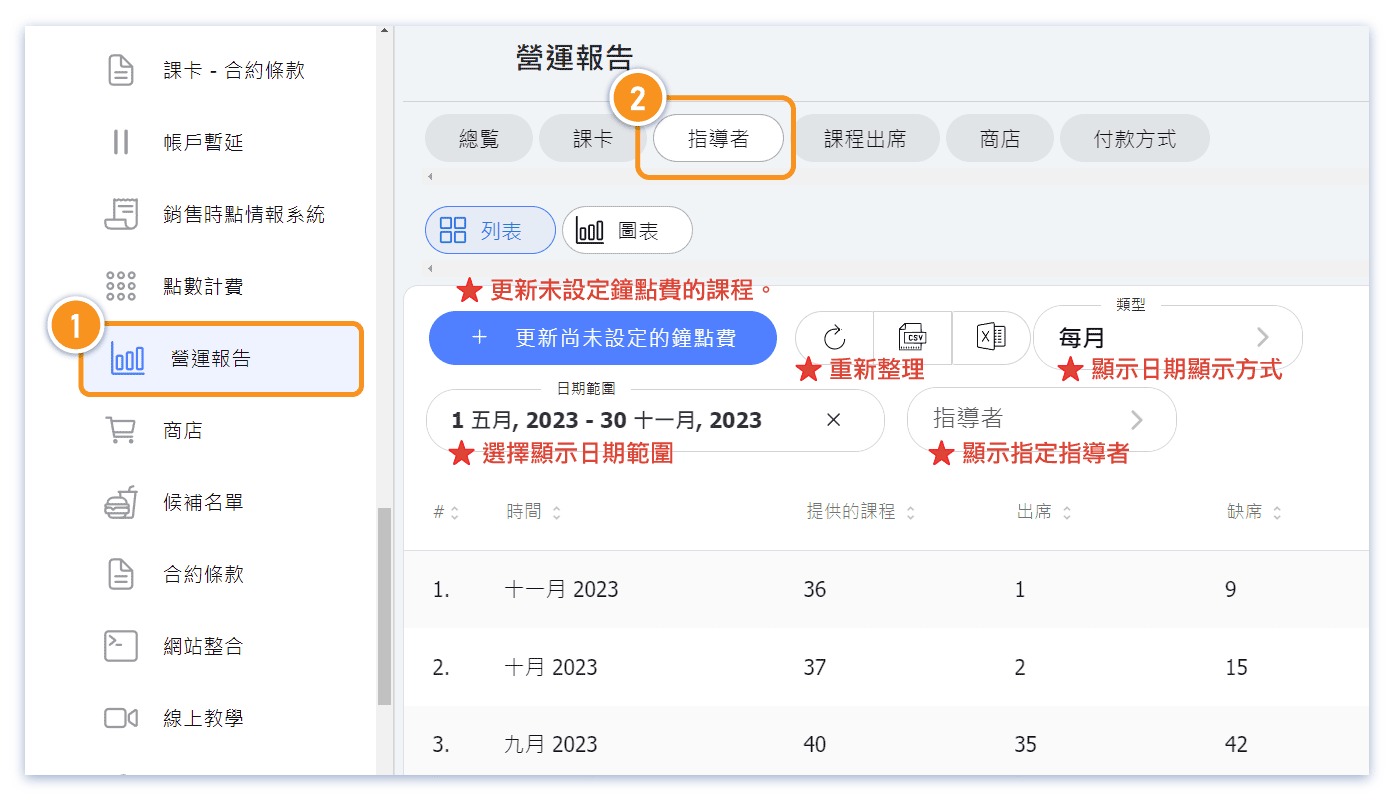
Viewing Instructor Salaries in Reports
Example 1
Lets look at an example. An instructor has the following pay:
[ATTENDANCE RULES]
- Default = 0
- 1 x customer attending = $100
- 2 x customers attending = $200
- 3+ x customers attending = $300
[SPECIAL RATES]
The instructor also has a special rate that if it is a long class they receive a bonus:
- Class A = +$100
[CALCULATING Instructor PAY]
Total for 'Class A' with 1 customer attending:
- $100 + $100 = $200
Total for 'Class A' with 2 customers attending
- $200 + $100 = $300
Total for 'Class A' with 3+ customers attending
- $300 + $100 = $400
Get in touch if you use a different dynamic pay system and we will see if we can add it!
FAQs
Question 1: After saving changes to the instructor's dynamic pay, will it automatically apply to all my scheduled classes?
Answer: Changes to Dynamic Pay formulas automatically apply to all future scheduled classes that use the formula, including those with existing bookings. However, past/completed classes retain their original calculated pay values and are not affected.
Question 2: I previously set the hourly rate but want to increase it for the next month. How do I do that?
Simply update your existing formula with the new rates. The system will automatically recalculate pay for all future classes using that formula. No manual rebinding is required.
Tip: If you need different rates for different time periods, create a new formula and assign it to the relevant instructors before the new period begins.
Question 3: Why didn't the numbers in the operation report update after I changed the instructor's dynamic pay setting?
If the report shows past/completed classes, those retain their original calculated pay. Formula changes only affect future classes.
For future classes, pay is recalculated based on:
- The current formula rules
- Actual attendance at the time of class completion
Note: The pay preview before saving may show the default value (e.g., $0 for attendance-only formulas). The final pay is calculated after the class ends based on actual attendance.
Changing Instructors
When you change the instructor for a class, the system automatically populates the new instructor's default pay configuration:
- If the new instructor uses Dynamic Pay: The formula and default value are applied
- If the new instructor uses Per-class Pay: The fixed amount is applied
You can still manually adjust the pay after the automatic update if needed.


