Customers Booking Multiple Classes at Once
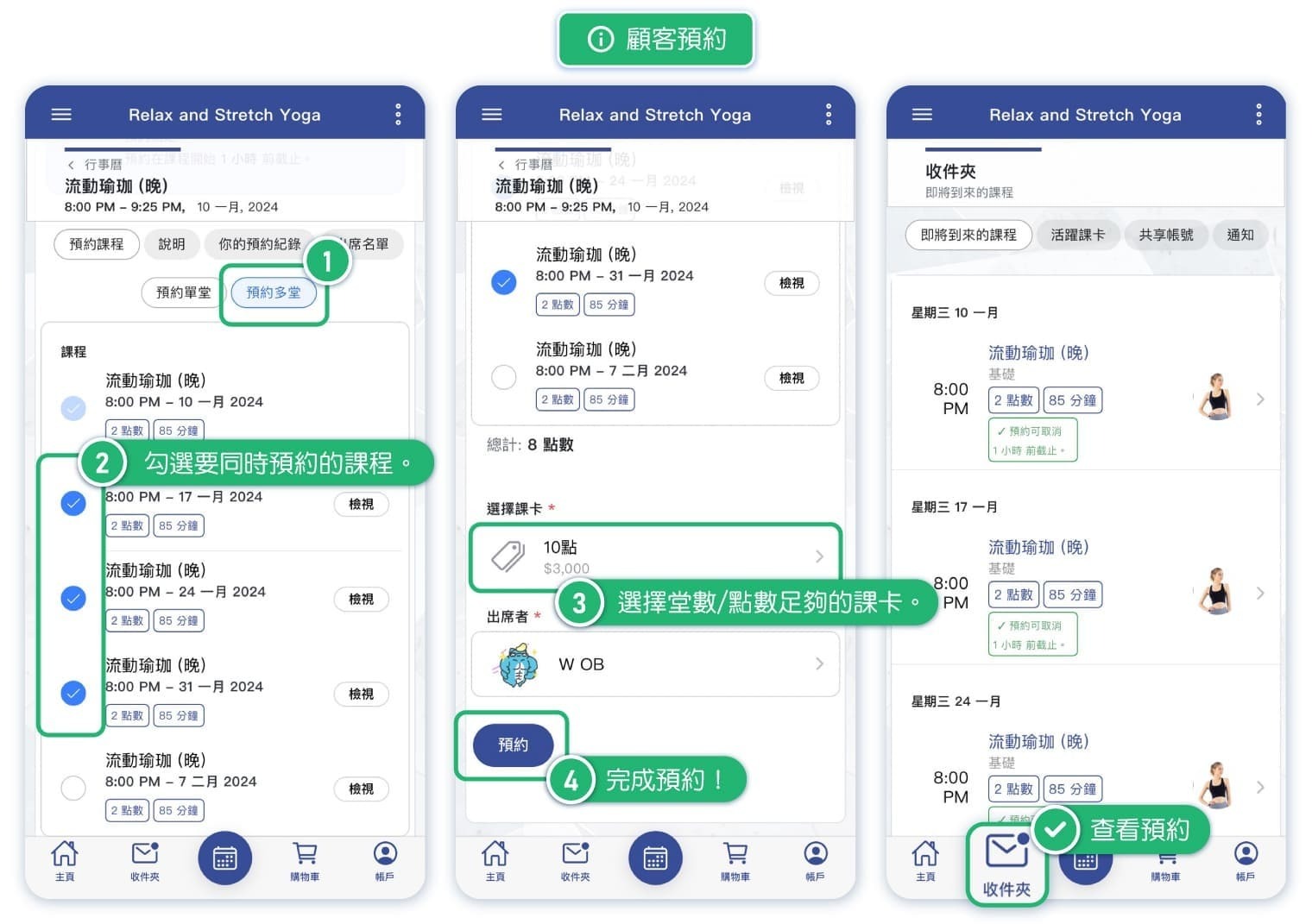
By enabling the "Book Multiple Classes at Once" option in the settings, your customers will be able to book multiple repeating classes or schedule courses at once, allowing for quicker booking many classes.
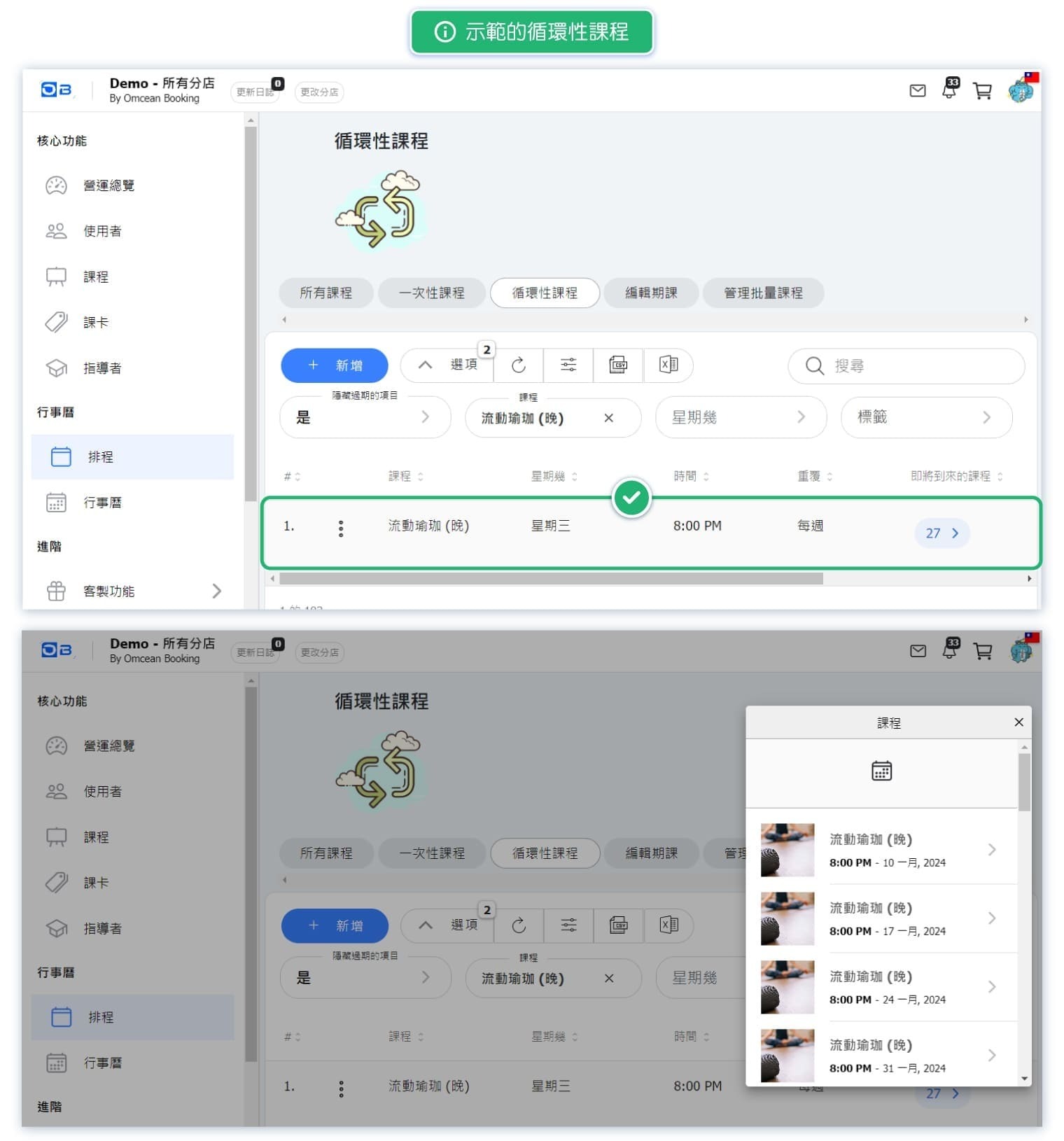
For example, if a customer regularly attends the "Flow Yoga" class every Wednesday at 8 PM, which is a repeating class, they can book several "Flow Yoga" for upcoming Wednesday at 8 PM in one go, no need to manually book each class one by one.
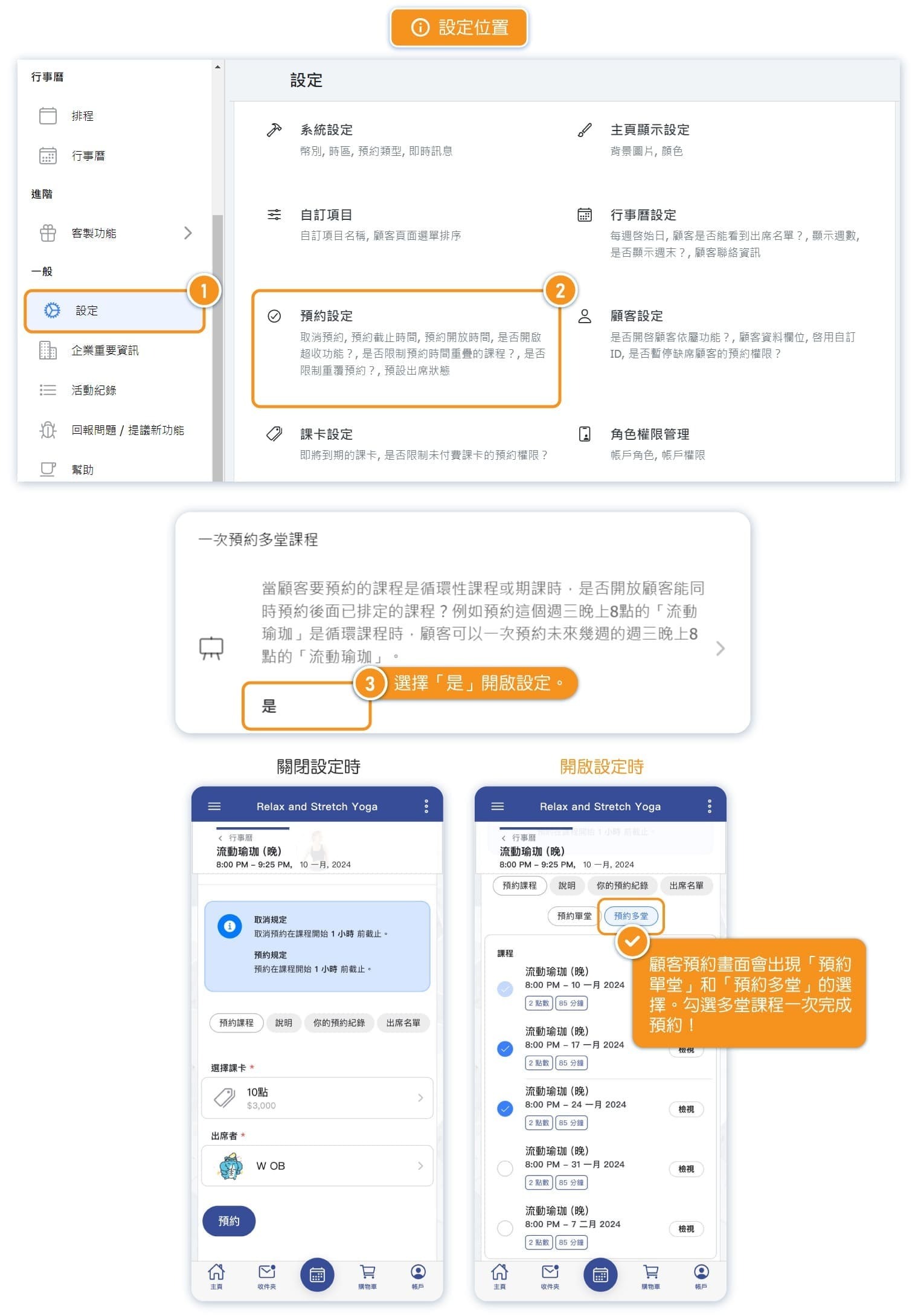
1. Where the Setting is
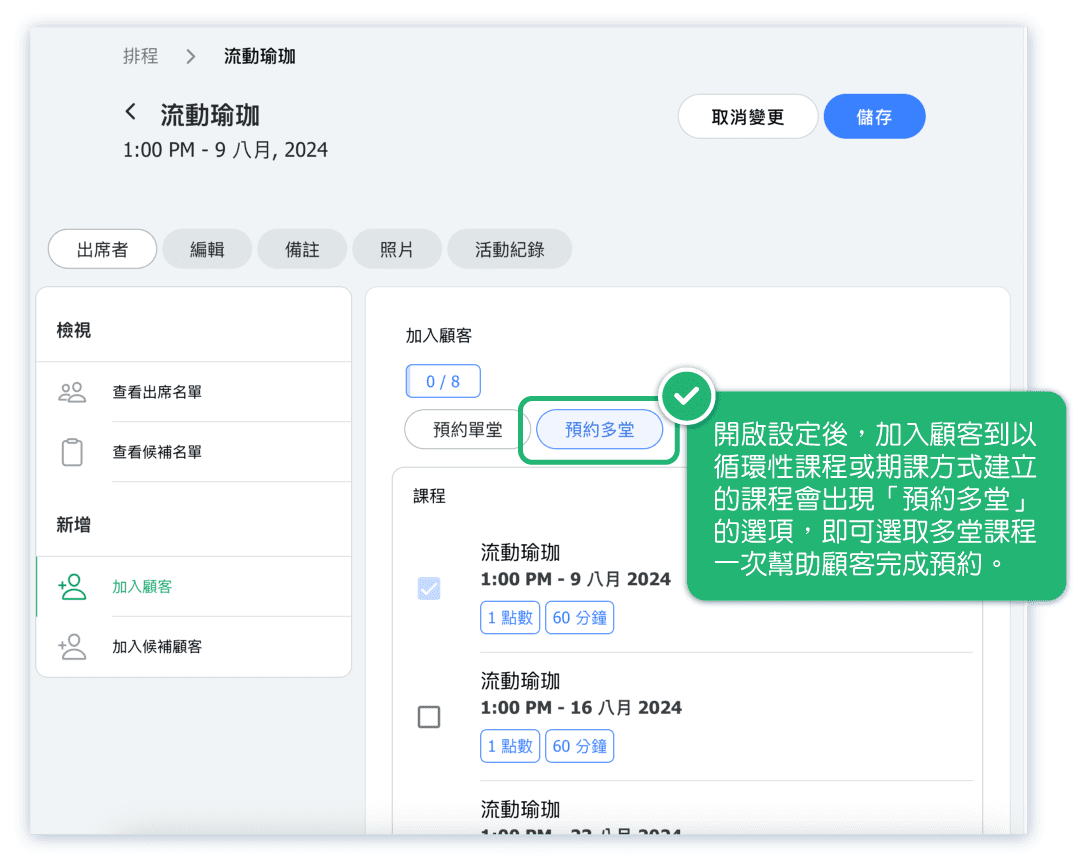
2. Example of Customer Booking
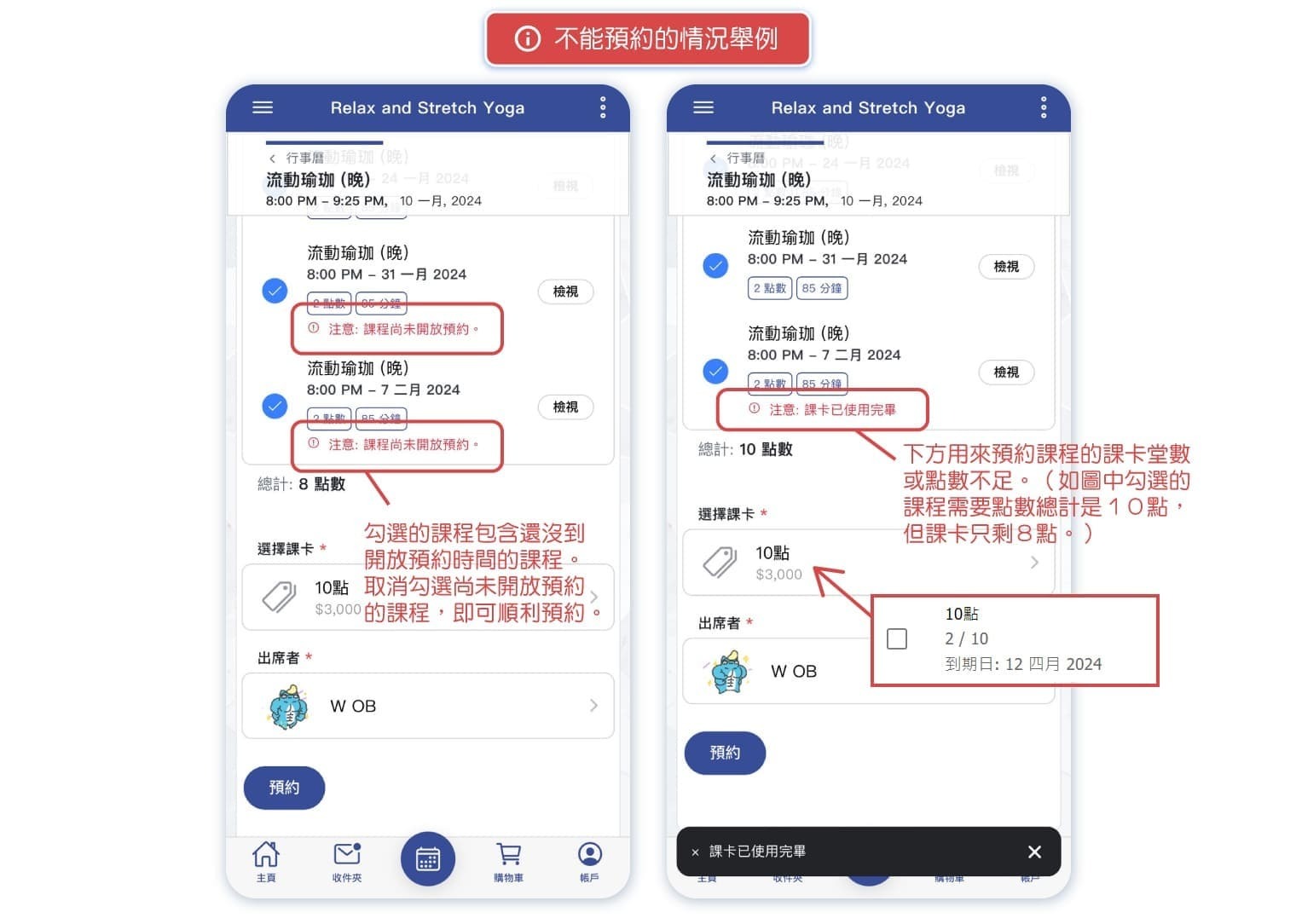
3. Examples of Unbookable Scenarios