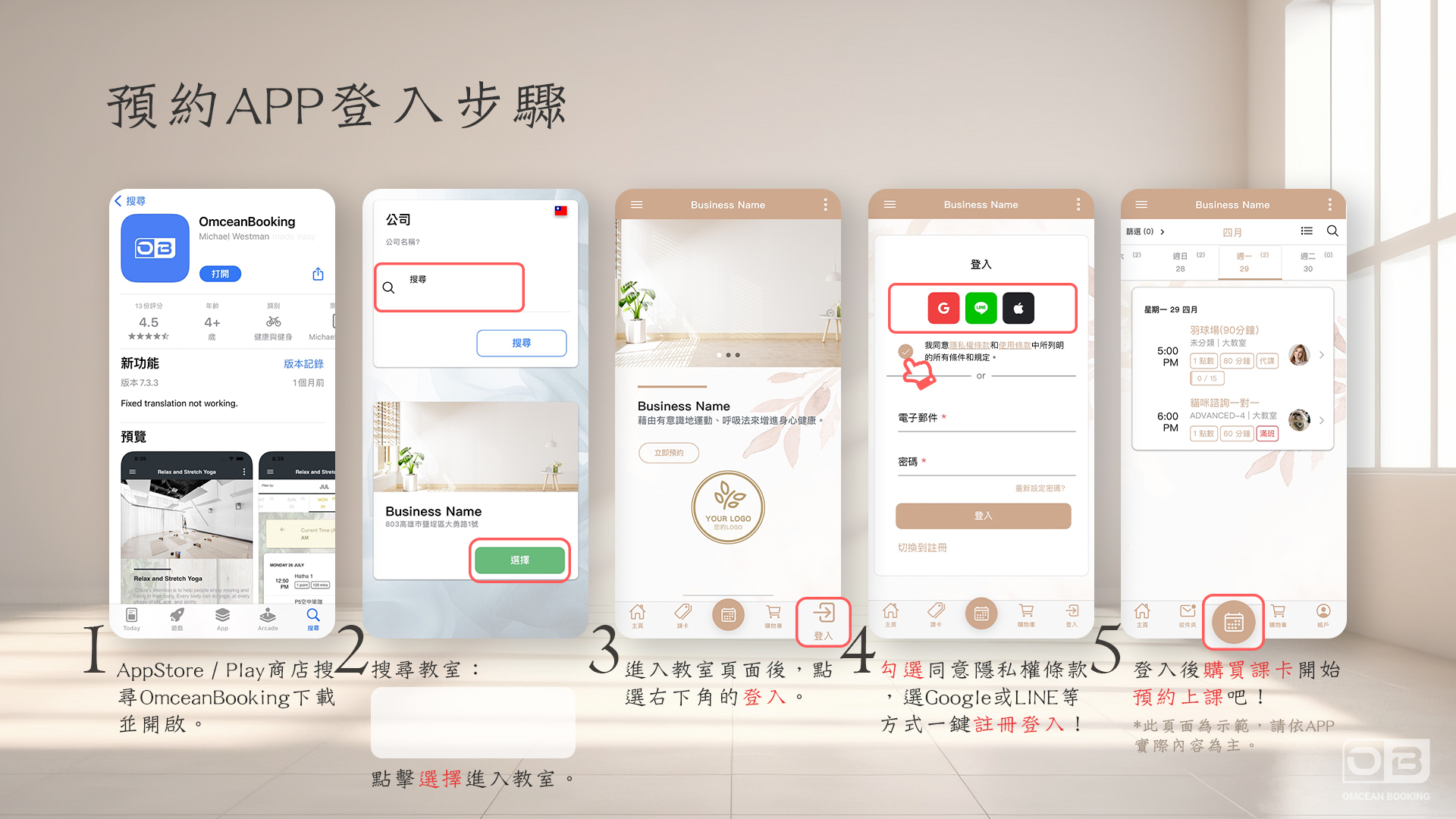
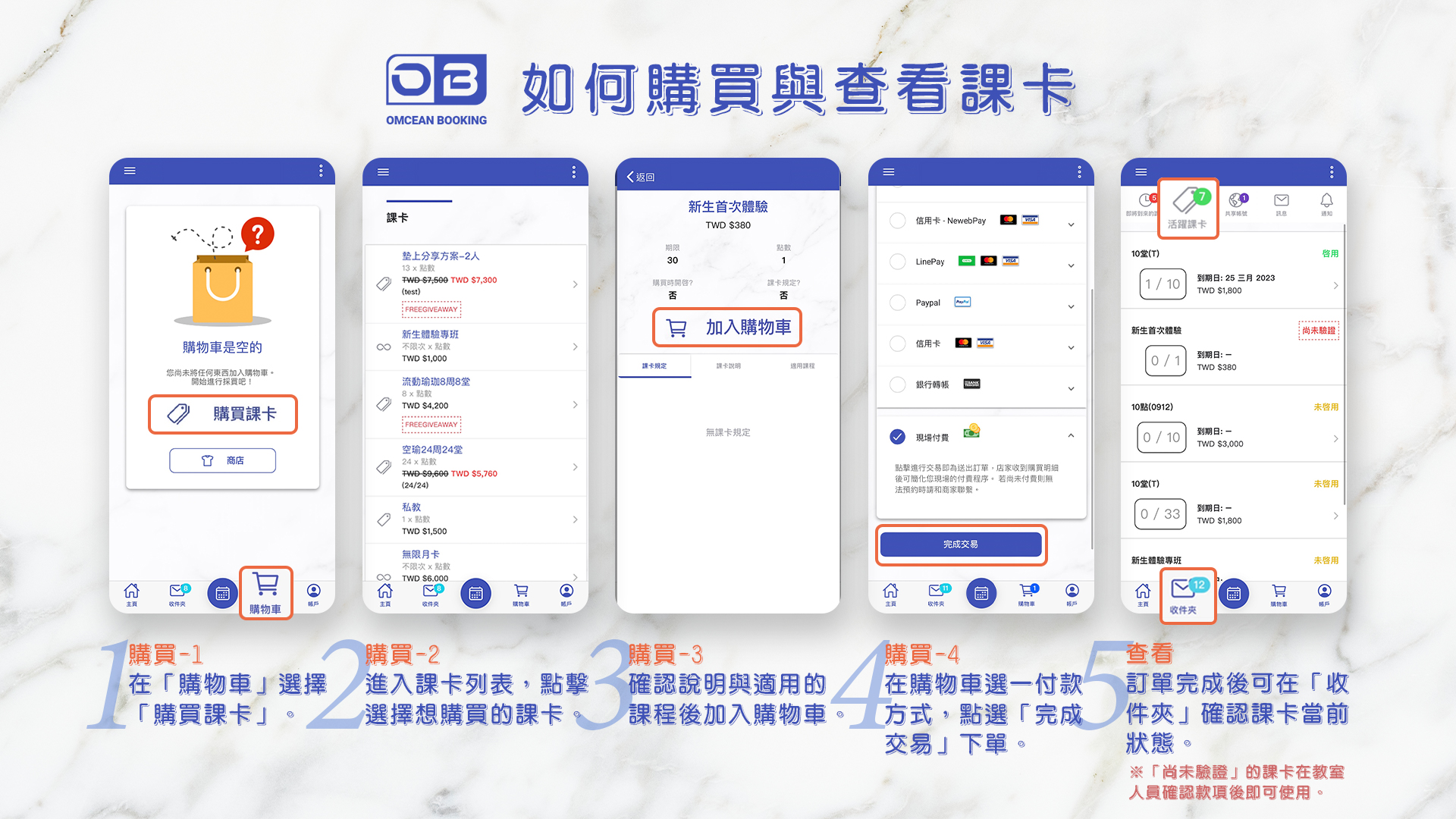
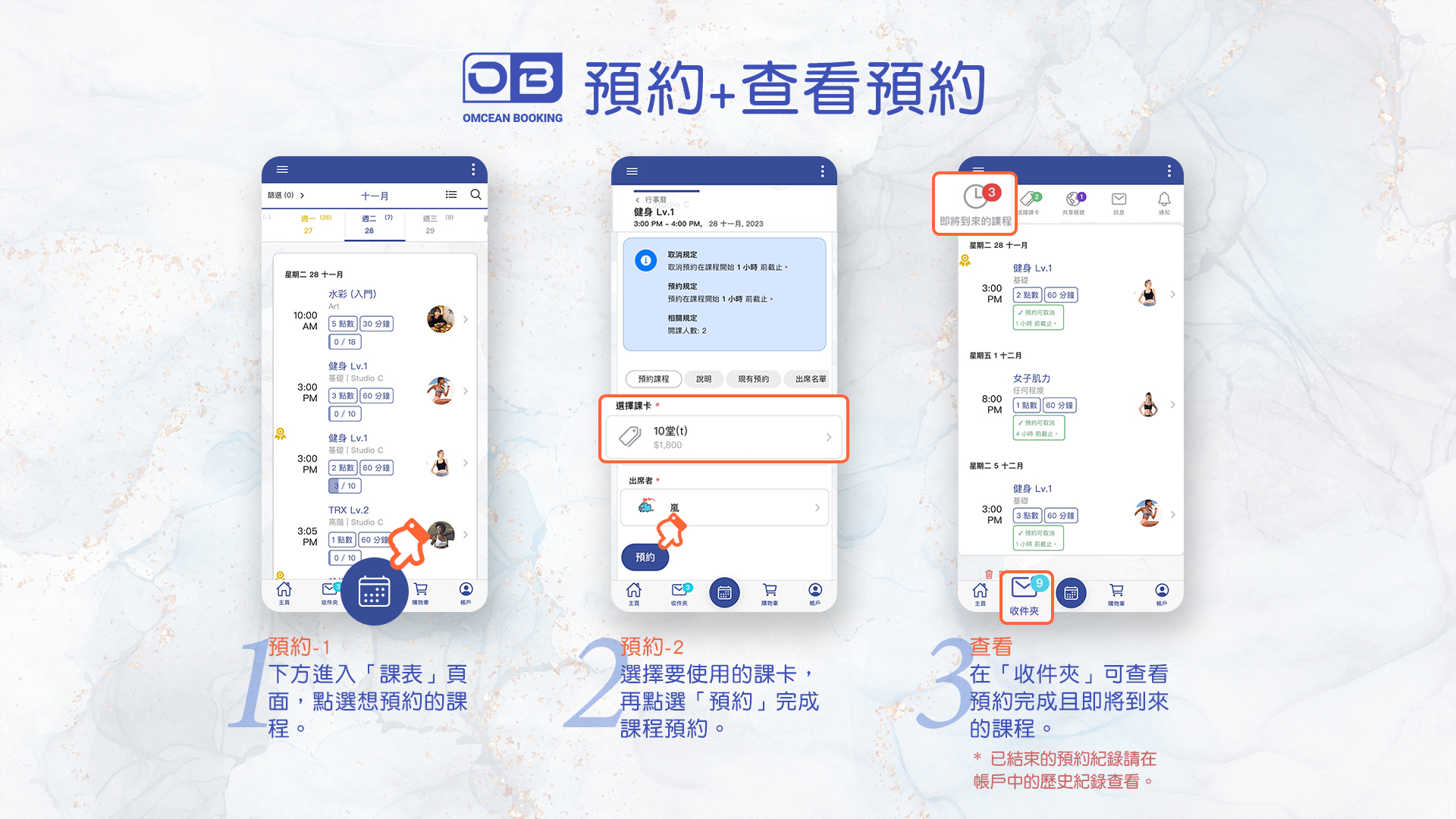
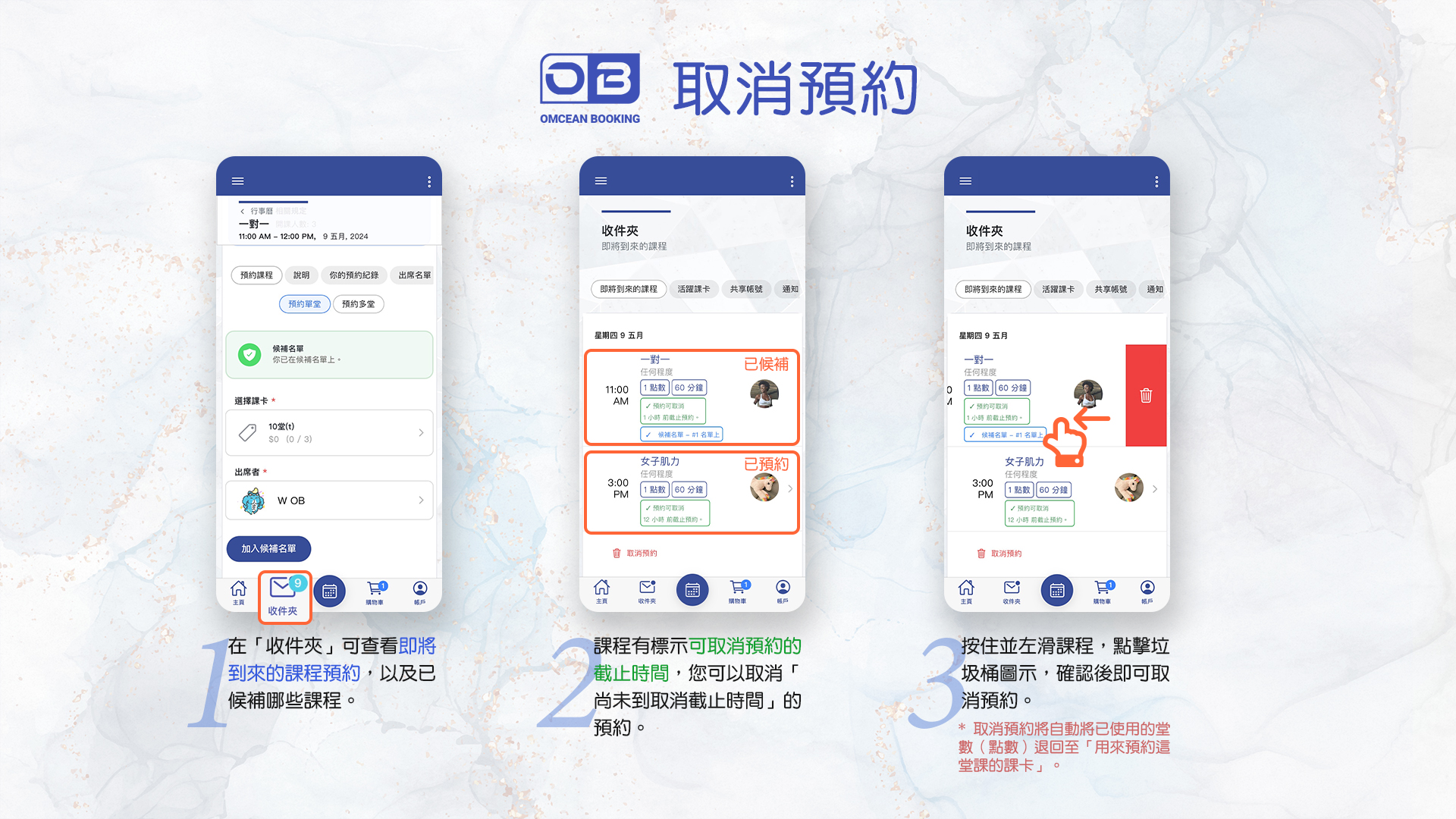
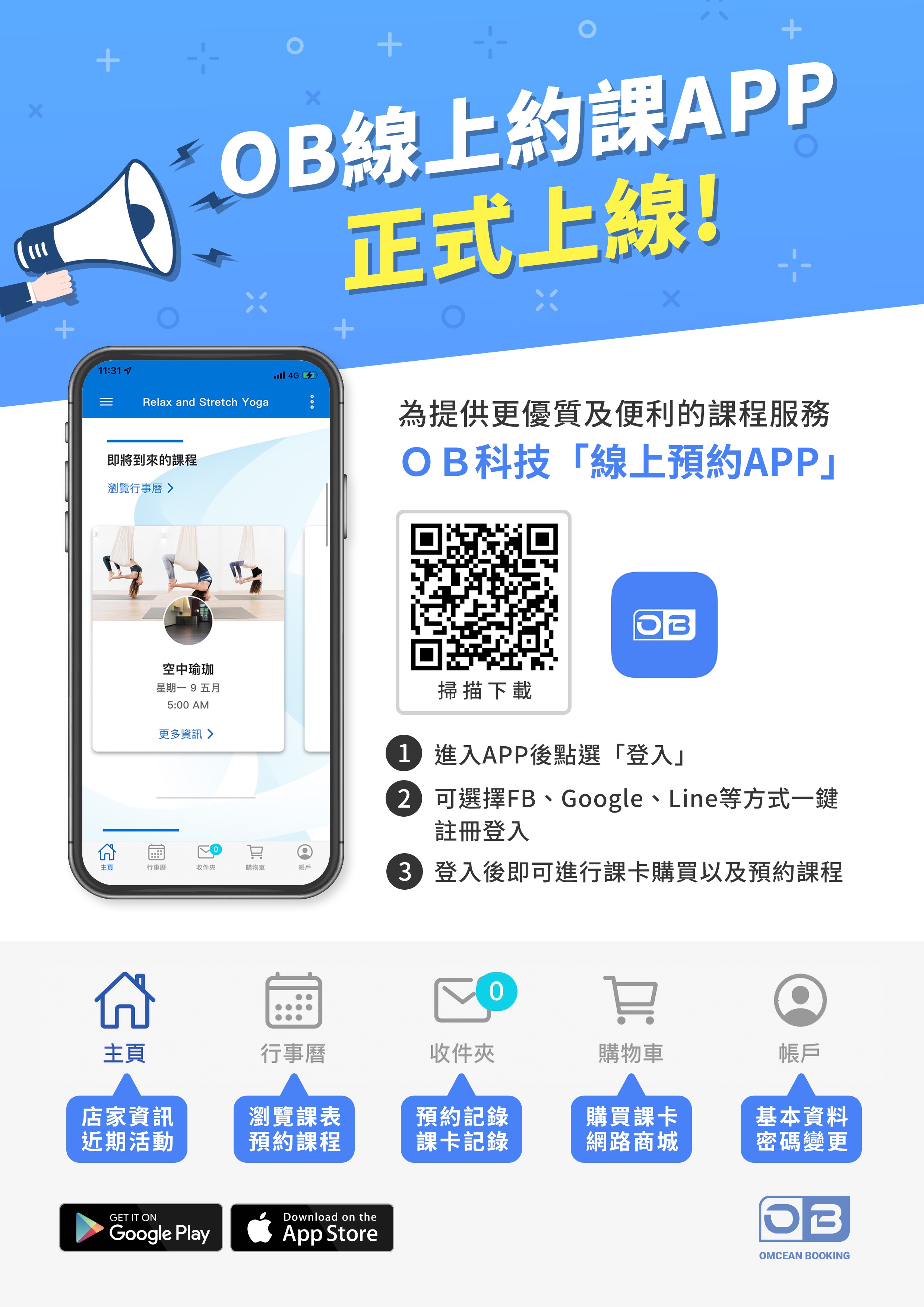
Quick Start Guide 1 - Download App / Login / Purchase / Book Classes / Cancel Bookings
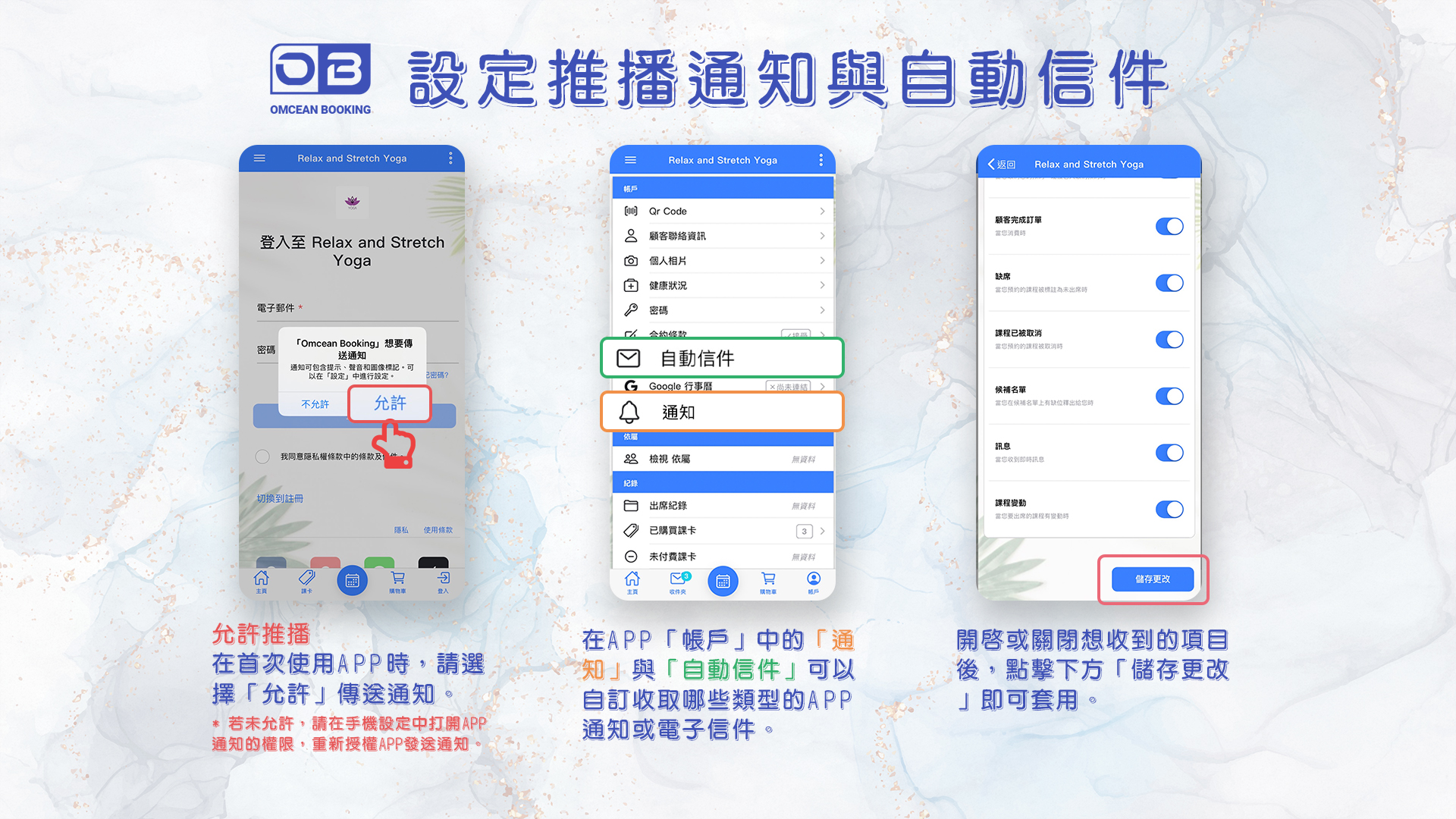
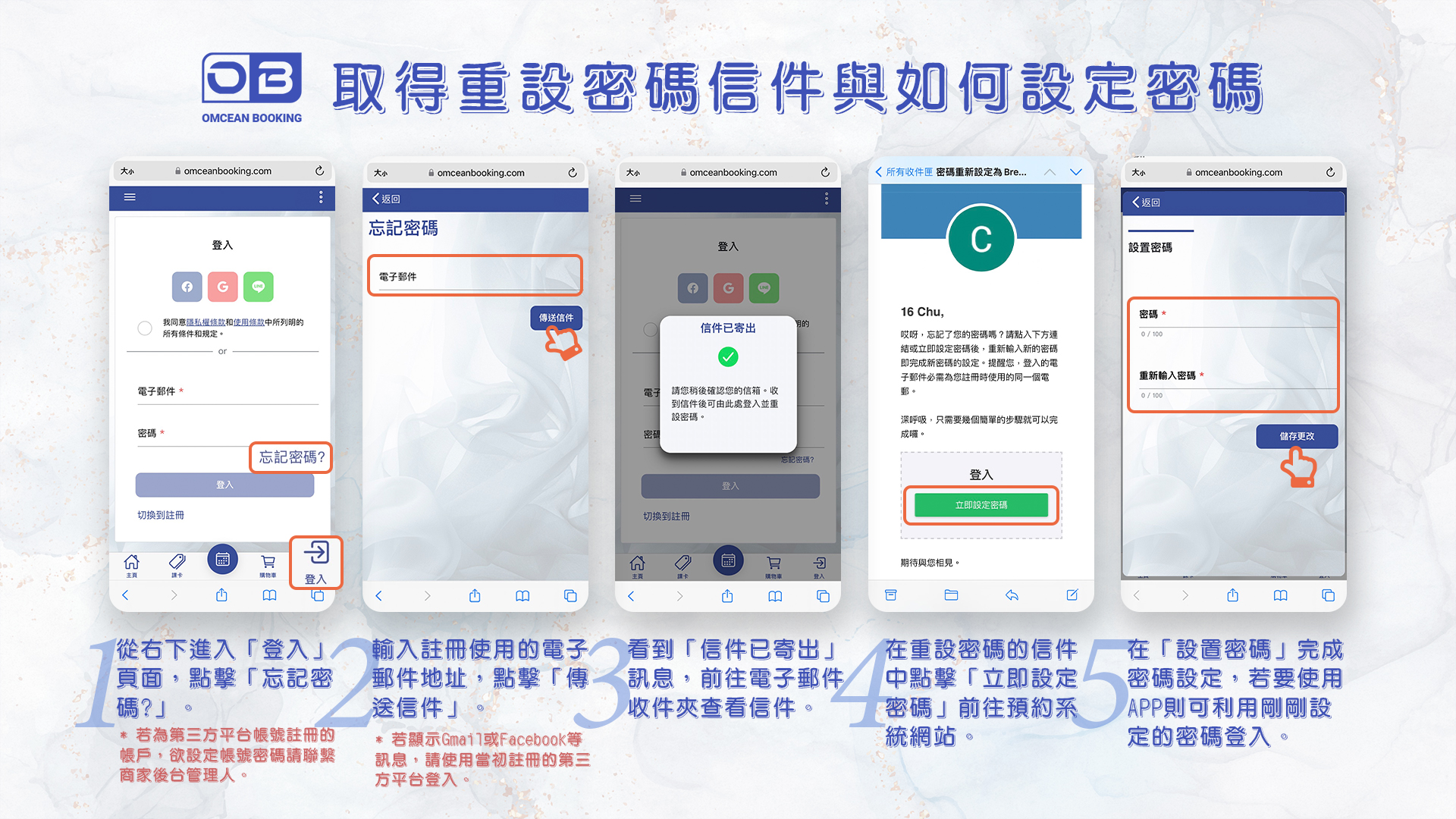
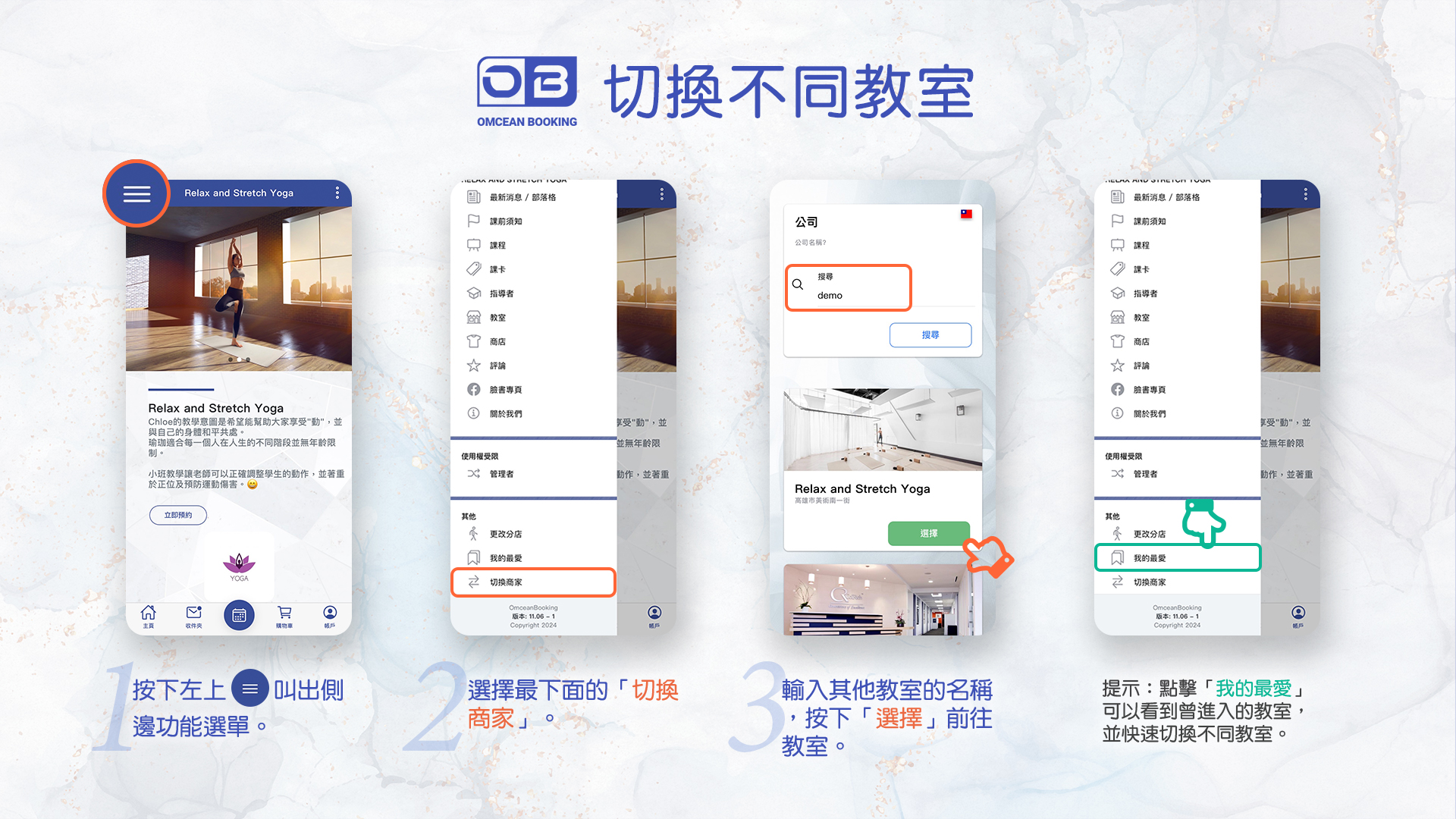
Quick Start Guide 2 - Notification / Email / Reset Password / Switch Business

By Sarah Chen
March 21, 2024 · Updated December 6, 2025 · 1 min read
For customers making their first reservation with the OB app.
Custom features allow you to extend your booking system with powerful add-ons tailored to your business needs. Learn how to browse available features, enable them based on your plan, try features with a free 7-day trial, and upgrade your plan for more features.

Control what instructors can see and do on the calendar by configuring their permissions. This guide explains the different permission levels available and how to set them up based on your team's needs.

Learn how to control instructor access to different report tabs in the Back Office, protecting your sensitive data such as revenue information.
All Features Included
No credit card needed
