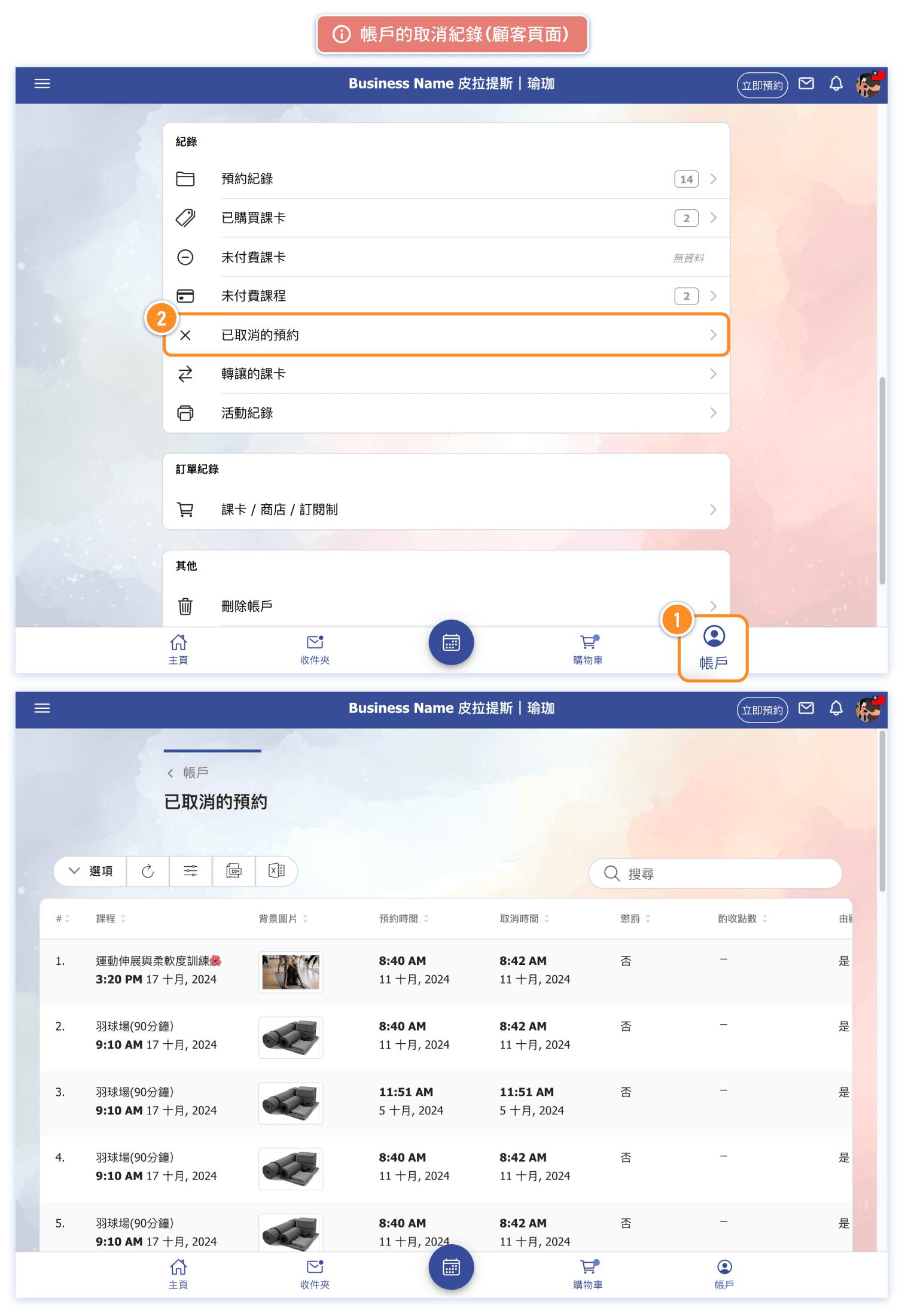
What is the "Cancellation Penalty"?
The cancellation period is divided into two segments, with different impacts:
Regular Cancellation: During this period, customers canceling their bookings or taking a leave will have the deducted sessions or points returned.
Penalty Cancellation: During this period, customers canceling their bookings or taking a leave will result in no return of sessions/points or only a partial refund of points, based on the business’s setting.
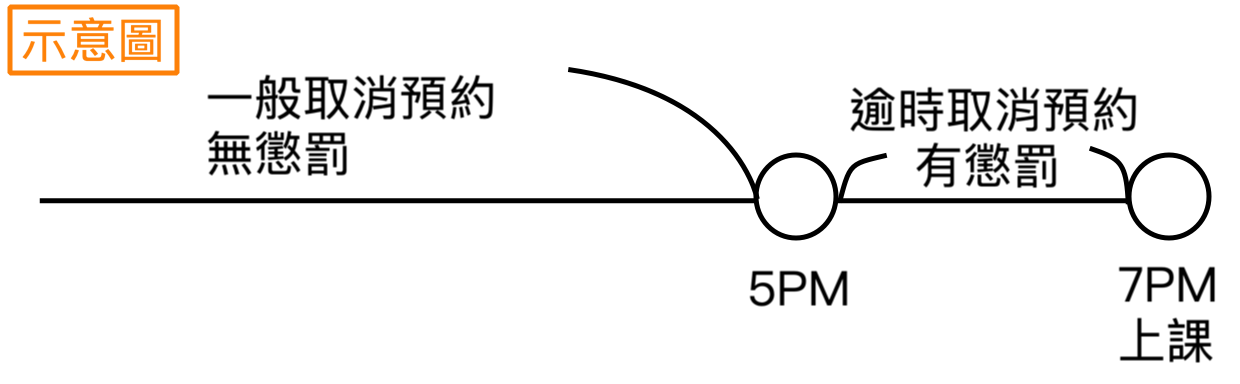 Impact of Late Cancellations by Card Type
- Class-Based pass: number of class deducted for the canceled booking will not be returned.
- Point-Based pass: points deducted will either not be refunded or only partially refunded, with the amount adjustable by the business.
- Membership pass: classes deducted for the canceled booking will not be returned.
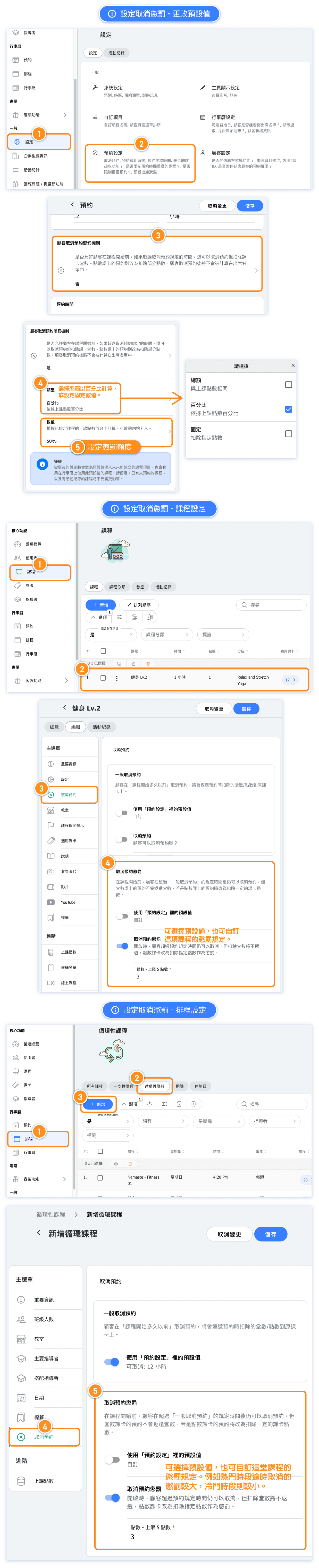
How to set penalty rules for cancellations?
The default setting for this feature is "Off."
Setting details:
- The penalty setting under "Settings --> Booking Settings" acts as the default.
- If a class is set "Use business reservation setting" for penalties, unless class has cancellation record, the class penalty amount will adjust with any changes made to this default.
- Each class can have a customized penalty setting and amount.
- Once scheduled on the calendar, penalty settings can be adjusted for each class individually. For example, different penalty amounts can be set for popular versus off-peak times for better class management flexibility.
How to view penalty records for a class?
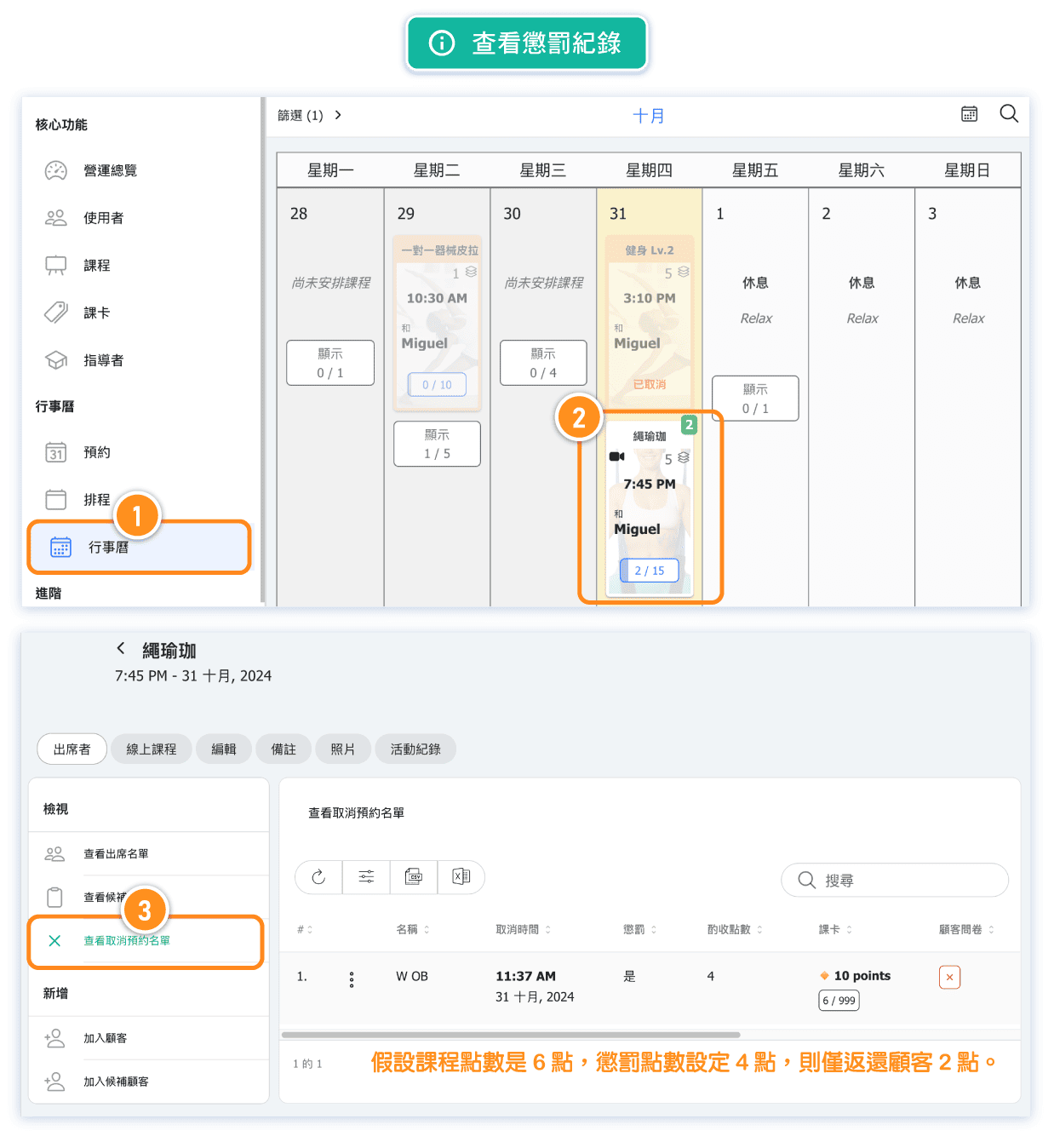
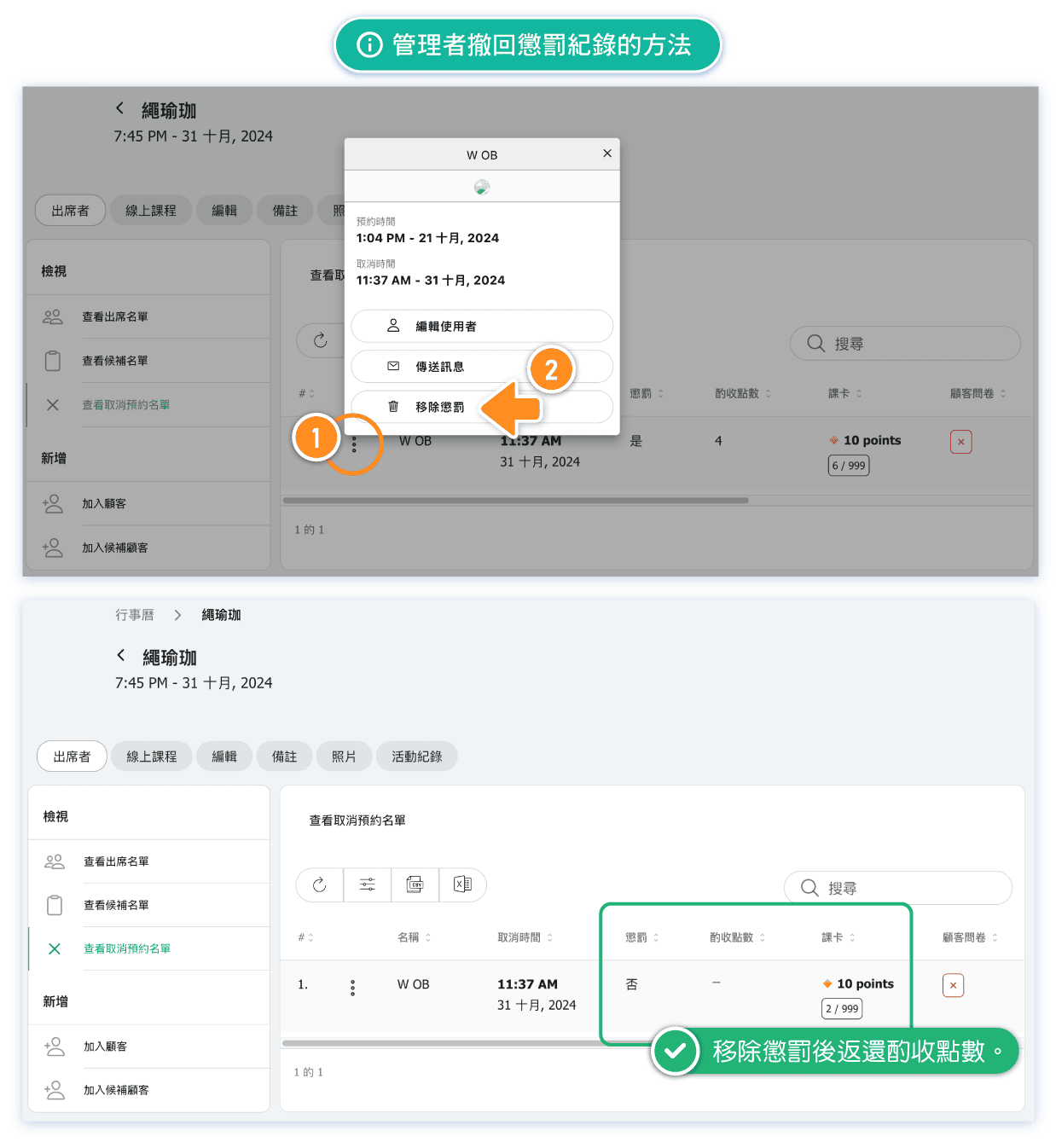
How can an admin revoke a penalty record?
Admin can revoke penalty records.When a penalty is removed, the deducted points or class credits are immediately refunded to the specific pass.
Here’s how:
Can I adjust the penalty points?
Yes, it can be changed.
Adjusting the penalty points for a class in the calendar will immediately affect the class's penalty record.
For example, if a customer was originally penalized 2 points for a late cancellation and the admin later changes it to 3 points, the customer’s penalty record will update to reflect a deduction of 3 points.
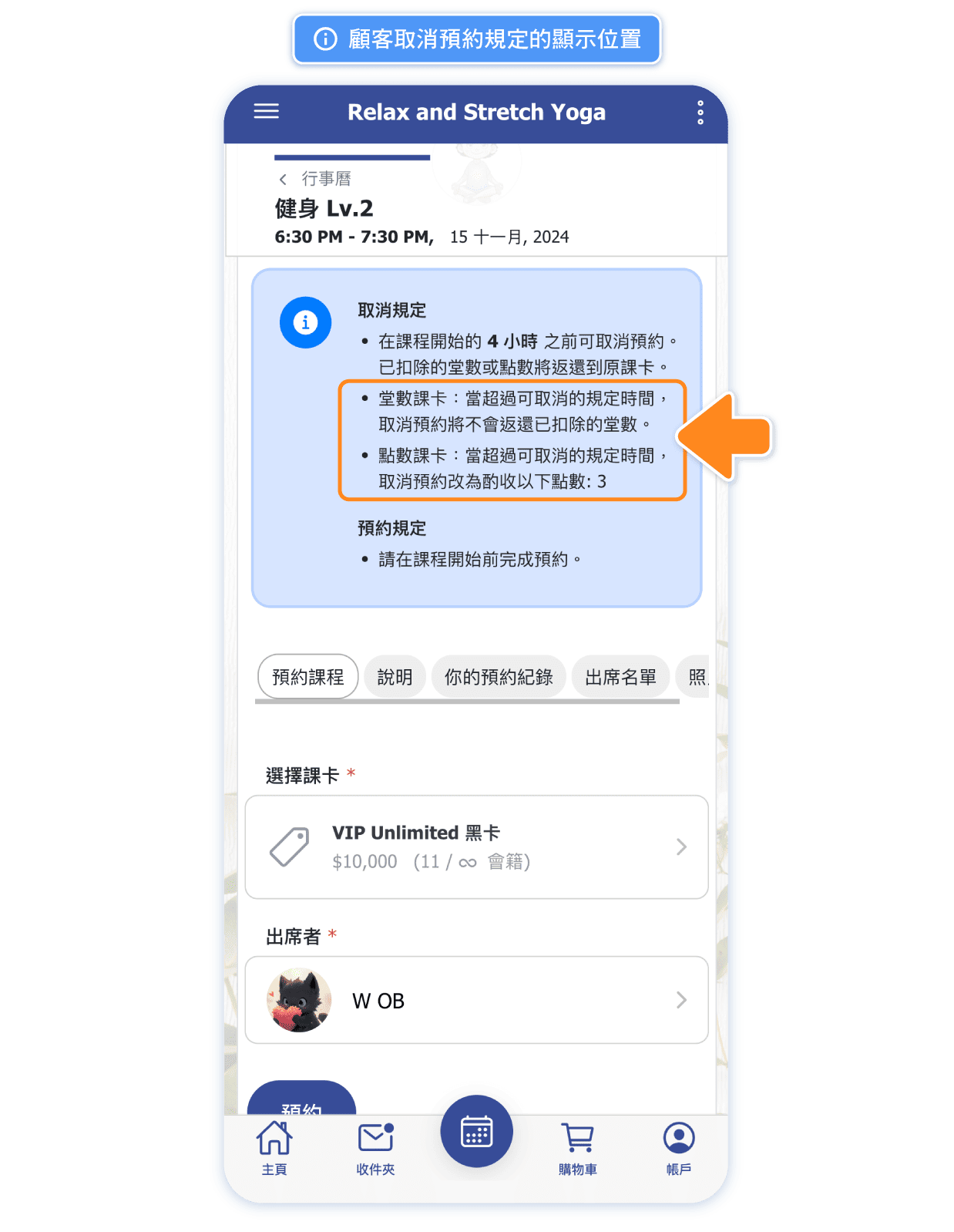
Where can customers view the cancellation policy?
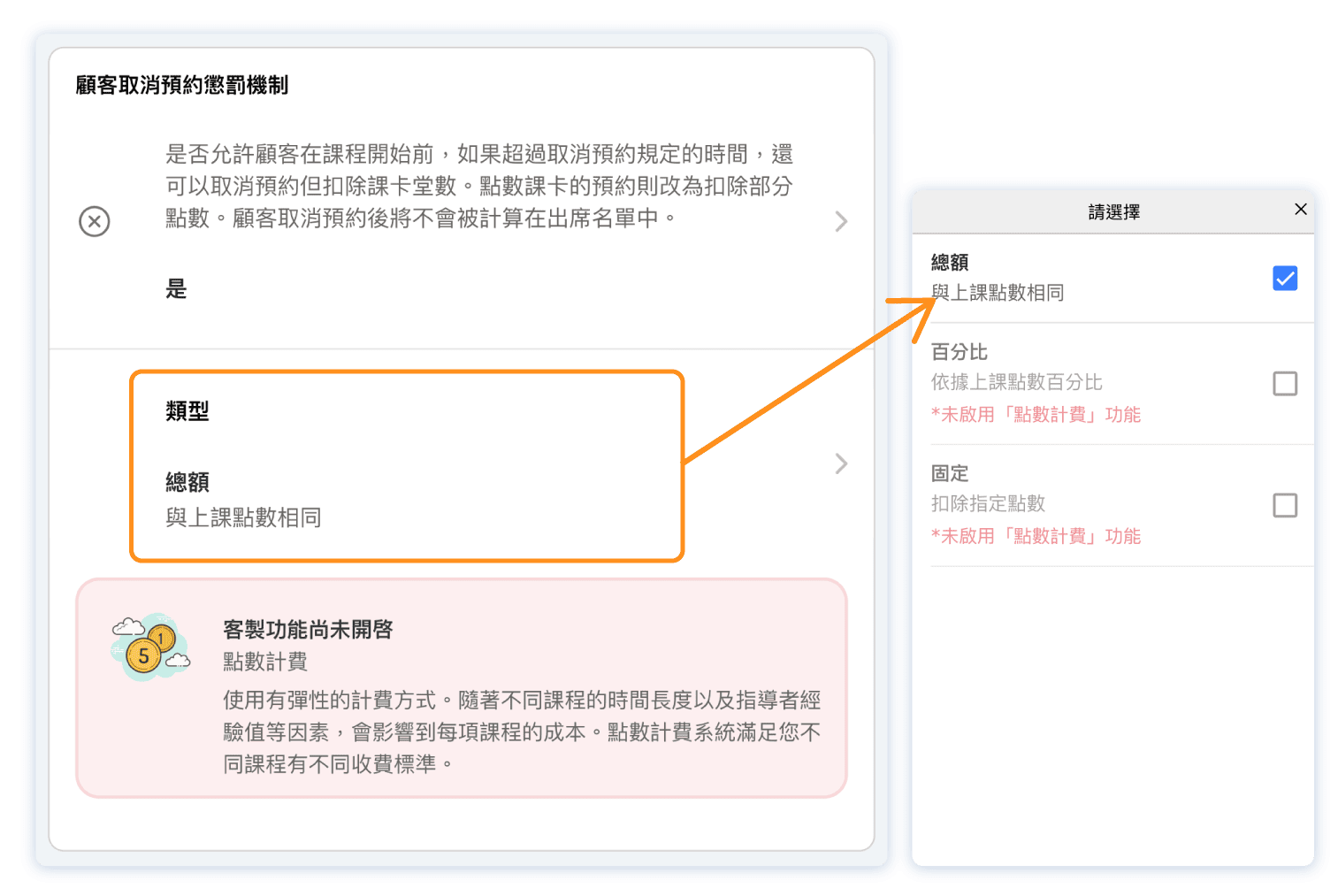
Is it necessary to enable point system to set up penalty?
Not necessarily. Studios that sell only class-based passes can still set a penalty for late cancellations.
The penalty amount is fixed at 1 class, meaning that if a customer cancels too late, the class credit will not be refunded.
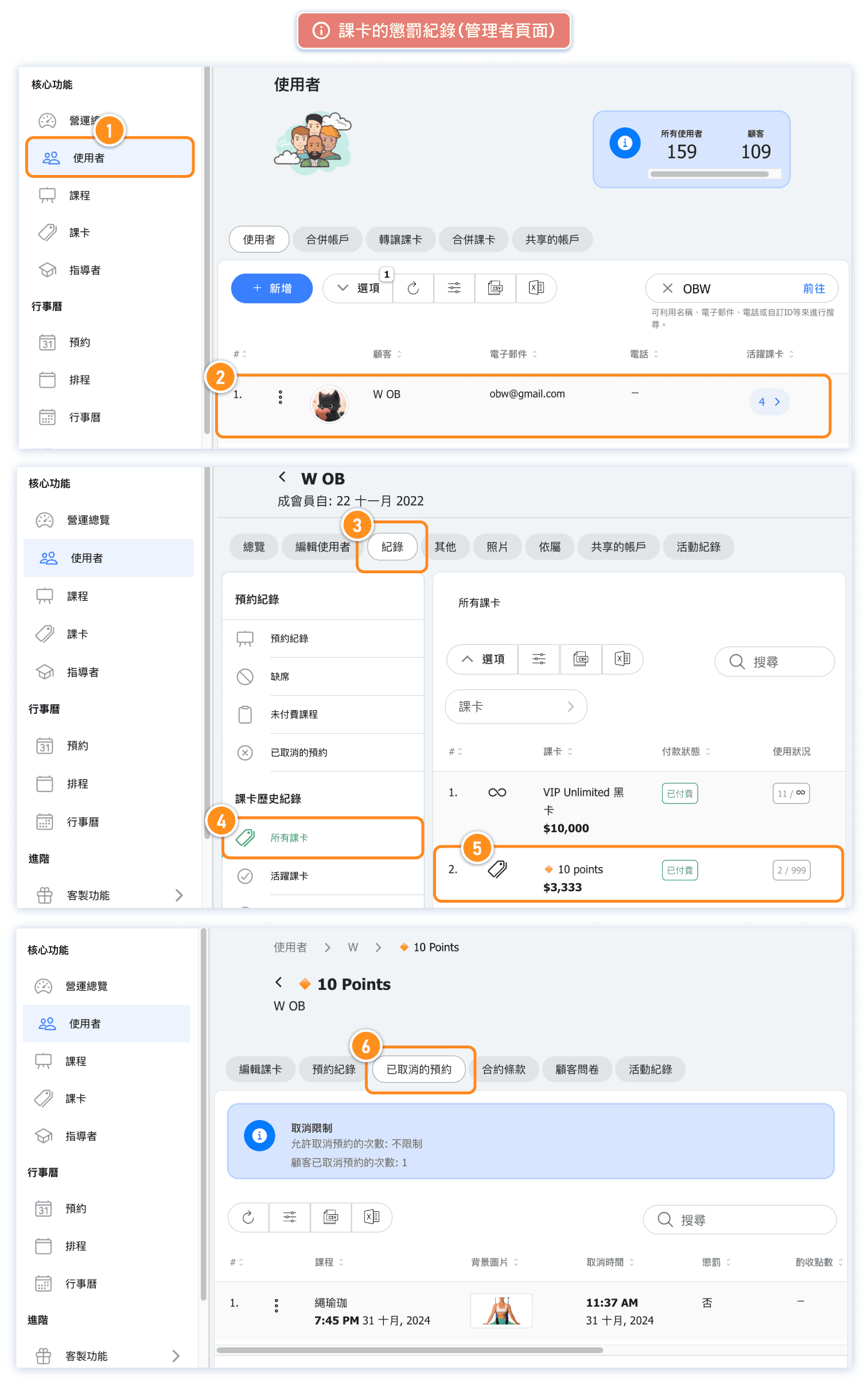
Where to check penalty record for a pass. (Admin page)
Where to check penalty record for a pass. (Customer page)
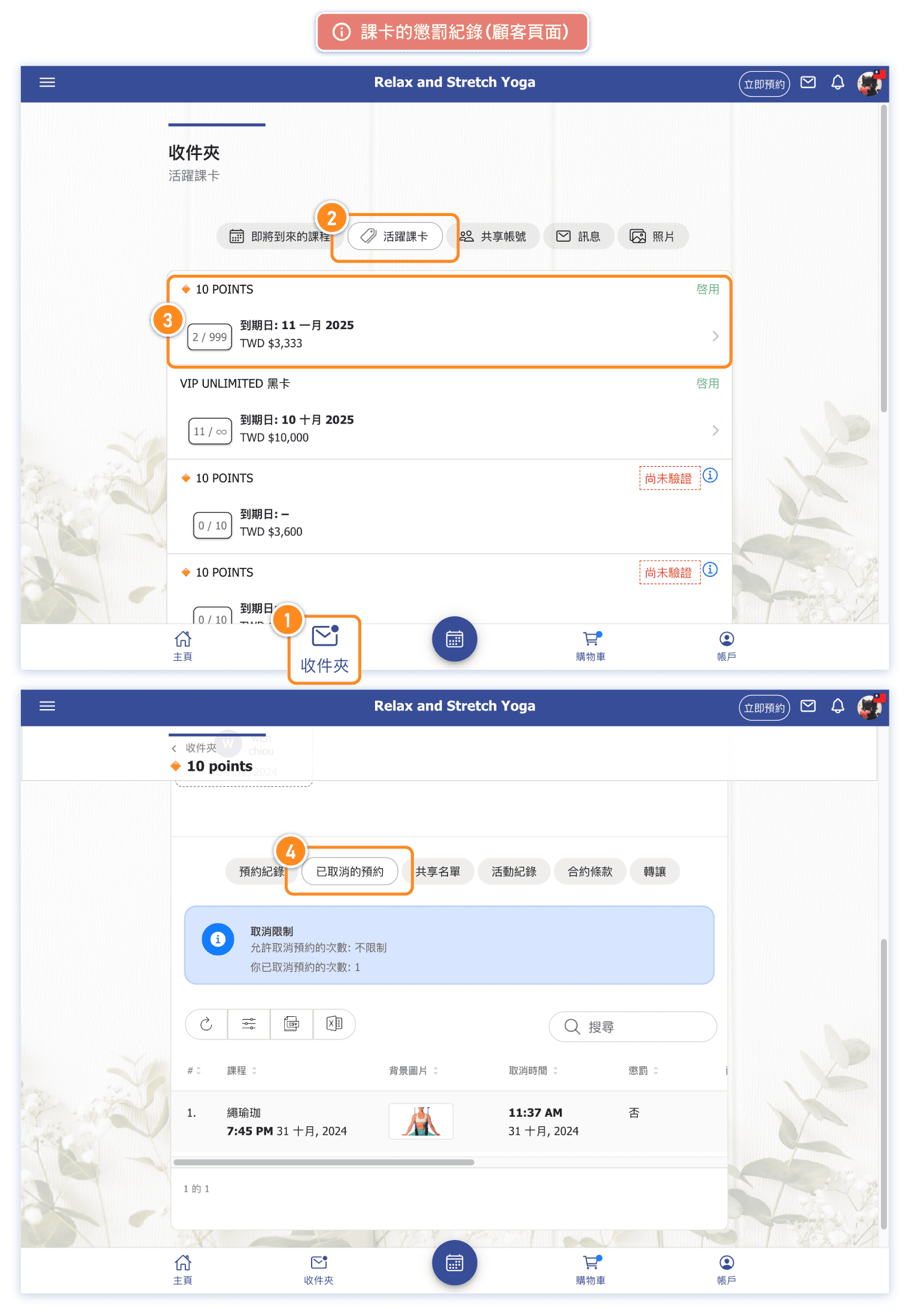
Customer cancellation history