What is "Class Package"?
The "Class Package" feature is ideal for businesses that want to bundle multiple classes for sale and prefer that the system automatically books the classes for customers upon purchasing the class package pass.
The class package pass is a special type of pass that can be created either on the "Pass" page or the "Class Package" page. The process of setting up class package pass is the same as regular passes, requiring the "Package Course" feature to be enabled and configured.
Creating Class Package Passes
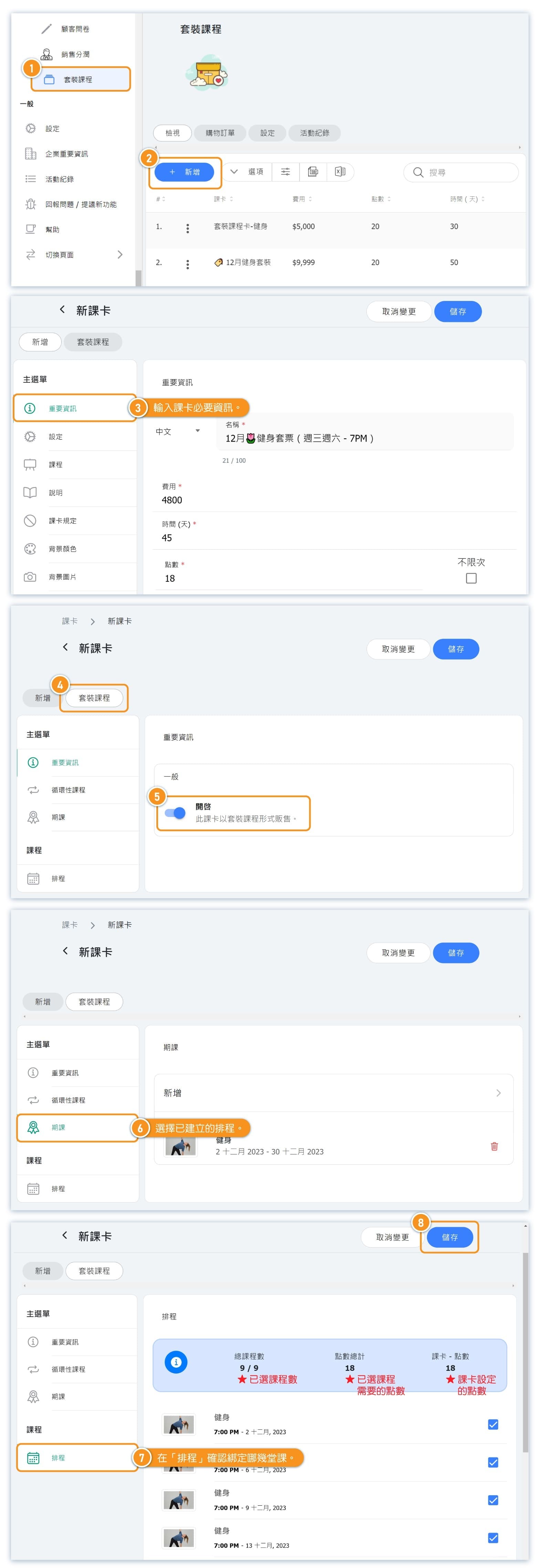
To add new class package pass, you can go to either "passes" page or the "class package" page.
The process of adding new class package pass is similar to adding a regular pass.
The only different thing is you will turn on "class package" toggle in the pass editing page, and pick the repeating classes or schedule courses.
*Only passes designated as "Class Package" will appear on the "Class Package" page.
During the pass setup process, after selecting a "Repeating Classes" or "Schedule Courses," remember to confirm and bind the specific classes in the "Schedule" in the pass editing page.
Check Settings
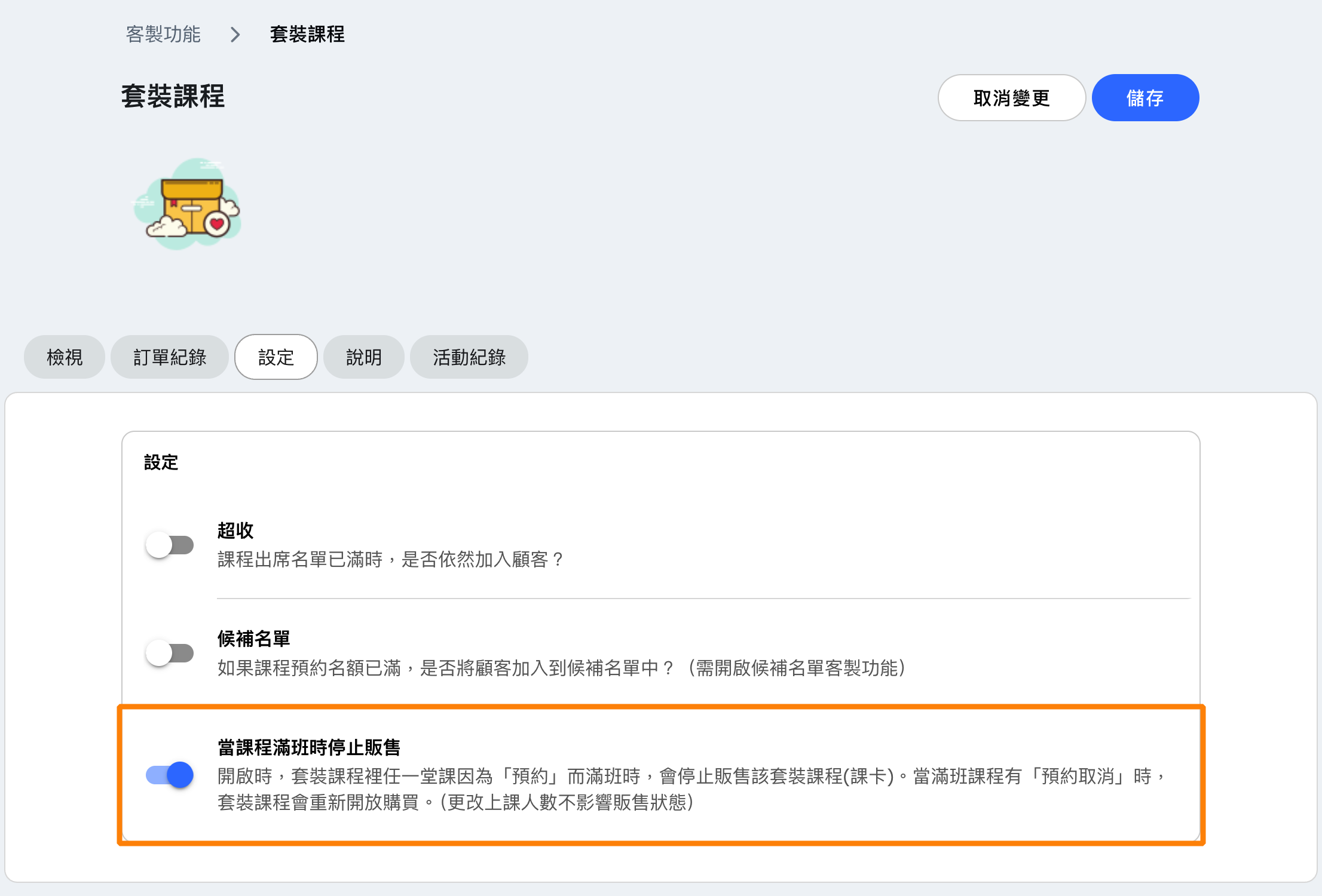
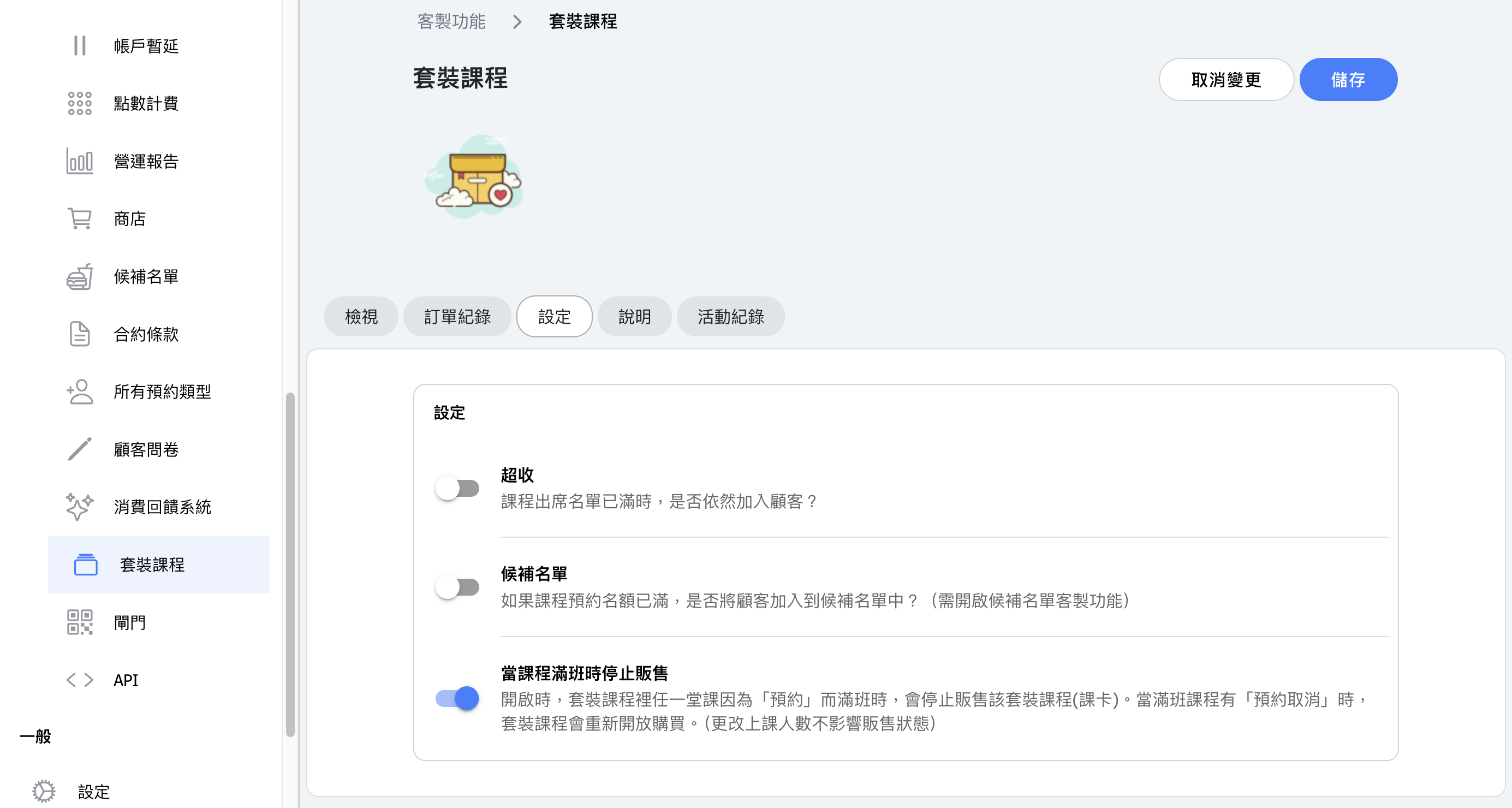
When customers obtain a package pass and the class is already at full capacity, you have the option to either allow overbooking or add customers to the waitlist.
(The waitlist feature must be enabled to activate the waitlist toggle.)
FAQ 1: Can I using the same class package pass to sell courses for different periods?
Yes, you can. When a customer purchases a class package pass, the system will automatically schedule the courses based on the package bound at the time the customer receives the pass.*
*The customer receives the pass in three different scenarios:
- When the admin adds the pass to the customer's account, the customer officially receives the pass.
- When the customer chooses to pay by cash or bank transfer, the customer officially receives the pass once the admin verify the payment.
- When the customer chooses to pay by credit card, the customer officially receives the pass once the payment is completed.
*If customer chooses to pay by cash or bank transfer, they won't be added to the classes unless admin verifies payment, .
Example
Assume you bundle two courses, "Dance Ribbon + Aerial Hoop," and sell them together for a two-month period.
First, create a pass and name it "Dance Ribbon + Aerial Hoop ✿ Package A". If you start selling this package in April for the July-August period, you can bind the July-August courses to this pass and start selling the package.
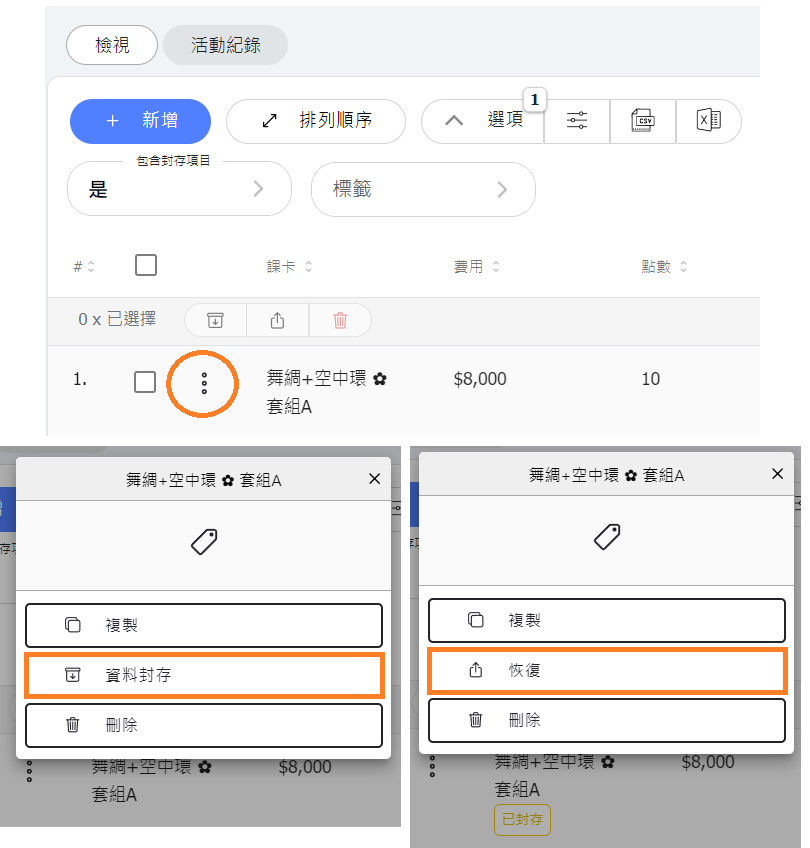
When you need to stop selling, you can archive the pass, making it hidden from the customer's view. After archiving, if you want to use this pass for the next period (September-October), you only need to clear the previous bindings, add the new courses for September-October, and unarchive (restore) the pass when you are ready to sell it again.
Tips:
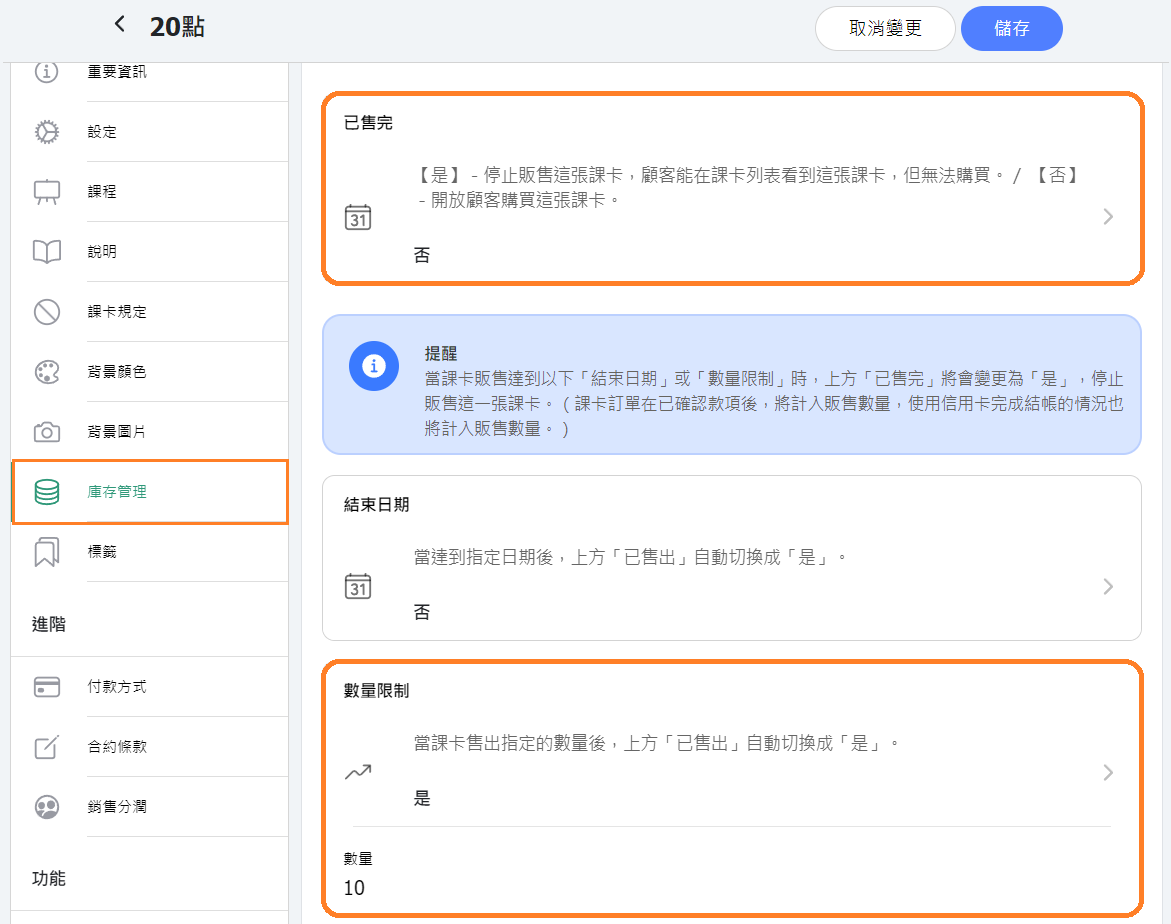
If you use the pass inventory feature to automatically control the total number of passes sold, please ensure to check if the "Limit Number" and "Sold Out" settings need adjustment each time you sell.
- For example, if the maximum number of passes sold each time is 10, and you initially set the quantity limit to 10 but sold 8 passes this time (leaving 2 available), then for the next sale, you should adjust the quantity limit to 18 passes to ensure up to 10 passescan be sold. Continue this process as needed.
- Once a customer's order is verified or paid by credit card, the system will count it towards the sales quantity.
- Additionally, if the number of passes sold reaches the quantity limit, the inventory management "Sold Out" status will automatically switch to "Yes". When you want to reopen sales next time, besides adjusting the "Limit Number", remember to change the "Sold Out" setting to "No" to remove the sold-out status and reopen the pass for customer purchase.
FAQ 2: Will reservations completed immediately after purchasing?
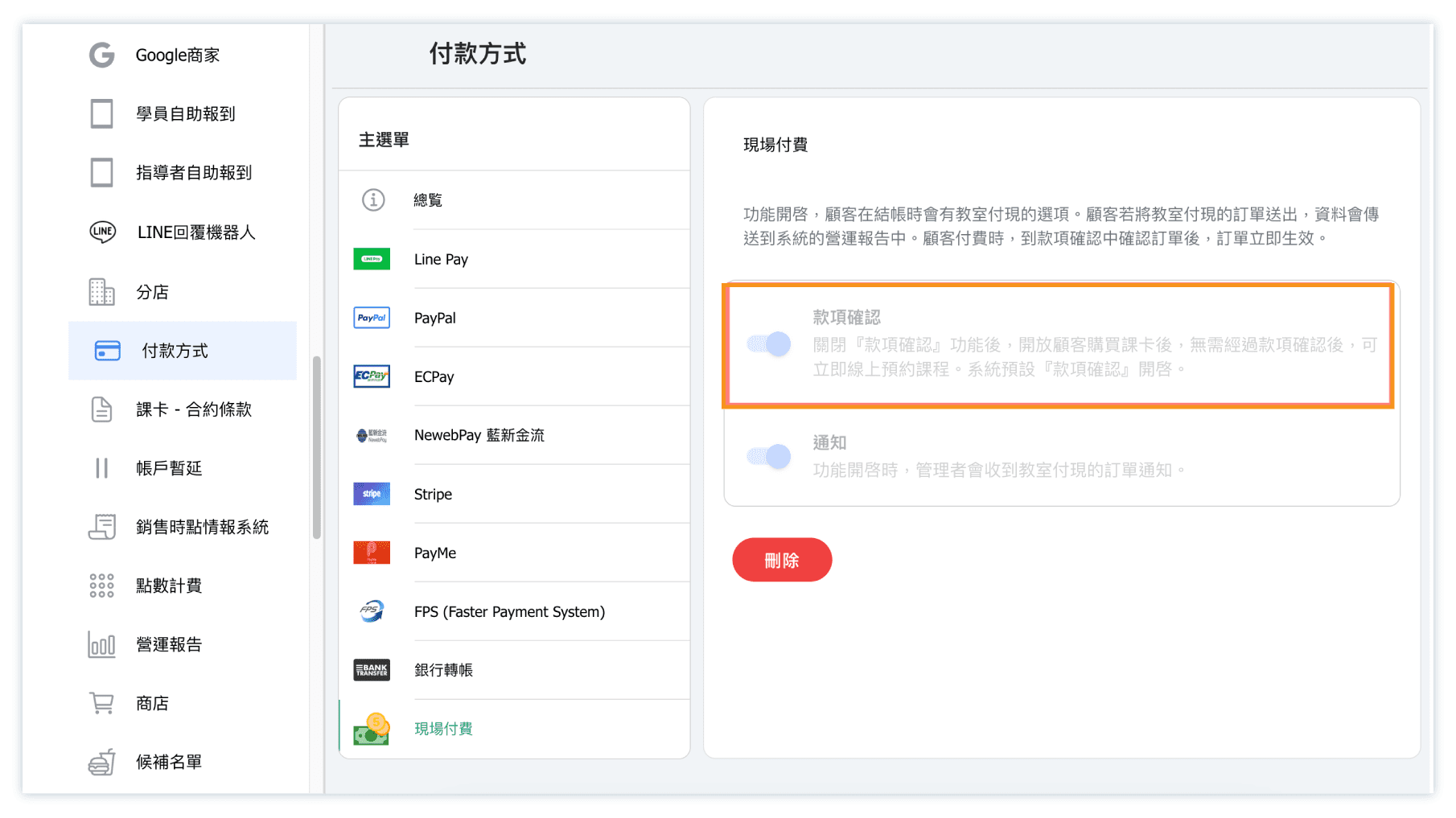
The timing of customers being automatically enrolled in classes depends on the settings for "Verify Payment" under payment methods setting.
- When "Verify Payment" is enabled, customers need payment verified of purchase from admins after ordering a class package pass before being automatically scheduled.
- When "Verify Payment" is disabled, customers will be automatically scheduled after ordering a class package pass without payment verifying by admins.
FAQ 3: How can I stop selling a class package pass when classes are full?
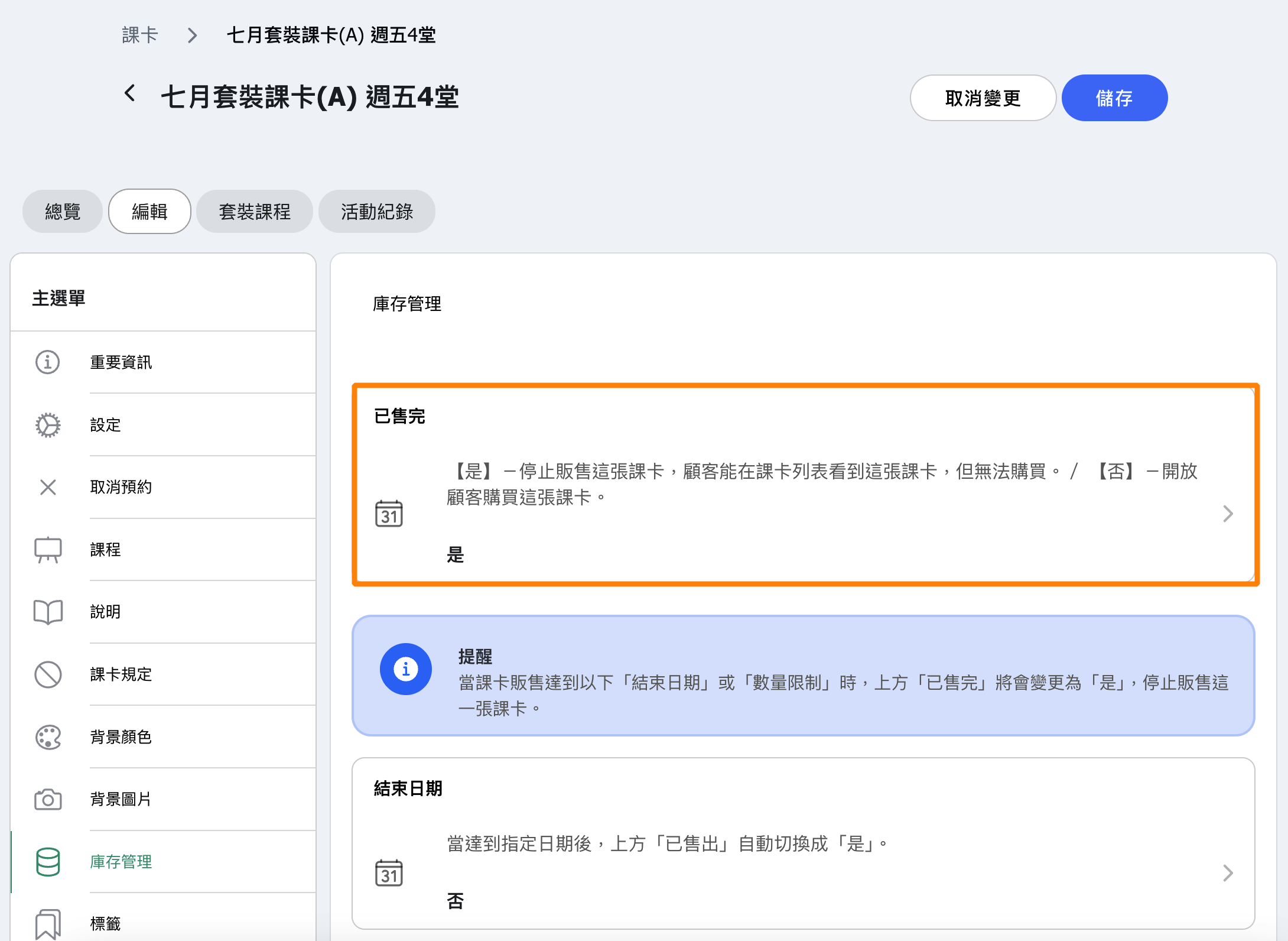
When a class becomes fully booked due to reservations, the system will automatically mark the class package pass as "Sold Out: YES" to prevent further purchases.