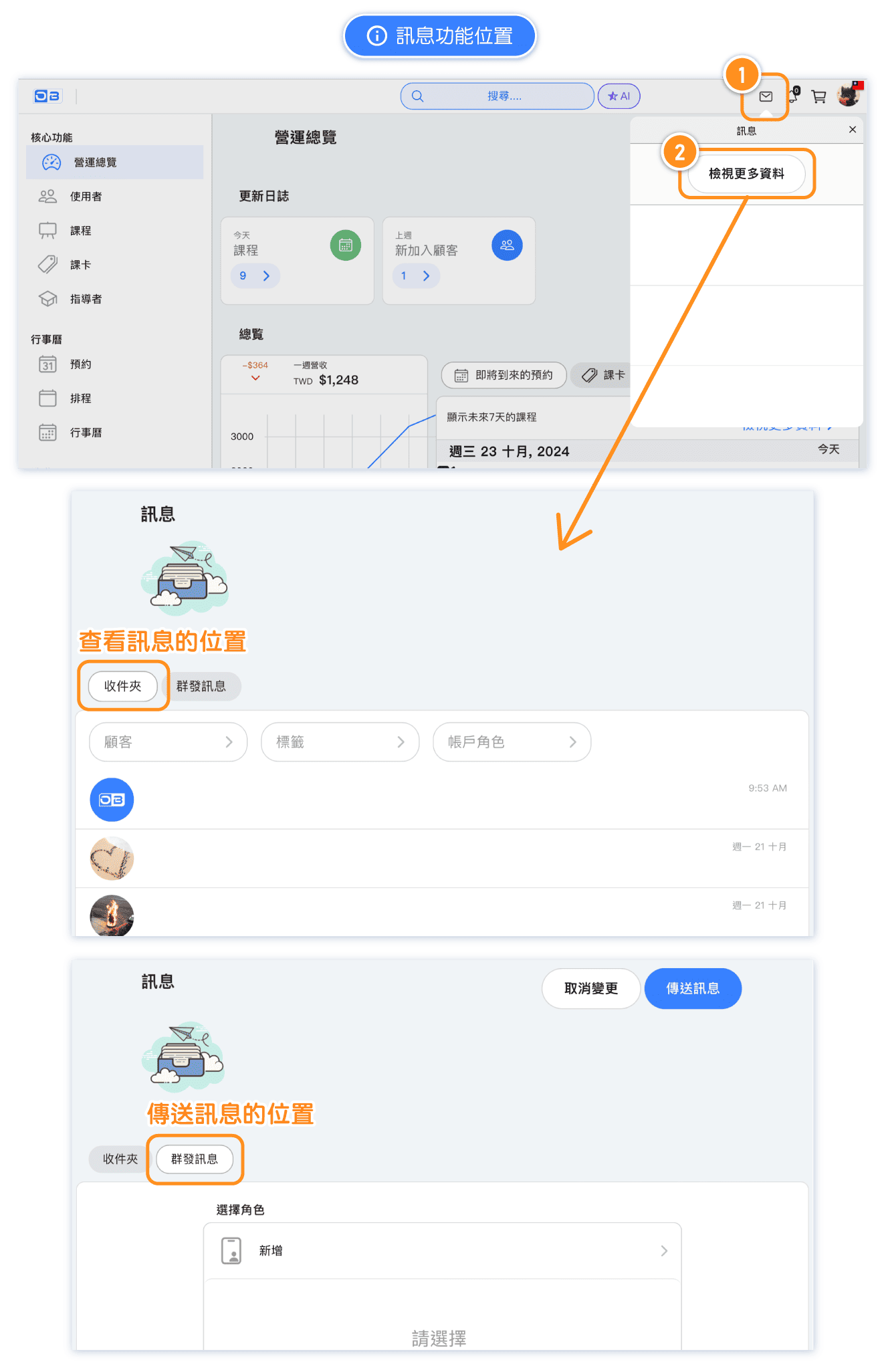
Where is the messaging feature? (Admin)
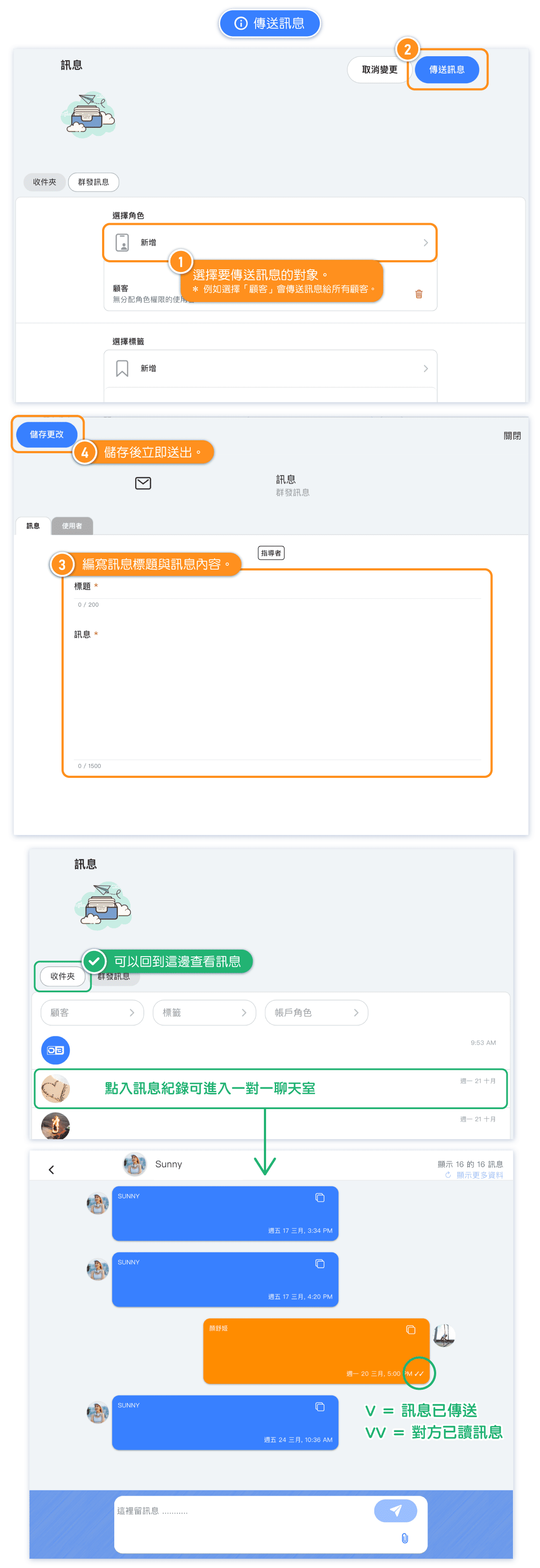
Send message
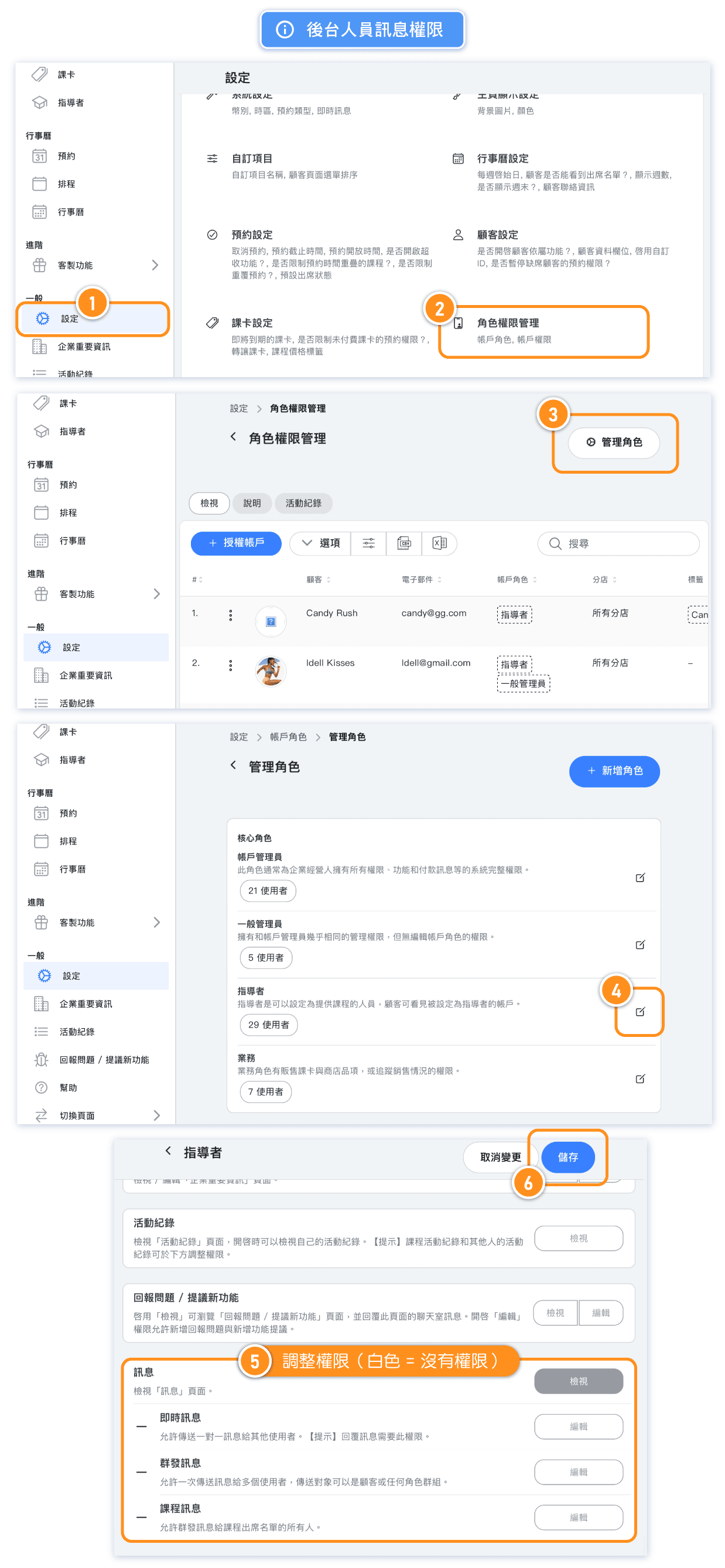
Admin messaging permissions
Admin can send one-on-one or group messages, but messaging permissions may vary based on their role in the booking system, and they may be restricted from sending messages. These permissions can be adjusted in the 'Roles & Permissions' section of the admin side 'Settings' page.
Where is the messaging feature? (Customer)
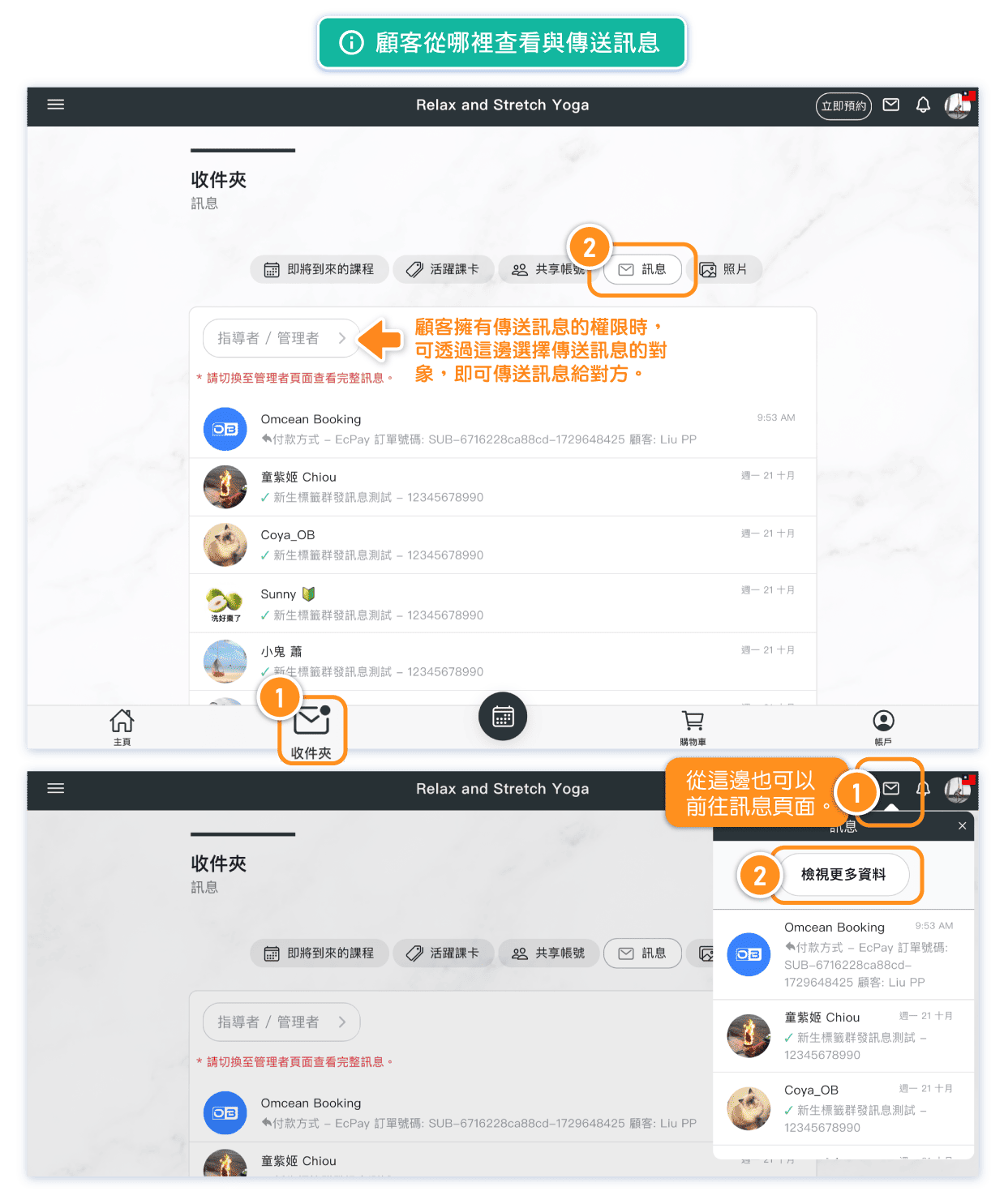
Customers can access the 'Messages' page through the 'Inbox' on the main page, or by clicking the envelope icon at the top right to view or enter the messaging page. If allowed by the studios, customers can directly reply to messages from administrators in this page.
What are the messaging permissions for customers?
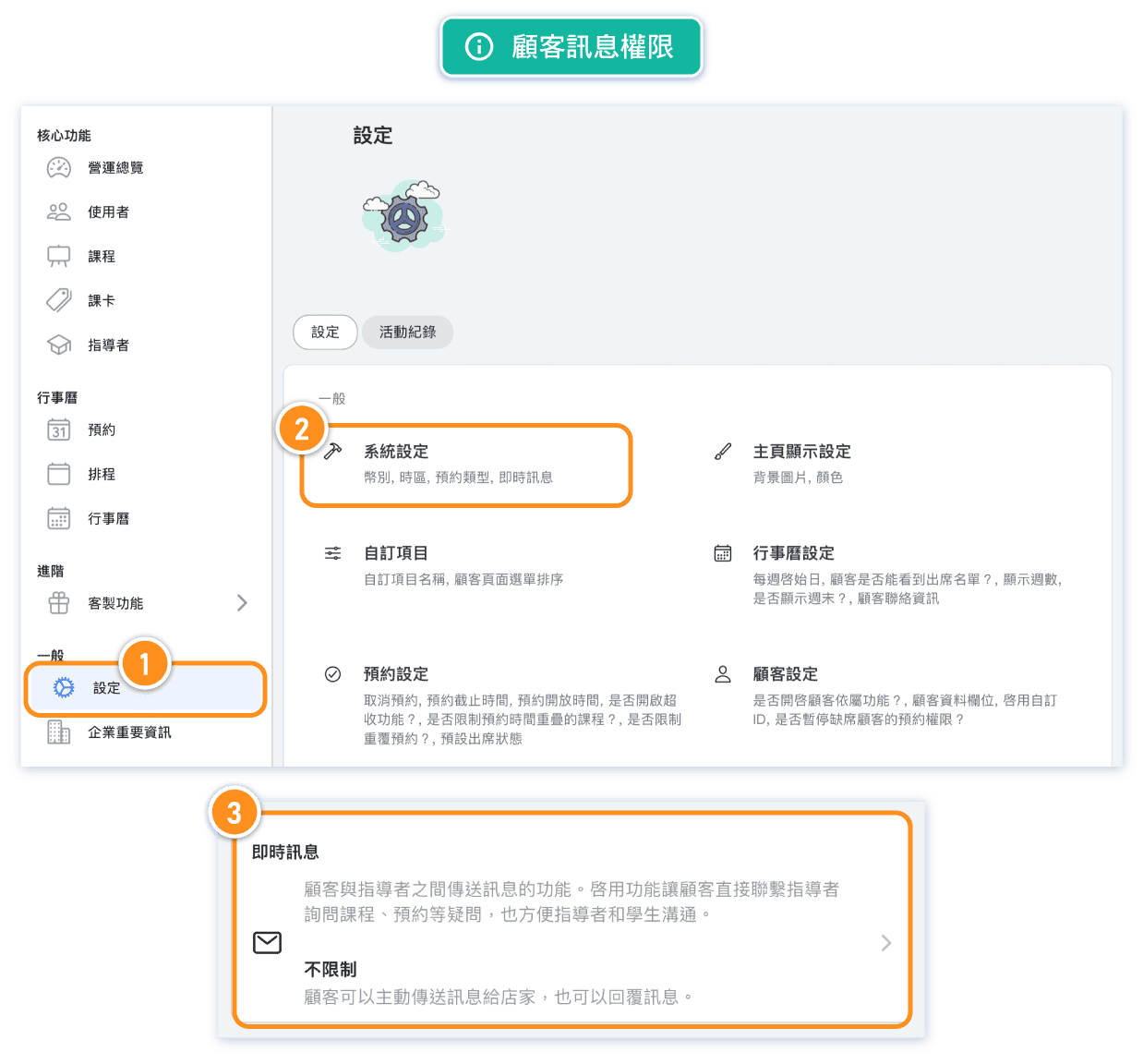
Studios can decide whether to enable the messaging feature for customers.
There are three options available:
- Not allowed.
- Allow customers to receive messages from admins or instructors. (Cannot send messages)
- Allow customers to send messages to admins or instructors.
*Cannot send messages to other customers.