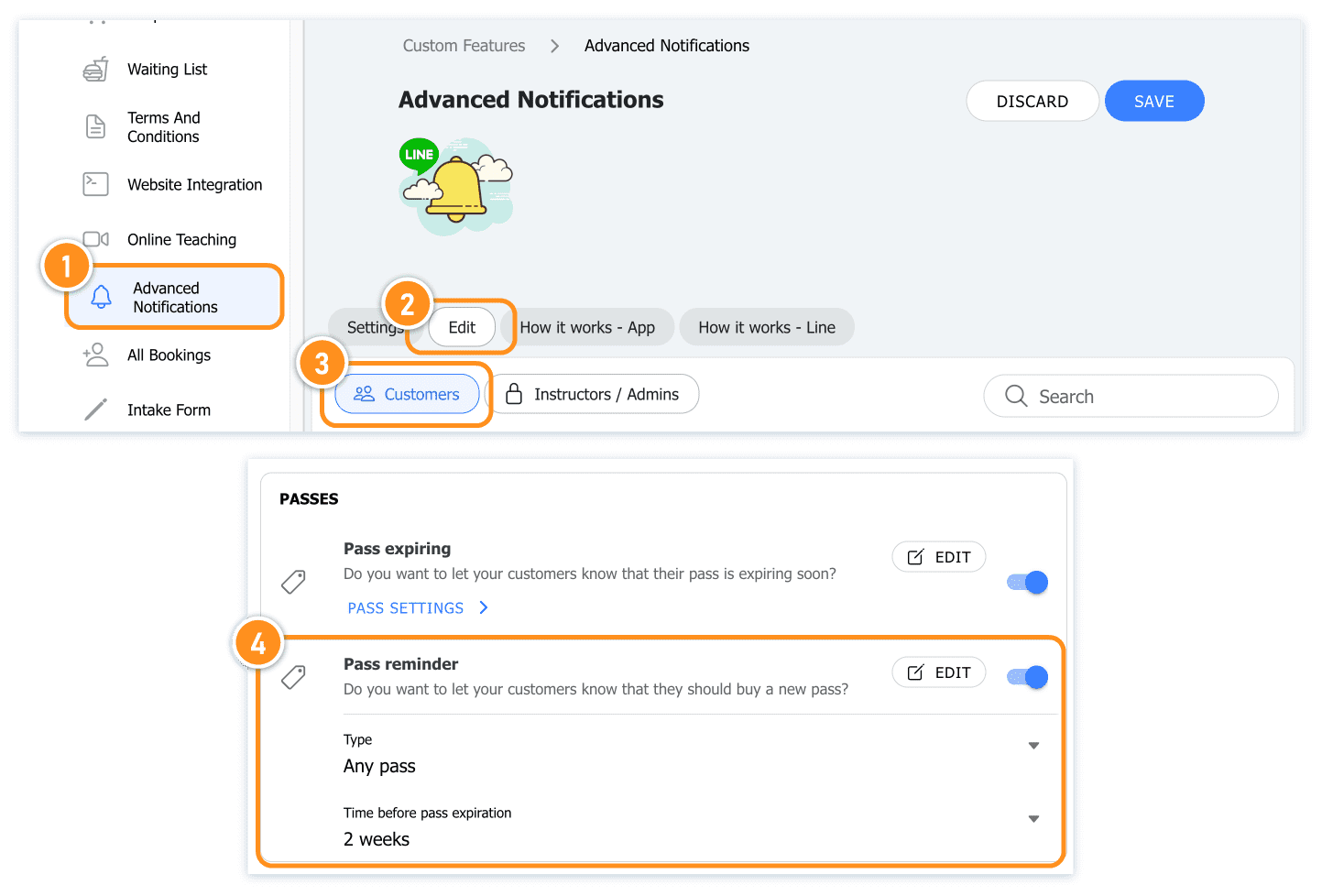
Set up reminder
Turn on 'Pass Reminder' in the Advanced Notifications page, then choose the specific scenario in which the reminder should be sent.
There are 3 different options:
- Last purchased pass (any type)
The system will send a "New Pass Purchase Reminder" only for the customer's last purchased pass, regardless of the pass type.
Example: Kiki bought a 10-class Yoga pass in January and hasn't finished using it yet. In March, she bought another 10-class Yoga pass during a studio promotion. Enabling this setting will cause the system to send the reminder only for the pass purchased in March. - Last purchased pass (same type)
For customers holding different types of passes, the system will send expiration reminders based on the "last purchased" pass for each pass type. Each type will receive a separate reminder.
Example: If Mimi holds 2 Aerial Yoga 10-class passes and 3 Mat Yoga 10-class passes, enabling this setting will cause the system to send a "New Pass Purchase Reminder" only for the last purchased Aerial Yoga 10-class pass and the last purchased Mat Yoga 10-class pass. - All active passes
The system will send a "New Pass Purchase Reminder" for each pass the customer holds before it expires, regardless of the pass type.
Example: If Fifi holds 1 Aerial Yoga 10-class pass, 2 Mat Yoga 10-class passes, and 3 Fitness 10-class passes, enabling this setting will trigger the system to send a "New Pass Purchase Reminder" for all the passes Fifi holds.
Reminder Timing: Send out reminder notification to customer in how many days before pass expiration date.