Method 1: Log in using the "Forgot Password" feature to receive a password reset email for login
[Instructions]
-
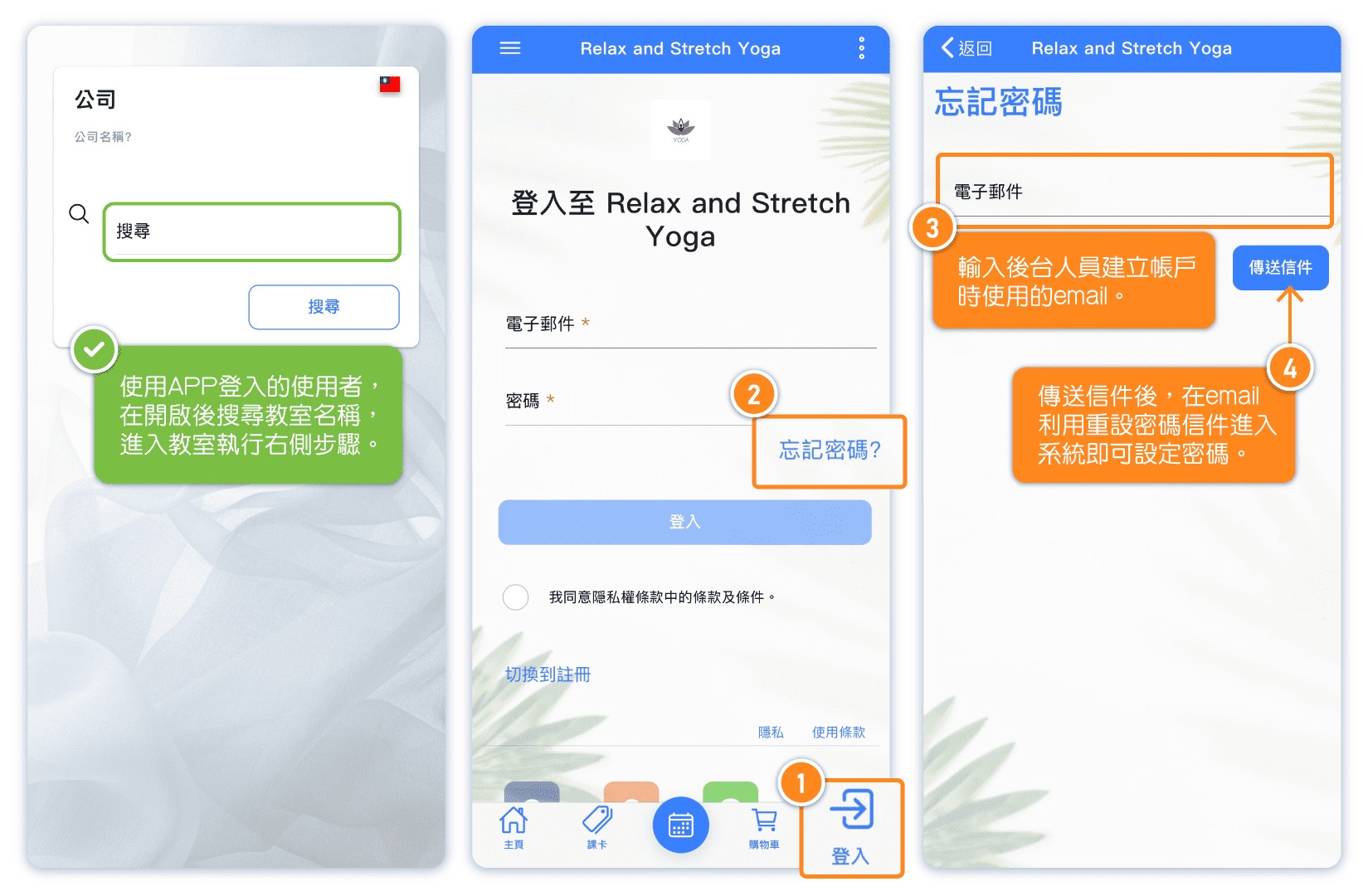
Click Log In at the bottom right.
-
Click Forgot Password.
-
Enter the email used when the backend staff created the account.
-
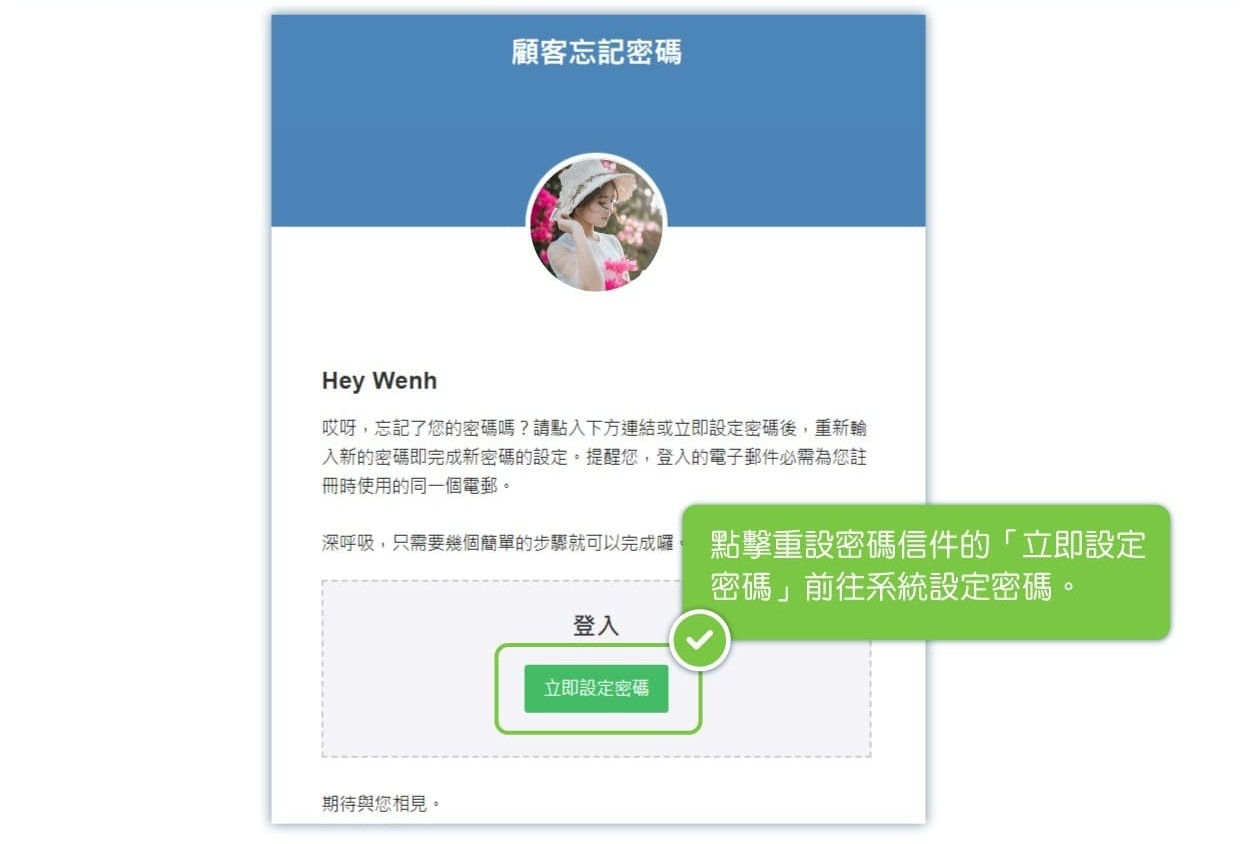
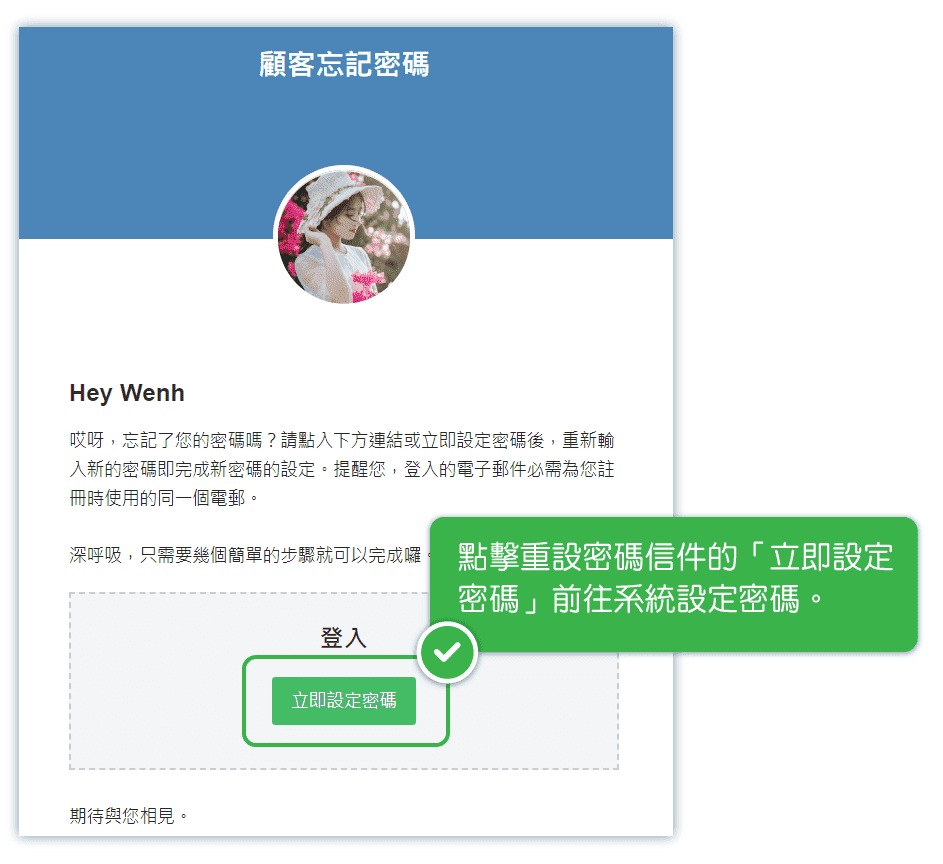
After sending the email, use the password reset link in the email to access the system and set a new password.
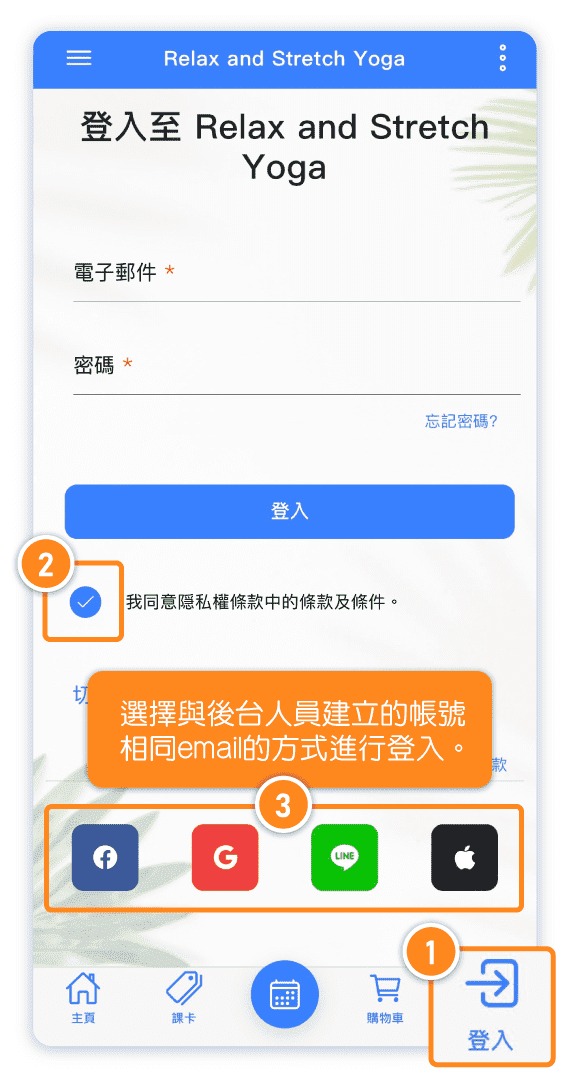
Method 2: Log in using third-party platforms with the same email for authorization
For example, if backend staff register a customer using Gmail, the customer can simply log in using the same email associated with their Google account.
[Instructions]
-
Click Log In at the bottom right.
-
Check the box to agree to the policies.
-
Log in using the email that matches the account created by the backend staff.
Method 3: Request the backend personnel to send a "Reset Password" email through the backend
[Instructions]
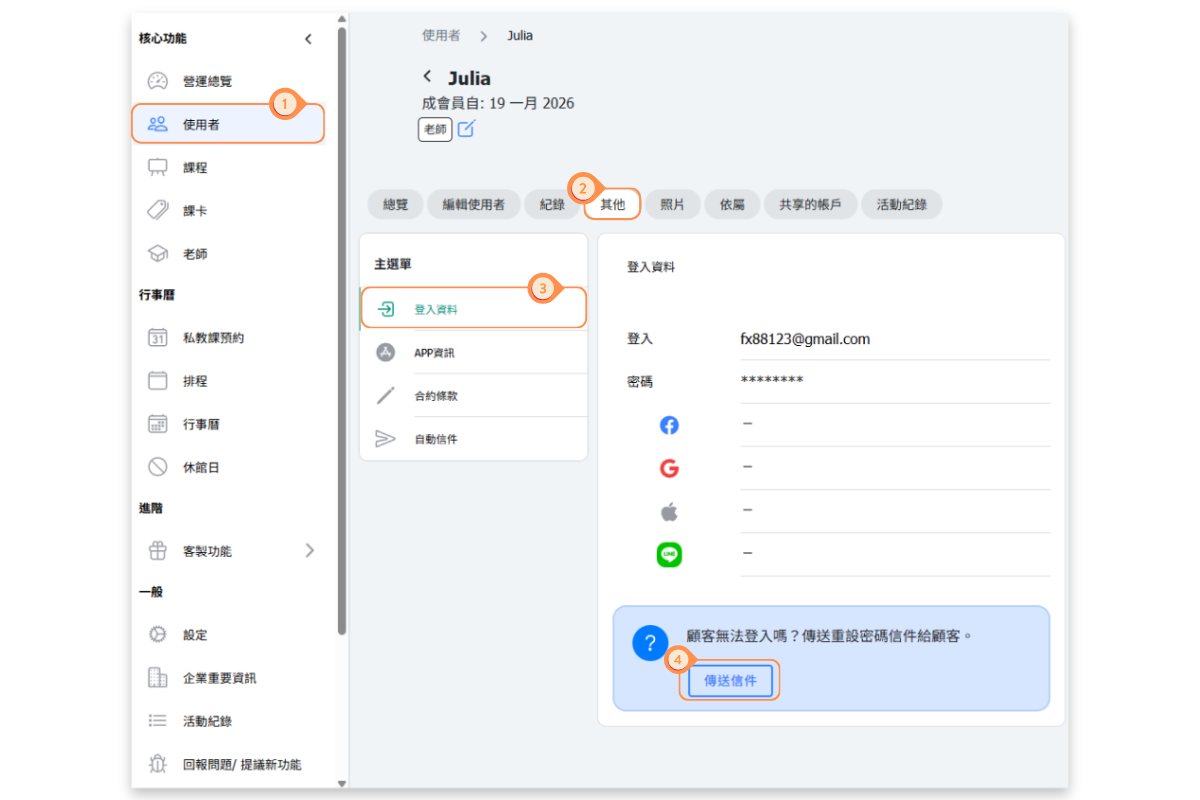
- Click Users in the left menu.
- Select the Others tab.
- Click Login Information.
- Click Send Email.