What can I ask customers in a survey?
Ask about a decision you need to make: moving a 6am class to 7pm, adding a beginner class or running a weekend workshop. Give customers clear choices and space to explain what would help.
Find out who wants a 7pm class before you add it.
No credit card needed

See it in action
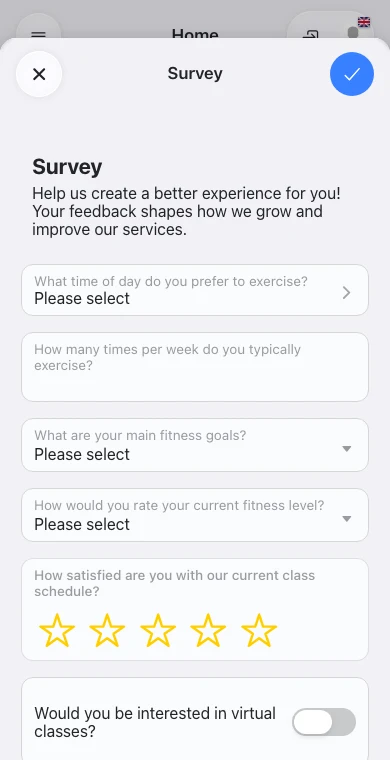

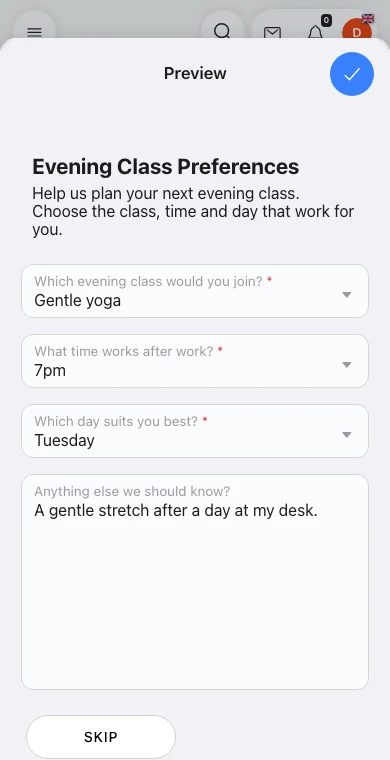
Class planning example: A morning class that just won't fill
“An OmceanBooking survey revealed why our morning class struggled to fill: members preferred after-work sessions. We moved it to the evening based on feedback, not guesses.”
Yoga studio owner
Ask members what they think of your classes and services.
Can questions depend on an earlier answer?
Yes. Add a rule to an item in the form to show it or require an answer when another question matches. Save the rule and then the form. For example, show injury details only when the customer answers Yes to an injury question.
Can I include instructions without asking for an answer?
Use an Info box for a callout with an optional emoji, or Paragraph for plain text. Both support separate English and Chinese content and can be shown conditionally.
The item library also includes Add Dependent, which collects Name, Profile picture, Birthday and Notes and creates a dependent under the customer account when submitted. Like a question, it can be shown or required conditionally.
Frequently asked questions
Ask about a decision you need to make: moving a 6am class to 7pm, adding a beginner class or running a weekend workshop. Give customers clear choices and space to explain what would help.
Yes. Select customers individually or use roles and tags to choose a group. For example, ask regular evening attendees about a new 7pm class. The survey appears for the selected customers in their app.
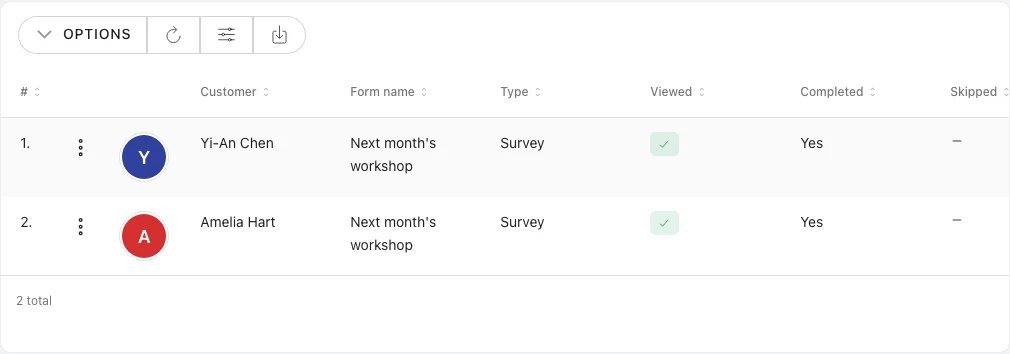
Open the survey's History tab to see who has completed it. Select a response to read the answers, such as a member's preferred class, weekday and start time.
See how other businesses use this product

Transform your yoga or dance studio with specialized booking management that accommodates diverse classes and instructor availability for mindful movement experiences.

Transform your Pilates studio with comprehensive booking management that coordinates specialized equipment schedules with instructor certifications for mindful movement experiences.

Transform your fitness studio with comprehensive booking and membership management that maximizes class capacity while helping members achieve their fitness goals.

Transform your personal training business with comprehensive booking management that accommodates varied session types while delivering personalized fitness experiences.
Send us a message and we'll respond within 24 hours
All Features Included
No credit card needed